ECU BUICK CENTURY 1994 User Guide
[x] Cancel search | Manufacturer: BUICK, Model Year: 1994, Model line: CENTURY, Model: BUICK CENTURY 1994Pages: 308, PDF Size: 16.3 MB
Page 107 of 308
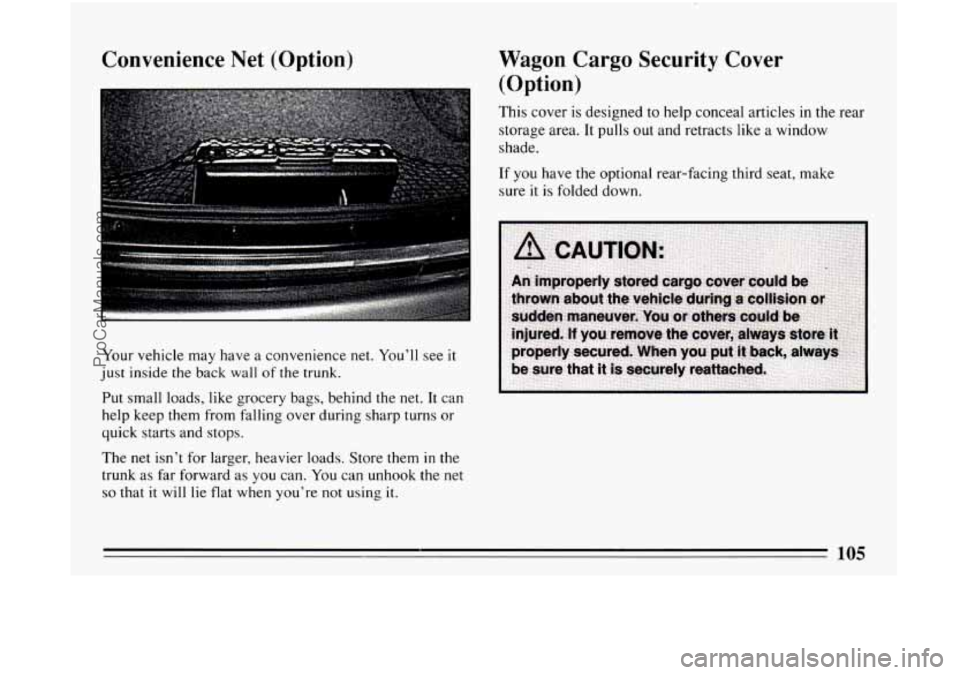
Convenience Net (Option)
Your vehicle may have a convenience net. You’ll see it
just inside the back wall of the trunk.
Put small loads, like grocery bags, behind the
net. It can
help keep them from falling over during sharp turns or
quick starts and stops.
The net isn’t for larger, heavier loads. Store them
in the
trunk as far forward as you can. You can unhook the net
so that it will lie flat when you’re not using it.
Wagon Cargo Security Cover
(Option)
This cover is designed to help conceal articles in the rear
storage area.
It pulls out and retracts like a window
shade.
If you have the optional rear-facing third seat, make
sure
it is folded down.
ProCarManuals.com
Page 109 of 308
The crossrails can be adjusted by loosening the screws.
After
moving the crossrails, be sure to tighten the
screws securely.
I
I NOTICE:
Loading cargo that weighs more than 50 pounds
(23 kg) for the deck lid or 200 pounds (90 kg) for
the roof on the luggage carrier may damage your
vehicle. When you carry large things, never let
them hang over the rear or the sides
of your
vehicle. Load your cargo
so that it rests on the
slats and does not scratch or damage the
vehicle. Put the cargo against
the rear rail of the
deck lid carrier and fasten
it securely. On the
wagon, put the cargo against the side rails of the
roof carrier and fasten
it securely.
Don’t exceed the maximum vehicle capacity when
loading your Buick. For more information on vehicle
capacity and loading, see “Loading Your Vehicle”
in the
Index.
To prevent damage or loss of cargo as you’re driving,
check now and then to make sure the luggage carrier
and cargo are still securely fastened.
Storage Armrest (Option)
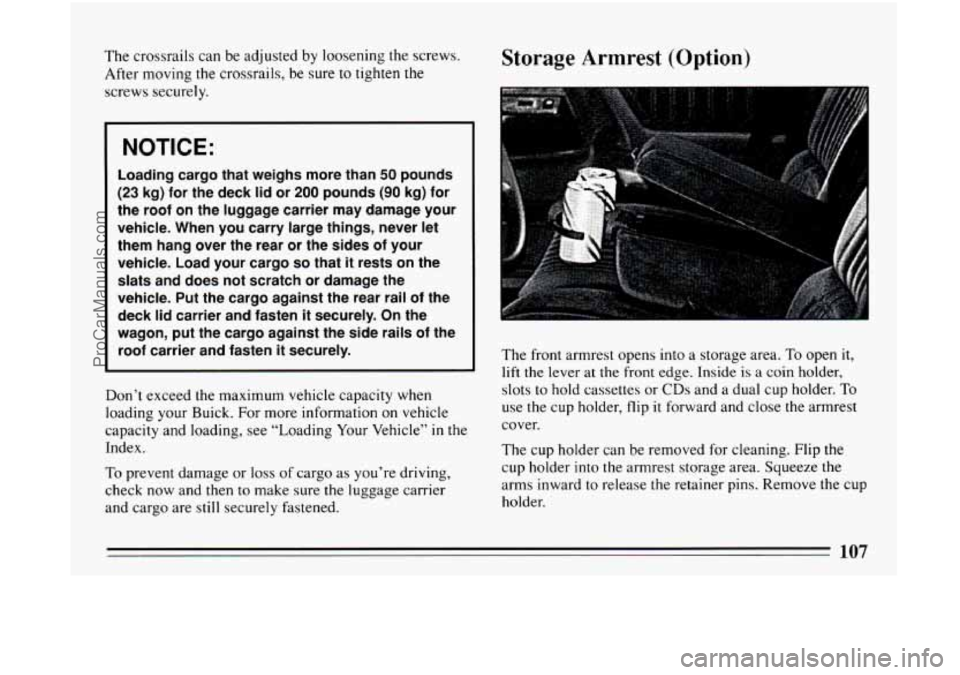
The front armrest opens into a storage area. To open it,
lift the lever at the front edge. Inside is a coin holder,
slots to hold cassettes or CDs and a dual cup holder.
To
use the cup holder, flip it forward and close the armrest
cover.
The cup holder can be removed for cleaning. Flip the
cup holder into
the armrest storage area. Squeeze the
arms inward to release the retainer pins. Remove the cup
holder.
107
ProCarManuals.com
Page 136 of 308
CD Player Anti-Theft Feature
Delco LOC I1 is a security feature for the compact disc
player.
It can be used or ignored. If ignored, the system
plays normally. If it is used, your player won’t be usable
if
it is ever stolen, because it will go to LOC mode any
time battery power
is removed. Until an unlock code is
entered, it will
not turn on.
The instructions below tell you how to enter a secret
code into the system. If your vehicle loses battery power
for any reason, you must unlock the system with the
secret code before the radio will turn on. Be sure to read
through
the entire procedure and become familiar with
the appropriate buttons and knobs before starting.
1. Write down any six-digit number and keep it in
a
safe place.
2. Turn the ignition to the ACC or RUN position.
3. Press the PWR button to turn the radio off.
4. Press the 1 and 4 pushbuttons together. Hold them
down
until “---” shows on the display.
You are ready to enter your secret code. If you pause
more than
15 seconds between steps, you may have
to start the procedure over.
5. Press SET and “000” will appear on the display.
6. Press the SEEK button to make the first number
appear.
7. Rotate the TUNE knob right or left to make the last
two numbers agree with your code.
8. Press the lower (BAND) knob and “000” will appear
again.
Now you are ready to enter the last three digits of
your code by repeating steps
6 and 7 for the last
three digits
of your code.
9. Press the lower (BAND) knob and “rEP” will appear
for
five seconds and then “000” will appear
indicating that some steps are to be repeated.
10. Repeat steps 6,7 and 8.
11. Press the lower (BAND) knob. If the display shows
“SEC” it indicates that the process was successful
and the radio is secure. If
the display shows “---,”
the steps were not successful and the process must be
repeated
to secure.
134
ProCarManuals.com
Page 137 of 308
To Unlock the System After a Power Loss
When battery power is reapplied to a secured radio, the
radio won’t turn on and “LOC” will appear on the
display. Enter your secret code as follows; pause no
more than
15 seconds between steps.
1. Turn the ignition on. (Radio off.)
2. Press the SET button. The display will show “000.”
3. Enter the six digits of your code following steps 6-9
on the preceding. The display will show the numbers
as entered.
4. Press the lower (BAND) knob and SEC appears,
then the time, indicating that the disabling sequence
was successful.
Disabling the Anti-Theft System:
1.
2.
3.
4.
5.
6.
Press the I and 4 buttons together for five seconds with
ignition on and radio power off. The display will show
“SEC,” indicating the unit is in the secure mode.
Press the
SET button. The display will show “OOO.”
Enter the first three digits of your code following
step
6 and 7of the preceding paragraphs. The display
will show the numbers as entered.
Press the lower (BAND) knob. The radio will
display
“000.”
Enter the second three digits of the code. The display
will show
the numbers as entered.
Press the lower (BAND) knob.
If the display shows
numbers matched the user-selected code or
the
factory back-up code) and the unit is in the
UNSECURED mode. If
the display shows “SEC,”
the disabling sequence was unsuccessful and the numbers did
not match either of the codes and the
unit will remain in the SECURED mode.
“--- , ” the disabling sequence was successful (the
135
ProCarManuals.com
Page 164 of 308
.I. L.
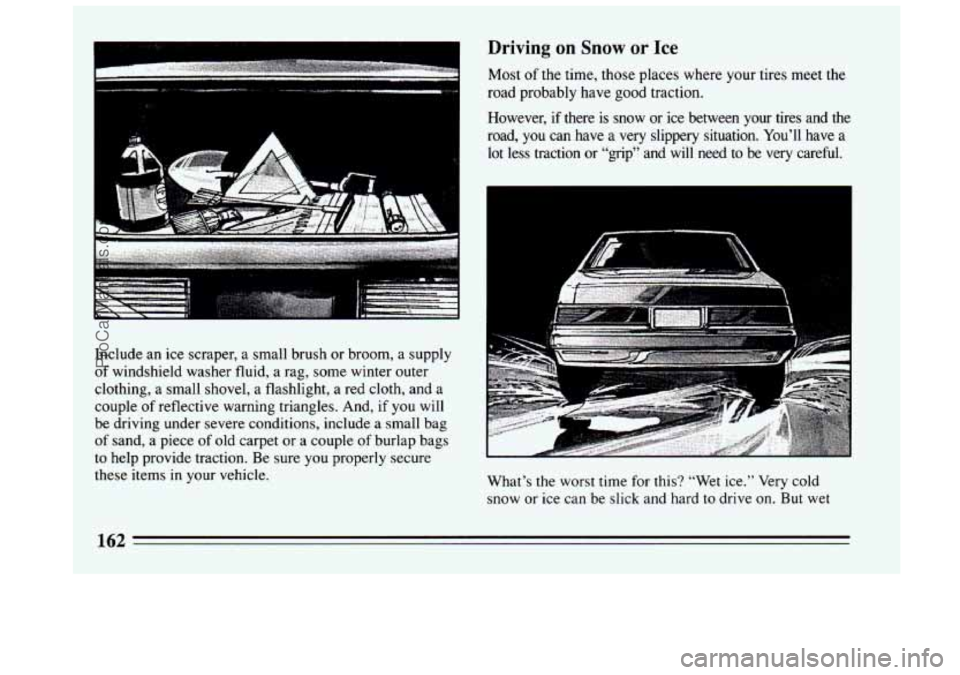
Include an ice scraper, a small brush or broom, a supply
of windshield washer fluid, a rag, some winter outer
clothing,
a small shovel, a flashlight, a red cloth, and a
couple
of reflective warning triangles. And, if you will
be driving under severe conditions, include a small bag
of sand, a piece of old carpet or a couple of burlap bags
to help provide traction. Be sure you properly secure
these items in your vehicle.
Driving on Snow or Ice
Most of the time, those places where your tires meet the
road probably have good traction.
However,
if there is snow or ice between your tires and the
road,
you can have a very slippery situation. You’ll have a
lot less traction or “grip” and will need to be very careful.
What’s the worst time for this? “Wet ice.” Very cold
snow or ice can be slick and hard to drive
on. But wet
162
ProCarManuals.com
Page 170 of 308
The bumpers on your vehicle are not intended for
hitches.
Do not attach rental hitches or other
bumper-type hitches to them. Use only a
frame-mounted hitch that does not attach to the
bumper.
Safety Chains
You should always attach chains between your vehicle
and your trailer. Cross the safety chains under the
tongue of the trailer
so that the tongue will not drop to
the road if it becomes separated from the hitch.
Instructions about safety chains may be provided by the
hitch manufacturer or by the trailer manufacturer.
Follow the manufacturer’s recommendation for
attaching safety chains. Always leave just enough slack
so you can turn with your rig. And, never allow safety
chains
to drag on the ground.
Trailer Brakes
Does your trailer have its own brakes? Be sure to read
and follow the instructions for the trailer brakes
so
you’ll be able to install, adjust and maintain them
properly. Because you have anti-lock brakes, do not try
to tap into your vehicle’s brake system. If you do, both
brake systems won’t work well, or at all.
Driving with a Trailer
Towing a trailer requires a certain amount of experience.
Before setting out for the open road, you’ll want to get
to know your rig. Acquaint yourself with the feel
of
handling and braking with the added weight of the
trailer. And always keep in mind that the vehicle you are
driving is now a good deal longer and not nearly
so
responsive as your vehicle is by itself.
Before
you start, check the trailer hitch and platform,
safety chains, electrical connector, lights, tires and
mirror adjustment. If the trailer has electric brakes, start
your vehicle and trailer moving and
then apply the
trailer brake controller by hand to be sure the brakes are
working. This lets
you check your electrical connection
at the same time.
During your trip, check occasionally to be sure that the
load is secure, and that the lights and any trailer brakes
are still working.
Following Distance
Stay at least twice as far behind the vehicle ahead as you
would when driving your vehicle without a trailer. This
can help
you avoid situations that require heavy braking
and sudden turns.
168
ProCarManuals.com
Page 246 of 308
If you need to replace any of your wheels, wheel bolts,
or wheel nuts, replace them only with new
GM original
equipment parts. This way,
you will be sure to have the
right wheel, wheel bolts, and wheel nuts for your Buick
model.
NOTICE:
The wrong wheel can also cause problems with
bearing life, brake cooling, speedometer/odometer
calibration, headlight aim, bumper height, vehicle
ground clearance, and tire
or tire chain clearance
to the body and chassis.
Used Replacement Wheels
Tire Chains
NOTICE:
Use tire chains only where legal and only when
you must. Use only
SAE Class “S” type chains
that are the proper size for your tires. Install
them on the front tires and tighten them as
tightly
as possible with the ends securely
fastened. Drive slowly and follow the chain
manufacturer’s instructions.
If you can hear the
chains contacting your vehicle, stop and
retighten them.
If the contact continues, slow
down
until it stops. Driving too fast with chains
on will damage your vehicle.
244
ProCarManuals.com
Page 287 of 308
Courtesy Transportation
To Buick Motor Division, Quality Means Service -- and
service means “keeping you
on the road.”
Included with your
1994 Buick new car warranty, (36
months, or 36,000 miles), is Courtesy Transportation, a
program which will provide Buick retail customers with:
- Reimbursement toward a loaner vehicle, courtesy of
Buick Motor Division, for up to five days for
vehicles requiring overnight warranty repairs. Also,
reimbursement up to $30 a day
(5 days maximum)
may be available for the cost of a rental car, bus or
even a cab.
- A free one-way shuttle ride up to 10 miles from the
dealership is available
for customers whose vehicles
require same-day warranty repairs.
Courtesy Transportation is Buick’s way of extending the
Premium Service you’ve come to expect for Buick and
it’s 3,000 dealers. Please review the Courtesy
Transportation glove-box card contained
in your
vehicle, or consult
your Buick dealer for details.
In Canada, please consult your GM Dealer for
information
on Courtesy Transportation.
Roadside Assistance
Buick Motor Division is proud to offer Buick Roadside
Assistance
to customers for vehicles covered under the
new car warranty during the 36 month/36,000 mile
(whichever comes first).
Our commitment
to Buick owners has always included
superior service through our network of
3,000 Buick
dealers. Buick Roadside Assistance provides an extra
measure of convenience and security.
Buick Roadside Assistance
- Provides owners with access to minor repairs or
towing for disabled vehicles.
- Takes the anxiety out of uncertain situations by
providing easy access
to service professionals trained
to work with Buick owners, 24-hour a day, 365 days
a year, including weekends and holidays.
For details of Buick Roadside Assistance
, please
consult your Buick Roadside Assistance owner booklet
included with your owner’s manual. For needed
assistance, call the Buick Roadside Assistance toll-free
hotline: 1-800-252-
1 112.
285
ProCarManuals.com
Page 294 of 308
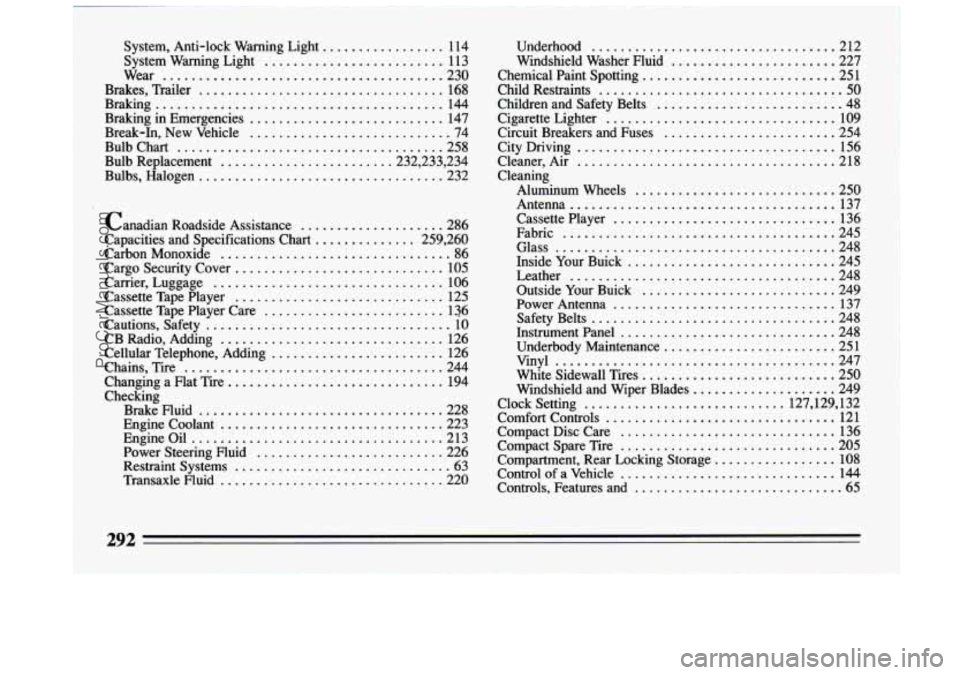
System. Anti-lock Warning Light ................. 114
System Warning Light
......................... 113
Wear
....................................... 230
Brakes. Trailer
.................................. 168
Braking in Emergencies
........................... 147
Break-In. New Vehicle ............................ 74
Bulb Chart
...................................... 258
Bulb Replacement ....................... .232.233. 234
Bulbs. Halogen
.................................. 232
Braking
........................................ 144
Canadian Roadside Assistance
................... -286
Capacities and Specifications Chart
.............. 259. 260
Carbon Monoxide
................................ 86
Cargo Security Cover
............................. 105
Carrier. Luggage
................................ 106
Cassette Tape Player
............................. 125
Cassette Tape Player Care
......................... 136
Cautions. Safety
.................................. 10
CB Radio. Adding
............................... 126
Cellular Telephone. Adding
........................ 126
Chains. Tire
.................................... 244
Changing a Flat Tire
.............................. 194
Checking Brake Fluid
.................................. 228
Engine Coolant
............................... 223
Engineoil
................................... 213
Power Steering Fluid
.......................... 226
Restraint Systems
.............................. 63
Transaxle Fluid
............................... 220 Underhood
.................................. 212
Windshield Washer Fluid
....................... 227
Chemical Paint Spotting
........................... 251
Child Restraints
.................................. 50
Children and Safety Belts ......................... -48
Circuit Breakers and Fuses ........................ 254
City Driving
.................................... 156
Cleaner. Air .................................... 218
Cleaning Aluminum Wheels
............................ 250
Antenna
..................................... 137
Cassette Player
............................... 136
Fabric
...................................... 245
Glass ....................................... 248
Inside Your Buick
............................. 245
Leather
..................................... 248
Outside Your Buick
........................... 249
Power Antenna
............................... 137
Safety Belts
.................................. 248
Instrumentpanel
.............................. 248
Underbody Maintenance
........................ 251
vinyl
....................................... 247
White Sidewall Tires
........................... 250
Windshield and Wiper Blades
.................... 249
Clock Setting
............................ 127.129. 132
Comfort Controls
................................ 121
Compact Disc Care
.............................. 136
Compact Spare Tire
.............................. 205
Compartment. Rear Locking Storage
................. 108
Control of a Vehicle
.............................. 144
Controls. Features and
............................. 65
Cigarette Lighter
................................ 109
292
..... _- ...
ProCarManuals.com
Page 298 of 308
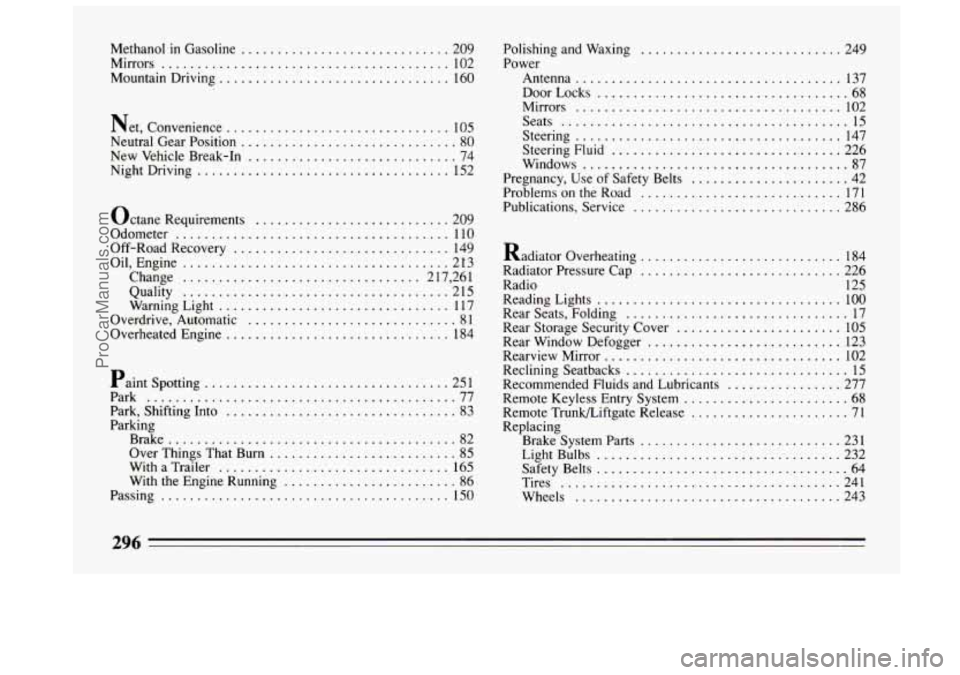
Methanol in Gasoline ............................. 209
Mirrors
........................................ 102
Mountain Driving ................................ 160
Net. Convenience ............................... 105
Neutral Gear Position
.............................. 80
New Vehicle Break-In
............................. 74
NightDriving
................................... 152
Octane Requirements
........................... 209
Odometer
...................................... 110
Off-Road Recovery
.............................. 149
Oil. Engine
..................................... 213
Change
................................. 217. 261
Quality
..................................... 215
Warning Light
................................ 11 7
Overdrive. Automatic
............................. 8 1
Overheated Engine ............................... 184
Paint Spotting
.................................. 251
Park
........................................... 77
Park. Shifting Into
................................ 83
Parking Brake
........................................ 82
Over Things That Burn
.......................... 85
With a Trailer
................................ 165
With the Engine Running
........................ 86
Passing
........................................ 150 Polishing
and Waxing
............................ 249
Power
Antenna
..................................... 137
DoorLocks
................................... 68
Mirrors
..................................... 102
Seats
........................................ 15
Steering
..................................... 147
Steering Fluid
................................ 226
Windows
..................................... 87
Pregnancy. Use of Safety Belts
...................... 42
Problems on the Road ............................ 171
Publications. Service
............................. 286
Radiator Overheating
............................ 184
Radiator Pressure Cap
............................ 226
Radio 125
Reading Lights
.................................. 100
Rear Seats. Folding ............................... 17
Rear Storage Security Cover
....................... 105
Rear Window Defogger
........................... 123
Rearview Mirror
................................. 102
Reclining Seatbacks
............................... 15
Recommended Fluids and Lubricants
................ 277
Remote Keyless Entry System
....................... 68
Remote Trunkbiftgate Release ...................... 71
Replacing
BrakeSystemParts
............................ 231
Safety Belts
................................... 64
Tires
....................................... 241
Wheels
..................................... 243
Light Bulbs
.................................. 232
296
ProCarManuals.com