audio BUICK CENTURY 2004 Owner's Manual
[x] Cancel search | Manufacturer: BUICK, Model Year: 2004, Model line: CENTURY, Model: BUICK CENTURY 2004Pages: 358, PDF Size: 4.01 MB
Page 1 of 358
Seats and Restraint Systems........................... 1-1
Front Seats
............................................... 1-2
Rear Seats
............................................... 1-5
Safety Belts
.............................................. 1-6
Child Restraints
.......................................1-28
Air Bag Systems
......................................1-49
Restraint System Check
............................1-58
Features and Controls..................................... 2-1
Keys
........................................................ 2-2
Doors and Locks
......................................2-10
Windows
.................................................2-15
Theft-Deterrent Systems
............................2-17
Starting and Operating Your Vehicle
...........2-18
Mirrors
....................................................2-31
OnStar
®System
......................................2-33
Storage Areas
.........................................2-34
Sunroof
..................................................2-36
Instrument Panel............................................. 3-1
Instrument Panel Overview
.......................... 3-2
Climate Controls
......................................3-18
Warning Lights, Gages and Indicators
.........3-27
Audio System(s)
.......................................3-44Driving Your Vehicle....................................... 4-1
Your Driving, the Road, and Your Vehicle
..... 4-2
Towing
...................................................4-31
Service and Appearance Care.......................... 5-1
Service
..................................................... 5-3
Fuel
......................................................... 5-4
Checking Things Under the Hood
...............5-10
Headlamp Aiming
.....................................5-49
Bulb Replacement
....................................5-51
Windshield Wiper Blade Replacement
.........5-56
Tires
......................................................5-57
Appearance Care
.....................................5-88
Vehicle Identication
.................................5-96
Electrical System
......................................5-97
Capacities and Specications
...................5-103
Maintenance Schedule..................................... 6-1
Maintenance Schedule
................................ 6-2
Customer Assistance and Information.............. 7-1
Customer Assistance and Information
........... 7-2
Reporting Safety Defects
...........................7-10
Index................................................................ 1
2004 Buick Century Owner ManualM
Page 4 of 358
Vehicle Damage Warnings
Also, in this book you will nd these notices:
Notice:These mean there is something that could
damage your vehicle.
A notice will tell you about something that can damage
your vehicle. Many times, this damage would not be
covered by your warranty, and it could be costly.
But the notice will tell you what to do to help avoid the
damage.
When you read other manuals, you might see
CAUTION and NOTICE warnings in different
colors or in different words.
You’ll also see warning labels on your vehicle.
They use the same words, CAUTION or NOTICE.
Vehicle Symbols
Your vehicle has components and labels that use
symbols instead of text. Symbols, used on your vehicle,
are shown along with the text describing the operation
or information relating to a specic component, control,
message, gage or indicator.
If you need help guring out a specic name of a
component, gage or indicator, reference the following
topics:
Seats and Restraint Systems in Section 1
Features and Controls in Section 2
Instrument Panel Overview in Section 3
Climate Controls in Section 3
Warning Lights, Gages and Indicators in Section 3
Audio System(s) in Section 3
Engine Compartment Overview in Section 5
iv
Page 86 of 358
Retained Accessory Power (RAP)
If the vehicle has Retained Accessory Power (RAP), the
power windows and audio system can continue to
operate for up to 10 minutes after the ignition key is
turned to OFF and before any of the doors are opened.
Starting Your Engine
Move the shift lever to PARK (P) or NEUTRAL (N). The
engine will not start in any other position – that is a
safety feature. To restart the vehicle when it is already
moving, use NEUTRAL (N) only.
Notice:Shifting into PARK (P) with the vehicle
moving could damage the transaxle. Shift into
PARK (P) only when your vehicle is stopped.
1. With your foot off the accelerator pedal, turn the
ignition key to START. When the engine starts,
let go of the key. The idle speed will go down as the
engine gets warm.Notice:Holding your key in START for longer than
15 seconds at a time will cause your battery to
be drained much sooner. And the excessive heat
can damage your starter motor. Wait about
15 seconds between each try to help avoid draining
your battery or damaging your starter.
2. If the engine will not start, or starts but then stops,
it could be ooded with too much gasoline. Try
pushing the accelerator pedal all the way to the oor
and holding it there as the key is held in START
for not more than 15 seconds at a time. This clears
the extra gasoline from the engine
Notice:Your engine is designed to work with the
electronics in your vehicle. If you add electrical
parts or accessories, you could change the way the
engine operates. Before adding electrical equipment,
check with your dealer. If you do not, your engine
might not perform properly.
2-20
Page 103 of 358
Instrument Panel Overview...............................3-2
Hazard Warning Flashers................................3-4
Other Warning Devices...................................3-4
Horn.............................................................3-5
Tilt Wheel.....................................................3-5
Turn Signal/Multifunction Lever.........................3-5
Exterior Lamps.............................................3-12
Interior Lamps..............................................3-15
Accessory Power Outlets...............................3-17
Ashtrays and Cigarette Lighter........................3-17
Climate Controls............................................3-18
Dual Climate Control System..........................3-18
Dual Automatic Climate Control System...........3-21
Outlet Adjustment.........................................3-25
Passenger Compartment Air Filter...................3-26
Warning Lights, Gages and Indicators.............3-27
Instrument Panel Cluster................................3-28
Speedometer and Odometer...........................3-29
Safety Belt Reminder Light.............................3-30
Air Bag Readiness Light................................3-30
Charging System Light..................................3-31
Brake System Warning Light..........................3-32
Anti-Lock Brake System Warning Light.............3-33
Enhanced Traction System Warning Light.........3-34
Low Traction Light........................................3-34Engine Coolant Temperature Warning Light......3-35
Engine Coolant Temperature Gage..................3-35
Tire Pressure Light.......................................3-36
Malfunction Indicator Lamp.............................3-36
Oil Pressure Light.........................................3-40
Change Engine Oil Light................................3-41
Security Light...............................................3-41
Cruise Control Light......................................3-42
Low Washer Fluid Warning Light.....................3-42
Door/Trunk Ajar Warning Light........................3-42
Service Vehicle Soon Light............................3-42
Fuel Gage...................................................3-43
Low Fuel Warning Light.................................3-44
Audio System(s).............................................3-44
Setting the Time...........................................3-45
Radio with CD..............................................3-45
Radio with Cassette and CD..........................3-53
Theft-Deterrent Feature..................................3-62
Audio Steering Wheel Controls.......................3-62
Understanding Radio Reception......................3-63
Care of Your Cassette Tape Player.................3-63
Care of Your CDs.........................................3-64
Care of Your CD Player................................3-64
Fixed Mast Antenna......................................3-64
Section 3 Instrument Panel
3-1
Page 105 of 358
The main components of the instrument panel are the following:
A. Exterior Lamps Control. SeeExterior Lamps on
page 3-12.
B. Turn Signal/Multifunction Lever. SeeTurn
Signal/Multifunction Lever on page 3-5.
C. Instrument Panel Cluster. SeeInstrument Panel
Cluster on page 3-28.
D. Hazard Warning Flasher Button. SeeHazard
Warning Flashers on page 3-4.
E. Audio Steering Wheel Controls. SeeAudio Steering
Wheel Controls on page 3-62.
F. Gear Shift Lever. SeeAutomatic Transaxle
Operation on page 2-22.
G. Air Outlets. SeeOutlet Adjustment on page 3-25.H. Side Window Defogger Outlet.
I. Hood Release. SeeHood Release on page 5-10.
J. Tilt Wheel Lever. SeeTilt Wheel on page 3-5.
K. Horn. SeeHorn on page 3-5.
L. Audio System. SeeAudio System(s) on page 3-44.
M. Ashtray. SeeAshtrays and Cigarette Lighter on
page 3-17.
N. Climate Control. SeeDual Climate Control System
on page 3-18.
O. Glove Box. SeeGlove Box on page 2-34.
P. Instrument Panel Fuse Block. SeeFuses and Circuit
Breakers on page 5-97.
3-3
Page 146 of 358
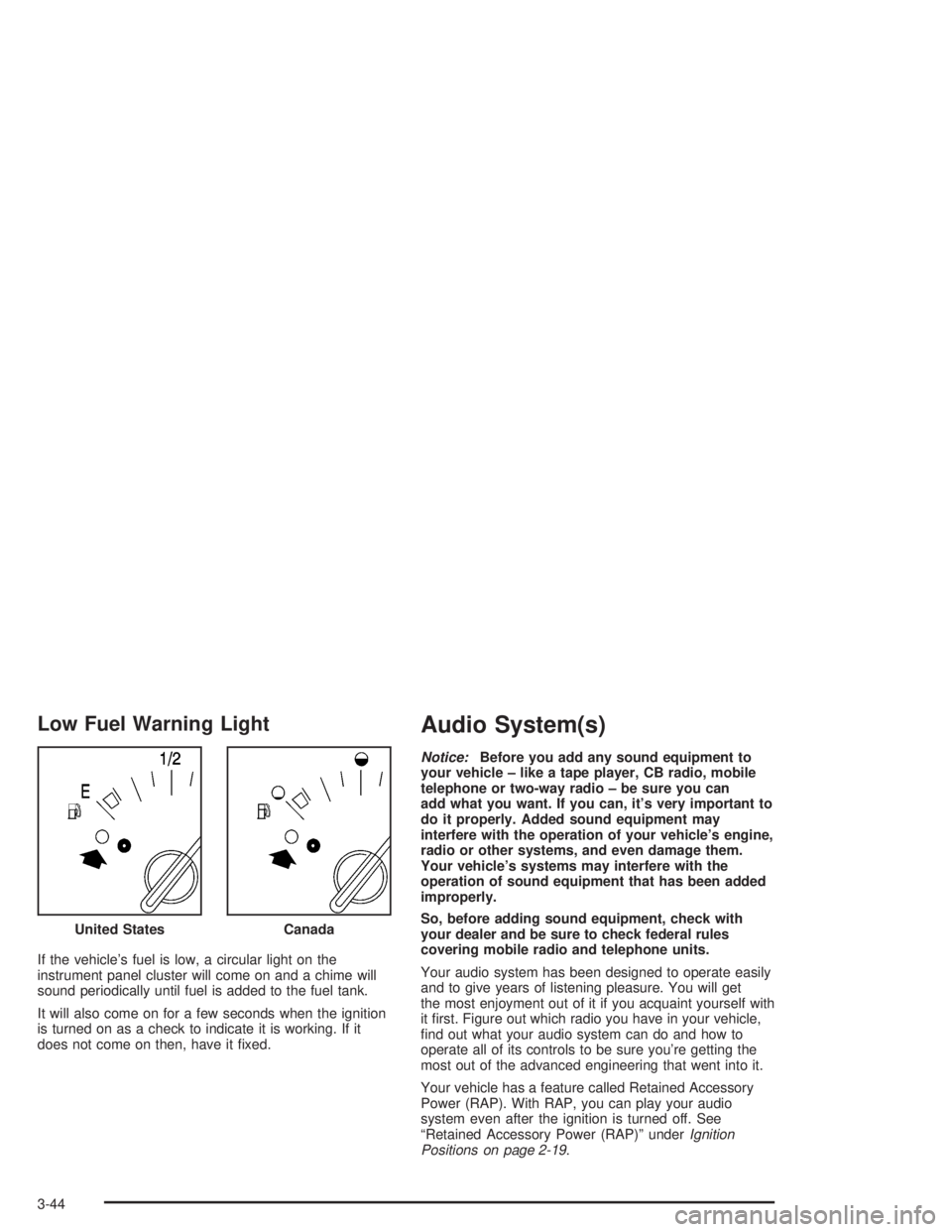
Low Fuel Warning Light
If the vehicle’s fuel is low, a circular light on the
instrument panel cluster will come on and a chime will
sound periodically until fuel is added to the fuel tank.
It will also come on for a few seconds when the ignition
is turned on as a check to indicate it is working. If it
does not come on then, have it xed.
Audio System(s)
Notice:Before you add any sound equipment to
your vehicle – like a tape player, CB radio, mobile
telephone or two-way radio – be sure you can
add what you want. If you can, it’s very important to
do it properly. Added sound equipment may
interfere with the operation of your vehicle’s engine,
radio or other systems, and even damage them.
Your vehicle’s systems may interfere with the
operation of sound equipment that has been added
improperly.
So, before adding sound equipment, check with
your dealer and be sure to check federal rules
covering mobile radio and telephone units.
Your audio system has been designed to operate easily
and to give years of listening pleasure. You will get
the most enjoyment out of it if you acquaint yourself with
it rst. Figure out which radio you have in your vehicle,
nd out what your audio system can do and how to
operate all of its controls to be sure you’re getting the
most out of the advanced engineering that went into it.
Your vehicle has a feature called Retained Accessory
Power (RAP). With RAP, you can play your audio
system even after the ignition is turned off. See
“Retained Accessory Power (RAP)” underIgnition
Positions on page 2-19. United States
Canada
3-44
Page 148 of 358
SCV (Speed-Compensated Volume):With SCV, your
audio system adjusts automatically to make up for
road and wind noise as you drive. To get to SCV, push
the TUNE/AUDIO button repeatedly until SPEED
VOL is displayed. Turn the TUNE/AUDIO button to
select OFF, MIN, MED, or MAX. Each higher setting
allows for more volume compensation at faster vehicle
speeds. Then, as you drive, SCV automatically
increases the volume, as necessary, to overcome noise
at any speed. The volume level should always sound
the same to you as you drive. If you don’t want to
use SCV, select OFF.
DISP (Display):Press this button to switch the display
between the radio station frequency and the time.
The time can be displayed with the ignition on or off.
Finding a Station
BAND:Press this button to switch between FM1, FM2,
and AM. The display will show your selection.TUNE:Turn this knob to select radio stations.
©SEEK¨:Press the right or the left arrow to go to
the next or to the previous station and stay there.
To scan stations, press and hold either SEEK arrow for
two seconds until SCAN appears on the display. The
radio will go to a station, play for a few seconds, then go
on to the next station. Press either SEEK arrow again
to stop scanning.
To scan preset stations, press and hold either SEEK
arrow for more than four seconds until PSCAN and the
preset number appear on the display. You will hear
a double beep. The radio will go to the rst preset
station stored on your pushbuttons, play for a few
seconds, then go on to the next preset station. Press
either SEEK arrow again to stop scanning presets.
The radio will seek and scan only to stations that are in
the selected band and only to those with a strong
signal.
3-46
Page 149 of 358
Setting Preset Stations
The six numbered pushbuttons let you return to
your favorite stations. You can set up to 18 stations
(six FM1, six FM2, and six AM) by performing the
following steps:
1. Turn the radio on.
2. Press BAND to select FM1, FM2, or AM.
3. Tune in the desired station.
4. Press EQ to select the equalization.
5. Press and hold one of the six numbered
pushbuttons until you hear a beep. Whenever you
press that numbered pushbutton, the station
you set will return and the equalization that you
selected will be automatically stored for that
pushbutton.
6. Repeat the steps for each pushbutton.
Setting the Tone (Bass/Treble)
AUDIO:Push and release AUDIO until BASS, MID, or
TREBLE appears on the display. Then turn the
AUDIO knob to increase or to decrease. If a station is
weak or noisy, you may want to decrease the treble.
To adjust bass, midrange, or treble to the middle
position, select BASS, MID, or TREBLE. Then push and
hold AUDIO for more than two seconds until you hear
a beep. BASS and a zero, MID and a zero, or TREBLE
and a zero will appear on the display.
To adjust both tone controls and both speaker controls
to the middle position, end out of audio mode by
waiting ve seconds without making any changes. Then
push and hold AUDIO for more than two seconds
until you hear a beep. ALL CENTERED will appear on
the display.
EQ (Equalizer):Press this button to select customized
equalization settings designed for country/western,
jazz, talk, pop, rock, and classical.
3-47
Page 150 of 358
Adjusting the Speakers (Balance/Fade)
AUDIO:To adjust the balance between the right
and the left speakers, push and release AUDIO until
BAL appears on the display. Then turn the AUDIO knob
to move the sound toward the right or the left speakers.
A bar graph with indicators will show how the sound
is balanced.
To adjust the fade between the front and the rear
speakers, push and release AUDIO until FADE appears
on the display. Then turn the AUDIO knob to move
the sound toward the front or the rear speakers. A bar
graph with indicators will show how the sound is
balanced.
To adjust balance or fade to the middle position, select
BAL or FADE. Then push and hold AUDIO for more
than two seconds until you hear a beep. The indicator
will be centered on the display.
To adjust both tone controls and both speaker controls
to the middle position, end out of audio mode by
waiting ve seconds without making any changes. Then
push and hold AUDIO for more than two seconds
until you hear a beep. ALL CENTERED will appear on
the display.
Radio Data System (RDS)
Your audio system is equipped with a Radio Data
System (RDS). RDS features are available for use only
on FM stations that broadcast RDS information.
With RDS, your radio can do the following:
Seek to stations broadcasting the selected type of
programming
Receive announcements concerning local and
national emergencies
Display messages from radio stations
Seek to stations with traffic announcements
This system relies upon receiving specic information
from these stations and will only work when the
information is available. In rare cases, a radio station
may broadcast incorrect information that will cause
the radio features to work improperly. If this happens,
contact the radio station.
While you are tuned to an RDS station, the station
name or the call letters will appear on the display,
instead of the frequency. RDS stations may also provide
the time of day, a program type (PTY) for current
programming, and the name of the program being
broadcast.
3-48
Page 151 of 358
Finding a Program Type (PTY) Station
To select and nd a desired PTY perform the
following:
1. Press P-TYP to activate program type select mode.
The PTY symbol will appear on the display.
2. Turn the AUDIO knob to select a PTY.
3. Once the desired PTY is displayed, press either
SEEK arrow to select the PTY and take you to
the PTY’s rst station.
4. If you want to go to another station within that PTY
and the PTY is displayed, press either SEEK arrow
once. If the PTY is not displayed, press either
SEEK arrow twice to display the PTY and then to
go to another station.
5. Press P-TYP to exit program type select mode.
If PTY times out and is no longer on the display,
go back to Step 1.
If both PTY and TRAF are on, the radio will search for
stations with the selected PTY and traffic
announcements.SCAN:You can scan the stations within a PTY by
performing the following:
1. Press P-TYP to activate program type select mode.
The PTY symbol will appear on the display.
2. Turn the AUDIO knob to select a PTY.
3. Once the desired PTY is displayed, press and hold
either SEEK arrow, and the radio will begin
scanning the stations in the PTY.
4. Press and hold either SEEK arrow to stop at a
station.
If both PTY and TRAF are on, the radio will scan for
stations with the selected PTY and traffic
announcements.
BAND (Alternate Frequency):Alternate frequency
allows the radio to switch to a stronger station with the
same program type. To turn alternate frequency on,
press and hold BAND for two seconds. AF ON will
appear on the display. The radio may switch to stronger
stations.
To turn alternate frequency off, press and hold BAND
again for two seconds. AF OFF will appear on the
display. The radio will not switch to other stations.
3-49