radio BUICK ENCORE 2013 User Guide
[x] Cancel search | Manufacturer: BUICK, Model Year: 2013, Model line: ENCORE, Model: BUICK ENCORE 2013Pages: 368, PDF Size: 6.38 MB
Page 137 of 368

Black plate (31,1)Buick Encore Owner Manual - 2013 - crc - 1/8/13
Instruments and Controls 5-31
Transmission Messages
SERVICE TRANSMISSION
This message displays if there is a
problem with the transmission. See
your dealer.
TRANSMISSION HOT—IDLE
ENGINE
This message displays and a chime
sounds if the transmission fluid in
the vehicle gets hot. Driving with the
transmission fluid temperature high
can cause damage to the vehicle.
Stop the vehicle and let it idle to
allow the transmission to cool. This
message clears when the fluid
temperature reaches a safe level.
Vehicle Reminder
Messages
ICE POSSIBLE DRIVE
WITH CARE
This message is displayed when ice
conditions are possible.
Vehicle
Personalization
The audio system controls are used
to access the personalization
menus for customizing vehicle
features.
CONFIG (Configuration): Press to
access the Configuration
Settings menu.
TUNE/MENU: Press the center of
the knob or outer ring for radios with
navigation to enter the menus and
select menu items. Turn the knob or
outer ring to scroll through the
menus.
/BACK: Press to exit or move
backward in a menu.
Entering the Personalization
Menus
1. Press CONFIG to access the Configuration Settings menu.
The key must be in the ON/RUN
position. 2. Turn the TUNE/MENU knob or
outer ring to highlight the Vehicle
Settings menu.
3. Press the TUNE/MENU knob or outer ring to select the menu.
4. Press
/BACK to confirm the
selection and move back to the
last menu.
The following list of menu items may
be available:
.Languages
.Time and Date
.Radio Settings
.Phone Settings
.Display Settings
.Vehicle Settings
Languages
The following list of languages may
be available:
.English
.French
.Spanish
Page 138 of 368

Black plate (32,1)Buick Encore Owner Manual - 2013 - crc - 1/8/13
5-32 Instruments and Controls
Select the desired language.
Time and Date
Select the Time and Date menu and
the following will be displayed:
.Set Time
.Set Date
.12 hr / 24 hr Format
Set Time
Select to manually set the time.
Turn TUNE/MENU knob or outer
ring to change the number, then
press the knob or outer ring to
confirm and go to the next number.
Set Date
Select to manually set the date.
Turn TUNE/MENU knob or outer
ring to change the number, then
press the knob or outer ring to
confirm and go to the next number.
12 hr / 24 hr Format
Select to set the 12/24 hour format.
Select 12 hr or 24 hr.
Radio Settings
Select Radio Settings and the
following may be displayed:
.Auto Volume
.Maximum Startup Volume
.Radio Favorites
Auto Volume
The auto volume feature
automatically adjusts the radio
volume to compensate for road and
wind noise as the vehicle speeds up
or slows down, so that the volume
level is consistent.
Select Off, Low, Medium, or High.
Maximum Startup Volume
Select to manually set the startup
volume of the radio.
Turn TUNE/MENU knob or outer
ring to increase or decrease the
value. Radio Favorites
Select to manually set the number
of favorite pages.
Select 1−6.
Phone Settings
Select Phone Settings and the
following may be displayed:
.Bluetooth
.Return to Factory Settings
Bluetooth
The following list of menu items may
be available:
.Activation
.Device List
.Pair Device
.Change Bluetooth Code
Activation
When on, the system will allow a
Bluetooth device to connect.
Select On or Off.
Page 149 of 368
Black plate (1,1)Buick Encore Owner Manual - 2013 - crc - 1/8/13
Infotainment System 7-1
Infotainment
System
Introduction
Infotainment . . . . . . . . . . . . . . . . . . . 7-1
Theft-Deterrent Feature . . . . . . . 7-2
Overview . . . . . . . . . . . . . . . . . . . . . . 7-2
Operation . . . . . . . . . . . . . . . . . . . . . 7-4
Radio
AM-FM Radio . . . . . . . . . . . . . . . . . 7-7
Radio Reception . . . . . . . . . . . . . 7-10
Multi-Band Antenna . . . . . . . . . . 7-11
Audio Players
CD Player . . . . . . . . . . . . . . . . . . . . 7-11
Auxiliary Devices . . . . . . . . . . . . 7-13
Phone
Bluetooth . . . . . . . . . . . . . . . . . . . . 7-16
Trademarks and License
Agreements
Trademarks and LicenseAgreements . . . . . . . . . . . . . . . . 7-26
Introduction
Infotainment
Read the following pages to
become familiar with the audio
system's features.
{WARNING
Taking your eyes off the road for
extended periods could cause a
crash resulting in injury or death
to you or others. Do not give
extended attention to infotainment
tasks while driving.
This system provides access to
many audio and non-audio listings.
To minimize taking your eyes off the
road while driving, do the following
while the vehicle is parked:
.Become familiar with the
operation and controls of the
audio system.
.Set up the tone, speaker
adjustments, and preset radio
stations.
For more information, see Defensive
Driving on page 9-4.
Notice: Contact your dealer
before adding any equipment.
Adding audio or communication
equipment could interfere with
the operation of the engine, radio,
or other systems, and could
damage them. Follow federal
rules covering mobile radio and
telephone equipment.
The vehicle has Retained
Accessory Power (RAP). With RAP,
the audio system can be played
even after the ignition is turned off.
See Retained Accessory Power
(RAP) on page 9-19.
Page 150 of 368

Black plate (2,1)Buick Encore Owner Manual - 2013 - crc - 1/8/13
7-2 Infotainment System
The vehicle may have a base radio
that is included in this manual. See
the separate infotainment manual
for information on the connective
radio and the navigation system,
audio players, phone, and voice
recognition. There is also
information on settings and
downloadable applications (if
equipped).
Theft-Deterrent Feature
The theft-deterrent feature works by
learning a portion of the Vehicle
Identification Number (VIN) to the
infotainment system. The
infotainment system does not
operate if it is stolen or moved to a
different vehicle.
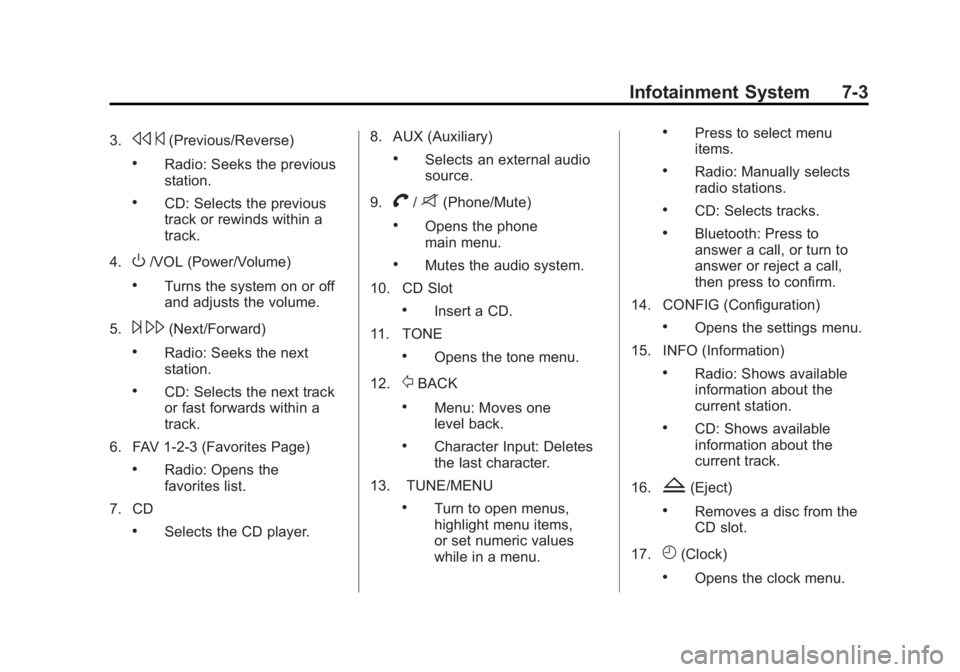
Overview
1. RADIO/BAND
.Changes the band while
listening to the radio.
.Selects the radio when
listening to a different audio
source.2. Buttons 1−6
.Radio: Saves and selects
favorite stations.
Page 151 of 368
Black plate (3,1)Buick Encore Owner Manual - 2013 - crc - 1/8/13
Infotainment System 7-3
3.s©(Previous/Reverse)
.Radio: Seeks the previous
station.
.CD: Selects the previous
track or rewinds within a
track.
4.
O/VOL (Power/Volume)
.Turns the system on or off
and adjusts the volume.
5.
¨ \(Next/Forward)
.Radio: Seeks the next
station.
.CD: Selects the next track
or fast forwards within a
track.
6. FAV 1-2-3 (Favorites Page)
.Radio: Opens the
favorites list.
7. CD
.Selects the CD player. 8. AUX (Auxiliary)
.Selects an external audio
source.
9.
V/8(Phone/Mute)
.Opens the phone
main menu.
.Mutes the audio system.
10. CD Slot
.Insert a CD.
11. TONE
.Opens the tone menu.
12.
/BACK
.Menu: Moves one
level back.
.Character Input: Deletes
the last character.
13. TUNE/MENU
.Turn to open menus,
highlight menu items,
or set numeric values
while in a menu.
.Press to select menu
items.
.Radio: Manually selects
radio stations.
.CD: Selects tracks.
.Bluetooth: Press to
answer a call, or turn to
answer or reject a call,
then press to confirm.
14. CONFIG (Configuration)
.Opens the settings menu.
15. INFO (Information)
.Radio: Shows available
information about the
current station.
.CD: Shows available
information about the
current track.
16.
Z(Eject)
.Removes a disc from the
CD slot.
17.
H(Clock)
.Opens the clock menu.
Page 152 of 368

Black plate (4,1)Buick Encore Owner Manual - 2013 - crc - 1/8/13
7-4 Infotainment System
18. AS 1-2 (Autostore)
.Radio: Press to select the
auto store station page,
or press and hold to
automatically store
stations to the pages.
Operation
Controls
The infotainment system is operated
by using the pushbuttons,
multifunction knobs, menus shown
on the display, and steering wheel
controls, if equipped.
Turning the System On or Off
O/VOL (Power/Volume):Press to
turn the system on and off.
Automatic Switch-Off
If the infotainment system has been
turned on after the ignition is turned
off, the system will turn off
automatically after 10 minutes.
Volume Control
O/VOL (Power/Volume): Turn to
adjust the volume.
V/8(Phone/Mute): Press and
hold to mute the infotainment
system. Press and hold
V/8
again to cancel mute.
Menu System
Controls
The TUNE/MENU knob and
/
BACK are used to navigate the
menu system.
TUNE/MENU:
Press to:
.Enter the menu system.
.Select or activate the highlighted
menu option.
.Confirm a set value.
.Turn a system setting on or off.
Turn to:
.Highlight a menu option.
.Select a value.
/BACK:
Press to:
.Exit a menu.
.Return from a submenu screen
to the previous menu screen.
.Delete the last character in a
sequence.
Selecting a Menu Option
1. Turn the TUNE/MENU knob to move the highlighted bar.
2. Press the TUNE/MENU knob to select the highlighted option.
Submenus
An arrow on the right-hand edge of
the menu indicates that it has a
submenu with other options.
Page 153 of 368

Black plate (5,1)Buick Encore Owner Manual - 2013 - crc - 1/8/13
Infotainment System 7-5
Activating a Setting
1. Turn the TUNE/MENU knob tohighlight the setting.
2. Press the TUNE/MENU knob to activate the setting.
Setting a Value
1. Turn the TUNE/MENU knob to change the current value of the
setting.
2. Press the TUNE/MENU knob to confirm the setting. Turning a Function On or Off
1. Turn the TUNE/MENU knob to
highlight the function.
2. Press the TUNE/MENU knob to turn the function on or off.
Entering a Character Sequence
1. Turn the TUNE/MENU knob to highlight the character.
2. Press the TUNE/MENU knob to select the character. Press
/BACK to delete the last
character in the sequence or press
and hold to delete the entire
character sequence.
Audio Settings
The audio settings can be set for
each radio band and each audio
player source.
To quickly reset an audio setting
value to 0:
1. Press the TONE button.
2. Select the audio setting.
3. Press and hold the TUNE/MENU knob until the value changes
to 0.
Press
/BACK to go back to the
Tone Settings menu.
Page 154 of 368
Black plate (6,1)Buick Encore Owner Manual - 2013 - crc - 1/8/13
7-6 Infotainment System
Adjusting the Treble, Midrange,
and Bass
1. Press the TONE button.
2. Select Treble, Midrange,or Bass.
3. Select the value.
Press
/BACK to go back to the
Tone Settings menu.
Adjusting the Fader and Balance
1. Press the TONE button.
2. Select Fader or Balance.
3. Select the value.
Press
/BACK to go back to the
Tone Settings menu.
Adjusting the EQ (Equalizer)
For vehicles that have an equalizer:
1. Press the TONE button.
2. Select EQ presets.
3. Select the setting.
Press
/BACK to go back to the
Tone Settings menu.
System Settings
Configuring the Number of
Favorite Pages
To configure the number of available
favorite pages:
1. Press the CONFIG button.
2. Select Radio Settings.
3. Select Radio Favorites.
4. Select the number of available favorite pages.
5. Press
/BACK to go back to the
System Configuration menu.
Auto Volume
The auto volume feature
automatically adjusts the radio
volume to compensate for road and
wind noise as the vehicle speeds up
or slows down, so that the volume
level is consistent. The level of volume compensation
can be selected, or the auto volume
feature can be turned off.
1. Press the CONFIG button.
2. Select Radio Settings.
3. Select Auto Volume.
4. Select the setting.
5. Press
/BACK to go back to the
System Configuration menu.
Maximum Startup Volume
The maximum volume played when
the radio is first turned on can
be set.
1. Press the CONFIG button.
2. Select Radio Settings.
3. Select Maximum Startup Volume.
4. Select the setting.
5. Press
/BACK to go back to the
System Configuration menu.
Page 155 of 368

Black plate (7,1)Buick Encore Owner Manual - 2013 - crc - 1/8/13
Infotainment System 7-7
Radio
AM-FM Radio
Control Buttons
The buttons used to control the
radio are:
O/VOL (Power/Volume):
.Press to turn the radio on or off.
.Turn the knob to increase or
decrease the volume. The
volume is adjusted for the
current audio source or voice
prompts.
RADIO/BAND: Press to choose
between AM or FM.
TUNE/MENU: Turn to select radio
stations. Press to select a menu.
INFO: Press to show available
information about the current station
or track.
s ©or¨\: Press to seek the
previous or next station or track. FAV 1-2-3:
Press to open the
favorites list and select the
favorites page.
Buttons 1−6: Press to save and
select favorite stations.
AS 1-2 (Autostore): Press to
select the auto store station page,
or press and hold to automatically
store stations to the pages.
Radio Menus
Radio menus are available for AM
and FM.
Turn the TUNE/MENU knob to open
the main radio menu for that band.
Selecting a Band
Press the RADIO/BAND button to
choose AM or FM. The last station
that was playing starts playing
again. Selecting a Station
Seek Tuning
If the radio station is not known:
Briefly press
s
©or¨\to
automatically search for the next
available station. If a station is not
found, the radio switches to a more
sensitive search level. If a station
still is not found, the frequency that
was last active begins to play.
If the radio station is known:
Press and hold
s ©or¨\until
the station on the display is
reached, then release the button.
Manual Tuning
Turn the TUNE/MENU knob to
select the frequency on the display.
Favorites List
1. Turn the TUNE/MENU knob.
2. Select Favorites List.
3. Select the station.
Page 156 of 368

Black plate (8,1)Buick Encore Owner Manual - 2013 - crc - 1/8/13
7-8 Infotainment System
Station Lists
1. Turn the TUNE/MENU knob.
2. Select AM or FM Station List. Allreceivable stations in the current
reception area are displayed. If a
station list has not been created,
an automatic station search
is done.
3. Select the station.
Category Lists
Most stations that broadcast an
RDS program type code specify the
type of programming transmitted.
Some stations change the program
type code depending on the
content. The system stores the RDS
stations sorted by program type in
the FM category list.
To search for a programming type
determined by station:
1. Turn the TUNE/MENU knob.
2. Select FM category list. A list of all programming types available
displays. 3. Select the programming type.
A list of stations that transmit
programming of the selected
type displays.
4. Select the station.
The category lists are updated when
the station lists are updated.
Updating Station & Category Lists
If stations stored in the station list
can no longer be received:
1. Turn the TUNE/MENU knob.
2. Select Update AM or FM Station List, if the stations stored in the
station list are no longer
received. A station search will be
completed and the first station in
the updated list will play.
To cancel the station search, press
the TUNE/MENU knob.
Radio Settings
To access the Radio Settings menu:
1. Press the CONFIG button. 2. Turn the TUNE/MENU knob until
Radio Settings displays. Press
the TUNE/MENU knob to display
other options within that feature.
Audio system settings or features
can be customized for:
.Auto Volume
.Startup Volume
.Number of Favorite Pages
.RDS
Auto Volume: Turn the TUNE/
MENU knob to select volume Off,
Low, Medium, or High.
Startup Volume: Turn the TUNE/
MENU knob to increase or decrease
the infotainment startup volume.
Number of Favorite Pages: Turn
the TUNE/MENU knob to highlight
the number of favorites. Press the
TUNE/MENU knob to select.
RDS: Press the TUNE/MENU knob
to turn RDS on or off.