Dis BUICK ENCORE 2016 Owner's Manual
[x] Cancel search | Manufacturer: BUICK, Model Year: 2016, Model line: ENCORE, Model: BUICK ENCORE 2016Pages: 320, PDF Size: 4.75 MB
Page 8 of 320

Buick Encore Owner Manual (GMNA-Localizing-U.S./Canada/Mexico-
9234779) - 2016 - CRC - 1/5/16
In Brief 7
1.Air Vents 0141.
2. Turn Signal Lever. See Turn
and Lane-Change
Signals 0129.
Headlamp High/Low-Beam
Changer 0127.
3. Instrument Cluster 0101.
4. Driver Information Center (DIC) Display. See Driver Information
Center (DIC) 0113.
5. Windshield Wiper/Washer 095.
Rear Window Wiper/
Washer 097.
6. Traction Control/Electronic
Stability Control 0168.
Hazard Warning
Flashers 0128.
Passenger Airbag Status
Indicator. See Passenger
Sensing System 065.
7. Light Sensor. See Automatic
Headlamp System 0128.
8. Infotainment 0133.
9. Instrument Panel Storage 089. 10. Shift Lever. See
Automatic
Transmission 0164.
11. Auxiliary Input Jack. See the Infotainment Manual.
12. Power Outlets 098.
13. Parking Assist 0175 (If
Equipped).
Lane Departure Warning
(LDW) 0180 (If Equipped).
14. Climate Control Systems 0134
or Dual Automatic Climate
Control System 0137 (If
Equipped).
15. Ignition Positions 0155.
16. Steering Wheel Controls 095.
17. Horn 095.
18. Steering Wheel
Adjustment 095.
19. Cruise Control 0170.
Forward Collision Alert (FCA)
System 0177 (If Equipped).
20. Instrument Panel Storage 089. 21. Data Link Connector (DLC)
(Out of View). See Malfunction
Indicator Lamp (Check Engine
Light) 0106.
22. Hood Release. See Hood 0190.
23. Exterior Lamp Controls 0126.
Instrument Panel Illumination
Control 0130.
Front Fog Lamps 0129 (If
Equipped).
Page 20 of 320
Buick Encore Owner Manual (GMNA-Localizing-U.S./Canada/Mexico-
9234779) - 2016 - CRC - 1/5/16
In Brief 19
Vehicle Features
Infotainment System
See the infotainment manual for
information on the radio, audio
players, phone, navigation system,
and voice or speech recognition.
It also includes information on
settings.
Steering Wheel Controls
The infotainment system can be
operated by using the steering
wheel controls. See "Steering
Wheel Controls" in the infotainment
manual.
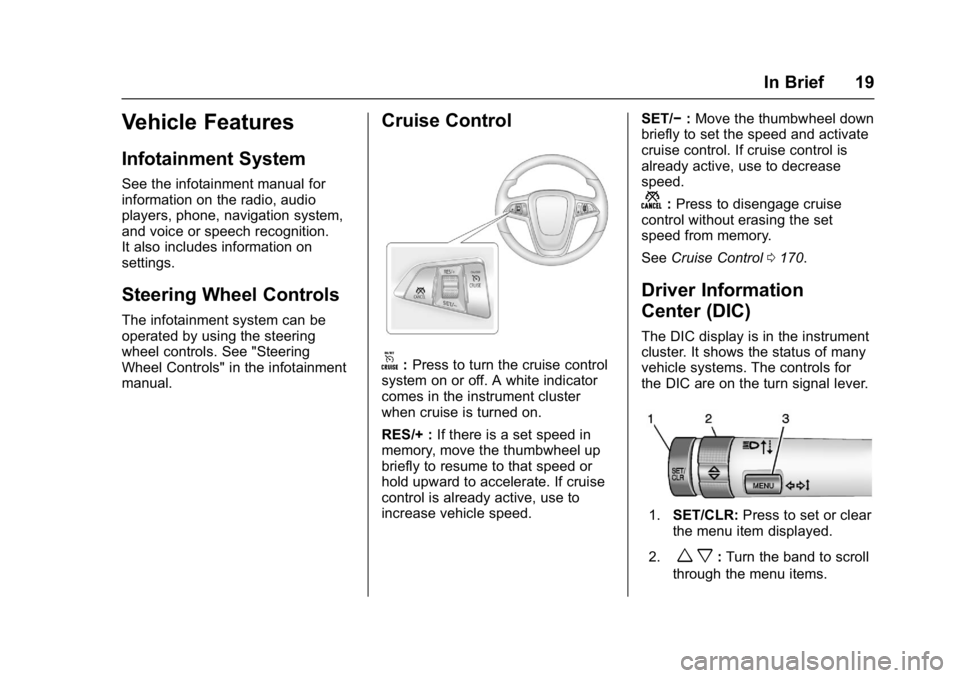
Cruise Control
o:Press to turn the cruise control
system on or off. A white indicator
comes in the instrument cluster
when cruise is turned on.
RES/+ : If there is a set speed in
memory, move the thumbwheel up
briefly to resume to that speed or
hold upward to accelerate. If cruise
control is already active, use to
increase vehicle speed. SET/−
:Move the thumbwheel down
briefly to set the speed and activate
cruise control. If cruise control is
already active, use to decrease
speed.
n: Press to disengage cruise
control without erasing the set
speed from memory.
See Cruise Control 0170.
Driver Information
Center (DIC)
The DIC display is in the instrument
cluster. It shows the status of many
vehicle systems. The controls for
the DIC are on the turn signal lever.
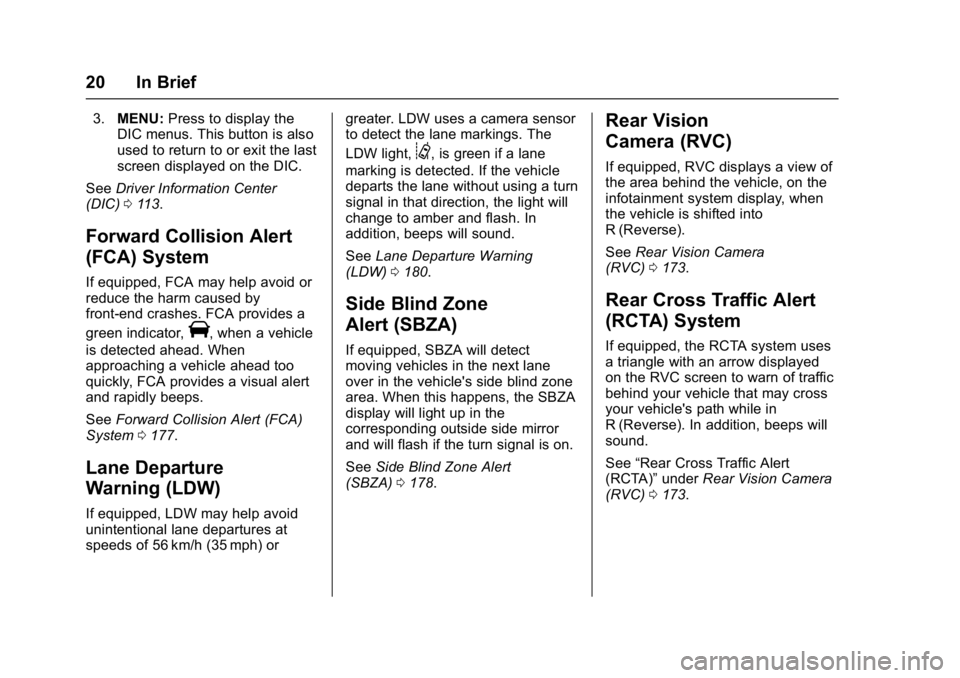
1. SET/CLR: Press to set or clear
the menu item displayed.
2.
w x: Turn the band to scroll
through the menu items.
Page 21 of 320
Buick Encore Owner Manual (GMNA-Localizing-U.S./Canada/Mexico-
9234779) - 2016 - CRC - 1/5/16
20 In Brief
3.MENU: Press to display the
DIC menus. This button is also
used to return to or exit the last
screen displayed on the DIC.
See Driver Information Center
(DIC) 0113.
Forward Collision Alert
(FCA) System
If equipped, FCA may help avoid or
reduce the harm caused by
front-end crashes. FCA provides a
green indicator,
V, when a vehicle
is detected ahead. When
approaching a vehicle ahead too
quickly, FCA provides a visual alert
and rapidly beeps.
See Forward Collision Alert (FCA)
System 0177.
Lane Departure
Warning (LDW)
If equipped, LDW may help avoid
unintentional lane departures at
speeds of 56 km/h (35 mph) or greater. LDW uses a camera sensor
to detect the lane markings. The
LDW light,
@, is green if a lane
marking is detected. If the vehicle
departs the lane without using a turn
signal in that direction, the light will
change to amber and flash. In
addition, beeps will sound.
See Lane Departure Warning
(LDW) 0180.
Side Blind Zone
Alert (SBZA)
If equipped, SBZA will detect
moving vehicles in the next lane
over in the vehicle's side blind zone
area. When this happens, the SBZA
display will light up in the
corresponding outside side mirror
and will flash if the turn signal is on.
See Side Blind Zone Alert
(SBZA) 0178.
Rear Vision
Camera (RVC)
If equipped, RVC displays a view of
the area behind the vehicle, on the
infotainment system display, when
the vehicle is shifted into
R (Reverse).
See Rear Vision Camera
(RVC) 0173.
Rear Cross Traffic Alert
(RCTA) System
If equipped, the RCTA system uses
a triangle with an arrow displayed
on the RVC screen to warn of traffic
behind your vehicle that may cross
your vehicle's path while in
R (Reverse). In addition, beeps will
sound.
See “Rear Cross Traffic Alert
(RCTA)” underRear Vision Camera
(RVC) 0173.
Page 22 of 320
Buick Encore Owner Manual (GMNA-Localizing-U.S./Canada/Mexico-
9234779) - 2016 - CRC - 1/5/16
In Brief 21
Parking Assist
If available, Front and Rear Parking
Assist (FRPA) uses sensors on the
front and rear bumpers to detect
objects while parking the vehicle.
It operates at speeds less than
8 km/h (5 mph). FRPA uses audio
beeps to provide distance and
system information.
Keep the sensors on the vehicle's
front and rear bumpers clean to
ensure proper operation.
SeeParking Assist 0175.
Power Outlets
The accessory power outlet can be
used to plug in electrical equipment,
such as a cell phone or MP3 player.
There is one accessory power outlet
on the center stack below the
climate control. This outlet is
powered when the key is in
ON/RUN or ACC/ACCESSORY, or until the driver door is opened
within 10 minutes of turning off the
vehicle. See
Retained Accessory
Power (RAP) 0160.
See Power Outlets 098.
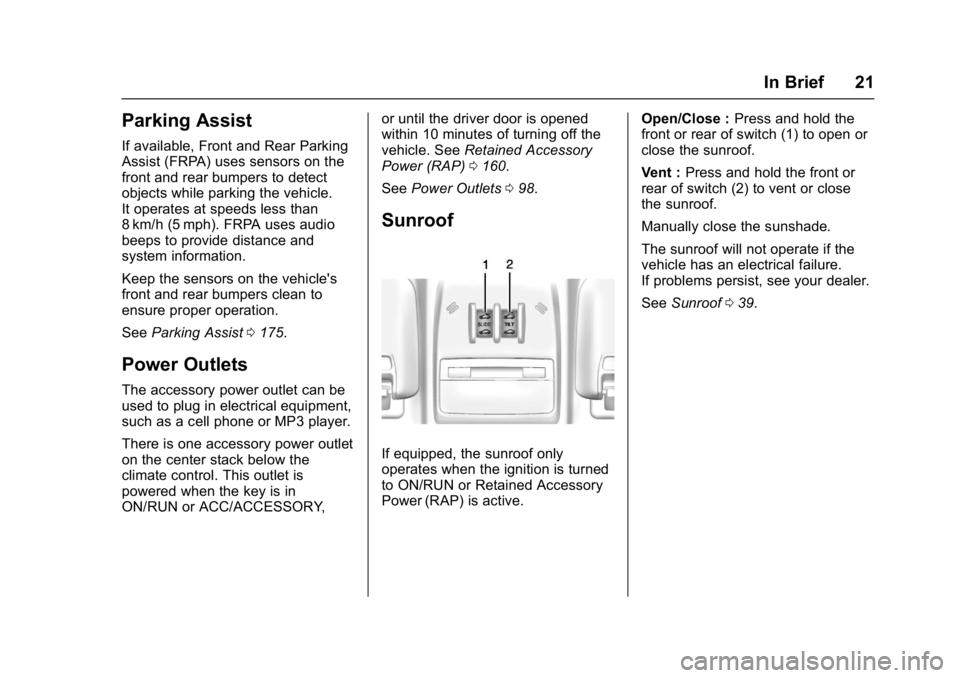
Sunroof
If equipped, the sunroof only
operates when the ignition is turned
to ON/RUN or Retained Accessory
Power (RAP) is active. Open/Close :
Press and hold the
front or rear of switch (1) to open or
close the sunroof.
Vent : Press and hold the front or
rear of switch (2) to vent or close
the sunroof.
Manually close the sunshade.
The sunroof will not operate if the
vehicle has an electrical failure.
If problems persist, see your dealer.
See Sunroof 039.
Page 23 of 320
Buick Encore Owner Manual (GMNA-Localizing-U.S./Canada/Mexico-
9234779) - 2016 - CRC - 1/5/16
22 In Brief
Performance and
Maintenance
Traction Control/
Electronic Stability
Control
The traction control system limits
wheel spin. The system is on when
the vehicle is started.
The StabiliTrak system assists with
directional control of the vehicle in
difficult driving conditions. The
system is on when the vehicle is
started.
.To turn off traction control, press
and release
gon the center
stack.
iilluminates in the
instrument cluster and the
appropriate DIC message is
displayed. See Ride Control
System Messages 0119.
. Press and release
gagain to
turn traction control back on. .
To turn off both Traction Control
and StabiliTrak, press and
hold
guntilgandiilluminate
in the instrument cluster and the
appropriate DIC message is
displayed. See Ride Control
System Messages 0119.
. Press
gagain to turn on both
systems.
See Traction Control/Electronic
Stability Control 0168.
Tire Pressure Monitor
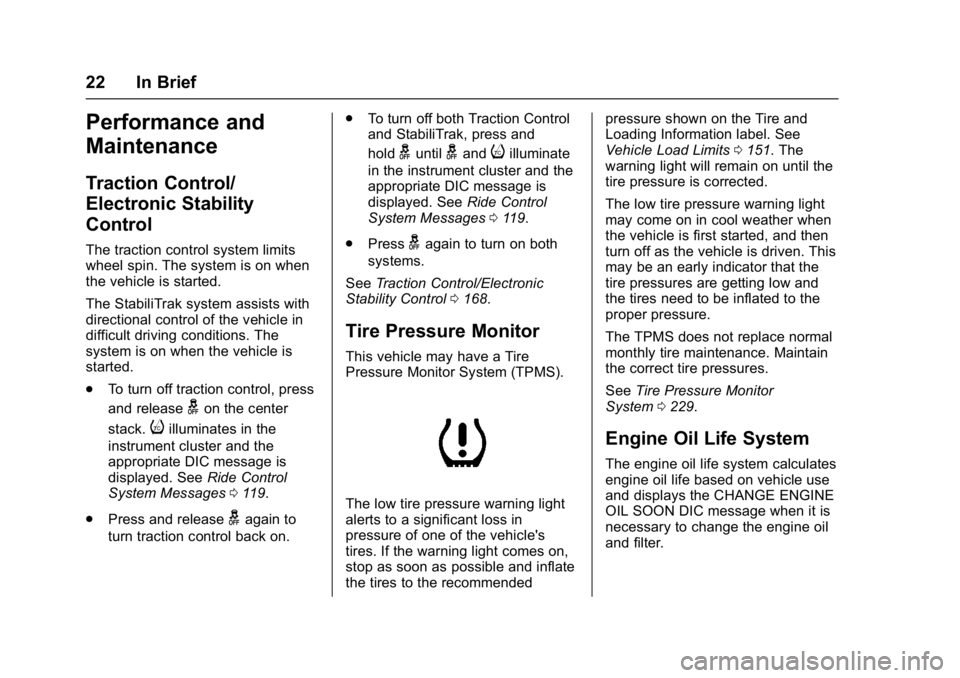
This vehicle may have a Tire
Pressure Monitor System (TPMS).
The low tire pressure warning light
alerts to a significant loss in
pressure of one of the vehicle's
tires. If the warning light comes on,
stop as soon as possible and inflate
the tires to the recommended pressure shown on the Tire and
Loading Information label. See
Vehicle Load Limits
0151. The
warning light will remain on until the
tire pressure is corrected.
The low tire pressure warning light
may come on in cool weather when
the vehicle is first started, and then
turn off as the vehicle is driven. This
may be an early indicator that the
tire pressures are getting low and
the tires need to be inflated to the
proper pressure.
The TPMS does not replace normal
monthly tire maintenance. Maintain
the correct tire pressures.
See Tire Pressure Monitor
System 0229.
Engine Oil Life System
The engine oil life system calculates
engine oil life based on vehicle use
and displays the CHANGE ENGINE
OIL SOON DIC message when it is
necessary to change the engine oil
and filter.
Page 24 of 320
Buick Encore Owner Manual (GMNA-Localizing-U.S./Canada/Mexico-
9234779) - 2016 - CRC - 1/5/16
In Brief 23
Remember, the oil life display must
be reset after each oil change. It will
not reset itself. Also, be careful not
to reset the oil life display
accidentally at any time other than
when the oil has just been changed.
It cannot be reset accurately until
the next oil change.
Resetting the Oil Life System1. Press the MENU button to show Remaining Oil Life on the
display. This display shows an
estimate of the oil’s remaining
useful life. If 99% is displayed,
that means that 99% of the
current oil life remains.
2. To reset the engine oil life system, press the SET/CLR
button while the oil life display
is active. After a few seconds,
there will be a single chime and
the oil life will be reset
to 100%.
Be careful not to reset the oil life
display accidentally at any time
other than after the oil is changed.
It cannot be reset accurately.
See Engine Oil Life System 0197.Driving for Better Fuel
Economy
Driving habits can affect fuel
mileage. Here are some driving tips
to get the best fuel economy
possible.
.
Avoid fast starts and accelerate
smoothly.
. Brake gradually and avoid
abrupt stops.
. Avoid idling the engine for long
periods of time.
. When road and weather
conditions are appropriate, use
cruise control.
. Always follow posted speed
limits or drive more slowly when
conditions require.
. Keep vehicle tires properly
inflated.
. Combine several trips into a
single trip. .
Replace the vehicle's tires with
the same TPC Spec number
molded into the tire's sidewall
near the size.
. Follow recommended scheduled
maintenance.
Roadside Assistance
Program
U.S.: 1-800-252-1112
TTY Users (U.S. Only):
1-888-889-2438
Canada: 1-800-268-6800
New Buick owners are automatically
enrolled in the Roadside Assistance
Program.
See Roadside Assistance
Program 0282.
Page 27 of 320
Buick Encore Owner Manual (GMNA-Localizing-U.S./Canada/Mexico-
9234779) - 2016 - CRC - 1/5/16
26 Keys, Doors, and Windows
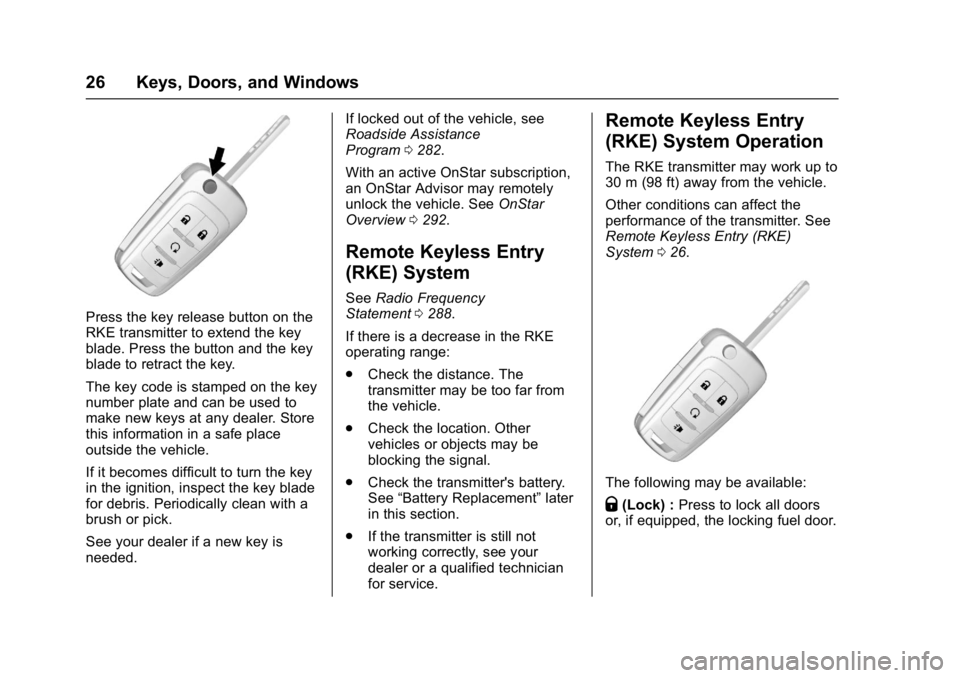
Press the key release button on the
RKE transmitter to extend the key
blade. Press the button and the key
blade to retract the key.
The key code is stamped on the key
number plate and can be used to
make new keys at any dealer. Store
this information in a safe place
outside the vehicle.
If it becomes difficult to turn the key
in the ignition, inspect the key blade
for debris. Periodically clean with a
brush or pick.
See your dealer if a new key is
needed.If locked out of the vehicle, see
Roadside Assistance
Program
0282.
With an active OnStar subscription,
an OnStar Advisor may remotely
unlock the vehicle. See OnStar
Overview 0292.
Remote Keyless Entry
(RKE) System
See Radio Frequency
Statement 0288.
If there is a decrease in the RKE
operating range:
. Check the distance. The
transmitter may be too far from
the vehicle.
. Check the location. Other
vehicles or objects may be
blocking the signal.
. Check the transmitter's battery.
See “Battery Replacement” later
in this section.
. If the transmitter is still not
working correctly, see your
dealer or a qualified technician
for service.
Remote Keyless Entry
(RKE) System Operation
The RKE transmitter may work up to
30 m (98 ft) away from the vehicle.
Other conditions can affect the
performance of the transmitter. See
Remote Keyless Entry (RKE)
System 026.
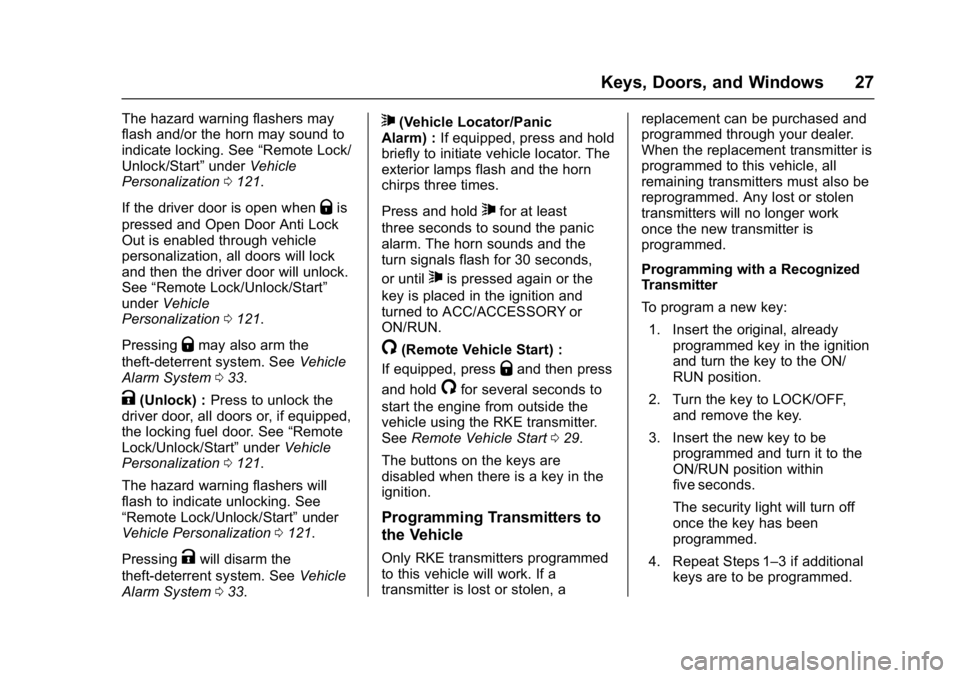
The following may be available:
Q(Lock) : Press to lock all doors
or, if equipped, the locking fuel door.
Page 28 of 320
Buick Encore Owner Manual (GMNA-Localizing-U.S./Canada/Mexico-
9234779) - 2016 - CRC - 1/5/16
Keys, Doors, and Windows 27
The hazard warning flashers may
flash and/or the horn may sound to
indicate locking. See“Remote Lock/
Unlock/Start” underVehicle
Personalization 0121.
If the driver door is open when
Qis
pressed and Open Door Anti Lock
Out is enabled through vehicle
personalization, all doors will lock
and then the driver door will unlock.
See “Remote Lock/Unlock/Start”
under Vehicle
Personalization 0121.
Pressing
Qmay also arm the
theft-deterrent system. See Vehicle
Alarm System 033.
K(Unlock) : Press to unlock the
driver door, all doors or, if equipped,
the locking fuel door. See “Remote
Lock/Unlock/Start” underVehicle
Personalization 0121.
The hazard warning flashers will
flash to indicate unlocking. See
“Remote Lock/Unlock/Start” under
Vehicle Personalization 0121.
Pressing
Kwill disarm the
theft-deterrent system. See Vehicle
Alarm System 033.
7(Vehicle Locator/Panic
Alarm) : If equipped, press and hold
briefly to initiate vehicle locator. The
exterior lamps flash and the horn
chirps three times.
Press and hold
7for at least
three seconds to sound the panic
alarm. The horn sounds and the
turn signals flash for 30 seconds,
or until
7is pressed again or the
key is placed in the ignition and
turned to ACC/ACCESSORY or
ON/RUN.
/(Remote Vehicle Start) :
If equipped, press
Qand then press
and hold
/for several seconds to
start the engine from outside the
vehicle using the RKE transmitter.
See Remote Vehicle Start 029.
The buttons on the keys are
disabled when there is a key in the
ignition.
Programming Transmitters to
the Vehicle
Only RKE transmitters programmed
to this vehicle will work. If a
transmitter is lost or stolen, a replacement can be purchased and
programmed through your dealer.
When the replacement transmitter is
programmed to this vehicle, all
remaining transmitters must also be
reprogrammed. Any lost or stolen
transmitters will no longer work
once the new transmitter is
programmed.
Programming with a Recognized
Transmitter
To program a new key:
1. Insert the original, already programmed key in the ignition
and turn the key to the ON/
RUN position.
2. Turn the key to LOCK/OFF, and remove the key.
3. Insert the new key to be programmed and turn it to the
ON/RUN position within
five seconds.
The security light will turn off
once the key has been
programmed.
4. Repeat Steps 1–3 if additional keys are to be programmed.
Page 32 of 320
Buick Encore Owner Manual (GMNA-Localizing-U.S./Canada/Mexico-
9234779) - 2016 - CRC - 1/5/16
Keys, Doors, and Windows 31
Power Door Locks
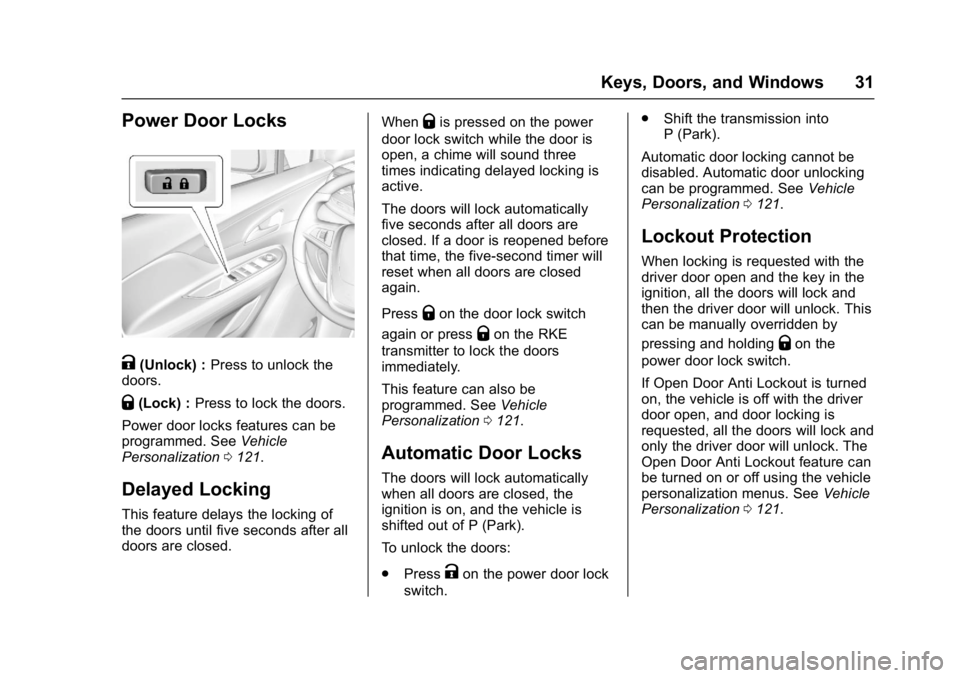
K(Unlock) :Press to unlock the
doors.
Q(Lock) : Press to lock the doors.
Power door locks features can be
programmed. See Vehicle
Personalization 0121.
Delayed Locking
This feature delays the locking of
the doors until five seconds after all
doors are closed. When
Qis pressed on the power
door lock switch while the door is
open, a chime will sound three
times indicating delayed locking is
active.
The doors will lock automatically
five seconds after all doors are
closed. If a door is reopened before
that time, the five-second timer will
reset when all doors are closed
again.
Press
Qon the door lock switch
again or press
Qon the RKE
transmitter to lock the doors
immediately.
This feature can also be
programmed. See Vehicle
Personalization 0121.
Automatic Door Locks
The doors will lock automatically
when all doors are closed, the
ignition is on, and the vehicle is
shifted out of P (Park).
To unlock the doors:
.
Press
Kon the power door lock
switch. .
Shift the transmission into
P (Park).
Automatic door locking cannot be
disabled. Automatic door unlocking
can be programmed. See Vehicle
Personalization 0121.
Lockout Protection
When locking is requested with the
driver door open and the key in the
ignition, all the doors will lock and
then the driver door will unlock. This
can be manually overridden by
pressing and holding
Qon the
power door lock switch.
If Open Door Anti Lockout is turned
on, the vehicle is off with the driver
door open, and door locking is
requested, all the doors will lock and
only the driver door will unlock. The
Open Door Anti Lockout feature can
be turned on or off using the vehicle
personalization menus. See Vehicle
Personalization 0121.
Page 34 of 320
Buick Encore Owner Manual (GMNA-Localizing-U.S./Canada/Mexico-
9234779) - 2016 - CRC - 1/5/16
Keys, Doors, and Windows 33
Warning (Continued)
highest setting. See
“Climate Control Systems”
in the Index.
. If the vehicle is equipped
with a power liftgate, disable
the power liftgate function.
For more information about
carbon monoxide, see Engine
Exhaust 0163.
Caution
To avoid damage to the liftgate or
liftgate glass, make sure the area
above and behind the liftgate is
clear before opening it.
To lock or unlock the liftgate from
inside, press
QorKon the power
door locks. See Power Door
Locks 031. To lock or unlock the liftgate from
outside, press
QorKon the
RKE transmitter. See Remote
Keyless Entry (RKE) System
Operation 026.
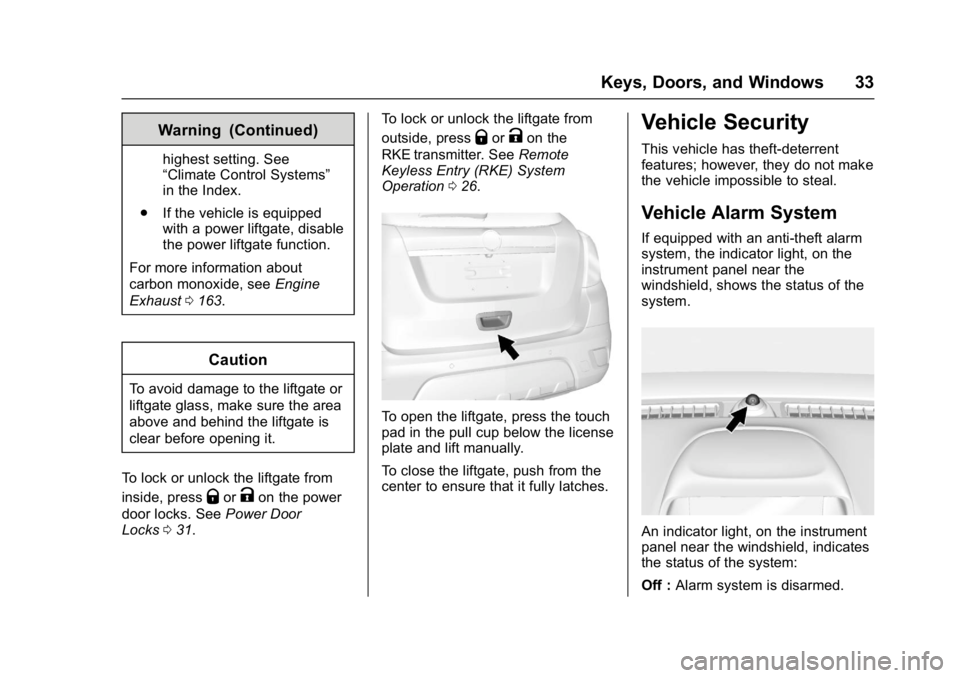
To open the liftgate, press the touch
pad in the pull cup below the license
plate and lift manually.
To close the liftgate, push from the
center to ensure that it fully latches.
Vehicle Security
This vehicle has theft-deterrent
features; however, they do not make
the vehicle impossible to steal.
Vehicle Alarm System
If equipped with an anti-theft alarm
system, the indicator light, on the
instrument panel near the
windshield, shows the status of the
system.
An indicator light, on the instrument
panel near the windshield, indicates
the status of the system:
Off : Alarm system is disarmed.