Sun roof BUICK ENVISION 2016 Owner's Manual
[x] Cancel search | Manufacturer: BUICK, Model Year: 2016, Model line: ENVISION, Model: BUICK ENVISION 2016Pages: 432, PDF Size: 5.68 MB
Page 6 of 432
Buick Envision Owner Manual (GMNA-Localizing-U.S./Canada/Mexico-
8534310) - 2016 - crc - 2/29/16
In Brief 5
In Brief
Instrument Panel
Instrument Panel Overview . . . . . . 6
Initial Drive Information
Initial Drive Information . . . . . . . . . . 8
Remote Keyless Entry (RKE)System . . . . . . . . . . . . . . . . . . . . . . . . 8
Remote Vehicle Start . . . . . . . . . . . 9
Door Locks . . . . . . . . . . . . . . . . . . . . . 9
Liftgate . . . . . . . . . . . . . . . . . . . . . . . . . . 9
Seat Adjustment . . . . . . . . . . . . . . . 10
Memory Features . . . . . . . . . . . . . . 11
Heated and Cooled Front Seats . . . . . . . . . . . . . . . . . . . . . . . . . 11
Head Restraint Adjustment . . . . 12
Safety Belts . . . . . . . . . . . . . . . . . . . . 12
Passenger Sensing System . . . 12
Mirror Adjustment . . . . . . . . . . . . . . 13
Steering Wheel Adjustment . . . . 14
Interior Lighting . . . . . . . . . . . . . . . . 14
Exterior Lighting . . . . . . . . . . . . . . . 15
Windshield Wiper/Washer . . . . . . 15
Climate Controls . . . . . . . . . . . . . . . 17
Transmission . . . . . . . . . . . . . . . . . . 17
Vehicle Features
Steering Wheel Controls . . . . . . . 18
Cruise Control . . . . . . . . . . . . . . . . . 18 Driver Information
Center (DIC) . . . . . . . . . . . . . . . . . 19
Forward Collision Alert (FCA) System . . . . . . . . . . . . . . . . . . . . . . . 19
Front Automatic Braking (FAB)
System . . . . . . . . . . . . . . . . . . . . . . . 19
Lane Keep Assist (LKA) . . . . . . . 20
Lane Change Alert (LCA) . . . . . . 20
Surround Vision . . . . . . . . . . . . . . . 20
Rear Vision Camera (RVC) . . . . 20
Rear Cross Traffic Alert (RCTA) System . . . . . . . . . . . . . . . . . . . . . . . 20
Parking Assist . . . . . . . . . . . . . . . . . 21
Automatic Parking Assist (APA) . . . . . . . . . . . . . . . . . . 21
Power Outlets . . . . . . . . . . . . . . . . . 21
Universal Remote System . . . . . 21
Sunroof . . . . . . . . . . . . . . . . . . . . . . . . 22
Performance and Maintenance
Traction Control/Electronic Stability Control . . . . . . . . . . . . . . 23
Tire Pressure Monitor . . . . . . . . . . 23
Engine Oil Life System . . . . . . . . 23
Driving for Better Fuel Economy . . . . . . . . . . . . . . . . . . . . . 24
Roadside Assistance Program . . . . . . . . . . . . . . . . . . . . . . 24
Page 23 of 432

Buick Envision Owner Manual (GMNA-Localizing-U.S./Canada/Mexico-
8534310) - 2016 - crc - 2/29/16
22 In Brief
helpful to have another person
available to assist with programming
the Universal Remote system.
SeeUniversal Remote
System 0151.
Sunroof
1. Sunroof Switch
2. Sunshade Switch
If equipped, the sunroof only
operates when the ignition is in
ACC/ACCESSORY or ON/RUN,
or when Retained Accessory Power
(RAP) is active. See Retained
Accessory Power (RAP) 0264.
Vent : From the closed position,
press the rear of the switch (1) to
vent the sunroof.
Open/Close : To open the sunroof,
press and hold the rear of the
switch (1) until the sunroof reaches
the desired position. Press and hold
the front of the switch (1) to close it.
Express-Open/Express-Close : To
express-open the sunroof, fully
press and release the rear of
switch (1). Press the switch again to
stop it. To express-close the
sunroof, fully press and release the
front of switch (1). Press the switch
again to stop it.
Sunshade : To open or close the
sunshade, press and hold the
switch (2). When the sunroof is opened, an air
deflector will automatically raise.
The air deflector will retract when
the sunroof is closed.
If an object is in the path of the
sunroof while it is closing, the
automatic reversal system will
detect the object and stop the
sunroof.
See
Sunroof 047.
Page 26 of 432
Buick Envision Owner Manual (GMNA-Localizing-U.S./Canada/Mexico-
8534310) - 2016 - crc - 2/29/16
Keys, Doors, and Windows 25
Keys, Doors, and
Windows
Keys and Locks
Keys . . . . . . . . . . . . . . . . . . . . . . . . . . . 25
Remote Keyless Entry (RKE)System . . . . . . . . . . . . . . . . . . . . . . . 26
Remote Keyless Entry (RKE) System Operation . . . . . . . . . . . . 26
Remote Vehicle Start . . . . . . . . . . 32
Door Locks . . . . . . . . . . . . . . . . . . . . 33
Power Door Locks . . . . . . . . . . . . . 34
Delayed Locking . . . . . . . . . . . . . . . 34
Automatic Door Locks . . . . . . . . . 35
Lockout Protection . . . . . . . . . . . . . 35
Safety Locks . . . . . . . . . . . . . . . . . . . 35
Doors
Liftgate . . . . . . . . . . . . . . . . . . . . . . . . 36
Vehicle Security
Vehicle Security . . . . . . . . . . . . . . . . 41
Vehicle Alarm System . . . . . . . . . 41
Immobilizer . . . . . . . . . . . . . . . . . . . . 42
Immobilizer Operation . . . . . . . . . 42
Exterior Mirrors
Convex Mirrors . . . . . . . . . . . . . . . . 43
Power Mirrors . . . . . . . . . . . . . . . . . . 43 Folding Mirrors . . . . . . . . . . . . . . . . . 44
Heated Mirrors . . . . . . . . . . . . . . . . . 44
Automatic Dimming Mirror . . . . . 44
Reverse Tilt Mirrors . . . . . . . . . . . . 44
Interior Mirrors
Interior Rearview Mirrors . . . . . . . 44
Automatic Dimming Rearview
Mirror . . . . . . . . . . . . . . . . . . . . . . . . . 44
Windows
Windows . . . . . . . . . . . . . . . . . . . . . . . 45
Power Windows . . . . . . . . . . . . . . . 45
Sun Visors . . . . . . . . . . . . . . . . . . . . . 47
Roof
Sunroof . . . . . . . . . . . . . . . . . . . . . . . . 47
Keys and Locks
Keys
{Warning
Leaving children in a vehicle with
a Remote Keyless Entry (RKE)
transmitter is dangerous and
children or others could be
seriously injured or killed. They
could operate the power windows
or other controls or make the
vehicle move. The windows will
function with the RKE transmitter
in the vehicle, and children or
others could be caught in the path
of a closing window. Do not leave
children in a vehicle with an RKE
transmitter.
Page 46 of 432

Buick Envision Owner Manual (GMNA-Localizing-U.S./Canada/Mexico-
8534310) - 2016 - crc - 2/29/16
Keys, Doors, and Windows 45
Windows
{Warning
Never leave a child, a helpless
adult, or a pet alone in a vehicle,
especially with the windows
closed in warm or hot weather.
They can be overcome by the
extreme heat and suffer
permanent injuries or even death
from heat stroke.
The vehicle aerodynamics are
designed to improve fuel economy
performance. This may result in apulsing sound when either rear
window is down and the front
windows are up. To reduce the
sound, open either a front window
or the sunroof, if equipped.
Power Windows
{Warning
Children could be seriously
injured or killed if caught in the
path of a closing window. Never
leave keys in a vehicle with
children. When there are children
in the rear seat, use the window
lockout button to prevent
operation of the windows. See
Keys
025.
The driver door has switches that
control all windows. Each
passenger door switch only controls
that window. The power windows
work when the ignition is in ON/
RUN or ACC/ACCESSORY, or in
Retained Accessory Power (RAP).
See Retained Accessory Power
(RAP) 0264.
Press the switch to lower the
window. Pull the switch up to
raise it.
Express-Down Windows
Windows that have the
express-down feature allow the
windows to be lowered without
Page 48 of 432

Buick Envision Owner Manual (GMNA-Localizing-U.S./Canada/Mexico-
8534310) - 2016 - crc - 2/29/16
Keys, Doors, and Windows 47
Window Lockout
This feature prevents the rear
passenger windows from operating,
except from the driver position.
.PressZ{to activate the rear
window locks. An indicator light
will illuminate when the feature
is on.
. Press
Z{again to deactivate
the rear window locks.
The safety locks are also enabled.
See Safety Locks 035.
Sun Visors
Pull the sun visor down to block
glare. Detach the sun visor from the
center mount to pivot to the side
window or, if equipped, extend
along the rod.
Roof
Sunroof
1. Sunroof Switch
2. Sunshade Switch
If equipped, the sunroof only
operates when the ignition is in
ACC/ACCESSORY or ON/RUN,
or when Retained Accessory Power
(RAP) is active. See Retained
Accessory Power (RAP) 0264.
Vent : From the closed position,
press the rear of the switch (1) to
vent the sunroof.
Page 49 of 432
Buick Envision Owner Manual (GMNA-Localizing-U.S./Canada/Mexico-
8534310) - 2016 - crc - 2/29/16
48 Keys, Doors, and Windows
Open/Close :To open the sunroof,
press and hold the rear of the
switch (1) until the sunroof reaches
the desired position. Press and hold
the front of the switch (1) to close it.
Express-Open/Express-Close :
To express-open the sunroof, fully
press and release the rear of the
switch (1). Press the switch again to
stop it. To express-close the
sunroof, fully press and release the
front of the switch (1). Press the
switch again to stop it.
Sunshade : To open or close the
sunshade, press and hold the rear
or front of the switch (2) until the
sunshade reaches the desired
position.
To express-open or express-close
the sunshade, fully press and
release the rear or front of
switch (2). Press the switch again to
stop it.
When the sunroof is opened, an air
deflector will automatically raise.
The air deflector will retract when
the sunroof is closed.Automatic Reversal System
The sunroof/sunshade is equipped
with an automatic reversal system
that is only active when the sunroof/
sunshade is being operated in
express mode. If an object is in the
path of the sunroof/sunshade while
it is express-closing, the reversal
system will detect the object
and stop.
In the event of closing difficulties
like frost or other conditions, it is
possible to override the reversal
system. To override the reversal
system, close in manual mode. To
stop the movement, release the
switch.
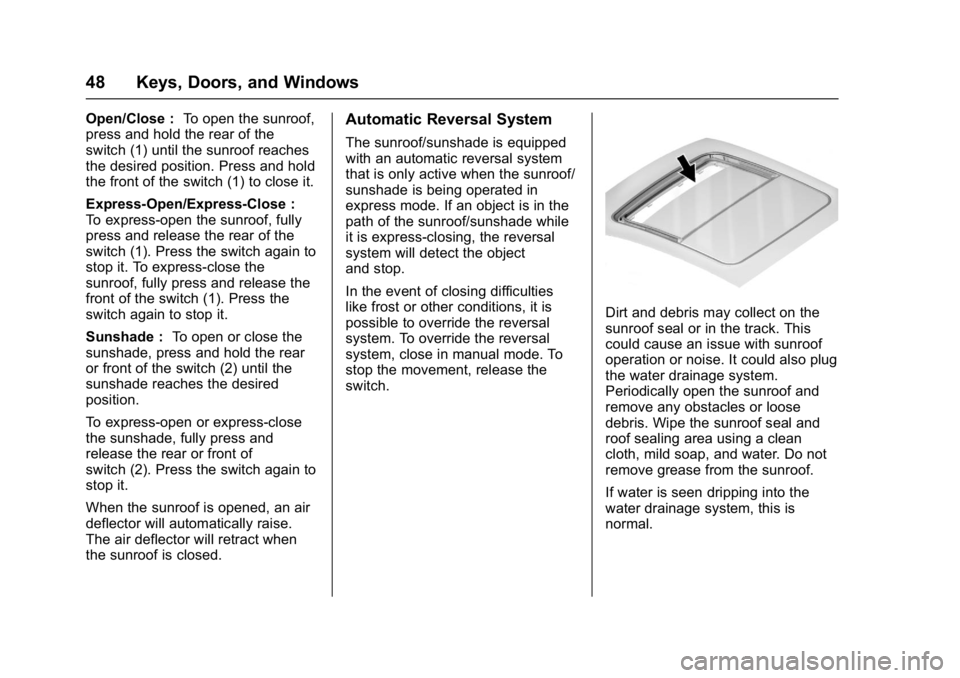
Dirt and debris may collect on the
sunroof seal or in the track. This
could cause an issue with sunroof
operation or noise. It could also plug
the water drainage system.
Periodically open the sunroof and
remove any obstacles or loose
debris. Wipe the sunroof seal and
roof sealing area using a clean
cloth, mild soap, and water. Do not
remove grease from the sunroof.
If water is seen dripping into the
water drainage system, this is
normal.
Page 98 of 432
Buick Envision Owner Manual (GMNA-Localizing-U.S./Canada/Mexico-
8534310) - 2016 - crc - 2/29/16
Storage 97
Storage
Storage Compartments
Storage Compartments . . . . . . . . 97
Glove Box . . . . . . . . . . . . . . . . . . . . . 97
Cupholders . . . . . . . . . . . . . . . . . . . . 97
Front Storage . . . . . . . . . . . . . . . . . . 97
Sunglasses Storage . . . . . . . . . . . 97
Rear Storage . . . . . . . . . . . . . . . . . . 98
Center Console Storage . . . . . . . 98
Additional Storage Features
Cargo Cover . . . . . . . . . . . . . . . . . . . 99
Cargo Tie-Downs . . . . . . . . . . . . . . 99
Convenience Net . . . . . . . . . . . . . 100
Roof Rack System
Roof Rack System . . . . . . . . . . . 100
Storage
Compartments
{Warning
Do not store heavy or sharp
objects in storage compartments.
In a crash, these objects may
cause the cover to open and
could result in injury.
Glove Box
Open the glove box by lifting up on
the lever.
Cupholders
Two cupholders are in the center
console. Cupholders may be located
in the second row seat armrest. To
access, pull the armrest down.
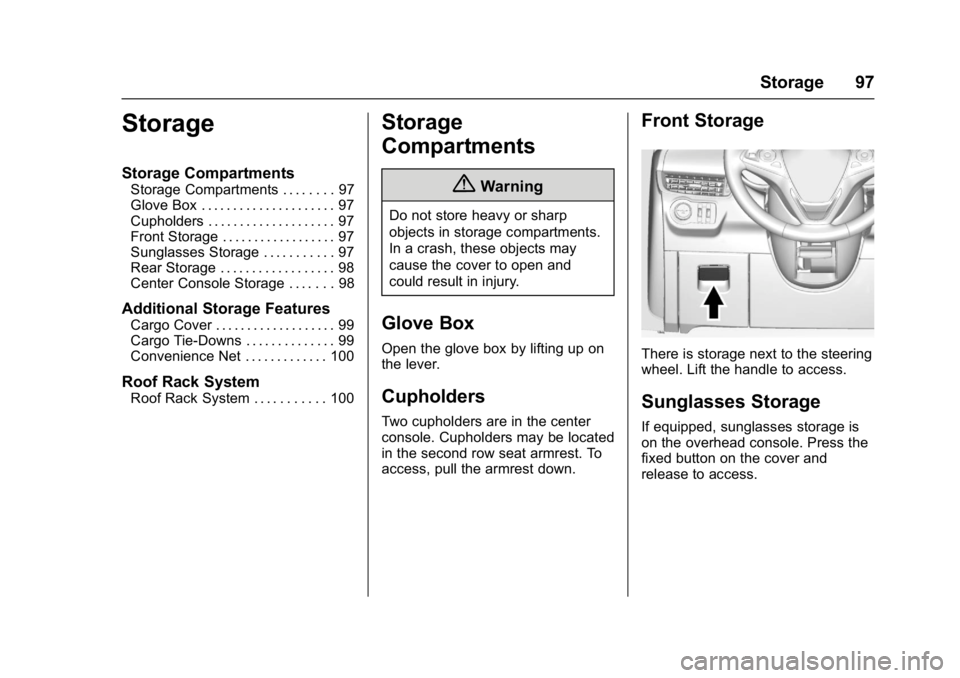
Front Storage
There is storage next to the steering
wheel. Lift the handle to access.
Sunglasses Storage
If equipped, sunglasses storage is
on the overhead console. Press the
fixed button on the cover and
release to access.
Page 176 of 432
Buick Envision Owner Manual (GMNA-Localizing-U.S./Canada/Mexico-
8534310) - 2016 - crc - 2/29/16
Infotainment System 175
each other. Static can also occur
when things like storms and power
lines interfere with radio reception.
When this happens, try reducing the
treble on the radio.
SiriusXM®Satellite Radio
Service
If equipped, SiriusXM Satellite
Radio Service provides digital radio
reception. Tall buildings or hills can
interfere with satellite radio signals,
causing the sound to fade in and
out. In addition, traveling or standing
under heavy foliage, bridges,
garages, or tunnels may cause loss
of the SiriusXM signal for a period
of time.
Cell Phone Usage
Cell phone usage, such as making
or receiving phone calls, charging,
or just having the phone on may
cause static interference in the
radio. Unplug the phone or turn it off
if this happens.
Antenna
The AM/FM antenna is integrated in
the liftgate spoiler and the liftgate
window defogger. No maintenance
or adjustments are needed. Do not
place loads on the spoiler. If the
spoiler is replaced, be sure it is
replaced with the correct GM parts
for the best AM and FM reception.
Multi-Band Antenna
The roof antenna is for OnStar®,
SiriusXM®Satellite Radio (If
Equipped), and GPS (Global
Positioning System). Keep clear of
obstructions for clear reception.
If the vehicle has a sunroof and it is
open, or items are placed on the
roof mounted cargo rack, reception
can also be affected.
Pandora Internet Radio
If equipped, Pandora®is a free
Internet radio service that streams
personalized radio stations based
on songs, artists, tracks, genres,
and comedians. Create stations
using the Pandora website or
Smartphone application, then use
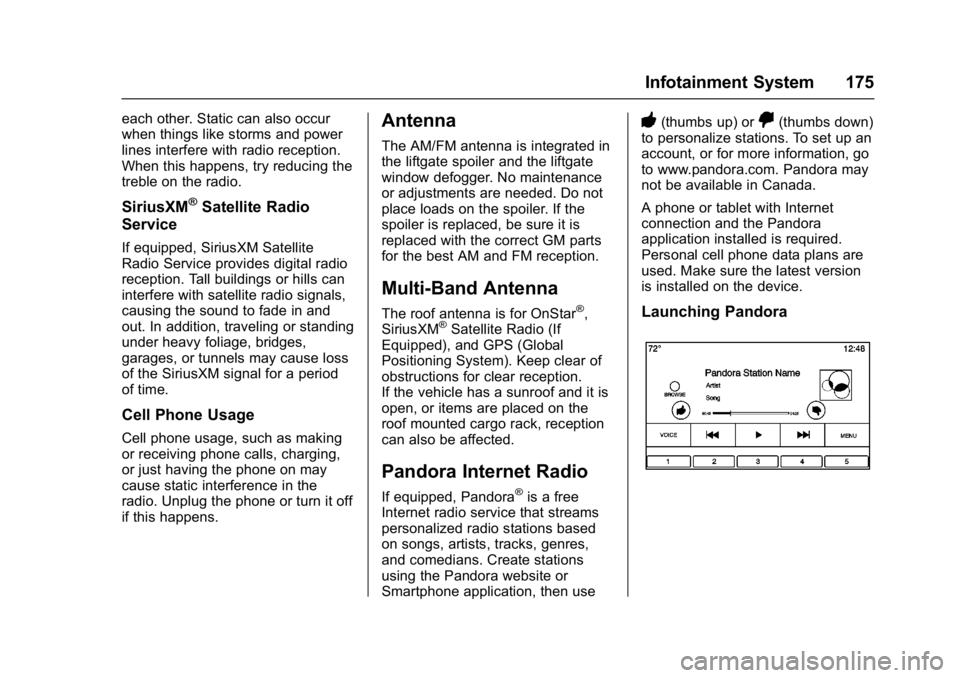
-(thumbs up) or,(thumbs down)
to personalize stations. To set up an
account, or for more information, go
to www.pandora.com. Pandora may
not be available in Canada.
A phone or tablet with Internet
connection and the Pandora
application installed is required.
Personal cell phone data plans are
used. Make sure the latest version
is installed on the device.
Launching Pandora
Page 265 of 432
Buick Envision Owner Manual (GMNA-Localizing-U.S./Canada/Mexico-
8534310) - 2016 - crc - 2/29/16
264 Driving and Operating
Warning (Continued)
condition, or using a
damaged heater or
extension cord, could make
it overheat and cause a fire,
property damage, electric
shock, and injury.
. Do not operate the vehicle
with the heater cord
permanently attached to the
vehicle. Possible heater
cord and thermostat
damage could occur.
. While in use, do not let the
heater cord touch vehicle
parts or sharp edges. Never
close the hood on the
heater cord.
. Before starting the vehicle,
unplug the cord, reattach
the cover to the plug, and
securely fasten the cord.
Keep the cord away from
any moving parts. 5. Before starting the engine, be
sure to unplug and store the
cord as it was before to keep it
away from moving engine
parts. If you do not it could be
damaged.
The length of time the heater should
remain plugged in depends on
several factors. Ask a dealer in the
area where you will be parking the
vehicle for the best advice on this.
Retained Accessory
Power (RAP)
These vehicle accessories can be
used for up to 10 minutes after the
engine is turned off:
. Audio System
. Power Windows
. Sunroof (if equipped)
Power to the audio system will
continue to operate for up to
10 minutes or until the driver door is
opened. Power to the power windows and
sunroof will continue to operate for
up to 10 minutes or until any door is
opened.
All these features will work when the
key is in ON/RUN or ACC/
ACCESSORY.
Shifting Into Park
To shift into P (Park):
1. Hold the brake pedal down and set the parking brake.
See Electric Parking
Brake 0271.
2. Move the shift lever into P (Park) by holding in the
button on the back of the shift
lever and pushing the lever all
the way toward the front of the
vehicle.
3. Turn the ignition to LOCK/OFF.
4. Take the Remote Keyless Entry (RKE) transmitter with you.
Page 338 of 432

Buick Envision Owner Manual (GMNA-Localizing-U.S./Canada/Mexico-
8534310) - 2016 - crc - 2/29/16
Vehicle Care 337
FusesUsage
F10 Rear power windows F11 –
F12 Sunroof
F13 Front heated seats
F14 Exterior rearview mirror
F15 Body control module 3
F16 –
F17 Body control module 6
F18 Body control module 7
F19 Data link connector
F20 SDM
F21 HVAC
F22 Liftgate release
F23 Passive entry/ Passive start
F24 OCC sensor
F25 Steering wheel controls Fuses
Usage
F26 Ignition
F27 Body control module 4
F28 Transmission control module
F29 Body control module 2
F30 USB
F31 Rear HVAC blower
F32 Body control module 1
F33 Universal remote system
F34 Parking assist
F35 OnStar
F36 Display
F37 RadioRear Compartment Fuse
Block
The rear compartment fuse block is
behind a cover on the left side of
the rear compartment. To access
the fuses, remove the cover.
The vehicle may not be equipped
with all of the fuses, relays, and
features shown.
Fuses Usage
F1 –
F2 DC AC
F3 –