battery BUICK ENVISION 2020 Owner's Guide
[x] Cancel search | Manufacturer: BUICK, Model Year: 2020, Model line: ENVISION, Model: BUICK ENVISION 2020Pages: 363, PDF Size: 7.26 MB
Page 252 of 363

Buick Envision Owner Manual (GMNA-Localizing-U.S./Canada/Mexico-
13555857) - 2020 - CRC - 3/12/19
Vehicle Care 251CautionIf brake fluid is spilled on the
vehicle's painted surfaces, the
paint finish can be damaged.
Immediately wash off any painted
surface.
Battery - North America The original equipment battery is
maintenance free. Do not remove
the cap and do not add fluid.
Refer to the replacement number
shown on the original battery label
when a new battery is needed. See
Engine Compartment Overview
0 234 for battery location.
Stop/Start System
The vehicle has a Stop/Start system
to shut off the engine to help
conserve fuel. See Stop/Start
System 0 176 . The vehicle has an Absorbed Glass
Mat (AGM) 12-volt battery.
Installation of a standard 12-volt
battery will result in reduced 12-volt
battery life.
When using a 12-volt battery
charger on the 12-volt AGM battery,
some chargers have an AGM
battery setting on the charger.
If available, use the AGM setting on
the charger, to limit charge voltage
to 14.8 volts. Follow the charger
manufacturer's instructions.
{ WarningWARNING: Battery posts,
terminals, and related
accessories contain lead and lead
compounds, chemicals known to
the State of California to cause
cancer and birth defects or other
reproductive harm. Batteries also
contain other chemicals known to
the State of California to cause
cancer. WASH HANDS AFTER
(Continued) Warning (Continued) HANDLING. For more information
go to www.P65Warnings.ca.gov/
passenger-vehicle.
See California Proposition
65 Warning 0 230 and the back
cover.
Vehicle Storage
{ WarningBatteries have acid that can burn
you and gas that can explode.
You can be badly hurt if you are
not careful. See Jump Starting -
North America 0 293 for tips on
working around a battery without
getting hurt.
Infrequent Usage: Remove the
black, negative ( − ) cable from the
battery to keep the battery from
running down.
Page 253 of 363

Buick Envision Owner Manual (GMNA-Localizing-U.S./Canada/Mexico-
13555857) - 2020 - CRC - 3/12/19
252 Vehicle Care Extended Storage: Remove the
black, negative ( − ) cable from the
battery or use a battery trickle
charger.
All-Wheel Drive Transfer Case Under normal driving conditions,
transfer case fluid does not require
maintenance unless there is a fluid
leak or unusual noise. If required,
have the transfer case serviced by
your dealer.
Starter Switch Check
{ Warning
When you are doing this
inspection, the vehicle could
move suddenly. If the vehicle
moves, you or others could be
injured.
1. Before starting this check, be
sure there is enough room
around the vehicle. 2. Apply both the parking brake
and the regular brake.
Do not use the accelerator
pedal, and be ready to turn off
the engine immediately if it
starts.
3. Try to start the engine in each
gear. The vehicle should start
only in P (Park) or N (Neutral).
If the vehicle starts in any other
position, contact your dealer for
service.
Park Brake and P (Park)
Mechanism Check
{ Warning
When you are doing this check,
the vehicle could begin to move.
You or others could be injured
and property could be damaged.
Make sure there is room in front
of the vehicle in case it begins to
roll. Be ready to apply the regular
brake at once should the vehicle
begin to move. Park on a fairly steep hill, with the
vehicle facing downhill. Keeping
your foot on the regular brake, set
the parking brake.
.
To check the parking brake's
holding ability: With the engine
running and the transmission in
N (Neutral), slowly remove foot
pressure from the regular brake
pedal. Do this until the vehicle is
held by the parking brake only.
.
To check the P (Park)
mechanism's holding ability:
With the engine running, shift to
P (Park). Then release the
parking brake followed by the
regular brake.
Contact your dealer if service is
required.
Wiper Blade Replacement Windshield wiper blades should be
inspected for wear and cracking.
See Maintenance Schedule 0 311 .
Page 278 of 363

Buick Envision Owner Manual (GMNA-Localizing-U.S./Canada/Mexico-
13555857) - 2020 - CRC - 3/12/19
Vehicle Care 277When the recommended
pressure is reached, the horn
sounds once and the turn
signal lamp will stop flashing
and briefly turn solid.
Repeat these steps for all
underinflated tires that have
illuminated the low tire pressure
warning light.
{ WarningOverinflating a tire could cause
the tire to rupture and you or
others could be injured. Do not
exceed the maximum pressure
listed on the tire sidewall. See
Tire Sidewall Labeling 0 267 and
Vehicle Load Limits 0 169 .
If the tire is overinflated by more
than 35 kPa (5 psi), the horn will
sound multiple times and the turn
signal lamp will continue to flash for
several seconds after filling stops.
To release and correct the pressure,
while the turn signal lamp is still
flashing, briefly press the center of the valve stem. When the
recommended pressure is reached,
the horn sounds once.
If the turn signal lamp does not flash
within 15 seconds after starting to
inflate the tire, the tire fill alert has
not been activated or is not working.
If the hazard warning flashers are
on, the tire fill alert visual feedback
will not work properly.
The TPMS will not activate the tire
fill alert properly under the following
conditions:
.
There is interference from an
external device or transmitter.
.
The air pressure from the
inflation device is not sufficient
to inflate the tire.
.
There is a malfunction in
the TPMS.
.
There is a malfunction in the
horn or turn signal lamps.
.
The identification code of the
TPMS sensor is not registered to
the system. .
The battery of the TPMS sensor
is low.
If the tire fill alert does not operate
due to TPMS interference, move the
vehicle about 1 m (3 ft) back or
forward and try again. If the tire fill
alert feature is not working, use a
tire pressure gauge.
TPMS Sensor Matching
Process Each TPMS sensor has a unique
identification code. The identification
code needs to be matched to a new
tire/wheel position after rotating the
vehicle ’ s tires or replacing one or
more of the TPMS sensors. The
TPMS sensor matching process
should also be performed after
replacing a spare tire with a road
tire containing the TPMS sensor.
The malfunction light and the DIC
message should go off at the next
ignition cycle. The sensors are
matched to the tire/wheel positions,
using a TPMS relearn tool, in the
following order: driver side front tire,
passenger side front tire, passenger
side rear tire, and driver side rear.
Page 294 of 363

Buick Envision Owner Manual (GMNA-Localizing-U.S./Canada/Mexico-
13555857) - 2020 - CRC - 3/12/19
Vehicle Care 293
Jump Starting Jump Starting - North
America For more information about the
vehicle battery, see Battery - North
America 0 251 .
If the battery has run down, try to
use another vehicle and some
jumper cables to start your vehicle.
Be sure to use the following steps to
do it safely.
{ WarningWARNING: Battery posts,
terminals, and related
accessories contain lead and lead
compounds, chemicals known to
the State of California to cause
cancer and birth defects or other
reproductive harm. Batteries also
contain other chemicals known to
the State of California to cause
cancer. WASH HANDS AFTER
(Continued) Warning (Continued) HANDLING. For more information
go to www.P65Warnings.ca.gov/
passenger-vehicle.
See California Proposition
65 Warning 0 230 and the back
cover.
{ WarningBatteries can hurt you. They can
be dangerous because:
.
They contain acid that can
burn you.
.
They contain gas that can
explode or ignite.
.
They contain enough
electricity to burn you.
If you do not follow these steps
exactly, some or all of these
things can hurt you. CautionIgnoring these steps could result
in costly damage to the vehicle
that would not be covered by the
vehicle warranty. Trying to start
the vehicle by pushing or pulling it
will not work, and it could damage
the vehicle.
1. Discharged Battery
Positive (+) Terminal
2. Discharged Battery
Negative ( – ) Grounding
Point
Page 295 of 363

Buick Envision Owner Manual (GMNA-Localizing-U.S./Canada/Mexico-
13555857) - 2020 - CRC - 3/12/19
294 Vehicle Care 3. Good Battery Negative ( – )
Terminal
4. Good Battery Positive (+)
Terminal
The jump start negative grounding
point (2) for the discharged battery
is on the shock tower on the
driver side.
The jump start positive terminal on
the discharged battery (1) is located
on the battery on the driver side of
the vehicle.
The jump start positive terminal (4)
and negative terminal (3) are on the
battery of the vehicle providing the
jump start.
The positive jump start connection
for the discharged battery is under a
cover. Open the cover to expose the
terminal.
1. Check the other vehicle.
It must have a 12-volt battery
with a negative ground system. CautionIf the other vehicle does not have
a 12-volt system with a negative
ground, both vehicles can be
damaged. Only use a vehicle that
has a 12-volt system with a
negative ground for jump starting.
2. Position the two vehicles so
that they are not touching.
3. Set the parking brake firmly
and put the shift lever in
P (Park) with an automatic
transmission, or Neutral with a
manual transmission.
Caution
If any accessories are left on or
plugged in during the jump
starting procedure, they could be
damaged. The repairs would not
be covered by the vehicle
warranty. Whenever possible, turn
off or unplug all accessories on
either vehicle when jump starting. 4. Turn the ignition off. Turn off all
lights and accessories in both
vehicles, except the hazard
warning flashers if needed.
{ WarningAn electric fan can start up even
when the engine is not running
and can injure you. Keep hands,
clothing, and tools away from any
underhood electric fan.
{ WarningUsing a match near a battery can
cause battery gas to explode.
People have been hurt doing this,
and some have been blinded.
Use a flashlight if you need more
light.
Battery fluid contains acid that
can burn you. Do not get it on
you. If you accidentally get it in
your eyes or on your skin, flush
the place with water and get
medical help immediately.
Page 296 of 363

Buick Envision Owner Manual (GMNA-Localizing-U.S./Canada/Mexico-
13555857) - 2020 - CRC - 3/12/19
Vehicle Care 295
{ WarningFans or other moving engine
parts can injure you badly. Keep
your hands away from moving
parts once the engine is running.
5. Connect one end of the red
positive (+) cable to the
positive (+) terminal on the
discharged battery.
6. Connect the other end of the
red positive (+) cable to the
positive (+) terminal of the good
battery.
7. Connect one end of the black
negative ( – ) cable to the
negative ( – ) terminal of the
good battery.
8. Connect the other end of the
black negative ( – ) cable to the
negative ( – ) grounding point for
the discharged battery.
9. Start the engine in the vehicle
with the good battery and run
the engine at idle speed for at
least four minutes. 10. Try to start the vehicle that had
the dead battery. If it will not
start after a few tries, it
probably needs service.
CautionIf the jumper cables are
connected or removed in the
wrong order, electrical shorting
may occur and damage the
vehicle. The repairs would not be
covered by the vehicle warranty.
Always connect and remove the
jumper cables in the correct order,
making sure that the cables do
not touch each other or other
metal.
Jumper Cable Removal
Reverse the sequence exactly when
removing the jumper cables.
After starting the disabled vehicle
and removing the jumper cables,
allow it to idle for several minutes. Towing the Vehicle CautionIncorrectly towing a disabled
vehicle may cause damage. The
damage would not be covered by
the vehicle warranty. Do not lash
or hook to suspension
components. Use the proper
straps around the tires to secure
the vehicle. Do not drag a locked
wheel/tire. Use tire skates or
dollies under any locked wheel/
tire while loading the vehicle. Do
not use a sling type lift to tow the
vehicle. This could damage the
vehicle.
Caution
If the vehicle cannot be shifted
into Neutral (N), do not use the
tow eye to tow the vehicle.
Vehicle damage may occur.
Page 299 of 363

Buick Envision Owner Manual (GMNA-Localizing-U.S./Canada/Mexico-
13555857) - 2020 - CRC - 3/12/19
298 Vehicle Care .
Is the proper towing equipment
going to be used? See your
dealer or trailering professional
for additional advice and
equipment recommendations.
.
Is the vehicle ready to be
towed? Just as preparing the
vehicle for a long trip, make sure
the vehicle is prepared to be
towed.
CautionUse of a shield mounted in front
of the vehicle grille could restrict
airflow and cause damage to the
transmission. The repairs would
not be covered by the vehicle
warranty. If using a shield, only
use one that attaches to the
towing vehicle. Dinghy Towing
To dinghy tow the vehicle from the
front with all four wheels on the
ground:
1. Position the vehicle to tow and
then secure it to the towing
vehicle.
2. Turn the ignition on, and shift
the transmission to N (Neutral).
3. With the transmission in
N (Neutral), turn the ignition off.
4. To prevent the battery from
draining while the vehicle is
being towed, remove fuses
29 and 32 (Body Control Module) from the instrument
panel fuse block. See
Instrument Panel Fuse Block
0 261 . Remember to reinstall
the fuses once the destination
has been reached.
Dolly Towing (All-Wheel-Drive
Vehicles)
All-wheel-drive vehicles must not be
towed with two wheels on the
ground. To properly tow these
vehicles, they should be placed on
a platform trailer with all four wheels
off of the ground.
Page 318 of 363

Buick Envision Owner Manual (GMNA-Localizing-U.S./Canada/Mexico-
13555857) - 2020 - CRC - 2/25/19
Service and Maintenance 317
Additional
Maintenance and Care Your vehicle is an important
investment and caring for it properly
may help to avoid future costly
repairs. To maintain vehicle
performance, additional
maintenance services may be
required.
It is recommended that your dealer
perform these services — their
trained dealer technicians know
your vehicle best. Your dealer can
also perform a thorough
assessment with a multi-point
inspection to recommend when your
vehicle may need attention.
The following list is intended to
explain the services and conditions
to look for that may indicate
services are required.
Battery
The 12-volt battery supplies power
to start the engine and operate any
additional electrical accessories. .
To avoid break-down or failure to
start the vehicle, maintain a
battery with full cranking power.
.
Trained dealer technicians have
the diagnostic equipment to test
the battery and ensure that the
connections and cables are
corrosion-free.
Belts
.
Belts may need replacing if they
squeak or show signs of
cracking or splitting.
.
Trained dealer technicians have
access to tools and equipment
to inspect the belts and
recommend adjustment or
replacement when necessary.
Brakes
Brakes stop the vehicle and are
crucial to safe driving.
.
Signs of brake wear may include
chirping, grinding, or squealing
noises, or difficulty stopping. .
Trained dealer technicians have
access to tools and equipment
to inspect the brakes and
recommend quality parts
engineered for the vehicle.
Fluids
Proper fluid levels and approved
fluids protect the vehicle ’ s systems
and components. See
Recommended Fluids and
Lubricants 0 320 for GM approved
fluids.
.
Engine oil and windshield
washer fluid levels should be
checked at every fuel fill.
.
Instrument cluster lights may
come on to indicate that fluids
may be low and need to be
filled.
Hoses
Hoses transport fluids and should
be regularly inspected to ensure
that there are no cracks or leaks.
With a multi-point inspection, your
dealer can inspect the hoses and
advise if replacement is needed.
Page 332 of 363

Buick Envision Owner Manual (GMNA-Localizing-U.S./Canada/Mexico-
13555857) - 2020 - CRC - 2/25/19
Customer Information 331driven. Assistance is not given
when the vehicle is stuck in
sand, mud, or snow.
.
Flat Tire Change: Service to
change a flat tire with the spare
tire. The spare tire, if equipped,
must be in good condition and
properly inflated. It is the owner's
responsibility for the repair or
replacement of the tire if it is not
covered by the warranty.
.
Battery Jump Start: Service to
jump start a dead battery.
.
Trip Interruption Benefits and
Assistance: If your trip is
interrupted due to a warranty
event, incidental expenses may
be reimbursed within the
Powertrain warranty period.
Items considered are reasonable
and customary hotel, meals,
rental car, or a vehicle being
delivered back to the customer,
up to 500 miles.
Services Not Included in
Roadside Assistance
.
Impound towing caused by
violation of any laws. .
Legal fines.
.
Mounting, dismounting,
or changing of snow tires,
chains, or other traction devices.
Service is not provided if a vehicle
is in an area that is not accessible
to the service vehicle or is not a
regularly traveled or maintained
public road, which includes ice and
winter roads. Off-road use is not
covered.
Services Specific to
Canadian-Purchased Vehicles .
Fuel Delivery: Reimbursement
is up to 7 liters. Diesel fuel
delivery may be restricted.
Propane and other fuels are not
provided through this service.
.
Lock-Out Service: Vehicle
registration is required.
.
Trip Interruption Benefits and
Assistance: Must be over
150 km from where your trip was
started to qualify.
Pre-authorization, original
detailed receipts, and a copy of
the repair orders are required. Once authorization has been
received, the Roadside
Assistance advisor will help you
make arrangements and explain
how to receive payment.
.
Alternative Service: If
assistance cannot be provided
right away, the Roadside
Assistance advisor may give
permission to get local
emergency road service. You will
receive payment, up to $100,
after sending the original receipt
to Roadside Assistance.
Mechanical failures may be
covered, however any cost for
parts and labor for repairs not
covered by the warranty are the
owner responsibility.
Scheduling Service
Appointments When the vehicle requires warranty
service, contact your dealer and
request an appointment. By
scheduling a service appointment
and advising the service consultant
Page 341 of 363
Buick Envision Owner Manual (GMNA-Localizing-U.S./Canada/Mexico-
13555857) - 2020 - CRC - 2/25/19
340 OnStar
OnStar OnStar Overview OnStar Overview . . . . . . . . . . . . . 340
OnStar Services Emergency . . . . . . . . . . . . . . . . . . . 341
Security . . . . . . . . . . . . . . . . . . . . . . 342
OnStar Additional Information OnStar Additional
Information . . . . . . . . . . . . . . . . . . 342
OnStar Overview
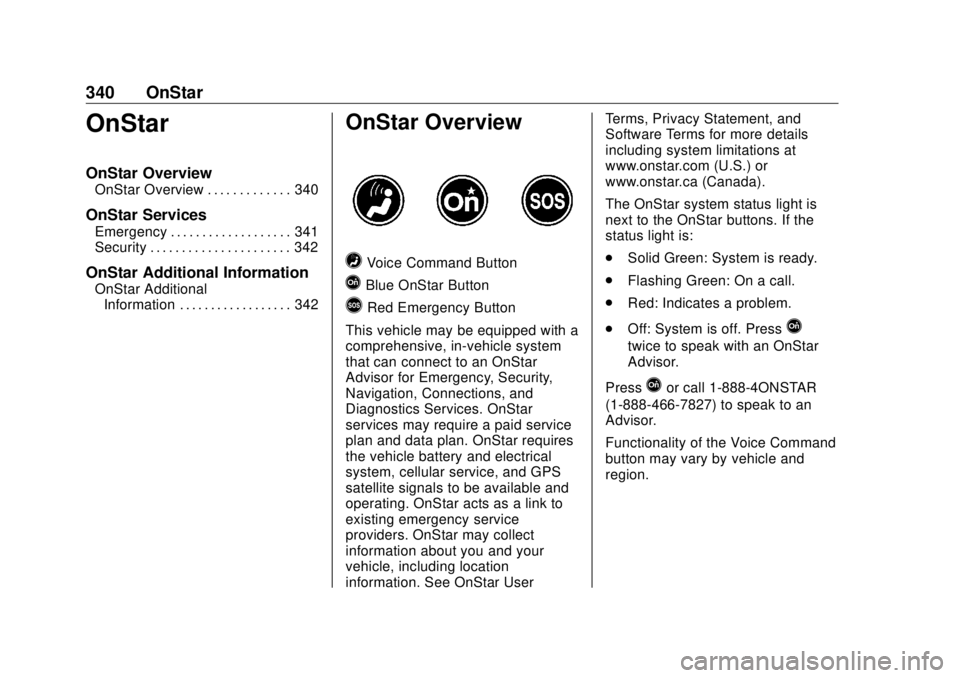
= Voice Command Button
Q Blue OnStar Button
> Red Emergency Button
This vehicle may be equipped with a
comprehensive, in-vehicle system
that can connect to an OnStar
Advisor for Emergency, Security,
Navigation, Connections, and
Diagnostics Services. OnStar
services may require a paid service
plan and data plan. OnStar requires
the vehicle battery and electrical
system, cellular service, and GPS
satellite signals to be available and
operating. OnStar acts as a link to
existing emergency service
providers. OnStar may collect
information about you and your
vehicle, including location
information. See OnStar User Terms, Privacy Statement, and
Software Terms for more details
including system limitations at
www.onstar.com (U.S.) or
www.onstar.ca (Canada).
The OnStar system status light is
next to the OnStar buttons. If the
status light is:
.
Solid Green: System is ready.
.
Flashing Green: On a call.
.
Red: Indicates a problem.
.
Off: System is off. Press
Q twice to speak with an OnStar
Advisor.
Press
Q or call 1-888-4ONSTAR
(1-888-466-7827) to speak to an
Advisor.
Functionality of the Voice Command
button may vary by vehicle and
region.