ECU BUICK LACROSSE 2005 Owner's Guide
[x] Cancel search | Manufacturer: BUICK, Model Year: 2005, Model line: LACROSSE, Model: BUICK LACROSSE 2005Pages: 410, PDF Size: 2.59 MB
Page 108 of 410
HomeLink®Transmitter
HomeLink®
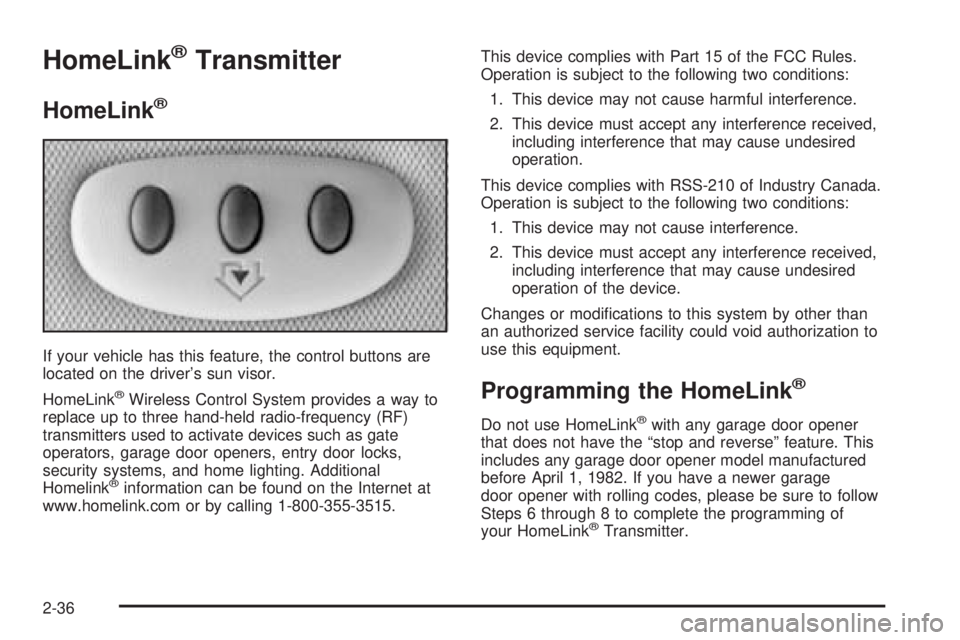
If your vehicle has this feature, the control buttons are
located on the driver’s sun visor.
HomeLink
®Wireless Control System provides a way to
replace up to three hand-held radio-frequency (RF)
transmitters used to activate devices such as gate
operators, garage door openers, entry door locks,
security systems, and home lighting. Additional
Homelink
®information can be found on the Internet at
www.homelink.com or by calling 1-800-355-3515.This device complies with Part 15 of the FCC Rules.
Operation is subject to the following two conditions:
1. This device may not cause harmful interference.
2. This device must accept any interference received,
including interference that may cause undesired
operation.
This device complies with RSS-210 of Industry Canada.
Operation is subject to the following two conditions:
1. This device may not cause interference.
2. This device must accept any interference received,
including interference that may cause undesired
operation of the device.
Changes or modications to this system by other than
an authorized service facility could void authorization to
use this equipment.
Programming the HomeLink®
Do not use HomeLink®with any garage door opener
that does not have the “stop and reverse” feature. This
includes any garage door opener model manufactured
before April 1, 1982. If you have a newer garage
door opener with rolling codes, please be sure to follow
Steps 6 through 8 to complete the programming of
your HomeLink
®Transmitter.
2-36
Page 109 of 410
Read the instructions completely before attempting to
program HomeLink®. Because of the steps involved, it
may be helpful to have another person available to
assist you in the programming steps.
Keep the original hand-held transmitter for use in other
vehicles as well as for future HomeLink
®programming.
It is also recommended that upon the sale of the
vehicle, the programmed HomeLink
®buttons should be
erased for security purposes. See “Erasing HomeLink®
Buttons” later in this section or, for assistance,
contact HomeLink®on the Internet at:
www.homelink.com or by calling 1-800-355-3515.
Be sure that people and objects are clear of the garage
door or gate operator you are programming. When
programming a garage door, it is advised to park outside
of the garage.
It is recommended that a new battery be installed in
your hand-held transmitter for quicker and more
accurate transmission of the radio-frequency signal.
Programming HomeLink®
Your vehicle’s engine should be turned off while
programming HomeLink®. Follow these steps to program
up to three channels:
1. Press and hold down the two outside HomeLink
®
buttons, releasing only when the HomeLink®
indicator light begins to ash, after 20 seconds. Do
not hold down the buttons for longer than
30 seconds and do not repeat this step to program
a second and/or third hand-held transmitter to
the remaining two HomeLink
®buttons.
2. Position the end of your hand-held transmitter
about 1 to 3 inches (3 to 8 cm) away from the
HomeLink
®buttons while keeping the indicator light
in view.
3. Simultaneously press and hold both the desired
HomeLink
®button and the hand-held transmitter
button. Do not release the buttons until Step 4 has
been completed.
Some entry gates and garage door openers may
require you to substitute Step 3 with the procedure
noted in “Gate Operator and Canadian
Programming” later in this section.
2-37
Page 116 of 410
Engine Coolant Temperature Gage..................3-38
Low Coolant Warning Light............................3-39
Malfunction Indicator Lamp.............................3-39
Oil Pressure Light.........................................3-42
Change Engine Oil Light................................3-43
Security Light...............................................3-43
Cruise Control Light......................................3-43
Reduced Engine Power Light.........................3-44
Highbeam On Light.......................................3-44
Headlamps Suggested Light...........................3-44
Low Washer Fluid Warning Light.....................3-45
Door Ajar Light.............................................3-45
Trunk Ajar Light............................................3-45
Service Vehicle Soon Light............................3-45
Fuel Gage...................................................3-46
Low Fuel Warning Light.................................3-46
Check Gas Cap Light....................................3-46Driver Information Center (DIC).......................3-47
DIC Operation and Displays...........................3-47
DIC Warnings and Messages.........................3-53
DIC Vehicle Personalization............................3-71
Audio System(s).............................................3-79
Setting the Time...........................................3-79
Radio with CD (Base)...................................3-79
Radio with CD (UpLevel)...............................3-84
Radio with CD (MP3)....................................3-92
Radio with Six-Disc CD................................3-105
Theft-Deterrent Feature................................3-117
Audio Steering Wheel Controls......................3-118
Radio Reception.........................................3-119
Care of Your CDs.......................................3-119
Care of Your CD Player...............................3-119
Backglass Antenna......................................3-120
Chime Level Adjustment...............................3-120
Section 3 Instrument Panel
3-2
Page 157 of 410
Change Engine Oil Light
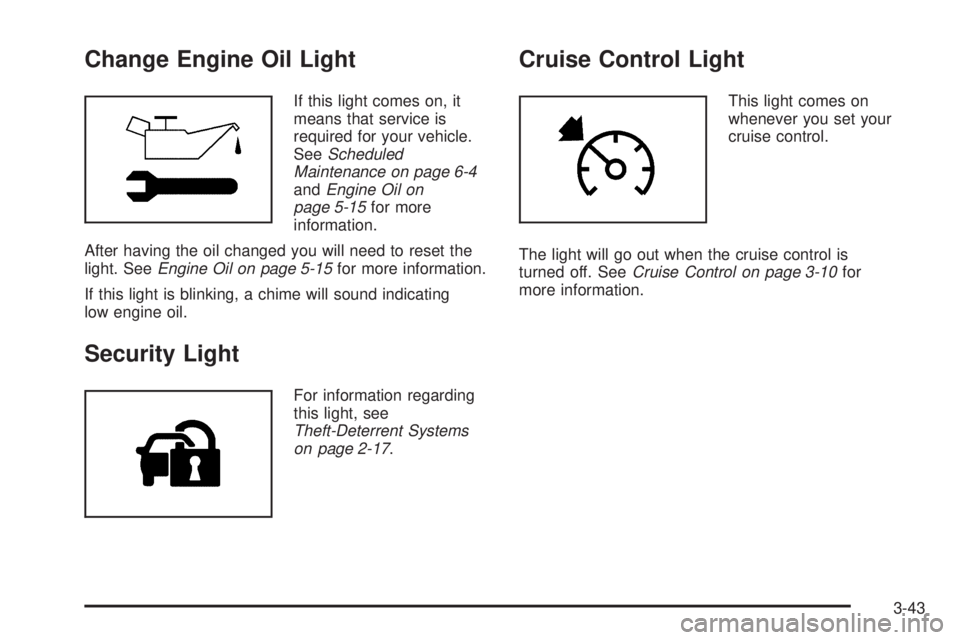
If this light comes on, it
means that service is
required for your vehicle.
SeeScheduled
Maintenance on page 6-4
andEngine Oil on
page 5-15for more
information.
After having the oil changed you will need to reset the
light. SeeEngine Oil on page 5-15for more information.
If this light is blinking, a chime will sound indicating
low engine oil.
Security Light
For information regarding
this light, see
Theft-Deterrent Systems
on page 2-17.
Cruise Control Light
This light comes on
whenever you set your
cruise control.
The light will go out when the cruise control is
turned off. SeeCruise Control on page 3-10for
more information.
3-43
Page 160 of 410
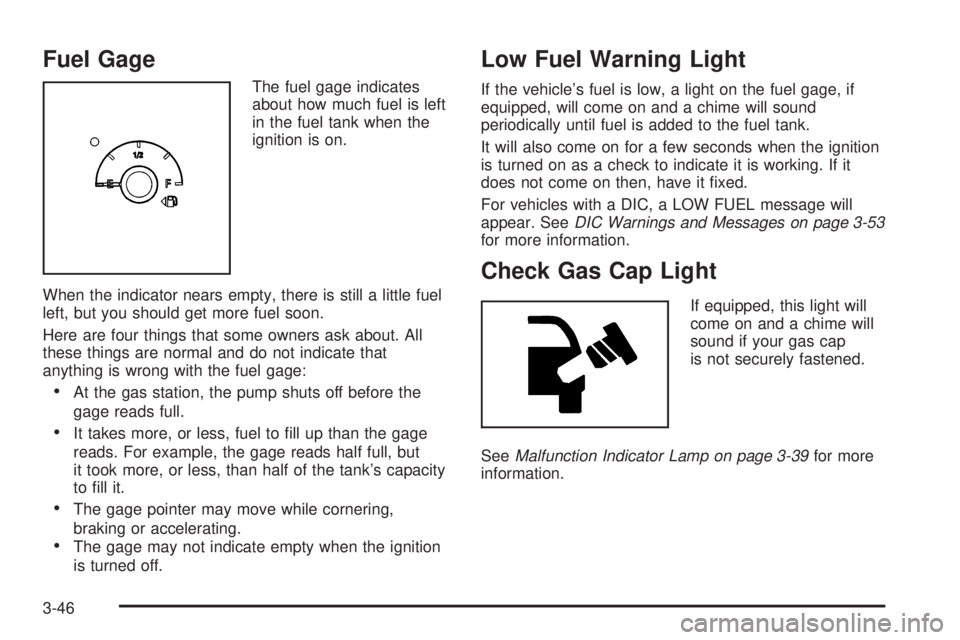
Fuel Gage
The fuel gage indicates
about how much fuel is left
in the fuel tank when the
ignition is on.
When the indicator nears empty, there is still a little fuel
left, but you should get more fuel soon.
Here are four things that some owners ask about. All
these things are normal and do not indicate that
anything is wrong with the fuel gage:
At the gas station, the pump shuts off before the
gage reads full.
It takes more, or less, fuel to ll up than the gage
reads. For example, the gage reads half full, but
it took more, or less, than half of the tank’s capacity
to ll it.
The gage pointer may move while cornering,
braking or accelerating.
The gage may not indicate empty when the ignition
is turned off.
Low Fuel Warning Light
If the vehicle’s fuel is low, a light on the fuel gage, if
equipped, will come on and a chime will sound
periodically until fuel is added to the fuel tank.
It will also come on for a few seconds when the ignition
is turned on as a check to indicate it is working. If it
does not come on then, have it xed.
For vehicles with a DIC, a LOW FUEL message will
appear. SeeDIC Warnings and Messages on page 3-53
for more information.
Check Gas Cap Light
If equipped, this light will
come on and a chime will
sound if your gas cap
is not securely fastened.
SeeMalfunction Indicator Lamp on page 3-39for more
information.
3-46
Page 203 of 410
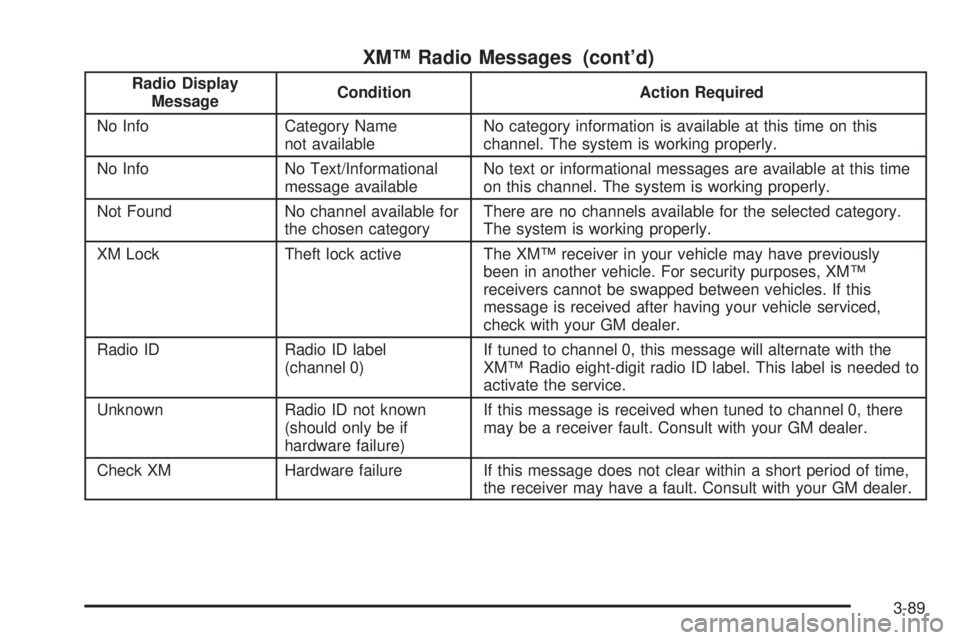
XM™ Radio Messages (cont’d)
Radio Display
MessageCondition Action Required
No Info Category Name
not availableNo category information is available at this time on this
channel. The system is working properly.
No Info No Text/Informational
message availableNo text or informational messages are available at this time
on this channel. The system is working properly.
Not Found No channel available for
the chosen categoryThere are no channels available for the selected category.
The system is working properly.
XM Lock Theft lock active The XM™ receiver in your vehicle may have previously
been in another vehicle. For security purposes, XM™
receivers cannot be swapped between vehicles. If this
message is received after having your vehicle serviced,
check with your GM dealer.
Radio ID Radio ID label
(channel 0)If tuned to channel 0, this message will alternate with the
XM™ Radio eight-digit radio ID label. This label is needed to
activate the service.
Unknown Radio ID not known
(should only be if
hardware failure)If this message is received when tuned to channel 0, there
may be a receiver fault. Consult with your GM dealer.
Check XM Hardware failure If this message does not clear within a short period of time,
the receiver may have a fault. Consult with your GM dealer.
3-89
Page 212 of 410
XM™ Radio Messages (cont’d)
Radio Display
MessageCondition Action Required
No Info Category Name
not availableNo category information is available at this time on this
channel. The system is working properly.
No Info No Text/Informational
message availableNo text or informational messages are available at this time
on this channel. The system is working properly.
Not Found No channel available for
the chosen categoryThere are no channels available for the selected category.
The system is working properly.
XM Lock Theft lock active The XM™ receiver in your vehicle may have previously
been in another vehicle. For security purposes, XM™
receivers cannot be swapped between vehicles. If this
message is received after having your vehicle serviced,
check with your GM dealer.
Radio ID Radio ID label
(channel 0)If tuned to channel 0, this message will alternate with the
XM™ Radio eight-digit radio ID label. This label is needed
to activate the service.
Unknown Radio ID not known
(should only be if
hardware failure)If this message is received when tuned to channel 0, there
may be a receiver fault. Consult with your GM dealer.
Check XM Hardware failure If this message does not clear within a short period of time,
the receiver may have a fault. Consult with your GM dealer.
3-98
Page 225 of 410
XM™ Radio Messages (cont’d)
Radio Display
MessageCondition Action Required
No Info Category Name
not availableNo category information is available at this time on this
channel. The system is working properly.
No Info No Text/Informational
message availableNo text or informational messages are available at this time
on this channel. The system is working properly.
Not Found No channel available for
the chosen categoryThere are no channels available for the selected category.
The system is working properly.
XM Lock Theft lock active The XM™ receiver in your vehicle may have previously
been in another vehicle. For security purposes, XM™
receivers cannot be swapped between vehicles. If this
message is received after having your vehicle serviced,
check with your GM dealer.
Radio ID Radio ID label
(channel 0)If tuned to channel 0, this message will alternate with the
XM™ Radio eight-digit radio ID label. This label is needed to
activate the service.
Unknown Radio ID not known
(should only be if
hardware failure)If this message is received when tuned to channel 0, there
may be a receiver fault. Consult with your GM dealer.
Check XM Hardware failure If this message does not clear within a short period of time,
the receiver may have a fault. Consult with your GM dealer.
3-111
Page 258 of 410
Winter Driving
Here are some tips for winter driving:
Have your vehicle in good shape for winter.
You may want to put winter emergency supplies in
your trunk.
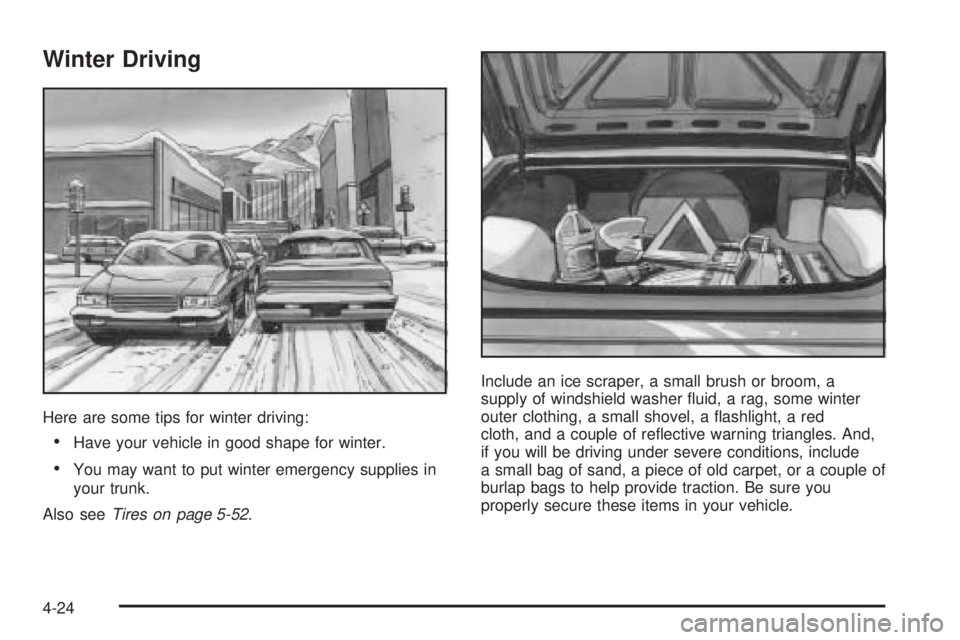
Also seeTires on page 5-52.Include an ice scraper, a small brush or broom, a
supply of windshield washer uid, a rag, some winter
outer clothing, a small shovel, a ashlight, a red
cloth, and a couple of reective warning triangles. And,
if you will be driving under severe conditions, include
a small bag of sand, a piece of old carpet, or a couple of
burlap bags to help provide traction. Be sure you
properly secure these items in your vehicle.
4-24
Page 267 of 410
If the vehicle is going to carry a heavy load, spread
it out. Do not carry more than 167 lbs (75 kg) in
your trunk.
{CAUTION:
Do not load your vehicle any heavier than the
Gross Vehicle Weight Rating (GVWR), or either
the maximum front or rear Gross Axle Weight
Rating (GAWR). If you do, parts on your
vehicle can break, and it can change the way
your vehicle handles. These could cause you
to lose control and crash. Also, overloading
can shorten the life of your vehicle.
Notice:Overloading your vehicle may cause
damage. Repairs would not be covered by your
warranty. Do not overload your vehicle.
If things like suitcases, tools, packages, or anything else
are put inside the vehicle, they will go as fast as the
vehicle goes. If you have to stop or turn quickly,
or if there is a crash, they will keep going.
{CAUTION:
Things you put inside your vehicle can strike
and injure people in a sudden stop or turn, or
in a crash.
Put things in the trunk of your vehicle. In a
trunk, put them as far forward as you can.
Try to spread the weight evenly.
Never stack heavier things, like suitcases,
inside the vehicle so that some of them
are above the tops of the seats.
Do not leave an unsecured child restraint
in your vehicle.
When you carry something inside the
vehicle, secure it whenever you can.
Do not leave a seat folded down unless
you need to.
4-33