ignition BUICK LACROSSE 2007 Owners Manual
[x] Cancel search | Manufacturer: BUICK, Model Year: 2007, Model line: LACROSSE, Model: BUICK LACROSSE 2007Pages: 512
Page 275 of 512
If the ignition or radio is turned off with a CD in
the player it will stay in the player. When the
ignition or radio is turned on, the CD will start to
play where it stopped, if it was the last selected
audio source.
The CD player can play the smaller 3 inch (8 cm)
single CDs with an adapter ring. Full-size CDs
and the smaller CDs are loaded in the same
manner.
If playing a CD-R, the sound quality may be
reduced due to CD-R quality, the method of
recording, the quality of the music that has been
recorded, and the way the CD-R has been
handled. There may be an increase in skipping,
difficulty in nding tracks, and/or difficulty in loading
and ejecting. If these problems occur, check the
bottom surface of the CD. If the surface of the CD
is damaged, such as cracked, broken, or
scratched, the CD will not play properly. If the
surface of the CD is soiled, seeCare of Your CDs
on page 282for more information.
If there is no apparent damage, try a known
good CD.Do not add any label to a CD, it could get caught
in the CD player. If a CD is recorded on a
personal computer and a description label is
needed, try labeling the top of the recorded CD
with a marking pen instead.
Notice:If you add any label to a CD, insert
more than one CD into the slot at a time, or
attempt to play scratched or damaged CDs, you
could damage the CD player. When using the
CD player, use only CDs in good condition
without any label, load one CD at a time, and
keep the CD player and the loading slot free of
foreign materials, liquids, and debris.
If an error appears on the display, see “CD
Messages” later in this section.
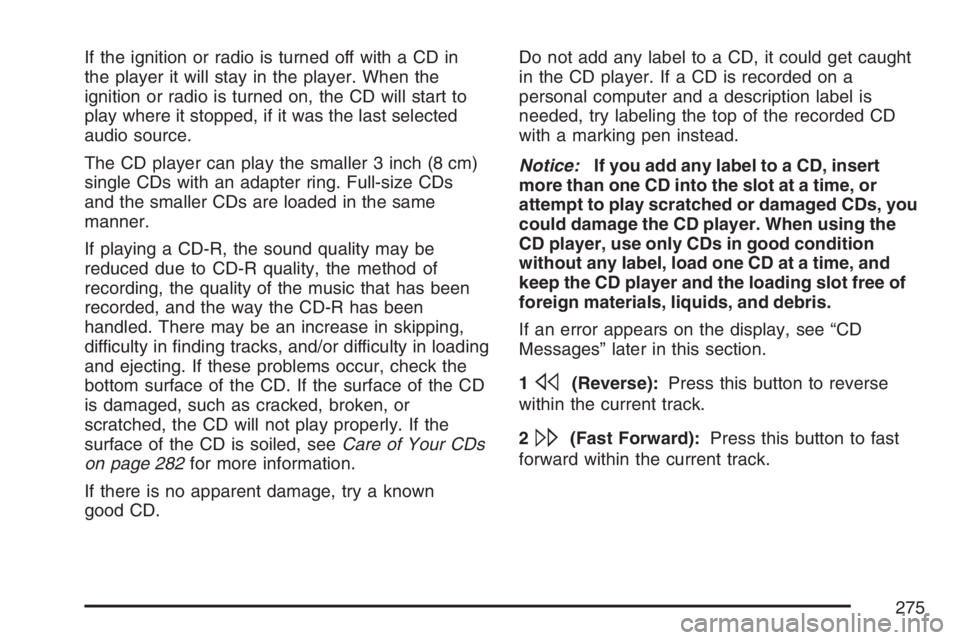
1
s(Reverse):Press this button to reverse
within the current track.
2
\(Fast Forward):Press this button to fast
forward within the current track.
275
Page 277 of 512
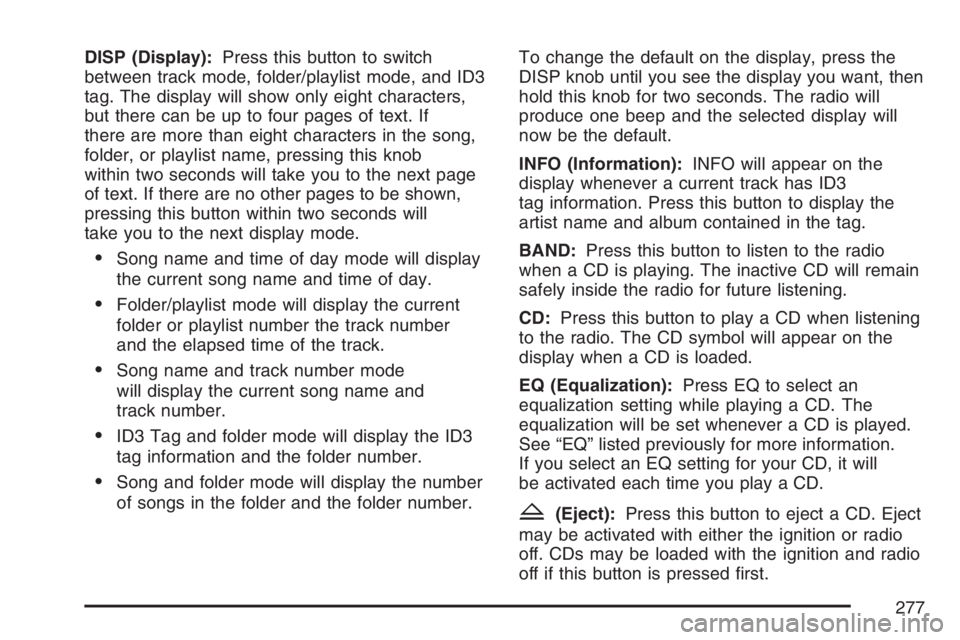
DISP (Display):Press this button to switch
between track mode, folder/playlist mode, and ID3
tag. The display will show only eight characters,
but there can be up to four pages of text. If
there are more than eight characters in the song,
folder, or playlist name, pressing this knob
within two seconds will take you to the next page
of text. If there are no other pages to be shown,
pressing this button within two seconds will
take you to the next display mode.
Song name and time of day mode will display
the current song name and time of day.
Folder/playlist mode will display the current
folder or playlist number the track number
and the elapsed time of the track.
Song name and track number mode
will display the current song name and
track number.
ID3 Tag and folder mode will display the ID3
tag information and the folder number.
Song and folder mode will display the number
of songs in the folder and the folder number.To change the default on the display, press the
DISP knob until you see the display you want, then
hold this knob for two seconds. The radio will
produce one beep and the selected display will
now be the default.
INFO (Information):INFO will appear on the
display whenever a current track has ID3
tag information. Press this button to display the
artist name and album contained in the tag.
BAND:Press this button to listen to the radio
when a CD is playing. The inactive CD will remain
safely inside the radio for future listening.
CD:Press this button to play a CD when listening
to the radio. The CD symbol will appear on the
display when a CD is loaded.
EQ (Equalization):Press EQ to select an
equalization setting while playing a CD. The
equalization will be set whenever a CD is played.
See “EQ” listed previously for more information.
If you select an EQ setting for your CD, it will
be activated each time you play a CD.
Z(Eject):Press this button to eject a CD. Eject
may be activated with either the ignition or radio
off. CDs may be loaded with the ignition and radio
off if this button is pressed rst.
277
Page 284 of 512
XM™ Satellite Radio
Antenna System
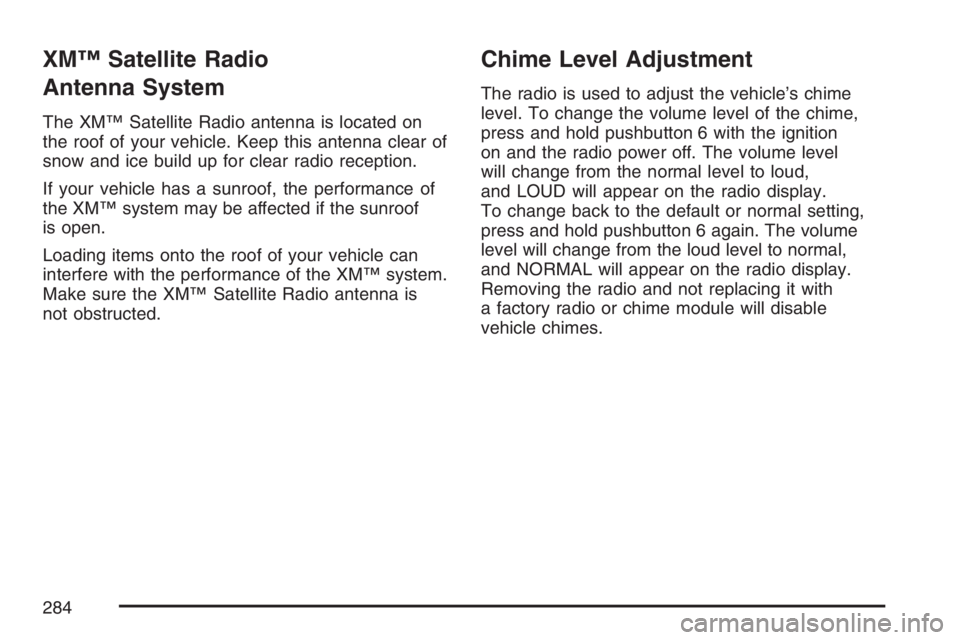
The XM™ Satellite Radio antenna is located on
the roof of your vehicle. Keep this antenna clear of
snow and ice build up for clear radio reception.
If your vehicle has a sunroof, the performance of
the XM™ system may be affected if the sunroof
is open.
Loading items onto the roof of your vehicle can
interfere with the performance of the XM™ system.
Make sure the XM™ Satellite Radio antenna is
not obstructed.
Chime Level Adjustment
The radio is used to adjust the vehicle’s chime
level. To change the volume level of the chime,
press and hold pushbutton 6 with the ignition
on and the radio power off. The volume level
will change from the normal level to loud,
and LOUD will appear on the radio display.
To change back to the default or normal setting,
press and hold pushbutton 6 again. The volume
level will change from the loud level to normal,
and NORMAL will appear on the radio display.
Removing the radio and not replacing it with
a factory radio or chime module will disable
vehicle chimes.
284
Page 313 of 512
{CAUTION:
Coasting downhill in NEUTRAL (N) or with
the ignition off is dangerous. Your brakes
will have to do all the work of slowing
down. They could get so hot that they
would not work well. You would then have
poor braking or even none going down a
hill. You could crash. Always have your
engine running and your vehicle in gear
when you go downhill.
Know how to go down hills. The most important
thing to know is this: let your engine do some of
the slowing down. Shift to a lower gear when
you go down a steep or long hill.
Know how to go uphill. You may want to shift
down to a lower gear. The lower gears help
cool your engine and transaxle, and you can
climb the hill better.
Stay in your own lane when driving on two-lane
roads in hills or mountains. Do not swing wide
or cut across the center of the road. Drive at
speeds that let you stay in your own lane.
As you go over the top of a hill, be alert. There
could be something in your lane, like a stalled
car or an accident.
You may see highway signs on mountains that
warn of special problems. Examples are long
grades, passing or no-passing zones, a falling
rocks area, or winding roads. Be alert to these
and take appropriate action.
313
Page 327 of 512
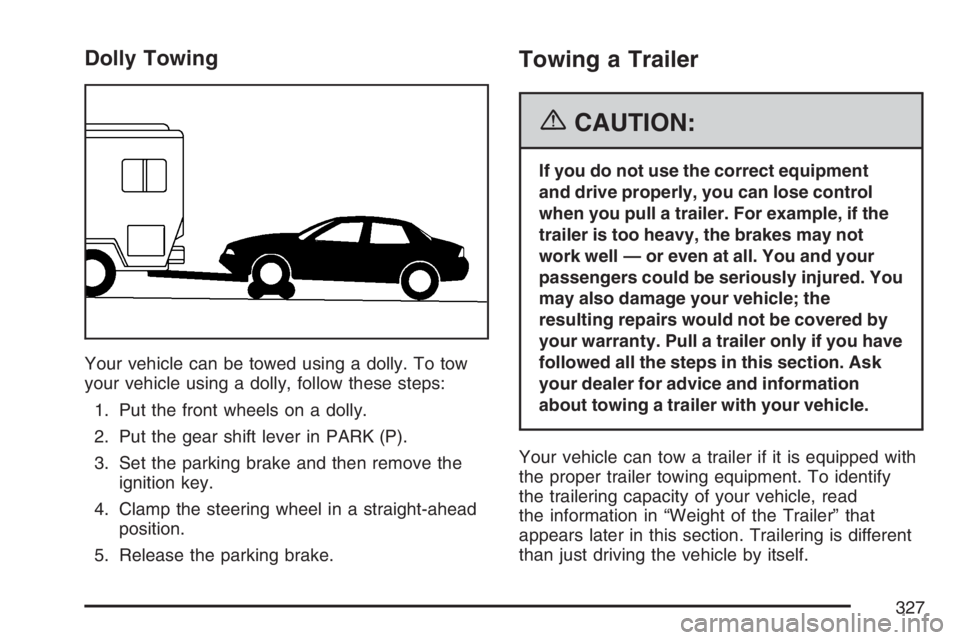
Dolly Towing
Your vehicle can be towed using a dolly. To tow
your vehicle using a dolly, follow these steps:
1. Put the front wheels on a dolly.
2. Put the gear shift lever in PARK (P).
3. Set the parking brake and then remove the
ignition key.
4. Clamp the steering wheel in a straight-ahead
position.
5. Release the parking brake.
Towing a Trailer
{CAUTION:
If you do not use the correct equipment
and drive properly, you can lose control
when you pull a trailer. For example, if the
trailer is too heavy, the brakes may not
work well — or even at all. You and your
passengers could be seriously injured. You
may also damage your vehicle; the
resulting repairs would not be covered by
your warranty. Pull a trailer only if you have
followed all the steps in this section. Ask
your dealer for advice and information
about towing a trailer with your vehicle.
Your vehicle can tow a trailer if it is equipped with
the proper trailer towing equipment. To identify
the trailering capacity of your vehicle, read
the information in “Weight of the Trailer” that
appears later in this section. Trailering is different
than just driving the vehicle by itself.
327
Page 357 of 512
How to Reset the Engine Oil Life
System
The Engine Oil Life System calculates when to
change the engine oil and lter based on vehicle
use. Anytime the oil is changed, reset the system
so it can calculate when the next oil change is
required. If a situation occurs where you change the
oil prior to a change engine oil light or CHANGE OIL
SOON message being turned on, reset the system.
After changing the engine oil, reset the system by
performing the following steps:
Vehicles with Driver Information Center (DIC)
1. Press the option button on the DIC until
ENGINE OIL MONITOR appears on the
DIC screen.
2. Press the set/reset button to reset the
system. The next screen indicates that
the CHANGE OIL SOON message
has been reset.
If the vehicle has the uplevel DIC, when
the gages button is pressed and the
OIL LIFE REMAINING mode appears,
it should read 100 percent OIL LIFE
REMAINING.
3. Turn the key to OFF.
Vehicles without Driver Information
Center (DIC)
1. With the engine off, turn the ignition
key to RUN.
2. Fully press and release the accelerator
pedal slowly three times within
ve seconds.
3. Turn the key to OFF, then start the
vehicle.
If the light or message comes back on when
you start your vehicle, the oil life system has not
reset. Repeat the procedure.
What to Do with Used Oil
Used engine oil contains certain elements that
may be unhealthy for your skin and could
even cause cancer. Do not let used oil stay on
your skin for very long. Clean your skin and nails
with soap and water, or a good hand cleaner.
Wash or properly dispose of clothing or rags
containing used engine oil. See the manufacturer’s
warnings about the use and disposal of oil
products.
357
Page 384 of 512
Battery
Your vehicle has a maintenance free battery.
When it is time for a new battery, get one that has
the replacement number shown on the original
battery’s label. We recommend an ACDelco
®
replacement battery. SeeEngine Compartment
Overview on page 350for battery location.
Warning:Battery posts, terminals, and related
accessories contain lead and lead compounds,
chemicals known to the State of California
to cause cancer and reproductive harm. Wash
hands after handling.
If the battery has a very low charge or is dead,
you may not be able to remove the ignition
key from the ignition switch or shift out of
PARK (P). Refer toShifting Out of Park (P)
on page 120.
Vehicle Storage
If you are not going to drive your vehicle for
25 days or more, remove the black, negative (−)
cable from the battery. This will help keep the
battery from running down.
{CAUTION:
Batteries have acid that can burn you and
gas that can explode. You can be badly
hurt if you are not careful. SeeJump
Starting on page 385for tips on working
around a battery without getting hurt.
384
Page 386 of 512
Notice:If you leave your radio or other
accessories on during the jump starting
procedure, they could be damaged. The repairs
would not be covered by your warranty.
Always turn off your radio and other
accessories when jump starting your vehicle.
3. Turn off the ignition on both vehicles.
Unplug unnecessary accessories plugged into
the cigarette lighter or the accessory power
outlets. Turn off the radio and all lamps
that are not needed. This will avoid sparks
and help save both batteries. And it could
save the radio!
4. Open the hood on the other vehicle and
locate the positive (+) and negative (−)
terminal locations on that vehicle.
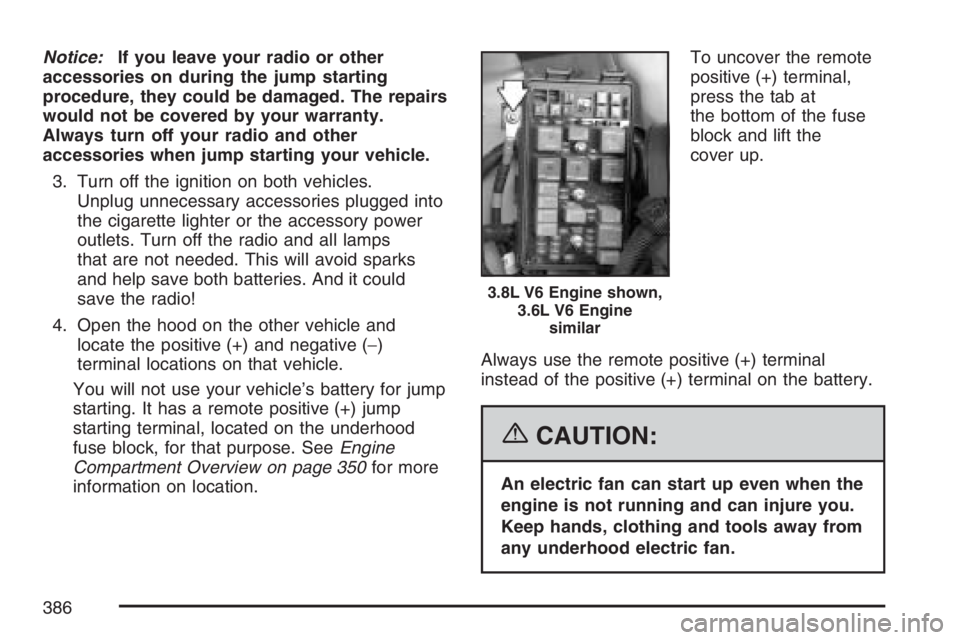
You will not use your vehicle’s battery for jump
starting. It has a remote positive (+) jump
starting terminal, located on the underhood
fuse block, for that purpose. SeeEngine
Compartment Overview on page 350for more
information on location.To uncover the remote
positive (+) terminal,
press the tab at
the bottom of the fuse
block and lift the
cover up.
Always use the remote positive (+) terminal
instead of the positive (+) terminal on the battery.
{CAUTION:
An electric fan can start up even when the
engine is not running and can injure you.
Keep hands, clothing and tools away from
any underhood electric fan.
3.8L V6 Engine shown,
3.6L V6 Engine
similar
386
Page 411 of 512
Tire Pressure Monitor System
The Tire Pressure Monitor System (TPMS) uses
radio and sensor technology to check tire pressure
levels. TPMS sensors are mounted onto each
tire and wheel assembly, except for the spare tire.
The TPMS sensors monitor the air pressure in
your vehicle’s tires and transmit tire pressure
readings to a receiver located in the vehicle.
When a low tire pressure condition is detected,
the TPMS illuminates the low tire pressure
warning light, located in the instrument panel
cluster. If your vehicle has the uplevel Driver
Information Center (DIC), a warning message to
check the pressure in a specic tire displays at
the same time the low tire pressure warning light
comes on. The low tire pressure warning light
and the DIC warning message CHECK TIRE
PRESSURE come on at each ignition cycle
until the tires are inated to the correct
ination pressure. Vehicles that have the
uplevel DIC buttons can also check tire
pressure levels by pressing the gages button.For additional information and details about the
DIC operation and displays seeDIC Operation and
Displays on page 200andDIC Warnings and
Messages on page 208.
During cooler weather conditions, the low tire
pressure warning light and the DIC warning
message, if your vehicle has this feature, may
come on when the vehicle is rst started, and then
turn off as you start to drive. This could be an
early indicator that the air pressure in the tire(s)
are getting low and need to be inated to the
proper pressure.
Each tire, including the spare (if provided), should
be checked monthly when cold and inated
to the ination pressure recommended by the
vehicle manufacturer on the vehicle placard or tire
ination pressure label. (If your vehicle has tires
of a different size than the size indicated on
the vehicle placard or tire ination pressure label,
you should determine the proper tire ination
pressure for those tires.)
411
Page 414 of 512
TPMS Sensor Identication Codes
Each TPMS sensor has a unique identication
code. Any time you replace one or more of
the TPMS sensors or rotate the vehicle’s tires, the
identication codes need to be matched to the
new tire/wheel position. The sensors are matched,
to the tire/wheel positions, in the following order:
driver side front tire, passenger side front tire,
passenger side rear tire, and driver side rear tire
using a TPMS diagnostic tool. See your dealer
for service.
The TPMS sensors may also be matched to each
tire/wheel position by increasing or decreasing
the tire’s air pressure. When increasing the tire’s
pressure, do not exceed the maximum ination
pressure indicated on the tire’s sidewall.
You have two minutes to match each tire and
wheel position. If it takes longer than two minutes
to match any tire and wheel position, the
matching process stops and you need to
start over.The TPMS matching process is outlined below:
1. Set the parking brake.
2. Turn the ignition switch to RUN with the
engine off.
3. Press the Remote Keyless Entry (RKE)
transmitter’s LOCK and UNLOCK buttons
at the same time for approximately
ve seconds. The horn sounds twice to
signal the receiver is in relearn mode and the
TPMS sensor matching process can begin.
4. Start with the driver side front tire.
5. Remove the valve cap from the tire’s valve
stem. Activate the TPMS sensor by increasing
or decreasing the tire’s air pressure for
10 seconds, or until a horn chirp sounds.
The horn chirp, which may take up to
30 seconds to sound, conrms that the sensor
identication code has been matched to the
tire/wheel position. To decrease the tire’s
air-pressure use the pointed end of the valve
cap, a pencil-style air pressure gage, or a key.
414