ECO mode BUICK LACROSSE 2007 User Guide
[x] Cancel search | Manufacturer: BUICK, Model Year: 2007, Model line: LACROSSE, Model: BUICK LACROSSE 2007Pages: 512
Page 208 of 512
DIC Warnings and Messages
Messages are displayed on the uplevel DIC to
notify the driver that the status of the vehicle has
changed and that some action may be needed
by the driver to correct the condition. Multiple
messages may appear one after another.
Some messages may not require immediate
action, but you can press any of the DIC buttons
on the uplevel vehicle to acknowledge that
you received the message and clear it from the
DIC display.
Some messages cannot be cleared from the DIC
display because they are more urgent. These
messages require action before they can be
cleared.
If there are any active warning messages when
the vehicle is turned off, two chimes sound and the
DIC goes into a reminder mode. The reminder
mode displays any active message. If there
are multiple messages, the DIC displays each
message for ve seconds. After each active
message is displayed once, the reminder mode
turns off.You should take any messages that appear on the
display seriously and remember that clearing
the messages will only make the messages
disappear, not correct the problem.
The following are the possible messages that can
be displayed and some information about them.
A/C OFF FOR ENGINE PROTECTION
This message displays when the engine coolant
becomes hotter than the normal operating
temperature. SeeEngine Coolant Temperature
Gage on page 189. To avoid added strain on a hot
engine, the air conditioning compressor is
automatically turned off. When the coolant
temperature returns to normal, the air conditioning
compressor turns back on. You can continue to
drive your vehicle.
This message comes on while the ignition is in
RUN. Press any of the DIC buttons to acknowledge
this warning message and to clear it from the
screen.
208
Page 220 of 512
REDUCED ENGINE POWER
This message displays when the vehicle’s engine
power is reduced. Reduced engine power can
affect the vehicle’s ability to accelerate. If this
message is on, but there is no reduction in
performance, proceed to your destination. The
performance may be reduced the next time the
vehicle is driven. The vehicle may be driven at a
reduced speed while this message is on, but
acceleration and speed may be reduced. Anytime
this message stays on, the vehicle should be taken
to your dealer for service as soon as possible.
This message displays and a chime sounds only
when the ignition is in RUN. Press any of the
DIC buttons to acknowledge this message and to
clear it from the screen.
This message continues to display for two seconds
if it has not been acknowledged when the engine is
turned off. It also re-displays for two seconds if the
message has been acknowledged, but the
condition still exists when the engine is turned off.
If the condition still exists, the message re-appears
when the engine is turned on.
REDUCED POWER STOP WHEN SAFE
This message displays when your vehicle is in
an overheated engine operating mode. This
operating mode allows your vehicle to be driven to
a safe place in an emergency. In this mode,
you will notice a signicant loss in power and
engine performance. SeeOverheated Engine
Protection Operating Mode on page 370for more
information. Anytime this message is on, the
vehicle should be taken to your dealer for service
as soon as possible.
This message displays and a chime sounds only
when the ignition is in RUN. Press any of the
DIC buttons to acknowledge this message and to
clear it from the screen.
This message continues to display for two seconds
if it has not been acknowledged when the engine is
turned off. It also re-displays for two seconds if the
message has been acknowledged, but the
condition still exists when the engine is turned off.
If the condition still exists, the message re-appears
when the engine is turned on.
220
Page 245 of 512
Radio with CD (Uplevel)
XM™ Satellite Radio Service
XM™ is a satellite radio service that is based in
the 48 contiguous United States and Canada.
XM™ offers a large variety of coast-to-coast
channels including music, news, sports, talk,
traffic/weather (U.S. subscribers), and children’s
programming. XM™ provides digital quality
audio and text information that includes
song title and artist name. A service fee is
required in order to receive the XM™ service.For more information, contact XM™; In the U.S. at
www.xmradio.com or call 1-800-852-XMXM (9696)
or in Canada at www.xmradio.ca or call
1-877-GET-XMSR (438-9677).
Playing the Radio
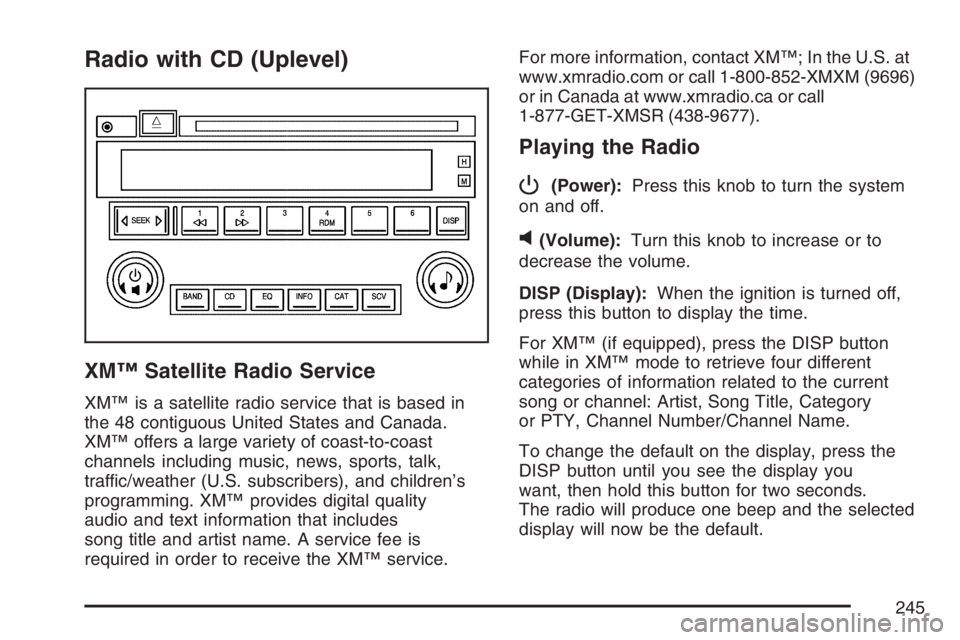
P
(Power):Press this knob to turn the system
on and off.
v(Volume):Turn this knob to increase or to
decrease the volume.
DISP (Display):When the ignition is turned off,
press this button to display the time.
For XM™ (if equipped), press the DISP button
while in XM™ mode to retrieve four different
categories of information related to the current
song or channel: Artist, Song Title, Category
or PTY, Channel Number/Channel Name.
To change the default on the display, press the
DISP button until you see the display you
want, then hold this button for two seconds.
The radio will produce one beep and the selected
display will now be the default.
245
Page 249 of 512
Scanning Categories (CAT)
(XM™ Satellite Radio Service Only)
To scan a desired category perform the following:
1. Press the CAT button to activate category
select mode. The current category will
appear on the display.
2. Turn the tune knob to select a category.
3. Once the desired category is displayed, press
either SEEK arrow for two seconds to scan
the stations in the category.
4. Press either SEEK arrow again to stop
scanning.
If the radio cannot nd the desired category,
NOT FOUND will appear on the display and the
radio will return to the last station you were
listening to.
Radio Messages
CALIBRATE:The audio system has been
calibrated for your vehicle from the factory. If
CALIBRATE appears on the display it means that
the radio has not been congured properly for
your vehicle and it must be returned to your
GM dealer for service.LOCKED:This message is displayed when the
THEFTLOCK
®system has locked up. Take
your vehicle to your GM dealer for service.
If any error occurs repeatedly or if an error cannot
be corrected, contact your GM dealer.
Radio Messages for XM™ Only
SeeXM Radio Messages on page 278later in this
section for further detail.
Playing a CD
Insert a CD partway into the slot, label side up. The
player will pull it in and the CD should begin playing.
If you want to insert a CD with the ignition off, rst
press the eject button or the DISP knob.
If the ignition or radio is turned off with a CD in
the player it will stay in the player. When the
ignition or radio is turned on, the CD will start to
play where it stopped, if it was the last selected
audio source.
When the CD is inserted, the CD symbol will appear
on the display. As each new track starts to play, the
track number will appear on the display.
249
Page 253 of 512
For more information, contact XM™; In the U.S. at
www.xmradio.com or call 1-800-852-XMXM
(9696) or in Canada at www.xmradio.ca or call
1-877-GET-XMSR (438-9677).
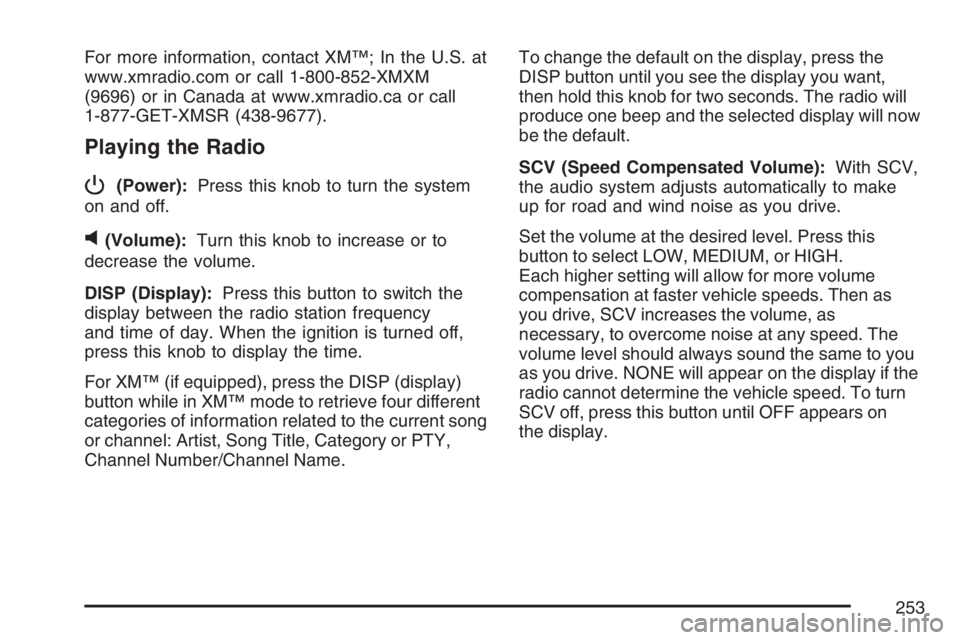
Playing the Radio
P
(Power):Press this knob to turn the system
on and off.
v(Volume):Turn this knob to increase or to
decrease the volume.
DISP (Display):Press this button to switch the
display between the radio station frequency
and time of day. When the ignition is turned off,
press this knob to display the time.
For XM™ (if equipped), press the DISP (display)
button while in XM™ mode to retrieve four different
categories of information related to the current song
or channel: Artist, Song Title, Category or PTY,
Channel Number/Channel Name.To change the default on the display, press the
DISP button until you see the display you want,
then hold this knob for two seconds. The radio will
produce one beep and the selected display will now
be the default.
SCV (Speed Compensated Volume):With SCV,
the audio system adjusts automatically to make
up for road and wind noise as you drive.
Set the volume at the desired level. Press this
button to select LOW, MEDIUM, or HIGH.
Each higher setting will allow for more volume
compensation at faster vehicle speeds. Then as
you drive, SCV increases the volume, as
necessary, to overcome noise at any speed. The
volume level should always sound the same to you
as you drive. NONE will appear on the display if the
radio cannot determine the vehicle speed. To turn
SCV off, press this button until OFF appears on
the display.
253
Page 257 of 512
Scanning Categories (CAT)
(XM™ Satellite Radio Service Only)
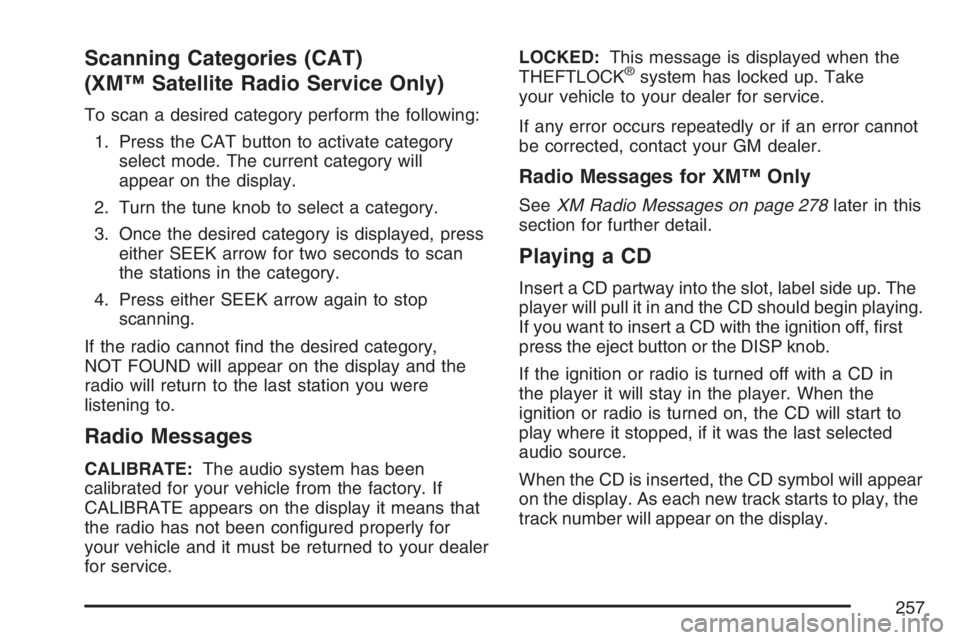
To scan a desired category perform the following:
1. Press the CAT button to activate category
select mode. The current category will
appear on the display.
2. Turn the tune knob to select a category.
3. Once the desired category is displayed, press
either SEEK arrow for two seconds to scan
the stations in the category.
4. Press either SEEK arrow again to stop
scanning.
If the radio cannot nd the desired category,
NOT FOUND will appear on the display and the
radio will return to the last station you were
listening to.
Radio Messages
CALIBRATE:The audio system has been
calibrated for your vehicle from the factory. If
CALIBRATE appears on the display it means that
the radio has not been congured properly for
your vehicle and it must be returned to your dealer
for service.LOCKED:This message is displayed when the
THEFTLOCK
®system has locked up. Take
your vehicle to your dealer for service.
If any error occurs repeatedly or if an error cannot
be corrected, contact your GM dealer.
Radio Messages for XM™ Only
SeeXM Radio Messages on page 278later in this
section for further detail.
Playing a CD
Insert a CD partway into the slot, label side up. The
player will pull it in and the CD should begin playing.
If you want to insert a CD with the ignition off, rst
press the eject button or the DISP knob.
If the ignition or radio is turned off with a CD in
the player it will stay in the player. When the
ignition or radio is turned on, the CD will start to
play where it stopped, if it was the last selected
audio source.
When the CD is inserted, the CD symbol will appear
on the display. As each new track starts to play, the
track number will appear on the display.
257
Page 261 of 512
For more information, contact XM™; In the U.S. at
www.xmradio.com or call 1-800-852-XMXM (9696)
or in Canada at www.xmradio.ca or call
1-877-GET-XMSR (438-9677).
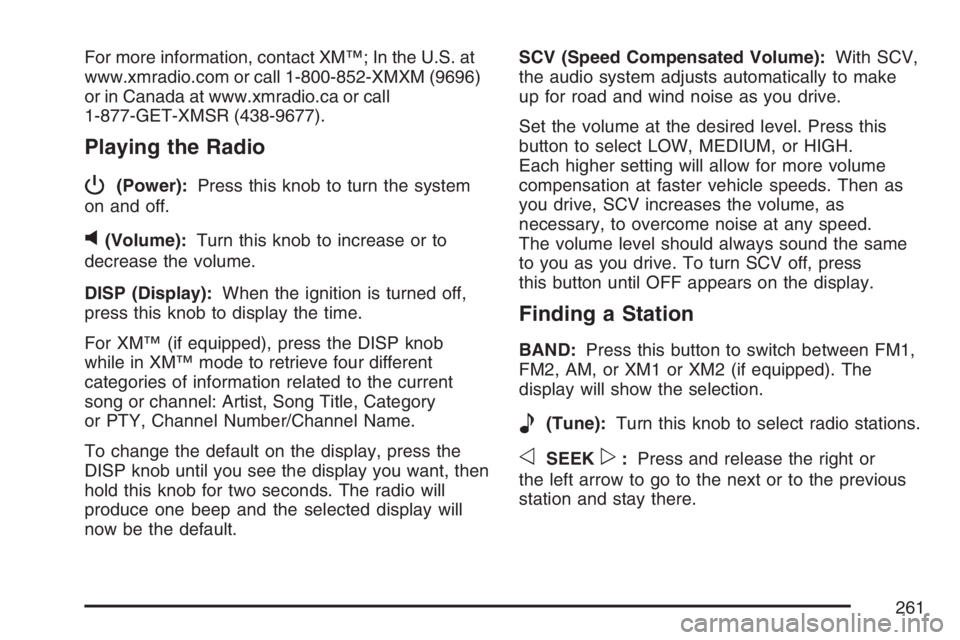
Playing the Radio
P
(Power):Press this knob to turn the system
on and off.
v(Volume):Turn this knob to increase or to
decrease the volume.
DISP (Display):When the ignition is turned off,
press this knob to display the time.
For XM™ (if equipped), press the DISP knob
while in XM™ mode to retrieve four different
categories of information related to the current
song or channel: Artist, Song Title, Category
or PTY, Channel Number/Channel Name.
To change the default on the display, press the
DISP knob until you see the display you want, then
hold this knob for two seconds. The radio will
produce one beep and the selected display will
now be the default.SCV (Speed Compensated Volume):With SCV,
the audio system adjusts automatically to make
up for road and wind noise as you drive.
Set the volume at the desired level. Press this
button to select LOW, MEDIUM, or HIGH.
Each higher setting will allow for more volume
compensation at faster vehicle speeds. Then as
you drive, SCV increases the volume, as
necessary, to overcome noise at any speed.
The volume level should always sound the same
to you as you drive. To turn SCV off, press
this button until OFF appears on the display.
Finding a Station
BAND:Press this button to switch between FM1,
FM2, AM, or XM1 or XM2 (if equipped). The
display will show the selection.
e(Tune):Turn this knob to select radio stations.
oSEEKp:Press and release the right or
the left arrow to go to the next or to the previous
station and stay there.
261
Page 265 of 512
Scanning Categories (CAT)
(XM™ Satellite Radio Service Only)
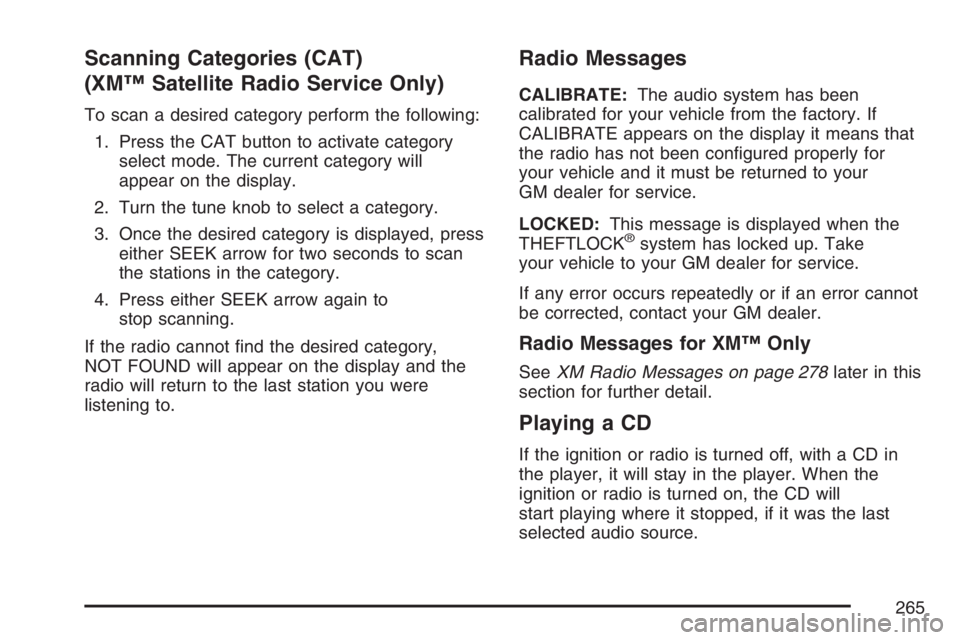
To scan a desired category perform the following:
1. Press the CAT button to activate category
select mode. The current category will
appear on the display.
2. Turn the tune knob to select a category.
3. Once the desired category is displayed, press
either SEEK arrow for two seconds to scan
the stations in the category.
4. Press either SEEK arrow again to
stop scanning.
If the radio cannot nd the desired category,
NOT FOUND will appear on the display and the
radio will return to the last station you were
listening to.
Radio Messages
CALIBRATE:The audio system has been
calibrated for your vehicle from the factory. If
CALIBRATE appears on the display it means that
the radio has not been congured properly for
your vehicle and it must be returned to your
GM dealer for service.
LOCKED:This message is displayed when the
THEFTLOCK
®system has locked up. Take
your vehicle to your GM dealer for service.
If any error occurs repeatedly or if an error cannot
be corrected, contact your GM dealer.
Radio Messages for XM™ Only
SeeXM Radio Messages on page 278later in this
section for further detail.
Playing a CD
If the ignition or radio is turned off, with a CD in
the player, it will stay in the player. When the
ignition or radio is turned on, the CD will
start playing where it stopped, if it was the last
selected audio source.
265
Page 270 of 512
CD:Press this button to play a CD when listening
to the radio. The CD symbol will appear on the
display when a CD is loaded.
EQ (Equalization):Press EQ to select an
equalization setting while playing a CD. The
equalization will be set whenever a CD is played.
See “EQ” listed previously for more information.
If you select an EQ setting for your CD, it will
be activated each time you play a CD.
Using List Mode
The six-disc CD changer has a feature called
song list. This feature is capable of saving 20 track
selections.
To save tracks into the song list feature, perform
the following steps:
1. Turn the CD player on and load it with at least
one CD. See “LOAD” listed previously in this
section for more information.
2. Check to see that the CD changer is not in
song list mode. LIST should not appear on
the display. If LIST is present, press the LIST
button to turn it off.3. Select the desired CD by pressing the
numbered pushbutton and then use the SEEK
right arrow to locate the track to be saved.
The track will begin to play.
4. Press and hold the LIST button to save the
track into memory. When LIST is pressed,
one beep will be heard immediately. After
two seconds of continuously pressing the LIST
button, TRACK ADD will appear on the
display and two beeps will sound to conrm
the track has been saved.
5. Repeat Steps 3 and 4 for saving other
selections.
S-LIST FULL will appear on the display if you try
to save more than 20 selections.
To play the song list, press the LIST button.
One beep will be heard and S-LIST will appear on
the display. The recorded tracks will begin to
play in the order they were saved.
Seek through the song list by using the SEEK
arrows. Seeking past the last saved track
will return to the rst saved track.
270
Page 271 of 512
To delete tracks from the song list, perform the
following steps:
1. Turn the CD player on.
2. Press the LIST button to turn song list on.
LIST will appear on the display.
3. Press either SEEK arrow to select the desired
track to be deleted.
4. Press and hold the LIST button for
two seconds. When LIST is pressed,
one beep will be heard immediately. After
two seconds of continuously pressing the LIST
button, TRACK DELETE will appear on the
display and two beeps will be heard to conrm
that the track has been deleted.
After a track has been deleted, the remaining
tracks are moved up the list. When another track
is added to the song list, the track will be
added to the end of the list.To delete the entire song list, perform the
following steps:
1. Turn the CD player on.
2. Press the LIST button to turn song list on.
LIST will appear on the display.
3. Press and hold the LIST button for more than
four seconds. One beep will be heard,
followed by two beeps after two seconds, and
a nal beep will be heard after four seconds.
LIST EMPTY will appear on the display
indicating the song list has been deleted.
If a CD is ejected, and the song list contains
saved tracks from that CD, those tracks are
automatically deleted from the song list. Any tracks
saved to the song list again are added to the
bottom of the list.
To end song list mode, press the LIST button.
One beep will be heard and LIST will be removed
from the display.
271