instrument panel BUICK LACROSSE 2007 Owner's Guide
[x] Cancel search | Manufacturer: BUICK, Model Year: 2007, Model line: LACROSSE, Model: BUICK LACROSSE 2007Pages: 512
Page 173 of 512
Automatic Operation
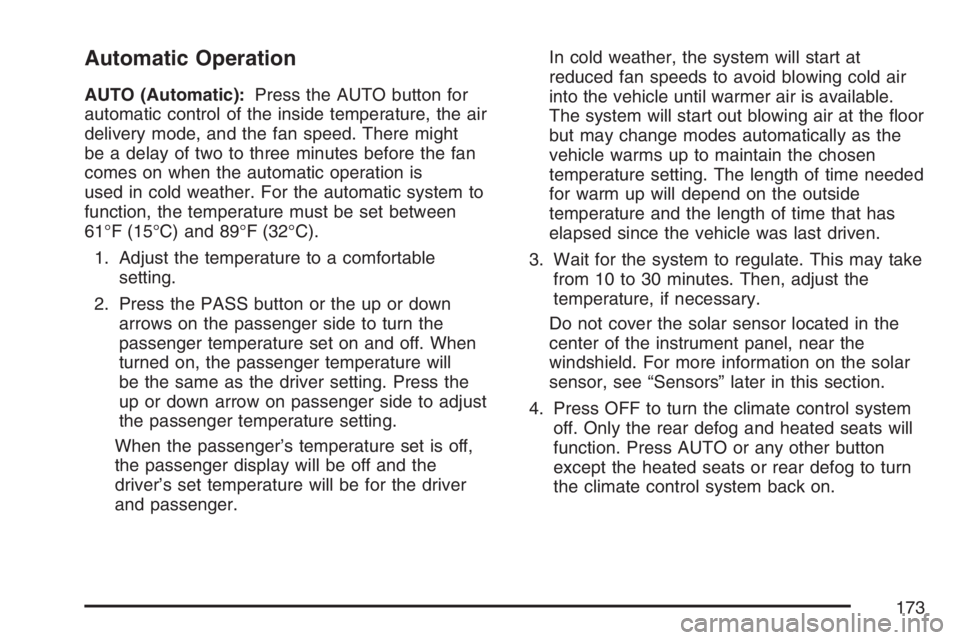
AUTO (Automatic):Press the AUTO button for
automatic control of the inside temperature, the air
delivery mode, and the fan speed. There might
be a delay of two to three minutes before the fan
comes on when the automatic operation is
used in cold weather. For the automatic system to
function, the temperature must be set between
61°F (15°C) and 89°F (32°C).
1. Adjust the temperature to a comfortable
setting.
2. Press the PASS button or the up or down
arrows on the passenger side to turn the
passenger temperature set on and off. When
turned on, the passenger temperature will
be the same as the driver setting. Press the
up or down arrow on passenger side to adjust
the passenger temperature setting.
When the passenger’s temperature set is off,
the passenger display will be off and the
driver’s set temperature will be for the driver
and passenger.In cold weather, the system will start at
reduced fan speeds to avoid blowing cold air
into the vehicle until warmer air is available.
The system will start out blowing air at the oor
but may change modes automatically as the
vehicle warms up to maintain the chosen
temperature setting. The length of time needed
for warm up will depend on the outside
temperature and the length of time that has
elapsed since the vehicle was last driven.
3. Wait for the system to regulate. This may take
from 10 to 30 minutes. Then, adjust the
temperature, if necessary.
Do not cover the solar sensor located in the
center of the instrument panel, near the
windshield. For more information on the solar
sensor, see “Sensors” later in this section.
4. Press OFF to turn the climate control system
off. Only the rear defog and heated seats will
function. Press AUTO or any other button
except the heated seats or rear defog to turn
the climate control system back on.
173
Page 174 of 512
This control has four types of operation.
Automatic can set/change the temperature
only. AUTO and temperature only will
appear on the display.
Semi-Automatic Fan can set/change the
temperature and mode. The fan operates
automatically. The temperature and mode will
appear on the display.
Semi-Automatic Mode can set/change the
temperature and fan speed. The mode
operates automatically. The fan speed and
temperature will appear on the display.
Manual can set/change the temperature,
mode and fan. The fan speed, temperature,
and mode will appear on the display.
If your vehicle has the remote start feature, the
climate control system will automatically regulate
the inside temperature of your vehicle when
the remote start system is activated. Normal
operation and the last setting of the climate control
system will return after the key is turned on.
Manual Operation
During daylight hours, the instrument panel
brightness control might need to be adjusted to
the highest setting, in order to see the indicator
lights for the various climate control settings.
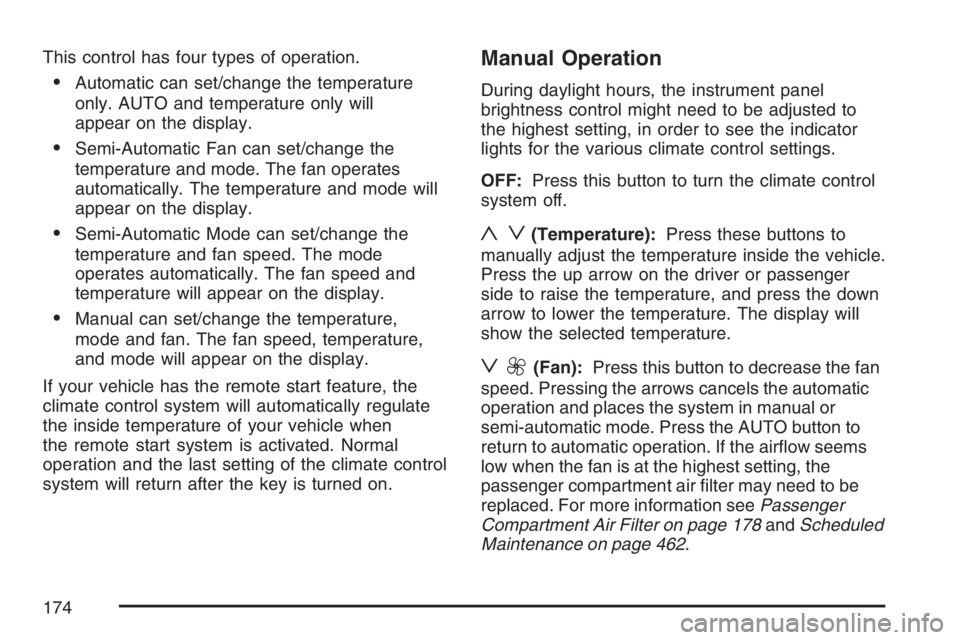
OFF:Press this button to turn the climate control
system off.
yz(Temperature):Press these buttons to
manually adjust the temperature inside the vehicle.
Press the up arrow on the driver or passenger
side to raise the temperature, and press the down
arrow to lower the temperature. The display will
show the selected temperature.
z9(Fan):Press this button to decrease the fan
speed. Pressing the arrows cancels the automatic
operation and places the system in manual or
semi-automatic mode. Press the AUTO button to
return to automatic operation. If the airow seems
low when the fan is at the highest setting, the
passenger compartment air lter may need to be
replaced. For more information seePassenger
Compartment Air Filter on page 178andScheduled
Maintenance on page 462.
174
Page 175 of 512
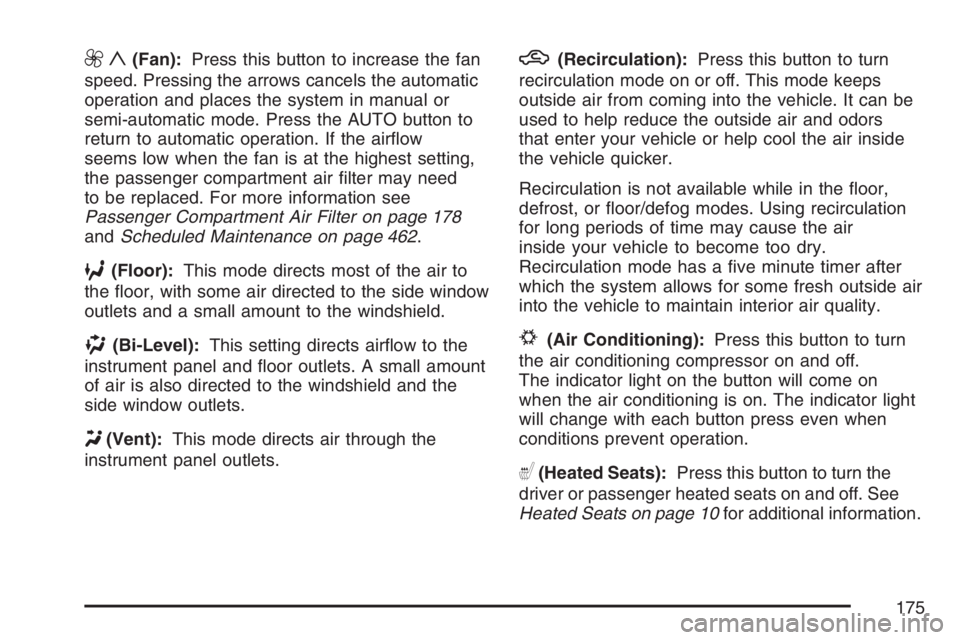
9y(Fan):Press this button to increase the fan
speed. Pressing the arrows cancels the automatic
operation and places the system in manual or
semi-automatic mode. Press the AUTO button to
return to automatic operation. If the airow
seems low when the fan is at the highest setting,
the passenger compartment air lter may need
to be replaced. For more information see
Passenger Compartment Air Filter on page 178
andScheduled Maintenance on page 462.
6(Floor):This mode directs most of the air to
the oor, with some air directed to the side window
outlets and a small amount to the windshield.
)(Bi-Level):This setting directs airow to the
instrument panel and oor outlets. A small amount
of air is also directed to the windshield and the
side window outlets.
Y(Vent):This mode directs air through the
instrument panel outlets.
h(Recirculation):Press this button to turn
recirculation mode on or off. This mode keeps
outside air from coming into the vehicle. It can be
used to help reduce the outside air and odors
that enter your vehicle or help cool the air inside
the vehicle quicker.
Recirculation is not available while in the oor,
defrost, or oor/defog modes. Using recirculation
for long periods of time may cause the air
inside your vehicle to become too dry.
Recirculation mode has a ve minute timer after
which the system allows for some fresh outside air
into the vehicle to maintain interior air quality.
#(Air Conditioning):Press this button to turn
the air conditioning compressor on and off.
The indicator light on the button will come on
when the air conditioning is on. The indicator light
will change with each button press even when
conditions prevent operation.
((Heated Seats):Press this button to turn the
driver or passenger heated seats on and off. See
Heated Seats on page 10for additional information.
175
Page 176 of 512
Defogging and Defrosting
Fog on the inside of windows is a result of high
humidity (moisture) condensing on the cool window
glass. This can be minimized if the climate
control system is used properly. There are
two modes to clear fog or frost from your
windshield. Use the oor/defog mode to clear the
windows of fog or moisture and warm the
passengers. Use defrost to remove fog or frost
from the windshield more quickly.
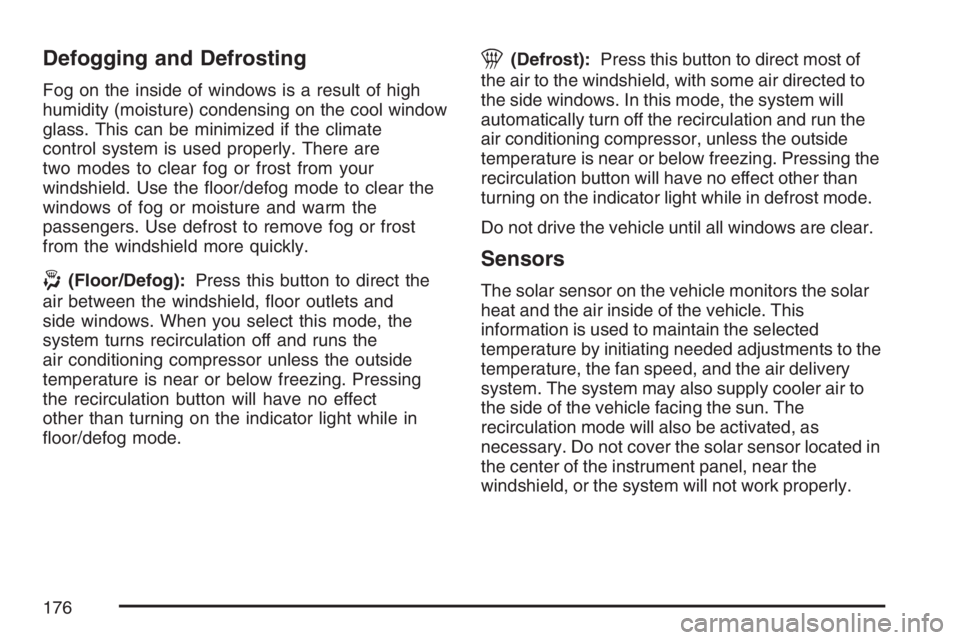
-(Floor/Defog):Press this button to direct the
air between the windshield, oor outlets and
side windows. When you select this mode, the
system turns recirculation off and runs the
air conditioning compressor unless the outside
temperature is near or below freezing. Pressing
the recirculation button will have no effect
other than turning on the indicator light while in
oor/defog mode.
1(Defrost):Press this button to direct most of
the air to the windshield, with some air directed to
the side windows. In this mode, the system will
automatically turn off the recirculation and run the
air conditioning compressor, unless the outside
temperature is near or below freezing. Pressing the
recirculation button will have no effect other than
turning on the indicator light while in defrost mode.
Do not drive the vehicle until all windows are clear.
Sensors
The solar sensor on the vehicle monitors the solar
heat and the air inside of the vehicle. This
information is used to maintain the selected
temperature by initiating needed adjustments to the
temperature, the fan speed, and the air delivery
system. The system may also supply cooler air to
the side of the vehicle facing the sun. The
recirculation mode will also be activated, as
necessary. Do not cover the solar sensor located in
the center of the instrument panel, near the
windshield, or the system will not work properly.
176
Page 180 of 512
Instrument Panel Cluster
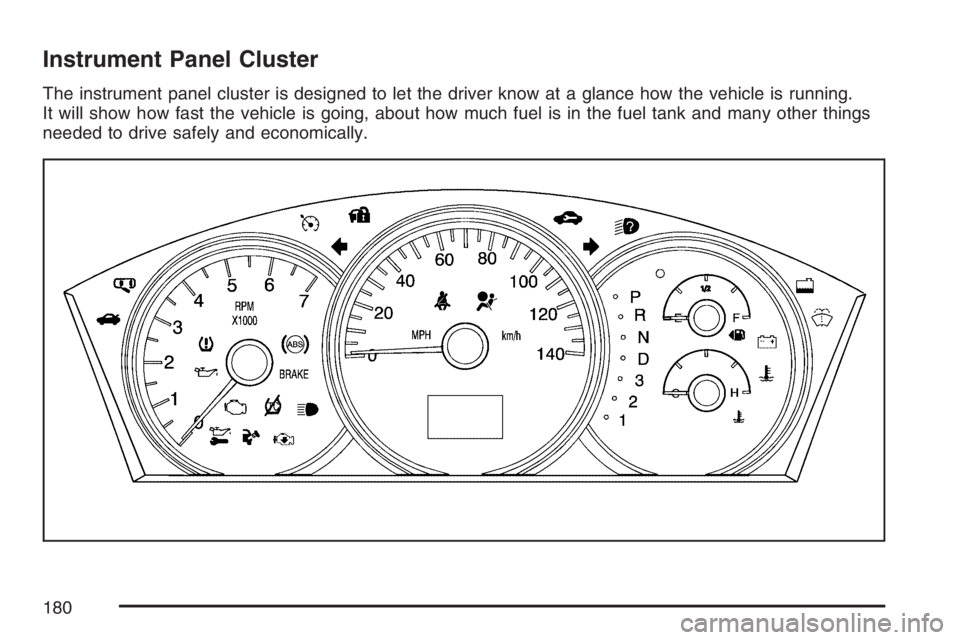
The instrument panel cluster is designed to let the driver know at a glance how the vehicle is running.
It will show how fast the vehicle is going, about how much fuel is in the fuel tank and many other things
needed to drive safely and economically.
180
Page 181 of 512
Speedometer and Odometer
Your speedometer lets you see your speed
in both miles per hour (mph) and kilometers
per hour (km/h).
Your vehicle’s odometer works together with the
driver information center. You can set a Trip A and
Trip B odometer. See “Trip Information” under
DIC Operation and Displays on page 200.
The odometer mileage can be checked without the
vehicle running. Simply press the odometer/trip
switch on the instrument panel cluster.
If your vehicle ever needs a new odometer
installed, the new one will be set to the correct
mileage total of the old odometer.
Tachometer
The tachometer displays the engine speed in
thousands of revolutions per minute (rpm).
Safety Belt Reminder Light
When the key is turned to RUN or START, a
chime will come on for several seconds to remind
people to fasten their safety belts, unless the
driver’s safety belt is already buckled.
The safety belt light will
also come on and stay
on for several
seconds, then it will
ash for several more.
This chime and light will be repeated if the driver
remains unbuckled and the vehicle is in motion.
If the driver’s belt is already buckled, neither
the chime nor the light will come on.
181
Page 182 of 512
Passenger Safety Belt
Reminder Light
Several seconds after the key is turned to RUN or
START, a chime will sound for several seconds to
remind the front passenger to buckle their safety
belt. This would only occur if the passenger airbag
is enabled. SeePassenger Sensing System on
page 75for more information. The passenger
safety belt light will also come on and stay on for
several seconds, then it will ash for several more.
This chime and light will
be repeated if the
passenger remains
unbuckled and
the vehicle is in motion.
If the passenger’s safety belt is buckled, neither
the chime nor the light will come on.
Airbag Readiness Light
There is an airbag readiness light on the
instrument panel, which shows the airbag symbol.
The system checks the airbag’s electrical
system for malfunctions. The system check
includes the airbag modules, the wiring and the
crash sensing and diagnostic module. For
more information on the airbag system, seeAirbag
System on page 66.
This light will come on
when the vehicle is
started, and it will ash
for a few seconds. Then
the light should go out.
This means the system is functioning properly.
182
Page 183 of 512
If the airbag readiness light stays on after the
vehicle is started, or comes on as the vehicle is
being driven, there may be an electrical problem
and the airbag system may not work properly.
Have the vehicle serviced right away.
{CAUTION:
If the airbag readiness light stays on after
you start your vehicle, it means the airbag
system may not be working properly. The
airbags in your vehicle may not inate in
a crash, or they could even inate without
a crash. To help avoid injury to yourself
or others, have your vehicle serviced right
away if the airbag readiness light stays on
after you start your vehicle.
The airbag readiness light should ash for a few
seconds when you turn the ignition key to RUN. If
the light does not come on then, have it xed
so it will be ready to warn you if there is a problem.
Passenger Airbag Status Indicator
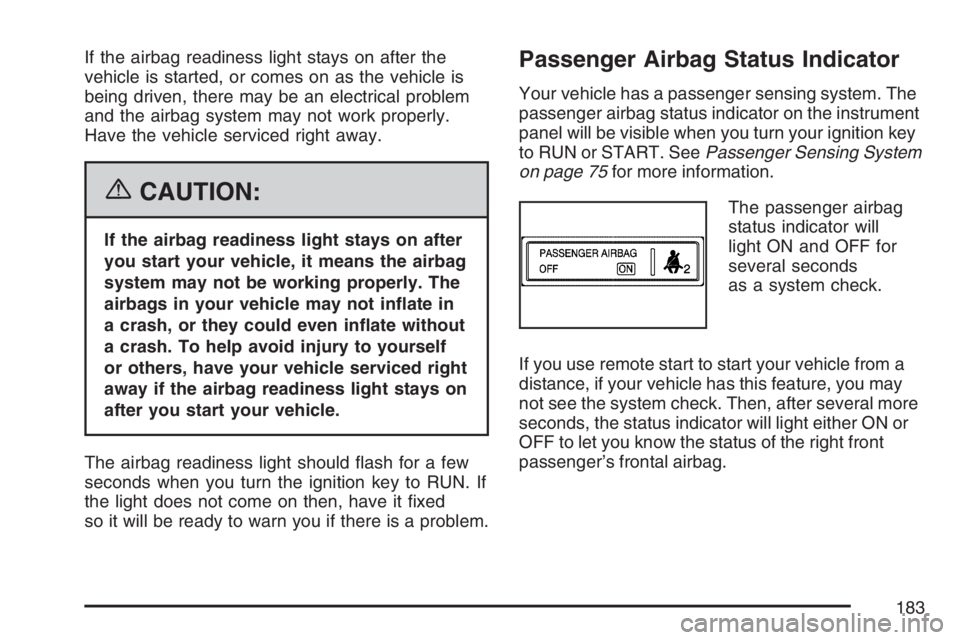
Your vehicle has a passenger sensing system. The
passenger airbag status indicator on the instrument
panel will be visible when you turn your ignition key
to RUN or START. SeePassenger Sensing System
on page 75for more information.
The passenger airbag
status indicator will
light ON and OFF for
several seconds
as a system check.
If you use remote start to start your vehicle from a
distance, if your vehicle has this feature, you may
not see the system check. Then, after several more
seconds, the status indicator will light either ON or
OFF to let you know the status of the right front
passenger’s frontal airbag.
183
Page 199 of 512
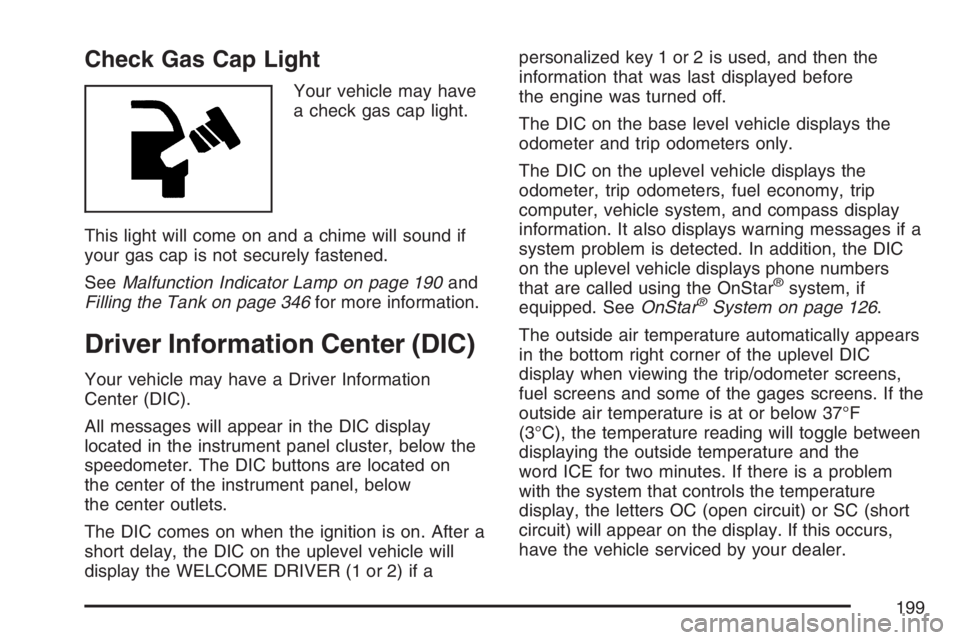
Check Gas Cap Light
Your vehicle may have
a check gas cap light.
This light will come on and a chime will sound if
your gas cap is not securely fastened.
SeeMalfunction Indicator Lamp on page 190and
Filling the Tank on page 346for more information.
Driver Information Center (DIC)
Your vehicle may have a Driver Information
Center (DIC).
All messages will appear in the DIC display
located in the instrument panel cluster, below the
speedometer. The DIC buttons are located on
the center of the instrument panel, below
the center outlets.
The DIC comes on when the ignition is on. After a
short delay, the DIC on the uplevel vehicle will
display the WELCOME DRIVER (1 or 2) if apersonalized key 1 or 2 is used, and then the
information that was last displayed before
the engine was turned off.
The DIC on the base level vehicle displays the
odometer and trip odometers only.
The DIC on the uplevel vehicle displays the
odometer, trip odometers, fuel economy, trip
computer, vehicle system, and compass display
information. It also displays warning messages if a
system problem is detected. In addition, the DIC
on the uplevel vehicle displays phone numbers
that are called using the OnStar
®system, if
equipped. SeeOnStar®System on page 126.
The outside air temperature automatically appears
in the bottom right corner of the uplevel DIC
display when viewing the trip/odometer screens,
fuel screens and some of the gages screens. If the
outside air temperature is at or below 37°F
(3°C), the temperature reading will toggle between
displaying the outside temperature and the
word ICE for two minutes. If there is a problem
with the system that controls the temperature
display, the letters OC (open circuit) or SC (short
circuit) will appear on the display. If this occurs,
have the vehicle serviced by your dealer.
199
Page 200 of 512
The DIC on the uplevel vehicle also allows some
features to be customized or personalized.
SeeDIC Vehicle Personalization on page 229for
more information.
DIC Operation and Displays
The DIC has different modes which can be
accessed by pressing the DIC buttons located on
the center of the instrument panel. Depending
on whether your vehicle has the base level
or uplevel DIC, the buttons and modes available
will differ.
The buttons on the base level vehicle are the
trip/odometer and English/Metric buttons.
The buttons on the uplevel vehicle are the trip/
odometer, fuel, gages, set/reset, and option
buttons.
The button functions are detailed in the
following pages.
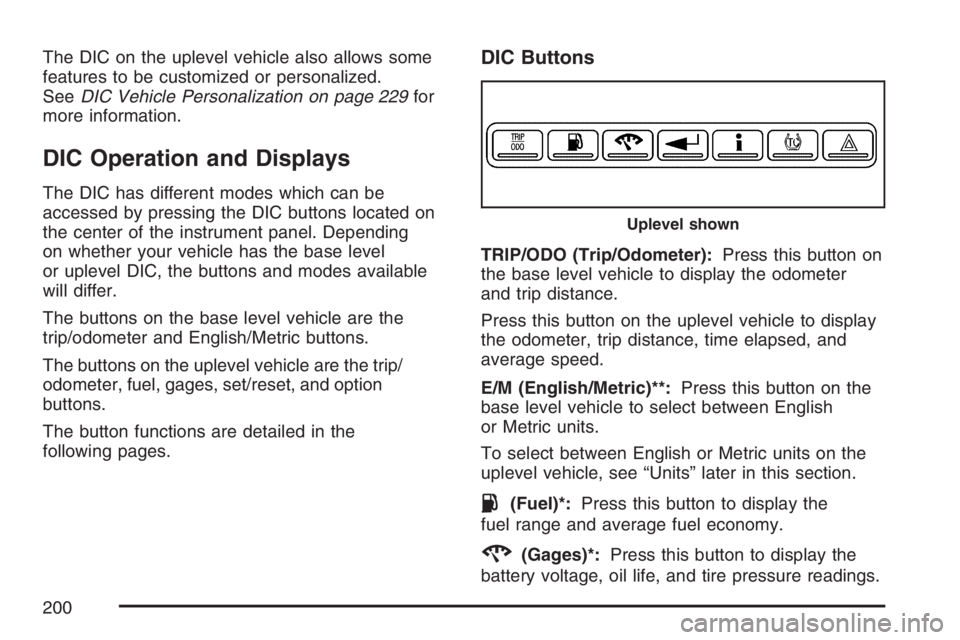
DIC Buttons
TRIP/ODO (Trip/Odometer):Press this button on
the base level vehicle to display the odometer
and trip distance.
Press this button on the uplevel vehicle to display
the odometer, trip distance, time elapsed, and
average speed.
E/M (English/Metric)**:Press this button on the
base level vehicle to select between English
or Metric units.
To select between English or Metric units on the
uplevel vehicle, see “Units” later in this section.
.(Fuel)*:Press this button to display the
fuel range and average fuel economy.
2(Gages)*:Press this button to display the
battery voltage, oil life, and tire pressure readings.
Uplevel shown
200