light BUICK LACROSSE 2009 User Guide
[x] Cancel search | Manufacturer: BUICK, Model Year: 2009, Model line: LACROSSE, Model: BUICK LACROSSE 2009Pages: 428
Page 79 of 428
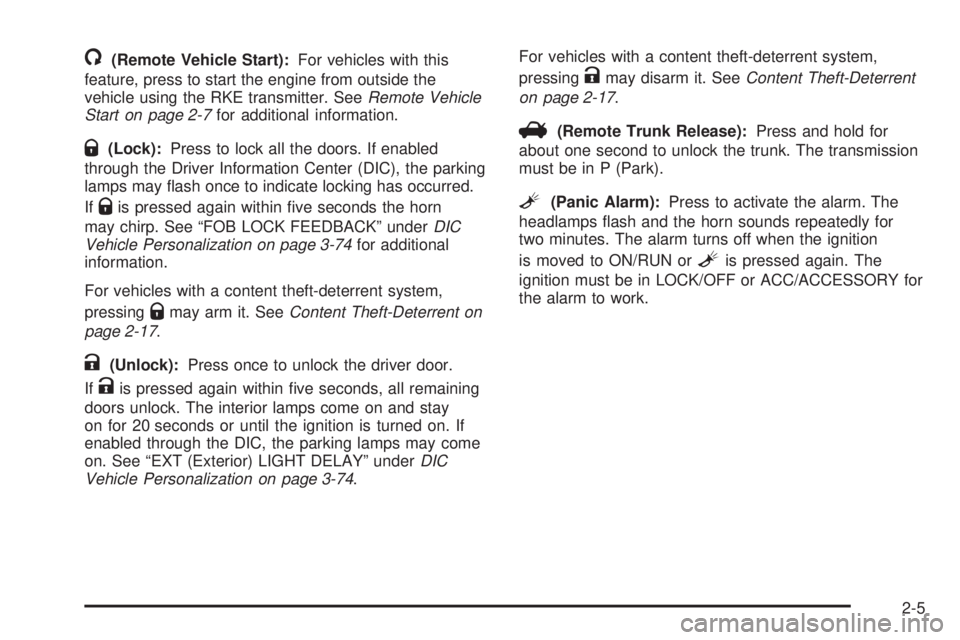
/(Remote Vehicle Start):For vehicles with this
feature, press to start the engine from outside the
vehicle using the RKE transmitter. SeeRemote Vehicle
Start on page 2-7for additional information.
Q(Lock):Press to lock all the doors. If enabled
through the Driver Information Center (DIC), the parking
lamps may ash once to indicate locking has occurred.
If
Qis pressed again within ve seconds the horn
may chirp. See “FOB LOCK FEEDBACK” underDIC
Vehicle Personalization on page 3-74for additional
information.
For vehicles with a content theft-deterrent system,
pressing
Qmay arm it. SeeContent Theft-Deterrent on
page 2-17.
K(Unlock):Press once to unlock the driver door.
If
Kis pressed again within ve seconds, all remaining
doors unlock. The interior lamps come on and stay
on for 20 seconds or until the ignition is turned on. If
enabled through the DIC, the parking lamps may come
on. See “EXT (Exterior) LIGHT DELAY” underDIC
Vehicle Personalization on page 3-74.For vehicles with a content theft-deterrent system,
pressing
Kmay disarm it. SeeContent Theft-Deterrent
on page 2-17.
V(Remote Trunk Release):Press and hold for
about one second to unlock the trunk. The transmission
must be in P (Park).
L(Panic Alarm):Press to activate the alarm. The
headlamps ash and the horn sounds repeatedly for
two minutes. The alarm turns off when the ignition
is moved to ON/RUN or
Lis pressed again. The
ignition must be in LOCK/OFF or ACC/ACCESSORY for
the alarm to work.
2-5
Page 82 of 428
The engine will shut off automatically after 10 minutes,
unless a time extension has been done or the
vehicle’s key is inserted into the ignition switch and
turned to ON/RUN.
To manually shut off a remote start, do any of the
following.
Aim the RKE transmitter at the vehicle and press
and release the remote start button.
Turn on the hazard warning ashers.
Turn the ignition switch out of LOCK/OFF position
and then back to LOCK/OFF.
The parking lamps turn off to indicate the engine is off.
After the engine has been started two times, or one
time with a time extension, the vehicle’s ignition must be
turned to ON/RUN using the key before the remote
start procedure can be used again. SeeIgnition
Positions on page 2-21for information regarding the
ignition positions on your vehicle.
The remote vehicle start feature will not operate if any
of the follow occur:
The remote start system is disabled through the DIC.
The vehicle’s key is in the ignition.
A door on the vehicle is open.
The vehicle’s hood is open.
The hazard warning ashers are on.
The check engine light is on. SeeMalfunction
Indicator Lamp on page 3-40
The engine coolant temperature is too high.
The oil pressure is low.
Two remote vehicle starts, or one start with a time
extension, have already been provided for that
ignition cycle.
If a remote start is attempted and is unsuccessful, the
Driver Information Center (DIC) will display REMOTE
START DISABLED.
Vehicles that have the remote start feature are shipped
from the factory with the remote vehicle start system
enabled. The system may be enabled or disabled
through the DIC. See “REMOTE START” underDIC
Vehicle Personalization on page 3-74for additional
information. If your vehicle does not have the DIC
feature, and remote vehicle start was installed at the
dealer/retailer, you will need to have the dealer/retailer
enable or disable the system.
2-8
Page 87 of 428
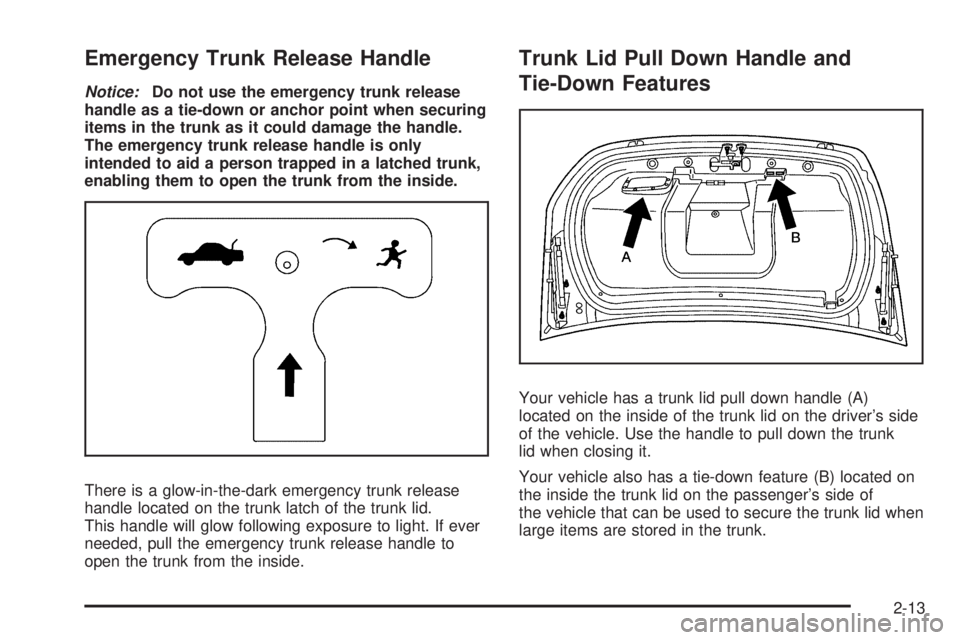
Emergency Trunk Release Handle
Notice:Do not use the emergency trunk release
handle as a tie-down or anchor point when securing
items in the trunk as it could damage the handle.
The emergency trunk release handle is only
intended to aid a person trapped in a latched trunk,
enabling them to open the trunk from the inside.
There is a glow-in-the-dark emergency trunk release
handle located on the trunk latch of the trunk lid.
This handle will glow following exposure to light. If ever
needed, pull the emergency trunk release handle to
open the trunk from the inside.
Trunk Lid Pull Down Handle and
Tie-Down Features
Your vehicle has a trunk lid pull down handle (A)
located on the inside of the trunk lid on the driver’s side
of the vehicle. Use the handle to pull down the trunk
lid when closing it.
Your vehicle also has a tie-down feature (B) located on
the inside the trunk lid on the passenger’s side of
the vehicle that can be used to secure the trunk lid when
large items are stored in the trunk.
2-13
Page 91 of 428
Content Theft-Deterrent
Your vehicle may have a content theft-deterrent alarm
system.
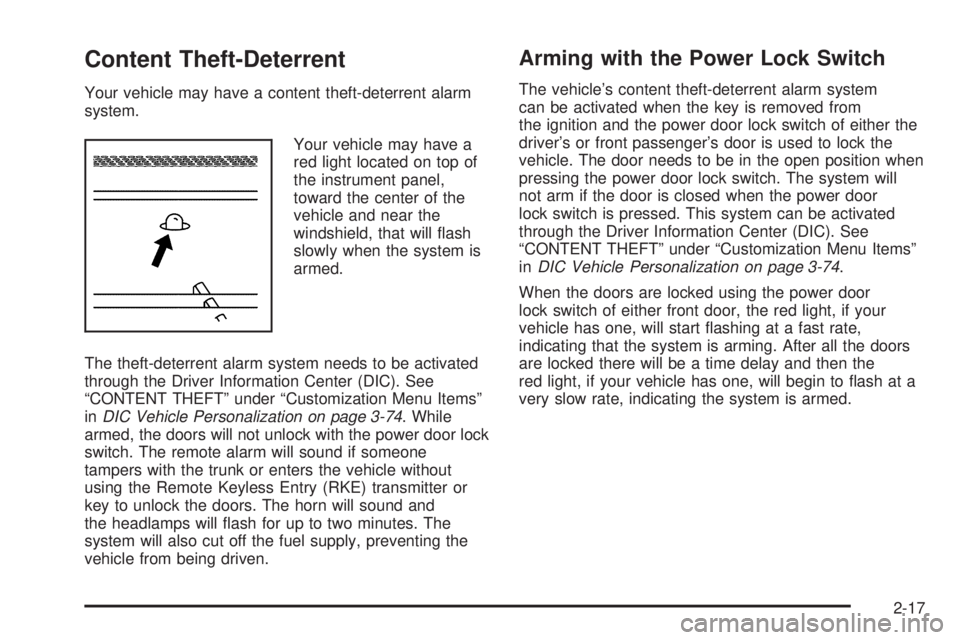
Your vehicle may have a
red light located on top of
the instrument panel,
toward the center of the
vehicle and near the
windshield, that will ash
slowly when the system is
armed.
The theft-deterrent alarm system needs to be activated
through the Driver Information Center (DIC). See
“CONTENT THEFT” under “Customization Menu Items”
inDIC Vehicle Personalization on page 3-74. While
armed, the doors will not unlock with the power door lock
switch. The remote alarm will sound if someone
tampers with the trunk or enters the vehicle without
using the Remote Keyless Entry (RKE) transmitter or
key to unlock the doors. The horn will sound and
the headlamps will ash for up to two minutes. The
system will also cut off the fuel supply, preventing the
vehicle from being driven.
Arming with the Power Lock Switch
The vehicle’s content theft-deterrent alarm system
can be activated when the key is removed from
the ignition and the power door lock switch of either the
driver’s or front passenger’s door is used to lock the
vehicle. The door needs to be in the open position when
pressing the power door lock switch. The system will
not arm if the door is closed when the power door
lock switch is pressed. This system can be activated
through the Driver Information Center (DIC). See
“CONTENT THEFT” under “Customization Menu Items”
inDIC Vehicle Personalization on page 3-74.
When the doors are locked using the power door
lock switch of either front door, the red light, if your
vehicle has one, will start ashing at a fast rate,
indicating that the system is arming. After all the doors
are locked there will be a time delay and then the
red light, if your vehicle has one, will begin to ash at a
very slow rate, indicating the system is armed.
2-17
Page 92 of 428
Arming with the RKE Transmitter
The alarm system will arm when the RKE transmitter is
used to lock the doors after the key is removed from
the ignition. The red light, if your vehicle has one,
will come on to indicate that the system is arming. After
all doors are closed and locked, and after a time
delay, the red light, if your vehicle has one, will begin
ashing at a very slow rate to show the system is armed.
Arming Conrmation
Your vehicle may have a red light located on top of the
instrument panel, towards the center of the vehicle
and near the windshield, that will ash slowly to conrm
when the system is armed.
Disarming with the RKE Transmitter
The alarm system will disarm when the RKE transmitter
is used to unlock the doors. The red light, if your
vehicle has one, will go out to show that the system is
disarmed.
Disarming with Your Key
The alarm system will disarm when the key is used to
unlock the doors. The red light, if your vehicle has
one, will stop ashing when the system is disarmed. If
you would like the key to disarm the alarm system,
see “CONTENT THEFT” underDIC Vehicle
Personalization on page 3-74for more information.
PASS-Key®III Electronic
Immobilizer
Your PASS-Key III system operates on a radio
frequency subject to Federal Communications
Commission (FCC) Rules and with Industry Canada.
This device complies with Part 15 of the FCC Rules.
Operation is subject to the following two conditions:
1. This device may not cause harmful interference.
2. This device must accept any interference received,
including interference that may cause undesired
operation.
This device complies with RSS-210 of Industry Canada.
Operation is subject to the following two conditions:
1. This device may not cause interference.
2. This device must accept any interference received,
including interference that may cause undesired
operation of the device.
Changes or modications to this system by other than
an authorized service facility could void authorization to
use this equipment.
PASS-Key III uses a radio frequency transponder in the
key that matches a decoder in your vehicle.
2-18
Page 93 of 428
PASS-Key®III Electronic
Immobilizer Operation
Your vehicle is equipped with PASS-Key®III
(Personalized Automotive Security System)
theft-deterrent system. PASS-Key
®III is a passive
theft-deterrent system.
The system is automatically armed when the key is
removed from the ignition.
You do not have to manually arm or disarm the system.
The security light will come on if there is a problem
with arming or disarming the theft-deterrent system.
PASS-Key III
®uses a transponder in the ignition
key that matches a decoder in the vehicle.
When the PASS-Key
®III system senses that the wrong
key has been inserted into the ignition, it shuts down
the vehicle’s starter and fuel systems. The starter will not
work and fuel will stop owing to the engine.If someone tries to start the vehicle again with the
wrong key, the vehicle will not start. Anyone using a
trial-and-error method to start the vehicle will be
discouraged to do so because of the high number of
electrical key codes.
When trying to start the vehicle, if the engine does not
start and the STARTING DISABLED warning message
on the Driver Information Center (DIC) comes on,
there may be a problem with your theft-deterrent system.
Turn the ignition off and try again.
If the engine still does not start, and the key appears to
be undamaged, try another ignition key. At this time,
you may also want to check the fuse. SeeFuses
and Circuit Breakers on page 5-99. If the engine still
does not start with the other key, the vehicle needs
service. If the vehicle does start, the rst key may be
faulty. See your dealer/retailer who can service the
PASS-Key®III to have a new key made. In an
emergency, contact Roadside Assistance. SeeRoadside
Assistance Program on page 7-7for more information.
2-19
Page 96 of 428
The steering can bind with the wheels turned off center.
If this happens, move the steering wheel from left to
right while turning the key to ACC/ACCESSORY. If this
doesn’t work, then the vehicle needs service.
B (ACC/ACCESSORY):This is the position in which
you can operate the radio and windshield wipers
while the engine is off. To use ACC/ACCESSORY, turn
the key clockwise.
C (ON/RUN):This position can be used to operate the
electrical accessories and to display some instrument
panel cluster warning and indicator lights. The
switch stays in this position when the engine is running.
If you leave the key in the ACC/ACCESSORY or
ON/RUN position with the engine off, the battery could
be drained. You may not be able to start the vehicle
if the battery is allowed to drain for an extended period
of time.D (START):This is the position that starts the engine.
When the engine starts, release the key. The ignition
switch returns to ON/RUN for driving.
A warning chime will sound and the Driver Information
Center (DIC) will display DRIVER’S DOOR AJAR
when the driver door is opened, the ignition is in
ACC/ACCESSORY or LOCK/OFF and the key is in the
ignition. SeeDIC Warnings and Messages on
page 3-56for more information.
Retained Accessory Power (RAP)
These vehicle accessories can be used for up to
10 minutes after the engine is turned off:
Audio System
Power Windows
Power to these accessories continues to work for
10 minutes or until a door is opened.
2-22
Page 103 of 428
Parking Brake
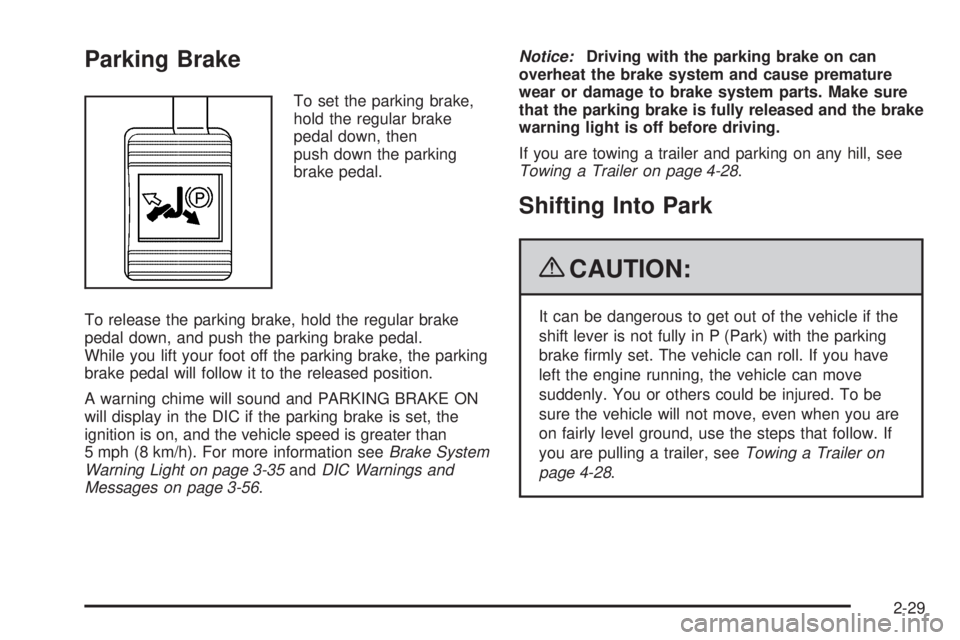
To set the parking brake,
hold the regular brake
pedal down, then
push down the parking
brake pedal.
To release the parking brake, hold the regular brake
pedal down, and push the parking brake pedal.
While you lift your foot off the parking brake, the parking
brake pedal will follow it to the released position.
A warning chime will sound and PARKING BRAKE ON
will display in the DIC if the parking brake is set, the
ignition is on, and the vehicle speed is greater than
5 mph (8 km/h). For more information seeBrake System
Warning Light on page 3-35andDIC Warnings and
Messages on page 3-56.Notice:Driving with the parking brake on can
overheat the brake system and cause premature
wear or damage to brake system parts. Make sure
that the parking brake is fully released and the brake
warning light is off before driving.
If you are towing a trailer and parking on any hill, see
Towing a Trailer on page 4-28.
Shifting Into Park
{CAUTION:
It can be dangerous to get out of the vehicle if the
shift lever is not fully in P (Park) with the parking
brake rmly set. The vehicle can roll. If you have
left the engine running, the vehicle can move
suddenly. You or others could be injured. To be
sure the vehicle will not move, even when you are
on fairly level ground, use the steps that follow. If
you are pulling a trailer, seeTowing a Trailer on
page 4-28.
2-29
Page 109 of 428
Mirrors
Manual Rearview Mirror
Hold the mirror in the center to move it for a clearer
view behind the vehicle.
Adjust the mirror to avoid glare from the headlamps
behind you. Push the tab forward for daytime use and
pull it for nighttime use.
If the vehicle has OnStar
®, the mirror has a day/night
control located at the bottom. Turn the control to
the right for the night position. Turn the control to the
front for the day position.
Vehicles with OnStar have three control buttons located
at the bottom of the mirror. See your dealer/retailer
for more information on the system and how to
subscribe to OnStar
®. SeeOnStar®System on
page 2-39for more information about the services
OnStar
®provides.
Automatic Dimming Rearview Mirror
Adjust the mirror to see clearly behind your vehicle.
Hold the mirror in the center to move it up or down and
side to side.The vehicle may have an automatic dimming rearview
mirror that reduces the glare of lights from behind
the vehicle. Press the AUTO button located in the lower
center of the mirror to turn automatic dimming on and
the
((off) button located next to the AUTO button
to turn automatic dimming off.
It the vehicle has the OnStar
®System. The automatic
dimming feature is turned on or off by pressing
O
for about three seconds. This button is located on the
lower part of the mirror.
Vehicles with OnStar
®have three control buttons
located at the bottom of the mirror. See your
dealer/retailer for more information on the system and
how to subscribe to OnStar
®. SeeOnStar®System
on page 2-39for more information about the services
OnStar
®provides.
Cleaning the Mirror
Do not spray glass cleaner directly on the mirror. Use a
soft towel dampened with water.
2-35
Page 112 of 428
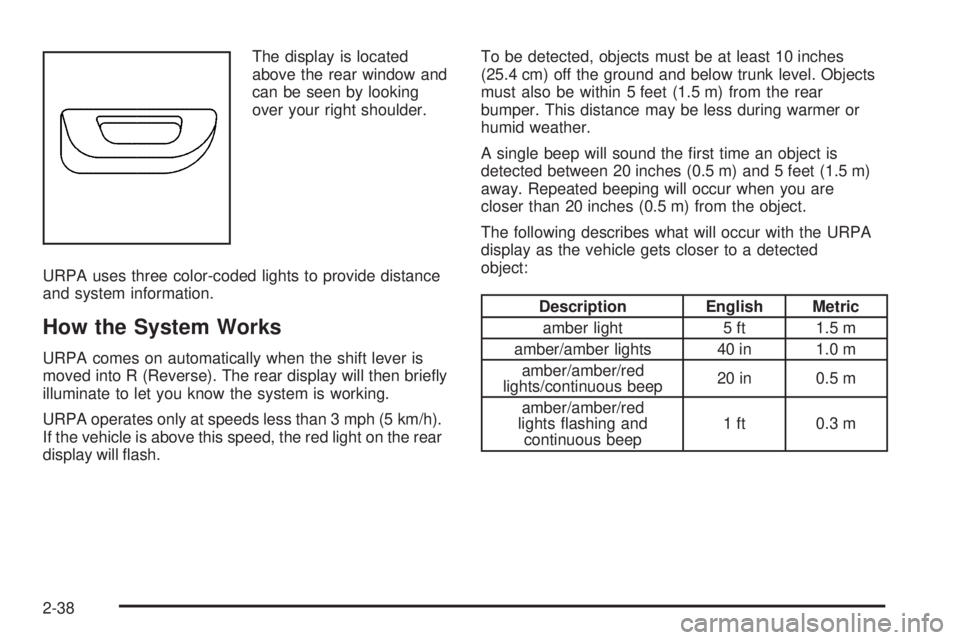
The display is located
above the rear window and
can be seen by looking
over your right shoulder.
URPA uses three color-coded lights to provide distance
and system information.
How the System Works
URPA comes on automatically when the shift lever is
moved into R (Reverse). The rear display will then briey
illuminate to let you know the system is working.
URPA operates only at speeds less than 3 mph (5 km/h).
If the vehicle is above this speed, the red light on the rear
display will ash.To be detected, objects must be at least 10 inches
(25.4 cm) off the ground and below trunk level. Objects
must also be within 5 feet (1.5 m) from the rear
bumper. This distance may be less during warmer or
humid weather.
A single beep will sound the rst time an object is
detected between 20 inches (0.5 m) and 5 feet (1.5 m)
away. Repeated beeping will occur when you are
closer than 20 inches (0.5 m) from the object.
The following describes what will occur with the URPA
display as the vehicle gets closer to a detected
object:
Description English Metric
amber light 5 ft 1.5 m
amber/amber lights 40 in 1.0 m
amber/amber/red
lights/continuous beep20 in 0.5 m
amber/amber/red
lights ashing and
continuous beep1 ft 0.3 m
2-38