transmission BUICK LACROSSE 2009 User Guide
[x] Cancel search | Manufacturer: BUICK, Model Year: 2009, Model line: LACROSSE, Model: BUICK LACROSSE 2009Pages: 428
Page 106 of 428
Shifting Out of Park
Automatic Transmission Shift Lock
The vehicle has an electronic shift lock release system.
The shift lock release is designed to:
Prevent ignition key removal unless the shift lever is
in P (Park)
Prevent movement of the shift lever out of P (Park),
unless the ignition is in ON/RUN and the regular
brake pedal is applied.
The shift lock is always functional except in the case of a
an uncharged or low voltage (less than 9 volt) battery.
If the vehicle has an uncharged battery or a battery with
low voltage, try charging or jump starting the battery.
SeeJump Starting on page 5-41.
Console Shift
If the console shift lever cannot be moved out of P (Park):
1. Apply and maintain the regular brakes.
2. Turn the ignition to ON/RUN position. SeeIgnition
Positions on page 2-21for more information.3. Let up on the shift lever and make sure the shift
lever is pushed all the way into P (Park).
4. Press the shift lever button
5. Then, move the shift into the desired gear.
If you still cannot move the shift lever from P (Park),
consult your dealer/retailer or a professional towing
service.
Column Shift
If the column shift lever cannot be moved out of
P (Park):
1. Apply and maintain the regular brakes.
2. Turn the ignition key to the ON/RUN position. See
Ignition Positions on page 2-21for more information.
3. Shift out of the P (Park) position to the N (Neutral)
position.
4. Move the vehicle to a safe location.
If you still cannot move the shift lever from P (Park),
consult your dealer/retailer or a professional towing
service.
2-32
Page 108 of 428
Running the Vehicle While Parked
It is better not to park with the engine running. But if you
ever have to, here are some things to know.
{CAUTION:
Idling a vehicle in an enclosed area with poor
ventilation is dangerous. Engine exhaust may
enter the vehicle. Engine exhaust contains Carbon
Monoxide (CO) which cannot be seen or smelled.
It can cause unconsciousness and even death.
Never run the engine in an enclosed area that has
no fresh air ventilation. For more information, see
Engine Exhaust on page 2-33.
{CAUTION:
It can be dangerous to get out of the vehicle if the
automatic transmission shift lever is not fully in
P (Park) with the parking brake rmly set. The
vehicle can roll. Do not leave the vehicle when the
engine is running unless you have to. If you have
left the engine running, the vehicle can move
suddenly. You or others could be injured. To be
sure the vehicle will not move, even when you are
on fairly level ground, always set the parking
brake and move the shift lever to P (Park).
Follow the proper steps to be sure the vehicle will not
move. SeeShifting Into Park on page 2-29.
If parking on a hill and pulling a trailer, seeTowing a
Trailer on page 4-28.
2-34
Page 118 of 428
Keep the original hand-held transmitter for use in other
vehicles as well as for future Universal Home Remote
programming. It is also recommended that upon the sale
of the vehicle, the programmed Universal Home
Remote buttons should be erased for security purposes.
See “Erasing Universal Home Remote Buttons” later
in this section.
When programming a garage door, park outside of the
garage. Park directly in line with and facing the
garage door opener motor-head or gate motor-head. Be
sure that people and objects are clear of the garage
door or gate you are programming.
It is recommended that a new battery be installed in
your hand-held transmitter for quicker and more
accurate transmission of the radio-frequency signal.
Programming the Universal Home
Remote System
If you have questions or need help programming the
Universal Home Remote System, call 1-800-355-3515 or
go to www.homelink.com.
Programming a garage door opener involves
time-sensitive actions, so read the entire procedure
before you begin. If you do not follow these actions, the
device will time out and you will have to repeat the
procedure.To program up to three devices:
1. Turn the ignition to ACC/ACCESSORY or ON/RUN.
Programming can only occur with the vehicle in
ACC/ACCESSORY or ON/RUN and until 10 minutes
after the ignition is turned off.
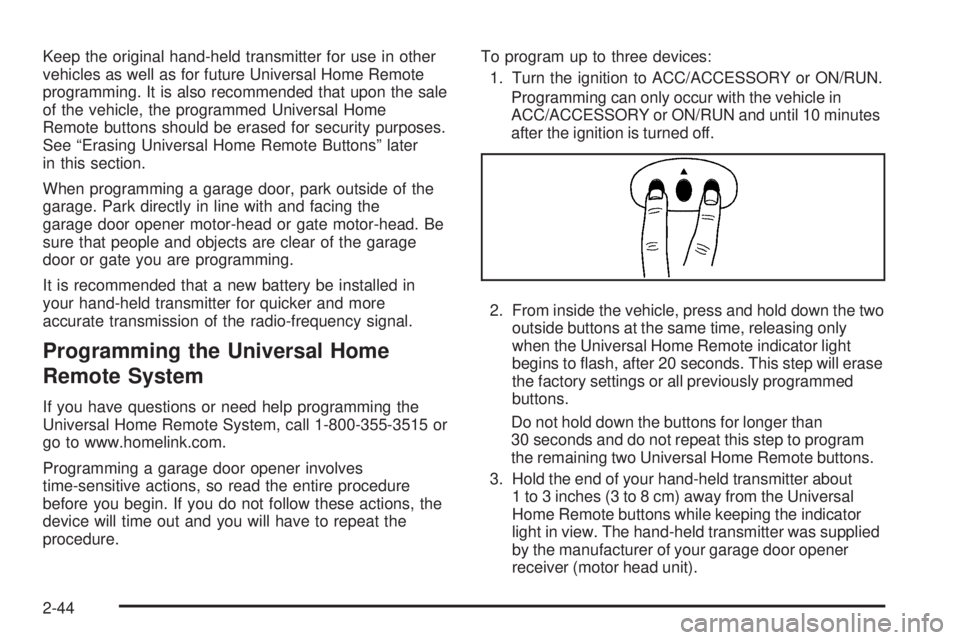
2. From inside the vehicle, press and hold down the two
outside buttons at the same time, releasing only
when the Universal Home Remote indicator light
begins to ash, after 20 seconds. This step will erase
the factory settings or all previously programmed
buttons.
Do not hold down the buttons for longer than
30 seconds and do not repeat this step to program
the remaining two Universal Home Remote buttons.
3. Hold the end of your hand-held transmitter about
1 to 3 inches (3 to 8 cm) away from the Universal
Home Remote buttons while keeping the indicator
light in view. The hand-held transmitter was supplied
by the manufacturer of your garage door opener
receiver (motor head unit).
2-44
Page 120 of 428
9. Immediately return to the vehicle. Firmly press
and hold the Universal Home Remote button,
chosen in Step 4 to control the garage door, for
two seconds, and then release it. If the garage door
does not move, press and hold the same button
a second time for two seconds, and then release it.
Again, if the door does not move, press and hold
the same button a third time for two seconds,
and then release.
The Universal Home Remote should now activate
the garage door.
To program the remaining two Universal Home Remote
buttons, begin with Step 3 of “Programming the
Universal Home Remote System.” Do not repeat Step 2,
as this will erase all previous programming from the
Universal Home Remote buttons.
Gate Operator and Canadian
Programming
If you have questions or need help programming the
Universal Home Remote System, call 1-800-355-3515 or
go to www.homelink.com.
Canadian radio-frequency laws require transmitter
signals to time out or quit after several seconds of
transmission. This may not be long enough for Universal
Home Remote to pick up the signal during programming.
Similarly, some U.S. gate operators are manufactured
to time out in the same manner.If you live in Canada, or you are having difficulty
programming a gate operator or garage door opener by
using the “Programming Universal Home Remote”
procedures, regardless of where you live, replace Step
4 under “Programming Universal Home Remote”
with the following:
Continue to press and hold the Universal Home Remote
button while you press and release every two seconds
(cycle) the hand-held transmitter button until the
frequency signal has been successfully accepted by the
Universal Home Remote. The Universal Home Remote
indicator light will ash slowly at rst and then rapidly.
Proceed with Step 5 under “Programming Universal
Home Remote” to complete.
Using Universal Home Remote
Press and hold the appropriate Universal Home Remote
button for at least half of a second. The indicator light
will come on while the signal is being transmitted.
Operation can only occur with the vehicle in
ACC/ACCESSORY or ON/RUN and until 10 minutes
after the ignition is turned off.
2-46
Page 162 of 428
Malfunction Indicator Lamp
Check Engine Light
A computer system called OBD II (On-Board
Diagnostics-Second Generation) monitors operation
of the fuel, ignition, and emission control systems.
It ensures that emissions are at acceptable levels for
the life of the vehicle, helping to produce a cleaner
environment.
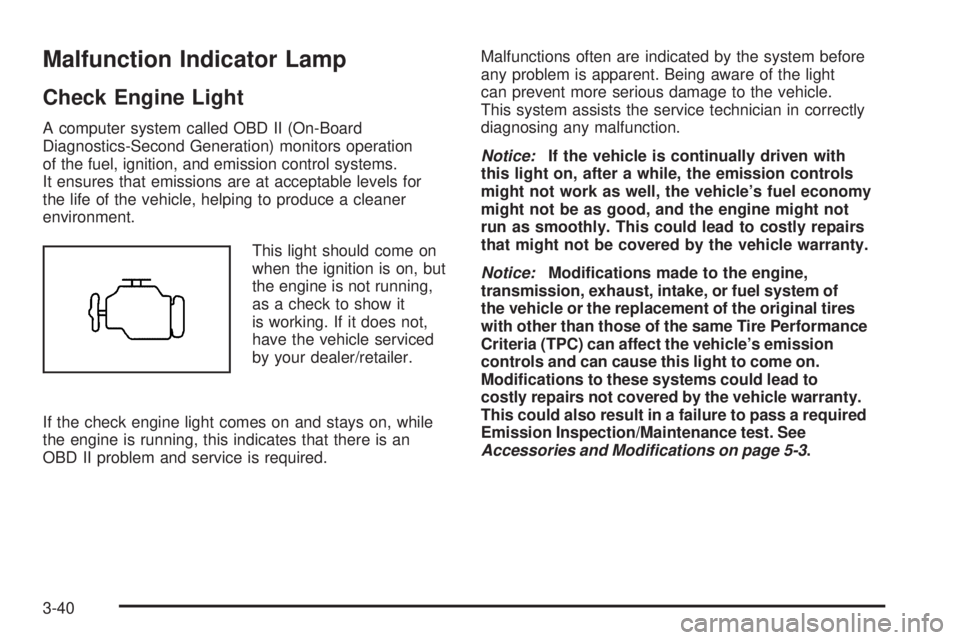
This light should come on
when the ignition is on, but
the engine is not running,
as a check to show it
is working. If it does not,
have the vehicle serviced
by your dealer/retailer.
If the check engine light comes on and stays on, while
the engine is running, this indicates that there is an
OBD II problem and service is required.Malfunctions often are indicated by the system before
any problem is apparent. Being aware of the light
can prevent more serious damage to the vehicle.
This system assists the service technician in correctly
diagnosing any malfunction.
Notice:If the vehicle is continually driven with
this light on, after a while, the emission controls
might not work as well, the vehicle’s fuel economy
might not be as good, and the engine might not
run as smoothly. This could lead to costly repairs
that might not be covered by the vehicle warranty.
Notice:Modications made to the engine,
transmission, exhaust, intake, or fuel system of
the vehicle or the replacement of the original tires
with other than those of the same Tire Performance
Criteria (TPC) can affect the vehicle’s emission
controls and can cause this light to come on.
Modications to these systems could lead to
costly repairs not covered by the vehicle warranty.
This could also result in a failure to pass a required
Emission Inspection/Maintenance test. See
Accessories and Modifications on page 5-3.
3-40
Page 183 of 428
HOOD AJAR
If your vehicle has the remote start feature, this
message displays when the hood is not closed properly.
Make sure that the hood is closed completely. SeeHood
Release on page 5-11.
This message displays while the ignition is in ON/RUN.
Press any of the DIC buttons to acknowledge this
message and to clear it from the screen.
This message continues to display for two seconds
if it has not been acknowledged when the engine
is turned off. It also re-displays for two seconds if the
message has been acknowledged, but the condition
still exists when the engine is turned off.
If the condition still exists, the message re-appears
when the engine is turned on.
HOT TRANS (Transmission) FLUID
This message displays when the transmission uid in
your vehicle is too hot. Stop the vehicle and allow it to idle
until it cools down. If the warning message continues to
display, have the vehicle serviced by your dealer/retailer
as soon as possible.
This message displays and a chime sounds only while
the ignition is in ON/RUN. Press any of the DIC buttons
to acknowledge this message and to clear it from the
screen.This message continues to display for two seconds
if it has not been acknowledged when the engine
is turned off. It also re-displays for two seconds if the
message has been acknowledged, but the condition
still exists when the engine is turned off.
If the condition still exists, the message re-appears
when the engine is turned on.
KEY FOB BATTERY LOW
This message displays when the battery in the Remote
Keyless Entry (RKE) transmitter needs to be replaced.
To replace the battery, see “Battery Replacement” under
Remote Keyless Entry (RKE) System Operation on
page 2-4.
This message displays while the ignition is in ON/RUN.
Press any of the DIC buttons to acknowledge this
message and to clear it from the screen.
This message continues to display for two seconds
if it has not been acknowledged when the engine
is turned off. It also re-displays for two seconds if the
message has been acknowledged, but the condition
still exists when the engine is turned off.
If the condition still exists, the message re-appears
when the engine is turned on.
3-61
Page 243 of 428
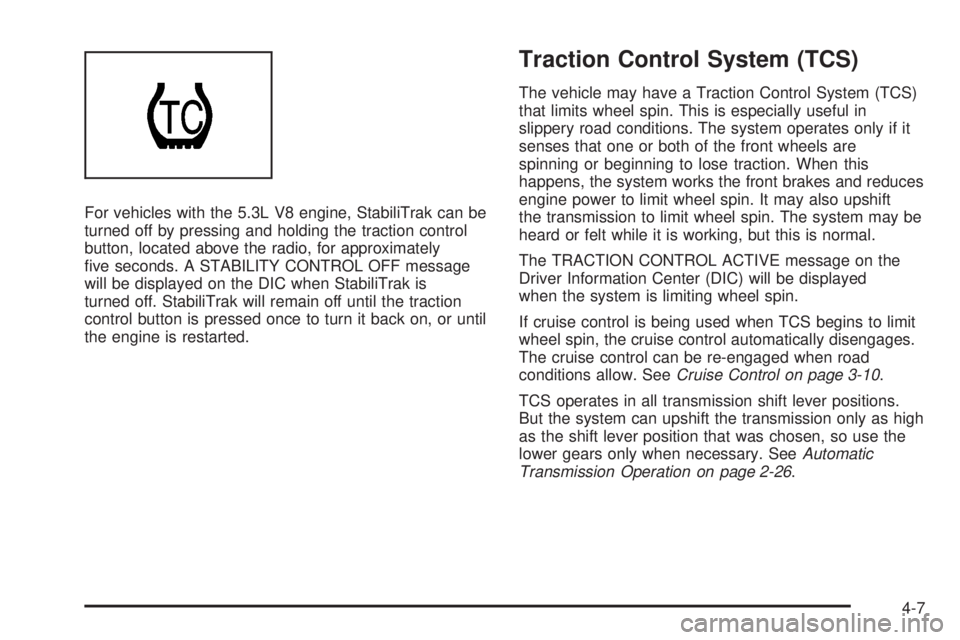
For vehicles with the 5.3L V8 engine, StabiliTrak can be
turned off by pressing and holding the traction control
button, located above the radio, for approximately
ve seconds. A STABILITY CONTROL OFF message
will be displayed on the DIC when StabiliTrak is
turned off. StabiliTrak will remain off until the traction
control button is pressed once to turn it back on, or until
the engine is restarted.
Traction Control System (TCS)
The vehicle may have a Traction Control System (TCS)
that limits wheel spin. This is especially useful in
slippery road conditions. The system operates only if it
senses that one or both of the front wheels are
spinning or beginning to lose traction. When this
happens, the system works the front brakes and reduces
engine power to limit wheel spin. It may also upshift
the transmission to limit wheel spin. The system may be
heard or felt while it is working, but this is normal.
The TRACTION CONTROL ACTIVE message on the
Driver Information Center (DIC) will be displayed
when the system is limiting wheel spin.
If cruise control is being used when TCS begins to limit
wheel spin, the cruise control automatically disengages.
The cruise control can be re-engaged when road
conditions allow. SeeCruise Control on page 3-10.
TCS operates in all transmission shift lever positions.
But the system can upshift the transmission only as high
as the shift lever position that was chosen, so use the
lower gears only when necessary. SeeAutomatic
Transmission Operation on page 2-26.
4-7
Page 244 of 428
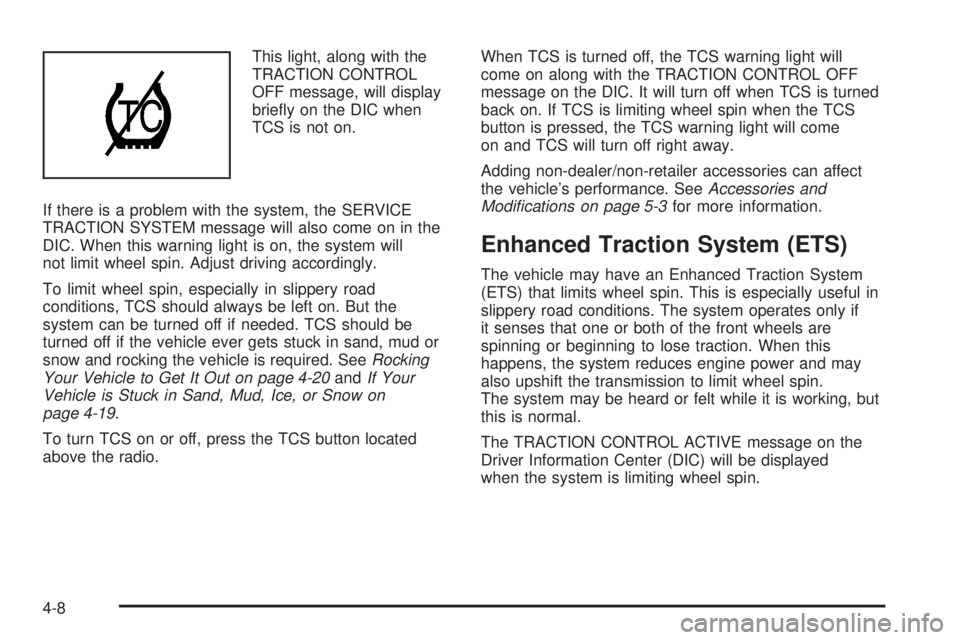
This light, along with the
TRACTION CONTROL
OFF message, will display
briey on the DIC when
TCS is not on.
If there is a problem with the system, the SERVICE
TRACTION SYSTEM message will also come on in the
DIC. When this warning light is on, the system will
not limit wheel spin. Adjust driving accordingly.
To limit wheel spin, especially in slippery road
conditions, TCS should always be left on. But the
system can be turned off if needed. TCS should be
turned off if the vehicle ever gets stuck in sand, mud or
snow and rocking the vehicle is required. SeeRocking
Your Vehicle to Get It Out on page 4-20andIf Your
Vehicle is Stuck in Sand, Mud, Ice, or Snow on
page 4-19.
To turn TCS on or off, press the TCS button located
above the radio.When TCS is turned off, the TCS warning light will
come on along with the TRACTION CONTROL OFF
message on the DIC. It will turn off when TCS is turned
back on. If TCS is limiting wheel spin when the TCS
button is pressed, the TCS warning light will come
on and TCS will turn off right away.
Adding non-dealer/non-retailer accessories can affect
the vehicle’s performance. SeeAccessories and
Modifications on page 5-3for more information.
Enhanced Traction System (ETS)
The vehicle may have an Enhanced Traction System
(ETS) that limits wheel spin. This is especially useful in
slippery road conditions. The system operates only if
it senses that one or both of the front wheels are
spinning or beginning to lose traction. When this
happens, the system reduces engine power and may
also upshift the transmission to limit wheel spin.
The system may be heard or felt while it is working, but
this is normal.
The TRACTION CONTROL ACTIVE message on the
Driver Information Center (DIC) will be displayed
when the system is limiting wheel spin.
4-8
Page 245 of 428
If cruise control is being used when ETS begins to limit
wheel spin, the cruise control automatically disengages.
The cruise control can be reengaged when road
conditions allow. SeeCruise Control on page 3-10for
more information.
ETS operates in all transmission shift lever positions. But
the system can upshift the transmission only as high as
the chosen shift lever position, so use the lower gears
only when necessary. SeeAutomatic Transmission
Operation on page 2-26for more information.
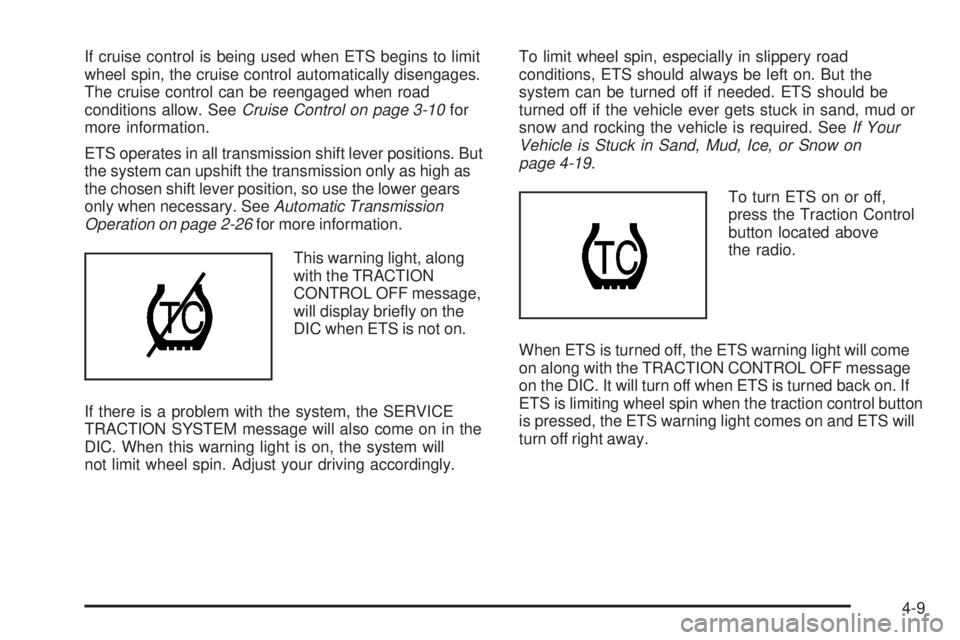
This warning light, along
with the TRACTION
CONTROL OFF message,
will display briey on the
DIC when ETS is not on.
If there is a problem with the system, the SERVICE
TRACTION SYSTEM message will also come on in the
DIC. When this warning light is on, the system will
not limit wheel spin. Adjust your driving accordingly.To limit wheel spin, especially in slippery road
conditions, ETS should always be left on. But the
system can be turned off if needed. ETS should be
turned off if the vehicle ever gets stuck in sand, mud or
snow and rocking the vehicle is required. SeeIf Your
Vehicle is Stuck in Sand, Mud, Ice, or Snow on
page 4-19.
To turn ETS on or off,
press the Traction Control
button located above
the radio.
When ETS is turned off, the ETS warning light will come
on along with the TRACTION CONTROL OFF message
on the DIC. It will turn off when ETS is turned back on. If
ETS is limiting wheel spin when the traction control button
is pressed, the ETS warning light comes on and ETS will
turn off right away.
4-9
Page 252 of 428
Hill and Mountain Roads
Driving on steep hills or through mountains is different
than driving on at or rolling terrain. Tips for driving
in these conditions include:
Keep the vehicle serviced and in good shape.
Check all uid levels and brakes, tires, cooling
system, and transmission.
Going down steep or long hills, shift to a
lower gear.
{CAUTION:
If you do not shift down, the brakes could get so
hot that they would not work well. You would then
have poor braking or even none going down a hill.
You could crash. Shift down to let the engine
assist the brakes on a steep downhill slope.
{CAUTION:
Coasting downhill in N (Neutral) or with the ignition
off is dangerous. The brakes will have to do all the
work of slowing down and they could get so hot
that they would not work well. You would then
have poor braking or even none going down a hill.
You could crash. Always have the engine running
and the vehicle in gear when going downhill.
Stay in your own lane. Do not swing wide or cut
across the center of the road. Drive at speeds
that let you stay in your own lane.
Top of hills: Be alert — something could be in your
lane (stalled car, accident).
Pay attention to special road signs (falling rocks
area, winding roads, long grades, passing or
no-passing zones) and take appropriate action.
4-16