adjust light BUICK LACROSSE 2011 User Guide
[x] Cancel search | Manufacturer: BUICK, Model Year: 2011, Model line: LACROSSE, Model: BUICK LACROSSE 2011Pages: 462, PDF Size: 5.73 MB
Page 154 of 462
Black plate (32,1)Buick LaCrosse Owner Manual - 2011
5-32 Instruments and Controls
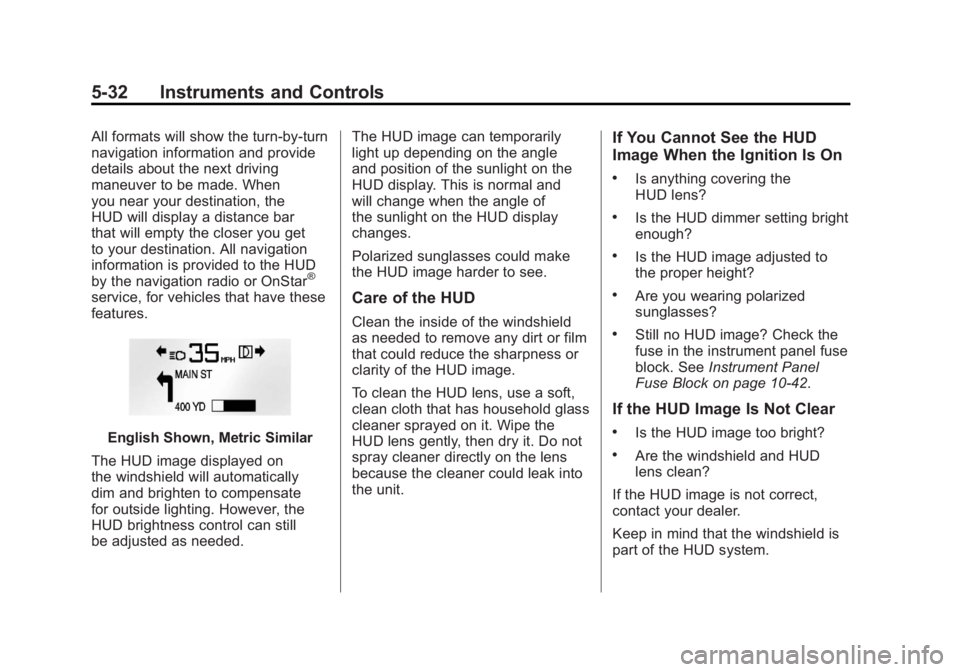
All formats will show the turn-by-turn
navigation information and provide
details about the next driving
maneuver to be made. When
you near your destination, the
HUD will display a distance bar
that will empty the closer you get
to your destination. All navigation
information is provided to the HUD
by the navigation radio or OnStar
®
service, for vehicles that have these
features.
English Shown, Metric Similar
The HUD image displayed on
the windshield will automatically
dim and brighten to compensate
for outside lighting. However, the
HUD brightness control can still
be adjusted as needed. The HUD image can temporarily
light up depending on the angle
and position of the sunlight on the
HUD display. This is normal and
will change when the angle of
the sunlight on the HUD display
changes.
Polarized sunglasses could make
the HUD image harder to see.
Care of the HUD
Clean the inside of the windshield
as needed to remove any dirt or film
that could reduce the sharpness or
clarity of the HUD image.
To clean the HUD lens, use a soft,
clean cloth that has household glass
cleaner sprayed on it. Wipe the
HUD lens gently, then dry it. Do not
spray cleaner directly on the lens
because the cleaner could leak into
the unit.
If You Cannot See the HUD
Image When the Ignition Is On
.Is anything covering the
HUD lens?
.Is the HUD dimmer setting bright
enough?
.Is the HUD image adjusted to
the proper height?
.Are you wearing polarized
sunglasses?
.Still no HUD image? Check the
fuse in the instrument panel fuse
block. See
Instrument Panel
Fuse Block on page 10‑42.
If the HUD Image Is Not Clear
.Is the HUD image too bright?
.Are the windshield and HUD
lens clean?
If the HUD image is not correct,
contact your dealer.
Keep in mind that the windshield is
part of the HUD system.
Page 159 of 462
Black plate (37,1)Buick LaCrosse Owner Manual - 2011
Instruments and Controls 5-37
Lamp Messages
AFL (Adaptive Forward
Lighting) LAMPS NEED
SERVICE
This message displays
when the Adaptive Forward
Lighting (AFL) system is disabled
and needs service. See your
dealer. SeeAdaptive Forward
Lighting (AFL) on page 6‑4 for
more information.
Object Detection System
Messages
PARK ASSIST OFF
This message is displayed when the
park assist system has been turned
off. See Ultrasonic Parking Assist
on page 9‑42.
SERVICE PARK ASSIST
This message is displayed if there
is a problem with the park assist
system. Take the vehicle to your
dealer for service.
Ride Control System
Messages
SERVICE REAR AXLE
This message displays when there
is a problem with the All-Wheel
Drive (AWD) System. See your
dealer for service.
SERVICE TRACTION
CONTROL
This message displays when there
is a problem with the Traction
Control System (TCS). When this
message is displayed, the system
will not limit wheel spin. Adjust your
driving accordingly. See your dealer
for service.
SERVICE STABILITRAK
This message displays if there
is a problem with the StabiliTrak®
system. If this message appears, try
to reset the system. Stop; turn off
the engine for at least 15 seconds;
then start the engine again. If this
message still comes on, it means
there is a problem. See your dealer
for service. The vehicle is safe to
drive, however, you do not have the
benefit of StabiliTrak, so reduce
your speed and drive accordingly.
SPORT MODE ON
This message displays when
using the selective ride control.
See Selective Ride Control on
page 9‑38 for more information.
TRACTION CONTROL OFF
This message displays when the
Traction Control System (TCS) is
turned off. Adjust your driving
accordingly.
Page 162 of 462
Black plate (40,1)Buick LaCrosse Owner Manual - 2011
5-40 Instruments and Controls
Climate and Air Quality
Select the Climate and Air Quality
menu and the following will be
displayed:
.Auto Fan Control
.Air Quality Control
.Auto Heated Seats
.Remote Start Heated Seats
.Remote Start Cooled Seats
.Auto Defog
.Auto Rear Defog
Auto Fan Control
This will allow you to select the
automatic fan speed. It can be
adjusted to run lower or higher
than normal.
Press the MENU/SELECT
knob when Auto Fan Control is
highlighted to open the menu.
Turn the knob to highlight High,
Medium, or Low. Press the knob
to confirm the selection and move
back to the last menu. Air Quality Control
This will allow you to select whether
the system will operate at high or
low sensitivity. Only vehicles with
the dual zone climate control will
have this option.
Press the MENU/SELECT
knob when Air Quality Control
is highlighted to open the menu.
Turn the knob to highlight High or
Low. Press the knob to confirm the
selection and move back to the
last menu.
Remote Start Heated Seats
When on, this feature will turn the
heated seats on when using remote
start on cold days.
Press the MENU/SELECT knob
when Remote Start Heated Seats is
highlighted. Turn the knob to select
On or Off. Press the knob to confirm
and go back to the last menu.
Remote Start Cooled Seats
When on, this feature will turn the
cooled seats on when using remote
start on warm days.
Press the MENU/SELECT knob
when Remote Start Cooled Seats is
highlighted. Turn the knob to select
On or Off. Press the knob to confirm
and go back to the last menu.
Auto Defog
This will allow you to turn the auto
defog on or off. Only vehicles with
the dual zone climate control will
have this option.
Press the MENU/SELECT knob
when Auto Defog is highlighted to
open the menu. Turn the knob to
highlight On or Off. Press the knob
to confirm the selection and move
back to the last menu.
Page 163 of 462
Black plate (41,1)Buick LaCrosse Owner Manual - 2011
Instruments and Controls 5-41
Auto Rear Defog
This will allow you to turn the auto
rear defog on or off. This feature
will automatically turn on the rear
defogger when it is cold outside.
Press the MENU/SELECT
knob when Auto Rear Defog is
highlighted to open the menu.
Turn the knob to highlight On
or Off. Press the knob to confirm
the selection and move back to
the last menu.
Comfort and Convenience
Select the Comfort and
Convenience menu and the
following will be displayed:
.Chime Volume
.Driver Seat Easy Exit
.Park Tilt MirrorsChime Volume
This allows the selection of the
chime volume level.
Press the MENU/SELECT knob
when Chime Volume is highlighted.
Turn the knob to select Normal or
High. Press the knob to confirm
and go back to the last menu.
Driver Seat Easy Exit
When on, this feature will move
the driver seat rearward upon
turning the ignition off and the driver
door being opened. This may be
performed to make it easier to exit
the vehicle. See
“Easy Exit Driver
Seat” under Power Seat Adjustment
on page 3‑5 for more information.
This allows you to turn the easy exit
seat feature on or off.
Press the MENU/SELECT knob
when Driver Seat Easy Exit is
highlighted. Turn the knob to select
On or Off. Press the knob to confirm
and go back to the last menu. Park Tilt Mirrors
When on, both the driver and
passenger mirrors will tilt downward
when the vehicle is shifted to
R (Reverse) to improve visibility of
the ground near the rear wheels.
They will return to their previous
driving position when the vehicle
is shifted out of R (Reverse),
the ignition is turned to OFF, or
the vehicle is left in R (Reverse).
See
Park Tilt Mirrors on page 2‑17
for more information.
This allows you to turn the park tilt
mirrors feature on or off.
Press the MENU/SELECT
knob when Park Tilt Mirrors is
highlighted. Turn the knob to select
Driver & Passenger or Off. Press
the knob to confirm and go back
to the last menu.
Page 166 of 462
Black plate (44,1)Buick LaCrosse Owner Manual - 2011
5-44 Instruments and Controls
Locking Feedback
This allows selection of what type of
feedback is given when locking the
vehicle with the RKE transmitter.
Press the MENU/SELECT
knob when Locking Feedback
is highlighted. Turn the knob to
select Lights and Horn, Lights Only,
Horn Only, or Off. Press the knob
to confirm and go back to the
last menu.
Door Unlock Options
This allows selection of which doors
will unlock when pressing the unlock
button on the RKE transmitter.
Press the MENU/SELECT knob
when Door Unlock Options is
highlighted. Turn the knob to
select All Doors or Driver Door Only.
When set to Driver Door Only, thedriver door will unlock the first time
the unlock button is pressed and all
doors will unlock when the button is
pressed a second time. When set
to All Doors, all of the doors will
unlock at the first press of the
unlock button. Press the knob
to confirm and go back to the
last menu.
Remote Recall
When on, this feature will recall the
current driver's last seat and outside
mirror positions upon unlocking
the driver door with the RKE, and
opening that door. The current driver
is identified when the RKE is used
to unlock the driver door. If keyless
access equipped, the recall will
occur upon opening the driver door.
See
“Memory Remote Recall” under
Power Seat Adjustment on page 3‑5
for more information. This allows the Remote Recall
feature to be turned on or off.
Remote Recall is when the
memorized settings will be
recalled as you unlock and
enter the vehicle.
Press the MENU/SELECT knob
when Remote Recall is highlighted.
Turn the knob to select On or Off.
Press the knob to confirm and go
back to the last menu.
Passive Entry
This allows the Passive Entry
feature to be turned on or off.
Press the MENU/SELECT knob
when Passive Entry is highlighted.
Turn the knob to select On or Off.
Press the knob to confirm and go
back to the last menu.
Page 177 of 462
Black plate (5,1)Buick LaCrosse Owner Manual - 2011
Lighting 6-5
Fog Lamps
For vehicles with fog lamps, the
button is located on the exterior
lamp control, on the outboard side
of the steering wheel.
To turn on the fog lamps, the ignition
and the headlamps or parking lamps
must be on.
If the fog lamps are turned on while
the exterior lamp switch is in the
AUTO position, the headlamps
come on automatically.
#:Press to turn on or off. An
indicator light on the instrument
panel cluster comes on when the
fog lamps are on.
Some localities have laws that
require the headlamps to be on
along with the fog lamps.
Interior Lighting
Instrument Panel
Illumination Control
The brightness of the instrument
panel lighting and steering
wheel controls can be adjusted.
Use the thumbwheel located next
to the exterior lamps control on the
outboard side of the steering wheel.
D: Move the thumbwheel up or
down to brighten or dim the lights.
Dome Lamps
The interior lamps control located in
the overhead console controls both
the front and rear interior lamps.
To operate, press the following
buttons:
((Off): Turns the lamps off.
HDoor: Turns the lamps on
when any door is opened.
'ON: Keeps the lamps on all
the time.
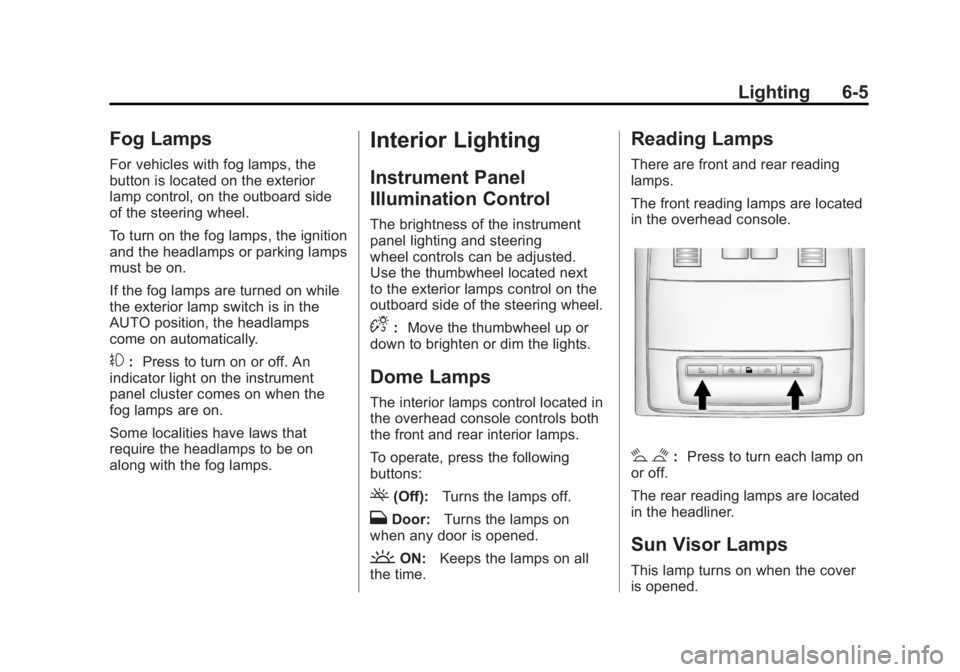
Reading Lamps
There are front and rear reading
lamps.
The front reading lamps are located
in the overhead console.
# $: Press to turn each lamp on
or off.
The rear reading lamps are located
in the headliner.
Sun Visor Lamps
This lamp turns on when the cover
is opened.
Page 178 of 462

Black plate (6,1)Buick LaCrosse Owner Manual - 2011
6-6 Lighting
Lighting Features
Entry Lighting
The headlamps, taillamps, license
plate lamps, back‐up lamps, dome
lamps, and most of the interior lights
turn on briefly, when the Remote
Keyless Entry (RKE)
Kbutton is
pressed, or when the door handle is
pulled on a keyless access vehicle.
See Ignition Positions (Key Access)
on page 9‑17 orIgnition Positions
(Keyless Access) on page 9‑19.
After about 30 seconds the exterior
lamps turn off, and then the dome
lamps and remaining interior lights
will dim to off. Entry lighting can be
disabled manually by changing the
ignition out of the OFF position,
or by pressing the RKE
Qbutton.
This feature can be changed.
See Vehicle Personalization on
page 5‑39.
Exit Lighting
The headlamps, taillamps, parking
lamps, back‐up lamps, and license
plate lamps come on at night, or in
areas with limited lighting, when the
key is removed from the ignition.
The dome lamps also come on
when the key is removed from the
ignition. The exterior lights and
dome lamps remain on after the
door is closed for a set amount of
time, then automatically turn off.
For a vehicle with keyless access,
the exterior lights and dome lamps
automatically turn on when a door
is opened after the ignition is turned
off. See Ignition Positions (Key
Access) on page 9‑17 orIgnition
Positions (Keyless Access) on
page 9‑19.
The exterior lights turn off
immediately by turning the
exterior lamps control to OFF.
This feature can be changed.
See Vehicle Personalization on
page 5‑39.
Battery Load
Management
The vehicle has Electric Power
Management (EPM) that estimates
the battery's temperature and state
of charge. It then adjusts the voltage
for best performance and extended
life of the battery.
When the battery's state of charge
is low, the voltage is raised slightly
to quickly bring the charge back up.
When the state of charge is high,
the voltage is lowered slightly to
prevent overcharging. If the vehicle
has a voltmeter gauge or a voltage
display on the Driver Information
Center (DIC), you may see the
voltage move up or down. This is
normal. If there is a problem, an
alert will be displayed.
Page 187 of 462
Black plate (7,1)Buick LaCrosse Owner Manual - 2011
Infotainment System 7-7
R.5
.Opens the Phone
main menu.
.Mutes the audio system.
S. MEM/DVD/AUX
.Selects MEM, CD/DVD,
USB, or a connected front
or rear auxiliary audio
source.
Operation
Controls
The infotainment system is
operated by using the pushbuttons,
multifunction knobs, menus shown
on the display, and steering wheel
controls, if equipped.
Turning the System On or Off
VOL/O(Volume/Power): Press to
turn the system on and off.
Automatic Switch‐Off
If the infotainment system has
been turned on after the ignition is
turned off, the system will turn off
automatically after 10 minutes.
Volume Control
VOL/O(Volume/Power): Turn to
adjust the volume.
5(Phone/Mute): For vehicles with
OnStar®, press and hold5to mute
the infotainment system. Press and
hold
5again, or turn the VOL/O
knob to cancel mute.
For vehicles without OnStar
®,
press
5to mute the infotainment
system. Press
5again, or turn
the VOL/
Oknob to cancel mute.
Menu System
Controls
The Menu knob, SELECT button,
and
0BACK button are used to
navigate the menu system.
Menu Knob: Turn to:
.Enter the menu system.
.Highlight a menu option.
.Select a value.
SELECT: Press to:
.Select or activate the highlighted
menu option.
.Confirm a set value.
.Turn a system setting on or off.
0BACK:Press to:
.Exit a menu.
.Return from a submenu screen
to the previous menu screen.
.Delete the last character in a
sequence.
Page 218 of 462
Black plate (38,1)Buick LaCrosse Owner Manual - 2011
7-38 Infotainment System
The headphones are used to listen
to various multi‐media. The wireless
headphones have an On/Off button,
channel 1/2 switch, and a volume
control. Turn the headphones off
when not in use.
Push the On/Off button to turn
on the headphones. A light on
the headphones comes on. If the
light does not come on, check the
batteries. Intermittent sound or static
can also indicate weak batteries.
See“Battery Replacement” later in
this section for more information.
Infrared transmitters are on the
top of the left seatback video
screen. The headphones shut off
automatically to save the battery
power if the RSE system is shut
off or if the headphones are out
of range of the transmitters for
more than three minutes. Moving
too far forward or stepping out of the
vehicle can cause the headphones
to lose the signal or have static. To adjust the volume on the
headphones, use the volume
control.
For optimal audio performance, the
headphones must be worn correctly.
Headphones should be worn with
the headband over the top of the
head for best audio reception.
The symbol L (Left) appears on the
outside bottom edge of the ear cup
and should be positioned on the left
ear. The symbol R (Right) appears
on the outside bottom edge of the
ear cup and should be positioned
on the right ear.
Notice:
Do not store the
headphones in heat or direct
sunlight. This could damage
the headphones and repairs will
not be covered by the warranty.
Storage in extreme cold can
weaken the batteries. Keep the
headphones stored in a cool,
dry place. If the foam ear pads attached to
the headphones become worn or
damaged, the pads can be replaced
separately from the headphone set.
To purchase replacement ear pads,
call 1‐888‐293‐3332, then prompt
zero (0), or contact your dealer.
Battery Replacement
To change the batteries:
1. Loosen the screw to the battery
door located on the left side of
the headphones.
2. Slide the battery door open.
3. Replace the two AAA batteries.
4. Replace the battery door and tighten the screw.
Remove the batteries if the
headphones are not going to be
used for a long period of time.
Page 242 of 462
Black plate (2,1)Buick LaCrosse Owner Manual - 2011
8-2 Climate Controls
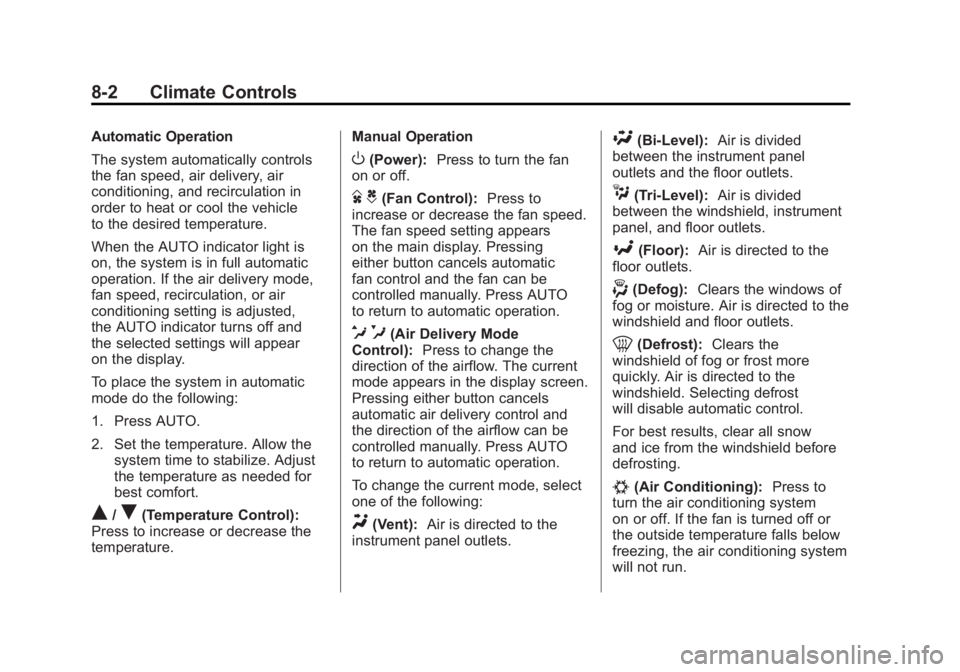
Automatic Operation
The system automatically controls
the fan speed, air delivery, air
conditioning, and recirculation in
order to heat or cool the vehicle
to the desired temperature.
When the AUTO indicator light is
on, the system is in full automatic
operation. If the air delivery mode,
fan speed, recirculation, or air
conditioning setting is adjusted,
the AUTO indicator turns off and
the selected settings will appear
on the display.
To place the system in automatic
mode do the following:
1. Press AUTO.
2. Set the temperature. Allow thesystem time to stabilize. Adjust
the temperature as needed for
best comfort.
Q/R(Temperature Control):
Press to increase or decrease the
temperature. Manual Operation
O(Power):
Press to turn the fan
on or off.
D C(Fan Control): Press to
increase or decrease the fan speed.
The fan speed setting appears
on the main display. Pressing
either button cancels automatic
fan control and the fan can be
controlled manually. Press AUTO
to return to automatic operation.
e *(Air Delivery Mode
Control): Press to change the
direction of the airflow. The current
mode appears in the display screen.
Pressing either button cancels
automatic air delivery control and
the direction of the airflow can be
controlled manually. Press AUTO
to return to automatic operation.
To change the current mode, select
one of the following:
Y(Vent): Air is directed to the
instrument panel outlets.
\(Bi-Level): Air is divided
between the instrument panel
outlets and the floor outlets.
C(Tri‐Level): Air is divided
between the windshield, instrument
panel, and floor outlets.
[(Floor): Air is directed to the
floor outlets.
-(Defog): Clears the windows of
fog or moisture. Air is directed to the
windshield and floor outlets.
0(Defrost): Clears the
windshield of fog or frost more
quickly. Air is directed to the
windshield. Selecting defrost
will disable automatic control.
For best results, clear all snow
and ice from the windshield before
defrosting.
#(Air Conditioning): Press to
turn the air conditioning system
on or off. If the fan is turned off or
the outside temperature falls below
freezing, the air conditioning system
will not run.