console BUICK LACROSSE 2011 User Guide
[x] Cancel search | Manufacturer: BUICK, Model Year: 2011, Model line: LACROSSE, Model: BUICK LACROSSE 2011Pages: 462, PDF Size: 5.73 MB
Page 53 of 462
Black plate (21,1)Buick LaCrosse Owner Manual - 2011
Keys, Doors and Windows 2-21
Roof
Sunroof
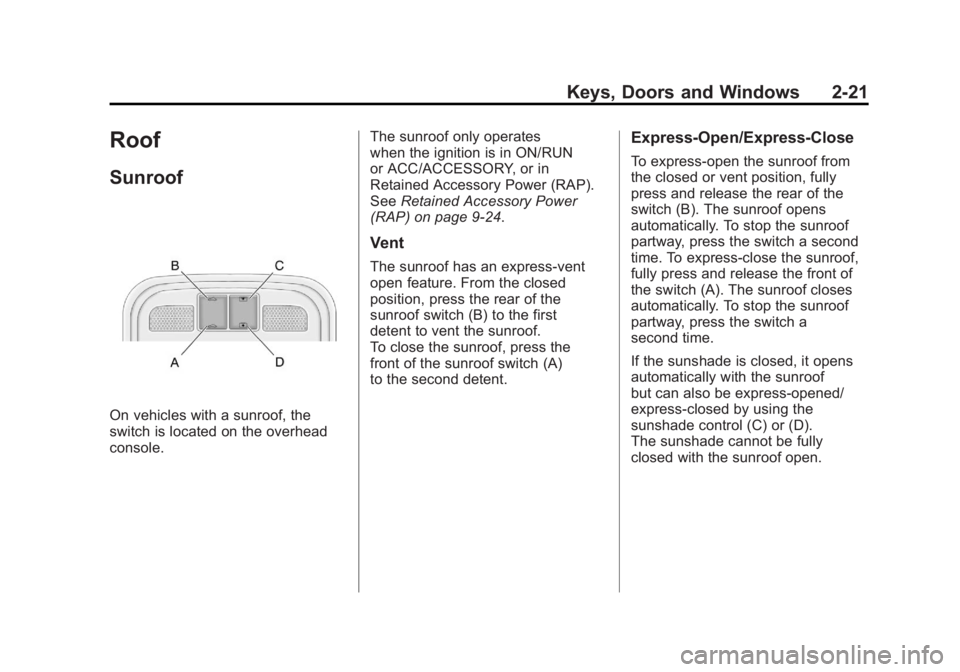
On vehicles with a sunroof, the
switch is located on the overhead
console.The sunroof only operates
when the ignition is in ON/RUN
or ACC/ACCESSORY, or in
Retained Accessory Power (RAP).
See
Retained Accessory Power
(RAP) on page 9‑24.
Vent
The sunroof has an express-vent
open feature. From the closed
position, press the rear of the
sunroof switch (B) to the first
detent to vent the sunroof.
To close the sunroof, press the
front of the sunroof switch (A)
to the second detent.
Express-Open/Express-Close
To express-open the sunroof from
the closed or vent position, fully
press and release the rear of the
switch (B). The sunroof opens
automatically. To stop the sunroof
partway, press the switch a second
time. To express-close the sunroof,
fully press and release the front of
the switch (A). The sunroof closes
automatically. To stop the sunroof
partway, press the switch a
second time.
If the sunshade is closed, it opens
automatically with the sunroof
but can also be express-opened/
express-closed by using the
sunshade control (C) or (D).
The sunshade cannot be fully
closed with the sunroof open.
Page 121 of 462
Black plate (1,1)Buick LaCrosse Owner Manual - 2011
Storage 4-1
Storage
Storage Compartments
Glove Box . . . . . . . . . . . . . . . . . . . . 4-1
Cupholders . . . . . . . . . . . . . . . . . . . 4-1
Front Storage . . . . . . . . . . . . . . . . . 4-1
Center Console Storage . . . . . . 4-1
Additional Storage Features
Convenience Net . . . . . . . . . . . . . 4-2
Storage
Compartments
Glove Box
The glove box is located on the
passenger side of the instrument
panel. Lift up on the lever to open it.
Cupholders
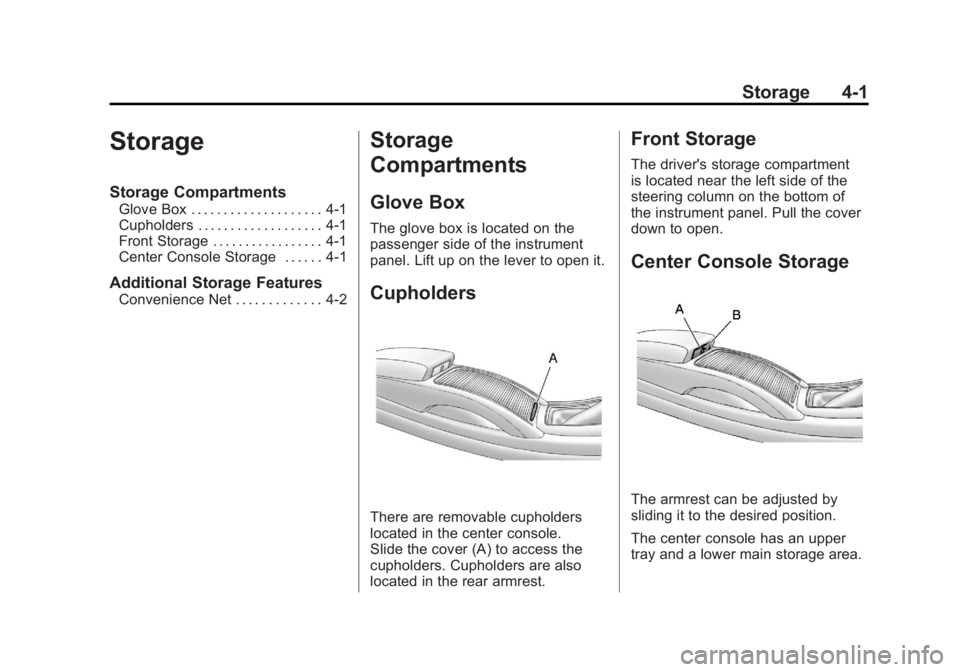
There are removable cupholders
located in the center console.
Slide the cover (A) to access the
cupholders. Cupholders are also
located in the rear armrest.
Front Storage
The driver's storage compartment
is located near the left side of the
steering column on the bottom of
the instrument panel. Pull the cover
down to open.
Center Console Storage
The armrest can be adjusted by
sliding it to the desired position.
The center console has an upper
tray and a lower main storage area.
Page 129 of 462
Black plate (7,1)Buick LaCrosse Owner Manual - 2011
Instruments and Controls 5-7
Setting the Month & Day
Format
1. Press the CONFIG button andselect Time and Date Settings,
or press
H.
2. Highlight Set Date Format.
3. Press the SELECT button to select MM/DD/YY
(month/day/year) or DD/MM/YY
(day/month/year).
Setting the Auto Time Adjust
1. Press the CONFIG button andselect Time and Date Settings,
or press
H.
2. Highlight Auto Time Adjust.
3. Press the SELECT button to turn Auto Time Adjust on or off.
4. Press the SELECT button to select Time Zone, and then
select the Time Zone.
5. Press the SELECT button to turn Daylight Savings on or off.
Power Outlets
The accessory power outlets can be
used to plug in electrical equipment,
such as a cell phone or MP3 player.
There are two accessory power
outlets. One is located under the
armrest inside the center console
storage and the other is on the rear
of the center floor console.
These outlets are powered
when the ignition is in ON/RUN
or ACC/ACCESSORY, or until
the driver door is opened within
10 minutes of turning off the vehicle.
See Retained Accessory Power
(RAP) on page 9‑24.
Page 130 of 462
Black plate (8,1)Buick LaCrosse Owner Manual - 2011
5-8 Instruments and Controls
Remove the cover to access and
replace when not in use.
Certain electrical accessories
may not be compatible with the
accessory power outlets and could
overload vehicle or adapter fuses.
If there is a problem, see your
dealer.
When adding electrical equipment,
be sure to follow the installation
instructions included with the
equipment. SeeAdd-On Electrical
Equipment on page 9‑62.
Notice: Hanging heavy
equipment from the power
outlet can cause damage not
covered by the vehicle warranty.
The power outlets are designed
for accessory power plugs only,
such as cell phone charge cords. Power Outlet 110 Volt Alternating
Current
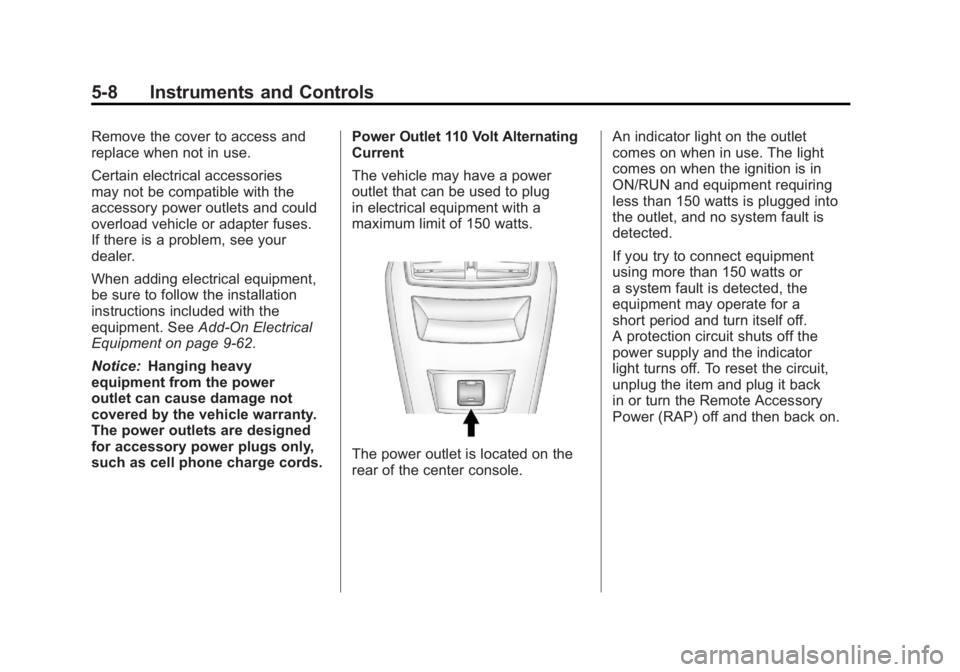
The vehicle may have a power
outlet that can be used to plug
in electrical equipment with a
maximum limit of 150 watts.
The power outlet is located on the
rear of the center console.An indicator light on the outlet
comes on when in use. The light
comes on when the ignition is in
ON/RUN and equipment requiring
less than 150 watts is plugged into
the outlet, and no system fault is
detected.
If you try to connect equipment
using more than 150 watts or
a system fault is detected, the
equipment may operate for a
short period and turn itself off.
A protection circuit shuts off the
power supply and the indicator
light turns off. To reset the circuit,
unplug the item and plug it back
in or turn the Remote Accessory
Power (RAP) off and then back on.
Page 167 of 462
Black plate (45,1)Buick LaCrosse Owner Manual - 2011
Instruments and Controls 5-45
Remote Left In Vehicle
This allows the Remote Left In
Vehicle reminder feature to be
turned on or off. If on, the horn
will chirp if a remote is left in the
vehicle.
Press the MENU/SELECT knob
when Remote Left In Vehicle is
highlighted. Turn the knob to select
On or Off. Press the knob to confirm
and go back to the last menu.
Return to Factory Settings
Select Return to Factory
Settings to return all of the vehicle
personalization to the default
settings. Turn the knob to select
Yes or No. Press the knob to
confirm and go back to the
last menu.
Universal Remote
System
SeeRadio Frequency Statement on
page 13‑20 for information
regarding Part 15 of the Federal
Communications Commission
(FCC) rules and Industry Canada
Standards RSS-210/220/310.
Universal Remote System
Programming
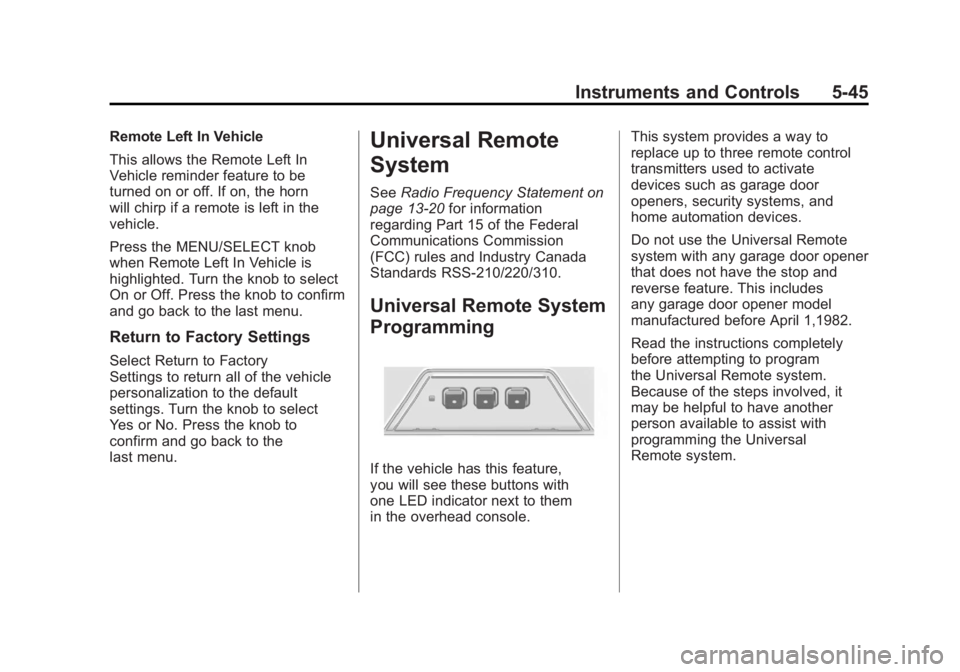
If the vehicle has this feature,
you will see these buttons with
one LED indicator next to them
in the overhead console. This system provides a way to
replace up to three remote control
transmitters used to activate
devices such as garage door
openers, security systems, and
home automation devices.
Do not use the Universal Remote
system with any garage door opener
that does not have the stop and
reverse feature. This includes
any garage door opener model
manufactured before April 1,1982.
Read the instructions completely
before attempting to program
the Universal Remote system.
Because of the steps involved, it
may be helpful to have another
person available to assist with
programming the Universal
Remote system.
Page 177 of 462
Black plate (5,1)Buick LaCrosse Owner Manual - 2011
Lighting 6-5
Fog Lamps
For vehicles with fog lamps, the
button is located on the exterior
lamp control, on the outboard side
of the steering wheel.
To turn on the fog lamps, the ignition
and the headlamps or parking lamps
must be on.
If the fog lamps are turned on while
the exterior lamp switch is in the
AUTO position, the headlamps
come on automatically.
#:Press to turn on or off. An
indicator light on the instrument
panel cluster comes on when the
fog lamps are on.
Some localities have laws that
require the headlamps to be on
along with the fog lamps.
Interior Lighting
Instrument Panel
Illumination Control
The brightness of the instrument
panel lighting and steering
wheel controls can be adjusted.
Use the thumbwheel located next
to the exterior lamps control on the
outboard side of the steering wheel.
D: Move the thumbwheel up or
down to brighten or dim the lights.
Dome Lamps
The interior lamps control located in
the overhead console controls both
the front and rear interior lamps.
To operate, press the following
buttons:
((Off): Turns the lamps off.
HDoor: Turns the lamps on
when any door is opened.
'ON: Keeps the lamps on all
the time.
Reading Lamps
There are front and rear reading
lamps.
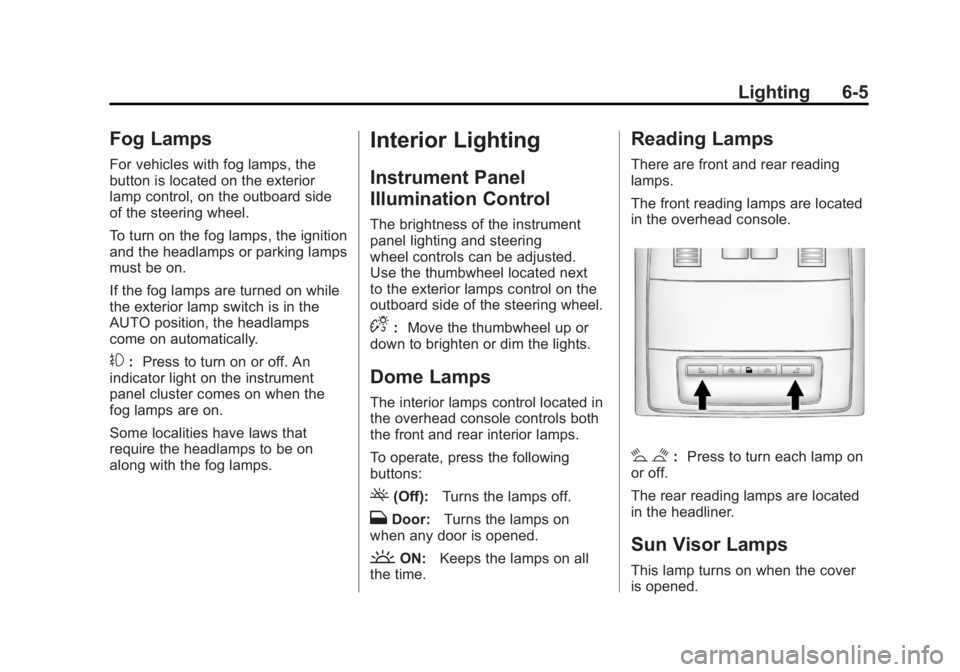
The front reading lamps are located
in the overhead console.
# $: Press to turn each lamp on
or off.
The rear reading lamps are located
in the headliner.
Sun Visor Lamps
This lamp turns on when the cover
is opened.
Page 211 of 462
Black plate (31,1)Buick LaCrosse Owner Manual - 2011
Infotainment System 7-31
Auxiliary Devices
(Radio with CD)
The optional AUX input allows
portable devices to connect to the
vehicle using the 3.5 mm (1/8 in)
input jack or the USB port.
Portable devices are controlled by
using the menu system described
inOperation on page 7‑7.
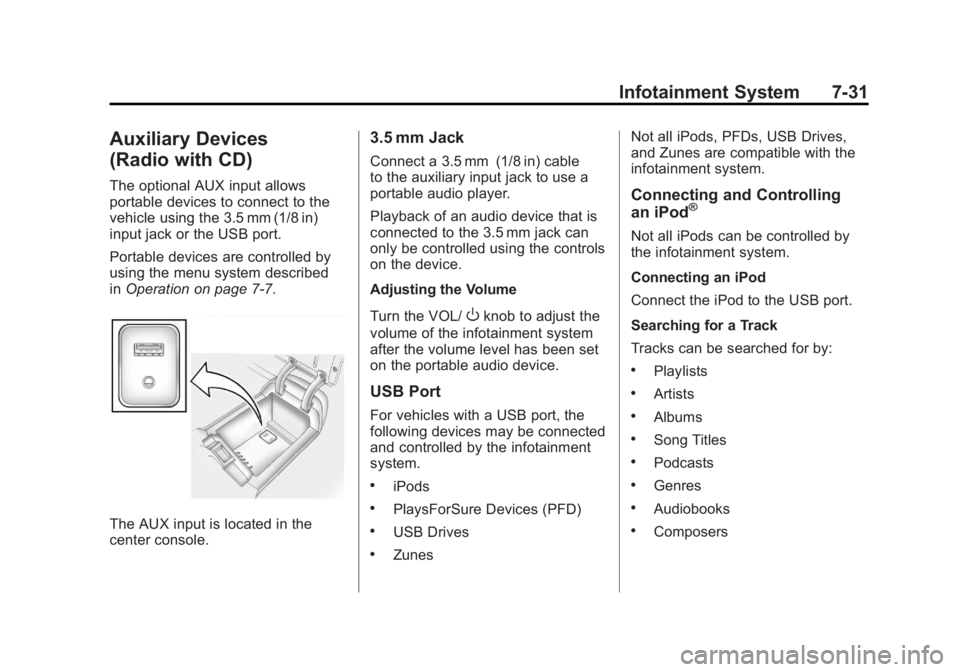
The AUX input is located in the
center console.
3.5 mm Jack
Connect a 3.5 mm (1/8 in) cable
to the auxiliary input jack to use a
portable audio player.
Playback of an audio device that is
connected to the 3.5 mm jack can
only be controlled using the controls
on the device.
Adjusting the Volume
Turn the VOL/
Oknob to adjust the
volume of the infotainment system
after the volume level has been set
on the portable audio device.
USB Port
For vehicles with a USB port, the
following devices may be connected
and controlled by the infotainment
system.
.iPods
.PlaysForSure Devices (PFD)
.USB Drives
.Zunes Not all iPods, PFDs, USB Drives,
and Zunes are compatible with the
infotainment system.
Connecting and Controlling
an iPod®
Not all iPods can be controlled by
the infotainment system.
Connecting an iPod
Connect the iPod to the USB port.
Searching for a Track
Tracks can be searched for by:
.Playlists
.Artists
.Albums
.Song Titles
.Podcasts
.Genres
.Audiobooks
.Composers
Page 214 of 462
Black plate (34,1)Buick LaCrosse Owner Manual - 2011
7-34 Infotainment System
Shuffle Functionality
Turn the Menu knob and set Shuffle
Songs (Random) to On or Off.
On:Plays current tracks in random
order.
Off: Plays current tracks in
sequential order.
Repeat Functionality
Turn the Menu knob and set Repeat
to On or Off.
Repeat On: Repeats the current
track.
Repeat Off: Playback starts from
the beginning of the current track
after the last track finishes.Auxiliary Devices (Radio
with CD/DVD and MEM)
The optional AUX input allows
portable devices to be connected
using the 3.5 mm (1/8 in) input jack
or the USB port.
Portable devices are controlled by
using the menu system described in
Operation on page 7‑7.
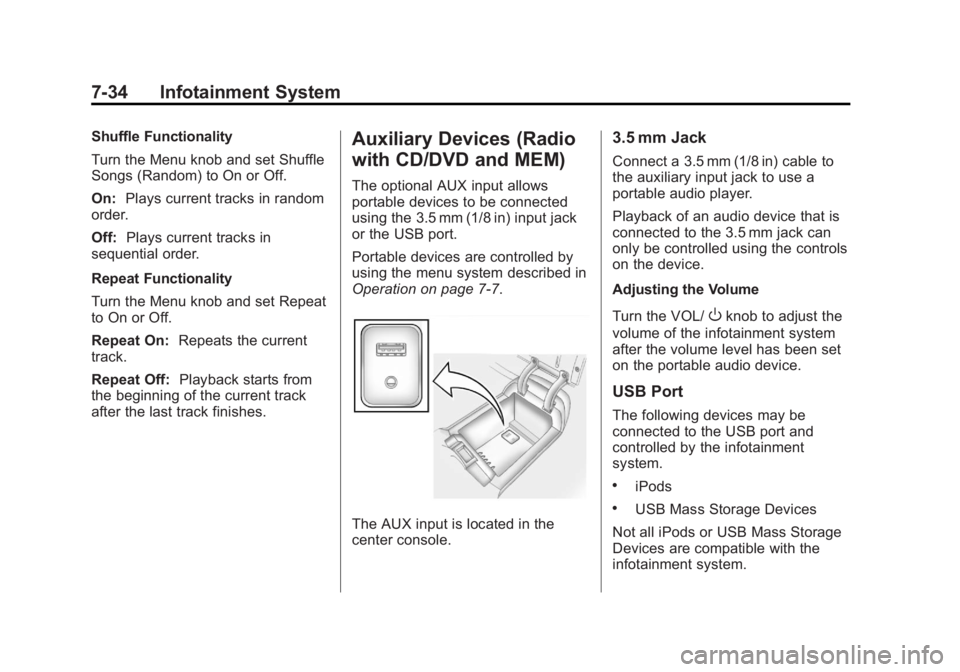
The AUX input is located in the
center console.
3.5 mm Jack
Connect a 3.5 mm (1/8 in) cable to
the auxiliary input jack to use a
portable audio player.
Playback of an audio device that is
connected to the 3.5 mm jack can
only be controlled using the controls
on the device.
Adjusting the Volume
Turn the VOL/
Oknob to adjust the
volume of the infotainment system
after the volume level has been set
on the portable audio device.
USB Port
The following devices may be
connected to the USB port and
controlled by the infotainment
system.
.iPods
.USB Mass Storage Devices
Not all iPods or USB Mass Storage
Devices are compatible with the
infotainment system.
Page 219 of 462
Black plate (39,1)Buick LaCrosse Owner Manual - 2011
Infotainment System 7-39
Audio/Video (A/V) Jacks
If available, the A/V jacks are
located on the rear of the floor
console. They allow audio or
video cables to be connected
from an auxiliary device such as
a camcorder or a video game
system.
The A/V jacks are color coded:
.Yellow for video input.
.White for left audio input.
.Red for right audio input.
Power for auxiliary devices is not
supplied by the radio system.
To use the auxiliary inputs of the
RSE system:
1. Connect the auxiliary device cables to the A/V jacks.
2. Power on both the auxiliary device and the RSE video
screen. Changing the Source on the Video
Display Screens
The image from the auxiliary device
can be switched between the video
display screens.
To change the display:
1. Press the AUX button on the
remote control to change the
source of both video screens
from the DVD player to the
auxiliary device.
2. Press the AUX button a second time to change the left video
screen source to the DVD player
and the right video screen to the
auxiliary device. 3. Press the AUX button a third
time to change the left video
screen source to the auxiliary
device and the right video
screen to the DVD player.
4. Press the AUX button a fourth time to change the source of
both video screens to the DVD
player.
Changing the RSE Video Screen
Settings
The screen display mode,
brightness, and language can
be changed from the setup menu
using the remote control. To change
a setting:
1. Press
z.
2. Use
n,q,p,o, andrto
select the settings.
3. Press
zagain to exit the
setup menu.
Page 220 of 462
Black plate (40,1)Buick LaCrosse Owner Manual - 2011
7-40 Infotainment System
Audio Output
Audio from the DVD player or
auxiliary inputs can be heard
through the following:
.Wireless Headphones
.Vehicle Speakers
The RSE system transmits
the audio signal to the wireless
headphones if an audio signal is
available. See “Headphones” earlier
in this section for more information.
The front seat passengers are able
to listen to playback from the A/V
jacks through the vehicle speakers
by selecting Rear A/V as the source
on the radio.
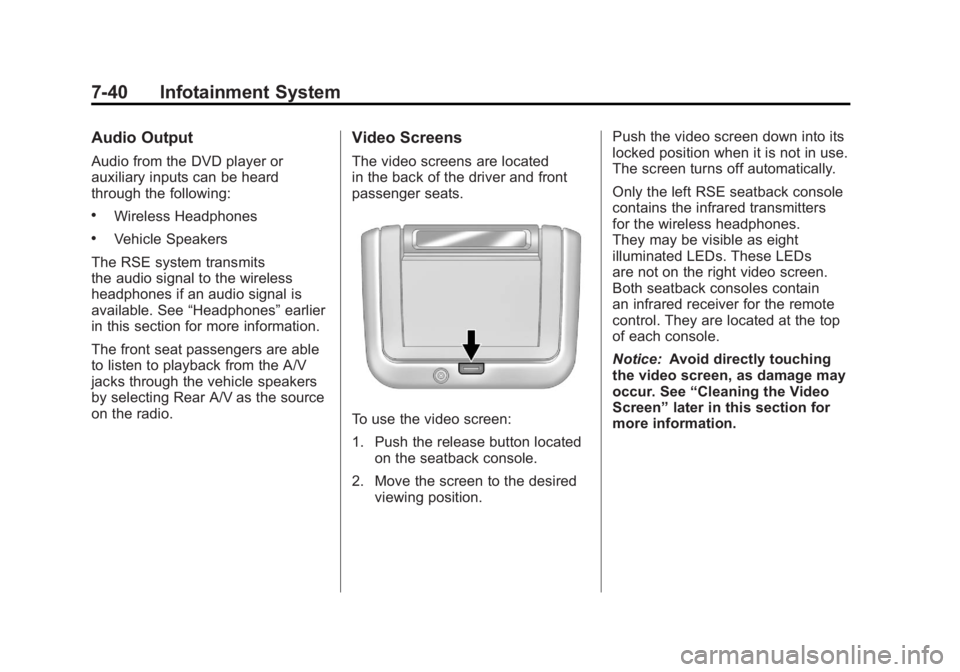
Video Screens
The video screens are located
in the back of the driver and front
passenger seats.
To use the video screen:
1. Push the release button located
on the seatback console.
2. Move the screen to the desired viewing position. Push the video screen down into its
locked position when it is not in use.
The screen turns off automatically.
Only the left RSE seatback console
contains the infrared transmitters
for the wireless headphones.
They may be visible as eight
illuminated LEDs. These LEDs
are not on the right video screen.
Both seatback consoles contain
an infrared receiver for the remote
control. They are located at the top
of each console.
Notice:
Avoid directly touching
the video screen, as damage may
occur. See “Cleaning the Video
Screen” later in this section for
more information.