radio controls BUICK LACROSSE 2011 User Guide
[x] Cancel search | Manufacturer: BUICK, Model Year: 2011, Model line: LACROSSE, Model: BUICK LACROSSE 2011Pages: 462, PDF Size: 5.73 MB
Page 151 of 462
Black plate (29,1)Buick LaCrosse Owner Manual - 2011
Instruments and Controls 5-29
Battery Voltage
This display, available on some
vehicles, shows the current battery
voltage. If the voltage is in the
normal range, the value will display.
For example, the display may
read Battery Voltage 15.0 Volts.
The vehicle's charging system
regulates voltage based on the
state of the battery. The battery
voltage can fluctuate while viewing
this information on the DIC. This is
normal. SeeCharging System Light
on page 5‑16 for more information.
If there is a problem with the battery
charging system, the DIC will
display a message
Compass
The vehicle may have a compass
display in the Driver Information
Center (DIC). See Compass on
page 5‑5 for more information.
Head-Up Display (HUD)
{WARNING
If the HUD image is too bright or
too high in your field of view, it
may take you more time to see
things you need to see when it is
dark outside. Be sure to keep the
HUD image dim and placed low in
your field of view.
For vehicles with the Head-Up
Display (HUD), some information
concerning the operation of the
vehicle is projected onto the
windshield. This includes the
speedometer reading, RPM
reading, transmission position,
outside air temperature, compass
heading and a brief display of the
current radio station, including XM
information or CD track. It will also
display turn-by-turn navigation
information if the vehicle has a
navigation radio. The images are projected through the HUD lens
located on the driver side of the
instrument panel.
Notice:
If you try to use the HUD
image as a parking aid, you
may misjudge the distance and
damage your vehicle. Do not use
the HUD image as a parking aid.
The tap shift gear will also appear
on the HUD if the vehicle has tap
shift and it is active.
The HUD information can be
displayed in one of three languages,
English, French, or Spanish.
The speedometer reading and other
numerical values can be displayed
in either English or metric units.
The language selection is changed
through the radio and the units
of measurement is changed
through the trip computer in the
Driver Information Center (DIC).
See AM-FM Radio on page 7‑12
and Driver Information Center (DIC)
on page 5‑25.
Page 152 of 462
Black plate (30,1)Buick LaCrosse Owner Manual - 2011
5-30 Instruments and Controls
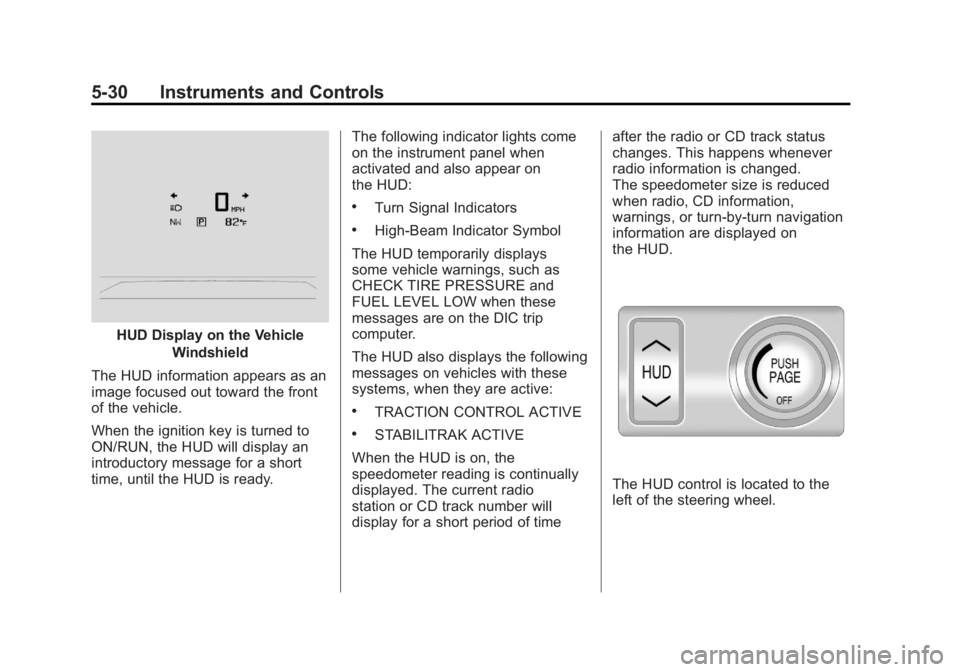
HUD Display on the VehicleWindshield
The HUD information appears as an
image focused out toward the front
of the vehicle.
When the ignition key is turned to
ON/RUN, the HUD will display an
introductory message for a short
time, until the HUD is ready. The following indicator lights come
on the instrument panel when
activated and also appear on
the HUD:
.Turn Signal Indicators
.High-Beam Indicator Symbol
The HUD temporarily displays
some vehicle warnings, such as
CHECK TIRE PRESSURE and
FUEL LEVEL LOW when these
messages are on the DIC trip
computer.
The HUD also displays the following
messages on vehicles with these
systems, when they are active:
.TRACTION CONTROL ACTIVE
.STABILITRAK ACTIVE
When the HUD is on, the
speedometer reading is continually
displayed. The current radio
station or CD track number will
display for a short period of time after the radio or CD track status
changes. This happens whenever
radio information is changed.
The speedometer size is reduced
when radio, CD information,
warnings, or turn-by-turn navigation
information are displayed on
the HUD.
The HUD control is located to the
left of the steering wheel.
Page 154 of 462
Black plate (32,1)Buick LaCrosse Owner Manual - 2011
5-32 Instruments and Controls
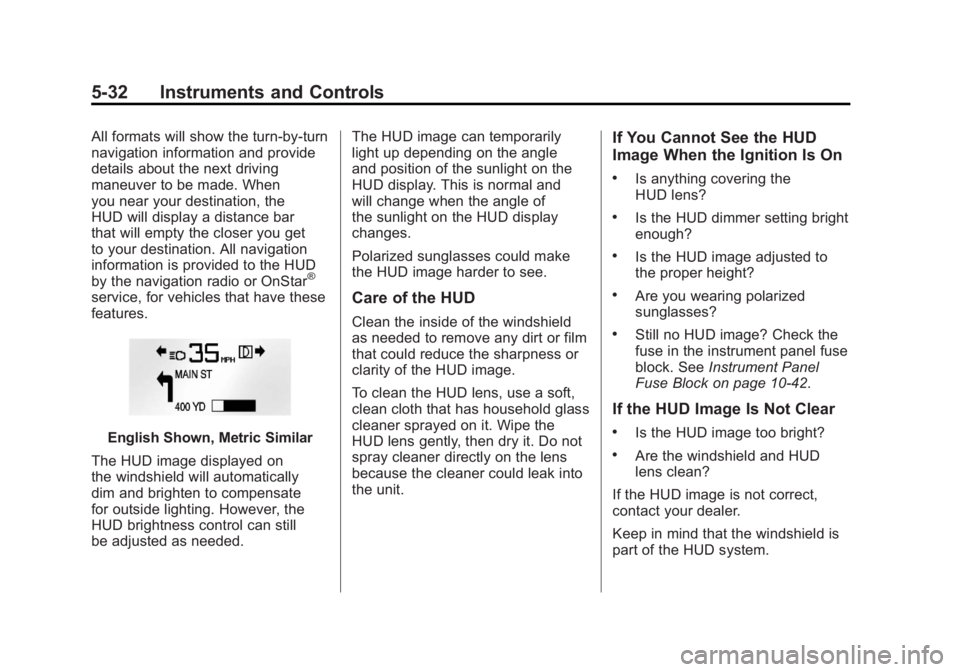
All formats will show the turn-by-turn
navigation information and provide
details about the next driving
maneuver to be made. When
you near your destination, the
HUD will display a distance bar
that will empty the closer you get
to your destination. All navigation
information is provided to the HUD
by the navigation radio or OnStar
®
service, for vehicles that have these
features.
English Shown, Metric Similar
The HUD image displayed on
the windshield will automatically
dim and brighten to compensate
for outside lighting. However, the
HUD brightness control can still
be adjusted as needed. The HUD image can temporarily
light up depending on the angle
and position of the sunlight on the
HUD display. This is normal and
will change when the angle of
the sunlight on the HUD display
changes.
Polarized sunglasses could make
the HUD image harder to see.
Care of the HUD
Clean the inside of the windshield
as needed to remove any dirt or film
that could reduce the sharpness or
clarity of the HUD image.
To clean the HUD lens, use a soft,
clean cloth that has household glass
cleaner sprayed on it. Wipe the
HUD lens gently, then dry it. Do not
spray cleaner directly on the lens
because the cleaner could leak into
the unit.
If You Cannot See the HUD
Image When the Ignition Is On
.Is anything covering the
HUD lens?
.Is the HUD dimmer setting bright
enough?
.Is the HUD image adjusted to
the proper height?
.Are you wearing polarized
sunglasses?
.Still no HUD image? Check the
fuse in the instrument panel fuse
block. See
Instrument Panel
Fuse Block on page 10‑42.
If the HUD Image Is Not Clear
.Is the HUD image too bright?
.Are the windshield and HUD
lens clean?
If the HUD image is not correct,
contact your dealer.
Keep in mind that the windshield is
part of the HUD system.
Page 167 of 462
Black plate (45,1)Buick LaCrosse Owner Manual - 2011
Instruments and Controls 5-45
Remote Left In Vehicle
This allows the Remote Left In
Vehicle reminder feature to be
turned on or off. If on, the horn
will chirp if a remote is left in the
vehicle.
Press the MENU/SELECT knob
when Remote Left In Vehicle is
highlighted. Turn the knob to select
On or Off. Press the knob to confirm
and go back to the last menu.
Return to Factory Settings
Select Return to Factory
Settings to return all of the vehicle
personalization to the default
settings. Turn the knob to select
Yes or No. Press the knob to
confirm and go back to the
last menu.
Universal Remote
System
SeeRadio Frequency Statement on
page 13‑20 for information
regarding Part 15 of the Federal
Communications Commission
(FCC) rules and Industry Canada
Standards RSS-210/220/310.
Universal Remote System
Programming
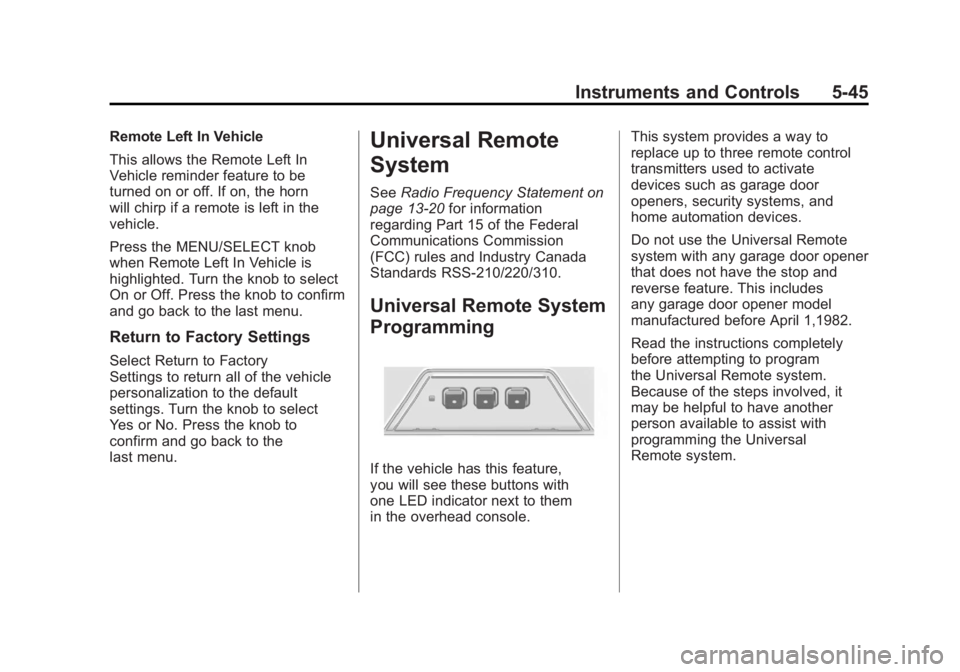
If the vehicle has this feature,
you will see these buttons with
one LED indicator next to them
in the overhead console. This system provides a way to
replace up to three remote control
transmitters used to activate
devices such as garage door
openers, security systems, and
home automation devices.
Do not use the Universal Remote
system with any garage door opener
that does not have the stop and
reverse feature. This includes
any garage door opener model
manufactured before April 1,1982.
Read the instructions completely
before attempting to program
the Universal Remote system.
Because of the steps involved, it
may be helpful to have another
person available to assist with
programming the Universal
Remote system.
Page 168 of 462
Black plate (46,1)Buick LaCrosse Owner Manual - 2011
5-46 Instruments and Controls
Keep the original hand-held
transmitter for use in other vehicles
as well as for future Universal
Remote system programming. It is
also recommended that upon the
sale of the vehicle, the programmed
Universal Remote system buttons
be erased for security purposes.
See“Erasing Universal Remote
System Buttons” later in this
section.
When programming a garage door,
park outside of the garage. Park
directly in line with and facing the
garage door opener motor-head
or gate motor-head. Be sure that
people and objects are clear of
the garage door or gate being
programmed.
It is recommended that a new
battery be installed in the hand-held
transmitter for quicker and more
accurate transmission of the
radio-frequency signal.Programming the Universal
Remote System
For questions or help programming
the Universal Remote system,
call 1‐800‐355‐3515 or go to
www.homelink.com.
Programming a garage door opener
involves time-sensitive actions, so
read the entire procedure before
starting. Otherwise, the device will
time out and the procedure will have
to be repeated.
To program up to three devices:
1. Hold the end of the hand-held transmitter about 3 to 8 cm
(1 to 3 in) away from the
Universal Remote system
buttons while keeping the
indicator light in view. The
hand-held transmitter was
supplied by the manufacturer
of the garage door opener
receiver (motor-head unit). 2. At the same time, press
and hold both the hand-held
transmitter button and one
of the three Universal Remote
system buttons to be used to
operate the garage door. Do not
release the Universal Remote
system button or the hand-held
transmitter button until the
indicator light changes from
a slowly to a rapidly flashing
light. You now may release
both buttons.
Some entry gates and garage
door openers may require
substitution of Step 2 with
the procedure noted in “Gate
Operator and Canadian
Programming” later in this
section.
Page 170 of 462
Black plate (48,1)Buick LaCrosse Owner Manual - 2011
5-48 Instruments and Controls
Gate Operator and Canadian
Programming
If you have questions or need help
programming the Universal Remote
system, call 1‐800‐355‐3515 or go
to www.homelink.com.
Canadian radio-frequency laws
require transmitter signals to time
out or quit after several seconds of
transmission. This may not be long
enough for the Universal Remote
system to pick up the signal during
programming. Similarly, some U.S.
gate operators are manufactured to
time out in the same manner.If you live in Canada, or you are
having difficulty programming
a gate operator or garage door
opener by using the
“Programming
the Universal Remote System”
procedures, regardless of where
you live, replace Step 2 under
“Programming the Universal Remote
System” with the following:
Continue to press and hold
the Universal Remote system
button while you press and
release every two seconds (cycle)
the hand-held transmitter button
until the frequency signal has
been successfully accepted by
the Universal Remote system.
The Universal Remote system
indicator light will flash slowly at
first and then rapidly. Proceed with
Step 3 under “Programming the
Universal Remote System” to
complete.
Universal Remote System
Operation
Using the Universal Remote
System
Press and hold the appropriate
Universal Remote system
button for at least half of a second.
The indicator light will come on
while the signal is being transmitted.
Erasing Universal Remote
System Buttons
All programmed buttons should be
erased when the vehicle is sold or
the lease ends.
To erase all programmed buttons
on the Universal Remote system
device:
1. Press and hold down the two outside buttons until the
indicator light begins to flash.
This should take about
10 seconds.
2. Release both buttons.
Page 181 of 462
Black plate (1,1)Buick LaCrosse Owner Manual - 2011
Infotainment System 7-1
Infotainment
System
Introduction
Infotainment . . . . . . . . . . . . . . . . . . . 7-1
Theft-Deterrent Feature . . . . . . . 7-2
Overview (Radio with CD) . . . . . 7-3
Overview (Radio with CD/DVDand MEM) . . . . . . . . . . . . . . . . . . . 7-5
Operation . . . . . . . . . . . . . . . . . . . . . 7-7
Radio
AM-FM Radio . . . . . . . . . . . . . . . . 7-12
Satellite Radio . . . . . . . . . . . . . . . 7-15
Radio Reception . . . . . . . . . . . . . 7-19
Backglass Antenna . . . . . . . . . . 7-19
Satellite Radio Antenna . . . . . . 7-20
Audio Players
CD Player . . . . . . . . . . . . . . . . . . . 7-20
CD/DVD Player . . . . . . . . . . . . . . 7-23
Mass Storage Media (MEM) . . . . . . . . . . . . . . . 7-27
Auxiliary Devices
(Radio with CD) . . . . . . . . . . . . 7-31
Auxiliary Devices (Radio with CD/DVD and MEM) . . . . . . . . 7-34
Rear Seat Infotainment
Rear Seat Entertainment(RSE) System . . . . . . . . . . . . . . 7-36
Phone
Bluetooth (Overview) . . . . . . . . 7-46
Bluetooth (InfotainmentControls) . . . . . . . . . . . . . . . . . . . 7-48
Bluetooth (Voice Recognition) . . . . . . . . . . . . . . . 7-53
Introduction
Infotainment
Read the following pages to
become familiar with the audio
system's features.
{WARNING
Taking your eyes off the road
for extended periods could
cause a crash resulting in
injury or death to you or others.
Do not give extended attention to
entertainment tasks while driving.
This system provides access to
many audio and non‐audio listings.
Page 182 of 462
Black plate (2,1)Buick LaCrosse Owner Manual - 2011
7-2 Infotainment System
To minimize taking your eyes off the
road while driving, do the following
while the vehicle is parked:
.Become familiar with the
operation and controls of the
audio system.
.Set up the tone, speaker
adjustments, and preset
radio stations.
For more information, see Defensive
Driving on page 9‑2. Notice:
Contact your dealer
before adding any equipment.
Adding audio or communication
equipment could interfere with
the operation of the engine, radio,
or other systems, and could
damage them. Follow federal
rules covering mobile radio
and telephone equipment.
The vehicle has Retained
Accessory Power (RAP). With RAP,
the audio system can be played
even after the ignition is turned
off. See Retained Accessory
Power (RAP) on page 9‑24
for more information.
Navigation System
For vehicles with a navigation
system, see the separate Navigation
System Manual.
Theft-Deterrent Feature
The theft-deterrent feature works
by learning a portion of the Vehicle
Identification Number (VIN) to
the infotainment system. The
infotainment system does not
operate if it is stolen or moved
to a different vehicle.
Page 211 of 462
Black plate (31,1)Buick LaCrosse Owner Manual - 2011
Infotainment System 7-31
Auxiliary Devices
(Radio with CD)
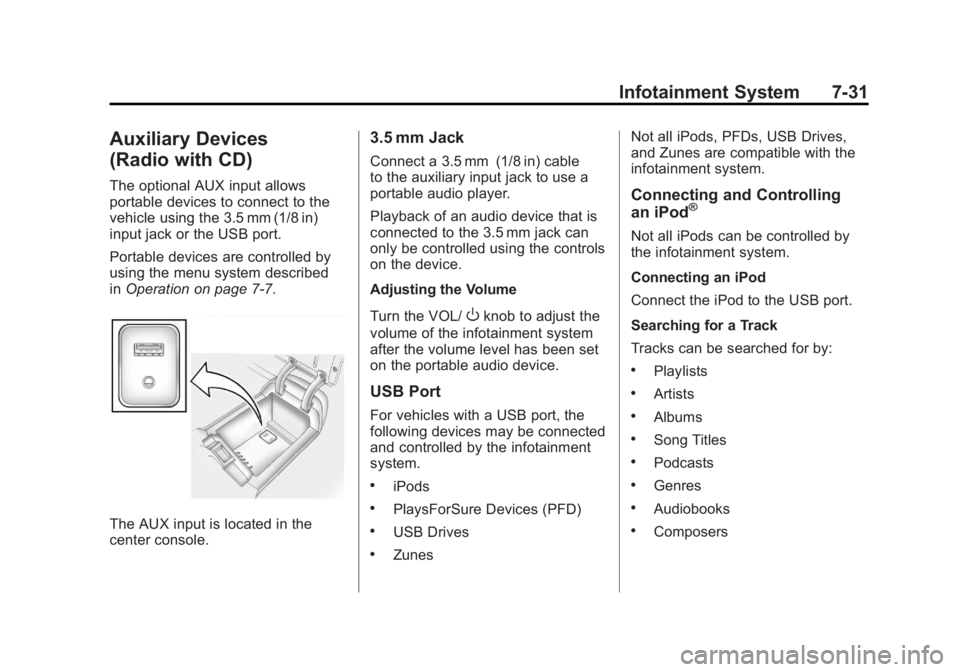
The optional AUX input allows
portable devices to connect to the
vehicle using the 3.5 mm (1/8 in)
input jack or the USB port.
Portable devices are controlled by
using the menu system described
inOperation on page 7‑7.
The AUX input is located in the
center console.
3.5 mm Jack
Connect a 3.5 mm (1/8 in) cable
to the auxiliary input jack to use a
portable audio player.
Playback of an audio device that is
connected to the 3.5 mm jack can
only be controlled using the controls
on the device.
Adjusting the Volume
Turn the VOL/
Oknob to adjust the
volume of the infotainment system
after the volume level has been set
on the portable audio device.
USB Port
For vehicles with a USB port, the
following devices may be connected
and controlled by the infotainment
system.
.iPods
.PlaysForSure Devices (PFD)
.USB Drives
.Zunes Not all iPods, PFDs, USB Drives,
and Zunes are compatible with the
infotainment system.
Connecting and Controlling
an iPod®
Not all iPods can be controlled by
the infotainment system.
Connecting an iPod
Connect the iPod to the USB port.
Searching for a Track
Tracks can be searched for by:
.Playlists
.Artists
.Albums
.Song Titles
.Podcasts
.Genres
.Audiobooks
.Composers
Page 214 of 462
Black plate (34,1)Buick LaCrosse Owner Manual - 2011
7-34 Infotainment System
Shuffle Functionality
Turn the Menu knob and set Shuffle
Songs (Random) to On or Off.
On:Plays current tracks in random
order.
Off: Plays current tracks in
sequential order.
Repeat Functionality
Turn the Menu knob and set Repeat
to On or Off.
Repeat On: Repeats the current
track.
Repeat Off: Playback starts from
the beginning of the current track
after the last track finishes.Auxiliary Devices (Radio
with CD/DVD and MEM)
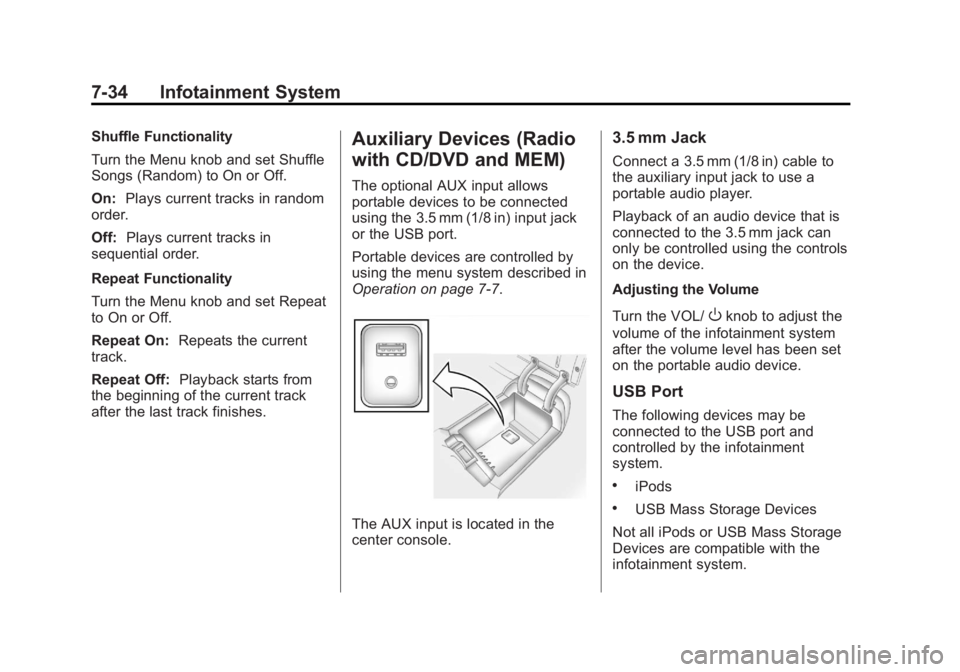
The optional AUX input allows
portable devices to be connected
using the 3.5 mm (1/8 in) input jack
or the USB port.
Portable devices are controlled by
using the menu system described in
Operation on page 7‑7.
The AUX input is located in the
center console.
3.5 mm Jack
Connect a 3.5 mm (1/8 in) cable to
the auxiliary input jack to use a
portable audio player.
Playback of an audio device that is
connected to the 3.5 mm jack can
only be controlled using the controls
on the device.
Adjusting the Volume
Turn the VOL/
Oknob to adjust the
volume of the infotainment system
after the volume level has been set
on the portable audio device.
USB Port
The following devices may be
connected to the USB port and
controlled by the infotainment
system.
.iPods
.USB Mass Storage Devices
Not all iPods or USB Mass Storage
Devices are compatible with the
infotainment system.