center BUICK LACROSSE 2011 Owner's Guide
[x] Cancel search | Manufacturer: BUICK, Model Year: 2011, Model line: LACROSSE, Model: BUICK LACROSSE 2011Pages: 462, PDF Size: 5.73 MB
Page 127 of 462
Black plate (5,1)Buick LaCrosse Owner Manual - 2011
Instruments and Controls 5-5
Compass
The vehicle may have a compass
display on the Driver Information
Center (DIC). The compass receives
its heading and other information
from the Global Positioning
System (GPS) antenna, StabiliTrak,
and vehicle speed information.
Avoid covering the GPS antenna
for long periods of time with objects
that may interfere with the antenna's
ability to receive a satellite signal.
SeeBackglass Antenna on
page 7‑19 andSatellite Radio
Antenna on page 7‑20 for the
location of the vehicle's antennas. The compass system is designed
to operate for a certain number of
miles or degrees of turn before
needing a signal from the GPS
satellites. When the compass
display shows CAL, drive the
vehicle for a short distance in an
open area where it can receive
a GPS signal. The compass
system will automatically determine
when the GPS signal is restored
and provide a heading again.
See
Compass Messages on
page 5‑34 for more information
on the messages that may be
displayed for the compass.
Clock (Without Date
Display)
The infotainment system controls
are used to access the time and
date settings through the menu
system. See Operation on page 7‑7
for information about how to use the
menu system.
Setting the Time
1. Press the CONFIG button and select Time Settings,
or press
H.
2. Select Set Time.
Page 129 of 462
Black plate (7,1)Buick LaCrosse Owner Manual - 2011
Instruments and Controls 5-7
Setting the Month & Day
Format
1. Press the CONFIG button andselect Time and Date Settings,
or press
H.
2. Highlight Set Date Format.
3. Press the SELECT button to select MM/DD/YY
(month/day/year) or DD/MM/YY
(day/month/year).
Setting the Auto Time Adjust
1. Press the CONFIG button andselect Time and Date Settings,
or press
H.
2. Highlight Auto Time Adjust.
3. Press the SELECT button to turn Auto Time Adjust on or off.
4. Press the SELECT button to select Time Zone, and then
select the Time Zone.
5. Press the SELECT button to turn Daylight Savings on or off.
Power Outlets
The accessory power outlets can be
used to plug in electrical equipment,
such as a cell phone or MP3 player.
There are two accessory power
outlets. One is located under the
armrest inside the center console
storage and the other is on the rear
of the center floor console.
These outlets are powered
when the ignition is in ON/RUN
or ACC/ACCESSORY, or until
the driver door is opened within
10 minutes of turning off the vehicle.
See Retained Accessory Power
(RAP) on page 9‑24.
Page 130 of 462
Black plate (8,1)Buick LaCrosse Owner Manual - 2011
5-8 Instruments and Controls
Remove the cover to access and
replace when not in use.
Certain electrical accessories
may not be compatible with the
accessory power outlets and could
overload vehicle or adapter fuses.
If there is a problem, see your
dealer.
When adding electrical equipment,
be sure to follow the installation
instructions included with the
equipment. SeeAdd-On Electrical
Equipment on page 9‑62.
Notice: Hanging heavy
equipment from the power
outlet can cause damage not
covered by the vehicle warranty.
The power outlets are designed
for accessory power plugs only,
such as cell phone charge cords. Power Outlet 110 Volt Alternating
Current
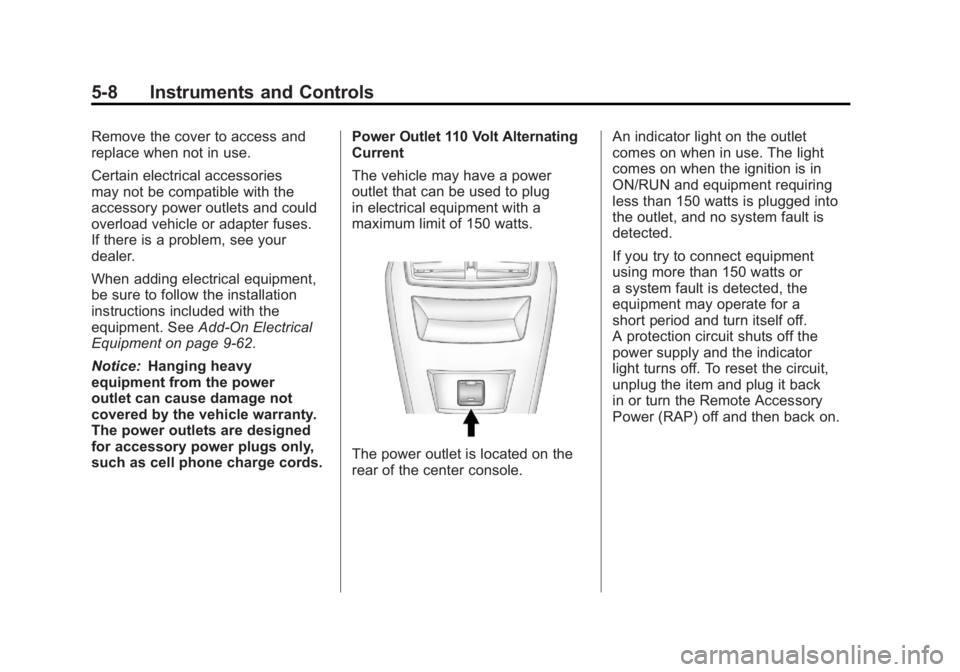
The vehicle may have a power
outlet that can be used to plug
in electrical equipment with a
maximum limit of 150 watts.
The power outlet is located on the
rear of the center console.An indicator light on the outlet
comes on when in use. The light
comes on when the ignition is in
ON/RUN and equipment requiring
less than 150 watts is plugged into
the outlet, and no system fault is
detected.
If you try to connect equipment
using more than 150 watts or
a system fault is detected, the
equipment may operate for a
short period and turn itself off.
A protection circuit shuts off the
power supply and the indicator
light turns off. To reset the circuit,
unplug the item and plug it back
in or turn the Remote Accessory
Power (RAP) off and then back on.
Page 142 of 462
Black plate (20,1)Buick LaCrosse Owner Manual - 2011
5-20 Instruments and Controls
If the light comes on while driving,
pull off the road and stop carefully.
The pedal may be harder to push or
it can go closer to the floor. It may
take longer to stop. Try turning off
and restarting the vehicle one or
two times. If the light is still on,
have the vehicle towed for service.
SeeAntilock Brake System (ABS)
Warning Light on page 5‑21 and
Towing the Vehicle on page 10‑89.
{WARNING
The brake system might not be
working properly if the brake
system warning light is on.
Driving with the brake system
warning light on can lead to a
crash. If the light is still on after
the vehicle has been pulled off
the road and carefully stopped,
have the vehicle towed for
service.
Electric Parking Brake
Light
EnglishMetric
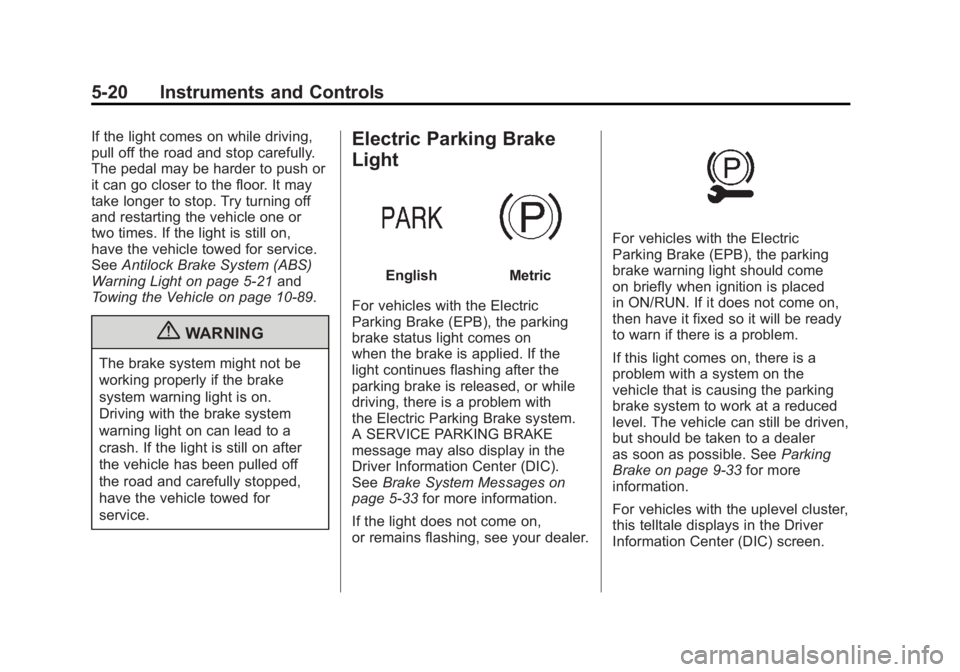
For vehicles with the Electric
Parking Brake (EPB), the parking
brake status light comes on
when the brake is applied. If the
light continues flashing after the
parking brake is released, or while
driving, there is a problem with
the Electric Parking Brake system.
A SERVICE PARKING BRAKE
message may also display in the
Driver Information Center (DIC).
See Brake System Messages on
page 5‑33 for more information.
If the light does not come on,
or remains flashing, see your dealer.
For vehicles with the Electric
Parking Brake (EPB), the parking
brake warning light should come
on briefly when ignition is placed
in ON/RUN. If it does not come on,
then have it fixed so it will be ready
to warn if there is a problem.
If this light comes on, there is a
problem with a system on the
vehicle that is causing the parking
brake system to work at a reduced
level. The vehicle can still be driven,
but should be taken to a dealer
as soon as possible. See Parking
Brake on page 9‑33 for more
information.
For vehicles with the uplevel cluster,
this telltale displays in the Driver
Information Center (DIC) screen.
Page 144 of 462
Black plate (22,1)Buick LaCrosse Owner Manual - 2011
5-22 Instruments and Controls
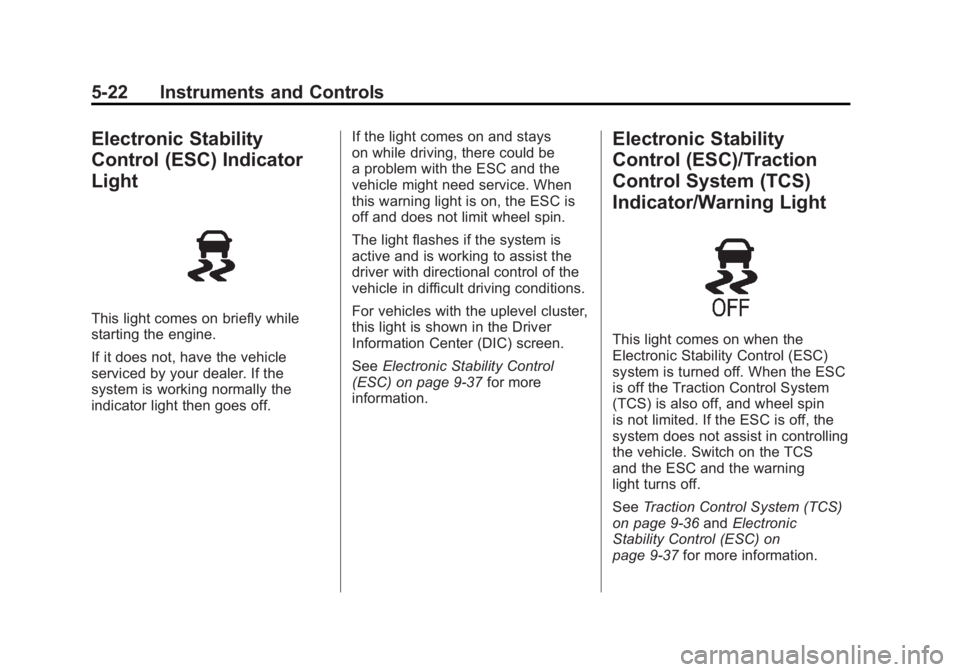
Electronic Stability
Control (ESC) Indicator
Light
This light comes on briefly while
starting the engine.
If it does not, have the vehicle
serviced by your dealer. If the
system is working normally the
indicator light then goes off.If the light comes on and stays
on while driving, there could be
a problem with the ESC and the
vehicle might need service. When
this warning light is on, the ESC is
off and does not limit wheel spin.
The light flashes if the system is
active and is working to assist the
driver with directional control of the
vehicle in difficult driving conditions.
For vehicles with the uplevel cluster,
this light is shown in the Driver
Information Center (DIC) screen.
See
Electronic Stability Control
(ESC) on page 9‑37 for more
information.
Electronic Stability
Control (ESC)/Traction
Control System (TCS)
Indicator/Warning Light
This light comes on when the
Electronic Stability Control (ESC)
system is turned off. When the ESC
is off the Traction Control System
(TCS) is also off, and wheel spin
is not limited. If the ESC is off, the
system does not assist in controlling
the vehicle. Switch on the TCS
and the ESC and the warning
light turns off.
See Traction Control System (TCS)
on page 9‑36 andElectronic
Stability Control (ESC) on
page 9‑37 for more information.
Page 145 of 462
Black plate (23,1)Buick LaCrosse Owner Manual - 2011
Instruments and Controls 5-23
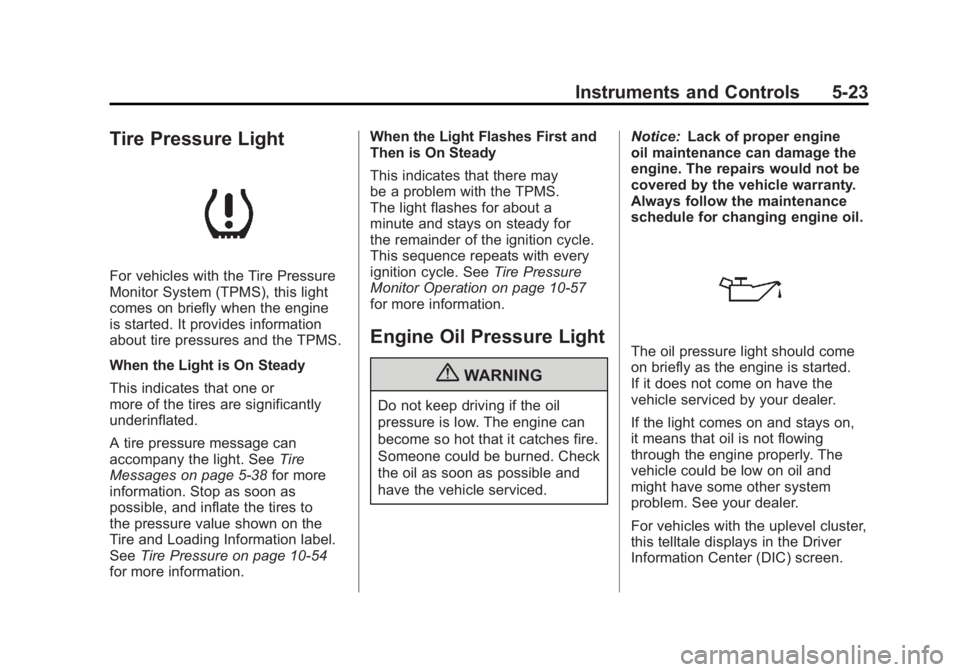
Tire Pressure Light
For vehicles with the Tire Pressure
Monitor System (TPMS), this light
comes on briefly when the engine
is started. It provides information
about tire pressures and the TPMS.
When the Light is On Steady
This indicates that one or
more of the tires are significantly
underinflated.
A tire pressure message can
accompany the light. SeeTire
Messages on page 5‑38 for more
information. Stop as soon as
possible, and inflate the tires to
the pressure value shown on the
Tire and Loading Information label.
See Tire Pressure on page 10‑54
for more information. When the Light Flashes First and
Then is On Steady
This indicates that there may
be a problem with the TPMS.
The light flashes for about a
minute and stays on steady for
the remainder of the ignition cycle.
This sequence repeats with every
ignition cycle. See
Tire Pressure
Monitor Operation on page 10‑57
for more information.
Engine Oil Pressure Light
{WARNING
Do not keep driving if the oil
pressure is low. The engine can
become so hot that it catches fire.
Someone could be burned. Check
the oil as soon as possible and
have the vehicle serviced. Notice:
Lack of proper engine
oil maintenance can damage the
engine. The repairs would not be
covered by the vehicle warranty.
Always follow the maintenance
schedule for changing engine oil.
The oil pressure light should come
on briefly as the engine is started.
If it does not come on have the
vehicle serviced by your dealer.
If the light comes on and stays on,
it means that oil is not flowing
through the engine properly. The
vehicle could be low on oil and
might have some other system
problem. See your dealer.
For vehicles with the uplevel cluster,
this telltale displays in the Driver
Information Center (DIC) screen.
Page 146 of 462
Black plate (24,1)Buick LaCrosse Owner Manual - 2011
5-24 Instruments and Controls
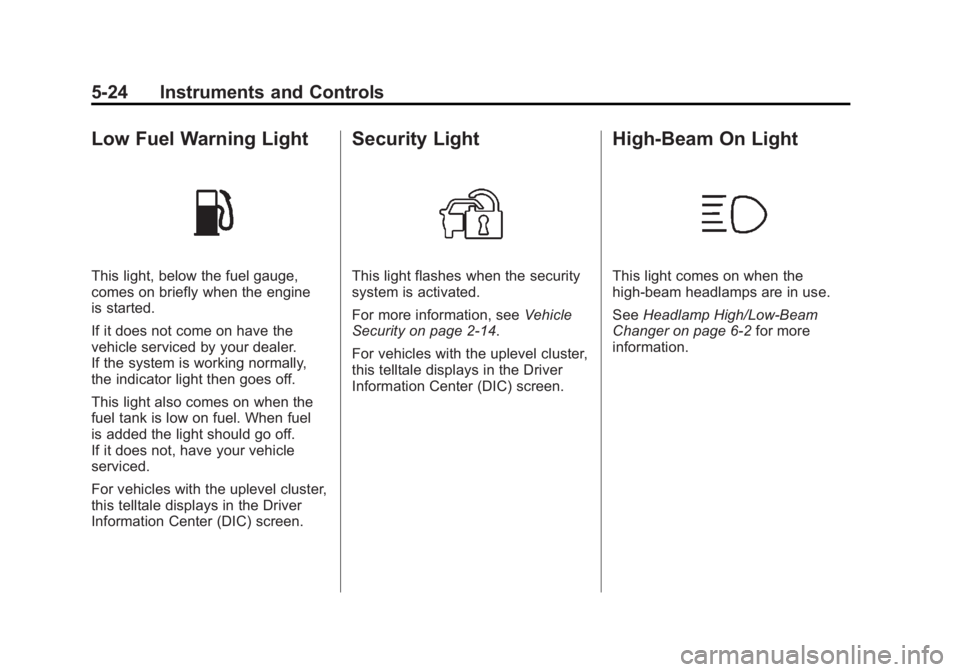
Low Fuel Warning Light
This light, below the fuel gauge,
comes on briefly when the engine
is started.
If it does not come on have the
vehicle serviced by your dealer.
If the system is working normally,
the indicator light then goes off.
This light also comes on when the
fuel tank is low on fuel. When fuel
is added the light should go off.
If it does not, have your vehicle
serviced.
For vehicles with the uplevel cluster,
this telltale displays in the Driver
Information Center (DIC) screen.
Security Light
This light flashes when the security
system is activated.
For more information, seeVehicle
Security on page 2‑14.
For vehicles with the uplevel cluster,
this telltale displays in the Driver
Information Center (DIC) screen.
High-Beam On Light
This light comes on when the
high-beam headlamps are in use.
See Headlamp High/Low-Beam
Changer on page 6‑2 for more
information.
Page 147 of 462
Black plate (25,1)Buick LaCrosse Owner Manual - 2011
Instruments and Controls 5-25
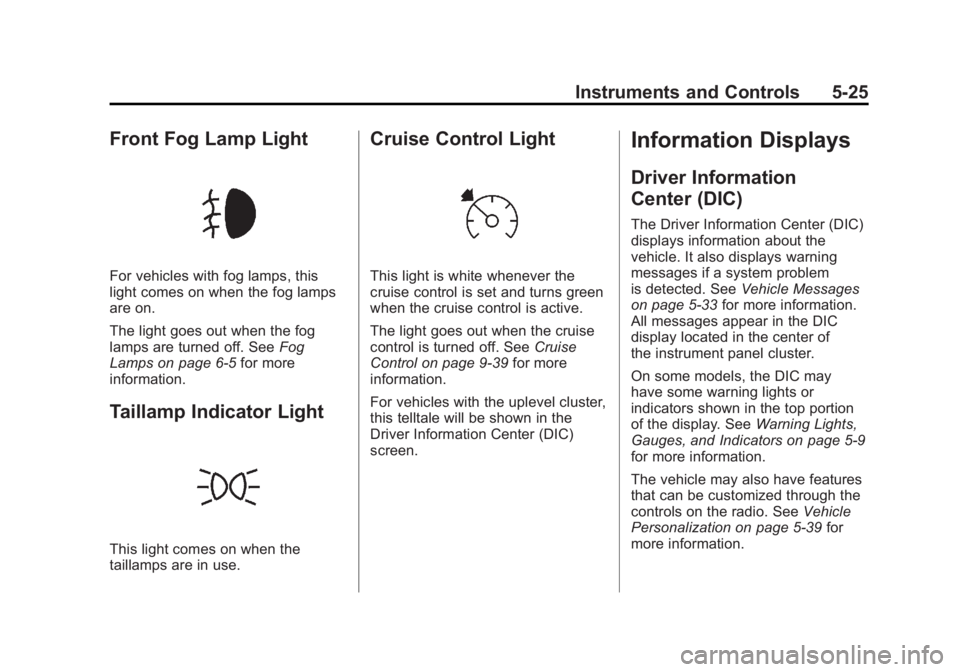
Front Fog Lamp Light
For vehicles with fog lamps, this
light comes on when the fog lamps
are on.
The light goes out when the fog
lamps are turned off. SeeFog
Lamps on page 6‑5 for more
information.
Taillamp Indicator Light
This light comes on when the
taillamps are in use.
Cruise Control Light
This light is white whenever the
cruise control is set and turns green
when the cruise control is active.
The light goes out when the cruise
control is turned off. See Cruise
Control on page 9‑39 for more
information.
For vehicles with the uplevel cluster,
this telltale will be shown in the
Driver Information Center (DIC)
screen.
Information Displays
Driver Information
Center (DIC)
The Driver Information Center (DIC)
displays information about the
vehicle. It also displays warning
messages if a system problem
is detected. See Vehicle Messages
on page 5‑33 for more information.
All messages appear in the DIC
display located in the center of
the instrument panel cluster.
On some models, the DIC may
have some warning lights or
indicators shown in the top portion
of the display. See Warning Lights,
Gauges, and Indicators on page 5‑9
for more information.
The vehicle may also have features
that can be customized through the
controls on the radio. See Vehicle
Personalization on page 5‑39 for
more information.
Page 151 of 462
Black plate (29,1)Buick LaCrosse Owner Manual - 2011
Instruments and Controls 5-29
Battery Voltage
This display, available on some
vehicles, shows the current battery
voltage. If the voltage is in the
normal range, the value will display.
For example, the display may
read Battery Voltage 15.0 Volts.
The vehicle's charging system
regulates voltage based on the
state of the battery. The battery
voltage can fluctuate while viewing
this information on the DIC. This is
normal. SeeCharging System Light
on page 5‑16 for more information.
If there is a problem with the battery
charging system, the DIC will
display a message
Compass
The vehicle may have a compass
display in the Driver Information
Center (DIC). See Compass on
page 5‑5 for more information.
Head-Up Display (HUD)
{WARNING
If the HUD image is too bright or
too high in your field of view, it
may take you more time to see
things you need to see when it is
dark outside. Be sure to keep the
HUD image dim and placed low in
your field of view.
For vehicles with the Head-Up
Display (HUD), some information
concerning the operation of the
vehicle is projected onto the
windshield. This includes the
speedometer reading, RPM
reading, transmission position,
outside air temperature, compass
heading and a brief display of the
current radio station, including XM
information or CD track. It will also
display turn-by-turn navigation
information if the vehicle has a
navigation radio. The images are projected through the HUD lens
located on the driver side of the
instrument panel.
Notice:
If you try to use the HUD
image as a parking aid, you
may misjudge the distance and
damage your vehicle. Do not use
the HUD image as a parking aid.
The tap shift gear will also appear
on the HUD if the vehicle has tap
shift and it is active.
The HUD information can be
displayed in one of three languages,
English, French, or Spanish.
The speedometer reading and other
numerical values can be displayed
in either English or metric units.
The language selection is changed
through the radio and the units
of measurement is changed
through the trip computer in the
Driver Information Center (DIC).
See AM-FM Radio on page 7‑12
and Driver Information Center (DIC)
on page 5‑25.
Page 153 of 462
Black plate (31,1)Buick LaCrosse Owner Manual - 2011
Instruments and Controls 5-31
To adjust the HUD image so that
items are properly displayed, do the
following:
1. Adjust the driver seat to acomfortable position.
2. Start the engine.
3. Adjust the HUD controls.
Use the following settings to adjust
the HUD.
OFF: To turn HUD off, turn the HUD
dimming knob fully counterclockwise
until the HUD display turns off.
Brightness: Turn the dimming knob
clockwise or counterclockwise to
brighten or dim the display.
«(Up):ª(Down): Press the up
or down arrows to center the HUD
image in your view. The HUD image
can only be adjusted up and down,
not side to side. PAGE:
Press to select the display
formats. Release the PAGE button
when the format number with the
desired display is shown on the
HUD. If vehicle messages are
displayed, pressing PAGE may
clear the message.
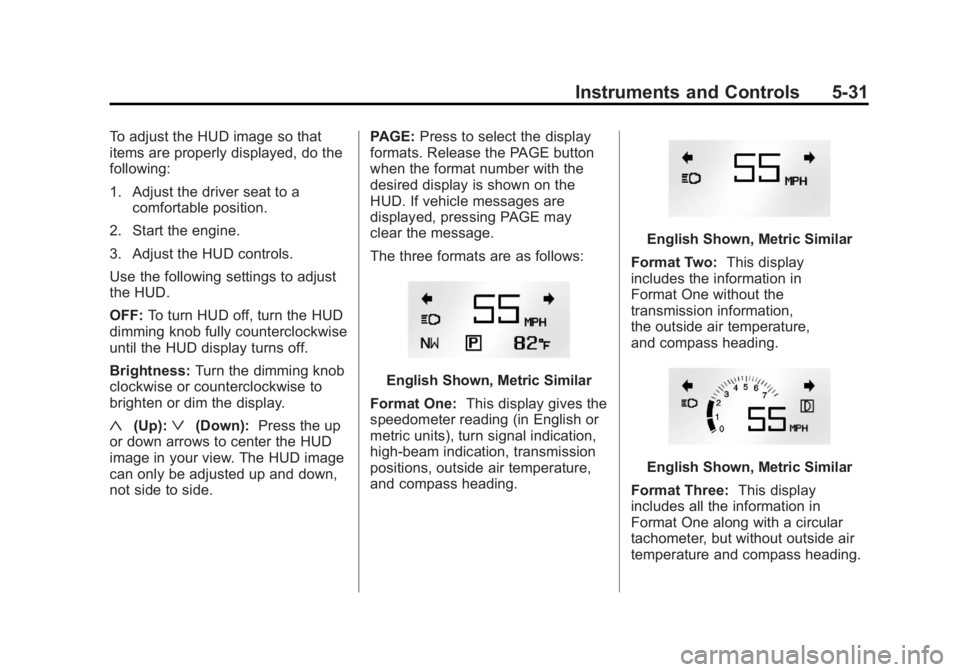
The three formats are as follows:
English Shown, Metric Similar
Format One: This display gives the
speedometer reading (in English or
metric units), turn signal indication,
high‐beam indication, transmission
positions, outside air temperature,
and compass heading.
English Shown, Metric Similar
Format Two: This display
includes the information in
Format One without the
transmission information,
the outside air temperature,
and compass heading.
English Shown, Metric Similar
Format Three: This display
includes all the information in
Format One along with a circular
tachometer, but without outside air
temperature and compass heading.