center BUICK LACROSSE 2011 User Guide
[x] Cancel search | Manufacturer: BUICK, Model Year: 2011, Model line: LACROSSE, Model: BUICK LACROSSE 2011Pages: 462, PDF Size: 5.73 MB
Page 39 of 462
Black plate (7,1)Buick LaCrosse Owner Manual - 2011
Keys, Doors and Windows 2-7
Programming without a
Recognized Transmitter
(Keyless Access Vehicles Only)
If there are no currently recognized
transmitters available, follow this
procedure to program up to five
transmitters. This feature is not
available in Canada. This procedure
will take approximately 30 minutes
to complete. The vehicle must be
off and all of the transmitters you
wish to program must be with you.
1. Insert the vehicle key of thetransmitter into the key lock
cylinder located on the outside
of the driver door and turn the
key to the unlock position five
times within 10 seconds.
The Driver Information Center
(DIC) displays REMOTE LEARN
PENDING, PLEASE WAIT. 2. Wait for 10 minutes until the
DIC displays PRESS ENGINE
START BUTTON TO LEARN
and then press the ignition.
The DIC displays will again
show REMOTE LEARN
PENDING, PLEASE WAIT.
3. Repeat Step 2 two additional times. After the third time all
previously known transmitters
will no longer work with the
vehicle. Remaining transmitters
can be relearned during the
next steps.
The DIC display should
now show READY FOR
REMOTE # 1. 4. Place the new transmitter
into the transmitter pocket.
The transmitter pocket is
located inside the center
console storage area under
the cupholder. The cupholder
will need to be pulled out to
access the transmitter pocket.
5. Press the ignition. When the transmitter is learned the DIC
will show that it is ready to
program the next transmitter.
6. Remove the transmitter from the transmitter pocket and press
K.
To program additional
transmitters, repeat Steps 4
through 6.
When all additional transmitters
are programmed, press and hold
the ignition for 10 seconds to
exit programming mode.
Page 40 of 462
Black plate (8,1)Buick LaCrosse Owner Manual - 2011
2-8 Keys, Doors and Windows
Starting the Vehicle with a Low
Transmitter Battery
If the transmitter battery is weak,
the DIC may display NO REMOTE
DETECTED when you try to
start the vehicle. The REPLACE
BATTERY IN REMOTE KEY
message may also be displayed
at this time.
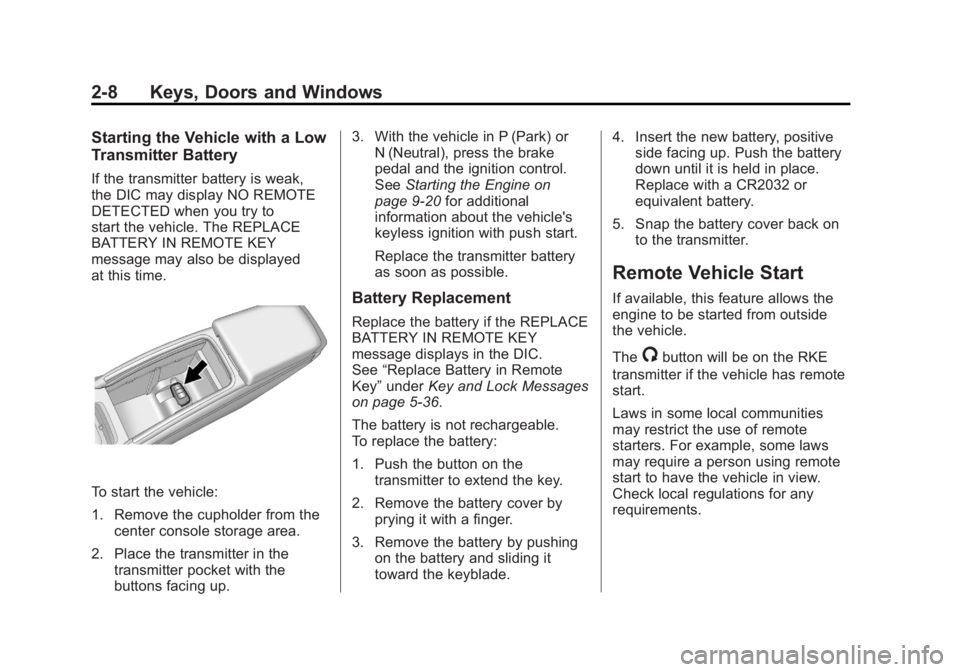
To start the vehicle:
1. Remove the cupholder from thecenter console storage area.
2. Place the transmitter in the transmitter pocket with the
buttons facing up. 3. With the vehicle in P (Park) or
N (Neutral), press the brake
pedal and the ignition control.
See Starting the Engine on
page 9‑20 for additional
information about the vehicle's
keyless ignition with push start.
Replace the transmitter battery
as soon as possible.
Battery Replacement
Replace the battery if the REPLACE
BATTERY IN REMOTE KEY
message displays in the DIC.
See “Replace Battery in Remote
Key” under Key and Lock Messages
on page 5‑36.
The battery is not rechargeable.
To replace the battery:
1. Push the button on the transmitter to extend the key.
2. Remove the battery cover by prying it with a finger.
3. Remove the battery by pushing on the battery and sliding it
toward the keyblade. 4. Insert the new battery, positive
side facing up. Push the battery
down until it is held in place.
Replace with a CR2032 or
equivalent battery.
5. Snap the battery cover back on to the transmitter.
Remote Vehicle Start
If available, this feature allows the
engine to be started from outside
the vehicle.
The
/button will be on the RKE
transmitter if the vehicle has remote
start.
Laws in some local communities
may restrict the use of remote
starters. For example, some laws
may require a person using remote
start to have the vehicle in view.
Check local regulations for any
requirements.
Page 44 of 462
Black plate (12,1)Buick LaCrosse Owner Manual - 2011
2-12 Keys, Doors and Windows
Delayed Locking
When locking the doors with
the power lock switch and a
door is open, the doors will lock
five seconds after the last door is
closed. You will hear three chimes
to signal that the delayed locking
feature is in use.
Pressing the power lock switch
twice or the lock button on the
RKE transmitter twice will override
the delayed locking feature and
immediately lock all the doors.
This feature will not operate if the
key is in the ignition.
This feature can be programmed by
using the Driver Information Center
(DIC). See“Delayed Door Lock”
under Vehicle Personalization on
page 5‑39.
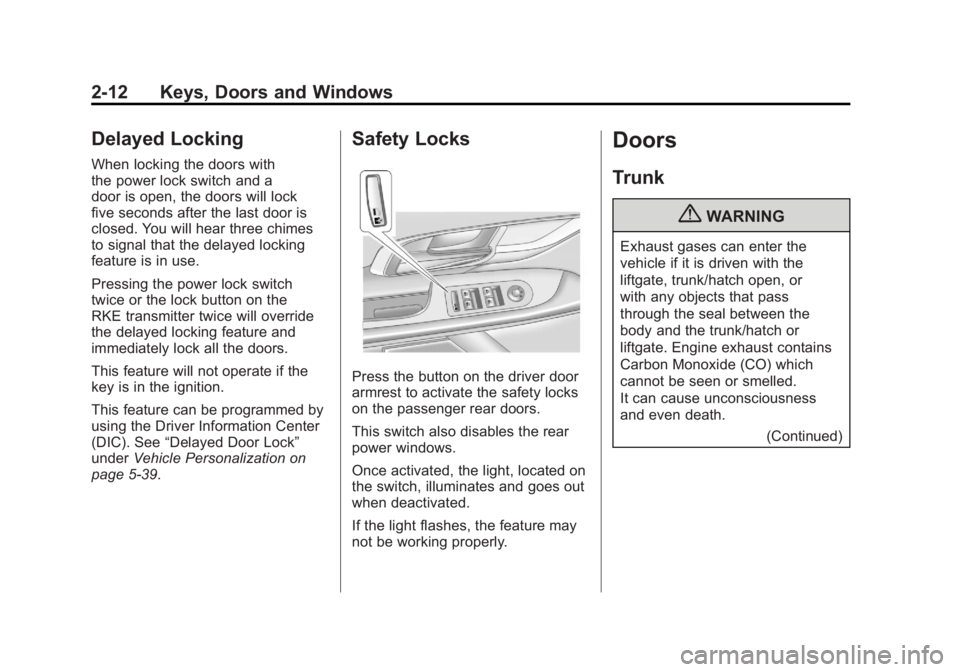
Safety Locks
Press the button on the driver door
armrest to activate the safety locks
on the passenger rear doors.
This switch also disables the rear
power windows.
Once activated, the light, located on
the switch, illuminates and goes out
when deactivated.
If the light flashes, the feature may
not be working properly.
Doors
Trunk
{WARNING
Exhaust gases can enter the
vehicle if it is driven with the
liftgate, trunk/hatch open, or
with any objects that pass
through the seal between the
body and the trunk/hatch or
liftgate. Engine exhaust contains
Carbon Monoxide (CO) which
cannot be seen or smelled.
It can cause unconsciousness
and even death.
(Continued)
Page 45 of 462
Black plate (13,1)Buick LaCrosse Owner Manual - 2011
Keys, Doors and Windows 2-13
WARNING (Continued)
If the vehicle must be driven with
the liftgate, or trunk/hatch open:
.Close all of the windows.
.Fully open the air outlets
on or under the instrument
panel.
.Adjust the Climate Control
system to a setting that
brings in only outside air
and set the fan speed to the
highest setting. See Climate
Control System in the Index.
.If the vehicle has a power
liftgate, disable the power
liftgate function.
For more information about
carbon monoxide, see Engine
Exhaust on page 9‑27.
Remote Trunk Release
To open the trunk from the outside
the vehicle, press
Von the
Remote Keyless Entry (RKE)
transmitter, or press the touchpad
above the license plate.
Emergency Trunk Release
Handle
Notice: Do not use the
emergency trunk release handle
as a tie-down or anchor point
when securing items in the trunk
as it could damage the handle.
The emergency trunk release
handle is only intended to aid a
person trapped in a latched trunk,
enabling them to open the trunk
from the inside.
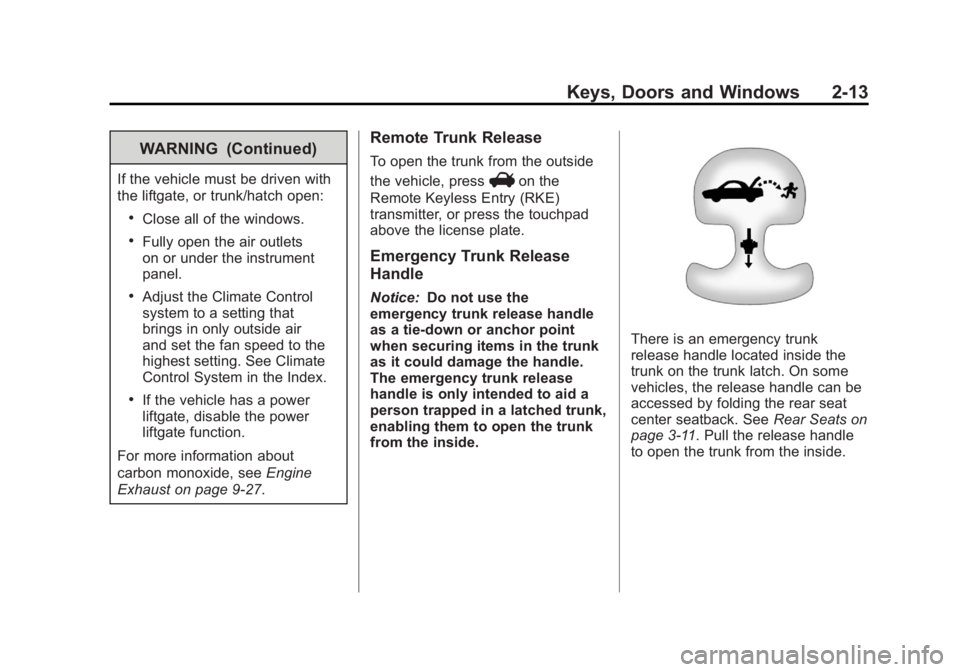
There is an emergency trunk
release handle located inside the
trunk on the trunk latch. On some
vehicles, the release handle can be
accessed by folding the rear seat
center seatback. See Rear Seats on
page 3‑11. Pull the release handle
to open the trunk from the inside.
Page 48 of 462
Black plate (16,1)Buick LaCrosse Owner Manual - 2011
2-16 Keys, Doors and Windows
The system has one or more
transmitters that are matched to
an immobilizer control unit in your
vehicle. Only a correctly matched
transmitter will start the vehicle.
If the transmitter is ever damaged,
you may not be able to start your
vehicle.
When trying to start the vehicle, the
security light comes on briefly when
the ignition is turned on.
If the engine does not start and the
security light stays on, there is a
problem with the system. Turn the
ignition off and try again.If the RKE appears to be
undamaged, try another
transmitter. Or, you may try
placing the transmitter in the
transmitter pocket located in the
center console. See
“No Remote
Detected” underKey and Lock
Messages on page 5‑36.
If the engine does not start with
the other transmitter or when the
transmitter is on the pocket in the
center console, your vehicle needs
service. See your dealer who can
service the theft-deterrent system
and have a new transmitter
programmed to the vehicle.
Do not leave the key or device
that disarms or deactivates the
theft-deterrent system in the vehicle.Exterior Mirrors
Power Mirrors
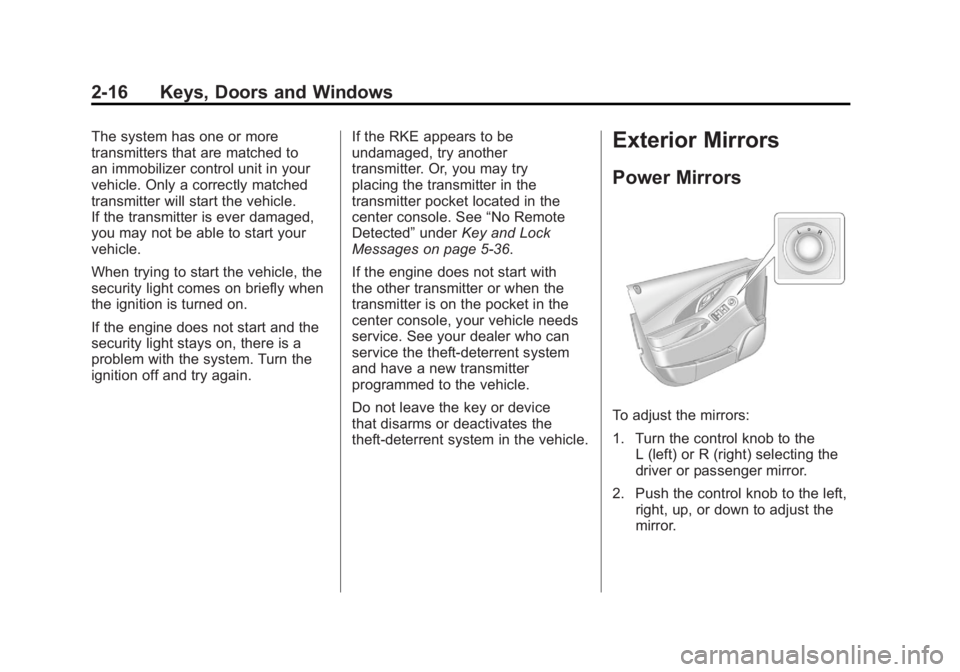
To adjust the mirrors:
1. Turn the control knob to the L (left) or R (right) selecting the
driver or passenger mirror.
2. Push the control knob to the left, right, up, or down to adjust the
mirror.
Page 52 of 462
Black plate (20,1)Buick LaCrosse Owner Manual - 2011
2-20 Keys, Doors and Windows
Programming the Power
Windows
If the battery on the vehicle has
been recharged, disconnected,
or is not working, you will need to
reprogram each front power window
for the express-up feature to work.
Before reprogramming, replace or
recharge the vehicle's battery.
To program each front window:
1. With the ignition in ON/RUNor ACC/ACCESSORY, or in
Retained Accessory Power
(RAP), close all doors.
2. Press and hold the power window switch until the window
is fully open.
3. Pull the power window switch up until the window is fully closed.
4. Continue holding the switch up for approximately two seconds
after the window is completely
closed. The window is now reprogrammed.
Repeat the process for the other
windows.
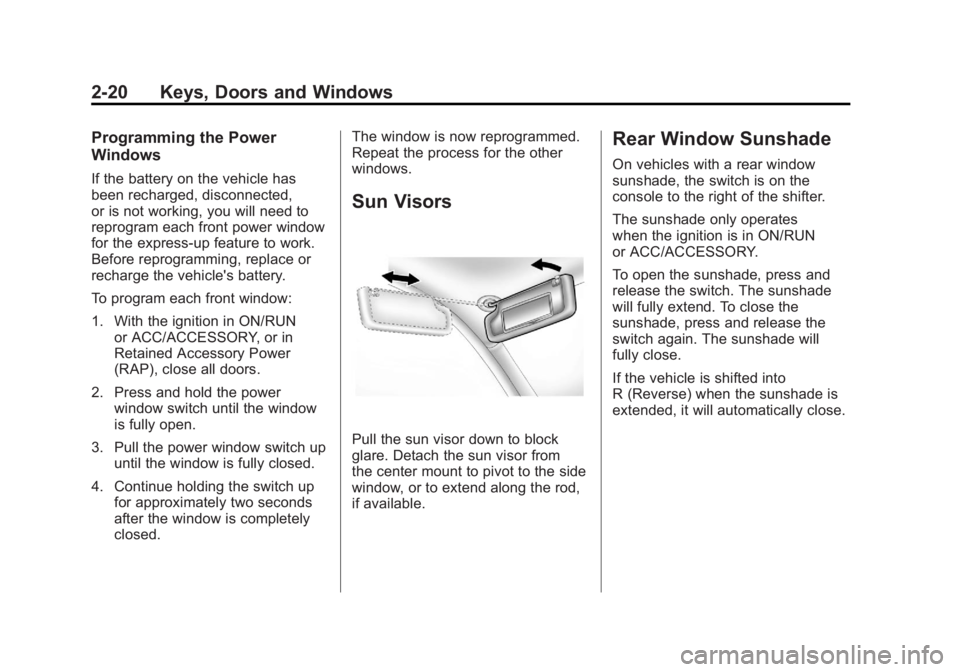
Sun Visors
Pull the sun visor down to block
glare. Detach the sun visor from
the center mount to pivot to the side
window, or to extend along the rod,
if available.
Rear Window Sunshade
On vehicles with a rear window
sunshade, the switch is on the
console to the right of the shifter.
The sunshade only operates
when the ignition is in ON/RUN
or ACC/ACCESSORY.
To open the sunshade, press and
release the switch. The sunshade
will fully extend. To close the
sunshade, press and release the
switch again. The sunshade will
fully close.
If the vehicle is shifted into
R (Reverse) when the sunshade is
extended, it will automatically close.
Page 94 of 462
Black plate (40,1)Buick LaCrosse Owner Manual - 2011
3-40 Seats and Restraints
5. If, after reinstalling the childrestraint and restarting the
vehicle, the on indicator is
still lit, turn the vehicle off.
Then slightly recline the vehicle
seatback and adjust the seat
cushion, if adjustable, to make
sure that the vehicle seatback
is not pushing the child restraint
into the seat cushion.
Also make sure the child
restraint is not trapped under
the vehicle head restraint.
If this happens, adjust the
head restraint. See Head
Restraints on page 3‑2.
6. Restart the vehicle.
If the on indicator is still lit,
secure the child in the child
restraint in a rear seat position
in the vehicle, and check with
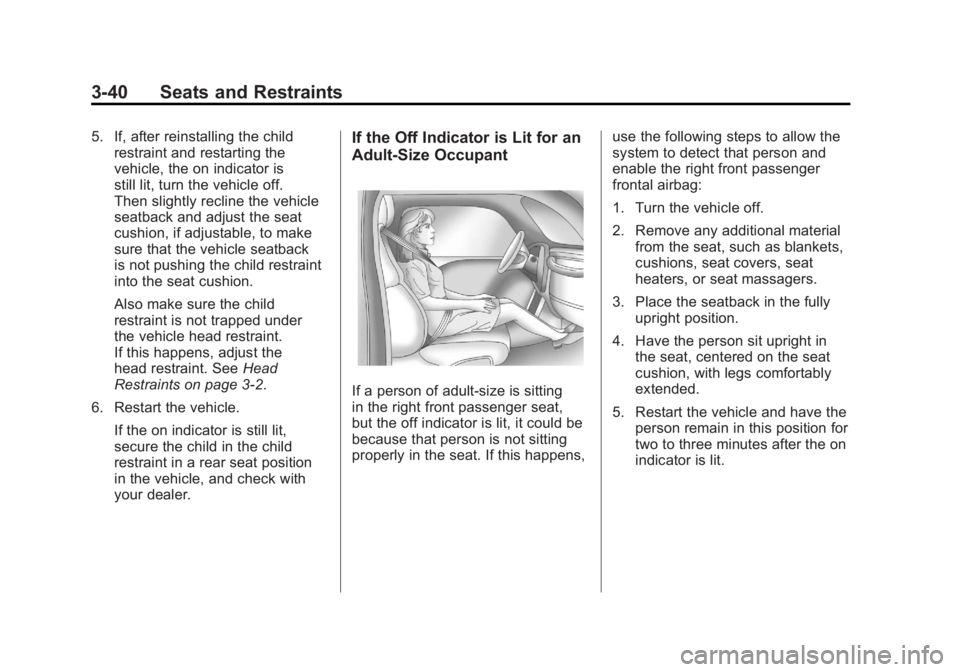
your dealer.If the Off Indicator is Lit for an
Adult-Size Occupant
If a person of adult-size is sitting
in the right front passenger seat,
but the off indicator is lit, it could be
because that person is not sitting
properly in the seat. If this happens, use the following steps to allow the
system to detect that person and
enable the right front passenger
frontal airbag:
1. Turn the vehicle off.
2. Remove any additional material
from the seat, such as blankets,
cushions, seat covers, seat
heaters, or seat massagers.
3. Place the seatback in the fully upright position.
4. Have the person sit upright in the seat, centered on the seat
cushion, with legs comfortably
extended.
5. Restart the vehicle and have the person remain in this position for
two to three minutes after the on
indicator is lit.
Page 110 of 462
Black plate (56,1)Buick LaCrosse Owner Manual - 2011
3-56 Seats and Restraints
{WARNING
Children can be seriously injured
or strangled if a shoulder belt
is wrapped around their neck
and the safety belt continues to
tighten. Buckle any unused safety
belts behind the child restraint
so children cannot reach them.
Pull the shoulder belt all the way
out of the retractor to set the lock,
if the vehicle has one, after the
child restraint has been installed.
Notice: Do not let the LATCH
attachments rub against the
vehicle’ s safety belts. This may
damage these parts. If necessary,
move buckled safety belts to
avoid rubbing the LATCH
attachments. Do not fold the empty rear
seat with a safety belt buckled.
This could damage the safety
belt or the seat. Unbuckle and
return the safety belt to its
stowed position, before folding
the seat.
If you need to secure more than
one child restraint in the rear seat,
see
Where to Put the Restraint on
page 3‑51.
You cannot secure three child
restraints using the LATCH anchors
in the rear seat at the same time,
but you can install two of them.
If you want to do this, install
one LATCH child restraint in
the passenger-side position, and
install the other one either in the
driver-side position or in the center
position. If you need to install child
restraints in both the center and
driver‐side position, the one in the
center seating position will need to
be secured using the vehicle safety
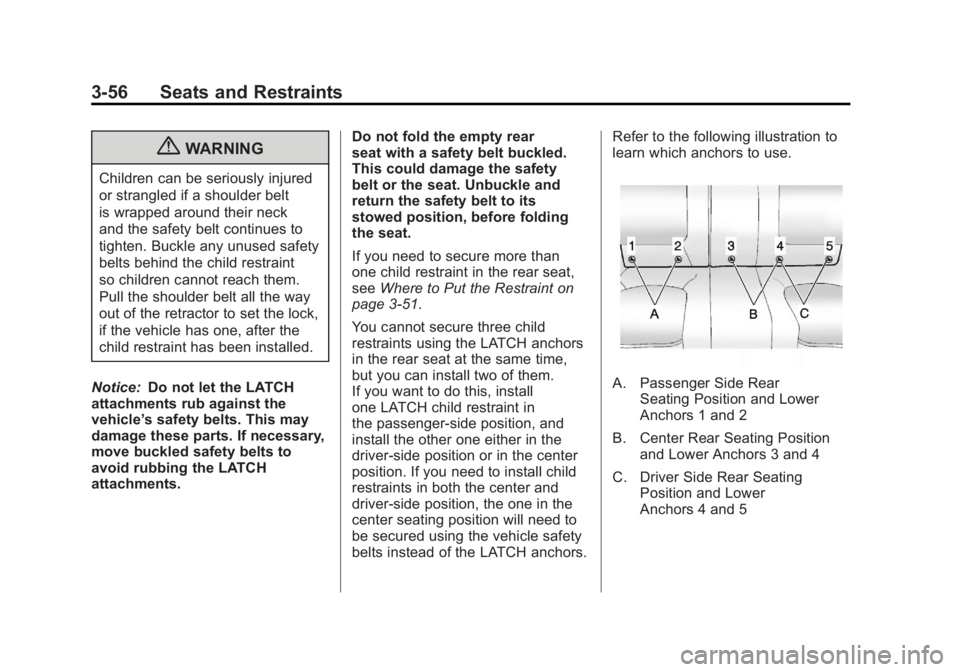
belts instead of the LATCH anchors. Refer to the following illustration to
learn which anchors to use.
A. Passenger Side Rear
Seating Position and Lower
Anchors 1 and 2
B. Center Rear Seating Position and Lower Anchors 3 and 4
C. Driver Side Rear Seating Position and Lower
Anchors 4 and 5
Page 121 of 462
Black plate (1,1)Buick LaCrosse Owner Manual - 2011
Storage 4-1
Storage
Storage Compartments
Glove Box . . . . . . . . . . . . . . . . . . . . 4-1
Cupholders . . . . . . . . . . . . . . . . . . . 4-1
Front Storage . . . . . . . . . . . . . . . . . 4-1
Center Console Storage . . . . . . 4-1
Additional Storage Features
Convenience Net . . . . . . . . . . . . . 4-2
Storage
Compartments
Glove Box
The glove box is located on the
passenger side of the instrument
panel. Lift up on the lever to open it.
Cupholders
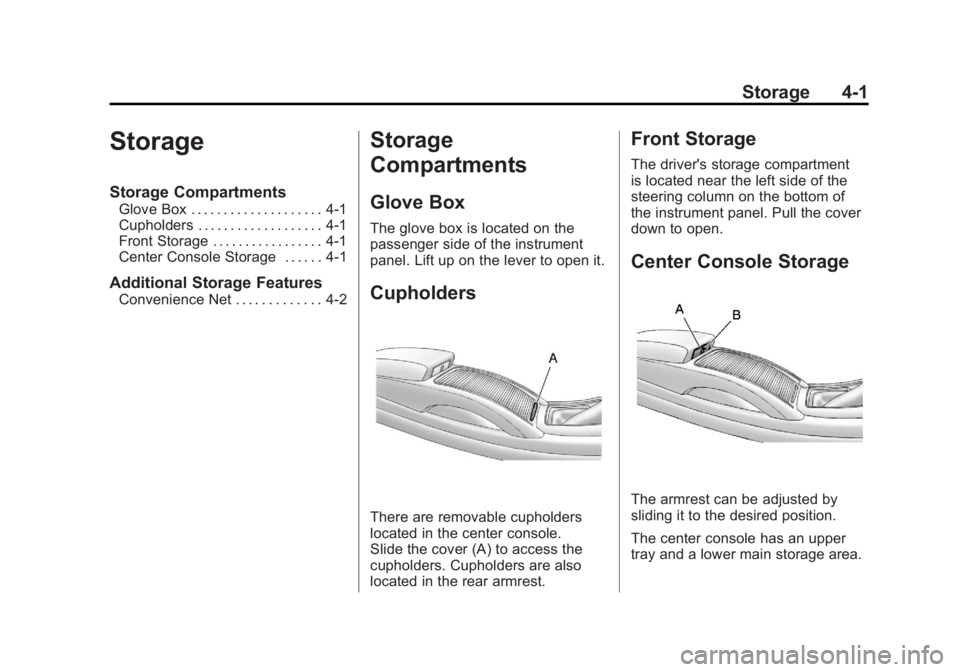
There are removable cupholders
located in the center console.
Slide the cover (A) to access the
cupholders. Cupholders are also
located in the rear armrest.
Front Storage
The driver's storage compartment
is located near the left side of the
steering column on the bottom of
the instrument panel. Pull the cover
down to open.
Center Console Storage
The armrest can be adjusted by
sliding it to the desired position.
The center console has an upper
tray and a lower main storage area.
Page 123 of 462
Black plate (1,1)Buick LaCrosse Owner Manual - 2011
Instruments and Controls 5-1
Instruments and
Controls
Controls
Steering Wheel Adjustment . . . 5-2
Steering Wheel Controls . . . . . . 5-2
Heated Steering Wheel . . . . . . . 5-3
Horn . . . . . . . . . . . . . . . . . . . . . . . . . . 5-3
Windshield Wiper/Washer . . . . . 5-3
Compass . . . . . . . . . . . . . . . . . . . . . 5-5
Clock (Without DateDisplay) . . . . . . . . . . . . . . . . . . . . . 5-5
Clock (With Date Display) . . . . . 5-6
Power Outlets . . . . . . . . . . . . . . . . . 5-7
Warning Lights, Gauges, and
Indicators
Warning Lights, Gauges, and Indicators . . . . . . . . . . . . . . . . . . . . 5-9
Instrument Cluster . . . . . . . . . . . 5-10
Speedometer . . . . . . . . . . . . . . . . 5-11
Odometer . . . . . . . . . . . . . . . . . . . . 5-11 Tachometer . . . . . . . . . . . . . . . . . . 5-11
Fuel Gauge . . . . . . . . . . . . . . . . . . 5-11
Engine Coolant Temperature
Gauge . . . . . . . . . . . . . . . . . . . . . . 5-13
Safety Belt Reminders . . . . . . . 5-14
Airbag Readiness Light . . . . . . 5-14
Passenger Airbag Status
Indicator . . . . . . . . . . . . . . . . . . . . 5-15
Charging System Light . . . . . . 5-16
Malfunction Indicator Lamp . . . . . . . . . . . . . 5-17
Brake System Warning Light . . . . . . . . . . . . . . . . . . . . . . . 5-19
Electric Parking Brake Light . . . . . . . . . . . . . . . . . . . . . . . 5-20
Antilock Brake System (ABS) Warning Light . . . . . . . . . . . . . . 5-21
Traction Off Light . . . . . . . . . . . . 5-21
Electronic Stability Control (ESC) Indicator Light . . . . . . . 5-22
Electronic Stability Control (ESC)/Traction Control
System (TCS) Indicator/
Warning Light . . . . . . . . . . . . . . 5-22 Tire Pressure Light . . . . . . . . . . 5-23
Engine Oil Pressure Light . . . . 5-23
Low Fuel Warning Light . . . . . . 5-24
Security Light . . . . . . . . . . . . . . . . 5-24
High-Beam On Light . . . . . . . . . 5-24
Front Fog Lamp Light . . . . . . . . 5-25
Taillamp Indicator Light . . . . . . 5-25
Cruise Control Light . . . . . . . . . 5-25
Information Displays
Driver Information
Center (DIC) . . . . . . . . . . . . . . . 5-25
Head-Up Display (HUD) . . . . . 5-29
Vehicle Messages
Vehicle Messages . . . . . . . . . . . 5-33
Battery Voltage and Charging Messages . . . . . . . . . . . . . . . . . . 5-33
Brake System Messages . . . . 5-33
Compass Messages . . . . . . . . . 5-34
Cruise Control Messages . . . . 5-34
Door Ajar Messages . . . . . . . . . 5-34
Engine Cooling System Messages . . . . . . . . . . . . . . . . . . 5-35