auto stop BUICK LACROSSE 2019 User Guide
[x] Cancel search | Manufacturer: BUICK, Model Year: 2019, Model line: LACROSSE, Model: BUICK LACROSSE 2019Pages: 374, PDF Size: 5.65 MB
Page 61 of 374
Buick LaCrosse Owner Manual (GMNA-Localizing-U.S./Canada-12032549) -
2019 - crc - 8/20/18
60 Seats and Restraints
Press the button once for the
highest setting. With each press of
the button, the seat will change to
the next lower setting, and then to
the off setting. The lights near the
heated or ventilated seat symbol on
the button indicate three for the
highest setting and one for the
lowest.
Remote Start Heated and
Ventilated Seats
During a remote start, the heated or
ventilated seats, if equipped, can be
turned on automatically. When it is
cold outside, the heated seats turn
on, and when it is hot outside the
ventilated seats turn on. The heated
or ventilated seats are canceled
when the ignition is turned on. Press
the heated or ventilated seat button
to use the heated or ventilated seats
after the vehicle is started.
The heated or ventilated seat
indicator lights do not turn on during
a remote start.
The temperature performance of an
unoccupied seat may be reduced.
This is normal.The heated or ventilated seats may
be enabled or disabled in the
vehicle personalization menu.
See
Remote Vehicle Start 035 and
Vehicle Personalization 0138.
Massage
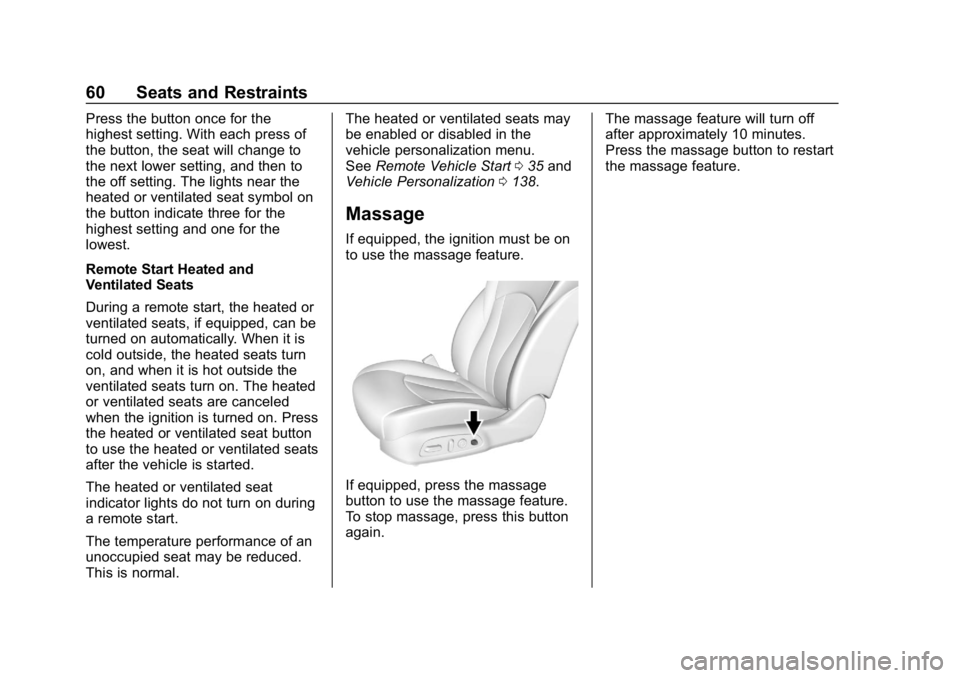
If equipped, the ignition must be on
to use the massage feature.
If equipped, press the massage
button to use the massage feature.
To stop massage, press this button
again. The massage feature will turn off
after approximately 10 minutes.
Press the massage button to restart
the massage feature.
Page 117 of 374
Buick LaCrosse Owner Manual (GMNA-Localizing-U.S./Canada-12032549) -
2019 - crc - 8/20/18
116 Instruments and Controls
Info Pages :PressTwhile Info
Pages is displayed to enter the Info
Pages menu and select the items to
be displayed in the Info App. See
Driver Information Center (DIC)
0 131.
Speed Warning : The Speed
Warning display allows the driver to
set a speed that they do not want to
exceed. To set the Speed Warning,
press
Twhen Speed Warning is
displayed. Scroll to Set Speed and
press
T. PressVto set the speed.
Once the speed is set, this feature
can be turned off by pressing
V
while viewing this page. If the
selected speed limit is exceeded, a
DIC message is displayed with a
chime.
Jump Start : The Jump Start
display is used to perform an
on-board jump start for eAssist
vehicles. See “Jump Starting - North
America (On-board with eAssist
Only)” in the Index.
Software Information : Displays
the open source software
information.
Speedometer
The speedometer shows the
vehicle's speed in either kilometers
per hour (km/h) or miles per
hour (mph).
Odometer
The odometer shows how far the
vehicle has been driven, in either
kilometers or miles.
Tachometer
The tachometer displays the engine
speed in revolutions per
minute (rpm).
For vehicles with the Stop/Start
system, when the ignition is on, the
tachometer indicates the vehicle
status. When pointing to AUTO
STOP, the engine is off but the
vehicle is on and can move. The
engine could auto start at any time.
When the indicator points to OFF,
the vehicle is off.
When the engine is on, the
tachometer will indicate the engine’s
revolutions per minute (rpm). The tachometer may vary by several
hundred rpm’s, during Auto Stop
mode, when the engine is shutting
off and restarting.
Caution
If the engine is operated with the
rpm’s in the warning area at the
high end of the tachometer, the
vehicle could be damaged, and
the damage would not be covered
by the vehicle warranty. Do not
operate the engine with the rpm’s
in the warning area.
Page 142 of 374
Buick LaCrosse Owner Manual (GMNA-Localizing-U.S./Canada-12032549) -
2019 - crc - 8/20/18
Instruments and Controls 141
Adaptive Cruise Go Notifier
This feature will give a reminder that
Adaptive Cruise Control provides
when it has brought the vehicle to a
complete stop behind another
stopping vehicle, and then that
vehicle drives on.
Select Off or On.
SeeAdaptive Cruise Control 0201.
Lane Change Alert
This allows the Lane Change Alert
feature to be turned on or off.
Select Off or On. See Lane Change
Alert (LCA) 0220.
Side Blind Zone Alert
Select Off or On. See Side Blind
Zone Alert (SBZA) 0220.
Comfort and Convenience
Select and the following may be
displayed:
. Auto Memory Recall
. Easy Exit Options
. Chime Volume
. Reverse Tilt Mirror .
Extended Hill Start Assist
Auto Memory Recall
This feature automatically recalls
the current driver ’s previously stored
1 or 2 button positions when the
ignition is turned on. See Memory
Seats 056.
Select Off or On.
Easy Exit Options
This feature automatically recalls
the previously stored Exit button
position when exiting the vehicle.
See Memory Seats 056.
Select Off or On.
Chime Volume
This allows the selection of the
chime volume level.
Touch + or −to adjust the volume.
Reverse Tilt Mirror
When on, both the driver and
passenger outside mirrors will tilt
downward when the vehicle is
shifted to R (Reverse) to improve
visibility of the ground near the rear wheels. They will return to their
previous driving position when the
vehicle is shifted out of R (Reverse)
or the engine is turned off.
Select Off, On - Driver and
Passenger, On - Driver, or On -
Passenger.
Extended Hill Start Assist
This allows the duration of the Hill
Start Assist to be changed.
Select Extended Hold or
Standard Hold.
Lighting
Select and the following may be
displayed:
.
Vehicle Locator Lights
. Exit Lighting
Vehicle Locator Lights
This feature will flash the exterior
lamps when
Kon the Remote
Keyless Entry (RKE) transmitter is
pressed to locate the vehicle.
Select Off or On.
Page 161 of 374
Buick LaCrosse Owner Manual (GMNA-Localizing-U.S./Canada-12032549) -
2019 - crc - 8/20/18
160 Climate Controls
control and the direction of the
airflow is controlled manually. Press
AUTO to return to automatic
operation.
To change the current mode, select
one or more of the following:
6:Air is directed to the floor
outlets, with some air to the
windshield and side windows.
Y: Air is directed to the instrument
panel outlets.
X: Clears the windows of fog or
moisture. Air is directed to the
windshield.
1MAX : Air is directed to the
windshield, the fan runs at a higher
speed, and the temperature of the
air is increased if not already at
maximum. This mode overrides the
previous mode selected and clears
fog or frost from the windshield
more quickly. When the control is
pressed again, the system returns
to the previous mode setting and
fan speed. For best results, clear all snow and
ice from the windshield before
defrosting.
For eAssist vehicles that have the
auto defog feature, Auto Stops can
occur in defrost mode. In this mode,
the Auto Stops are shorter and less
frequent than other air delivery
modes to prevent window fogging.
A/C :
Touch A/C on the climate
control display to cycle between the
MAX, ECO, and OFF modes. The
MAX, ECO, or OFF indicator will
appear on the display. If the fan is
turned off, the air conditioner will not
run and the indicator light will
turn off.
Touch AUTO to return to automatic
operation and the air conditioner
runs automatically as needed. The
A/C will return to ECO A/C
operation.
For MAX A/C, touch A/C.
For ECO A/C, touch A/C again. This
setting balances fuel economy and
air conditioning comfort. This setting allows higher humidity inside the
vehicle, and window fogging may
occur before the engine restarts.
@:
Press to turn on recirculation.
An indicator light comes on. Air is
recirculated to quickly cool the
inside of the vehicle or to reduce the
entry of outside air and odors.
If selected during cool or cold
weather, the windshield and
windows may fog. Turn off
recirculation to help clear the
windshield and windows.
Auto Defog : If equipped, the
climate control system may have a
sensor to automatically detect high
humidity inside the vehicle. When
high humidity is detected, the
climate control system may adjust to
outside air supply and turn on the
air conditioner. The fan speed may
slightly increase to help prevent
fogging. If the climate control
system does not detect possible
window fogging, it returns to normal
operation. For eAssist vehicles,
there may be shorter and less
frequent Auto Stops when auto
defog is in use.
Page 165 of 374
Buick LaCrosse Owner Manual (GMNA-Localizing-U.S./Canada-12032549) -
2019 - crc - 8/20/18
164 Driving and Operating
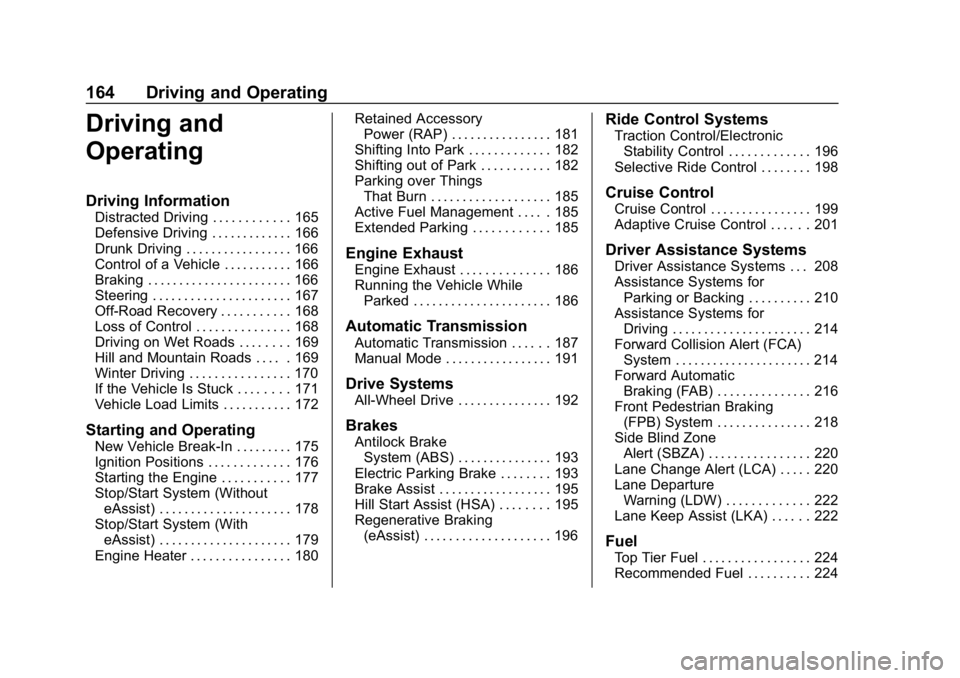
Driving and
Operating
Driving Information
Distracted Driving . . . . . . . . . . . . 165
Defensive Driving . . . . . . . . . . . . . 166
Drunk Driving . . . . . . . . . . . . . . . . . 166
Control of a Vehicle . . . . . . . . . . . 166
Braking . . . . . . . . . . . . . . . . . . . . . . . 166
Steering . . . . . . . . . . . . . . . . . . . . . . 167
Off-Road Recovery . . . . . . . . . . . 168
Loss of Control . . . . . . . . . . . . . . . 168
Driving on Wet Roads . . . . . . . . 169
Hill and Mountain Roads . . . . . 169
Winter Driving . . . . . . . . . . . . . . . . 170
If the Vehicle Is Stuck . . . . . . . . 171
Vehicle Load Limits . . . . . . . . . . . 172
Starting and Operating
New Vehicle Break-In . . . . . . . . . 175
Ignition Positions . . . . . . . . . . . . . 176
Starting the Engine . . . . . . . . . . . 177
Stop/Start System (WithouteAssist) . . . . . . . . . . . . . . . . . . . . . 178
Stop/Start System (With eAssist) . . . . . . . . . . . . . . . . . . . . . 179
Engine Heater . . . . . . . . . . . . . . . . 180 Retained Accessory
Power (RAP) . . . . . . . . . . . . . . . . 181
Shifting Into Park . . . . . . . . . . . . . 182
Shifting out of Park . . . . . . . . . . . 182
Parking over Things That Burn . . . . . . . . . . . . . . . . . . . 185
Active Fuel Management . . . . . 185
Extended Parking . . . . . . . . . . . . 185
Engine Exhaust
Engine Exhaust . . . . . . . . . . . . . . 186
Running the Vehicle While Parked . . . . . . . . . . . . . . . . . . . . . . 186
Automatic Transmission
Automatic Transmission . . . . . . 187
Manual Mode . . . . . . . . . . . . . . . . . 191
Drive Systems
All-Wheel Drive . . . . . . . . . . . . . . . 192
Brakes
Antilock BrakeSystem (ABS) . . . . . . . . . . . . . . . 193
Electric Parking Brake . . . . . . . . 193
Brake Assist . . . . . . . . . . . . . . . . . . 195
Hill Start Assist (HSA) . . . . . . . . 195
Regenerative Braking (eAssist) . . . . . . . . . . . . . . . . . . . . 196
Ride Control Systems
Traction Control/ElectronicStability Control . . . . . . . . . . . . . 196
Selective Ride Control . . . . . . . . 198
Cruise Control
Cruise Control . . . . . . . . . . . . . . . . 199
Adaptive Cruise Control . . . . . . 201
Driver Assistance Systems
Driver Assistance Systems . . . 208
Assistance Systems for Parking or Backing . . . . . . . . . . 210
Assistance Systems for Driving . . . . . . . . . . . . . . . . . . . . . . 214
Forward Collision Alert (FCA) System . . . . . . . . . . . . . . . . . . . . . . 214
Forward Automatic Braking (FAB) . . . . . . . . . . . . . . . 216
Front Pedestrian Braking (FPB) System . . . . . . . . . . . . . . . 218
Side Blind Zone Alert (SBZA) . . . . . . . . . . . . . . . . 220
Lane Change Alert (LCA) . . . . . 220
Lane Departure Warning (LDW) . . . . . . . . . . . . . 222
Lane Keep Assist (LKA) . . . . . . 222
Fuel
Top Tier Fuel . . . . . . . . . . . . . . . . . 224
Recommended Fuel . . . . . . . . . . 224
Page 179 of 374
Buick LaCrosse Owner Manual (GMNA-Localizing-U.S./Canada-12032549) -
2019 - crc - 8/20/18
178 Driving and Operating
To start the vehicle:1. With the Keyless Access system, the Remote Keyless
Entry (RKE) transmitter must
be in the vehicle. Press
ENGINE START/STOP with the
brake pedal applied. When the
engine begins cranking, let go
of the button. The idle speed
will go down as the engine
warms up. Do not race the
engine immediately after
starting it.
If the RKE transmitter is not in
the vehicle, if there is
interference, or if the RKE
battery is low, a Driver
Information Center (DIC)
message will display. See
Remote Keyless Entry (RKE)
System Operation 029.
Caution
Cranking the engine for long
periods of time, by pressing
ENGINE START/STOP
(Continued)
Caution (Continued)
immediately after cranking has
ended, can overheat and damage
the cranking motor, and drain the
battery. Wait at least 15 seconds
between each try, to let the
cranking motor cool down.
2. If the engine does not start after five to 10 seconds,
especially in very cold weather
(below −18 °C or 0 °F), it could
be flooded with too much
gasoline. Try pushing the
accelerator pedal all the way to
the floor and hold it there, then
press ENGINE START/STOP
for up to a maximum of
15 seconds. Wait at least
15 seconds between each try,
to allow the cranking motor to
cool down. When the engine
starts, let go of the button and
the accelerator. If the vehicle
starts briefly but then stops
again, do the same thing. This
clears the extra gasoline from
the engine. Do not race the engine immediately after
starting it. Operate the engine
and transmission gently until
the oil warms up and lubricates
all moving parts.
Stop/Start System
(Without eAssist)
If equipped, the Stop/Start system
will shut off the engine to help
conserve fuel. It has components
designed for the increased number
of starts.
{Warning
The automatic engine Stop/Start
feature causes the engine to shut
off while the vehicle is still on. Do
not exit the vehicle before shifting
to P (Park). The vehicle may
restart and move unexpectedly.
Always shift to P (Park), and then
turn the ignition off before exiting
the vehicle.
Page 180 of 374
Buick LaCrosse Owner Manual (GMNA-Localizing-U.S./Canada-12032549) -
2019 - crc - 8/20/18
Driving and Operating 179
Auto Engine Stop/Start
When the brakes are applied and
the vehicle is at a complete stop,
the engine may turn off. When
stopped, the tachometer displays
AUTO STOP. SeeTachometer
0 116. When the brake pedal is
released or the accelerator pedal is
pressed, the engine will restart.
To maintain vehicle performance,
other conditions may cause the
engine to automatically restart
before the brake pedal is released.
Auto Stops may not occur and/or
auto restarts may occur because:
. The climate control settings
require the engine to be running
to cool or heat the vehicle
interior.
. The vehicle battery charge
is low.
. The vehicle battery has recently
been disconnected.
. Minimum vehicle speed has not
been reached since the last
Auto Stop .
The accelerator pedal is
pressed.
. The engine or transmission is
not at the required operating
temperature.
. The outside temperature is not
in the required operating range.
. The vehicle is in any gear other
than D (Drive).
. Tow/Haul Mode or other driver
modes have been selected.
. The vehicle is on a steep hill or
grade.
. The driver door has been
opened or driver seat belt has
been unbuckled.
. The hood has been opened.
. The Auto Stop has reached the
maximum allowed time.Stop/Start System (With
eAssist)
If equipped, the Stop/Start system
will shut off the engine to help
conserve fuel. It has components
designed for the increased number
of starts.
{Warning
The automatic engine Stop/Start
feature causes the engine to shut
off while the vehicle is still on. Do
not exit the vehicle before shifting
to P (Park). The vehicle may
restart and move unexpectedly.
Always shift to P (Park), and then
turn the ignition off before exiting
the vehicle.
Auto Engine Stop/Start
When the brakes are applied and
the vehicle is at a complete stop,
the engine may turn off. When
stopped, the tachometer displays
Page 181 of 374
Buick LaCrosse Owner Manual (GMNA-Localizing-U.S./Canada-12032549) -
2019 - crc - 8/20/18
180 Driving and Operating
AUTO STOP. SeeTachometer
0 116. When the brake pedal is
released or the accelerator pedal is
pressed, the engine will restart.
The vehicle may remain in Auto
Stop for up to two minutes.
The vehicle may remain in Auto
Stop even after it is shifted into
P (Park). If the driver opens the door
or unbuckles the seat belt the
vehicle will exit Auto Stop and
restart the engine.
To maintain vehicle performance,
other conditions may cause the
engine to automatically restart
before the brake pedal is released.
Auto Stops may not occur and/or
auto restarts may occur because:
. The engine, transmission or high
voltage battery is not at the
required operating temperature.
. The outside temperature is not
in the required operating range.
. The climate control settings
require the engine to be running
to cool or heat the vehicle
interior. .
The vehicle is in any gear other
than D (Drive) or P (Park).
. The vehicle battery charge
is low.
. The hood has been opened.
. The malfunction indicator lamp
is on.
. High humidity is detected.
. The brake pedal is released.
. The accelerator pedal is
pressed.
. The driver door has been
opened or driver seat belt has
been unbuckled.
. The engine has not run for
sufficient time since the prior
Auto Stop.
Engine Heater
The engine heater, if available, can
help in cold weather conditions at or
below −18 °C (0 °F) for easier
starting and better fuel economy
during engine warm-up. Plug in the
coolant heater at least four hours
before starting the vehicle. An internal thermostat in the plug end
of the cord will prevent engine
heater operation at temperatures
above
−18 °C (0 °F).
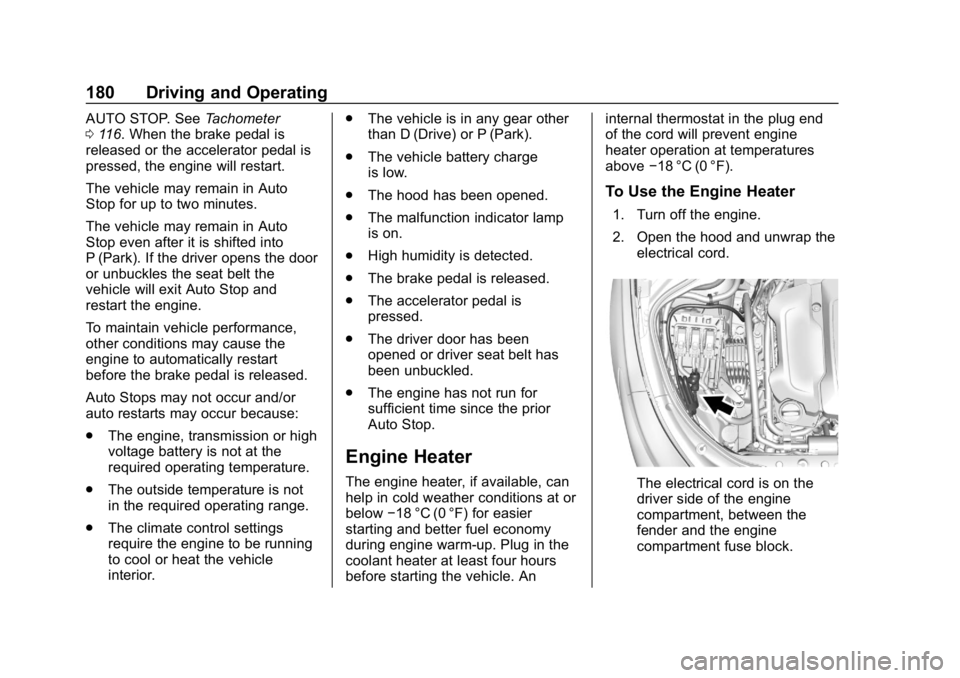
To Use the Engine Heater
1. Turn off the engine.
2. Open the hood and unwrap the
electrical cord.
The electrical cord is on the
driver side of the engine
compartment, between the
fender and the engine
compartment fuse block.
Page 188 of 374
Buick LaCrosse Owner Manual (GMNA-Localizing-U.S./Canada-12032549) -
2019 - crc - 8/20/18
Driving and Operating 187
Automatic
Transmission
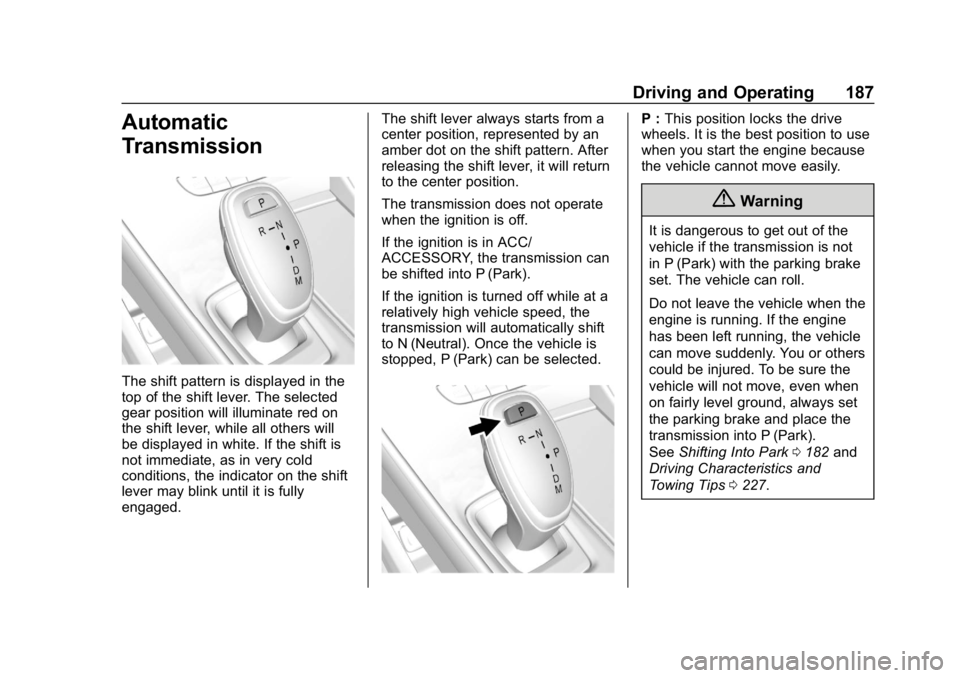
The shift pattern is displayed in the
top of the shift lever. The selected
gear position will illuminate red on
the shift lever, while all others will
be displayed in white. If the shift is
not immediate, as in very cold
conditions, the indicator on the shift
lever may blink until it is fully
engaged.The shift lever always starts from a
center position, represented by an
amber dot on the shift pattern. After
releasing the shift lever, it will return
to the center position.
The transmission does not operate
when the ignition is off.
If the ignition is in ACC/
ACCESSORY, the transmission can
be shifted into P (Park).
If the ignition is turned off while at a
relatively high vehicle speed, the
transmission will automatically shift
to N (Neutral). Once the vehicle is
stopped, P (Park) can be selected.
P :
This position locks the drive
wheels. It is the best position to use
when you start the engine because
the vehicle cannot move easily.
{Warning
It is dangerous to get out of the
vehicle if the transmission is not
in P (Park) with the parking brake
set. The vehicle can roll.
Do not leave the vehicle when the
engine is running. If the engine
has been left running, the vehicle
can move suddenly. You or others
could be injured. To be sure the
vehicle will not move, even when
on fairly level ground, always set
the parking brake and place the
transmission into P (Park).
See Shifting Into Park 0182 and
Driving Characteristics and
Towing Tips 0227.
Page 189 of 374
Buick LaCrosse Owner Manual (GMNA-Localizing-U.S./Canada-12032549) -
2019 - crc - 8/20/18
188 Driving and Operating
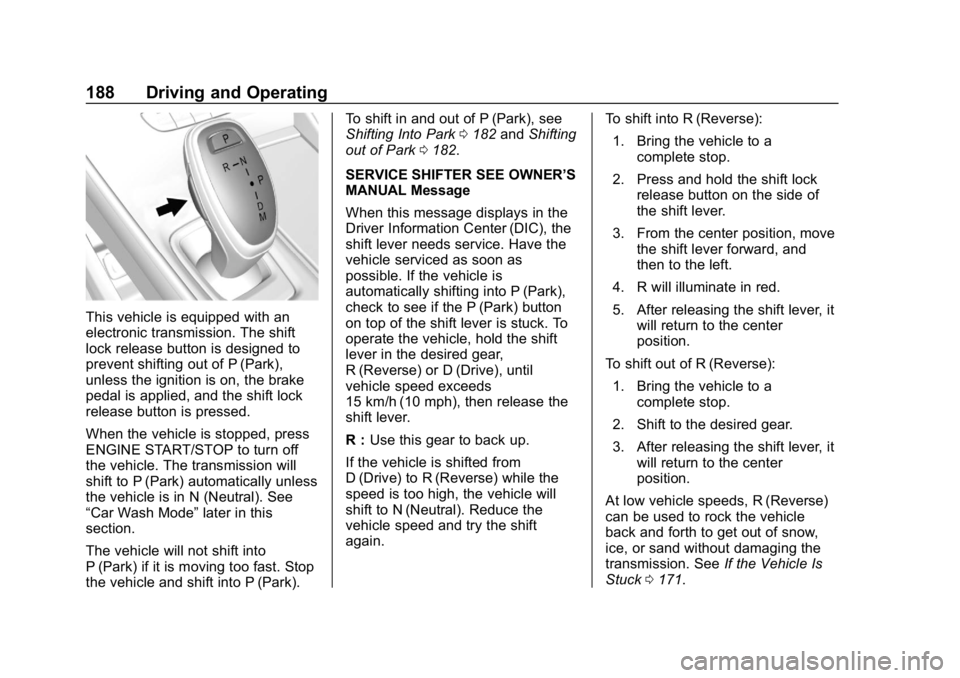
This vehicle is equipped with an
electronic transmission. The shift
lock release button is designed to
prevent shifting out of P (Park),
unless the ignition is on, the brake
pedal is applied, and the shift lock
release button is pressed.
When the vehicle is stopped, press
ENGINE START/STOP to turn off
the vehicle. The transmission will
shift to P (Park) automatically unless
the vehicle is in N (Neutral). See
“Car Wash Mode”later in this
section.
The vehicle will not shift into
P (Park) if it is moving too fast. Stop
the vehicle and shift into P (Park). To shift in and out of P (Park), see
Shifting Into Park
0182 andShifting
out of Park 0182.
SERVICE SHIFTER SEE OWNER’S
MANUAL Message
When this message displays in the
Driver Information Center (DIC), the
shift lever needs service. Have the
vehicle serviced as soon as
possible. If the vehicle is
automatically shifting into P (Park),
check to see if the P (Park) button
on top of the shift lever is stuck. To
operate the vehicle, hold the shift
lever in the desired gear,
R (Reverse) or D (Drive), until
vehicle speed exceeds
15 km/h (10 mph), then release the
shift lever.
R : Use this gear to back up.
If the vehicle is shifted from
D (Drive) to R (Reverse) while the
speed is too high, the vehicle will
shift to N (Neutral). Reduce the
vehicle speed and try the shift
again. To shift into R (Reverse):
1. Bring the vehicle to a complete stop.
2. Press and hold the shift lock release button on the side of
the shift lever.
3. From the center position, move the shift lever forward, and
then to the left.
4. R will illuminate in red.
5. After releasing the shift lever, it will return to the center
position.
To shift out of R (Reverse): 1. Bring the vehicle to a complete stop.
2. Shift to the desired gear.
3. After releasing the shift lever, it will return to the center
position.
At low vehicle speeds, R (Reverse)
can be used to rock the vehicle
back and forth to get out of snow,
ice, or sand without damaging the
transmission. See If the Vehicle Is
Stuck 0171.