auto stop BUICK LACROSSE 2019 Owner's Guide
[x] Cancel search | Manufacturer: BUICK, Model Year: 2019, Model line: LACROSSE, Model: BUICK LACROSSE 2019Pages: 374, PDF Size: 5.65 MB
Page 190 of 374
Buick LaCrosse Owner Manual (GMNA-Localizing-U.S./Canada-12032549) -
2019 - crc - 8/20/18
Driving and Operating 189
N :In this position, the engine does
not connect with the wheels. To
restart the engine when the vehicle
is already moving, use
N (Neutral) only.
{Warning
Shifting into a drive gear while the
engine is running at high speed is
dangerous. Unless your foot is
firmly on the brake pedal, the
vehicle could move very rapidly.
You could lose control and hit
people or objects. Do not shift
into a drive gear while the engine
is running at high speed.
Caution
Shifting out of P (Park) or
N (Neutral) with the engine
running at high speed may
damage the transmission. The
repairs would not be covered by
(Continued)
Caution (Continued)
the vehicle warranty. Be sure the
engine is not running at high
speed when shifting the vehicle.
The vehicle is not designed to stay
in N (Neutral) for more than
five minutes. It may automatically
shift into P (Park). N (Neutral) is not
intended for towing. If the vehicle
does need to be towed, see Towing
the Vehicle 0305.
To shift into N (Neutral): 1. From the center position, move the shift lever forward. If the
vehicle is in P (Park), apply the
brake pedal and press and
hold the shift lock release
button while moving the shift
lever forward.
2. N will illuminate in red.
3. After releasing the shift lever, it will return to the center
position. To shift out of N (Neutral):
1. Bring the vehicle to a complete stop.
2. Shift to the desired gear. If selecting R (Reverse), press
and hold the shift lock release
button.
3. After releasing the shift lever, it will return to the center
position.
Car Wash Mode
This vehicle includes a Car Wash
Mode that allows the vehicle to
remain in N (Neutral) for use in
automatic car washes. The vehicle
may not stay in N (Neutral) for more
than five minutes. It may
automatically shift into P (Park).
Car Wash Mode (Engine Off –
Driver in Vehicle)
To place the vehicle in N (Neutral)
with the engine off and the vehicle
occupied:
1. Drive to the entrance of the car wash.
2. Apply the brake pedal.
Page 191 of 374
Buick LaCrosse Owner Manual (GMNA-Localizing-U.S./Canada-12032549) -
2019 - crc - 8/20/18
190 Driving and Operating
3. Shift to N (Neutral).
4. Turn off the engine and releasethe brake pedal.
5. The indicator should continue to show N. If it does not, repeat
Steps 2–4.
6. The vehicle is now ready for the car wash.
Car Wash Mode (Engine Off –
Driver out of Vehicle)
To place the vehicle in N (Neutral)
with the engine off and the vehicle
unoccupied:
1. Drive to the entrance of the car wash.
2. Apply the brake pedal.
3. Open the door.
4. Shift to N (Neutral).
5. Turn off the engine and release the brake pedal.
6. The indicator should continue to show N. If it does not, repeat
Steps 2–5. 7. Exit the vehicle and close the
door. The vehicle is now ready
for the car wash.
8. The vehicle may automatically shift to P (Park) upon re-entry.
Car Wash Mode (Engine On –
Driver in Vehicle)
To place the vehicle in N (Neutral)
with the engine on and the vehicle
occupied:
1. Drive to the entrance of the car wash.
2. Apply the brake pedal.
3. Shift to N (Neutral).
4. Release the brake pedal. The vehicle is now ready for the
car wash.
Car Wash Mode (Engine On –
Driver out of Vehicle)
To place the vehicle in N (Neutral)
with the engine on and the vehicle
unoccupied:
1. Drive to the entrance of the car wash.
2. Apply the brake pedal. 3. Open the door.
4. Shift to N (Neutral), then
release the brake pedal.
5. The indicator should continue to show N. If it does not, repeat
Steps 2–4.
6. Exit the vehicle and close the door. The vehicle is now ready
for the car wash.
7. The vehicle may automatically shift to P (Park) upon re-entry.
D : This position is for normal
driving. If more power is needed for
passing, press the accelerator
pedal down.
To shift into D (Drive):
1. Bring the vehicle to a complete stop.
2. From the center position, move the shift lever back. If the
vehicle is in P (Park) press and
hold the shift lock release
button, and move the shift lever
back. D will illuminate in red.
Page 192 of 374
Buick LaCrosse Owner Manual (GMNA-Localizing-U.S./Canada-12032549) -
2019 - crc - 8/20/18
Driving and Operating 191
3. After releasing the shift lever, itwill return to the center
position.
To shift out of D (Drive): 1. Bring the vehicle to a complete stop.
2. Shift to the desired gear.
3. After releasing the shift lever, it will return to the center
position.
Downshifting the transmission in
slippery road conditions could result
in skidding. See “Skidding”under
Loss of Control 0168.
Caution
Spinning the tires or holding the
vehicle in one place on a hill
using only the accelerator pedal
may damage the transmission.
The repair will not be covered by
the vehicle warranty. If the vehicle
is stuck, do not spin the tires.
When stopping on a hill, use the
brakes to hold the vehicle in
place.
Caution
A transmission hot message may
display if the automatic
transmission fluid is too hot.
Driving under this condition can
damage the vehicle. Stop and idle
the engine to cool the automatic
transmission fluid. This message
clears when the transmission fluid
has cooled sufficiently.
Manual Mode
Tap Shift
Caution
Driving with the engine at a high
rpm without upshifting while using
Tap Shift, could damage the
vehicle. Always upshift when
necessary while using Tap Shift.
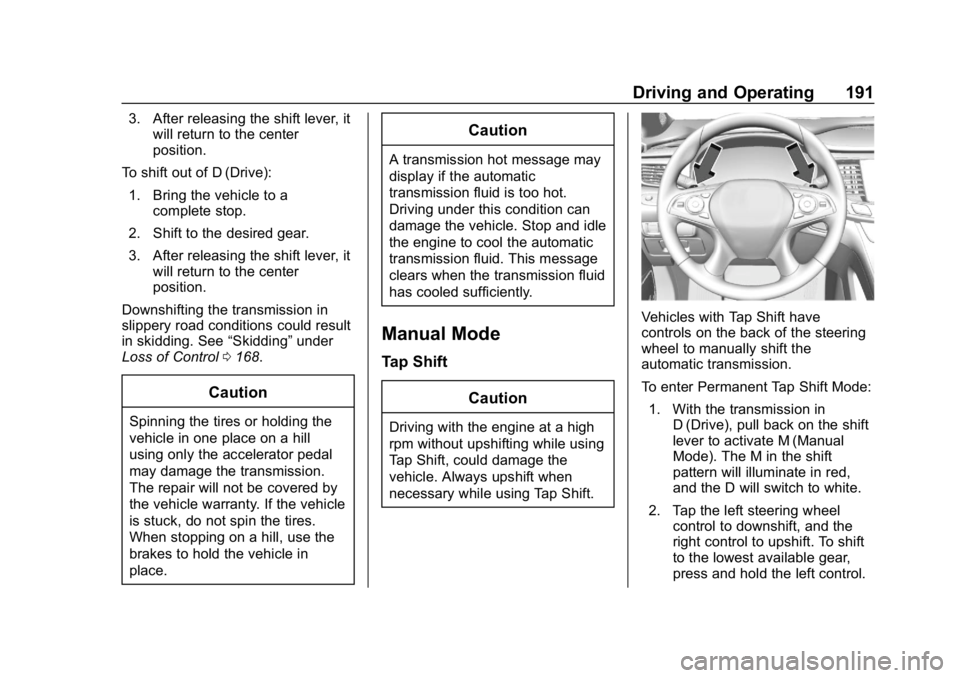
Vehicles with Tap Shift have
controls on the back of the steering
wheel to manually shift the
automatic transmission.
To enter Permanent Tap Shift Mode:1. With the transmission in D (Drive), pull back on the shift
lever to activate M (Manual
Mode). The M in the shift
pattern will illuminate in red,
and the D will switch to white.
2. Tap the left steering wheel control to downshift, and the
right control to upshift. To shift
to the lowest available gear,
press and hold the left control.
Page 195 of 374
Buick LaCrosse Owner Manual (GMNA-Localizing-U.S./Canada-12032549) -
2019 - crc - 8/20/18
194 Driving and Operating
The Electric Parking Brake (EPB)
can always be activated, even if the
ignition is off. To prevent draining
the battery, avoid repeated cycles of
the EPB when the engine is not
running.
The system has a red parking brake
status light and an amber parking
brake warning light. There are also
parking brake-related Driver
Information Center (DIC) messages.
In case of insufficient electrical
power, the EPB cannot be applied
or released.
Before leaving the vehicle, check
the red parking brake status light to
ensure that the parking brake is
applied.
EPB Apply
To apply the EPB:1. Be sure the vehicle is at a complete stop.
2. Press the EPB switch momentarily.
The red parking brake status light
will flash and then stay on once the
EPB is fully applied. If the red parking brake status light flashes
continuously, then the EPB is only
partially applied or there is a
problem with the EPB. A DIC
message will display. Release the
EPB and try to apply it again. If the
light does not come on, or keeps
flashing, have the vehicle serviced.
Do not drive the vehicle if the red
parking brake status light is flashing.
See your dealer.
If the amber parking brake warning
light is on, press the EPB switch.
Continue to hold the switch until the
red parking brake status light
remains on. If the amber parking
brake warning light is on, see your
dealer.
If the EPB is applied while the
vehicle is moving, the vehicle will
decelerate as long as the switch is
pressed. If the switch is pressed
until the vehicle comes to a stop,
the EPB will remain applied.
The vehicle may automatically apply
the EPB in some situations when
the vehicle is not moving. This is
normal, and is done to periodically
check the correct operation of the
EPB system.
If the EPB fails to apply, block the
rear wheels to prevent vehicle
movement.
EPB Release
To release the EPB:
1. Turn the ignition on or to ACC/ ACCESSORY.
2. Apply and hold the brake pedal.
3. Press the EPB switch momentarily.
The EPB is released when the red
parking brake status light is off.
If the amber parking brake warning
light is on, release the EPB by
pressing and holding the EPB
switch. Continue to hold the switch
until the red parking brake status
light is off. If either light stays on
after release is attempted, see your
dealer.
Page 196 of 374
Buick LaCrosse Owner Manual (GMNA-Localizing-U.S./Canada-12032549) -
2019 - crc - 8/20/18
Driving and Operating 195
Caution
Driving with the parking brake on
can overheat the brake system
and cause premature wear or
damage to brake system parts.
Make sure that the parking brake
is fully released and the brake
warning light is off before driving.
Automatic EPB Release
The EPB will automatically release if
the vehicle is running, placed into
gear, and an attempt is made to
drive away. Avoid rapid acceleration
when the EPB is applied, to
preserve parking brake lining life.
Brake Assist
The Brake Assist feature is
designed to assist the driver in
stopping or decreasing vehicle
speed in emergency driving
conditions. This feature uses the
stability system hydraulic brake
control module to supplement the
power brake system underconditions where the driver has
quickly and forcefully applied the
brake pedal in an attempt to quickly
stop or slow down the vehicle. The
stability system hydraulic brake
control module increases brake
pressure at each corner of the
vehicle until the ABS activates.
Minor brake pedal pulsation or
pedal movement during this time is
normal and the driver should
continue to apply the brake pedal as
the driving situation dictates. The
Brake Assist feature will
automatically disengage when the
brake pedal is released or brake
pedal pressure is quickly
decreased.
Hill Start Assist (HSA)
The Hill Start Assist (HSA) feature
will activate when the vehicle is
stopped on a moderate to steep
grade to help prevent it from rolling
in an unintended direction. After the
brake pedal has been released and
before the accelerator pedal has
been pressed, HSA uses braking
pressure to hold the vehiclestationary. If HSA is holding the
vehicle, a Driver Information Center
(DIC) message displays. HSA will
not activate in a forward drive gear
when facing downhill, or in
R (Reverse) when facing uphill.
Select the duration of the HSA
feature through vehicle
personalization. See
”Extended Hill
Start Assist” under“Comfort and
Convenience” inVehicle
Personalization 0138. When
Standard Hold is selected, the
vehicle is held stationary for up to
two seconds after the brake pedal is
released. When Extended Hold is
selected, the vehicle is held
stationary for up to five minutes
after the brake pedal is released. In
either case, override the hold
feature by pressing the accelerator
pedal and attempting to drive away.
If Standard Hold is selected, it will
hold the vehicle for two seconds
unless the driver door is opened or
the driver seat belt is unbuckled
after releasing the brake pedal.
If Extended Hold is selected, it will
hold the vehicle for five minutes
Page 198 of 374
Buick LaCrosse Owner Manual (GMNA-Localizing-U.S./Canada-12032549) -
2019 - crc - 8/20/18
Driving and Operating 197
vehicle wheel brakes to assist the
driver in keeping the vehicle on the
intended path.
If cruise control is being used and
traction control or StabiliTrak/ESC
begins to limit wheel spin, cruise
control will disengage. Cruise
control may be turned back on when
road conditions allow.
Both systems come on
automatically when the vehicle is
started and begins to move. The
systems may be heard or felt while
they are operating or while
performing diagnostic checks. This
is normal and does not mean there
is a problem with the vehicle.
It is recommended to leave both
systems on for normal driving
conditions, but it may be necessary
to turn TCS off if the vehicle gets
stuck in sand, mud, ice, or snow.
SeeIf the Vehicle Is Stuck 0171
and “Turning the Systems Off and
On” later in this section.
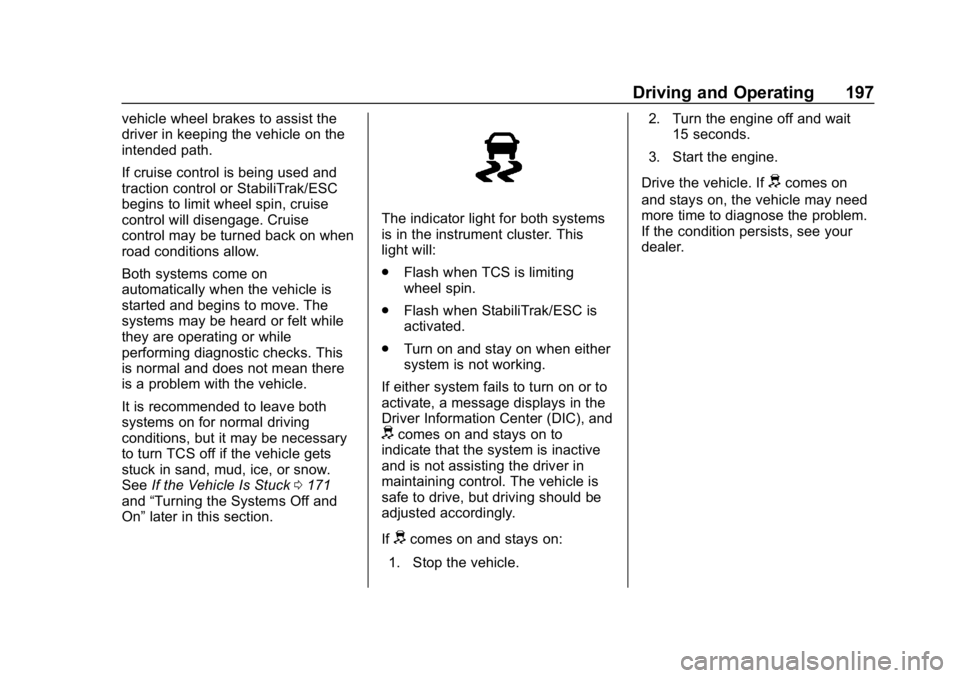
The indicator light for both systems
is in the instrument cluster. This
light will:
.
Flash when TCS is limiting
wheel spin.
. Flash when StabiliTrak/ESC is
activated.
. Turn on and stay on when either
system is not working.
If either system fails to turn on or to
activate, a message displays in the
Driver Information Center (DIC), and
dcomes on and stays on to
indicate that the system is inactive
and is not assisting the driver in
maintaining control. The vehicle is
safe to drive, but driving should be
adjusted accordingly.
If
dcomes on and stays on:
1. Stop the vehicle. 2. Turn the engine off and wait
15 seconds.
3. Start the engine.
Drive the vehicle. If
dcomes on
and stays on, the vehicle may need
more time to diagnose the problem.
If the condition persists, see your
dealer.
Page 206 of 374
Buick LaCrosse Owner Manual (GMNA-Localizing-U.S./Canada-12032549) -
2019 - crc - 8/20/18
Driving and Operating 205
Approaching and Following a
Vehicle
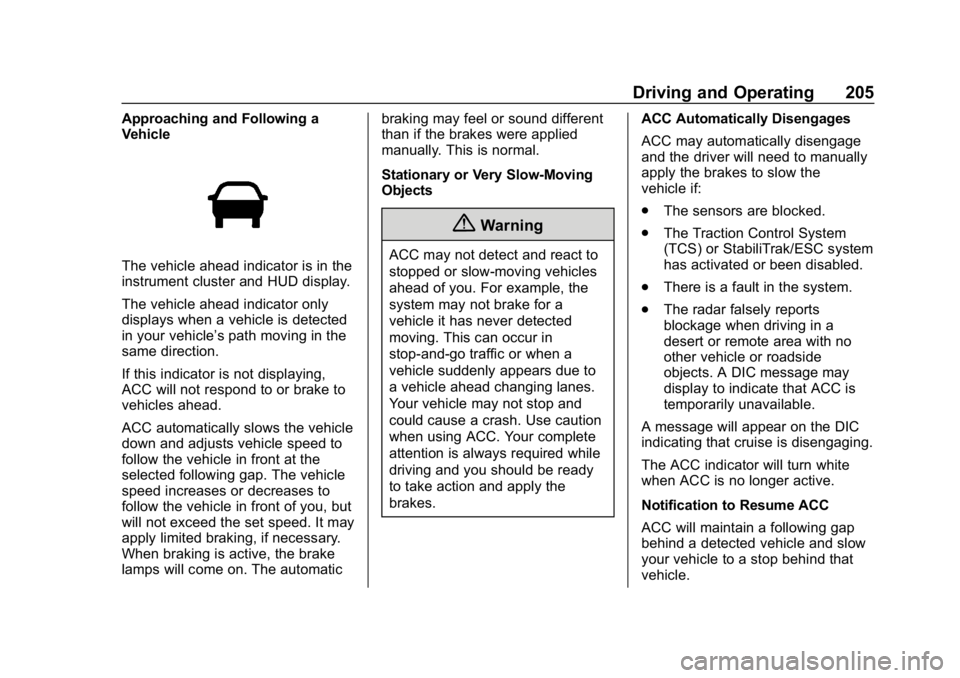
The vehicle ahead indicator is in the
instrument cluster and HUD display.
The vehicle ahead indicator only
displays when a vehicle is detected
in your vehicle’s path moving in the
same direction.
If this indicator is not displaying,
ACC will not respond to or brake to
vehicles ahead.
ACC automatically slows the vehicle
down and adjusts vehicle speed to
follow the vehicle in front at the
selected following gap. The vehicle
speed increases or decreases to
follow the vehicle in front of you, but
will not exceed the set speed. It may
apply limited braking, if necessary.
When braking is active, the brake
lamps will come on. The automaticbraking may feel or sound different
than if the brakes were applied
manually. This is normal.
Stationary or Very Slow-Moving
Objects
{Warning
ACC may not detect and react to
stopped or slow-moving vehicles
ahead of you. For example, the
system may not brake for a
vehicle it has never detected
moving. This can occur in
stop-and-go traffic or when a
vehicle suddenly appears due to
a vehicle ahead changing lanes.
Your vehicle may not stop and
could cause a crash. Use caution
when using ACC. Your complete
attention is always required while
driving and you should be ready
to take action and apply the
brakes.
ACC Automatically Disengages
ACC may automatically disengage
and the driver will need to manually
apply the brakes to slow the
vehicle if:
.
The sensors are blocked.
. The Traction Control System
(TCS) or StabiliTrak/ESC system
has activated or been disabled.
. There is a fault in the system.
. The radar falsely reports
blockage when driving in a
desert or remote area with no
other vehicle or roadside
objects. A DIC message may
display to indicate that ACC is
temporarily unavailable.
A message will appear on the DIC
indicating that cruise is disengaging.
The ACC indicator will turn white
when ACC is no longer active.
Notification to Resume ACC
ACC will maintain a following gap
behind a detected vehicle and slow
your vehicle to a stop behind that
vehicle.
Page 207 of 374
Buick LaCrosse Owner Manual (GMNA-Localizing-U.S./Canada-12032549) -
2019 - crc - 8/20/18
206 Driving and Operating
If the stopped vehicle ahead has
driven away and ACC has not
resumed, the vehicle ahead
indicator will flash as a reminder to
check traffic ahead before
proceeding. In addition, the left and
right sides of the Safety Alert Seat
will pulse three times, or three
beeps will sound. See”Alert Type”
and “Adaptive Cruise Go Notifier” in
“Collision/Detection Systems” under
Vehicle Personalization 0138.
When the vehicle ahead drives
away, press RES+ or the
accelerator pedal to resume cruise
control. If stopped for more than
two minutes or if the driver door is
opened and the driver seat belt is
unbuckled, ACC automatically
applies the Electric Parking Brake
(EPB) to hold the vehicle. The
Electric Parking Brake status light
will turn on. See Electric Parking
Brake 0193. To release the EPB,
press the accelerator pedal.
A DIC warning message may
display indicating to shift to P (Park)
before exiting the vehicle.{Warning
If ACC has stopped the vehicle,
and if ACC is disengaged, turned
off, or canceled, the vehicle will
no longer be held at a stop. The
vehicle can move. When ACC is
holding the vehicle at a stop,
always be prepared to manually
apply the brakes.
{Warning
Leaving the vehicle without
placing it in P (Park) can be
dangerous. Do not leave the
vehicle while it is being held at a
stop by ACC. Always place the
vehicle in P (Park) and turn off
the ignition before leaving the
vehicle.
ACC Override
If using the accelerator pedal while
ACC is active, a DIC warning
message will indicate that automatic braking will not occur. ACC will
resume operation when the
accelerator pedal is not being
pressed.
{Warning
The ACC will not automatically
apply the brakes if your foot is
resting on the accelerator pedal.
You could crash into a vehicle
ahead of you.
Curves in the Road
{Warning
On curves, ACC may not detect a
vehicle ahead in your lane. You
could be startled if the vehicle
accelerates up to the set speed,
especially when following a
vehicle exiting or entering exit
ramps. You could lose control of
the vehicle or crash. Do not use
ACC while driving on an entrance
or exit ramp. Always be ready to
use the brakes if necessary.
Page 213 of 374
Buick LaCrosse Owner Manual (GMNA-Localizing-U.S./Canada-12032549) -
2019 - crc - 8/20/18
212 Driving and Operating
Rear Cross Traffic Alert (RCTA)
If equipped, when the vehicle is
shifted into R (Reverse), RCTA
displays a red warning triangle with
a left or right pointing arrow on the
infotainment display to warn of
traffic coming from the left or right.
This system detects objects coming
from up to 20 m (65 ft) from the left
or right side of the vehicle. When an
object is detected, either three
beeps sound from the left or right,
or three Safety Alert Seat pulses
occur on the left or right side,
depending on the direction of the
detected vehicle.
Turning the Features On or Off
Use theXbutton on the center
stack to turn on or off the Front and
Rear Park Assist and the Rear
Cross Traffic Alert (RCTA). The
indicator light in the button comes
on when the features are on and
turns off when the features have
been disabled. RCTA can also be turned off
through vehicle personalization. See
“Collision/Detection Systems”
under
Vehicle Personalization 0138.
Automatic Parking
Assist (APA)
If equipped, APA searches for and
steers the vehicle into parallel and
perpendicular parking spots. When
using APA, you must still shift gears,
and control the brakes and
accelerator. The Driver Information
Center (DIC) and audible beeps
help to guide parking maneuvers.
{Warning
APA does not apply the brakes.
APA may not detect objects in the
parking space, objects that are
soft or narrow, objects high off the
ground such as flatbed trucks,
or objects below ground level
such as large potholes. Always
verify that the parking space is
appropriate for parking a vehicle.
APA does not respond to changes
(Continued)
Warning (Continued)
in the parking space, such as
movement of an adjacent vehicle,
or a person or object entering the
parking space. APA does not
detect or avoid traffic that is
behind or alongside of the
vehicle. Always be prepared to
stop the vehicle during the
parking maneuver.
Press
Oon the center stack to
enable the system to search for a
parking space that is large enough
and within 1.5 m (5 ft) of the vehicle.
The vehicle speed must be below
30 km/h (18 mph).
The system cannot:
. Detect whether it is a legal
parking space.
. Park exactly lined up with the
vehicle next to it if the spot is
approached at an angle or if the
parking space is angled.
Page 214 of 374
Buick LaCrosse Owner Manual (GMNA-Localizing-U.S./Canada-12032549) -
2019 - crc - 8/20/18
Driving and Operating 213
.Park exactly centered in a spot
that is marked too large.
. Always detect short curbs.
When enabled, APA searches for
parallel parking spaces to the right
of the vehicle. To search for a
parking space to the left, turn on the
left turn signal or, if available,
change the side selection in the
infotainment display. To switch the
parking mode between parallel and
perpendicular, press and hold
O
during the search process or,
if available, change the parking
mode in the infotainment display.
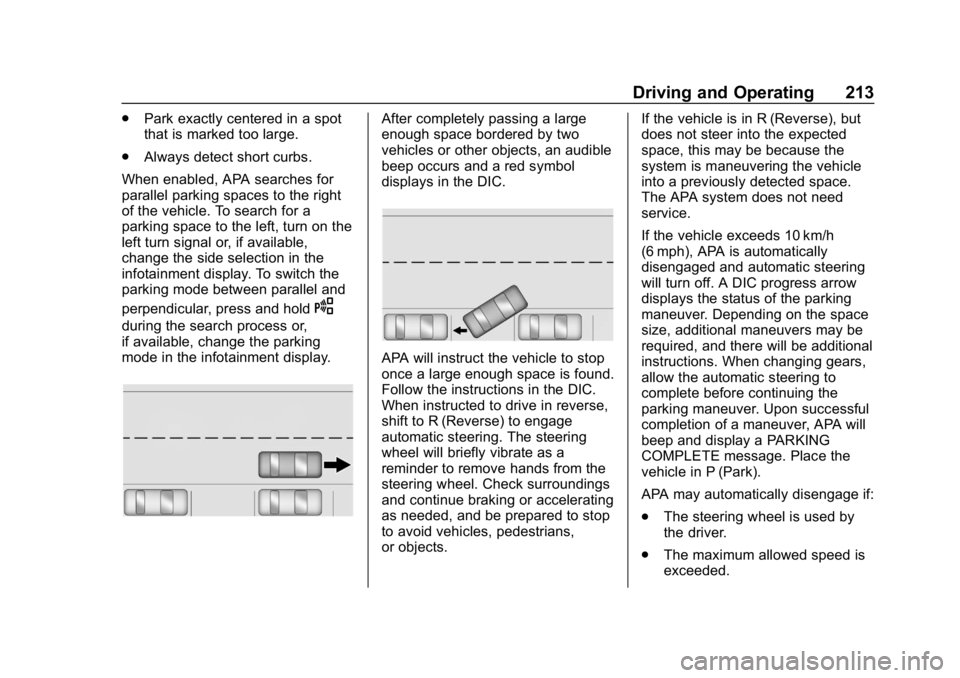
After completely passing a large
enough space bordered by two
vehicles or other objects, an audible
beep occurs and a red symbol
displays in the DIC.
APA will instruct the vehicle to stop
once a large enough space is found.
Follow the instructions in the DIC.
When instructed to drive in reverse,
shift to R (Reverse) to engage
automatic steering. The steering
wheel will briefly vibrate as a
reminder to remove hands from the
steering wheel. Check surroundings
and continue braking or accelerating
as needed, and be prepared to stop
to avoid vehicles, pedestrians,
or objects. If the vehicle is in R (Reverse), but
does not steer into the expected
space, this may be because the
system is maneuvering the vehicle
into a previously detected space.
The APA system does not need
service.
If the vehicle exceeds 10 km/h
(6 mph), APA is automatically
disengaged and automatic steering
will turn off. A DIC progress arrow
displays the status of the parking
maneuver. Depending on the space
size, additional maneuvers may be
required, and there will be additional
instructions. When changing gears,
allow the automatic steering to
complete before continuing the
parking maneuver. Upon successful
completion of a maneuver, APA will
beep and display a PARKING
COMPLETE message. Place the
vehicle in P (Park).
APA may automatically disengage if:
.
The steering wheel is used by
the driver.
. The maximum allowed speed is
exceeded.