radio BUICK LESABRE 1993 Owners Manual
[x] Cancel search | Manufacturer: BUICK, Model Year: 1993, Model line: LESABRE, Model: BUICK LESABRE 1993Pages: 324, PDF Size: 17.02 MB
Page 14 of 324
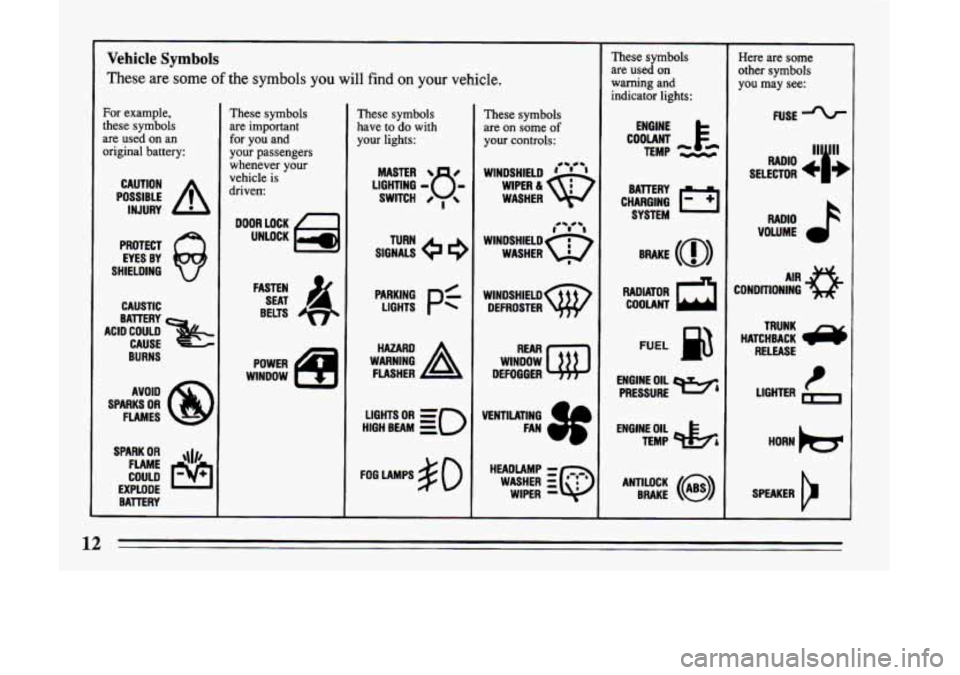
Vehicle Symbols
These
are some of the symbols you will find on your vehicle.
For example,
these symbols
are used on an
original battery:
POSSIBLE A
CAUTION
INJURY
PROTECT EYES BY
SHIELDING
Q
CAUSTIC
BURNS AVOID
SPARKS
OR
FLAMES
SPARK
OR ,\I/,
COULD FLAME
EXPLODE BATTERY
These symbols
are important
for you and
your passengers
whenever your
vehicle is
driven
DOOR LOCK
UNLOCK
FASTEN SEAT
4
BELTS
WINDOW POWER
These symbols
have
to do with
your lights:
LIGHTING - 8 -
MASTER 8
SWITCH 0 ,
SIGNALS e 9
TURN
LIGHTS
Pf
HIGH BEAM OR = =o
FOG LAMPS # 0
These symbols
are on some
of
your controls:
WINDSHIELD ' ' ' 4- e-
WASHER
wlNDsHIELDw DEFROSTER
WINDOW
DEFOGGER
HEADLAMP
- r~.c.r
WASHER :Q
WIPER -
These symbols
are used on
warning and
indicator lights:
COOLANT F*
TEMP -.--
ENGINE
CHARGING
I-1
BATTERY SYSTEM
RADIATOR
a
COOLANT
FUEL
ENGINE OIL
PRESSURE
TEMP OIL
&
ANTILOCK (@)
BRAKE
Here are some
other symbols
you
may see:
FUSE
RADIO >
VOLUME
CONDITIONING
AIR 33
HATCHBACK /y
TRUNK
RELEASE
t LIGHTER
Page 63 of 324
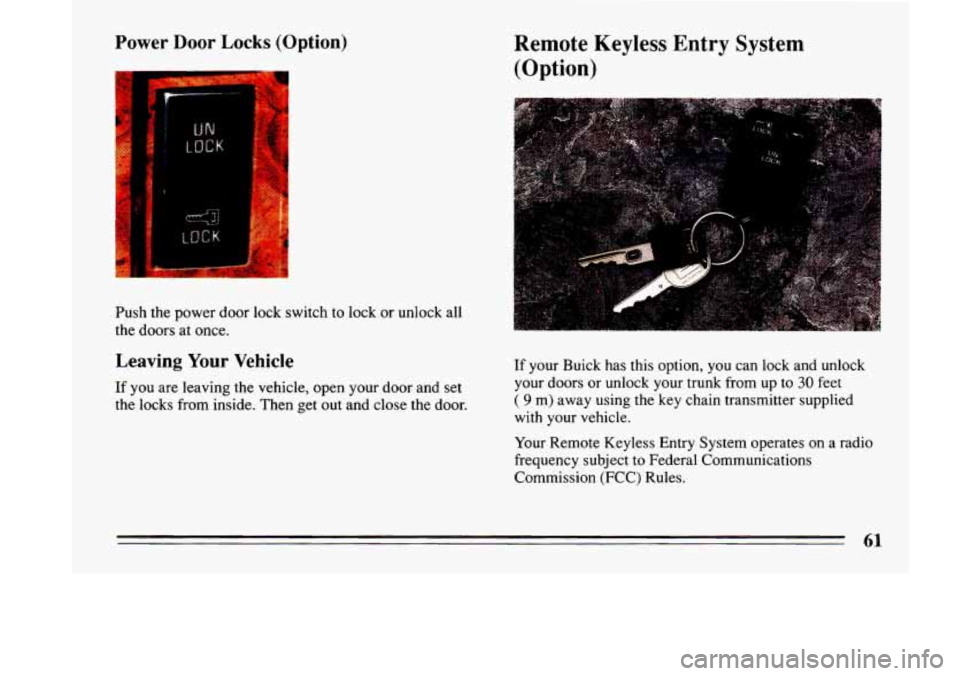
Power Door Locks (Option)
Push the power door lock switch to lock or unlock all
the doors at once.
Leaving Your Vehicle
If you are leaving the vehicle, open your door and set
the locks from inside. Then get out and close the door.
Remote Keyless Entry System
(Option)
If your Buick has this option, you can lock and unlock
your
doors or unlock your trunk from up to 30 feet
( 9 m) away using the key chain transmitter supplied
with your vehicle.
Your Remote Keyless Entry System operates on a radio
frequency subject
to Federal Communications
Commission (FCC) Rules.
61
Page 71 of 324
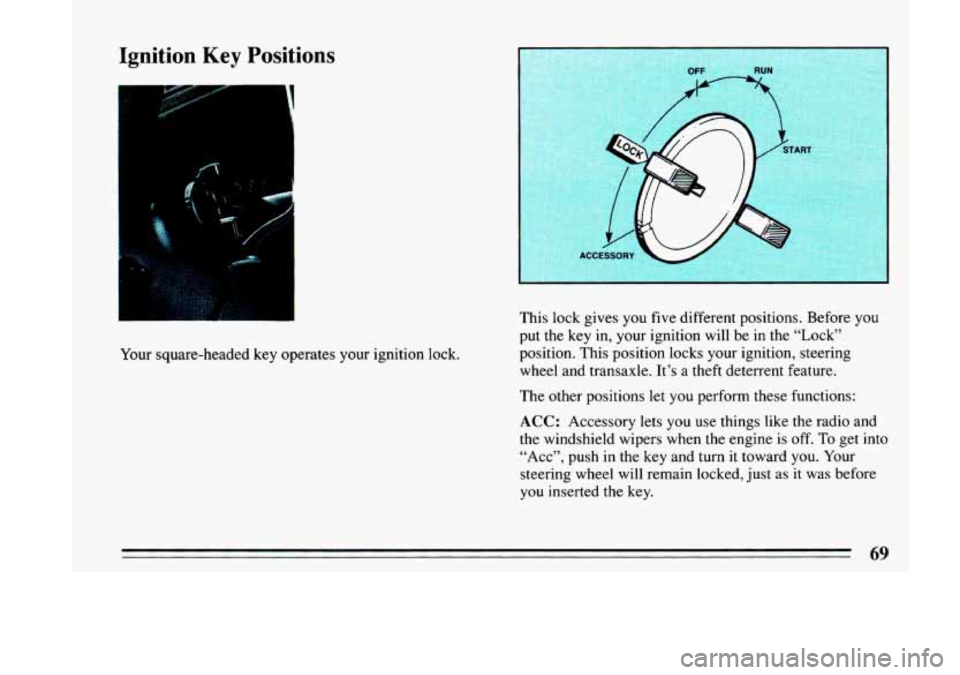
Ignition Key Positions
I
Your square-headed key operates your ignition lock. This
lock gives you five different positions. Before
you
put the key in, your ignition will be in the “Lock”
position. This position locks your ignition, steering
wheel and transaxle. It’s a theft deterrent feature.
The other positions let you perform these functions:
ACC: Accessory lets you use things like the radio and
the windshield wipers when the engine is
off. To get into
“Acc”, push in the key and turn it toward
you. Your
steering wheel will remain locked, just as it was before
you inserted the key.
69
Page 119 of 324
@ Part 3 Comfort Controls & Audio Systems
In this part you’ll find out how to operate the comfort control systems and audio systems offered with your Buick . Be
sure to read about the particular system supplied with your vehicle
.
Part 3 includes:
Comfort Control System
........................................................ 122
Heater and Defroster
....................................................... 123. 126
Airconditioner
........................................................... 119. 125
Rear Window Defogger
.................................................... 124. 127
Ventilation
................................................................... 126
Audiosystems
.................................................................... 127
Settingtheclock
................................................. 130. 132. 134. 137
RadioControls
....................................................... 129. 130. 133
TapePlayerControls
................................................... 132. 134. 136
CDPlayerControls
............................................................ 138
Understanding Radio Reception .................................................. 127
CareofCompactDiscs
......................................................... 142
Antennacare
................................................................ 142
Care
of Cassette
Tape Player & Tapes ............................................. 141
117
-
Page 130 of 324
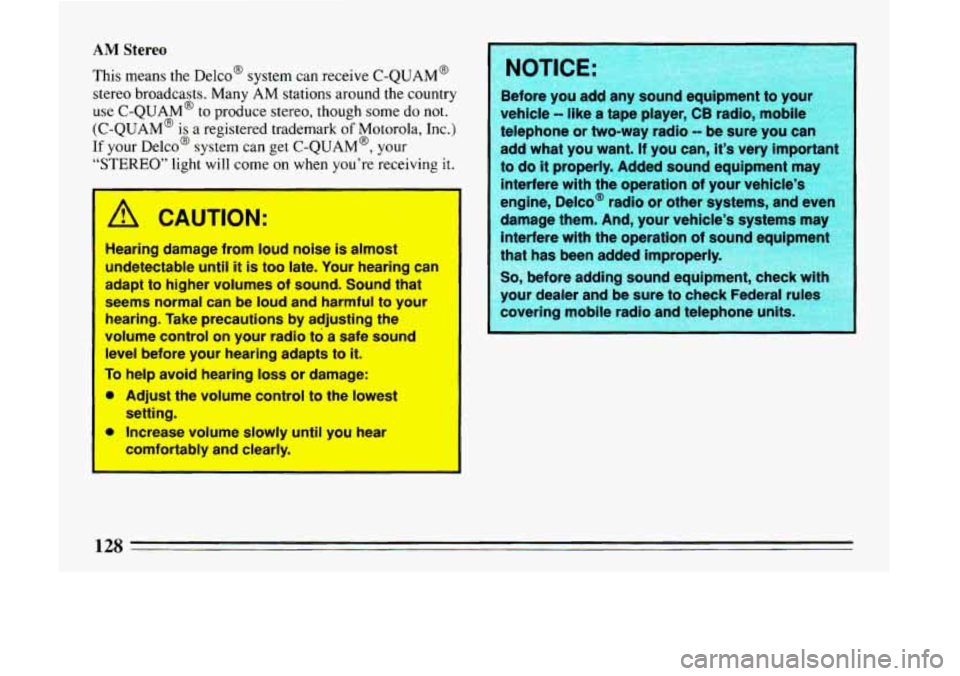
AM Stereo
This means the Delco@ system can receive C-QUAM@
stereo broadcasts. Many
AM stations around the country
use C-QUAM@ to produce stereo, though some
do not.
(C-QUAM@ is
a registered trademark of Motorola, Inc.)
If your D~ICO@ system can get C-QUAM@, your
“STEREO” light will come on when you’re receiving it.
I
I
A CAUTION:
Hearing damage from loud noise is almost I
undetectable until it is too late. Your hearing can I
adapt to higher volumes of sound. Sound that
Seems normal
can be loud and harmful to your
hearing. Take pibutions by adjusting the
volume control on your radio ‘to a safe sound
level before your hearing adapts to it.
To help avoid hearing loss or damage:
m Adjust the volume control to the lowest
a Increase volume slowly until you hear
setting.
comfortably and cle; f.
Before
you add any sound equipment to you
vehicle
-- like a tape player, CB radio, mobile
telephone or two-way radio
-- be sure you car
add what you want.
If you can, it’s very important
to
do it properly. Added sound equipment may
interfere with the operation
of your vehicle’s
engine, Delco@ radio or other systems, and eve1
damage them. And, your vehicle’s systems may interfere with the operation of sound e
ui ment
that has been added improperly.
So, before adding sound equip
your dealer and be sure
to check Federal r
covering mobile radio and telephone units
12s
Page 131 of 324
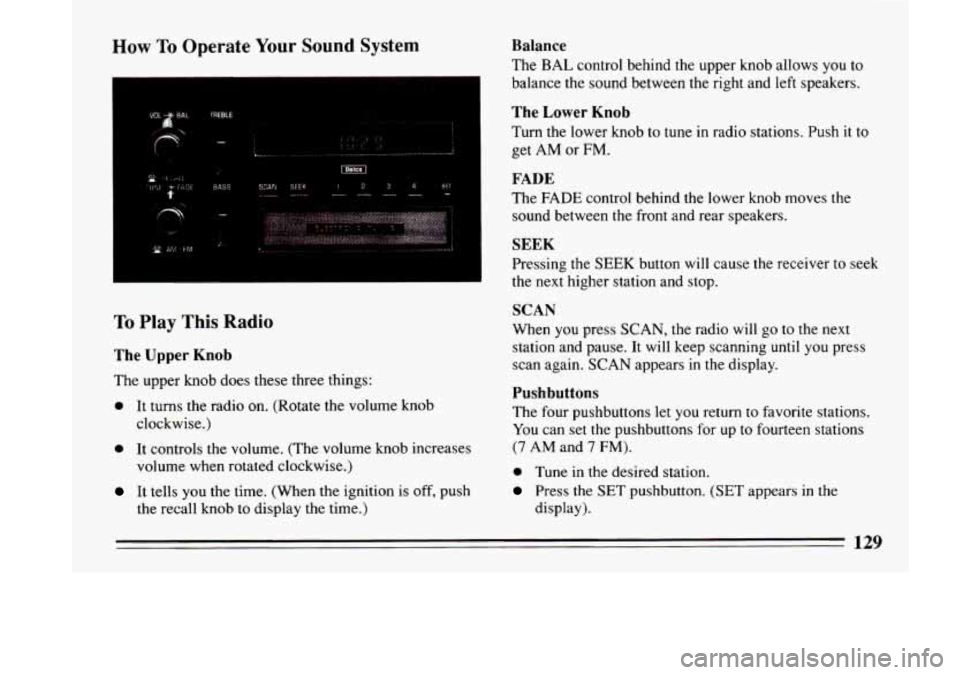
How To Operate Your Sound System
SCAN SEEK i234 SEI ---- _--- -
,.
I
To Play This Radio
The Upper Knob
The upper knob does these three things:
0 It turns the radio on. (Rotate the volume knob
clockwise.)
0 It controls the volume. (The volume knob increases
volume when rotated clockwise.)
It tells you the time, (When the ignition is off, push
the recall knob to display
the time.)
Balance
The BAL control behind the upper knob allows you to
balance the sound between the right and left speakers.
The Lower Knob
Turn the lower knob to tune in radio stations. Push it to
get AM or FM.
FADE
The FADE control behind the lower knob moves the
sound between
the front and rear speakers.
SEEK
Pressing the SEEK button will cause the receiver to seek
the next higher station and stop.
SCAN
When you press SCAN, the radio will go to the next
station and pause. It will keep scanning
until you press
scan again. SCAN appears
in the display.
Pushbuttons
The four pushbuttons let you return to favorite stations.
You can set the pushbuttons for up to fourteen stations
(7 AM and 7 FM).
0 Tune in the desired station.
Press the SET pushbutton. (SET appears in the
display).
129
Page 132 of 324
0 Within 5 seconds, push one of the four pushbuttons
to store
the station.
Whenever
you press that button, the preset station will
return. In addition to the 4 stations set as above, up to
three additional stations may be preset
on each band by
pressing two adjoining buttons at the same time.
Tune in the desired station.
Press SET pushbutton. (SET appears in the display).
Within 5 seconds, press any two adjoining
pushbuttons at the same time. The station will return
when the same two buttons are pressed again.
To set the clock,
Press the SET pushbutton.
Within 5 seconds, press and hold SEEK until the
correct minute appears on the display.
Press and hold SCAN until the correct hour appears
on the display.
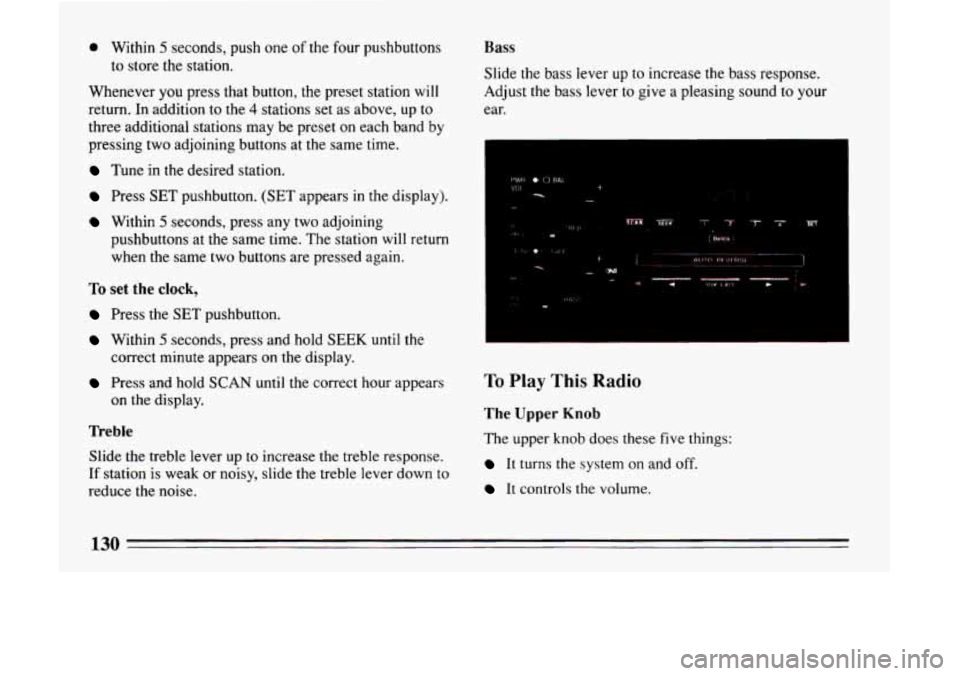
Treble
Slide the treble lever up to increase the treble response.
If station is weak or noisy, slide
the treble lever down to
reduce the noise.
Bass
Slide the bass lever up to increase the bass response.
Adjust the bass lever to give a pleasing sound to your
ear.
To Play This Radio
The Upper Knob
The upper knob does these five things:
It turns the system on and off.
It controls the volume.
130
Page 133 of 324
0 It tells you the time. (When the ignition is off, push
It allows you to hear the other side of a tape. (Press
the knob
to display the
time.)
the knob while a cassette is playing.)
When a radio is playing with the time displayed, the
radio station frequency will display if
you push the
knob.
Balance
The control behind the upper knob allows you to
balance the sound between the right and left speakers.
The Lower Knob
Turn the lower knob to tune radio stations. Push it to get
AM or
FM.
FADE
The control behind the lower knob moves the sound
between your front and rear speakers.
SEEK
Pressing the SEEK button will cause the receiver to seek
the next higher station and stop.
SCAN
When you press SCAN, the radio will go to the next
station and pause and keep doing that until you press
SCAN again. SCAN appears in the display.
Pushbuttons
The four pushbuttons let you return to favorite stations.
You can set the pushbuttons for up to fourteen stations
(7 AM and 7 FM).
0 Tune in the station you want to listen to.
0 Press the SET pushbutton. (The display will show
SET for about
5 seconds.)
0 Within 5 seconds, push one of the four pushbuttons.
Whenever you press that button, the preset station will
return.
Up
to three more stations may be preset on each band by
pressing two pushbuttons that are
next to each other at
the same time.
0 Tune in the desired station.
Press SET pushbutton.
0 Within 5 seconds, press any two pushbuttons that are
next to each other. (The station will return when the
same two pushbuttons are pressed again.)
131
Page 134 of 324
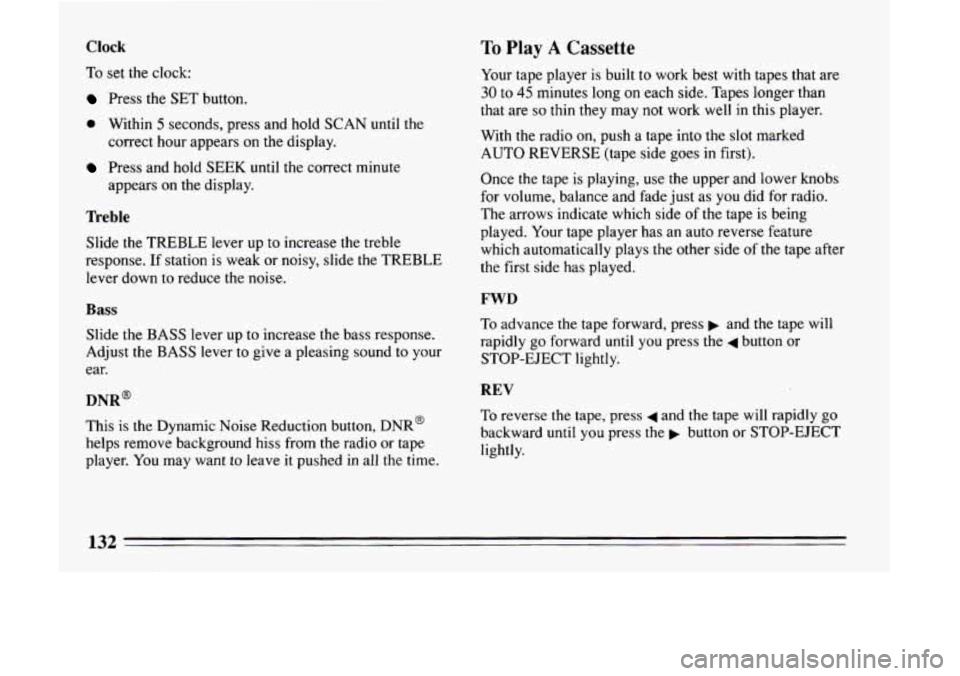
Clock
To set the clock:
Press the SET button.
0 Within 5 seconds, press and hold SCAN until the
correct hour appears on the display.
Press and hold SEEK until the correct minute
appears on the display.
Treble
Slide the TREBLE lever up to increase the treble
response. If station is weak or noisy, slide the TREBLE
lever down
to reduce the noise.
Bass
Slide the BASS lever up to increase the bass response.
Adjust the BASS lever to give a pleasing sound to your
ear.
DNR~
This is the Dynamic Noise Reduction button, DNR@
helps remove background hiss from the radio or tape
player. You may want to leave
it pushed in all the time.
To Play A Cassette
Your tape player is built to work best with tapes that are
30 to 45 minutes long on each side. Tapes longer than
that are
so thin they may not work well in this player.
With the radio on, push
a tape into the slot marked
AUTO REVERSE (tape side goes in first).
Once
the tape is playing, use the upper and lower knobs
for volume, balance and fade just as you did for radio.
The arrows indicate which side
of the tape is being
played. Your tape player has an auto reverse feature
which automatically plays the other side
of the tape after
the first side has played.
FWD
To advance the tape forward, press b and the tape will
rapidly go forward until you press
the 4 button or
STOP-EJECT lightly.
REV
To reverse the tape, press 4 and the tape will rapidly go
backward until you press the p button or STOP-EJECT
lightly.
132
Page 135 of 324
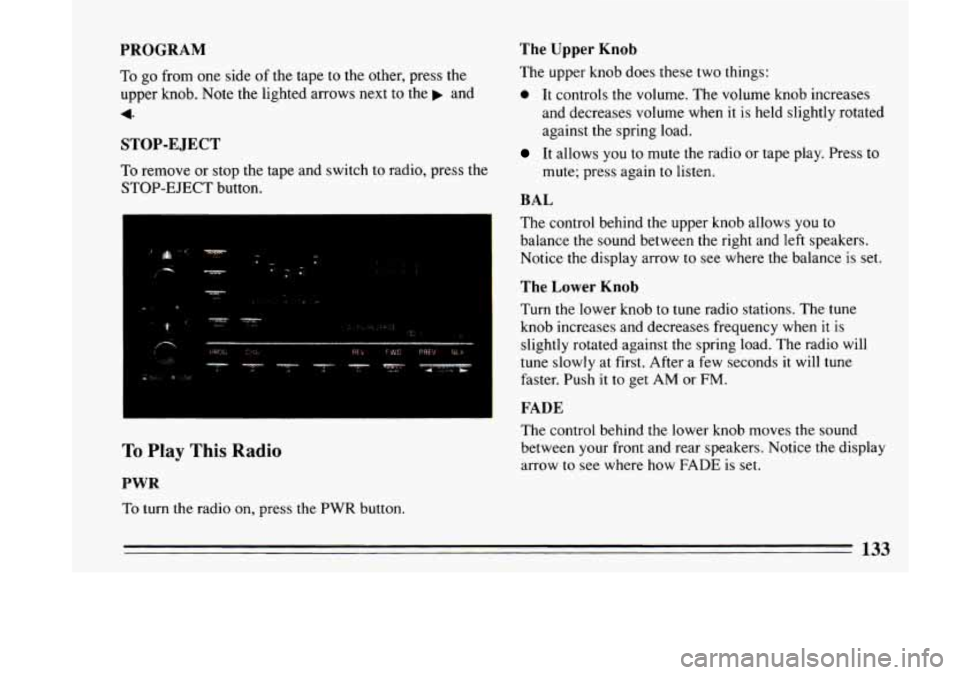
The Upper Knob
The upper knob does these two things:
0 It controls the volume. The volume knob increases
and decreases volume when it
is held slightly rotated
against the spring load.
PROGRAM
To go from one side of the tape to the other, press the
upper knob. Note the lighted arrows next to the and
4
STOP-E JECT
To remove or stop the tape and switch to radio, press the
STOP-EJECT button.
To Play This Radio
PWR
To turn the radio on, press the PWR button.
It allows you to mute the radio or tape play. Press to
mute; press again to listen.
BAL
The control behind the upper knob allows you to
balance the sound between the right and left speakers.
Notice the display arrow
to see where the balance is set.
The Lower Knob
Turn the lower knob to tune radio stations. The tune
knob increases and decreases frequency when it is
slightly rotated against the spring load. The radio will
tune slowly at first. After a
few seconds it will tune
faster. Push it
to get AM or FM.
FADE
The control behind the lower knob moves the sound
between your front and rear speakers. Notice the display
arrow to see where how FADE
is set.
133