instrument BUICK LESABRE 2004 Owner's Guide
[x] Cancel search | Manufacturer: BUICK, Model Year: 2004, Model line: LESABRE, Model: BUICK LESABRE 2004Pages: 392, PDF Size: 4.3 MB
Page 126 of 392
Twilight Sentinel®
Twilight Sentinel®turns your headlamps on and off by
sensing how dark it is outside.
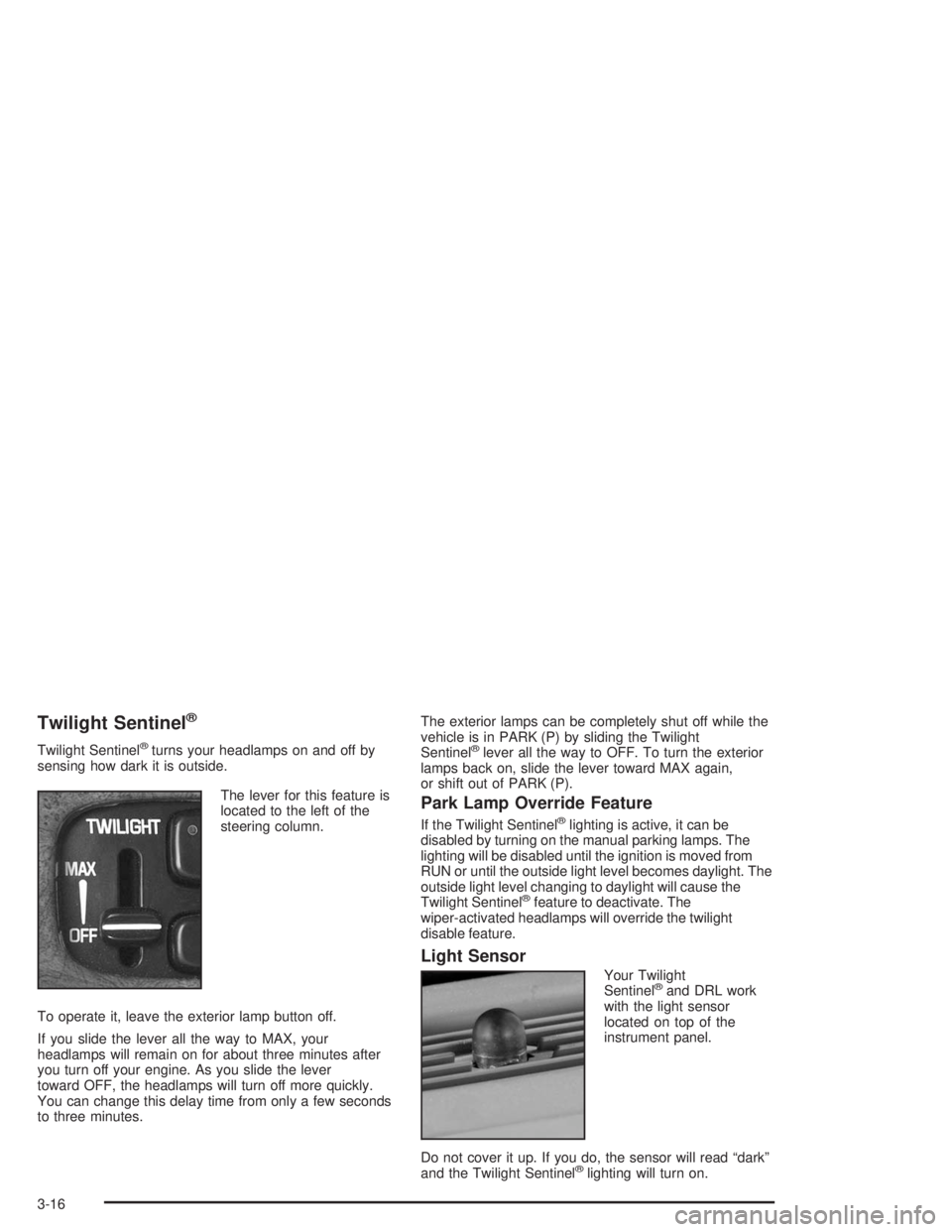
The lever for this feature is
located to the left of the
steering column.
To operate it, leave the exterior lamp button off.
If you slide the lever all the way to MAX, your
headlamps will remain on for about three minutes after
you turn off your engine. As you slide the lever
toward OFF, the headlamps will turn off more quickly.
You can change this delay time from only a few seconds
to three minutes.The exterior lamps can be completely shut off while the
vehicle is in PARK (P) by sliding the Twilight
Sentinel®lever all the way to OFF. To turn the exterior
lamps back on, slide the lever toward MAX again,
or shift out of PARK (P).
Park Lamp Override Feature
If the Twilight Sentinel®lighting is active, it can be
disabled by turning on the manual parking lamps. The
lighting will be disabled until the ignition is moved from
RUN or until the outside light level becomes daylight. The
outside light level changing to daylight will cause the
Twilight Sentinel
®feature to deactivate. The
wiper-activated headlamps will override the twilight
disable feature.
Light Sensor
Your Twilight
Sentinel®and DRL work
with the light sensor
located on top of the
instrument panel.
Do not cover it up. If you do, the sensor will read “dark”
and the Twilight Sentinel
®lighting will turn on.
3-16
Page 127 of 392
Exterior Lighting Battery Saver
If the exterior lamp button has been left on, the exterior
lamps will turn off about 10 minutes after the ignition
is turned to LOCK and a door has been opened.
This protects against draining the battery in case you
have accidentally left the headlamps or parking
lamps on. If you need to leave the lamps on for more
than 10 minutes, use the manual control to turn the
lamps back on after the ignition is turned to LOCK and
any door is opened. To delay the lamps from turning
off, see “Twilight Sentinel
®” underExterior Lamps
on page 3-14.
Interior Lamps
Instrument Panel Brightness
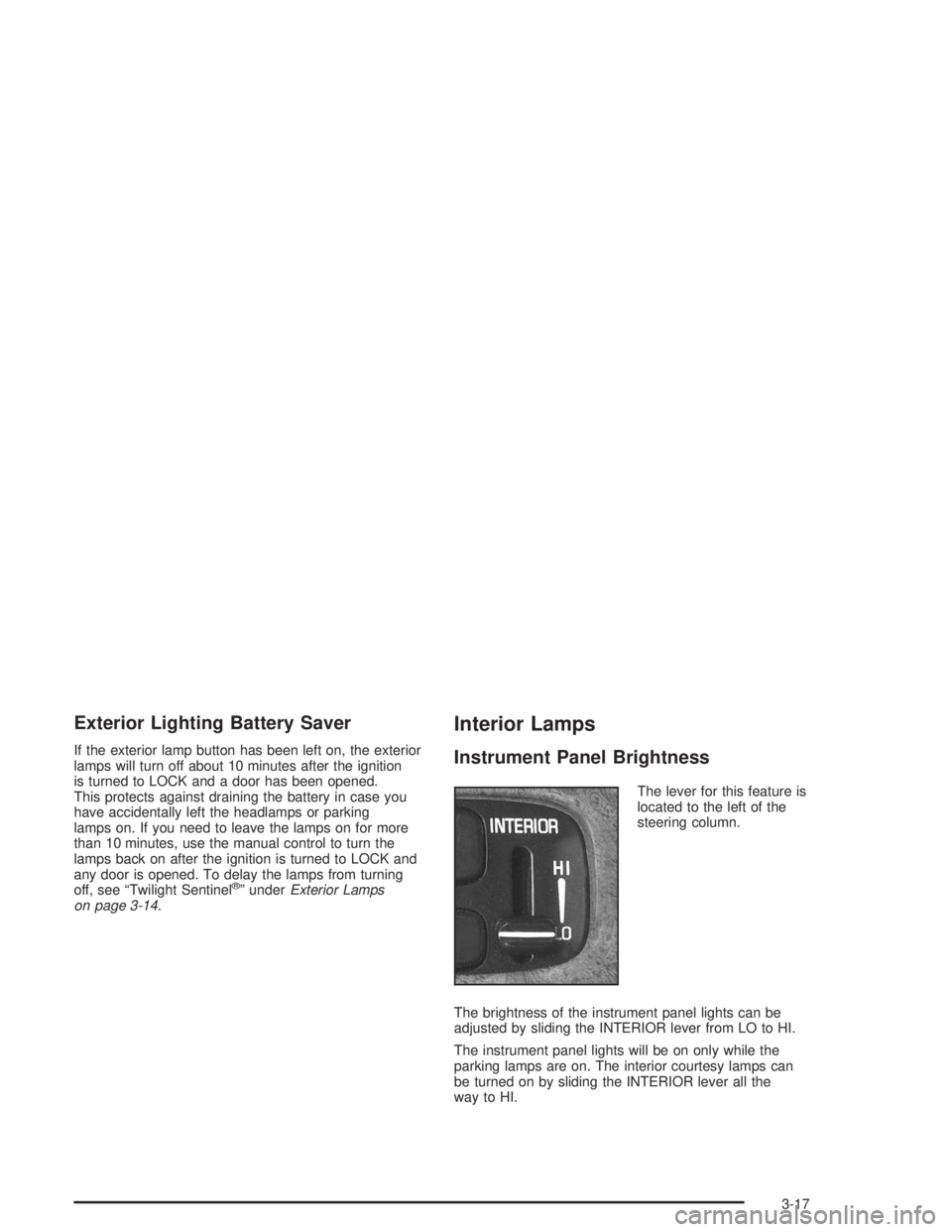
The lever for this feature is
located to the left of the
steering column.
The brightness of the instrument panel lights can be
adjusted by sliding the INTERIOR lever from LO to HI.
The instrument panel lights will be on only while the
parking lamps are on. The interior courtesy lamps can
be turned on by sliding the INTERIOR lever all the
way to HI.
3-17
Page 130 of 392
Battery Load Management
The battery load management feature is designed to
monitor the vehicle’s electrical load and determine when
the battery is in a heavy discharge condition. During
times of high electrical loading, the engine may idle at a
higher RPM setting than normal to make sure the
battery charges. High electrical loads may occur when
several of the following are on: headlamps, high beams,
rear window defogger, fan at high speed, heated
seats (if equipped) and engine cooling fans.
If your vehicle’s battery remains in a heavy discharge
condition for a long period of time, the fan, rear
defogger, heated seats and heated mirrors will be
disabled and the DIC will display BATTERY SAVER
ACTIVE. This can happen either under long periods of
idling or low speed driving with high electrical loading,
or in the event of a charging system fault.
Head-Up Display (HUD)
{CAUTION:
If the HUD image is too bright, or too high in
your eld of view, it may take you more time to
see things you need to see when it is dark
outside. Be sure to keep the HUD image dim
and placed low in your eld of view.
If your vehicle is equipped with the Head-Up
Display (HUD), you can see some of the driver
information that appears on your instrument panel
cluster.
The information may be displayed in English or metric
units and appears as a reection in the windshield.
The HUD consists of the following information:
Speedometer Reading
Turn Signal Indicators
High-Beam Headlamp Indicator
Check Gages Message
3-20
Page 131 of 392
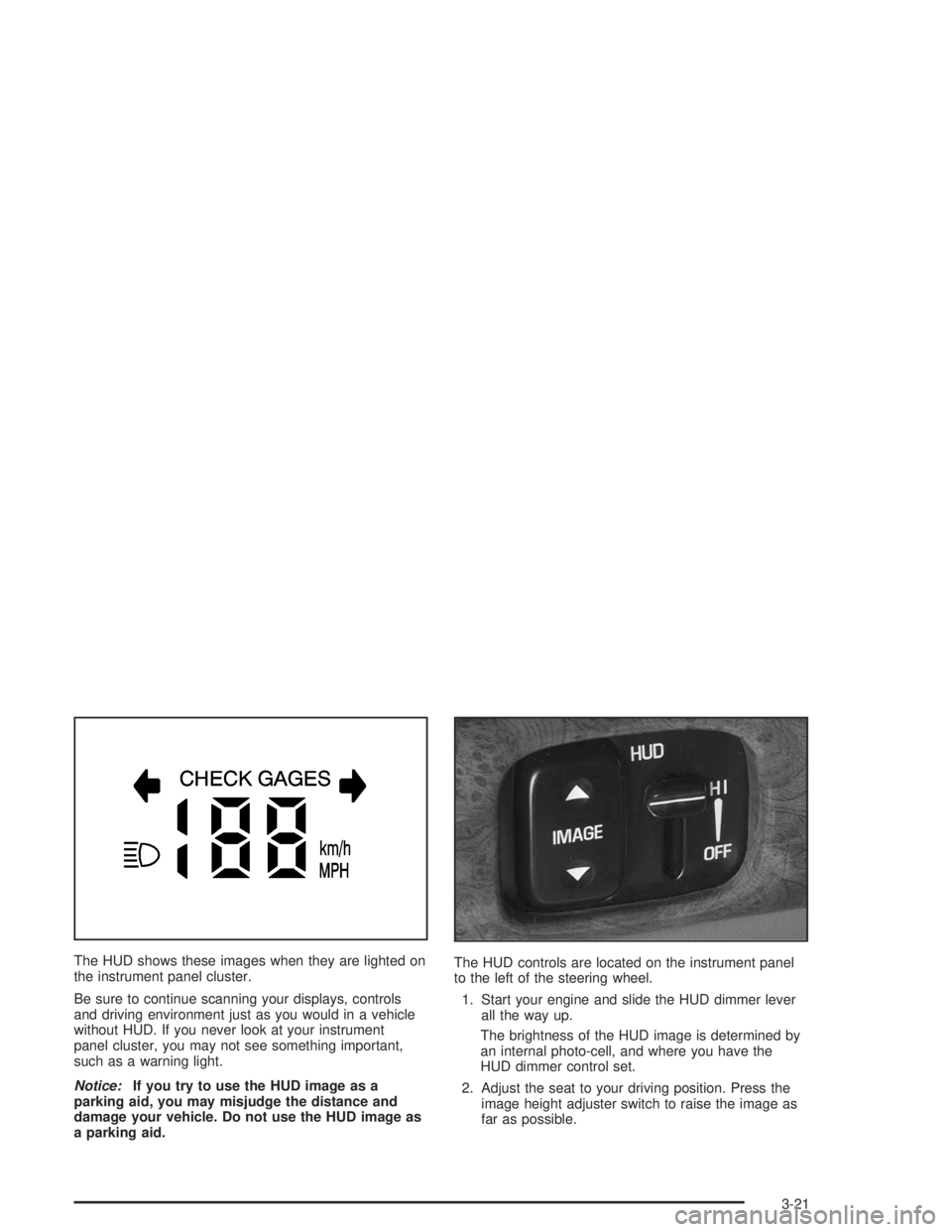
The HUD shows these images when they are lighted on
the instrument panel cluster.
Be sure to continue scanning your displays, controls
and driving environment just as you would in a vehicle
without HUD. If you never look at your instrument
panel cluster, you may not see something important,
such as a warning light.
Notice:If you try to use the HUD image as a
parking aid, you may misjudge the distance and
damage your vehicle. Do not use the HUD image as
a parking aid.The HUD controls are located on the instrument panel
to the left of the steering wheel.
1. Start your engine and slide the HUD dimmer lever
all the way up.
The brightness of the HUD image is determined by
an internal photo-cell, and where you have the
HUD dimmer control set.
2. Adjust the seat to your driving position. Press the
image height adjuster switch to raise the image as
far as possible.
3-21
Page 134 of 392
Climate Controls
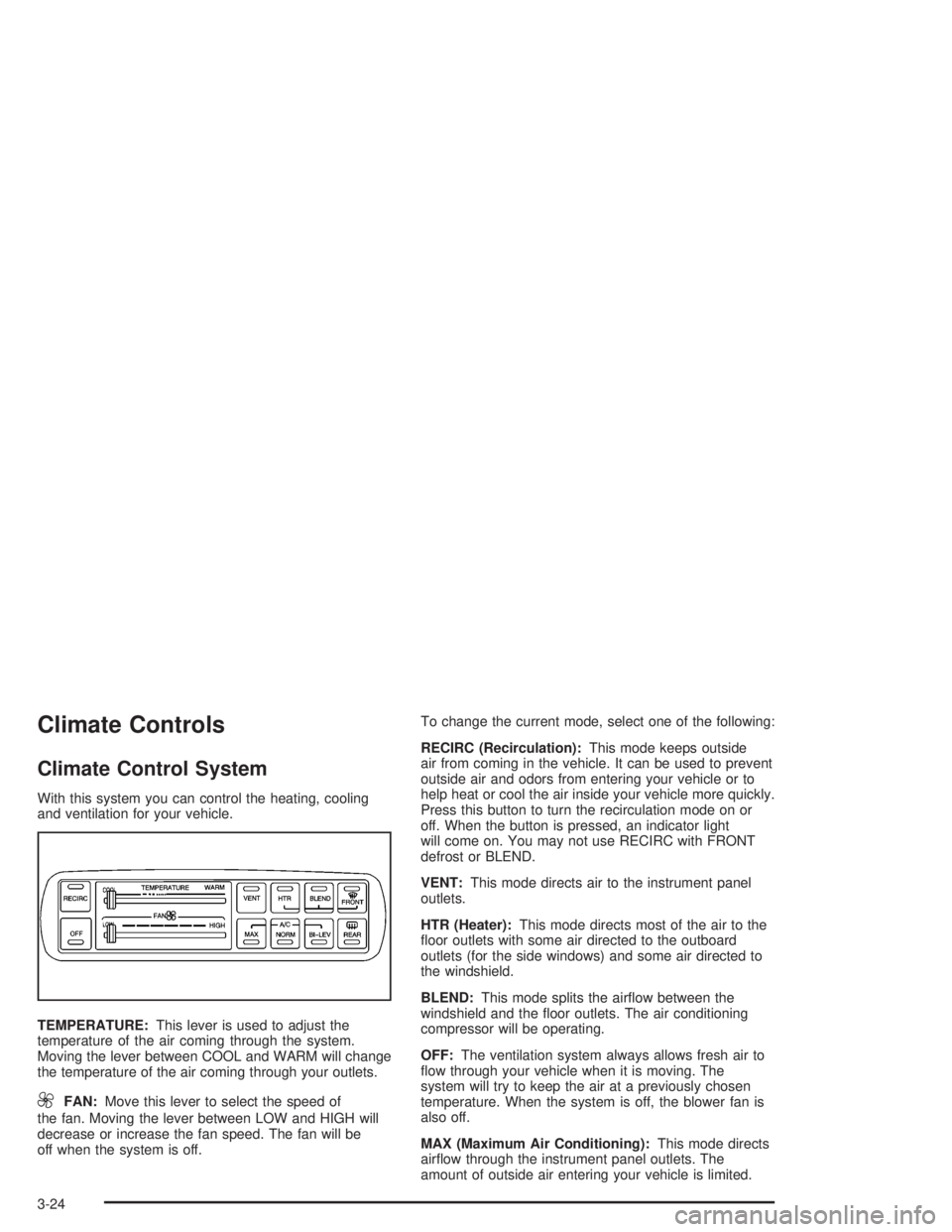
Climate Control System
With this system you can control the heating, cooling
and ventilation for your vehicle.
TEMPERATURE:This lever is used to adjust the
temperature of the air coming through the system.
Moving the lever between COOL and WARM will change
the temperature of the air coming through your outlets.
9FAN:Move this lever to select the speed of
the fan. Moving the lever between LOW and HIGH will
decrease or increase the fan speed. The fan will be
off when the system is off.To change the current mode, select one of the following:
RECIRC (Recirculation):This mode keeps outside
air from coming in the vehicle. It can be used to prevent
outside air and odors from entering your vehicle or to
help heat or cool the air inside your vehicle more quickly.
Press this button to turn the recirculation mode on or
off. When the button is pressed, an indicator light
will come on. You may not use RECIRC with FRONT
defrost or BLEND.
VENT:This mode directs air to the instrument panel
outlets.
HTR (Heater):This mode directs most of the air to the
oor outlets with some air directed to the outboard
outlets (for the side windows) and some air directed to
the windshield.
BLEND:This mode splits the airow between the
windshield and the oor outlets. The air conditioning
compressor will be operating.
OFF:The ventilation system always allows fresh air to
ow through your vehicle when it is moving. The
system will try to keep the air at a previously chosen
temperature. When the system is off, the blower fan is
also off.
MAX (Maximum Air Conditioning):This mode directs
airow through the instrument panel outlets. The
amount of outside air entering your vehicle is limited.
3-24
Page 135 of 392
Also in this mode, the RECIRC function is activated to
create the maximum cooling effect in the vehicle. If
RECIRC was activated before selecting MAX, the light
in the RECIRC button will go off. If RECIRC is
selected after MAX, the light in the RECIRC button will
not come on.
NORM (Normal Air Conditioning):This mode cools
the outside air entering your vehicle and directs it
through the instrument panel outlets.
BI-LEV (Bi-Level Air Conditioning):This mode directs
about half of the air to the instrument panel outlets,
and then directs most of the remaining air to the oor
outlets. Some air may be directed toward the windshield.
Cooler air is directed to the upper outlets and warmer
air to the oor outlets. The air conditioning compressor is
on in this mode.
On hot days, open the windows to let hot inside air
escape; then close them. This helps to reduce the time
it takes for your vehicle to cool down. It also helps
the system to operate more efficiently.
For quick cool down on hot days, do the following:
1. Select the vent mode.
2. Select the recirculation mode.
3. Select MAX.
4. Select the coolest temperature.
5. Select the highest fan speed.Using these settings together for long periods of time
may cause the air inside of your vehicle to become too
dry. To prevent this from happening, after the air in
your vehicle has cooled, turn the recirculation mode off.
The air conditioning system removes moisture from
the air, so you may sometimes notice a small amount of
water dripping underneath your vehicle while idling or
after turning off the engine. This is normal.
Sensors
The solar sensor on your vehicle monitors the solar
radiation and the air inside of your vehicle, then uses the
information to maintain the selected temperature by
initiating needed adjustments to the temperature, the fan
speed and the air delivery system. The system may
also supply cooler air to the side of the vehicle facing the
sun. The recirculation mode will also be activated, as
necessary. Do not cover the solar sensor located in the
center of the instrument panel, near the windshield,
or the system will not work properly.
Defogging and Defrosting
Fog on the inside of windows is a result of high humidity
(moisture) condensing on the cool window glass. This
can be minimized if the climate control system is
used properly. This mode allows you to clear fog or
frost from your windshield.
3-25
Page 137 of 392
Automatic Operation
AUTO (Automatic):Press the AUTO button for
automatic control of the inside temperature, the air
delivery mode and the fan speed.
1. Press the AUTO button.
2. Adjust the temperature to 75° F (24° C).
Choosing the coldest or warmest temperature
setting will not cause the system to heat or cool any
faster. If you set the system at the warmest
temperature setting, the system will remain in
manual mode at that temperature and it will not go
into automatic mode.
In cold weather, the system will start at reduced fan
speeds to avoid blowing cold air into your vehicle
until warmer air is available. The system will
start out blowing air at the oor but may change
modes automatically as the vehicle warms up
to maintain the chosen temperature setting. The
length of time needed for warm up will depend on
the outside temperature and the length of time
that has elapsed since your vehicle was last driven.
3. Wait for the system to regulate. This may take from
10 to 30 minutes. Then adjust the temperature, if
necessary.
Do not cover the solar sensor located in the center of
the instrument panel, near the windshield. For more
information on the solar sensor, see “Sensors” later in
this section.
Manual Operation
Pressing the FAN or AIR FLOW buttons cancels
automatic operation and places the system in manual
mode. Press the AUTO button to return to automatic
operation.
TEMP (Temperature):To manually adjust the
temperature inside the vehicle, push the TEMP arrow.
Push the TEMP up arrow for warmer temperature
settings and the TEMP down arrow for cooler
temperature settings. The setting will be shown on the
display. The display will return to the outside
temperature after a few seconds.
9FAN:Pressing the FAN button will display and hold
the current fan speed while in manual mode. If you
want the fan to run at a lower speed, push the down
arrow on the FAN button. If you want to increase the fan
speed, push the up arrow on the FAN button.
AIR FLOW:Pressing the AIR FLOW button will display
and hold the current setting while in manual mode.
3-27
Page 138 of 392
Use the up and down arrows on the AIR FLOW button
to cycle through the available modes.
WINDSHIELD-FLOOR:This mode directs most of
the airow to the windshield with some airow to
the outboard outlets (for the side windows) and the
oor outlets.
MID:This mode directs airow through the
instrument panel outlets.
MID-FLOOR:This mode directs airow through both
the oor and the instrument panel outlets. There is
also a small amount of air directed to the windshield
and the outboard outlets (for the side windows).
FLOOR:This mode directs most of the airow to
the oor outlets with some directed to the outboard
outlets (for the side windows) and the windshield.
OFF:Press the OFF button once to turn off the
passenger climate control, if it has been activated.
Pressing the OFF button a second time will turn off the
main system. The outside temperature will be shown
on the display when the system is off.
VENT (Flow-Through Ventilation):Pressing the VENT
button allows outside air to ow through your vehicle
without the air conditioning compressor working. To turn
off the VENT selection, press the VENT button again.
Selecting the VENT and AUTO buttons at the same time
allows the system to control the airow automatically
without using the air conditioning compressor or
the recirculation mode.RECIRC (Recirculation):Press this button to limit the
amount of outside air coming into the vehicle. It can be
used to prevent outside air and odors from entering your
vehicle or to help heat or cool the air inside your vehicle
more quickly. Press this button to turn the recirculation
mode on or off. When the button is pressed, an indicator
light will come on. The recirculation mode cannot be used
with the FRONT defrost or VENT mode.
On hot days, open the windows to let hot air escape; then
close them. This helps to reduce the time it takes for your
vehicle to cool down. It also helps the system to operate
more efficiently.
For quick cool down on hot days, press the AUTO button
and the system will automatically enter recirculation
mode and the temperature will be at the full cold position
for maximum cooling.
Using these settings together for long periods of time may
cause the air inside of your vehicle to become too dry. To
prevent this from happening, after the air in your vehicle
has cooled, turn the recirculation mode off.
The air conditioning system removes moisture from the
air, so you may sometimes notice a small amount of
water dripping underneath your vehicle while idling or
after turning off the engine. This is normal.
3-28
Page 139 of 392
Sensors
The solar sensor on your vehicle monitors the solar
radiation and the air inside of your vehicle, then uses the
information to maintain the selected temperature by
initiating needed adjustments to the temperature, the fan
speed and the air delivery system. The system may
also supply cooler air to the side of the vehicle facing the
sun. The recirculation mode will also be activated, as
necessary. Do not cover the solar sensor located in the
center of the instrument panel, near the windshield,
or the system will not work properly.
Defogging and Defrosting
Fog on the inside of windows is a result of high humidity
(moisture) condensing on the cool window glass. This
can be minimized if the climate control system is
used properly.
1FRONT:Press the FRONT button to defrost the
windshield by directing airow toward the windshield and
outboard outlets (for the side windows). To turn off
FRONT, press the AUTO or AIR FLOW buttons.
If the AIR FLOW up button is pressed while in the
FRONT defrost mode, the system will direct the
air toward the instrument panel outlets. If the AIR FLOW
down button is pressed while in the FRONT defrost
mode, the system will direct the air toward the oor, and
the FRONT defrost mode will cancel. Do not drive the
vehicle until all the windows are clear.
Rear Window Defogger
The rear window defogger uses a warming grid to
remove fog or frost from the rear window.
=REAR:Press this button to turn the rear window
defogger on or off. Be sure to clear as much snow from
the rear window as possible.
At speeds above 35 mph (55 km/h), the defogger will
operate continuously until you press the REAR
button again. After 10 minutes of driving below 35 mph
(55 km/h), the defogger will turn off automatically. If
you need additional warming time, push the button
again. The system will then operate for ve minutes
before going off by itself.
If your vehicle has heated outside rearview mirrors, the
mirrors will heat to help clear fog or frost from the
surface of the mirror when the rear window defogger
button is pressed.
Notice:Using a razor blade or sharp object to clear
the inside rear window may damage the rear
window defogger. Repairs would not be covered by
your warranty. Do not clear the inside of the rear
window with sharp objects.
3-29
Page 143 of 392

Instrument Panel Cluster
Your instrument panel cluster is designed to let you know at a glance how your vehicle is running. You’ll know how
fast you’re going, how much fuel you’re using, and many other things you’ll need to drive safely and economically.
Your vehicle is equipped with one of these instrument panel clusters, which includes indicator warning lights
and gages that are explained on the following pages.
Standard Cluster (United States version shown, Canada similar)
3-33