trunk BUICK LUCERNE 2006 User Guide
[x] Cancel search | Manufacturer: BUICK, Model Year: 2006, Model line: LUCERNE, Model: BUICK LUCERNE 2006Pages: 416, PDF Size: 2.6 MB
Page 122 of 416
Rear Seat Armrest
Your vehicle has a rear seat armrest with cupholders.
To access, pull the tab on the armrest forward.
Convenience Net
The vehicle may have a convenience net located on the
back wall of the trunk.
The net is not for larger, heavier loads. Store those in
the trunk as far forward as possible.
Unhook the net so that it will lie at when not in use.
Sunroof
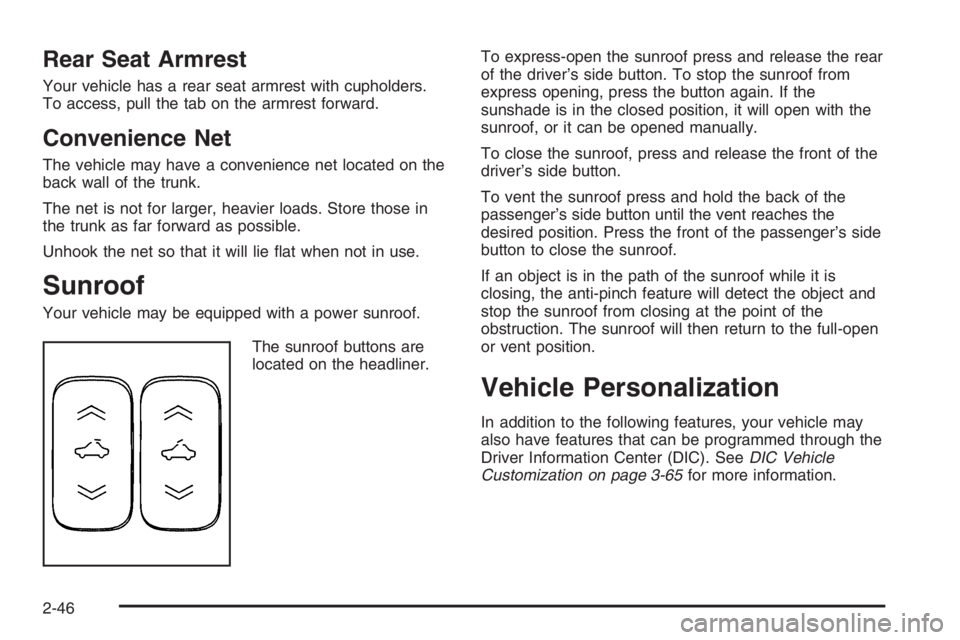
Your vehicle may be equipped with a power sunroof.
The sunroof buttons are
located on the headliner.To express-open the sunroof press and release the rear
of the driver’s side button. To stop the sunroof from
express opening, press the button again. If the
sunshade is in the closed position, it will open with the
sunroof, or it can be opened manually.
To close the sunroof, press and release the front of the
driver’s side button.
To vent the sunroof press and hold the back of the
passenger’s side button until the vent reaches the
desired position. Press the front of the passenger’s side
button to close the sunroof.
If an object is in the path of the sunroof while it is
closing, the anti-pinch feature will detect the object and
stop the sunroof from closing at the point of the
obstruction. The sunroof will then return to the full-open
or vent position.
Vehicle Personalization
In addition to the following features, your vehicle may
also have features that can be programmed through the
Driver Information Center (DIC). SeeDIC Vehicle
Customization on page 3-65for more information.
2-46
Page 129 of 416
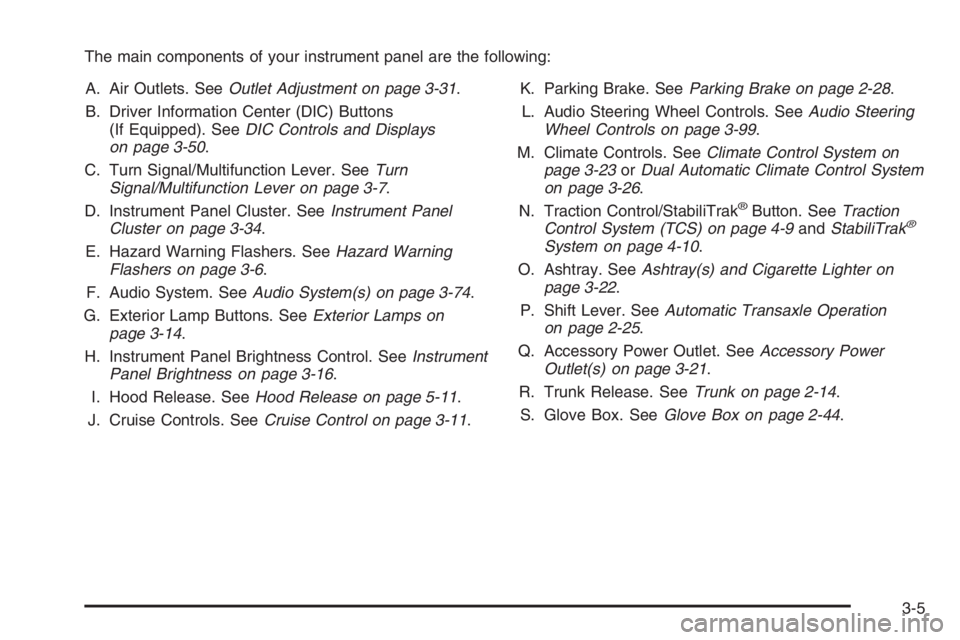
The main components of your instrument panel are the following:
A. Air Outlets. SeeOutlet Adjustment on page 3-31.
B. Driver Information Center (DIC) Buttons
(If Equipped). SeeDIC Controls and Displays
on page 3-50.
C. Turn Signal/Multifunction Lever. SeeTurn
Signal/Multifunction Lever on page 3-7.
D. Instrument Panel Cluster. SeeInstrument Panel
Cluster on page 3-34.
E. Hazard Warning Flashers. SeeHazard Warning
Flashers on page 3-6.
F. Audio System. SeeAudio System(s) on page 3-74.
G. Exterior Lamp Buttons. SeeExterior Lamps on
page 3-14.
H. Instrument Panel Brightness Control. SeeInstrument
Panel Brightness on page 3-16.
I. Hood Release. SeeHood Release on page 5-11.
J. Cruise Controls. SeeCruise Control on page 3-11.K. Parking Brake. SeeParking Brake on page 2-28.
L. Audio Steering Wheel Controls. SeeAudio Steering
Wheel Controls on page 3-99.
M. Climate Controls. SeeClimate Control System on
page 3-23orDual Automatic Climate Control System
on page 3-26.
N. Traction Control/StabiliTrak
®Button. SeeTraction
Control System (TCS) on page 4-9andStabiliTrak®
System on page 4-10.
O. Ashtray. SeeAshtray(s) and Cigarette Lighter on
page 3-22.
P. Shift Lever. SeeAutomatic Transaxle Operation
on page 2-25.
Q. Accessory Power Outlet. SeeAccessory Power
Outlet(s) on page 3-21.
R. Trunk Release. SeeTrunk on page 2-14.
S. Glove Box. SeeGlove Box on page 2-44.
3-5
Page 142 of 416
Front Reading Lamps
The front reading lamps, located on the headliner, are
turned on or off by pressing one of the buttons
located near each lamp.
Battery Load Management
The battery load management feature is designed to
monitor the vehicle’s electrical load and determine when
the battery is in a heavy discharge condition. During
times of high electrical loading, the engine may idle at a
higher RPM setting than normal to make sure the
battery charges. High electrical loads may occur when
several of the following are on: headlamps, high beams,
rear window defogger, fan at high speed, heated
seats (if equipped), and engine cooling fans.
If your vehicle’s battery remains in a heavy discharge
condition for a long period of time, the fan, rear
defogger, heated seats, and heated mirrors will be
disabled and the DIC will display SERVICE BATTERY
CHARGING SYSTEM. This can happen either under
long periods of idling or low speed driving with high
electrical loading, or in the event of a charging system
fault. SeeDIC Warnings and Messages on page 3-56
for more information.
Inadvertent Power Battery Saver
This feature is designed to protect your vehicle’s battery
against drainage from the interior lamps, or garage
door opener. When the ignition is turned off, the power
to these features will automatically turn off after
10 minutes. Power will be restored for an additional
10 minutes if any door is opened, the trunk is opened or
the courtesy lamp switch is turned on.
Ultrasonic Rear Parking
Assist (URPA)
If your vehicle is equipped, the Ultrasonic Rear Parking
Assist (URPA) system is designed to help you park
while in REVERSE (R). It operates only at speeds less
than 5 mph (8 km/h). URPA helps make parking
easier and helps you avoid colliding with objects such
as parked vehicles. The URPA system detects
objects that are close to the rear of the vehicle which
are at least 10 inches (25.4 cm) off the ground and
below hood or trunk level. The system detects objects
up to 8 feet (2.5 m) behind your vehicle. URPA
determines how close these objects are from your
bumper within this area. Ultrasonic sensors on the rear
bumper are used to detect the distance to the object.
3-18
Page 144 of 416

How the System Works when Backing
If the shift lever is in REVERSE (R), URPA detects
objects close to the rear bumper. The rst time an object
is detected a single beep will sound. If an object is
detected at a REVERSE (R) speed between 0 mph
(0 km/h) and 5 mph (8 km/h), the following describes
what will occur based on your distance to a detected
object located behind the vehicle:
At distances between 40 inches (1 m) and
8 ft (2.5 m), a single amber light will be lit.
At distances between 23 inches (0.6 m) and
40 inches (1 m), both amber lights will be lit.
At distances between 12 inches (0.3 m) and
23 inches (0.6 m), all three lights (amber/amber/red)
will be lit.
At distances less than 12 inches (0.3 m), a beeping
sound will repeat for a short time and all three lights
(amber/amber/red) will be lit and ashing.
When the System Does Not Seem to
Work Properly
If the URPA system will not activate due to a temporary
condition, the message PARK ASSIST OFF will be
displayed on the DIC and a red light will be shown on the
rear URPA display when the shift lever is moved into
REVERSE (R). This occurs under the following conditions:
The driver disables the system. SeeDIC Controls
and Displays on page 3-50.
The parking brake pedal is depressed.
A trailer was attached to your vehicle, or a bicycle
or an object was hanging out of your trunk during
your last drive when you turned off the vehicle.
If the attached objects are removed from your
vehicle before the start of your next drive,
the system will return to normal operation unless
an object is detected when the vehicle is shifted into
REVERSE (R). If this occurs, URPA assumes the
object is still attached, so you will have to wait until
the vehicle is driven forward above 15 mph (25 km/h)
before URPA will return to normal operation.
3-20
Page 188 of 416
TIGHTEN GAS CAP
This message may be displayed if the gas cap is not
on, or is not fully tightened. Check the gas cap to ensure
that it is on properly. SeeFilling the Tank on page 5-8
for more information.
TIRE PRESSURE SYSTEM RESET
This message will display after the tire pressure system
has been reset. See “Reset Tire Pressure System”
underDIC Controls and Displays on page 3-50for more
information.
TRACTION CONTROL OFF
If your vehicle has the Traction Control System (TCS),
this message will display when the TCS is turned off.
Adjust your driving accordingly. SeeTraction Control
System (TCS) on page 4-9for more information.
TRANSMISSION HOT IDLE ENGINE
This message will display when the transaxle uid in
your vehicle is too hot. Stop the vehicle and allow it
to idle until it cools down. If the warning message
continues to display, have the vehicle serviced by your
GM dealer as soon as possible.
TRUNK OPEN
This message will display when the trunk is not closed
completely. You should make sure that the trunk is
closed completely. SeeTrunk on page 2-14.
TURN SIGNAL ON
This message will display as a reminder to turn off the
turn signal if you drive your vehicle for more than
about 0.75 mile (1.2 km) with a turn signal on.
SeeTurn Signal/Multifunction Lever on page 3-7.
This message displays and a chime sounds only when
the ignition is in RUN. The message will not disappear
until the turn signal is manually turned off, or a turn
is completed.
WASHER FLUID LOW ADD FLUID
This message will display when the windshield washer
uid is low. Fill the windshield washer reservoir as
soon as possible. SeeEngine Compartment Overview
on page 5-12for the location of the windshield
washer reservoir. Also, seeWindshield Washer Fluid on
page 5-39for more information.
3-64
Page 250 of 416
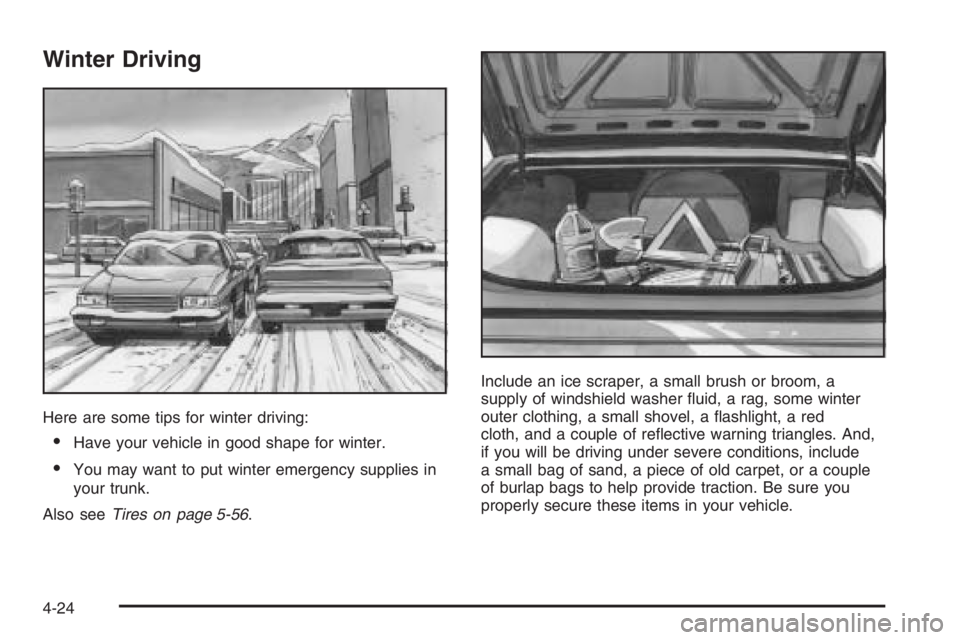
Winter Driving
Here are some tips for winter driving:
Have your vehicle in good shape for winter.
You may want to put winter emergency supplies in
your trunk.
Also seeTires on page 5-56.Include an ice scraper, a small brush or broom, a
supply of windshield washer uid, a rag, some winter
outer clothing, a small shovel, a ashlight, a red
cloth, and a couple of reective warning triangles. And,
if you will be driving under severe conditions, include
a small bag of sand, a piece of old carpet, or a couple
of burlap bags to help provide traction. Be sure you
properly secure these items in your vehicle.
4-24
Page 258 of 416
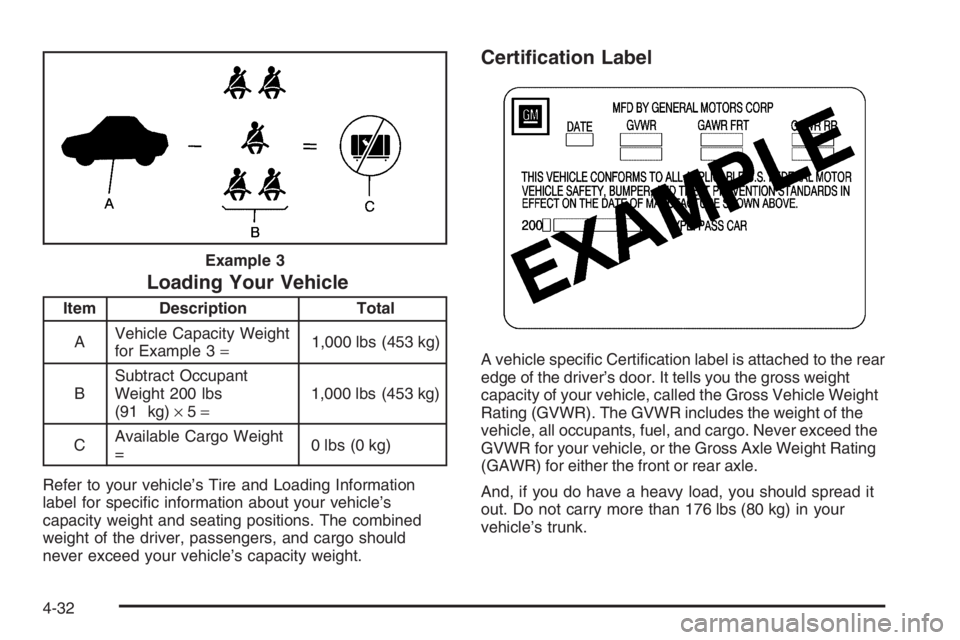
Loading Your Vehicle
Item Description Total
AVehicle Capacity Weight
for Example 3=1,000 lbs (453 kg)
BSubtract Occupant
Weight 200 lbs
(91 kg)×5=1,000 lbs (453 kg)
CAvailable Cargo Weight
=0 lbs (0 kg)
Refer to your vehicle’s Tire and Loading Information
label for specic information about your vehicle’s
capacity weight and seating positions. The combined
weight of the driver, passengers, and cargo should
never exceed your vehicle’s capacity weight.
Certication Label
A vehicle specic Certication label is attached to the rear
edge of the driver’s door. It tells you the gross weight
capacity of your vehicle, called the Gross Vehicle Weight
Rating (GVWR). The GVWR includes the weight of the
vehicle, all occupants, fuel, and cargo. Never exceed the
GVWR for your vehicle, or the Gross Axle Weight Rating
(GAWR) for either the front or rear axle.
And, if you do have a heavy load, you should spread it
out. Do not carry more than 176 lbs (80 kg) in your
vehicle’s trunk. Example 3
4-32
Page 259 of 416
{CAUTION:
Do not load your vehicle any heavier than the
Gross Vehicle Weight Rating (GVWR), or either
the maximum front or rear Gross Axle Weight
Rating (GAWR). If you do, parts on your
vehicle can break, and it can change the way
your vehicle handles. These could cause you
to lose control and crash. Also, overloading
can shorten the life of your vehicle.
Notice:Overloading your vehicle may cause
damage. Repairs would not be covered by your
warranty. Do not overload your vehicle.
If you put things inside your vehicle, like suitcases,
tools, packages, or anything else, they will go as fast
as the vehicle goes. If you have to stop or turn quickly,
or if there is a crash, they will keep going.
{CAUTION:
Things you put inside your vehicle can strike
and injure people in a sudden stop or turn, or
in a crash.
Put things in the trunk of your vehicle. In a
trunk, put them as far forward as you can.
Try to spread the weight evenly.
Never stack heavier things, like suitcases,
inside the vehicle so that some of them
are above the tops of the seats.
Do not leave an unsecured child restraint
in your vehicle.
When you carry something inside the
vehicle, secure it whenever you can.
4-33
Page 265 of 416

Hitches
It is important to have the correct hitch equipment.
Crosswinds, large trucks going by and rough roads are
a few reasons why you will need the right hitch. Here
are some rules to follow:
The rear bumper on your vehicle is not intended
for hitches. Do not attach rental hitches or other
bumper-type hitches to it. Use only a
frame-mounted hitch that does not attach to
the bumper.
Will you have to make any holes in the body of
your vehicle when you install a trailer hitch? If
you do, then be sure to seal the holes later when
you remove the hitch. If you do not seal them,
deadly carbon monoxide (CO) from your exhaust
can get into your vehicle. SeeEngine Exhaust
on page 2-31. Dirt and water can also enter
the vehicle.
Safety Chains
You should always attach chains between your vehicle
and your trailer. Cross the safety chains under the tongue
of the trailer so that the tongue will not drop to the road if
it becomes separated from the hitch. Instructions about
safety chains may be provided by the hitch manufacturer
or by the trailer manufacturer. Follow the manufacturer’s
recommendation for attaching safety chains and do not
attach them to the bumper. Always leave just enough
slack so you can turn with your rig. And, never allow
safety chains to drag on the ground.
Trailer Brakes
Does your trailer have its own brakes? Be sure to read
and follow the instructions for the trailer brakes so you will
be able to install, adjust and maintain them properly.
Because you have anti-lock brakes, do not try to tap into
your vehicle’s brake system. If you do, both brake
systems will not work well, or at all.
Trailer Wiring Harness
All of the electrical circuits required for your trailer
lighting system can be accessed at the driver’s side rear
lamp connector. This connector is located under the
carpet on the rear corner of the trunk compartment.
4-39
Page 278 of 416

Filling a Portable Fuel Container
{CAUTION:
Never ll a portable fuel container while it is in
your vehicle. Static electricity discharge from
the container can ignite the gasoline vapor.
You can be badly burned and your vehicle
damaged if this occurs. To help avoid injury to
you and others:
Dispense gasoline only into approved
containers.
Do not ll a container while it is inside a
vehicle, in a vehicle’s trunk, pickup bed, or
on any surface other than the ground.
Bring the ll nozzle in contact with the
inside of the ll opening before operating
the nozzle. Contact should be maintained
until the lling is complete.
Do not smoke while pumping gasoline.
Checking Things Under
the Hood
{CAUTION:
An electric fan under the hood can start up
and injure you even when the engine is not
running. Keep hands, clothing and tools away
from any underhood electric fan.
{CAUTION:
Things that burn can get on hot engine parts
and start a re. These include liquids like fuel,
oil, coolant, brake uid, windshield washer and
other uids, and plastic or rubber. You or
others could be burned. Be careful not to drop
or spill things that will burn onto a hot engine.
5-10