ignition BUICK LUCERNE 2007 Manual PDF
[x] Cancel search | Manufacturer: BUICK, Model Year: 2007, Model line: LUCERNE, Model: BUICK LUCERNE 2007Pages: 496, PDF Size: 2.77 MB
Page 397 of 496

The TPMS matching process is outlined below:
1. Set the parking brake.
2. Turn the ignition switch to RUN with the
engine off.
3. Using the DIC, press the vehicle information
button until the LEARN TIRE POSITIONS
message displays.
4. Press the set/reset button to allow the system
to learn the tire positions. The horn will sound
twice to indicate the receiver is ready, and
the TIRE LEARNING ACTIVE message
will display. The TPMS system is ready for
the sensor matching process to begin.
5. Start with the driver’s side front tire.
6. Remove the valve cap from the tire’s valve
stem. Activate the TPMS sensor by increasing
or decreasing the tire’s air pressure for
ve seconds, or until a horn chirp sounds.
The horn chirp, which may take up to
30 seconds to sound, conrms that the
sensor identication code has been matched
to the tire/wheel position. To decrease the
tire’s air-pressure use the pointed end of the
valve cap, a pencil-style air pressure gage,
or a key.7. Proceed to the passenger’s side front tire, and
repeat the procedure in Step 6.
8. Proceed to the passenger’s side rear tire, and
repeat the procedure in Step 6.
9. Proceed to the driver’s side rear tire, and
repeat the procedure in Step 6.
10. After hearing the conrming horn chirp for the
driver’s side rear tire, the tire learning process
ends. Turn the ignition switch to OFF.
11. Set all four tires to the recommended air
pressure level as indicated on the tire and
loading information label.
12. Put the valve caps back on the valve stems.
The compact spare tire and wheel assembly
does not have a TPMS sensor. If you replace
one of the road tires with the compact spare tire,
the SERVICE TIRE MONITOR SYSTEM
message will be displayed on the DIC display
screen. This message should go off once
you re-install the road tire containing the
TPMS sensor.
397
Page 429 of 496

Fuses Usage
F1 Spare
F2 Driver’s Side Low-Beam
F3 Passenger’s Side Low-BeamFuses Usage
F4 Airbag Ignition
F5 Engine Control Module
F6 Transaxle Ignition
429
Page 435 of 496

Fuses Usage
F47Heated/Cooled Seats, Ignition 3
(Option)
F48 Ignition Switch
F49 Not Used
Circuit
BreakersUsage
CB1Front Passenger’s Seat, Memory
Seat Module
CB2Driver’s Power Seat, Memory Seat
Module
CB3 Door Module, Power Windows
CB4 Not Used
Resistor Usage
F39 Terminating Resistor
Relays Usage
R1 Retained Accessory Power
R2 Park Lamps
R3 Run (Option)
R4 Daytime Running Lamps
R5 Not Used
R6 Trunk Release
R7 Fuel Pump
R8 Not Used
R9 Door Lock
R10 Door Unlock
R11 Not Used
R12 Not Used
R13 Not Used
R14 Rear Defogger
R15Electronic Leveling Control
Compressor
435
Page 450 of 496

Automatic Transaxle Shift Lock Control
System Check
{CAUTION:
When you are doing this inspection, the
vehicle could move suddenly. If the
vehicle moves, you or others could be
injured.
1. Before you start, be sure you have enough
room around the vehicle. It should be parked
on a level surface.
2. Firmly apply the parking brake. SeeParking
Brake on page 122.
Be ready to apply the regular brake
immediately if the vehicle begins to move.3. With the engine off, turn the ignition to RUN,
but do not start the engine. Without applying
the regular brake, try to move the shift
lever out of PARK (P) with normal effort. If the
shift lever moves out of PARK (P), contact
your GM Goodwrench
®dealer for service.
Ignition Transaxle Lock Check
While parked, and with the parking brake set, try
to turn the ignition to OFF in each shift lever
position.
The ignition should turn to OFF only when the
shift lever is in PARK (P).
The ignition key should come out only in OFF.
Contact your GM Goodwrench
®dealer if service
is required.
450
Page 488 of 496
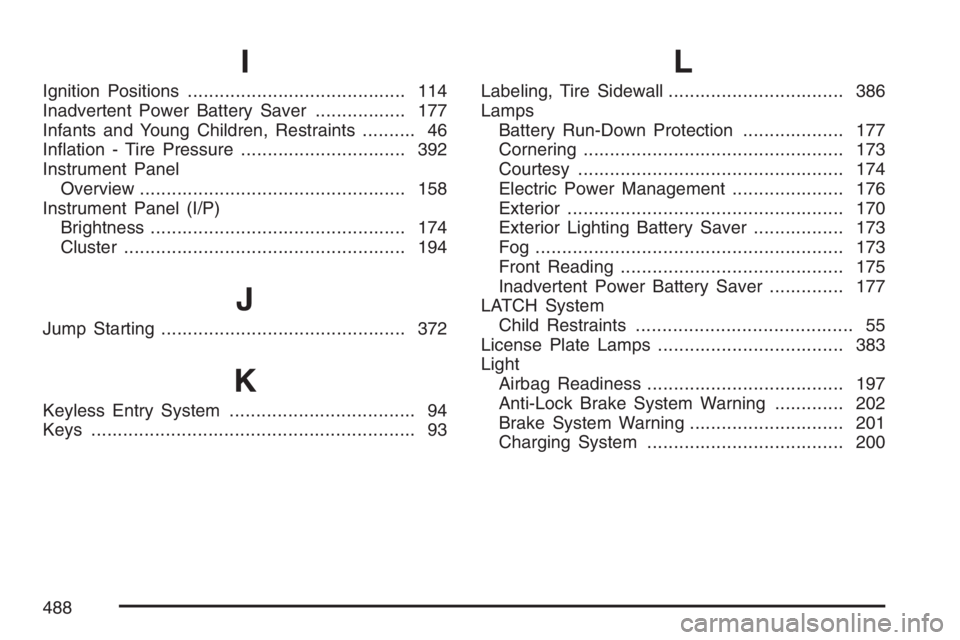
I
Ignition Positions......................................... 114
Inadvertent Power Battery Saver................. 177
Infants and Young Children, Restraints.......... 46
Ination - Tire Pressure............................... 392
Instrument Panel
Overview.................................................. 158
Instrument Panel (I/P)
Brightness................................................ 174
Cluster..................................................... 194
J
Jump Starting.............................................. 372
K
Keyless Entry System................................... 94
Keys............................................................. 93
L
Labeling, Tire Sidewall................................. 386
Lamps
Battery Run-Down Protection................... 177
Cornering................................................. 173
Courtesy.................................................. 174
Electric Power Management..................... 176
Exterior.................................................... 170
Exterior Lighting Battery Saver................. 173
Fog .......................................................... 173
Front Reading.......................................... 175
Inadvertent Power Battery Saver.............. 177
LATCH System
Child Restraints......................................... 55
License Plate Lamps................................... 383
Light
Airbag Readiness..................................... 197
Anti-Lock Brake System Warning............. 202
Brake System Warning............................. 201
Charging System..................................... 200
488