light BUICK LUCERNE 2010 Owner's Guide
[x] Cancel search | Manufacturer: BUICK, Model Year: 2010, Model line: LUCERNE, Model: BUICK LUCERNE 2010Pages: 474
Page 121 of 474
Remote Trunk Release
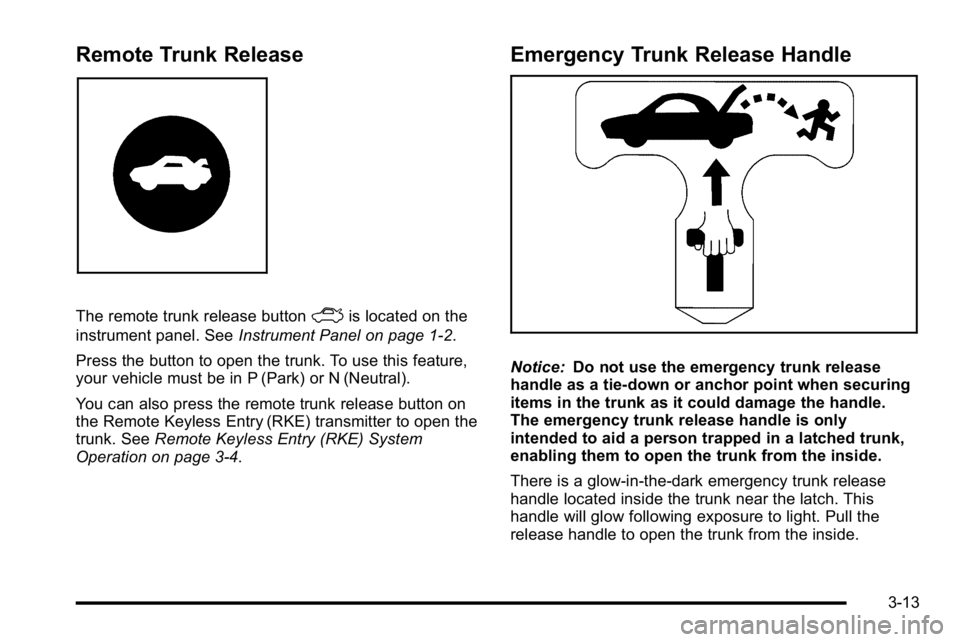
The remote trunk release buttonFis located on the
instrument panel. See Instrument Panel on page 1‑2.
Press the button to open the trunk. To use this feature,
your vehicle must be in P (Park) or N (Neutral).
You can also press the remote trunk release button on
the Remote Keyless Entry (RKE) transmitter to open the
trunk. See Remote Keyless Entry (RKE) System
Operation on page 3‑4.
Emergency Trunk Release Handle
Notice: Do not use the emergency trunk release
handle as a tie-down or anchor point when securing
items in the trunk as it could damage the handle.
The emergency trunk release handle is only
intended to aid a person trapped in a latched trunk,
enabling them to open the trunk from the inside.
There is a glow-in-the-dark emergency trunk release
handle located inside the trunk near the latch. This
handle will glow following exposure to light. Pull the
release handle to open the trunk from the inside.
3-13
Page 124 of 474
Express-Down Window
This feature is on the front windows. Press the switch
to the second position to activate the express-down
feature. To stop the window as it is lowering, press
down briefly on the switch again.
Window Lockout
o(Window Lockout): The rear window lockout button
is located on the driver's door armrest near the window
switches.
Press the right side of this button to disable the rear
window controls. The light on the button will come on,
indicating the feature is in use. The rear windows still
can be raised or lowered using the driver's window
switches when the lockout feature is active.
To restore power to the rear windows, press the button
again. The light on the button will go out.
Sun Visors
Pull the visor toward you, or move to the side to help
reduce glare.
On vehicles with a lighted vanity mirror, lift the attached
cover to use.
Theft-Deterrent Systems
Vehicle theft is big business, especially in some cities.
This vehicle has theft-deterrent features, however, they
do not make it impossible to steal.
Content Theft-Deterrent
Your vehicle may have the optional content
theft-deterrent alarm system.
To activate the theft-deterrent system:
1. Open the door.
2. Lock the door with the power door lock switch or the Remote Keyless Entry (RKE) transmitter. If you
are using the RKE transmitter, the door does not
need to be open.
3. Close all doors.
Once armed, the alarm will go off if someone tries to
enter the vehicle without using the RKE transmitter or a
key or turns the ignition on with an incorrect key. The
horn will sound and the turn signal lamps will flash for
about 30 seconds.
When the alarm is armed, the trunk may be opened with
the RKE transmitter. The power door lock switches are
disabled and the doors remain locked. You must use
your RKE transmitter or your key to unlock the doors
when the system is armed.
3-16
Page 125 of 474
Arming with the Power Lock Switch
The alarm system will arm when you use either power
lock switch to lock the doors while any door is open and
the key is removed from the ignition. The alarm system
will not arm if the truck is open when you use either
power lock switch to lock the doors.
Arming with the RKE Transmitter
The alarm system will arm when you use your RKE
transmitter to lock the doors, if the key is not in the
ignition.
Disarming with the RKE Transmitter
The alarm system will disarm when you use your RKE
transmitter to unlock the doors.
The first time a remote unlock command is received,
three flashes will be seen and three horn chirps heard
to indicate an alarm condition has occurred since last
arming.
Disarming with Your Key
The alarm system will disarm when you use your key to
unlock the doors or insert your key in the ignition and
turn it from the LOCK/OFF position.
PASS-Key®III+ Electronic
Immobilizer
See Radio Frequency Statementon page 8‑20for
information regarding Part 15 of the Federal
Communications Commission (FCC) Rules and
RSS-210/211 of Industry Canada.
PASS-Key®III+ Electronic
Immobilizer Operation
Your vehicle is equipped with PASS-Key®III+
(Personalized Automotive Security System)
theft-deterrent system. PASS-Key
®III+ is a passive
theft-deterrent system.
The system is automatically armed when the key is
removed from the ignition.
You do not have to manually arm or disarm the system.
The security light will come on if there is a problem with
arming or disarming the theft-deterrent system.
When the PASS-Key
®III+ system senses that someone
is using the wrong key, it prevents the vehicle from
starting. Anyone using a trial-and-error method to start
the vehicle will be discouraged because of the high
number of electrical key codes.
3-17
Page 126 of 474

When trying to start the vehicle if the engine does not
start and the security light on the instrument panel
cluster comes on, there may be a problem with your
theft-deterrent system. Turn the ignition off and try
again.
If the engine still does not start, and the key appears to
be not damaged, try another ignition key. At this time,
you may also want to check the fuse, seeFuses and
Circuit Breakers
on page 6‑110. If the engine still does
not start with the other key, your vehicle needs service.
If your vehicle does start, the first key may be faulty.
See your dealer who can service the PASS-Key
®III+
to have a new key made. In an emergency, contact
Roadside Assistance. See Roadside Assistance
Program on page 8‑8.
It is possible for the PASS-Key
®III+ decoder to “learn”
the transponder value of a new or replacement key. Up
to 10 keys may be programmed for the vehicle. The
following procedure is for programming additional keys
only. If all the currently programmed keys are lost or do
not operate, you must see your dealer or a locksmith
who can service PASS-Key
®III+ to have keys made
and programmed to the system. See your dealer or a locksmith who can service
PASS-Key
®III+ to get a new key blank that is cut
exactly as the ignition key that operates the system.
To program the new key:
1. Verify that the new key has a
1stamped on it.
2. Insert the already programmed key in the ignition and start the engine. If the engine will not start, see
your dealer for service.
3. After the engine has started, turn the key to LOCK/OFF, and remove the key.
4. Insert the key to be programmed and turn it to the ON/RUN position within five seconds of the original
key being turned to the LOCK/OFF position.
The security light will turn off once the key has
been programmed.
5. Repeat Steps 1 through 4 if additional keys are to be programmed.
If you lose or damage your PASS-Key
®III+ key,
see your dealer or a locksmith who can service
PASS-Key
®III+ to have a new key made.
Do not leave the key or device that disarms or
deactivates the theft deterrent system in the vehicle.
3-18
Page 128 of 474
Ignition Positions
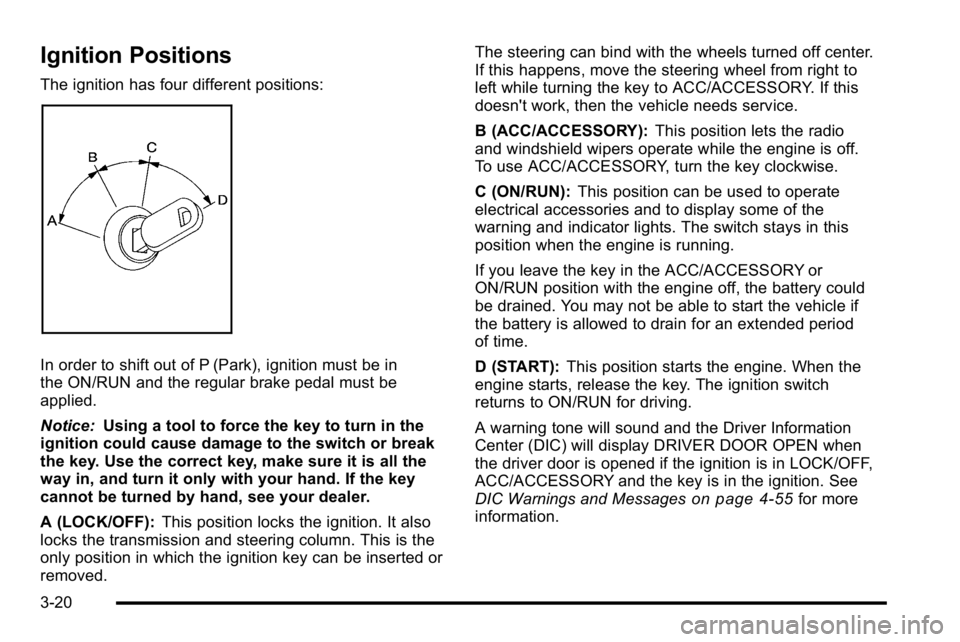
The ignition has four different positions:
In order to shift out of P (Park), ignition must be in
the ON/RUN and the regular brake pedal must be
applied.
Notice:Using a tool to force the key to turn in the
ignition could cause damage to the switch or break
the key. Use the correct key, make sure it is all the
way in, and turn it only with your hand. If the key
cannot be turned by hand, see your dealer.
A (LOCK/OFF): This position locks the ignition. It also
locks the transmission and steering column. This is the
only position in which the ignition key can be inserted or
removed. The steering can bind with the wheels turned off center.
If this happens, move the steering wheel from right to
left while turning the key to ACC/ACCESSORY. If this
doesn't work, then the vehicle needs service.
B (ACC/ACCESSORY):
This position lets the radio
and windshield wipers operate while the engine is off.
To use ACC/ACCESSORY, turn the key clockwise.
C (ON/RUN): This position can be used to operate
electrical accessories and to display some of the
warning and indicator lights. The switch stays in this
position when the engine is running.
If you leave the key in the ACC/ACCESSORY or
ON/RUN position with the engine off, the battery could
be drained. You may not be able to start the vehicle if
the battery is allowed to drain for an extended period
of time.
D (START): This position starts the engine. When the
engine starts, release the key. The ignition switch
returns to ON/RUN for driving.
A warning tone will sound and the Driver Information
Center (DIC) will display DRIVER DOOR OPEN when
the driver door is opened if the ignition is in LOCK/OFF,
ACC/ACCESSORY and the key is in the ignition. See
DIC Warnings and Messages
on page 4‑55for more
information.
3-20
Page 129 of 474
Retained Accessory Power (RAP)
The following accessories can be used for up to
10 minutes after the engine is turned off.
.Audio System
.Audio Steering Wheel (if equipped)
.Clock
.Power Windows
.Sunroof (if equipped)
Power to these accessories works up to 10 minutes or
until the driver door is opened.
The instrument panel cluster lights stay on for a few
seconds, then will go out. Once the driver door is
opened, the power shuts off to these accessories. The
vehicle has a feature designed to protect the battery
against drainage. For more information see Inadvertent
Power Battery Saver
on page 4‑16and Electric Power
Management on page 4‑16.
Starting the Engine
Move the shift lever to P (Park) or N (Neutral). The
engine will not start in any other position. To restart
the engine when the vehicle is already moving, use
N (Neutral) only.
Notice: Do not try to shift to P (Park) if the vehicle
is moving. If you do, you could damage the
transmission. Shift to P (Park) only when the
vehicle is stopped.
Starting Procedure
1. With your foot off the accelerator pedal, turn the ignition to START. When the engine starts, let
go of the key. The idle speed will slow down
as the engine warms. Do not race the engine
immediately after starting it. Operate the engine
and transmission gently to allow the oil to warm up
and lubricate all moving parts.
3-21
Page 134 of 474
2 (Second):This position reduces vehicle speed even
more than 3 (Third) without using the brakes. You can
use 2 (Second) on hills. It can help control vehicle
speed as you go down steep mountain roads, but then
you would also want to use the brakes off and on.
Notice: Driving in 2 (Second) for more than 25 miles
(40 km) or at speeds over 55 mph (90 km/h) may
damage the transmission. Also, shifting into
2 (Second) at speeds above 65 mph (105 km/h) can
cause damage. Drive in 3 (Third) or D (Drive) instead
of 2 (Second).
1 (First): This position reduces vehicle speed even
more than 2 (Second) without using the brakes. You can
use it on very steep hills, or in deep snow or mud. If the
shift lever is put in 1 (First) while going forward, the
transmission will not shift into first gear until the vehicle
is going slowly enough.
Notice: Spinning the tires or holding the vehicle in
one place on a hill using only the accelerator pedal
may damage the transmission. The repair will not be
covered by the vehicle warranty. If you are stuck, do
not spin the tires. When stopping on a hill, use the
brakes to hold the vehicle in place.Parking Brake
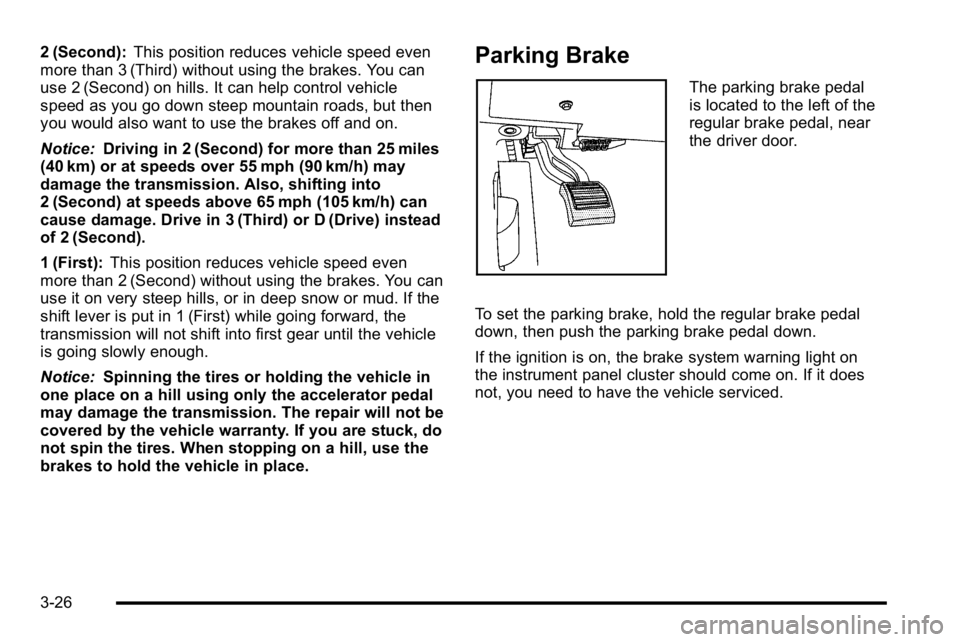
The parking brake pedal
is located to the left of the
regular brake pedal, near
the driver door.
To set the parking brake, hold the regular brake pedal
down, then push the parking brake pedal down.
If the ignition is on, the brake system warning light on
the instrument panel cluster should come on. If it does
not, you need to have the vehicle serviced.
3-26
Page 135 of 474
A warning chime will sound if the parking brake is set,
the ignition is on, and the vehicle speed is greater than
5 mph (8 km/h). The brake light will come on and stay
on until the parking brake is released. SeeBrake
System Warning Light
on page 4‑36for more
information.
To release the parking brake, hold the regular brake
pedal down, then push the parking brake pedal down.
When you lift your foot off the parking brake pedal, the
pedal will follow your foot to the released position.
Notice: Driving with the parking brake on can
overheat the brake system and cause premature
wear or damage to brake system parts. Make sure
that the parking brake is fully released and the
brake warning light is off before driving.
If you are towing a trailer and are parking on any hill,
see Towing a Trailer on page 5‑27.
Shifting Into Park
{WARNING:
It can be dangerous to get out of the vehicle if the
shift lever is not fully in P (Park) with the parking
brake firmly set. The vehicle can roll. If you have
left the engine running, the vehicle can move
suddenly. You or others could be injured. To be
sure the vehicle will not move, even when you are
on fairly level ground, use the steps that follow.
If you are pulling a trailer, see Towing a Trailer
on
page 5‑27
.
3-27
Page 141 of 474

Mirrors
Automatic Dimming Rearview Mirror
The vehicle may have an automatic dimming inside
rearview mirror with OnStar®and/or a compass display.
Automatic dimming reduces the glare from the
headlamps of the vehicle behind you. The dimming
feature comes on and the indicator light illuminates
each time the vehicle is started.
Vehicles with OnStar have three additional control
buttons located at the bottom of the mirror. See your
dealer for more information on the system and how to
subscribe to OnStar. See the OnStar
®owners guide for
more information about the services OnStar provides.
O(On/Off): Press to turn the dimming feature and/or
compass display on or off.
Cleaning the Mirror
Do not spray glass cleaner directly on the mirror. Use a
soft towel dampened with water.
Compass
Compass Operation
There is a compass display in the upper right corner of
the mirror.
Compass Calibration
Press and holdOto activate the compass calibration
mode. CAL displays in the compass window on the
mirror.
If after a few seconds the display does not show a
compass direction, (N for North for example), there
may be a strong magnetic field interfering with the
compass. Interference can be caused by a magnetic
antenna mount, note pad holder, or similar object.
If CAL displays in the compass window, the compass
may need to be reset or calibrated.
The compass can be calibrated by driving the vehicle in
circles at 5 mph (8 km/h) or less until the display reads a
direction.
3-33
Page 145 of 474
Object Detection Systems
Ultrasonic Rear Parking
Assist (URPA)
For vehicles with the URPA system, it operates at
speeds less than 8 km/h (5 mph), and assists the driver
with parking and avoiding objects while in R (Reverse).
The sensors on the rear bumper are used to detect the
distance to an object up to 2.5 m (8 ft) behind the
vehicle, and at least 25 cm (10 in) off the ground.
{WARNING:
The Ultrasonic Rear Parking Assist (URPA)
system does not replace driver vision. It cannot
detect:
.Objects that are below the bumper,
underneath the vehicle, or if they are too close
or far from the vehicle
.Children, pedestrians, bicyclists, or pets.
If you do not use proper care before and while
backing; vehicle damage, injury, or death could
occur. Even with URPA, always check behind (Continued)
WARNING: (Continued)
the vehicle before backing up. While backing, be
sure to look for objects and check the vehicle's
mirrors.
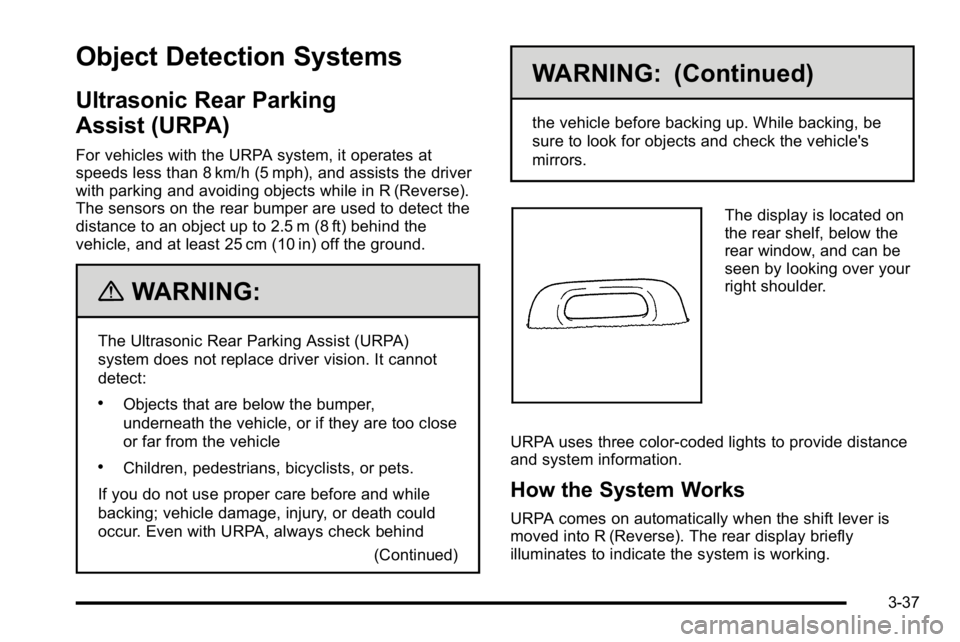
The display is located on
the rear shelf, below the
rear window, and can be
seen by looking over your
right shoulder.
URPA uses three color-coded lights to provide distance
and system information.
How the System Works
URPA comes on automatically when the shift lever is
moved into R (Reverse). The rear display briefly
illuminates to indicate the system is working.
3-37