ignition BUICK LUCERNE 2010 Owner's Guide
[x] Cancel search | Manufacturer: BUICK, Model Year: 2010, Model line: LUCERNE, Model: BUICK LUCERNE 2010Pages: 474
Page 176 of 474
Electric Power Management
The vehicle has Electric Power Management (EPM) that
estimates the battery's temperature and state of charge.
It then adjusts the voltage for best performance and
extended life of the battery.
When the battery's state of charge is low, the voltage is
raised slightly to quickly bring the charge back up.
When the state of charge is high, the voltage is lowered
slightly to prevent overcharging. If the vehicle has a
voltmeter gauge or a voltage display on the Driver
Information Center (DIC), you may see the voltage
move up or down. This is normal. If there is a problem,
an alert will be displayed.
The battery can be discharged at idle if the electrical
loads are very high. This is true for all vehicles. This is
because the generator (alternator) may not be spinning
fast enough at idle to produce all the power that is
needed for very high electrical loads.
A high electrical load occurs when several of the
following are on, such as: headlamps, high beams, fog
lamps, rear window defogger, climate control fan at high
speed, heated seats, engine cooling fans, trailer loads,
and loads plugged into accessory power outlets.EPM works to prevent excessive discharge of the
battery. It does this by balancing the generator's output
and the vehicle's electrical needs. It can increase
engine idle speed to generate more power, whenever
needed. It can temporarily reduce the power demands
of some accessories.
Normally, these actions occur in steps or levels, without
being noticeable. In rare cases at the highest levels of
corrective action, this action may be noticeable to the
driver. If so, a Driver Information Center (DIC) message
might be displayed, such as BATTERY SAVER
ACTIVE, BATTERY VOLTAGE LOW, or LOW
BATTERY. If this message is displayed, it is
recommended that the driver reduce the electrical loads
as much as possible. See
DIC Warnings and Messages
on page 4‑55.
Inadvertent Power Battery Saver
This feature is designed to protect your vehicle's battery
against drainage from the interior lamps, or garage
door opener. When the ignition is turned off, the power
to these features will automatically turn off after
10 minutes. Power will be restored for an additional
10 minutes if any door is opened, the trunk is opened or
the courtesy lamp switch is turned on.
4-16
Page 177 of 474
Battery Run-Down Protection
This feature helps prevent the battery from being
drained, if the interior courtesy lamps, reading/map
lamps, visor vanity lamps or trunk lamp are accidentally
left on. If any of these lamps are left on, they
automatically turn off after 10 minutes, if the ignition is
off. The lamps will not come back on again until one of
the following occurs:
.The ignition is turned on.
.The exterior lamps control is turned off, then on
again.
The headlamps will timeout after 10 minutes, if they are
manually turned on with the ignition on or off.
Accessory Power Outlet(s)
The accessory power outlets can be used to plug in
electrical equipment, such as a cellular telephone.
The vehicle may have up to three power outlets
depending on the type of front seat installed. If
the vehicle has front bucket seats with a center
console, there are two outlets inside the rear storage
compartment. An extra power outlet can be found under
the climate control system next to the ashtray.
The vehicle may have a small cap that must be pulled
down to access the accessory power outlet. Cover the
outlet with the protective cap when it is not being used. Notice:
Leaving electrical equipment on for
extended periods will drain the battery. Always
turn off electrical equipment when not in use
and do not plug in equipment that exceeds the
maximum amperage rating.
Certain electrical accessories may not be compatible to
the accessory power outlets and could result in blown
vehicle or adapter fuses. If you experience a problem
see your dealer for additional information on the
accessory power outlets.
Notice: Adding any electrical equipment to the
vehicle can damage it or keep other components
from working as they should. The repairs would not
be covered by the vehicle warranty. Do not use
equipment exceeding maximum amperage rating of
20 amperes. Check with your dealer before adding
electrical equipment.
When adding electrical equipment, be sure to follow
the proper installation instructions included with the
equipment.
Notice: Improper use of the power outlet can cause
damage not covered by the vehicle warranty. Do not
hang any type of accessory or accessory bracket
from the plug because the power outlets are
designed for accessory power plugs only.
4-17
Page 181 of 474
h(Recirculation):Press to turn the recirculation
mode on. An indicator light below the button comes on
to show that this mode is on. This mode recirculates
and helps to quickly cool the air inside the vehicle.
It can be used to prevent outside air and odors from
entering the vehicle. This mode cannot be selected
while in the defog or defrost modes. If you try to
select the recirculation mode, the indicator light
flashes three times and turns off.
Operation in this mode during periods of high humidity
and cool outside temperatures may result in increased
window fogging. If window fogging is experienced,
select the defrost mode.
Rear Window Defogger
The rear window defogger uses a warming grid to
remove fog from the rear window.
<(Rear Window Defogger): Press to turn the rear
window defogger on or off. An indicator light below the
button comes on to show that the rear window defogger
is on. Be sure to clear as much snow from the rear
window as possible. The rear window defogger only works when the ignition
is in ON/RUN. The rear window defogger stays on for
about 20 minutes after the button is pressed if traveling
at slow speeds. At higher vehicle speeds, the rear
defogger may stay on continuously. If turned on again,
the defogger only runs for about 10 minutes before
turning off. The defogger can be turned off by pressing
the button again, by turning the ignition to ACC/
ACCESSORY or ON/RUN, or by turning off the engine.
If the vehicle has heated outside rearview mirrors, the
mirrors heat to help clear fog or frost from the surface of
the mirror when the rear window defogger is on. See
Outside Heated Mirrors
on page 3‑36for more
information.
Notice: Do not use anything sharp on the inside of
the rear window. If you do, you could cut or damage
the warming grid, and the repairs would not be
covered by the vehicle warranty. Do not attach a
temporary vehicle license, tape, a decal or anything
similar to the defogger grid.
4-21
Page 187 of 474
Rear Window Defogger
The rear window defogger uses a warming grid to
remove fog or frost from the rear window.
<(Rear Defogger):Press to turn the rear window
defogger on or off. An indicator light below the button
comes on to show that the rear window defogger is on.
Be sure to clear as much snow from the rear window as
possible.
The rear window defogger only works when the ignition
is in ON/RUN. The rear window defogger stays on for
about 20 minutes after the button is pressed if the
vehicle is traveling at slower vehicle speeds. At higher
vehicle speeds the rear window defogger may stay on
continuously. If turned on again, the defogger only runs
for about 10 minutes before turning off. The defogger
can be turned off by pressing the button again, by
turning the ignition to ACC/ACCESSORY or ON/RUN,
or by turning off the engine.
The heated outside rearview mirrors will heat to help
clear fog or frost from the surface of the mirror when the
rear window defogger is on. See Outside Heated
Mirrors
on page 3‑36for more information. Notice:
Do not use a razor blade or sharp object to
clear the inside rear window. Do not adhere
anything to the defogger grid lines in the rear glass.
These actions may damage the rear defogger.
Repairs would not be covered by your warranty.
Outlet Adjustment
Use the levers, located in the middle of the front
outlets, to change the direction of the airflow. Use the
thumbwheel located between the outlets to turn them on
and off.
If the vehicle has rear seat outlets, adjust the direction
of the airflow using the lever in the center of each outlet.
Operation Tips
.Clear away any ice, snow, or leaves from the air
inlets at the base of the windshield that could block
the flow of air into the vehicle.
.Use of non-GM approved hood deflectors can
adversely affect the performance of the system.
.Keep the path under the front seats clear of
objects to help circulate the air inside the vehicle
better.
4-27
Page 195 of 474

If, after several seconds, both status indicator lights
remain on, or if there are no lights at all, there may
be a problem with the lights or the passenger sensing
system. See your dealer for service.
{WARNING:
If the airbag readiness light ever comes on and
stays on, it means that something may be wrong
with the airbag system. To help avoid injury to
yourself or others, have the vehicle serviced right
away. SeeAirbag Readiness Light
on page 4‑33
for more information, including important safety
information.
Charging System Light
This light comes on briefly
when the ignition key is
turned to START, but the
engine is not running, as
a check to show it is
working.
If it does not, have the vehicle serviced by your dealer.
The light should go out once the engine starts. If it stays
on, or comes on while driving, there could be a problem
with the charging system. A charging system message
in the Driver Information Center (DIC) can also appear.
See DIC Warnings and Messages
on page 4‑55for
more information. This light could indicate that there are
problems with a generator drive belt, or that there is an
electrical problem. Have it checked right away. If the
vehicle must be driven a short distance with the light
on, turn off accessories, such as the radio and air
conditioner.
4-35
Page 196 of 474
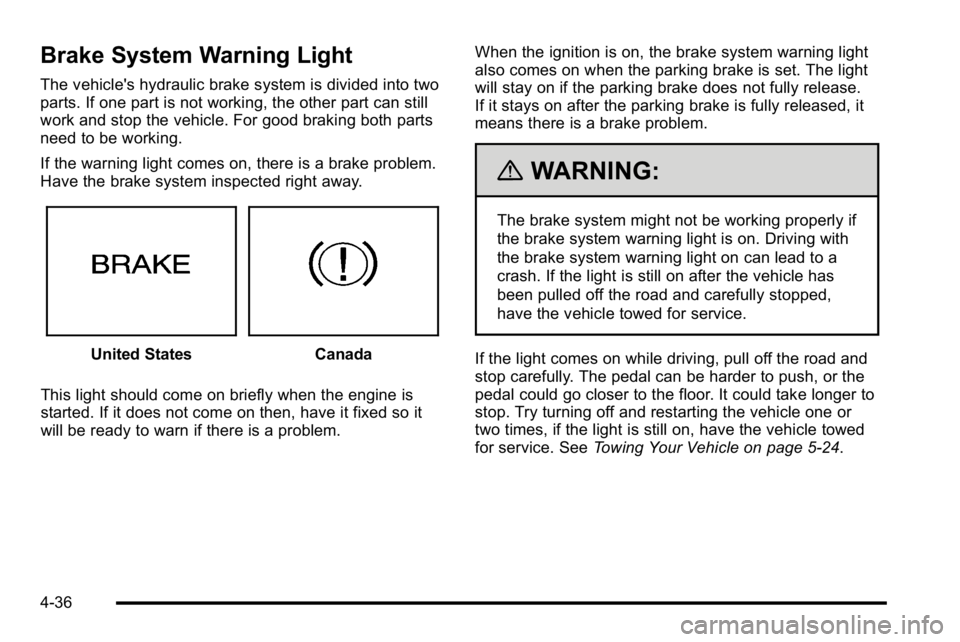
Brake System Warning Light
The vehicle's hydraulic brake system is divided into two
parts. If one part is not working, the other part can still
work and stop the vehicle. For good braking both parts
need to be working.
If the warning light comes on, there is a brake problem.
Have the brake system inspected right away.
United StatesCanada
This light should come on briefly when the engine is
started. If it does not come on then, have it fixed so it
will be ready to warn if there is a problem. When the ignition is on, the brake system warning light
also comes on when the parking brake is set. The light
will stay on if the parking brake does not fully release.
If it stays on after the parking brake is fully released, it
means there is a brake problem.
{WARNING:
The brake system might not be working properly if
the brake system warning light is on. Driving with
the brake system warning light on can lead to a
crash. If the light is still on after the vehicle has
been pulled off the road and carefully stopped,
have the vehicle towed for service.
If the light comes on while driving, pull off the road and
stop carefully. The pedal can be harder to push, or the
pedal could go closer to the floor. It could take longer to
stop. Try turning off and restarting the vehicle one or
two times, if the light is still on, have the vehicle towed
for service. See Towing Your Vehicle on page 5‑24.
4-36
Page 197 of 474
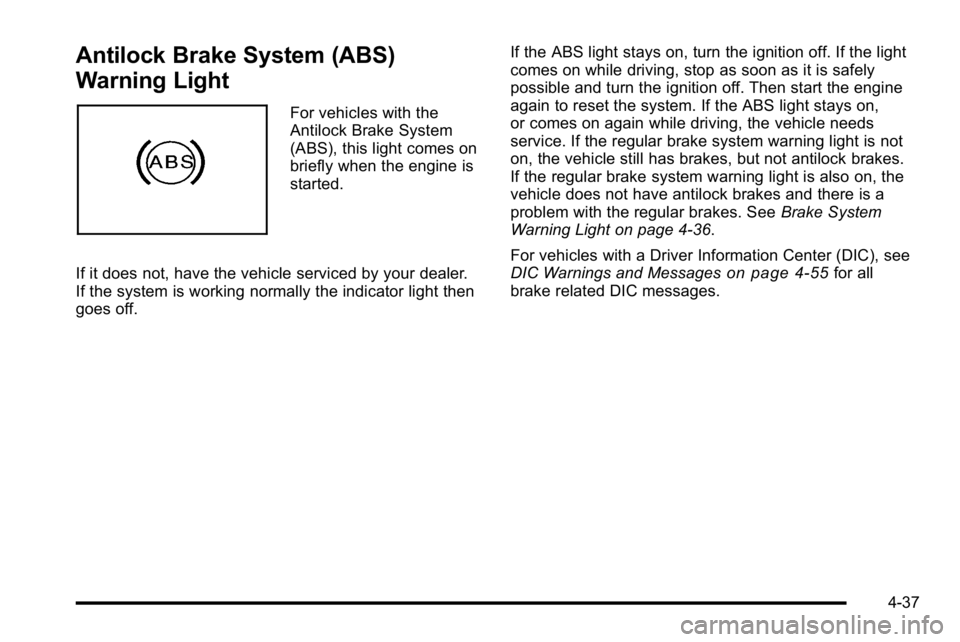
Antilock Brake System (ABS)
Warning Light
For vehicles with the
Antilock Brake System
(ABS), this light comes on
briefly when the engine is
started.
If it does not, have the vehicle serviced by your dealer.
If the system is working normally the indicator light then
goes off. If the ABS light stays on, turn the ignition off. If the light
comes on while driving, stop as soon as it is safely
possible and turn the ignition off. Then start the engine
again to reset the system. If the ABS light stays on,
or comes on again while driving, the vehicle needs
service. If the regular brake system warning light is not
on, the vehicle still has brakes, but not antilock brakes.
If the regular brake system warning light is also on, the
vehicle does not have antilock brakes and there is a
problem with the regular brakes. See
Brake System
Warning Light on page 4‑36.
For vehicles with a Driver Information Center (DIC), see
DIC Warnings and Messages
on page 4‑55for all
brake related DIC messages.
4-37
Page 201 of 474

Tire Pressure Light
For vehicles with a tire
pressure monitoring
system, this light comes
on briefly when the engine
is started. It provides
information about tire
pressures and the Tire
Pressure Monitoring
System.
When the Light is On Steady
This indicates that one or more of the tires is
significantly underinflated.
A tire pressure message in the Driver Information
Center (DIC), can accompany the light. SeeDriver
Information Center (DIC)
on page 4‑47for more
information. Stop and check the tires as soon as it is
safe to do so. If underinflated, inflate to the proper
pressure. See Inflation - Tire Pressure
on page 6‑65for more information.
When the Light Flashes First and Then is
On Steady
This indicates that there may be a problem with the Tire
Pressure Monitor System. The light flashes for about a
minute and stays on steady for the remainder of the
ignition cycle. This sequence repeats with every ignition
cycle. SeeTire Pressure Monitor Operation
on
page 6‑67for more information.
Malfunction Indicator Lamp
Check Engine Light
A computer system called OBD II (On-Board
Diagnostics-Second Generation) monitors operation
of the fuel, ignition, and emission control systems.
It ensures that emissions are at acceptable levels for
the life of the vehicle, helping to produce a cleaner
environment.
This light should come on
when the ignition is on,
but the engine is not
running, as a check to
show it is working. If it
does not, have the vehicle
serviced by your dealer.
4-41
Page 206 of 474
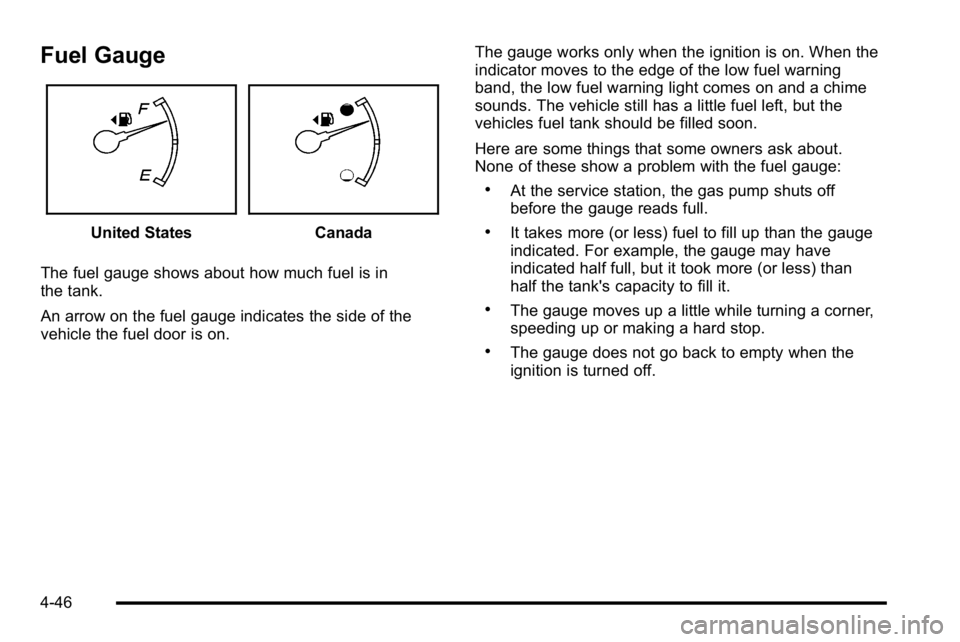
Fuel Gauge
United StatesCanada
The fuel gauge shows about how much fuel is in
the tank.
An arrow on the fuel gauge indicates the side of the
vehicle the fuel door is on. The gauge works only when the ignition is on. When the
indicator moves to the edge of the low fuel warning
band, the low fuel warning light comes on and a chime
sounds. The vehicle still has a little fuel left, but the
vehicles fuel tank should be filled soon.
Here are some things that some owners ask about.
None of these show a problem with the fuel gauge:
.At the service station, the gas pump shuts off
before the gauge reads full.
.It takes more (or less) fuel to fill up than the gauge
indicated. For example, the gauge may have
indicated half full, but it took more (or less) than
half the tank's capacity to fill it.
.The gauge moves up a little while turning a corner,
speeding up or making a hard stop.
.The gauge does not go back to empty when the
ignition is turned off.
4-46
Page 207 of 474
Driver Information Center (DIC)
Your vehicle has a Driver Information Center (DIC).
All messages will appear in the DIC display located
below the speedometer in the instrument panel cluster.
The DIC buttons are located on the instrument panel, to
the left of the instrument panel cluster.
The DIC comes on when the ignition is on. After a short
delay, the DIC will display the information that was last
displayed before the engine was turned off.
The DIC displays trip, fuel, and vehicle system
information, and warning messages if a system problem
is detected. The bottom line of the DIC shows the shift
lever position indicator. SeeAutomatic Transmission
Operation
on page 3‑24for more information.
If your vehicle's DIC has these features, the compass
direction and the outside air temperature may also
display on the DIC when viewing the trip and fuel
information. The compass direction appears on the
top right corner of the DIC display. The outside air
temperature automatically appears in the bottom right
corner of the DIC display. If there is a problem with the
system that controls the temperature display, the
numbers will be replaced with dashes. If this occurs,
have the vehicle serviced by your dealer.
The DIC also allows some features to be customized.
See DIC Vehicle Customization
on page 4‑65for more
information.
DIC Operation and Displays
The DIC has different displays which can be accessed
by pressing the DIC buttons located on the instrument
panel, to the left of the instrument panel cluster.
DIC Buttons
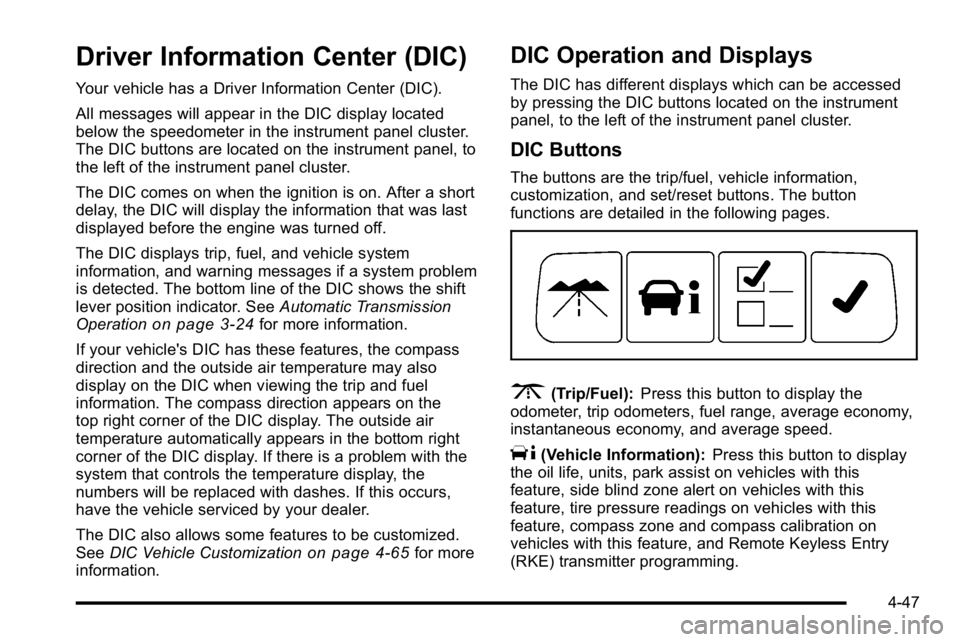
The buttons are the trip/fuel, vehicle information,
customization, and set/reset buttons. The button
functions are detailed in the following pages.
3(Trip/Fuel): Press this button to display the
odometer, trip odometers, fuel range, average economy,
instantaneous economy, and average speed.
T(Vehicle Information): Press this button to display
the oil life, units, park assist on vehicles with this
feature, side blind zone alert on vehicles with this
feature, tire pressure readings on vehicles with this
feature, compass zone and compass calibration on
vehicles with this feature, and Remote Keyless Entry
(RKE) transmitter programming.
4-47