lock BUICK LUCERNE 2010 Workshop Manual
[x] Cancel search | Manufacturer: BUICK, Model Year: 2010, Model line: LUCERNE, Model: BUICK LUCERNE 2010Pages: 474
Page 162 of 474
Section 4 Instrument Panel
Traction Control System (TCS) WarningLight . . . . . . . . . . . . . . . . . . . . . . . . . . . . . . . . . . . . . . . . . 4-38
StabiliTrak
®Indicator Light . . . . . . . . . . . . . . . . . . . . . 4-39
Lane Departure Warning (LDW) Light . . . . . . . . . . 4-39
Engine Coolant Temperature Warning Light . . . . 4-40
Engine Coolant Temperature Gauge . . . . . . . . . . . 4-40
Tire Pressure Light . . . . . . . . . . . . . . . . . . . . . . . . . . . . 4-41
Malfunction Indicator Lamp . . . . . . . . . . . . . . . . . . . . 4-41
Oil Pressure Light . . . . . . . . . . . . . . . . . . . . . . . . . . . . . 4-44
Security Light . . . . . . . . . . . . . . . . . . . . . . . . . . . . . . . . . . 4-45
Fog Lamp Light . . . . . . . . . . . . . . . . . . . . . . . . . . . . . . . . 4-45
Cruise Control Light . . . . . . . . . . . . . . . . . . . . . . . . . . . 4-45
Highbeam On Light . . . . . . . . . . . . . . . . . . . . . . . . . . . . 4-45
Fuel Gauge . . . . . . . . . . . . . . . . . . . . . . . . . . . . . . . . . . . . 4-46 Driver Information Center (DIC)
. . . . . . . . . . . . . . . . . .4-47
DIC Operation and Displays . . . . . . . . . . . . . . . . . . . 4-47
DIC Compass . . . . . . . . . . . . . . . . . . . . . . . . . . . . . . . . . . 4-53
DIC Warnings and Messages . . . . . . . . . . . . . . . . . . 4-55
DIC Vehicle Customization . . . . . . . . . . . . . . . . . . . . 4-65
Audio System(s) . . . . . . . . . . . . . . . . . . . . . . . . . . . . . . . . . . 4-74
Setting the Clock . . . . . . . . . . . . . . . . . . . . . . . . . . . . . . 4-75
Radio(s) . . . . . . . . . . . . . . . . . . . . . . . . . . . . . . . . . . . . . . . 4-77
Using an MP3 . . . . . . . . . . . . . . . . . . . . . . . . . . . . . . . . . 4-87
XM Radio Messages . . . . . . . . . . . . . . . . . . . . . . . . . . . 4-92
Navigation/Radio System . . . . . . . . . . . . . . . . . . . . . . 4-93
Bluetooth
®. . . . . . . . . . . . . . . . . . . . . . . . . . . . . . . . . . . . . 4-93
Theft-Deterrent Feature . . . . . . . . . . . . . . . . . . . . . . 4-104
Audio Steering Wheel Controls . . . . . . . . . . . . . . . 4-105
Radio Reception . . . . . . . . . . . . . . . . . . . . . . . . . . . . . . 4-106
Backglass Antenna . . . . . . . . . . . . . . . . . . . . . . . . . . . 4-107
XM™ Satellite Radio Antenna System . . . . . . . . 4-107
4-2
Page 163 of 474
Instrument Panel Overview
Hazard Warning Flashers
The hazard warning flashers let you warn others that
you have a problem.
The hazard warning flasher button is located in the
center of the instrument panel above the radio.
|:Press to make the front and rear turn signal lamps
flash on and off. Press the button again to turn the
flashers off.
When the hazard warning flashers are on, the turn
signals will not work.
Horn
Press near or on the horn symbols on the steering
wheel pad to sound the horn.
Tilt Wheel
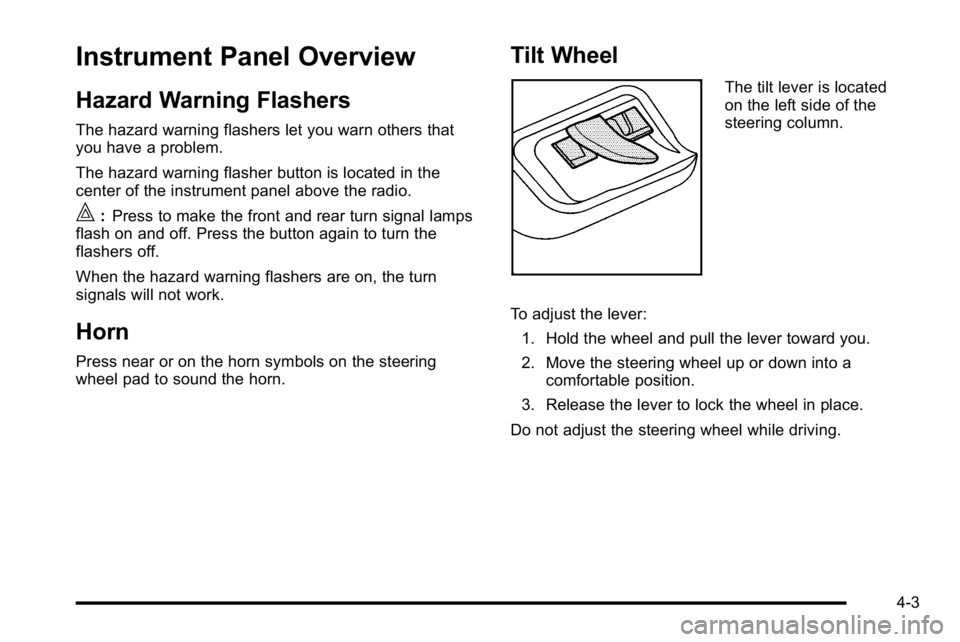
The tilt lever is located
on the left side of the
steering column.
To adjust the lever: 1. Hold the wheel and pull the lever toward you.
2. Move the steering wheel up or down into a comfortable position.
3. Release the lever to lock the wheel in place.
Do not adjust the steering wheel while driving.
4-3
Page 168 of 474
The Rainsense™system is activated by turning the
wiper control band to one of the five sensitivity levels
within the delay area. The position closest to off is the
lowest sensitivity setting, level one. This allows more
rain or snow to collect on the windshield between
wipes. Turning the wiper band away from you to higher
sensitivity levels increases the sensitivity of the system
and frequency of wipes. The highest sensitivity setting,
level five is closest to low. A single wipe will occur each
time you turn the wiper stalk to a higher sensitivity level
to indicate that the sensitivity level has been increased.
Notice: Going through an automatic car wash with
the wipers on can damage them. Turn the wipers off
when going through an automatic car wash.
The MIST and wash cycles operate as normal and are
not affected by the Rainsense™ function. The system
can be overridden at any time by manually changing the
wiper control to low or high speed.
Notice: Do not place stickers or other items on the
exterior glass surface directly in front of the rain
sensor. Doing this could cause the rain sensor to
malfunction.Windshield Washer
{WARNING:
In freezing weather, do not use your washer until
the windshield is warmed. Otherwise the washer
fluid can form ice on the windshield, blocking your
vision.
J(Washer Fluid): Press and release this paddle,
located at the top of the turn signal/multifunction lever,
to spray washer fluid on the windshield. The wipers will
clear the windshield and either stop or return to the
preset speed. For more washer cycles, press and hold
the paddle.
4-8
Page 173 of 474
Wiper Activated Headlamps
This feature activates the headlamps and parking lamps
after the windshield wipers are turned on and have
completed eight wipe cycles within four minutes.
When the ignition is turned to LOCK/OFF, the
wiper-activated headlamps immediately turn off. The
wiper-activated headlamps also turn off if the windshield
wipers are turned off.
Headlamps on Reminder
If you leave the exterior lamp buttons for the headlamps
or parking lamps on, remove the key from the ignition
and open the driver's door, you will hear a continuous
warning chime. The chime will turn off when the lamps
are turned off.
Daytime Running Lamps (DRL)
Daytime Running Lamps (DRL) can make it easier for
others to see the front of your vehicle during the day.
Fully functional daytime running lamps are required on
all vehicles first sold in Canada.
A light sensor on top of the instrument panel monitors
the exterior light level for the operation of DRL, so be
sure it is not covered.The DRL system makes the low-beam headlamps turn
on at reduced brightness in daylight when the following
conditions are met:
.The ignition is on.
.The exterior lamp button for the headlamps is off.
.The automatic transmission is not in P (Park).
When the DRL are on, only the low-beam headlamps
will be on. The parking lamps, taillamps, sidemarker
and other lamps will not be on.
When it is dark enough outside, the low-beam
headlamps will come on. The other lamps that turn on
with the headlamps will also turn on. When it is bright
enough outside, the regular lamps will go off, and the
low-beam headlamps change to the reduced brightness
of DRL.
To turn off all exterior lighting at night when the
vehicle is parked, turn the exterior lamp control to
the off position. The exterior lamps will turn back on
automatically when the transmission is moved out of
P (Park). See Exterior Lamps
on page 4‑12for more
information.
The regular headlamp system should be turned on
when needed.
4-13
Page 174 of 474
Fog Lamps
The fog lamps button is on the exterior lamps control to
the left of the steering column.
#(Fog Lamps):Press the exterior lamps button to
turn the fog lamps on or off. A light comes on in the
instrument panel cluster when the fog lamps are in use.
See Instrument Panel Cluster
on page 4‑30. The
ignition must be in the ON/RUN position for the fog
lamps to work.
The fog lamps will go off when the headlamps are
changed to high-beam.
Some localities have laws that require the headlamps to
be on along with the fog lamps.
Cornering Lamps
For vehicles with this feature, the cornering lamps come
on when: the headlamps or parking lamps are on, the
vehicle is not in P (Park), and you signal a turn with the
turn signal/multifunction lever. They provide more light
for cornering.
Exterior Lighting Battery Saver
If the exterior lamp button has been left on, the exterior
lamps will turn off about 10 minutes after the ignition is
turned to LOCK/OFF and a door has been opened. This
protects against draining the battery if the headlamps or
parking lamps are accidentally left on. If you need to
leave the lamps on for more than 10 minutes, use the
exterior lamp control to turn the lamps back on after the
ignition is turned to LOCK/OFF and any door is opened.
Instrument Panel Brightness
D (Instrument Panel Brightness): This feature
controls the brightness of the instrument panel lights.
The knob for this control is located next to the exterior
lamps control.
Push the knob in and release when it pops out. Turn
the knob clockwise to increase the brightness of the
instrument panel lights and counter clockwise to
decrease the brightness. Turning the knob completely
clockwise to the detent will turn on the courtesy lamps.
4-14
Page 175 of 474
Courtesy Lamps
When any door is opened, several lamps turn on
making it easier for you to enter and exit the vehicle.
Turn the instrument panel brightness control completely
clockwise to manually turn on these lamps.
Entry Lighting
If it is dark enough outside when you press the unlock
button on the remote keyless entry transmitter, the
interior courtesy lamps will turn on and stay on for about
40 seconds. The lamps can be turned off immediately
by pressing the lock button on the remote keyless entry
transmitter, turning the ignition key to ON/RUN or
activating the power door locks.
Delayed Entry Lighting
The interior lamps will turn on if you open the door
when it is dark enough outside. When you close the
door with the ignition off, the interior lamps will stay on
for up to 25 seconds or until the ignition is turned to an
on position. When the lamps turn off as a result of the
25 second timer or the ignition switch being turned on,
the lighting will deactivate by way of the theater
dimming effect. Locking the doors will override the
delayed entry lighting feature and the lamps will turn off
right away.
Theater Dimming
This feature allows for a three to five second fade out of
the courtesy lamps instead of immediate turn off.
Delayed Exit Lighting
If it is dark enough outside when you remove the key
from the ignition, the interior lamps will turn on and stay
on for about 25 seconds. This will give you time to find
the door pull handle or lock switches. Once the key
is inserted into the ignition, the exit lighting will be
cancelled and the lighting will fade out.
Perimeter Lighting
If it is dark enough outside when the unlock button on
the remote keyless entry transmitter is pressed, the
DRL, parking lamps and back-up lamps will come on.
This feature can be programmed on for various
amounts of time in seconds for each transmitter.
SeeDIC Vehicle Customization
on page 4‑65for
information on programming.
Front Reading Lamps
The front reading lamps are located on the headliner.
Press the button near each lamp to turn them on or off.
4-15
Page 179 of 474

A. Fan Control
B. Temperature Control
C. Air Delivery Mode Control D. Recirculation
E. Air Conditioning F. Rear Window Defogger
Operation
(
(Off): Turns the climate control system off. Outside
air still enters the vehicle and is directed to the floor.
The airflow direction and temperature can be adjusted.
Temperature Control: Turn clockwise or
counterclockwise to increase or decrease the
temperature.
9(Fan Control): Turn clockwise or counterclockwise
to increase or decrease the fan speed. The fan speed is
temporarily reduced between the transition to a new
mode. The fan will resume when the new mode is
complete.
If the airflow seems low when the fan speed is at the
highest setting, the passenger compartment air filter
may need to be replaced. For more information, see
Passenger Compartment Air Filter
on page 4‑28and
Scheduled Maintenance on page 7‑3.
Air Delivery Mode Control: Turn clockwise or
counterclockwise to change the direction of the airflow
in the vehicle.
4-19
Page 184 of 474
h(Auto Recirculation) :If AUTO is selected on
either the fan or mode control, the system automatically
controls the supply of fresh outside air or recirculates
the interior air to cool the car faster. The indicator light
on the recirculation button will light whenever the
system switches to recirculation. You may force outside
air by pressing the outside air button. The next time
AUTO fan or mode is selected, it will reset back to
AUTO operation.
Manual Operation
9(Off): Turns the climate control system off. Outside
air still enters the vehicle and is directed to the floor.
The airflow direction and temperature can be adjusted.
If the temperature is adjusted while the system is off,
the display will light to show the current settings.
w x(Driver Temperature Controls): Press these
buttons next to the fan control to increase or decrease
the temperature inside the vehicle.
w x(Passenger Temperature Controls): Press
these buttons next to the mode control to increase or
decrease the temperature for the front passenger. If the
passenger climate control system is off, pressing one of
these buttons turns it on.
9(Fan Control): Turn clockwise or counterclockwise
to increase or decrease the fan speed. Turning this
control completely counterclockwise turns on the
automatic fan operation.
If the airflow seems low when the fan speed is at the
highest setting, the passenger compartment air filter
may need to be replaced. For more information, see
Passenger Compartment Air Filter
on page 4‑28and
Scheduled Maintenance on page 7‑3.
Air Delivery Mode Control: Turn clockwise or
counterclockwise to change the direction of the airflow
in the vehicle.
To change the current mode, select one of the following:
F(Vent): Air is directed to the instrument panel outlets.
*(Bi-Level): Air is divided between the instrument
panel outlets and the floor outlets. In automatic
operation, cooler air is directed to the upper outlets and
warmer air to the floor outlets.
7(Floor): Air is directed to the floor outlets, with some
air directed to the windshield and side window outlets.
If recirculation is selected while in this mode, it stays on
for three minutes to reduce windshield fogging.
4-24
Page 187 of 474
Rear Window Defogger
The rear window defogger uses a warming grid to
remove fog or frost from the rear window.
<(Rear Defogger):Press to turn the rear window
defogger on or off. An indicator light below the button
comes on to show that the rear window defogger is on.
Be sure to clear as much snow from the rear window as
possible.
The rear window defogger only works when the ignition
is in ON/RUN. The rear window defogger stays on for
about 20 minutes after the button is pressed if the
vehicle is traveling at slower vehicle speeds. At higher
vehicle speeds the rear window defogger may stay on
continuously. If turned on again, the defogger only runs
for about 10 minutes before turning off. The defogger
can be turned off by pressing the button again, by
turning the ignition to ACC/ACCESSORY or ON/RUN,
or by turning off the engine.
The heated outside rearview mirrors will heat to help
clear fog or frost from the surface of the mirror when the
rear window defogger is on. See Outside Heated
Mirrors
on page 3‑36for more information. Notice:
Do not use a razor blade or sharp object to
clear the inside rear window. Do not adhere
anything to the defogger grid lines in the rear glass.
These actions may damage the rear defogger.
Repairs would not be covered by your warranty.
Outlet Adjustment
Use the levers, located in the middle of the front
outlets, to change the direction of the airflow. Use the
thumbwheel located between the outlets to turn them on
and off.
If the vehicle has rear seat outlets, adjust the direction
of the airflow using the lever in the center of each outlet.
Operation Tips
.Clear away any ice, snow, or leaves from the air
inlets at the base of the windshield that could block
the flow of air into the vehicle.
.Use of non-GM approved hood deflectors can
adversely affect the performance of the system.
.Keep the path under the front seats clear of
objects to help circulate the air inside the vehicle
better.
4-27
Page 197 of 474
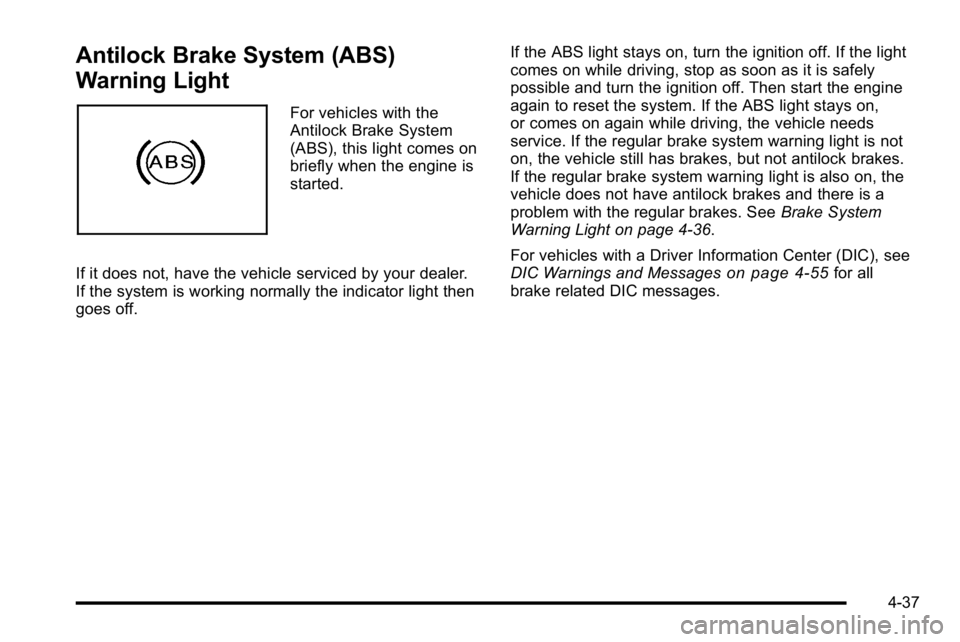
Antilock Brake System (ABS)
Warning Light
For vehicles with the
Antilock Brake System
(ABS), this light comes on
briefly when the engine is
started.
If it does not, have the vehicle serviced by your dealer.
If the system is working normally the indicator light then
goes off. If the ABS light stays on, turn the ignition off. If the light
comes on while driving, stop as soon as it is safely
possible and turn the ignition off. Then start the engine
again to reset the system. If the ABS light stays on,
or comes on again while driving, the vehicle needs
service. If the regular brake system warning light is not
on, the vehicle still has brakes, but not antilock brakes.
If the regular brake system warning light is also on, the
vehicle does not have antilock brakes and there is a
problem with the regular brakes. See
Brake System
Warning Light on page 4‑36.
For vehicles with a Driver Information Center (DIC), see
DIC Warnings and Messages
on page 4‑55for all
brake related DIC messages.
4-37