light BUICK PARK AVENUE 1996 Service Manual
[x] Cancel search | Manufacturer: BUICK, Model Year: 1996, Model line: PARK AVENUE, Model: BUICK PARK AVENUE 1996Pages: 388, PDF Size: 20.04 MB
Page 137 of 388
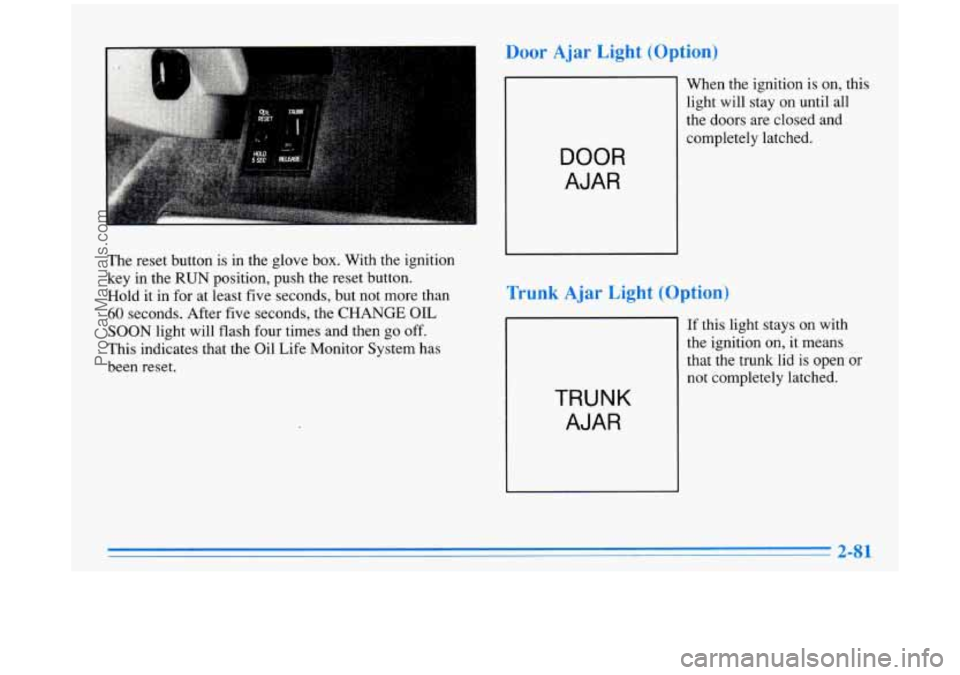
The reset button is in the glove box. With the ignition
key in the
RUN position, push the reset button.
Hold it in for at least five seconds, but not more than
60 seconds. After five seconds, the CHANGE OIL
SOON light will flash four times and then go off.
This indicates that the Oil Life Monitor System has
been reset.
Door Ajar Light (Option)
When the ignition is on, this
light will stay on until all
the doors are closed and
DOOR
AJAR
Trunk Ajar Light (Option)
TRUNK
AJAR
If this light stays on with
the ignition on, it means
that the trunk lid is open
or
not completely latched.
ProCarManuals.com
Page 138 of 388
Fuel Gage
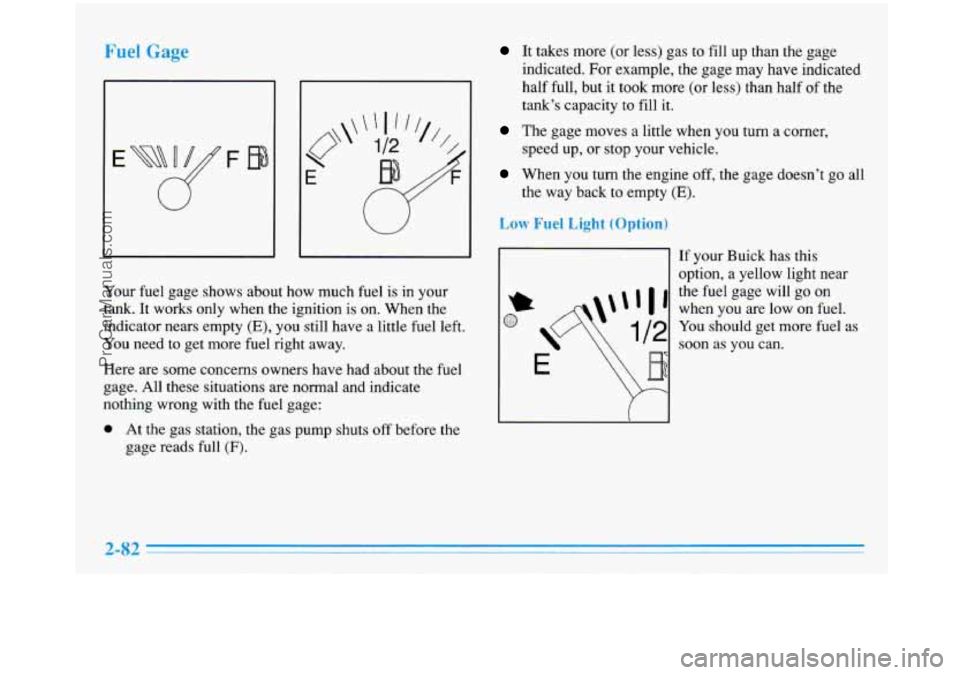
Your fuel gage shows about how much fuel is in your
tank.
It works only when the ignition is on. When the
indicator nears empty
(E), you still have a little fuel left.
You need to get more fuel right away.
Here are some concerns owners have had about the fuel
gage. All these situations are normal and indicate
nothing wrong with the fuel gage:
0 At the gas station, the gas pump shuts off before the
gage reads full
(F).
It takes more (or less) gas to fill up than the gage
indicated. For example, the gage may have indicated
half full, but it took more (or less) than half of the
tank’s capacity to fill
it.
The gage moves a little when you turn a corner,
speed up, or stop your vehicle.
When you turn the engine off, the gage doesn’t go all
the way back to empty
(E).
Low Fuel Light (Optio
I1
If your Buick has this
option, a yellow light near
the fuel gage will go on
when you are low on fuel.
You should get more fuel as
soon as you can.
2-82
ProCarManuals.com
Page 143 of 388
Dual Automatic ComforTemp
Climate Control (Option)
If your Buick has the dual automatic comfortemp
climate control option, the following information tells
you how it works.
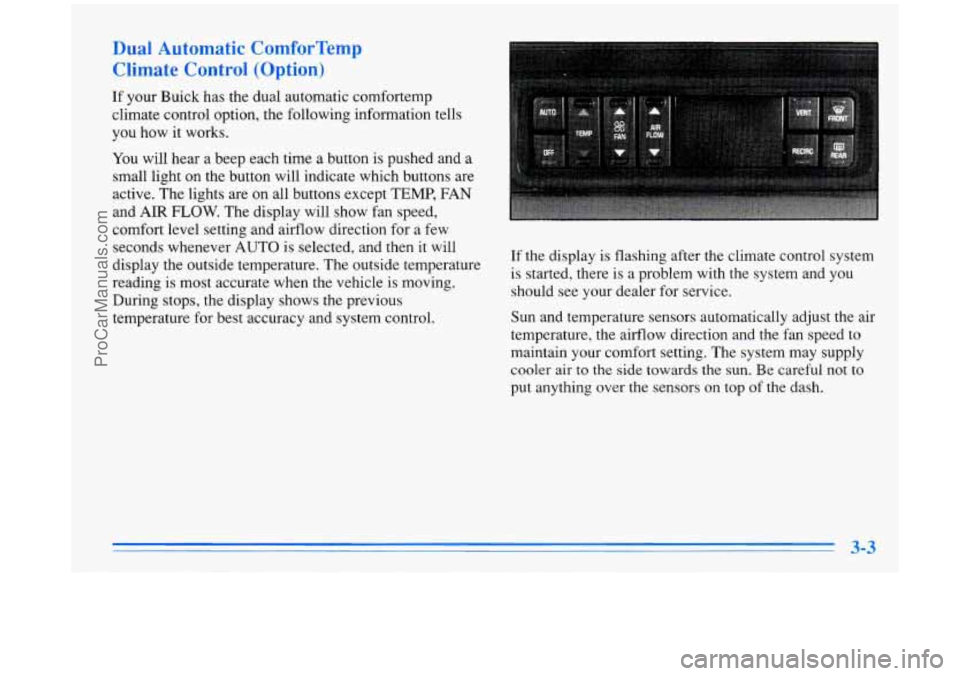
You will hear a beep each time a button is pushed and a
small light on the button will indicate which buttons are
active. The lights are on all buttons except TEMP, FAN
and AIR
FLOW. The display will show fan speed,
comfort level setting and airflow direction for a few
seconds whenever AUTO is selected, and then it will
display the outside temperature. The outside temperature
reading is most accurate when the vehicle
is moving.
During stops, the display shows the previous
temperature for best accuracy and system control. If the display
is flashing after the climate control system
is started, there is a problem with the system and you
should see your dealer for service.
Sun and temperature sensors automatically adjust the air
temperature, the airflow direction and the fan speed to
maintain your comfort setting. The system may supply
cooler air to the
side towards the sun. Be careful not to
put anything over the sensors on top of the dash.
ProCarManuals.com
Page 146 of 388
FRONT This selection is used to defrost the
windshield by directing the airflow toward the windshield.
If
FRONT is selected while in the AUTO mode, the fan
speed and the air temperature from the front defroster will
vary. If a manual
fan speed setting is selected, the fan
speed will remain at that selection until another fan speed
selection is made or the AUTO mode
is selected. To turn
off FRONT, press the AUTO or AIR FLOW button.
FRONT defrost will work better if any ice or snow is
cleared from the hood and the air inlet area between the
base
of the windshield and the hood.
Air Condi,,.
On hot days, open the windows long enough to let hot
inside air escape. This reduces the time it takes for your
vehicle to cool down. Then keep your windows closed
for the air conditioner to work its best.
If you have the electronic touch system, for quick
cool-down on very
hot days, use MAX with the
temperature and fan speed adjusted to COOL and
HIGH.
For normal cooling on hot days, use NORM and adjust the
temperature and fan speed for your comfort. If REClRC is
selected while
in the NORM air conditioning mode, the
system works like
MAX and recirculates the air. Use
BI-LEV to deliver warm air to the floor and cooler air to
the middle instrument panel outlets.
If you have the dual automatic comfortemp system and
on very hot days using the AUTO mode, the system will
automatically enter the RECIRC mode and the
temperature door will be positioned at the full cold
position for maximum cooling. If the system
is not in
the AUTO mode, RECIRC should be selected to provide
maximum cooling. You can choose the extreme comfort
setting of
60°F (16"C), but the system will not cool any
faster by choosing the extreme comfort setting.
When the air conditioner is on, you may sometimes notice
slight changes in your vehicle's engine speed and power.
This is normal because
the system is designed to cycle the
compressor on and
off to keep the desired temperature.
ProCarManuals.com
Page 151 of 388
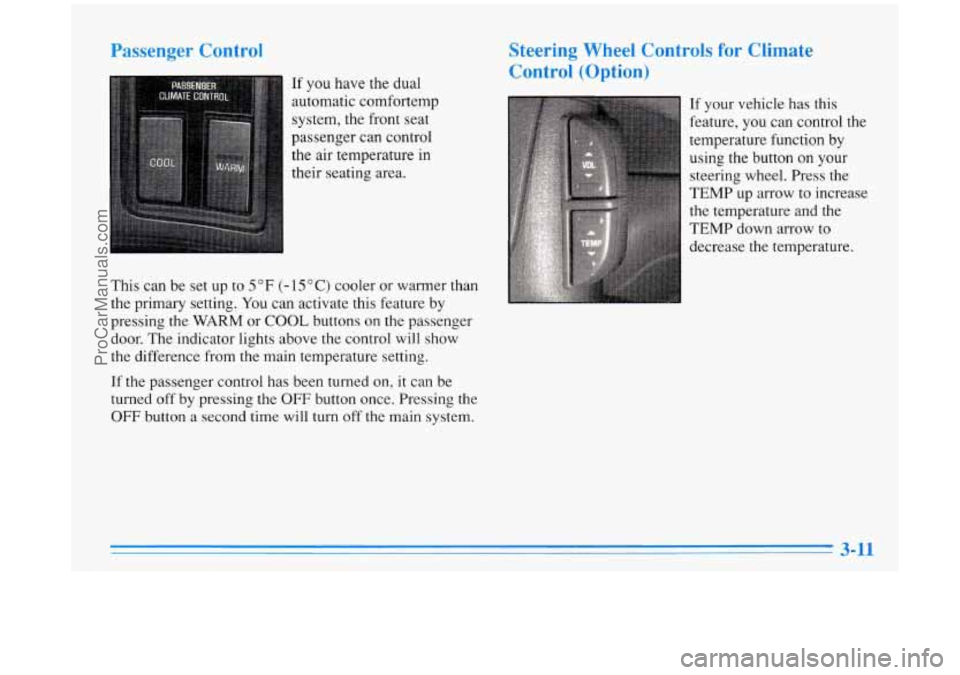
Passenger Control
If you have the dual
automatic cornfortemp
system, the front seat
passenger can control
the
air temperature in
their seating area.
This can be set up to
5 OF (- 15 O C) cooler or warmer than
the primary setting.
You can activate this feature by
pressing the
WARM or COOL buttons on the passenger
door. The indicator lights above the control will show
the difference from
the main temperature setting.
If the passenger control has been turned on,
it can be
turned
off by pressing the OFF button once. Pressing the
OFF button a second time will turn off the main system.
Steering Wheel Controls for Climate
Control (Option)
If your vehicle has this
feature, you can control the
temperature function by
using the button
on your
steering wheel. Press the
TEMP up
arrow to increase
the temperature and the
TEMP down arrow to
decrease the temperature.
ProCarManuals.com
Page 153 of 388
knob when the ignition is off, the clock will show for a
few seconds.
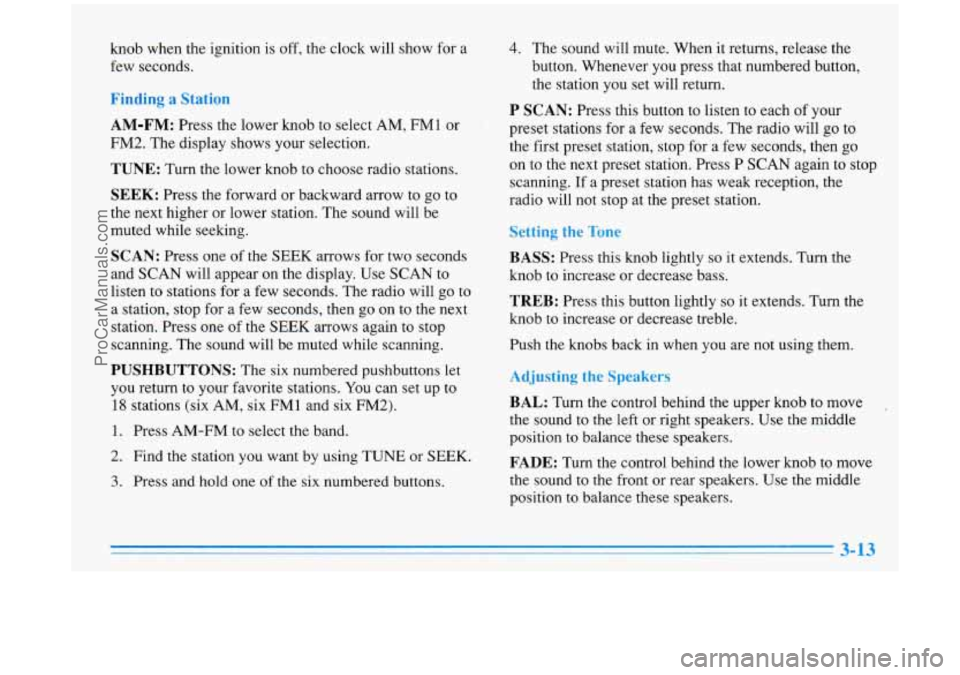
Finding a Station
AM-FM:
Press the lower knob to select AM, FM1 or
FM2. The display shows your selection.
TUNE: Turn the lower knob to choose radio stations.
SEEK: Press the forward or backward arrow to go to
the next higher or lower station. The sound will be
muted while seeking.
SCAN: Press one of the SEEK arrows for two seconds
and
SCAN will appear on the display. Use SCAN to
listen to stations for a few seconds. The radio will go to
a station, stop for
a few seconds, then go on to the next
station. Press one
of the SEEK arrows again to stop
scanning. The sound will be muted while scanning.
PUSHBUTTONS: The six numbered pushbuttons let
you return
to your favorite stations. You can set up to
18 stations (six AM, six FMl and six FM2).
1. Press AM-FM to select the band.
2. Find the station you want by using TUNE or SEEK.
3. Press and hold one of the six numbered buttons.
4. The sound will mute. When it returns, release the
button. Whenever you press that numbered button,
the station you set will return.
P SCAN: Press this button to listen to each of your
preset stations for a few seconds. The radio will
go to
the first preset station, stop for a few seconds, then go
on to the next preset station. Press
P SCAN again to stop
scanning.
If a preset station has weak reception, the
radio will not stop at the preset station.
Setting the Tone
BASS:
Press this knob lightly so it extends. Turn the
knob to increase or decrease bass.
TREB: Press this button lightly so it extends. Turn the
knob to increase
or decrease treble.
Push the knobs back in when you are not using them.
Adjusting the Speakers
BAL: Turn the control behind the upper knob to move
the sound to the left or right speakers. Use the middle
position to balance these speakers.
FADE: Turn the control behind the lower knob to move
the sound to
the front or rear speakers. Use the middle
position to balance these speakers.
ProCarManuals.com
Page 156 of 388
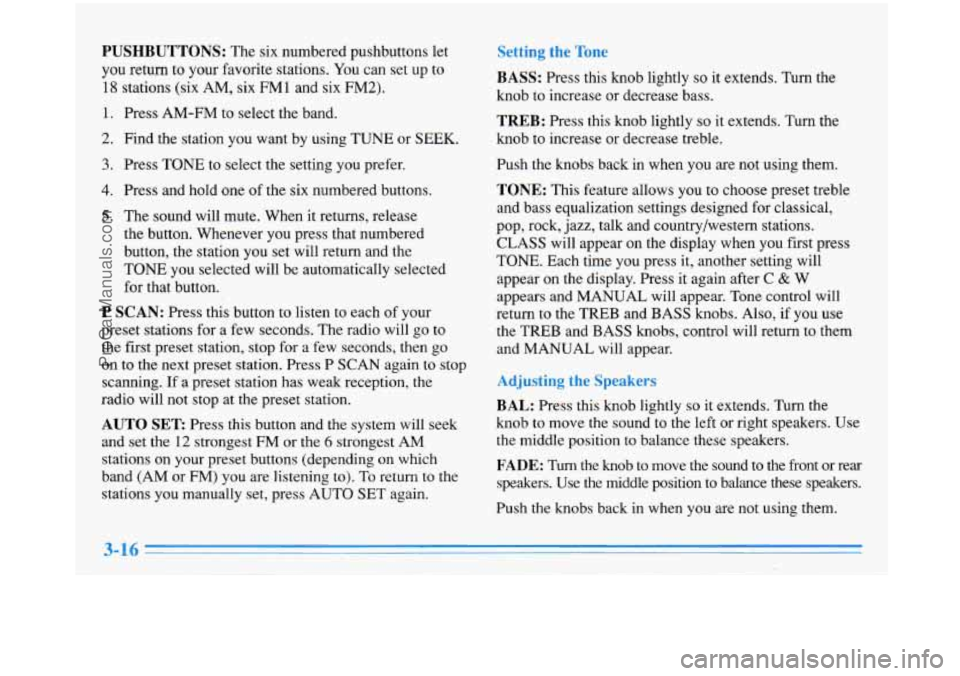
PUSHBUTTONS: The six numbered pushbuttons let
you return to your favorite stations. You can set up to
18 stations (six AM, six FM 1 and six FM2).
1. Press AM-FM to select the band.
2. Find the station you want by using TUNE or SEEK.
3. Press TONE to select the setting you prefer.
4. Press and hold one of the six numbered buttons.
5. The sound will mute. When it returns, release
the button. Whenever you press that numbered
button, the station you set will return and the
TONE you selected will
be automatically selected
for that button.
P SCAN: Press this button to listen to each of your
preset stations for a few seconds. The radio will
go to
the first preset station, stop for a few seconds, then go
on to the next preset station. Press P
SCAN again to stop
scanning. If a preset station has weak reception, the
radio will not stop at the preset station.
AUTO SET Press this button and the system will seek
and set the
12 strongest FM or the 6 strongest AM
stations on your preset buttons (depending on which
band (AM or
FM) you are listening to). To return to the
stations you manually set, press AUTO SET again.
tting the Tone
BASS: Press this knob lightly so it extends. Turn the
knob to increase or decrease bass.
TREB: Press this knob lightly so it extends. Turn the
knob to increase
or decrease treble.
Push the knobs back in when you are not using them.
TONE: This feature allows you to choose preset treble
and bass equalization settings designed for classical,
pop, rock, jazz, talk and countrylwestern stations.
CLASS will appear on the display when you first press
TONE. Each time you press it, another setting will
appear on the display. Press it again after
C & W
appears and MANUAL will appear. Tone control will
return
to the TREB and BASS knobs. Also, if you use
the TREB and BASS knobs, control will return to them
and MANUAL will appear.
sting i akers
BAL: Press this knob lightly so it extends. Turn the
knob
to move the sound to the left or right speakers. Use
the middle position to balance these speakers.
FADE: Turn the knob to move the sound to the front or rear
speakers. Use the middle position to balance these speakers.
Push the knobs back in when you are not using them.
ProCarManuals.com
Page 160 of 388
I_r____ the TC-.
BASS:
Press this knob lightly so it extends. Turn the
knob to increase or decrease bass.
b --d ‘-7 d a Corn1
Insert a disc partway into the slot, label side up. The
player will pull it in. The disc should begin playing.
TREB: Press this knob lightly so it extends. Turn the
knob to increase or decrease treble.
Push the knobs back in when you are not using them.
TONE: This feature allows you to choose preset treble
and bass equalization settings designed for classical,
pop, rock, jazz, talk and country/western stations.
CLASS will appear on the display when you first press
TONE. Each time you press it, another setting will
appear
on the display. Press it again after C & W
appears and MANUAL will appear. Tone control will
return to the TREB and BASS knobs. Also, if you use
the
TREB and BASS knobs, control will return to them
and MANUAL will appear.
BAL: Press this knob lightly so it extends. Turn this
knob to move the sound to the left or right speakers. Use
the middle position to balance these speakers.
FADE: Press this knob lightly so it extends. Turn this
knob to move the sound to the front or rear speakers.
Use the middle position to balance these speakers. If
you want
to insert a CD while the ignition or the radio
is off, first press EJECT or RECALL.
If you’re driving on a very rough road or if it’s very hot,
the disc may not play and ERR (error) may appear on
the display. Press RECALL to take ERR off the display.
When things get back to normal, the disc should play. If
the disc comes out,
it could be that:
0 The disc is upside down.
0 It is dirty, scratched or wet.
It is very humid. (If so, wait about an hour and
try again.)
RECALL: Press this button to see which track is
playing. Press
it again within five seconds to see how
long it has been playing. To change what is normally
shown on the display (track or elapsed time), press the
button until you see the display you want, then hold the
button until the display flashes.
ProCarManuals.com
Page 163 of 388
PUSHBUTTONS: The six numbered pushbuttons let
you return
to your favorite stations. You can set up to
18 stations (six AM, six FM1 and six FM2).
1.
2.
3.
4.
5.
Press AM-FM to select the band.
Find the station you want by using TUNE or SEEK.
Press TONE to select the setting you prefer.
Press and hold one
of the six numbered buttons.
The sound will mute. When it returns, release the
button. Whenever you press that numbered button,
the station you set will return and the TONE
you selected will be automatically selected for
that button.
P SCAN: Press this button to listen to each of your
preset stations for a few seconds. The radio will
go to
the first preset station, stop for a few seconds, then go
on to the next preset station. Press P SCAN again to stop
scanning.
If a preset station has weak reception, the
radio will not stop at the preset station.
AUTO SET: Press this button and the system will seek
and set the
12 strongest FM or the 6 strongest AM
stations on your preset buttons. To return to the stations
you manually set, press AUTO
SET again.
Setting the Tone
BASS: Press this knob lightly so it extends. Turn the
knob to increase or decrease bass. Push the knob back
in
when you are not using it.
TREB: Press this knob lightly so it extends. Turn the
knob to increase or decrease treble. Push the knob back
in when you are not using it.
TONE: This feature allows you to choose preset treble
and bass equalization settings designed for classical,
pop, rock, jazz, talk and country/western stations.
CLASS will appear on the display when you first press
TONE. Each time you press
it, another setting will
appear on the display. Press it again after
C & W
appears and MANUAL will appear. Tone control will
return to the
TREB and BASS knobs. Also, if you use
the
TREB and BASS knobs, control will return to them
and MANUAL will appear.
ProCarManuals.com
Page 164 of 388
BAL: Press this knob lightly so it extends. Turn the
knob to move the sound to the left or right speakers. Use
the middle position to balance these speakers. Push the
knob back in when you are not using it.
FADE: Press this button lightly so it extends. Turn the
knob to move the sound to the front or rear speakers.
Use the middle position to balance these speakers. Push
the knob back in when you are not using it.
The longer side with the tape visible should face
to the
right. If the ignition and the radio are on, the tape will
begin playing. If you hear nothing or hear a garbled
sound, the tape may not be in squarely. Press EJECT to
remove the tape and start over.
While the tape is playing, use the VOLUME, FADE,
BAL, TREB and BASS controls just as
you do for the
radio. Other controls may have different functions when
a tape is inserted. The display will show an arrow to
show which side of the tape
is playing.
If you want to insert a tape when the ignition or radio is
off, first press EJECT or RECALL. Note that the
cassette tape adapter kits for portable compact disc players may not work in your cassette player.
These
adapters can cause an error message on the display, and
the adapter cassette could be ejected.
Your tape bias is set automatically.
PREV (1): Press this button to search for the previous
selection on the tape. Your tape must have at least three
seconds of silence between each selection for PREV to
work. The sound will be muted while seeking.
NEXT (2): Press this button to search for the next
selection on the tape. Your tape must have at least three
seconds of silence between each selection for NEXT
to
work. The sound will be muted while seeking.
The SEEK down and up arrows will also find the
previous and next selections
on the tape.
44 (3): Press this button to reverse the tape rapidly.
Press
it again to return to playing speed. The radio will
play while the tape reverses.
.. (4): Press this button to advance quickly to another
part of the tape. Press the button again to return to playing
speed. The radio will play while the tape advances.
SIDE (5): Press this button to change the side of the
tape that
is playing.
ProCarManuals.com