mirror BUICK PARK AVENUE 1997 Owners Manual
[x] Cancel search | Manufacturer: BUICK, Model Year: 1997, Model line: PARK AVENUE, Model: BUICK PARK AVENUE 1997Pages: 420, PDF Size: 21.93 MB
Page 15 of 420
0 Move the seat forward or back by pushing the
horizontal control to the front or back.
0 Tilt the seatback by pushing the vertical control
forward or rearward.
0 Raise or lower the shoulder belt and head rest by
pushing the vertical control to the top or bottom.
Memory Seat and Mirrors (Option)
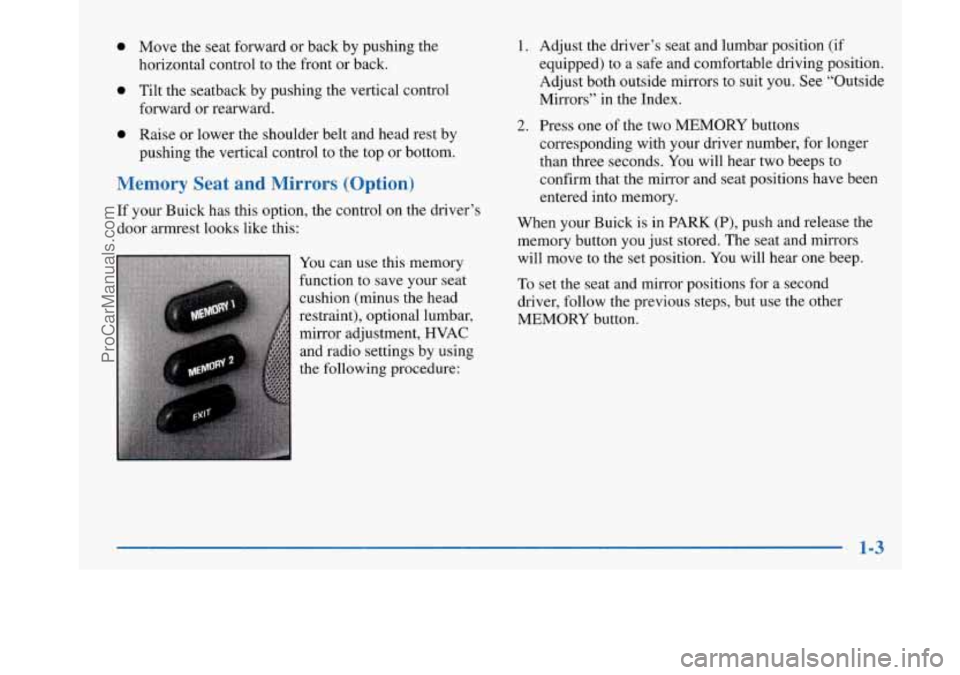
If your Buick has this option, the control on the driver’s
door armrest looks like this:
You can use this memory
function to save your seat
cushion (minus the head
restraint), optional lumbar,
mirror adjustment, HVAC
and radio settings by using
the following procedure:
1. Adjust the driver’s seat and lumbar position (if
equipped) to a safe and comfortable driving position.
Adjust both outside mirrors to suit you. See “Outside
Mirrors” in the Index.
2. Press one of the two MEMORY buttons
corresponding with your driver number, for longer
than three seconds. You will hear two beeps to
confirm that the mirror and seat positions have been
entered into memory.
When your Buick is in PARK (P), push and release the
memory button you just stored. The seat and mirrors
will move to the set position. You will hear one beep.
To set the seat and mirror positions for a second
driver, follow the previous steps, but use the other
MEMORY button.
ProCarManuals.com
Page 16 of 420
If you press the wrong MEMORY button, or if there is a
third driver, the seat adjuster will still work.
The EXIT button allows for easy exit from the vehicle.
Push and release the EXIT button while in PARK (P)
and the seat will move all the way back. You will hear a
beep when the EXIT button is pressed.
You can also set unique exit positions by moving the
seat to the desired position, and then pushing and
holding the EXIT button for greater than three seconds.
You will hear two beeps to confirm the position has
been set. The exit position will be set for the previously
identified driver. If
the ignition is not in RUN, automatic seat and mirror
movement will occur if the UNLOCK button on the
remote keyless entry transmitter is pressed. Automatic
seat and mirror movement is programmed through the
Driver Information Center (DIC)
so that the driver can
select whether the seat moves to the programmed
driving position, the programmed exit position or does
not move at all. For memory seat and mirror recall
programming instructions, see “DIC Personal Choice
Programming” in the Index.
1-4
ProCarManuals.com
Page 61 of 420
Section 2 Features and Controls
Here you can learn about the many standard and optional features on your Buick, and information on starting, shifting
and braking. Also explained are the instrument panel and the warning systems that tell you if everything is working
properly
-- and what to do if you have a problem.
2-2
2-4
2-8
2- 14
2-15 2-16
2- 17
2-
19
2-20
2-2 1
2-22
2-23
2-27
2-28
2-30
2-3
1
Keys
Door Locks
Remote Keyless Entry System
TrUnk
Theft
Content Theft Deterrent
PASS-Key@
III
New Vehicle “Break-In”
Ignition Positions
Starting Your Engine
Engine Coolant Heater
Automatic Transaxle Operation
Parking Brake Shifting Into PARK
(P)
Shifting Out of PARK (P)
Parking Over Things That
Burn
2-3 1
2-32
2-33
2-34
2-34
2-44
2-46
2-50
2-55
2-64
2-64
2-68
2-73
2-82
2-84 Engine Exhaust
Running
Your Engine While You’re Parked
Windows
Tilt Wheel
Turn Signal/Multifunction Lever
Exterior Lamps
Interior Lamps
Mirrors
Storage Compartments
Astroroof
Universal Transmitter
Instrument Panel
Warning Lights, Gages and Indicators
Head-Up Display (HUD)
Driver Information Center (DIC)
2-1
ProCarManuals.com
Page 98 of 420
Rain Sense Wipers (If Equipped)
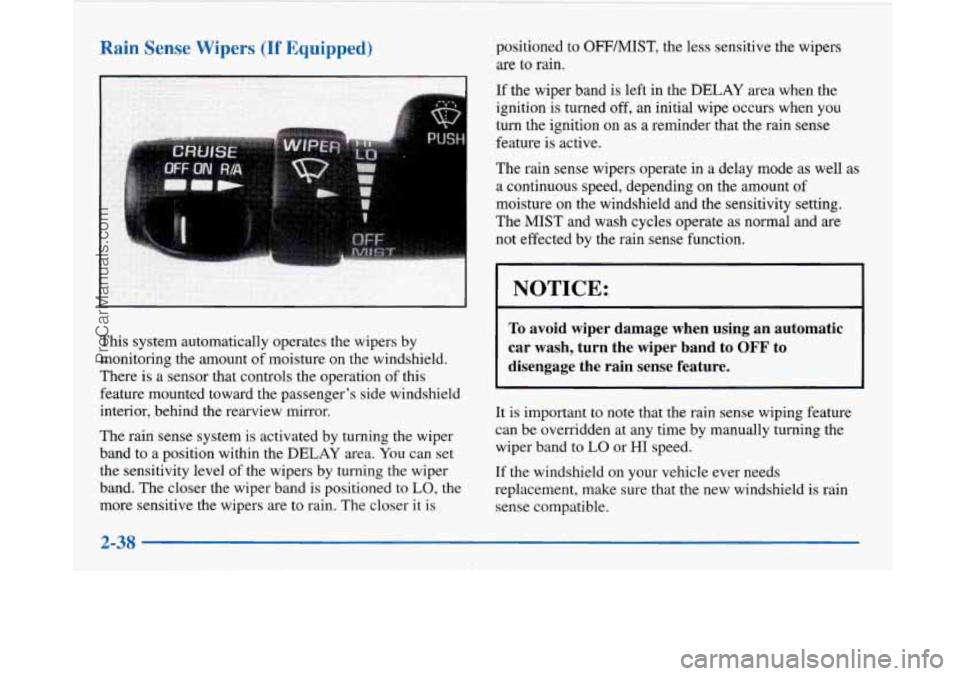
This system automatically operates the wipers by
monitoring the amount of moisture on the windshield.
There is a sensor that controls the operation of this
feature mounted toward the passenger’s side windshield
interior, behind the rearview mirror.
The rain sense system is activated by turning the wiper
band to a position within the
DELAY area. You can set
the sensitivity level of the wipers by turning the wiper
band. The closer the wiper band is positioned to
LO, the
more sensitive the wipers are to rain. The closer it is positioned to
OFFMIST, the
less sensitive the wipers
are to rain.
If the wiper band is left in the DELAY area when the
ignition is turned
off, an initial wipe occurs when you
turn the ignition on as a reminder that the rain sense
feature
is active.
The rain sense wipers operate in a delay mode as well as
a continuous speed, depending on the amount of
moisture on the windshield and the sensitivity setting.
The MIST and wash cycles operate as normal and are
not effected by the rain sense function.
NOTICE:
To avoid wiper damage when using an automatic
car wash, turn the wiper band to
OFF to
disengage the rain sense feature.
It is important to note that the rain sense wiping feature
can be overridden at any time by manually turning the
wiper band
to LO or HI speed.
If the windshield on your vehicle ever needs
replacement, make sure that the new windshield
is rain
sense compatible.
2-38
ProCarManuals.com
Page 110 of 420
Mirrors
Inside Manual Daymight Rearview Mirror Electrochromic Daymight Rearview Mirror
(If Equipped)
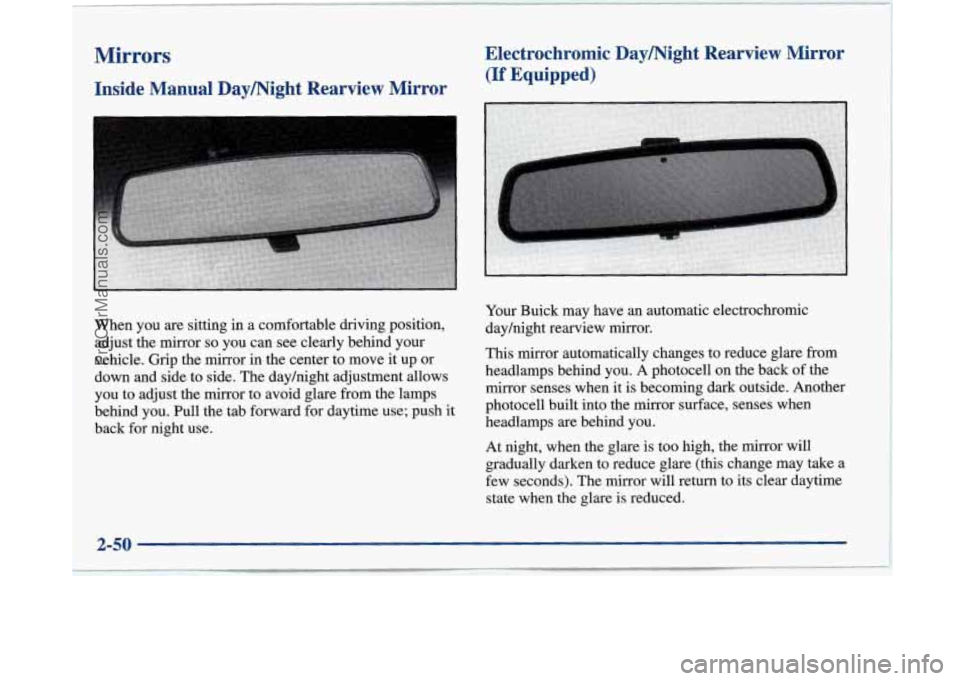
When you are sitting in a comfortable driving position,
adjust the mirror
so you can see clearly behind your
vehicle. Grip the mirror in the center to move it up or
down and side to side. The dayhight adjustment allows
you to adjust the mirror to avoid glare from the lamps
behind you. Pull the tab forward for daytime use; push it
back for night use. Your
Buick may have an automatic electrochromic
dayhight rearview mirror.
This mirror automatically changes to reduce glare from
headlamps behind you. A photocell on the back of the
mirror senses when it is becoming dark outside. Another
photocell built into the
mirror surface, senses when
headlamps
are behind you.
At night, when the glare is too high, the mirror will
gradually darken to reduce glare (this change may take a
few seconds). The mirror will return to its clear daytime
state when the glare is reduced.
2-50
-
ProCarManuals.com
Page 111 of 420
Press the button at the base of the mirror to turn on the
automatic feature. The button has an indicator light to
show it
is on. Press the button again to turn the
automatic feature
off.
Time Delay
The automatic mirror has a time delay feature which
prevents unnecessary switching from the night back to
the day position. This delay prevents rapid changing
of
the mirror as you drive under lights and through traffic.
Reverse Gear Day Mode
The reverse day mode is another important feature of the
electrochromic mirror. When the shift lever
is placed in
REVERSE (R), the mirror changes to the day mode.
This gives you a bright image in the mirror as you
back up.
Cleaning the Photocells
Use a cotton swab and glass cleaner to clean the
photocells when necessary.
Electrochromic Daymight Rearview Mirror
with Compass
(If Equipped)
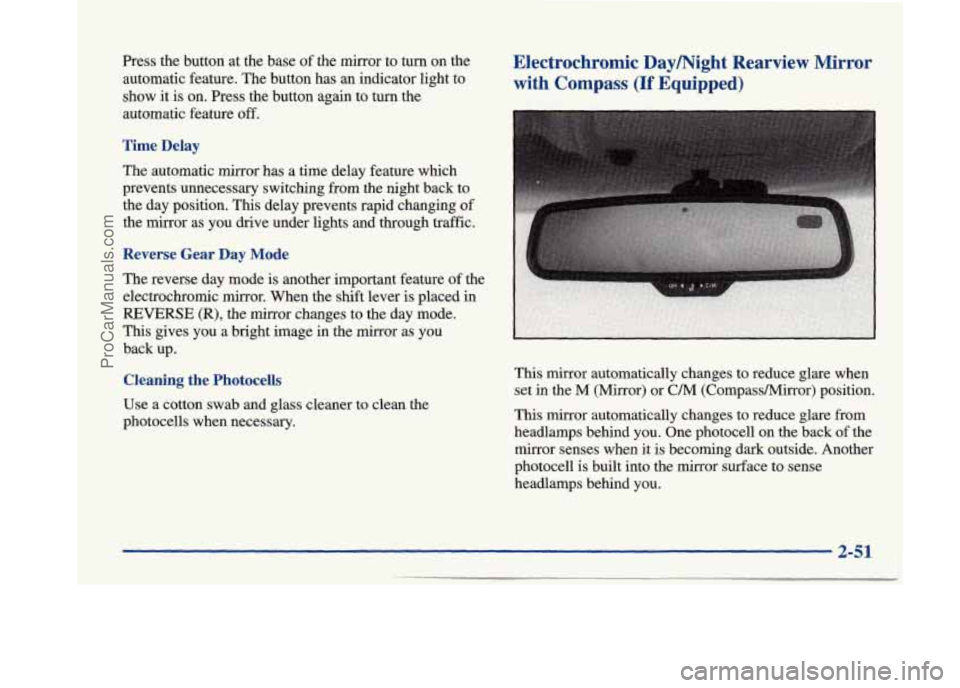
This mirror automatically changes to reduce glare when
set in the
M (Mirror) or C/M (CornpassMirror) position.
This mirror automatically changes to reduce glare from
headlamps behind you. One photocell
on the back of the
mirror senses when it is becoming dark outside. Another
photocell is built into the mirror surface to sense
headlamps behind you.
2-51
ProCarManuals.com
Page 112 of 420
At night, when the glare is too high, the mirror will
gradually darken to reduce glare (this change may
take a
few seconds). The mirror will return to its clear daytime
state when the glare is reduced.
Setting the Mirror
OFF: This setting turns off the dayhight function and
compass. The mirror will stay in the day mode.
M: This turns on the dayhight portion of the mirror to
automatically reduce glare.
C/M: This setting turns on the compass in addition to
the dayhight function. The letter
or letters displayed in
the top right corner of the mirror indicate the direction
in which you are traveling.
Time Delay
This feature prevents rapid changing of the mirror from
the night mode to the day mode as you drive under
lights and through traffic.
Reverse Gear Day Mode
The reverse mode is another important feature of the
electrochromic mirror. When the
shift lever is placed in
REVERSE (R), the mirror changes to the day mode. This
gives you a bright image in the mirror as you back up.
Cleaning the Photocells
Use a cotton swab and glass cleaner to clean the
photocells when necessary.
Compass Calibration
Once the compass is calibrated, it does not need to be
recalibrated as long as the mirror is left in your vehicle
and the vehicle remains in the same geographical zone.
To calibrate the compass:
1. Set the switch on the mirror control to C/M.
2. Turn the vehicle ignition switch on. If the letter C
is not displayed in the mirror compass window, hold
the
CAL switch for more than 10 seconds. To hold
in the
CAL switch, insert a paper clip into the small
hole on the bottom
of the mirror housing. The
display will show a number first, but keep holding
until the letter
C appears.
360-degree circle at less than
5 mph (8 km/h) until
the display reads a compass direction.
3. For
quick calibration, drive the vehicle in a
For normal calibration, drive the vehicle on
your everyday routine, and the compass will
eventually calibrate.
2-52
ProCarManuals.com
Page 113 of 420
Compass Variance
I fa
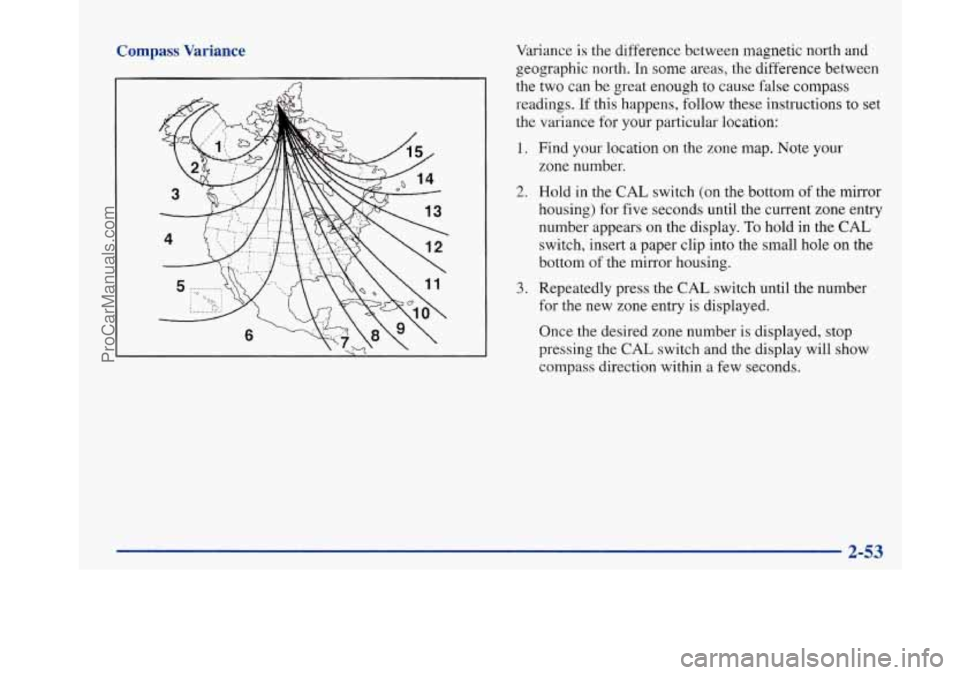
Variance is the difference between magnetic north and
geographic north. In some areas, the difference between
the two can be great enough to cause false compass
readings.
If this happens, follow these instructions to set
the variance for your particular location:
1. Find your location on the zone map. Note your
zone number.
2. Hold in the CAL switch (on the bottom of the mirror
housing) for five seconds until the current zone entry
number appears on the display.
To hold in the CAL
switch, insert a paper clip into the small hole on the
bottom
of the mirror housing.
3. Repeatedly press the CAL switch until the number
for the new zone entry is displayed.
Once the desired zone number is displayed, stop
pressing the
CAL switch and the display will show
compass direction within a few seconds.
2-53
ProCarManuals.com
Page 114 of 420
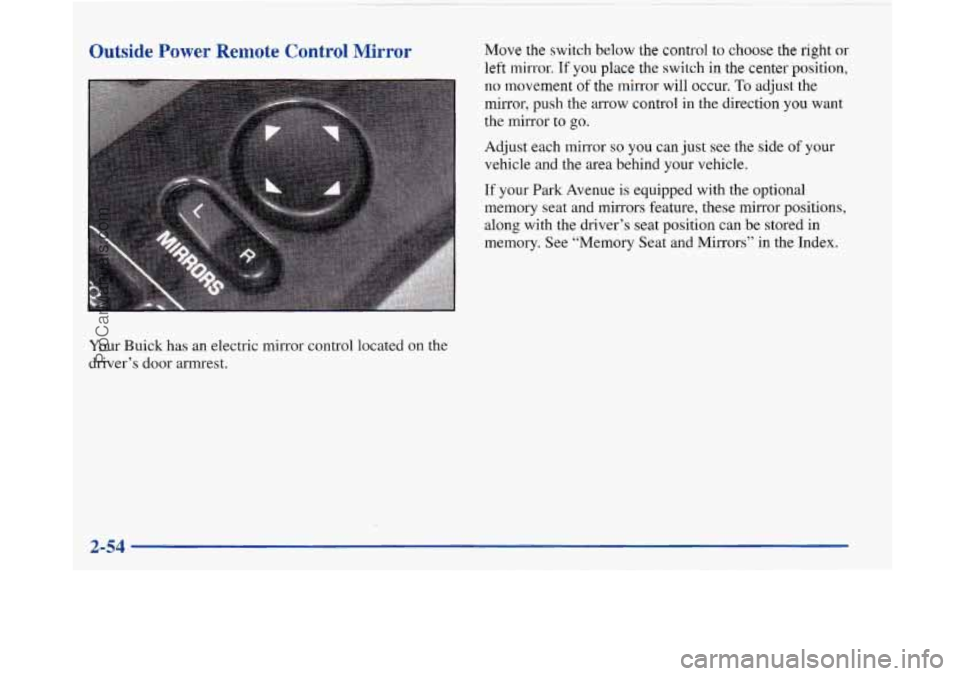
Outside Power Remote Control Mirror
Your Buick has an electric mirror control located on the
driver’s door armrest.
Move the switch below the control to choose the right or
left mirror. If you place the switch in the center position,
no movement of the mirror will occur. To adjust the
mirror, push the arrow control in the direction you want
the mirror to go.
Adjust each mirror
so you can just see the side of your
vehicle and the area behind your vehicle.
If your Park Avenue is equipped with the optional
memory seat and mirrors feature, these mirror positions,
along with the driver’s seat position can be stored in
memory. See “Memory Seat and Mirrors” in the Index.
ProCarManuals.com
Page 115 of 420
Convex Outside Mirror
Your passenger’s side mirror is convex. A convex
mirror’s surface is curved
so you can see more from the
driver’s seat.
1
A convex mirror can make things (like other
vehicles) look farther away than they really are.
1 If you cut too sharply into the right lane, you
could hit a vehicle on your right. Check your
inside mirror or glance over your shoulder before
changing lanes.
Automatic DimmingMeated Outside Rearview Mirror
(If Equipped)
If you have this option, the driver’s side outside mirror
will adjust for the glare of headlamps behind you.
This
feature is controlled by the on and off settings on the
automatic electrochromic dayhight rearview mirror. See
“Automatic Electrochromic Daymight Rearview
Mirror” earlier in this section.
If you have this feature, the left and right outside
mirrors are also heated when you activate the rear
window defogger.
Storage Compartments
Glove Box
The glove box is directly in front of the front
passenger’s seat. Use the door key to lock and unlock
the glove
box. To open the glove box, pull the handle
upward until the latch opens.
ProCarManuals.com