ECU BUICK PARK AVENUE 1998 Owner's Manual
[x] Cancel search | Manufacturer: BUICK, Model Year: 1998, Model line: PARK AVENUE, Model: BUICK PARK AVENUE 1998Pages: 426, PDF Size: 23.59 MB
Page 153 of 426
e mL INFO: Press this button to display fuel
infomation such
as, fuel used, fuel range and
fuel economy.
Q GAGE INFO: Use this button to display oil
pressure,
oil Me, coolant temperature, tire pressure
and battery infomation.
RESET: ”his button, used dong with other buttons,
will reset system functions.
@ ENGNET: Use this button to change the display
between English and metric
units.
p@r@-jn& Choice gJ1c DispEay
This feature allows two different drivers to store and
recall their
QWP~ preferred display mode. The personal
choice settings displayed
on the DIC are determined by
the transmitter used
t~ enter the vehicle. After the
UNLOCK button of a remote keyless entry transmitter
is pressed
and the ignition is in RUN, the DIC will
display
the identified driver. The settings can also be
changed
by briefly pressing one of the MEMORY
buttons located on the driver’s door.
The DIC can also be used to program the following
personal
choice features available with your vehicle:
e Memory Seats
Memory Door Locks
Security Feedback
Delayed Locking
e Perimeter Lighting
Parallel Park Assist Mirror
Window Lockout
See “Personal Choice Features”
in the Index and “DIC
Personal Choice Progran~ning’~ later in this part. The
DIC is used to program infomation €or DWIVEiR #1 and
DRIVER #2. The DIC will identify a person as
UNKNOWN DRIVER if they are neither DRIVER #I
nor DRIVER #2.
ProCarManuals.com
Page 157 of 426
The DIC can be used $0 program the following personal
choice
features available with your vehicle:
@ Melnosy Seats
Memory Door Locks
Security Feedback
@ Delayed hcking
See ‘‘Personal Choice Features” In the Index.
T’ne DTC is used to program the personal choices of two
drivers. The driver’s are recognized by
DRIVER #I and
DRIVER #2. You will kt the DIC know which driver
you are by using your remote keyless entry transmitter
or
by pressing the appropriate memory seat control
buttorm located on the driver’s door. The remote
transmitter was pre-programmed to belong to
DRIVER # 9 or DRIVER #2.
The last driver number remembered by the DIC will
show on the display each time the UNLOCK button on
the same transmitter is pressed, and the ignition is
turned OE.
When you press UNLOCK en your transmitter, the DIC
will automaticaihy change driver numbers 2nd the
vehicle will recall the persod choice settings that were
last made to correspond to your transmitter.
if you unlock the vehicle using your door key instead sf
your zransmitter, the DIC will not change drivers 2nd
will recall the infomation from the last transmitter use
or the last driver change using the men~ory seat controls.
If this happens and you were not the last driver of the
vehicle, simply
press your correct driver number on the
memory seat controls OH press the UNLOCK button on
your transmitter.
ProCarManuals.com
Page 160 of 426
If you choose ON for LOCK FEEDBACK YOU will also
wed to choose LIGHTS or LIGHTS + HORN.
You can select the following modes:
@ If you choose OW for LOCK FEEDBACK and OW
for UNLOCK FEEDBACK, you will receive no
security feedback when locking or unlocking
your vehicle.
@ Hf ptl choose OFF for LOCK FEEDBACK and
LIGHTS for UNLOCK FEEDBACK, you will
receive no security feedback when locking your
vehicle and the exterior lamps will flash when
unlocking your vehicle.
8
8
8
If YOU choose EIGHTS for LOCK FEEDBACK and
OFF for UNLOCK FEEDBACK, your exterior
lamps wiEl flash when Iochg your vehicle and you
will receive
no security feedback when unlocking
your vehicle.
Hf you choose LIGHTS for LOCK FEEDBACK and
LIGHTS for UNLOCK FEEDBACK, your exterior
lamps will flash when locking and when ur,Bocking
your vehicle.
If you choose LIGHTS + HOW for LOCK
FEEDBACK and OFF for UNLCCK FEEDBACK,
your exterior lamps will flash and the horn will chiq
when locking your vehicle and you will receive no
security feedback when unlocking your vehicle.
Hf you choose LIGHTS + HORN for LOCK
FEEDBACK and LIGHTS for UNLOCK
FEEDBACK, your exterior lamps will flash and the
horn will chirp when locking YQW vehicle and your
exterior
lamps will flash when unlocking
your vehicle.
For more infomation on this feature, see ''Security
Feedback"
in the Index.
ProCarManuals.com
Page 161 of 426
pep&Q_@ier- L&.$%gqg
When the UNLOCK button on the transmitter is
pressed, the
DRL lamps (high-beams at reduced
intensity), parking
lmps and back-up laps will turn on
if it is dark enough according to the twilight sentinel.
You can control activation of this feature by choosing
OFF QI- ON when the PERIMETER LIGHTS choice is
displayed
on the DIC. Make your choice by pressing the
ENG/M.ET button and record your choice by pressing
the
RESET button.
NOTE: If you want to choose PERIMETER LIGHTS
ON, you must also choose LIGMTS for UNLOCK
FEEDBACK while making the security
feedback choices.
For more information on this feature, see “Perimeter
Lighting”
in the Index.
ProCarManuals.com
Page 195 of 426
A. 1
2.
3.
4.
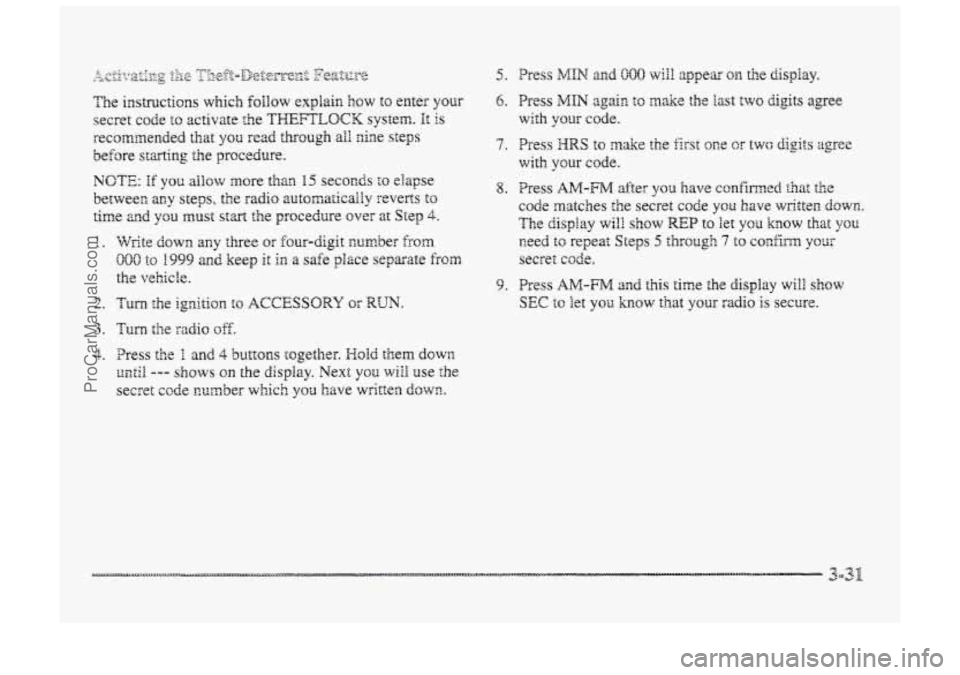
9. Press AM-FM and this time the display will S~OW
SEC f~ ?et YOG how that your radio is secure.
ProCarManuals.com
Page 196 of 426
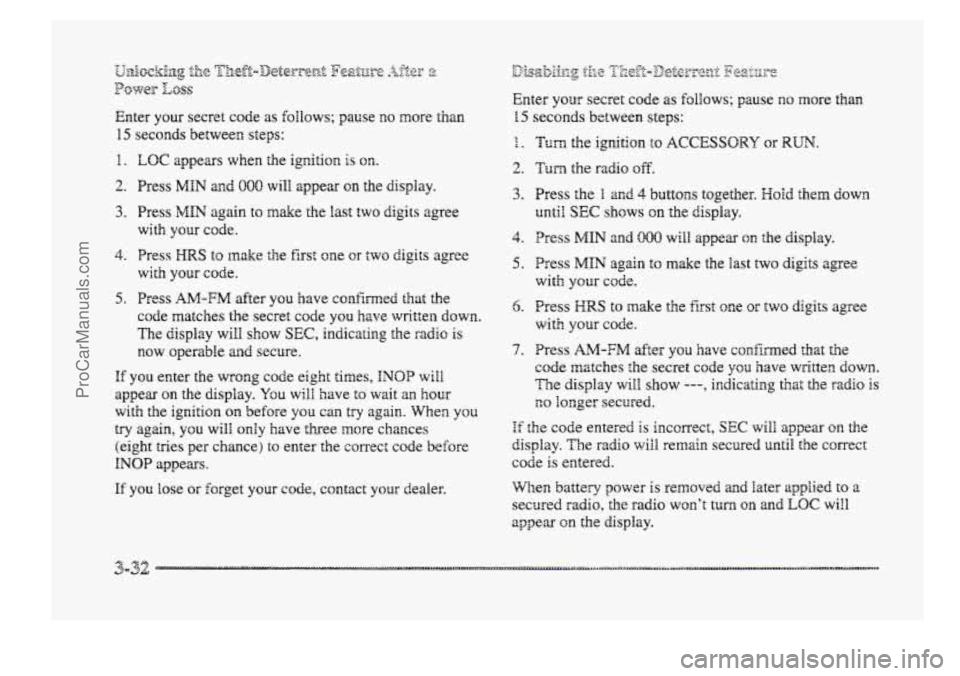
Enter your secret code as ~Q~HOWS; pause no more than
15 seconds between steps:
1.
2.
3.
4.
5.
LOC appears when the igr,ition is on.
Press MfN and 880 will appear on the display.
Press
MHN again to make the fast two digits agree
with your code.
Press
HRS to ~nake the first one or two digits agree
Press
AM-FM after you have confimed that the
code matches the secret code you
have writ’een down.
The display will show SEC, indicating the radio is
~QW operable and secure.
with your code.
HE you er,ter the wrong code eight times, INQP will
appear on the display. Ygu will have t~ wait an hour
with the ignition on before you can try again. When you
try again, you will O~Y have three more chances
(eight tries per chance)
to enter the correc: code before
INOP appears.
If you lose or forget your code, contact your dealer.
Enter yorer secret code as ~OIEQWS; pause no more than
15 seconds between steps:
1 1.
2.
3.
4.
5.
6.
7.
Turn the ignition to ACCESSORY or RUN.
Turn the radio off.
Press the B and 4 buttons together. Hold them down
until SEC shows on the display.
Press MIN and 000 will appear on the display.
Press
MfN again to make the last two digits agree
with your code.
Press HRS to make the first one or two digits agree
with your cocie.
Press
AI-FM after you have confkmed that the
code matches
the secret code you have written CIOWH~.
The display will shaw ---, indicating that the radio is
no longer secured.
If the code entered is inccnect, SEC will appear on the
display. The radio will remain secured until the correct
code
is entered.
When
battery power is removed and later applied to a
secured radio, the radio won’t turn on and EQC wirl
appear on the display.
ProCarManuals.com
Page 197 of 426
To unlock a secured radio see ‘6Udock.ing the
Thefi-Deterrent Feature After
a Bower LOSS” earlier in
this section.
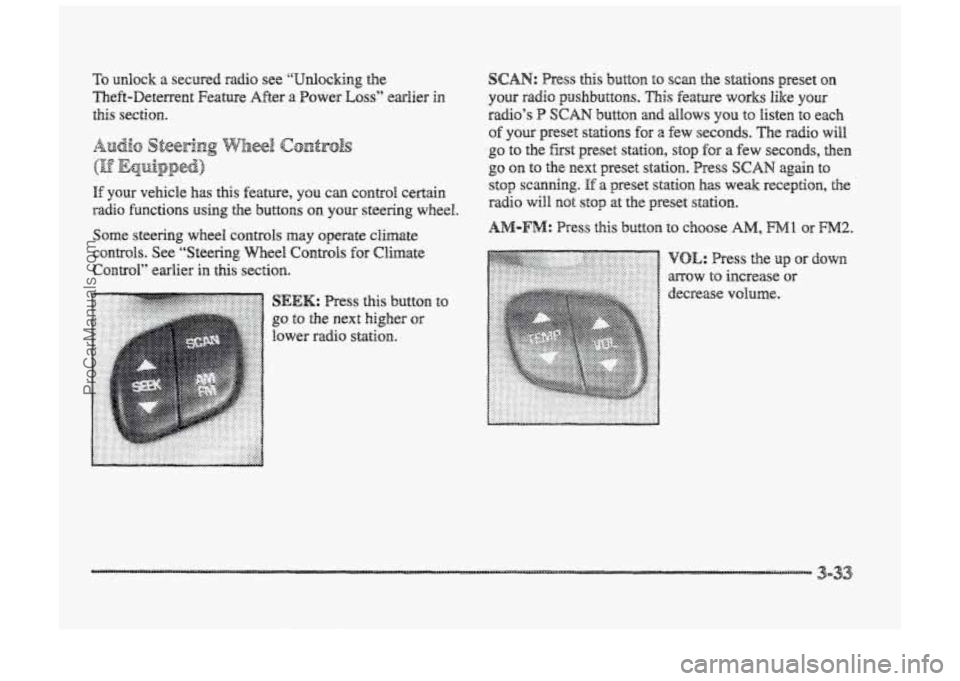
Audio Steering W3eel c@ntr@ls
If your vehicle has this feature, can control certain
radio functions using the buttons on your steering wheel.
Some steering wheel controls may operate climate
CO~&Q~S. See “’Steering Wheel Controls for Climate
Contd” earlier in
this section.
button
to SEEK: Press this
go to the next higher or
lower radio station.
SCAN: Press this button to scan the stations preset on
your radio psaslnbuttons. This feature works like your
radio’s P SCAN button and allows YOU to listen to each
of you preset stations for a few seconds. The radio will
go to the fist preset station, stop for a few seconds, then
go on to the next preset station. Press SCAN again to
stop scanning.
If a preset station has weak reception, the
radio will mot stop at the preset st&hn~.
ProCarManuals.com
Page 228 of 426
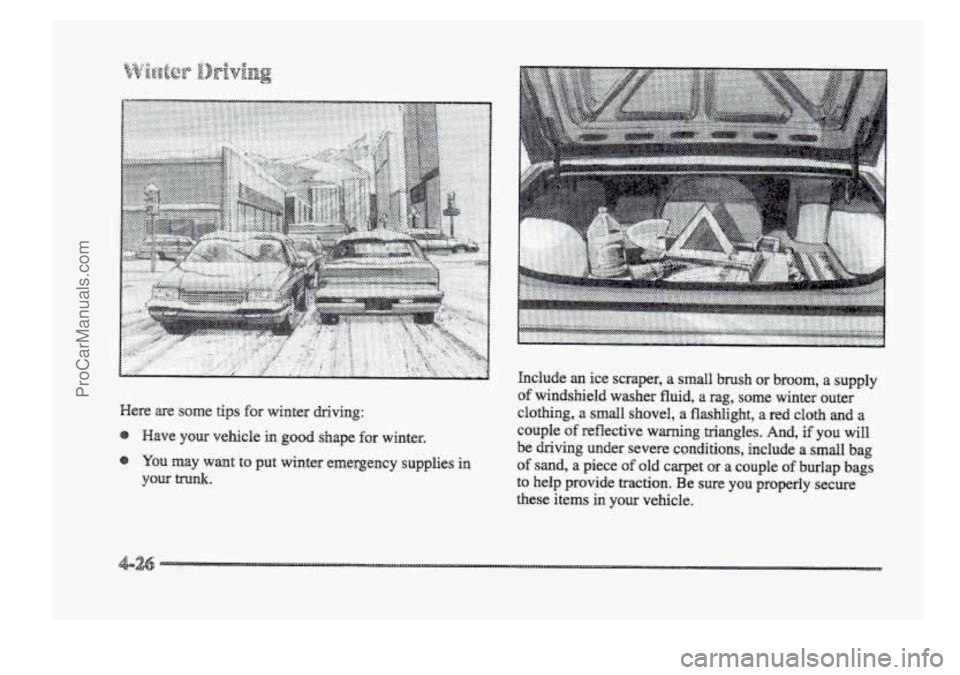
p.......... ...........- ............ ......................... gg.&.$& ..............
Here are some tips for winter driving: hclude
an ice
scraper, a smdl brush or broom, a supply
of windshield washer fluid, a rag, some winter outer
clothing,
a small shovel, a flashlight, a red cloth and a
couple
of reflective warning triangles. And, if you will.
be driving under severe conditions, include a small bag
of sand, a piece of old carpet or a couple of burlap bags
to help provide traction. Be sure you pperly secure
these items
in YOU vehicle.
ProCarManuals.com
Page 248 of 426
2
A vehicle can fall from a car carrier if it isn’t
adequately secured. This can cause a collision,
serious personal injury and vehicle damage. The
vehicle should be tightly secured with chains OF
steel cables before it is transported.
Don’t use substitutes (ropes, leather straps,
canvas webbing, etc.) that can be cut by sharp
edges underneath the towed vehicje. Always use
T-hooks inserted in the T-hook siob. Never use
J-hooks. They will damage drivetrain and
suspension components. When your vehicle
is being towed, have the ignition key
in OW. The steering wheel should be
clamped in a.
straight-ahead position, with a clamping device
designed for towing service. DQ not use the vehicle’s
steering
column iock for this. The transaxle should be in
NEUTRAL (N) and the parking brake released.
Don’t have your vehicle towed the front wheels,
unless you must. If the vehicle must be towed QII the
front wheels, be sure to fallow the speed and distance
restrictions later in this section or your transaxle will be
damaged. If these Limits must be exceeded, then the
front wheels have to be supported on a dolly.
ProCarManuals.com
Page 314 of 426
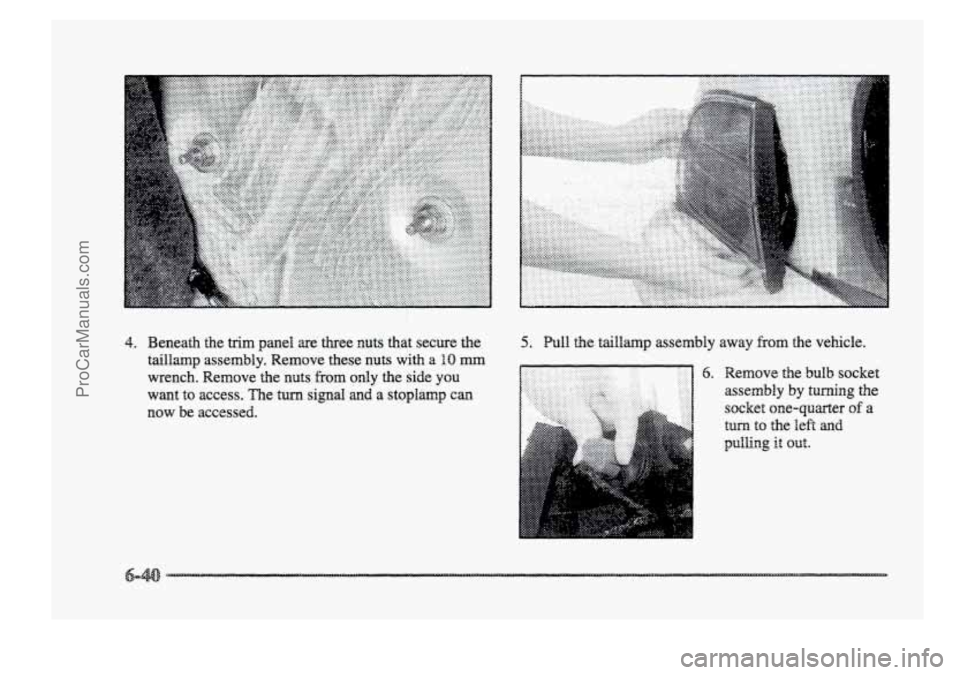
4. Beneath the trim panel are three nuts that secure the
taillamp assembly. Remove these nuts with
a BO mm
wrench. Remove the nuts from only the side you
want
to access. The turn signal and a stoplamp can
now be accessed.
5. Pull the t~illmp assembly away from the vehicle.
6. Remove the bulb socket
assembly by turning
the
socket one-quarter of a
tun to the lek and
ProCarManuals.com