trunk BUICK PARK AVENUE 2004 Owner's Manual
[x] Cancel search | Manufacturer: BUICK, Model Year: 2004, Model line: PARK AVENUE, Model: BUICK PARK AVENUE 2004Pages: 410, PDF Size: 4.45 MB
Page 67 of 410
Keys...............................................................2-3
Remote Keyless Entry System.........................2-5
Remote Keyless Entry System Operation...........2-6
Doors and Locks............................................2-10
Door Locks..................................................2-10
Central Door Unlocking System......................2-11
Power Door Locks........................................2-11
Door Ajar Reminder......................................2-11
Delayed Locking...........................................2-11
Programmable Automatic Door Locks..............2-12
Rear Door Security Locks..............................2-14
Lockout Protection........................................2-14
Leaving Your Vehicle....................................2-14
Trunk..........................................................2-15
Windows........................................................2-17
Power Windows............................................2-18
Sun Visors...................................................2-19
Theft-Deterrent Systems..................................2-19
Content Theft-Deterrent.................................2-19
PASS-Key
®III ..............................................2-21
PASS-Key®III Operation...............................2-22Starting and Operating Your Vehicle................2-23
New Vehicle Break-In....................................2-23
Ignition Positions..........................................2-24
Starting Your Engine.....................................2-25
Engine Coolant Heater..................................2-26
Automatic Transaxle Operation.......................2-27
Parking Brake..............................................2-29
Shifting Into Park (P).....................................2-30
Shifting Out of Park (P).................................2-33
Parking Over Things That Burn.......................2-33
Engine Exhaust............................................2-34
Running Your Engine While You Are
Parked.....................................................2-35
Mirrors...........................................................2-36
Manual Rearview Mirror.................................2-36
Automatic Dimming Rearview Mirror................2-36
Automatic Dimming Rearview
Mirror with Compass..................................2-37
Outside Power Mirrors...................................2-39
Outside Curb View Assist Mirror.....................2-40
Outside Convex Mirror...................................2-40
Outside Automatic Dimming Heated Mirror........2-41
Section 2 Features and Controls
2-1
Page 70 of 410
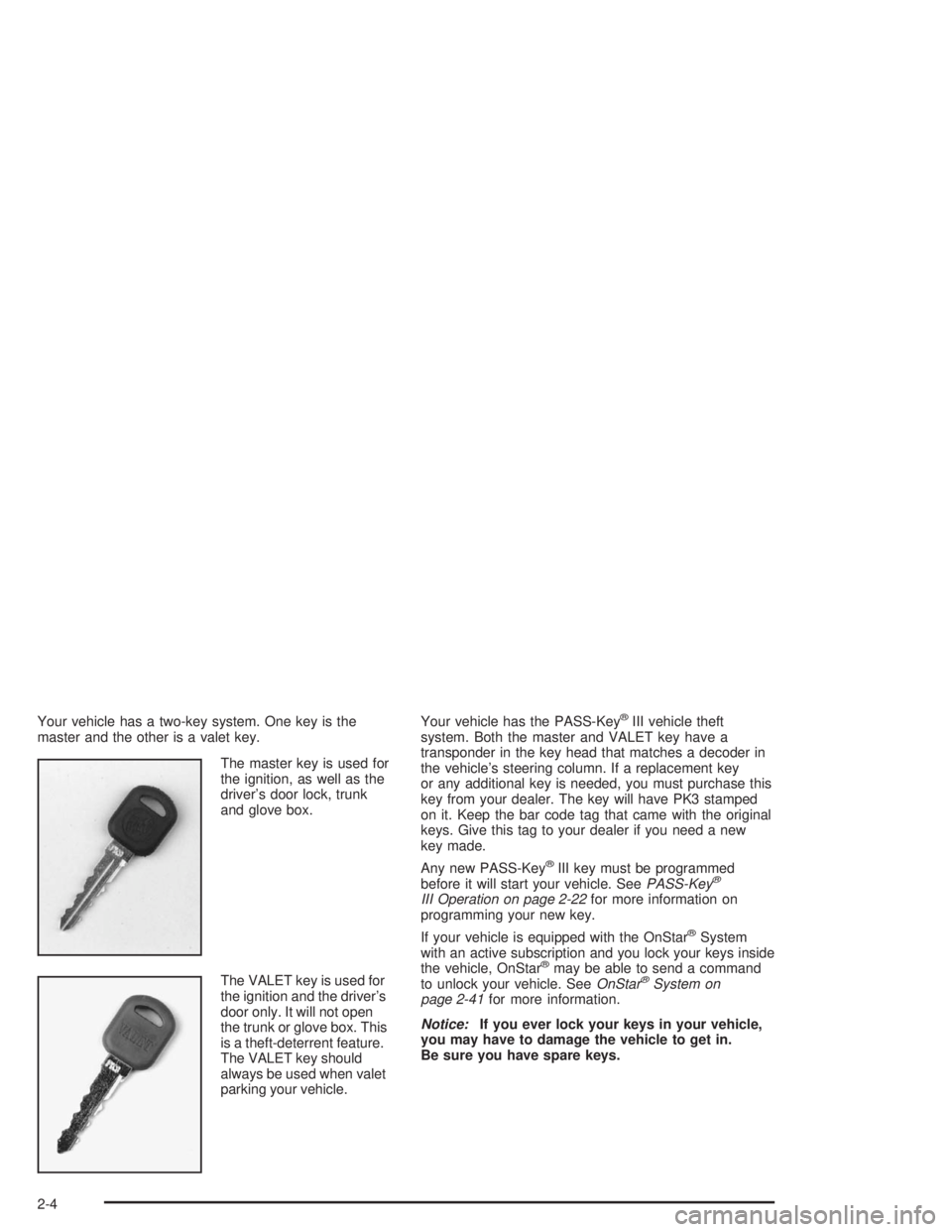
Your vehicle has a two-key system. One key is the
master and the other is a valet key.
The master key is used for
the ignition, as well as the
driver’s door lock, trunk
and glove box.
The VALET key is used for
the ignition and the driver’s
door only. It will not open
the trunk or glove box. This
is a theft-deterrent feature.
The VALET key should
always be used when valet
parking your vehicle.Your vehicle has the PASS-Key®III vehicle theft
system. Both the master and VALET key have a
transponder in the key head that matches a decoder in
the vehicle’s steering column. If a replacement key
or any additional key is needed, you must purchase this
key from your dealer. The key will have PK3 stamped
on it. Keep the bar code tag that came with the original
keys. Give this tag to your dealer if you need a new
key made.
Any new PASS-Key
®III key must be programmed
before it will start your vehicle. SeePASS-Key®
III Operation on page 2-22for more information on
programming your new key.
If your vehicle is equipped with the OnStar
®System
with an active subscription and you lock your keys inside
the vehicle, OnStar
®may be able to send a command
to unlock your vehicle. SeeOnStar®System on
page 2-41for more information.
Notice:If you ever lock your keys in your vehicle,
you may have to damage the vehicle to get in.
Be sure you have spare keys.
2-4
Page 72 of 410
Remote Keyless Entry System
Operation
If your vehicle has this feature, you can lock and unlock
your doors or unlock your trunk from about 3 feet (1 m)
up to 30 feet (9 m) away using the remote keyless
entry transmitter supplied with your vehicle.
If your vehicle has the Driver Information Center (DIC),
the numbers on the back of the transmitters correspond
to the DIC’s Driver #1 and Driver #2. SeeDriver
Information Center (DIC) on page 3-47for more
information.
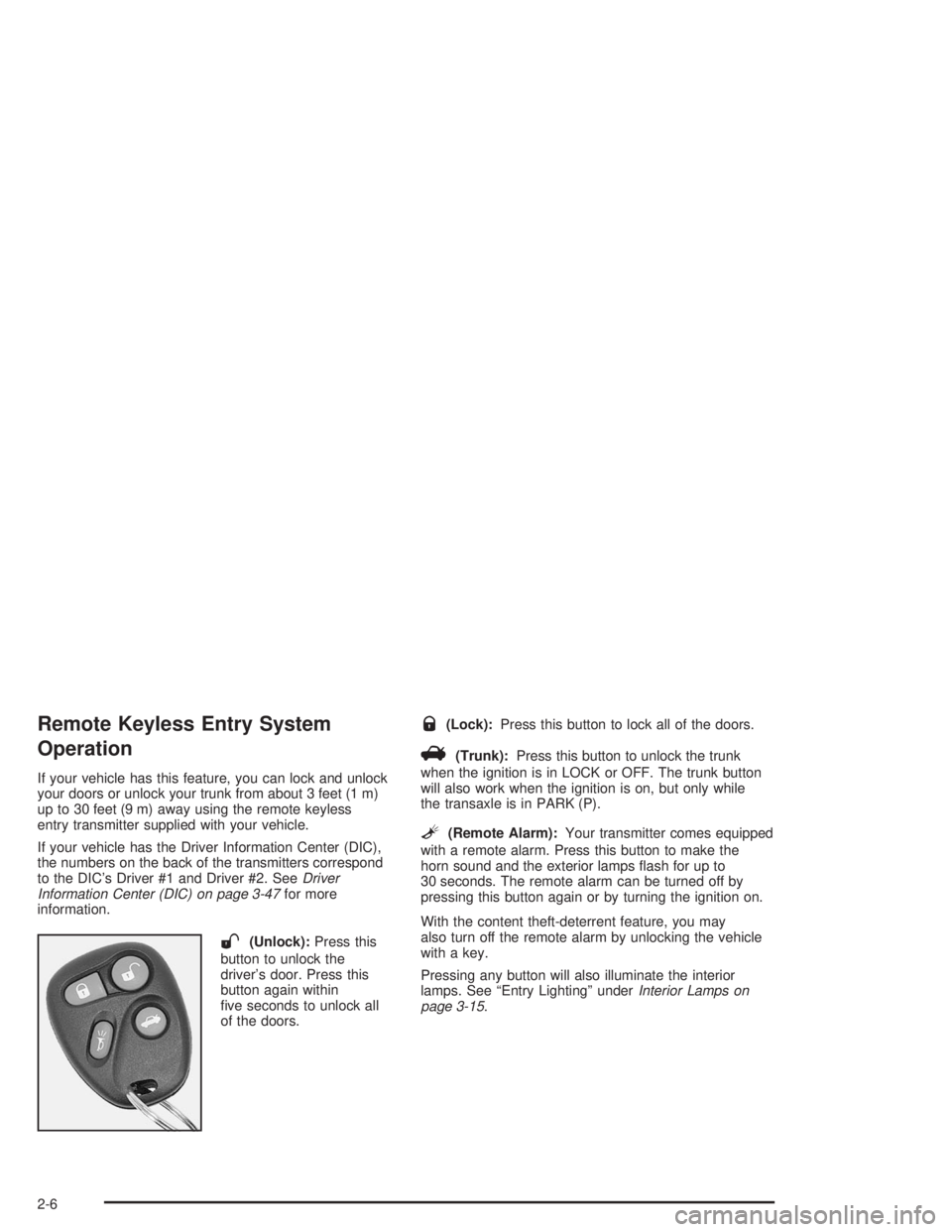
W(Unlock):Press this
button to unlock the
driver’s door. Press this
button again within
ve seconds to unlock all
of the doors.
Q(Lock):Press this button to lock all of the doors.
V(Trunk):Press this button to unlock the trunk
when the ignition is in LOCK or OFF. The trunk button
will also work when the ignition is on, but only while
the transaxle is in PARK (P).
L(Remote Alarm):Your transmitter comes equipped
with a remote alarm. Press this button to make the
horn sound and the exterior lamps ash for up to
30 seconds. The remote alarm can be turned off by
pressing this button again or by turning the ignition on.
With the content theft-deterrent feature, you may
also turn off the remote alarm by unlocking the vehicle
with a key.
Pressing any button will also illuminate the interior
lamps. See “Entry Lighting” underInterior Lamps on
page 3-15.
2-6
Page 74 of 410
Each remote keyless entry transmitter can be
programmed to a different mode according to the user’s
preference. To change to another mode do the following:
1. Press and hold LOCK on the power door lock switch
on the driver’s door throughout the procedure.
2. Press the trunk button on the transmitter. The horn
will chirp and the transmitter will remain in its
current mode.
3. Press the trunk button again. Each time the trunk
button is pressed, the horn will chirp and the
transmitter will advance to the next mode.
4. Release the power door lock switch.
If your vehicle is equipped with the Driver Information
Center (DIC), you can also program these features
through the DIC. SeeDriver Information Center (DIC)
on page 3-47.Theft-Deterrent System
The remote keyless entry transmitter will arm the
theft-deterrent system whenever the doors are closed
and you push the lock button when the ignition is off.
It will disarm the system when you push the unlock
button.
Matching Transmitter(s) to Your Vehicle
Each remote keyless entry transmitter is coded to
prevent another transmitter from unlocking your vehicle.
If a transmitter is lost or stolen, a replacement can
be purchased through your dealer. Remember to bring
any remaining transmitters with you when you go to
your dealer. When the dealer matches the replacement
transmitter to your vehicle, any remaining transmitters
must also be matched. Once your dealer has coded the
new transmitter, the lost transmitter will not unlock
your vehicle. Each vehicle can have a maximum of four
transmitters matched to it.
See your dealer to match additional transmitters to your
vehicle.
2-8
Page 81 of 410
Trunk
{CAUTION:
It can be dangerous to drive with the trunk lid
open because carbon monoxide (CO) gas can
come into your vehicle. You can’t see or smell
CO. It can cause unconsciousness and even
death. If you must drive with the trunk lid open
or if electrical wiring or other cable connections
must pass through the seal between the body
and the trunk lid:
Make sure all other windows are shut.
Turn the fan on your heating or cooling
system to its highest speed and select the
control setting that will force outside air
into your vehicle. See “Climate Control
System” in the Index.
If you have air outlets on or under the
instrument panel, open them all the way.
See “Engine Exhaust” in the Index.
Trunk Lock Release
To unlock the trunk from the outside, insert the master
key and turn it.
Remote Trunk Release
Press the TRUNK button located to the left of the
steering column to release the trunk lid.
The trunk will open if the transaxle is in PARK (P) or
NEUTRAL (N) and the trunk release lockout is in
the unlocked position.
The remote keyless entry system will also unlock your
trunk if the ignition is off, or if the ignition is on and
the transaxle is in PARK (P).
2-15
Page 82 of 410
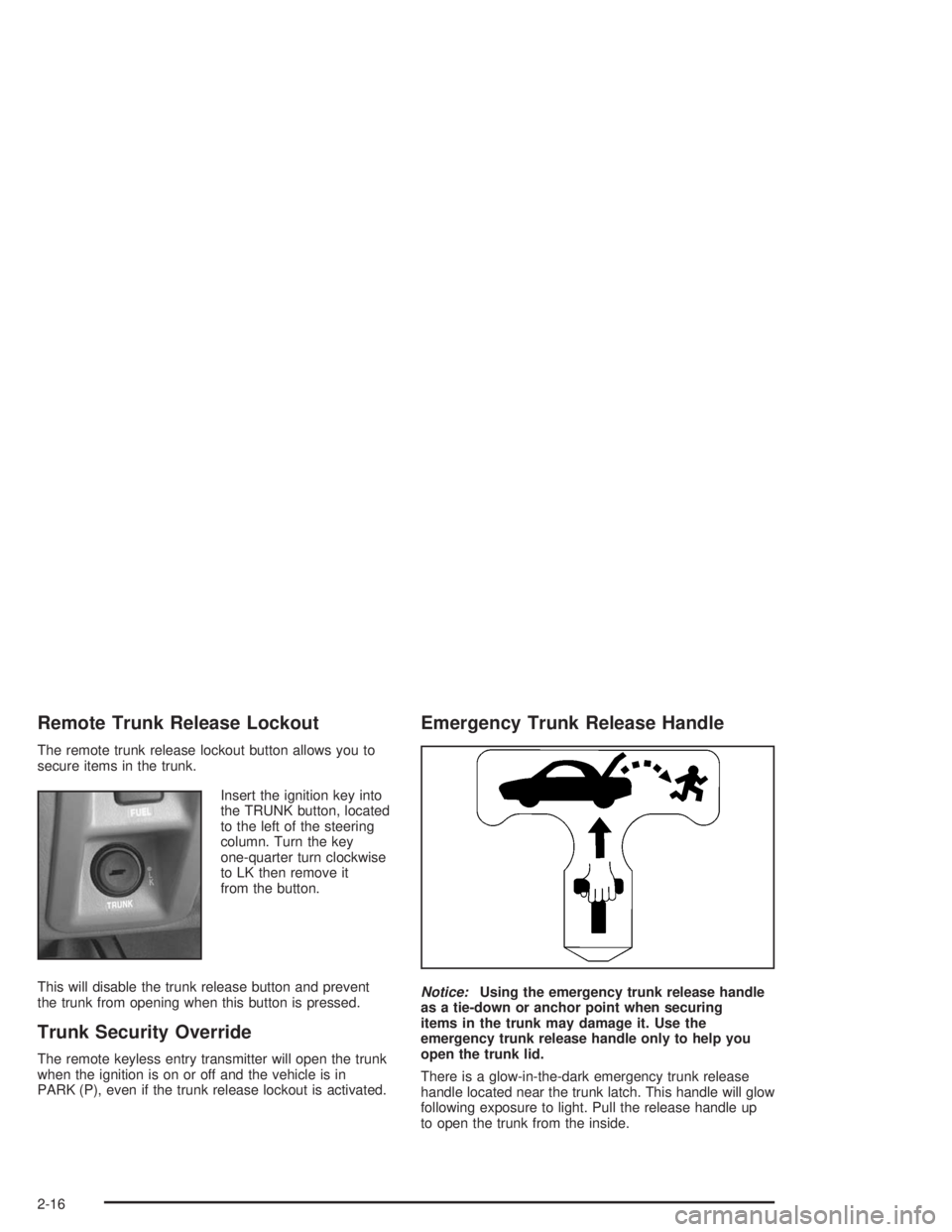
Remote Trunk Release Lockout
The remote trunk release lockout button allows you to
secure items in the trunk.
Insert the ignition key into
the TRUNK button, located
to the left of the steering
column. Turn the key
one-quarter turn clockwise
to LK then remove it
from the button.
This will disable the trunk release button and prevent
the trunk from opening when this button is pressed.
Trunk Security Override
The remote keyless entry transmitter will open the trunk
when the ignition is on or off and the vehicle is in
PARK (P), even if the trunk release lockout is activated.
Emergency Trunk Release Handle
Notice:Using the emergency trunk release handle
as a tie-down or anchor point when securing
items in the trunk may damage it. Use the
emergency trunk release handle only to help you
open the trunk lid.
There is a glow-in-the-dark emergency trunk release
handle located near the trunk latch. This handle will glow
following exposure to light. Pull the release handle up
to open the trunk from the inside.
2-16
Page 115 of 410
Assist Handles
An assist handle over each rear door and the front
passenger’s door can be used to help passenger’s get
in or out of your vehicle.
Rear Storage Area
If your vehicle has this feature, the rear storage armrest
contains two cupholders. To access the cupholders,
pull the armrest down from the rear seatback.
This armrest also includes a storage area inside the
armrest. To open it, pull up on the lever at the front edge
of the armrest.
Rear Seat Armrest
Your vehicle’s rear seat armrest contains two cupholders.
To access the cupholders, pull the armrest down from the
rear seatback.
Rear Seat Pass Through
Your vehicle may be equipped with a rear storage
armrest with a pass-through feature that allows for trunk
access. Pull the rear armrest down, then push down
on the trunk access panel latch to open the panel.
To close, push the access panel until it latches.
Convenience Net
Your vehicle may have a convenience net. You’ll see it
just inside the back wall of the trunk.
Put small loads, like grocery bags, behind the net. It can
help keep them from falling over during sharp turns or
quick starts and stops.
The net isn’t for larger, heavier loads. Store them in the
trunk as far forward as you can.
You can unhook the net so that it will lie at when
you’re not using it.
2-49
Page 119 of 410
Instrument Panel Overview...............................3-2
Hazard Warning Flashers................................3-4
Other Warning Devices...................................3-4
Horn.............................................................3-5
Tilt Wheel.....................................................3-5
Turn Signal/Multifunction Lever.........................3-5
Exterior Lamps.............................................3-12
Interior Lamps..............................................3-15
Head-Up Display (HUD).................................3-18
Ultrasonic Rear Parking Assist (URPA)............3-20
Accessory Power Outlets...............................3-22
Ashtrays and Cigarette Lighter........................3-23
Climate Controls............................................3-24
Dual Automatic Climate Control System...........3-24
Outlet Adjustment.........................................3-29
Passenger Compartment Air Filter...................3-30
Steering Wheel Climate Controls.....................3-30
Climate Controls Personalization.....................3-31
Warning Lights, Gages and Indicators.............3-32
Instrument Panel Cluster................................3-33
Speedometer and Odometer...........................3-35
Tachometer.................................................3-35
Safety Belt Reminder Light.............................3-36
Air Bag Readiness Light................................3-36
Battery Warning Light....................................3-37
Brake System Warning Light..........................3-38Anti-Lock Brake System Warning Light.............3-39
Traction Control System (TCS) Warning Light......3-39
Engine Coolant Temperature Gage..................3-40
Malfunction Indicator Lamp.............................3-41
Oil Pressure Light.........................................3-44
Security Light...............................................3-45
Cruise Control Light......................................3-45
Service Vehicle Soon Light............................3-45
Fuel Gage...................................................3-46
Driver Information Center (DIC).......................3-47
DIC Controls and Displays.............................3-47
DIC Warnings and Messages.........................3-50
DIC Vehicle Personalization............................3-51
Audio System(s).............................................3-57
Setting the Time...........................................3-58
Radio with Cassette......................................3-58
Radio with Cassette and CD..........................3-63
Trunk-Mounted CD Changer...........................3-71
Personal Choice Radio Controls......................3-75
Theft-Deterrent Feature..................................3-75
Audio Steering Wheel Controls.......................3-78
Understanding Radio Reception......................3-78
Care of Your Cassette Tape Player.................3-79
Care of Your CDs.........................................3-80
Care of Your CD Player................................3-80
Heated Backlite Antenna................................3-80
Section 3 Instrument Panel
3-1
Page 121 of 410
The main components of your instrument panel are the following:
A. Air Outlet. SeeOutlet Adjustment on page 3-29.
B. Exterior Lamps Control. SeeExterior Lamps
on page 3-12.
C. Turn Signal/Multifunction Lever. SeeTurn Signal/
Multifunction Lever on page 3-5.
D. Steering Wheel Controls (If Equipped). SeeSteering
Wheel Climate Controls on page 3-30andAudio
Steering Wheel Controls on page 3-78.
E. Hazard Warning Flashers Button. SeeHazard
Warning Flashers on page 3-4.
F. Instrument Panel Cluster. SeeInstrument Panel
Cluster on page 3-33.
G. Shift Lever. SeeAutomatic Transaxle Operation on
page 2-27.
H. Audio System. SeeAudio System(s) on page 3-57.
I. Air Outlet. SeeOutlet Adjustment on page 3-29.
J. Fuel Door Release Button. SeeFilling Your Tank on
page 5-6.K. Trunk Release and Lockout Button. See “Remote
Trunk Release” and “Remote Trunk Release
Lockout” underTrunk on page 2-15.
L. Hood Release. SeeHood Release on page 5-10.
M. Ignition Switch. SeeIgnition Positions on page 2-24.
N. Traction Control Button (If Equipped). SeeTraction
Control System (TCS) on page 4-9.
O. Heated Seat Controls (Option). SeeHeated Seats
on page 1-3.
P. Ashtray and Cigarette Lighter. SeeAshtrays and
Cigarette Lighter on page 3-23.
Q. Climate Control System. SeeDual Automatic
Climate Control System on page 3-24.
R. Glove Box. SeeGlove Box on page 2-47.
S. Passenger Climate Control (Option). See “Passenger
Temperature Control” underDual Automatic
Climate Control System on page 3-24.
3-3
Page 135 of 410
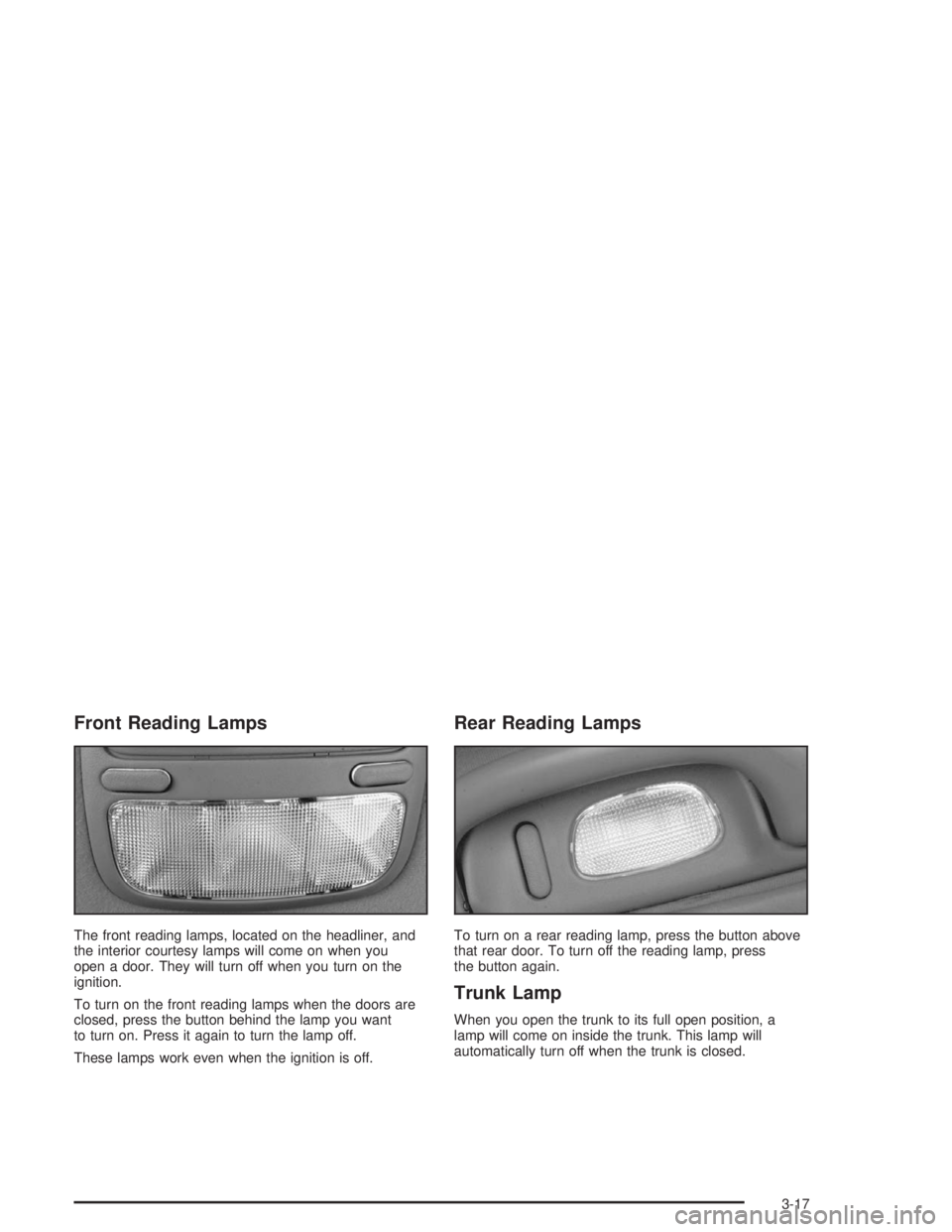
Front Reading Lamps
The front reading lamps, located on the headliner, and
the interior courtesy lamps will come on when you
open a door. They will turn off when you turn on the
ignition.
To turn on the front reading lamps when the doors are
closed, press the button behind the lamp you want
to turn on. Press it again to turn the lamp off.
These lamps work even when the ignition is off.
Rear Reading Lamps
To turn on a rear reading lamp, press the button above
that rear door. To turn off the reading lamp, press
the button again.
Trunk Lamp
When you open the trunk to its full open position, a
lamp will come on inside the trunk. This lamp will
automatically turn off when the trunk is closed.
3-17