battery BUICK RANDEZVOUS 2006 User Guide
[x] Cancel search | Manufacturer: BUICK, Model Year: 2006, Model line: RANDEZVOUS, Model: BUICK RANDEZVOUS 2006Pages: 478, PDF Size: 2.97 MB
Page 195 of 478

Charging System Indicator Message
The charging system
battery symbol will come
on in the message
center when you turn on
the ignition as a check
to show you it is working.
It will remain on as long as the engine is not running.
It should go out once the engine is running. If it stays
on, or comes on while you are driving, you may have
a problem with the charging system. It could indicate
that you have problems with a generator drive belt,
or another electrical problem. Have it checked
right away. Driving while this indicator appears in
the message center could drain your battery.
If you must drive a short distance with the message
on, be certain to turn off all your accessories, such as
the radio and air conditioner.
Reduced Engine Power Message
If your vehicle has this feature, this message will
appear in the message center when a noticeable
reduction in the vehicle’s engine performance is
detected. This message will also appear when your
vehicle is in overheated engine protection operating
mode. SeeEngine Overheating on page 5-23for
more information.
If this message comes on and stays on, see
your dealer.
United StatesCanada
3-53
Page 201 of 478

Program Mode Message
If you receive this message, your vehicle is in program
mode. If your vehicle is equipped with the Driver
Information Center (DIC), you are ready to begin
programming your vehicle’s customization features.
SeeDIC Vehicle Personalization on page 3-64for
more information.
Remote Keyless Entry Transmitter
Battery Low Warning Message
If you receive this message, the battery in the remote
keyless entry needs to be replaced. See “Battery
Replacement” underRemote Keyless Entry System
Operation on page 2-5for instructions. United States
Canada
United StatesCanada
3-59
Page 257 of 478
Rear Seat Entertainment System
Your vehicle may have a DVD Rear Seat
Entertainment (RSE) system. The RSE system
includes a DVD player, a video display screen,
two sets of wireless headphones, and a
remote control.
Parental Control
This button is located behind the video screen, next
to the auxiliary jacks, near the driver of the vehicle.
Press this button while a DVD or CD is playing to freeze
the video and mute the audio. The video screen will
display Parental Control On and the power indicator
light on the DVD player will ash. It will also disable all
other button operations from the remote control and
the DVD player, with the exception of the eject button.
The driver will then be able to gain the attention of
the rear seat passengers. Press this button again to
restore normal operation of the DVD player and
remote control.
This button may also be used to turn the DVD player
power on and automatically resume play if the vehicle is
in an enabled power mode.
Before You Drive
The RSE is designed for rear seat passengers only.
The driver cannot safely view the video screen
while driving and should not try to do so.
The DVD system is designed to be inoperable when
the vehicle is exposed to extremely low or high
temperatures, in order to protect the system from
damage. Operate the DVD system under normal or
comfortable cabin temperature ranges.
Headphones
The RSE system includes two sets of wireless
headphones.
The wireless headphones have an ON/OFF switch and
a volume control. To use the headphones, turn the
switch to ON. An indicator light on the headphones will
illuminate. If the light does not illuminate, the batteries
may need to be replaced. See “Battery Replacement”
later in this section for more information. Switch the
headphones to OFF when not in use.
3-115
Page 258 of 478
The transmitters are located below the overhead RSE
control panel. The headphones will shut off automatically
to save the battery power if the DVD system is shut
off, or if the headphones are out of range of the
transmitters for more than three minutes. If you move
too far forward or step out of the vehicle, the
headphones will lose the audio signal.
To adjust the volume on the wireless headphones, use
the volume control.
You can listen to the RSE system through the wired
headphone jacks on the Rear Seat Audio (RSA) system,
if equipped when the following occurs:
The RSA system is on
A DVD or auxiliary device is playing
RSE is displayed on the front audio system by
pressing the TAPE/CD button on the RSA system
SeeRear Seat Audio (RSA) on page 3-129for more
information.
If the front seat passengers are listening to the RSE
system through the vehicle’s speakers and the rear seat
passengers are using the wired headphones to listen
to the RSA system, the BAND button will not access
XM™ Satellite Radio Service.Notice:Do not store the headphones in heat or
direct sunlight. This could damage the headphones
and repairs will not be covered by your warranty.
Keep the headphones stored in a cool, dry place.
If there is a decreased audio signal during CD or
DVD play, there may be a low hissing noise through
the speakers and/or headphones. If the hissing sound in
the wireless headphones seems excessive, make
sure that the headphone batteries are fully charged.
Some amount of hissing is normal.
Battery Replacement
To change the batteries, do the following:
1. Loosen the screw on the battery compartment door
located on the left side of the headphone earpiece.
2. Replace the two AAA batteries in the compartment.
Make sure that they are installed correctly using the
diagram on the inside of the battery compartment.
3. Tighten the screw on the battery compartment door.
If the headphones are to be stored for a long period
of time, remove the batteries, and keep them in a cool,
dry place.
3-116
Page 263 of 478
If the disc has been ejected or if the stop button has
been pressed twice on the remote control or the
DVD player faceplate, the disc will resume play at
the beginning of the disc.
Ejecting a Disc
Press the eject button on the DVD player faceplate to
eject the disc. There is not an eject button on the remote
control.
If a disc is ejected from the player, but not removed,
the DVD player will reload the disc after a short period
of time. The disc will be stored in the DVD player.
The DVD player will not resume play of the disc
automatically.
Remote Control
To use the remote control, aim it at the transmitter
window below the video screen and press the desired
button. Direct sunlight or very bright light may affect the
ability of the transmitter to receive signals from the
remote control. If the remote control does not seem to
be working, the batteries may need to be replaced.
See “Battery Replacement” later in this section. Objects
blocking the line of sight will affect the function of the
remote control.
Notice:Storing the remote control in a hot area
or in direct sunlight may damage it, and the repairs
will not be covered by your warranty. Keep the
remote control stored in a cool, dry place.
To extend the life of the batteries, the remote control
does not have a press and hold feature.
3-121
Page 267 of 478
Battery Replacement
To change the remote control batteries, do the following:
1. Unclip the battery door located on the back of the
remote control.
2. Replace the two AA batteries in the compartment.
Make sure that they are installed correctly,
using the diagram on the inside of the battery
compartment.
3. Close the battery door.
If the remote control is to be stored for a long period
of time, remove the batteries and keep them in a cool,
dry place.
Tips and Troubleshooting Chart
Problem Recommended Action
No power. The ignition may not be
in ACCESSORY, ON,
START, or RAP. The
parental control button
might have been pressed.
The power indicator light
will ash.
Disc will not play. The system might be off.
The parental control
button might have been
pressed. The power
indicator light will ash.
The system might be in
auxiliary source mode.
Press the SRCE button to
switch between the DVD
player and the auxiliary
source. The disc is upside
down or is not compatible.
3-125
Page 274 of 478

Theft-Deterrent Feature
THEFTLOCK®is designed to discourage theft of your
vehicle’s radio. It works by using a secret code to
disable all radio functions whenever battery power is
removed and the radio is placed in a different vehicle.
This feature requires no user input to be activated.
The radio is automatically armed when it is put into the
vehicle for the rst time.
When the ignition is turned off, the blinking red light
indicates that THEFTLOCK
®is armed.
If THEFTLOCK
®is activated, the radio will not
operate if stolen. The radio will display LOCKED and
a red LED indicator light will come on above the
key symbol to indicate a locked condition. If this occurs,
the radio will need to be returned to your GM dealer.
Audio Steering Wheel Controls
If your vehicle has this feature, some audio controls
can be adjusted at the steering wheel. They include
the following:
SOURCE:When listening to the radio, press this button
to play a cassette tape, CD, or a DVD (if equipped).
If a cassette tape, and CD, and/or DVD are loaded,
the system will go to the tape play rst. The inactive
tape, CD, or DVD will remain safely inside the player
for future listening.
3-132
Page 307 of 478

{CAUTION:
Snow can trap exhaust gases under your
vehicle. This can cause deadly CO (carbon
monoxide) gas to get inside. CO could
overcome you and kill you. You cannot see
it or smell it, so you might not know it is in
your vehicle. Clear away snow from around
the base of your vehicle, especially any that
is blocking your exhaust pipe. And check
around again from time to time to be sure
snow does not collect there.
Open a window just a little on the side of the
vehicle that is away from the wind. This will
help keep CO out.Run your engine only as long as you must. This saves
fuel. When you run the engine, make it go a little
faster than just idle. That is, push the accelerator
slightly. This uses less fuel for the heat that you get
and it keeps the battery charged. You will need a
well-charged battery to restart the vehicle, and possibly
for signaling later on with your headlamps. Let the
heater run for a while.
Then, shut the engine off and close the window almost
all the way to preserve the heat. Start the engine
again and repeat this only when you feel really
uncomfortable from the cold. But do it as little as
possible. Preserve the fuel as long as you can.
To help keep warm, you can get out of the vehicle
and do some fairly vigorous exercises every half hour
or so until help comes.
4-29
Page 327 of 478
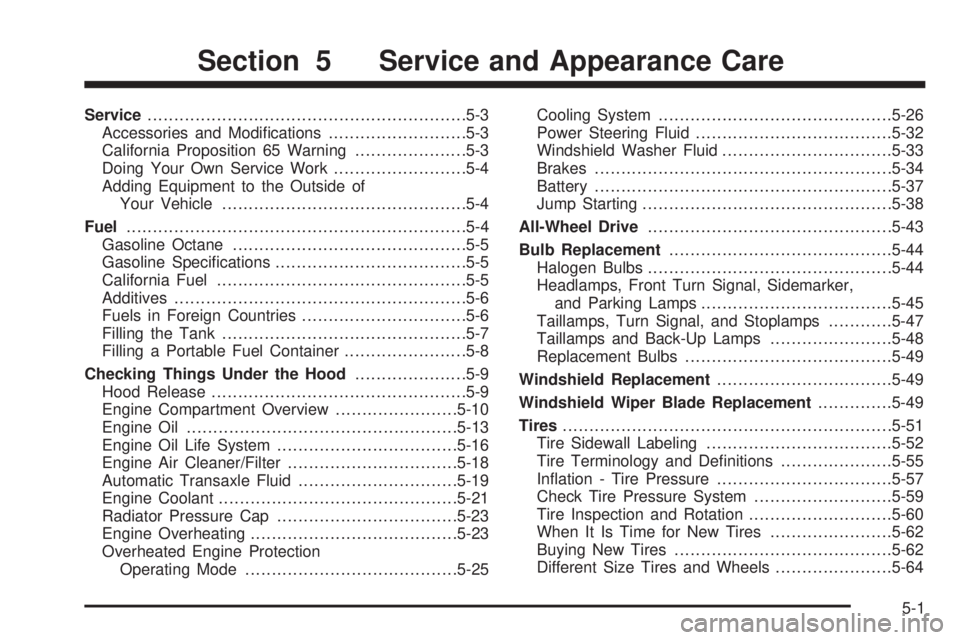
Service............................................................5-3
Accessories and Modications..........................5-3
California Proposition 65 Warning.....................5-3
Doing Your Own Service Work.........................5-4
Adding Equipment to the Outside of
Your Vehicle..............................................5-4
Fuel................................................................5-4
Gasoline Octane............................................5-5
Gasoline Specications....................................5-5
California Fuel...............................................5-5
Additives.......................................................5-6
Fuels in Foreign Countries...............................5-6
Filling the Tank..............................................5-7
Filling a Portable Fuel Container.......................5-8
Checking Things Under the Hood.....................5-9
Hood Release................................................5-9
Engine Compartment Overview.......................5-10
Engine Oil...................................................5-13
Engine Oil Life System..................................5-16
Engine Air Cleaner/Filter................................5-18
Automatic Transaxle Fluid..............................5-19
Engine Coolant.............................................5-21
Radiator Pressure Cap..................................5-23
Engine Overheating.......................................5-23
Overheated Engine Protection
Operating Mode........................................5-25Cooling System............................................5-26
Power Steering Fluid.....................................5-32
Windshield Washer Fluid................................5-33
Brakes........................................................5-34
Battery........................................................5-37
Jump Starting...............................................5-38
All-Wheel Drive..............................................5-43
Bulb Replacement..........................................5-44
Halogen Bulbs..............................................5-44
Headlamps, Front Turn Signal, Sidemarker,
and Parking Lamps....................................5-45
Taillamps, Turn Signal, and Stoplamps............5-47
Taillamps and Back-Up Lamps.......................5-48
Replacement Bulbs.......................................5-49
Windshield Replacement.................................5-49
Windshield Wiper Blade Replacement..............5-49
Tires..............................................................5-51
Tire Sidewall Labeling...................................5-52
Tire Terminology and Denitions.....................5-55
Ination - Tire Pressure.................................5-57
Check Tire Pressure System..........................5-59
Tire Inspection and Rotation...........................5-60
When It Is Time for New Tires.......................5-62
Buying New Tires.........................................5-62
Different Size Tires and Wheels......................5-64
Section 5 Service and Appearance Care
5-1
Page 339 of 478
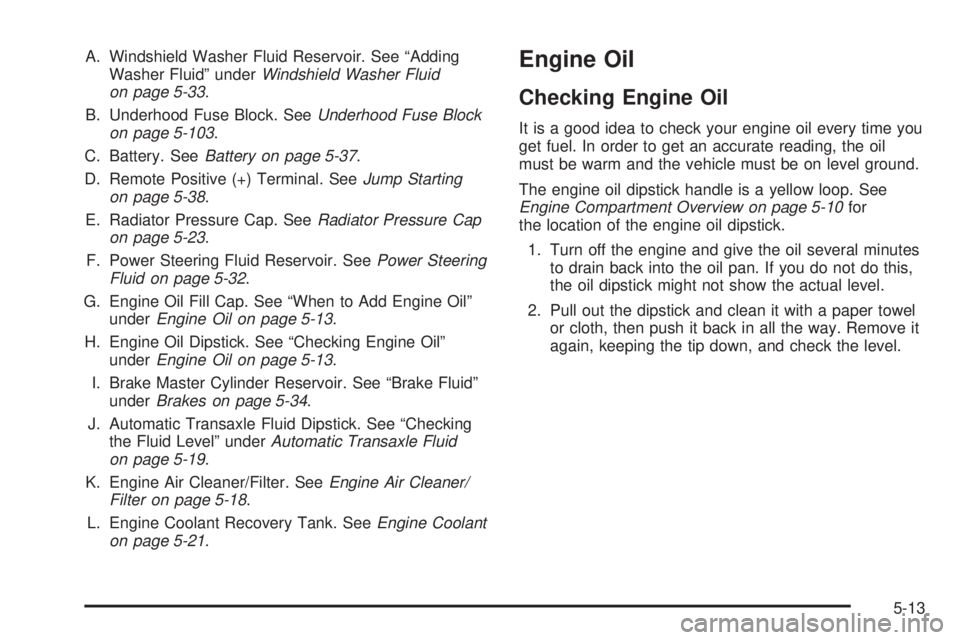
A. Windshield Washer Fluid Reservoir. See “Adding
Washer Fluid” underWindshield Washer Fluid
on page 5-33.
B. Underhood Fuse Block. SeeUnderhood Fuse Block
on page 5-103.
C. Battery. SeeBattery on page 5-37.
D. Remote Positive (+) Terminal. SeeJump Starting
on page 5-38.
E. Radiator Pressure Cap. SeeRadiator Pressure Cap
on page 5-23.
F. Power Steering Fluid Reservoir. SeePower Steering
Fluid on page 5-32.
G. Engine Oil Fill Cap. See “When to Add Engine Oil”
underEngine Oil on page 5-13.
H. Engine Oil Dipstick. See “Checking Engine Oil”
underEngine Oil on page 5-13.
I. Brake Master Cylinder Reservoir. See “Brake Fluid”
underBrakes on page 5-34.
J. Automatic Transaxle Fluid Dipstick. See “Checking
the Fluid Level” underAutomatic Transaxle Fluid
on page 5-19.
K. Engine Air Cleaner/Filter. SeeEngine Air Cleaner/
Filter on page 5-18.
L. Engine Coolant Recovery Tank. SeeEngine Coolant
on page 5-21.Engine Oil
Checking Engine Oil
It is a good idea to check your engine oil every time you
get fuel. In order to get an accurate reading, the oil
must be warm and the vehicle must be on level ground.
The engine oil dipstick handle is a yellow loop. See
Engine Compartment Overview on page 5-10for
the location of the engine oil dipstick.
1. Turn off the engine and give the oil several minutes
to drain back into the oil pan. If you do not do this,
the oil dipstick might not show the actual level.
2. Pull out the dipstick and clean it with a paper towel
or cloth, then push it back in all the way. Remove it
again, keeping the tip down, and check the level.
5-13