reset BUICK REGAL 1998 User Guide
[x] Cancel search | Manufacturer: BUICK, Model Year: 1998, Model line: REGAL, Model: BUICK REGAL 1998Pages: 388, PDF Size: 20.19 MB
Page 169 of 388
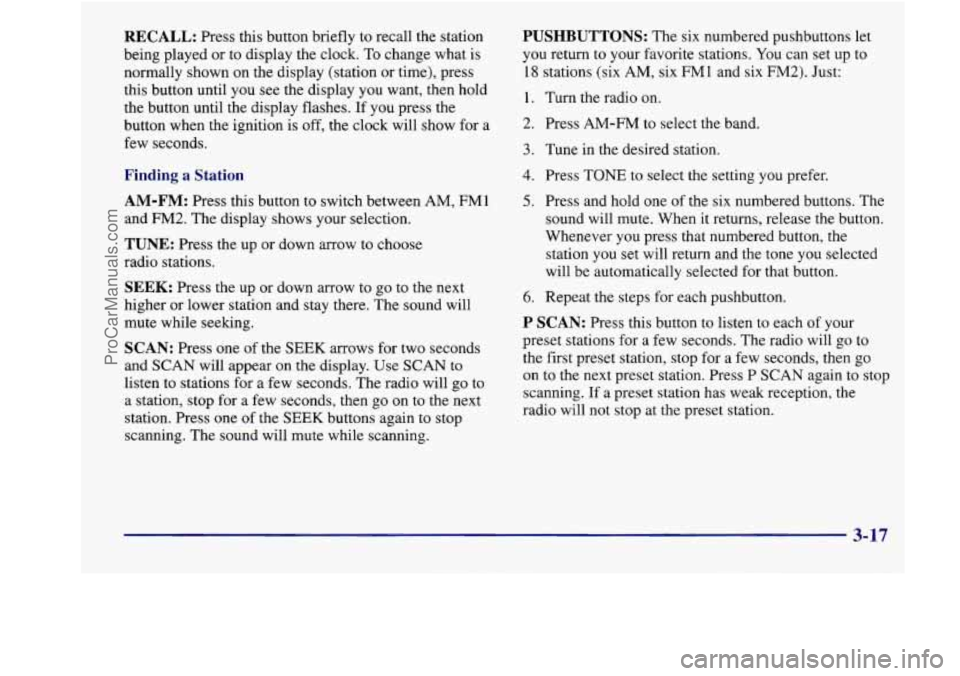
RECALL: Press this button briefly to recall the station
being played or to display the clock.
To change what is
normally shown on the display (station or time), press
this button until you see the display you want, then hold
the button until the display flashes. If you press the
button when the ignition is off, the clock will show for a
few seconds.
Finding a Station
AM-FM: Press this button to switch between AM, FMl
and
FM2. The display shows your selection.
TUNE: Press the up or down arrow to choose
radio stations.
SEEK: Press the up or down arrow to go to the next
higher or lower station and stay there. The sound will
mute while seeking.
SCAN: Press one of the SEEK arrows for two seconds
and
SCAN will appear on the display. Use SCAN to
listen to stations for
a few seconds. The radio will go to
a station,
stop for a few seconds, then go on to the next
station. Press one
of the SEEK buttons again to stop
scanning. The sound will mute while scanning.
PUSHBUTTONS: The six numbered pushbuttons let
you return to your favorite stations. You can set up to
18 stations (six AM, six FM 1 and six FM2). Just:
1. Turn the radio on.
2. Press AM-FM to select the band.
3. Tune in the desired station.
4. Press TONE to select the setting you prefer.
5. Press and hold one of the six numbered buttons. The
sound will mute. When it returns, release the button.
Whenever you press that numbered button, the
station you set will return and the tone you selected
will be automatically selected for that button.
6. Repeat the steps for each pushbutton.
P SCAN: Press this button to listen to each of your
preset stations for a few seconds. The radio will go to
the first preset station, stop for a few seconds, then go
on to the next preset station. Press P SCAN again to stop
scanning. If a preset station has weak reception, the
radio will not stop at the preset station.
3-17
ProCarManuals.com
Page 170 of 388
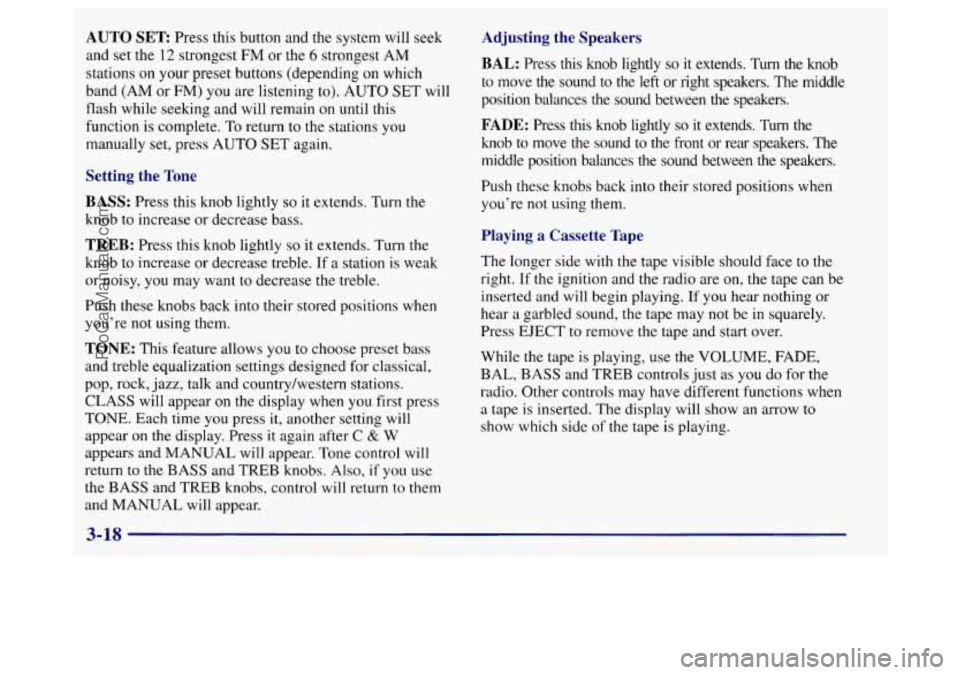
AUTO SET Press this button and the system will seek
and set the 12 strongest
FM or the 6 strongest AM
stations on your preset buttons (depending on which
band (AM or
FM) you are listening to). AUTO SET will
flash while seeking and will remain on until this
function is complete. To return to the stations you
manually set, press AUTO SET again.
Setting the Tone
BASS:
Press this knob lightly so it extends. Turn the
knob to increase or decrease bass.
TREB: Press this knob lightly so it extends. Turn the
knob to increase or decrease treble. If a station is weak
or noisy, you may want to decrease the treble.
Push these knobs back into their stored positions when
you’re not using them.
TONE: This feature allows you to choose preset bass
and treble equalization settings designed for classical,
pop, rock, jazz, talk and country/western stations.
CLASS will appear
on the display when you first press
TONE. Each time you press it, another setting will
appear on the display. Press it again after
C & W
appears and MANUAL will appear. Tone control will
return to
the BASS and TREB knobs. Also, if you use
the BASS and TREB knobs, control
will return to them
and MANUAL will appear.
Adjusting the Speakers
BAL: Press this knob lightly so it extends. Turn the knob
to move the sound to the left or right speakers. The middle
position balances the sound between the speakers.
FADE: Press this knob lightly so it extends. Turn the
knob to move the sound to the front or rear speakers.
The
middle position balances the sound between the speakers.
Push these knobs back into their stored positions when
you’re not using them.
Playing a Cassette Tape
The longer side with the tape visible should face to the
right. If the ignition and the radio are on, the tape can be
inserted and will begin playing.
If you hear nothing or
hear a garbled sound, the tape may not be in squarely.
Press EJECT to remove the tape and start over.
While
the tape is playing, use the VOLUME, FADE,
BAL, BASS and TREB controls just as you do for the
radio. Other controls may have different functions when
a tape is inserted. The display will show an arrow to
show which side of the tape is playing.
3-18
ProCarManuals.com
Page 172 of 388
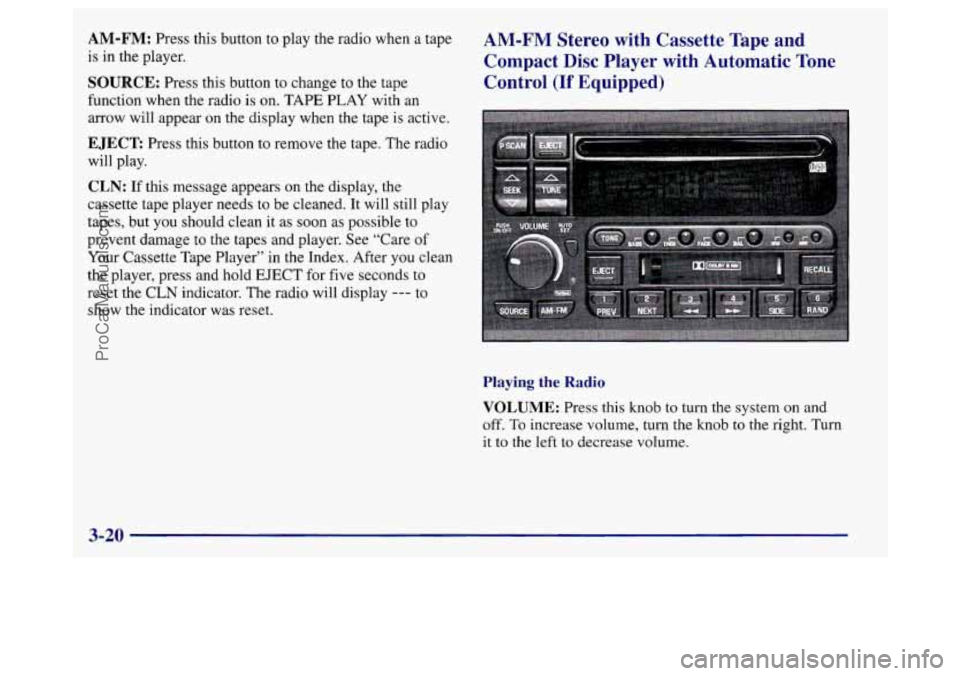
AM-FM: Press this button to play the radio when a tape
is in the player.
SOURCE: Press this button to change to the tape
function when the radio is on. TAPE PLAY with
an
arrow will appear on the display when the tape is active.
EJECT Press this button to remove the tape. The radio
will play.
CLN: If this message appears on the display, the
cassette tape player needs to be cleaned.
It will still play
tapes, but you should clean it as soon as possible to
prevent damage to the tapes and player. See “Care
of
Your Cassette Tape Player” in the Index. After you clean
the player, press and hold EJECT for five seconds to
reset the CLN indicator. The radio will display
--- to
show the indicator was reset.
AM-FM Stereo with Cassette Tape and
Compact Disc Player with Automatic Tone
Control
(If Equipped)
Playing the Radio
VOLUME: Press this knob to turn the system on and
off. To increase volume, turn the knob to the right. Turn
it
to the left to decrease volume.
3-20
ProCarManuals.com
Page 173 of 388
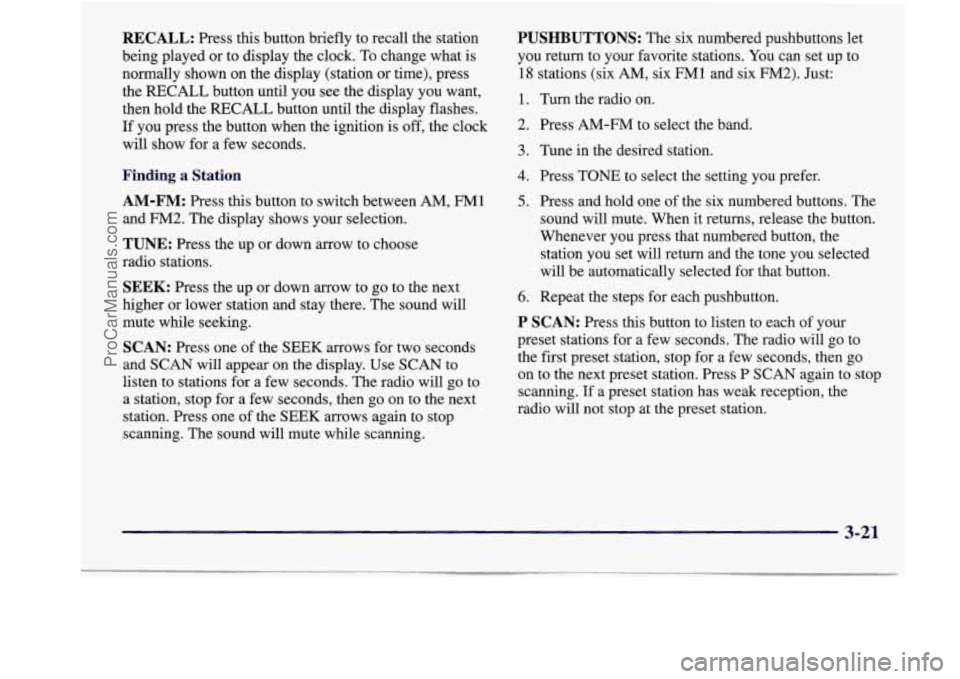
RECALL: Press this button briefly to recall the station
being played or to display the clock. To change what is
normally shown on the display (station or time), press
the RECALL button until you see the display you want,
then hold the RECALL button until the display flashes.
If you press the button when the ignition is off, the clock
will show for a few seconds.
Finding a Station
AM-FM:
Press this button to switch between AM, FM1
and FM2. The display shows your selection.
TUNE: Press the up or down arrow to choose
radio stations.
SEEK: Press the up or down arrow to go to the next
higher or lower station and stay there. The sound will
mute while seeking.
SCAN: Press one of the SEEK arrows for two seconds
and
SCAN will appear on the display. Use SCAN to
listen to stations for a few seconds. The radio will go to
a station, stop for a few seconds, then
go on to the next
station. Press one of the SEEK arrows again to stop
scanning. The sound will mute while scanning.
PUSHBUTTONS: The six numbered pushbuttons let
you return to your favorite stations. You can set up to
18 stations (six AM, six FMl and six FM2). Just:
1. Turn the radio on.
2. Press AM-FM to select the band.
3. Tune in the desired station.
4. Press TONE to select the setting you prefer.
5. Press and hold one of the six numbered buttons. The
sound will mute. When it returns, release the button.
Whenever you press that numbered button, the
station you set will return and the tone you selected
will be automatically selected for that button.
6. Repeat the steps for each pushbutton.
P SCAN: Press this button to listen to each of your
preset stations for a few seconds. The radio will go to
the first preset station, stop for
a few seconds, then go
on to the next preset station. Press P
SCAN again to stop
scanning.
If a preset station has weak reception, the
radio will not stop at the preset station.
3-21
ProCarManuals.com
Page 174 of 388
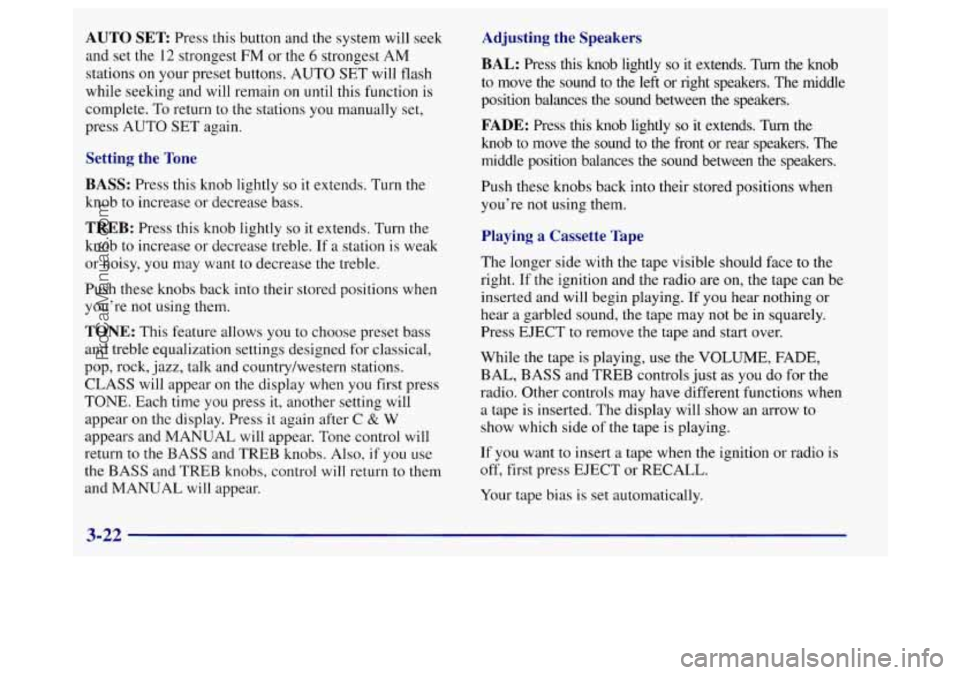
AUTO SET Press this button and the system will seek
and set the
12 strongest FWI or the 6 strongest AM
stations on your preset buttons. AUTO SET will flash
while seeking and will remain on until this function is
complete.
To return to the stations you manually set,
press AUTO SET again.
Setting the Tone
BASS:
Press this knob lightly so it extends. Turn the
knob to increase or decrease bass.
TREB: Press this knob lightly so it extends, Turn the
knob to increase or decrease treble. If
a station is weak
or noisy, you may want to decrease the treble.
Push these knobs back into their stored positions when
you’re not using them.
TONE: This feature allows you to choose preset bass
and treble equalization settings designed for classical,
pop, rock, jazz, talk and country/western stations.
CLASS will appear on the display when you first press
TONE. Each time
you press it, another setting will
appear on the display. Press it again after C
& W
appears and MANUAL will appear. Tone control will
return
to the BASS and TREB knobs. Also, if you use
the BASS and TREB knobs, control will return to them
and MANUAL will appear.
Adjusting the Speakers
BAL:
Press this knob lightly so it extends. Turn the knob
to move the sound to the left or right speakers. The middle
position balances the sound between
the speakers.
FADE: Press this knob lightly so it extends. Turn the
knob to move the sound to the front or rear speakers. The
middle position balances the sound between the speakers.
Push these knobs back into their stored positions when
you’re not using them.
Playing a Cassette Tape
The longer side with the tape visible should face to the
right. If the ignition and the radio are on, the tape can be
inserted and will begin playing.
If you hear nothing or
hear a garbled sound, the tape may
not be in squarely.
Press EJECT to remove the tape and start over.
While the tape
is playing, use the VOLUME, FADE,
BAL, BASS and
TREB controls just as you do for the
radio. Other controls may have different functions when
a tape is inserted. The display will show an arrow to
show which side of the tape is playing.
If you want
to insert a tape when the ignition or radio is
off, first press EJECT or RECALL.
Your tape bias
is set automatically.
3-22
ProCarManuals.com
Page 176 of 388
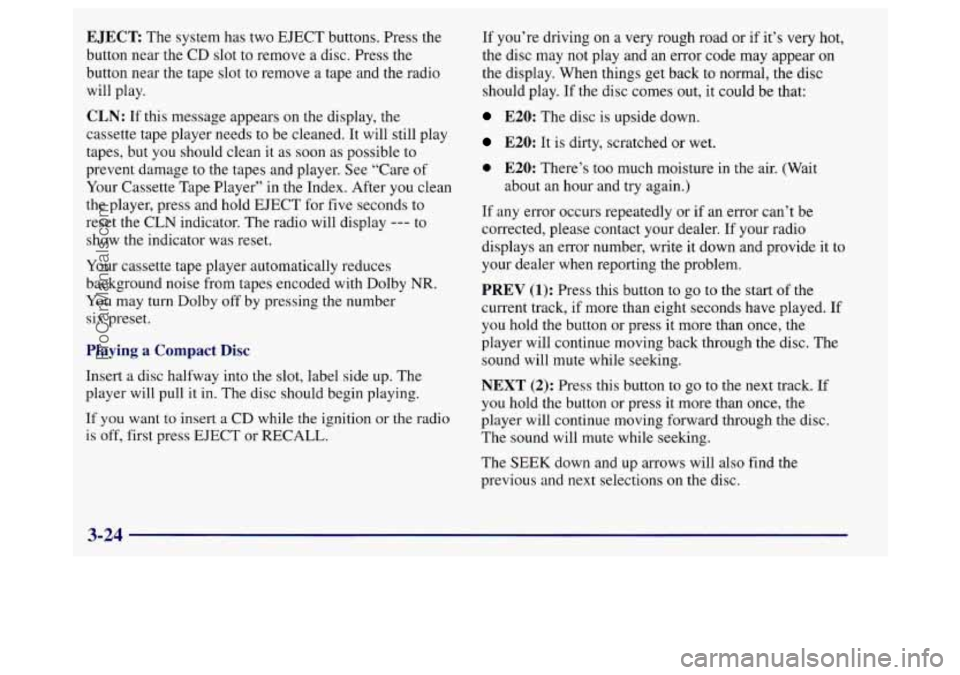
EJECT: The system has two EJECT buttons. Press the
button near the CD slot
to remove a disc. Press the
button near the tape slot to remove a tape and the radio
will play.
CLN: If this message appears on the display, the
cassette tape player needs to be cleaned. It will still play
tapes, but you should clean it as soon as possible to
prevent damage
to the tapes and player. See “Care of
Your Cassette Tape Player” in
the Index. After you clean
the player, press and hold EJECT for five seconds to
reset the
CLN indicator. The radio will display --- to
show the indicator was reset.
Your cassette tape player automatically reduces
background noise from tapes encoded with Dolby
NR.
You may turn Dolby off by pressing the number
six preset.
Playing a Compact Disc
Insert a disc halfway into the slot, label side up. The
player will pull it in. The disc should begin playing.
If you want to insert a
CD while the ignition or the radio
is off, first press EJECT or RECALL. If
you’re driving on a very rough road or if it’s very hot,
the disc may not play and an error code may appear on
the display. When things get back to normal, the disc
should play. If the disc comes out, it could be that:
E20: The disc is upside down.
E20: It is dirty, scratched or wet.
0 E20: There’s too much moisture in the air. (Wait
about an hour and try again.)
If any error occurs repeatedly or if an error can’t be
corrected, please contact your dealer.
If your radio
displays an error number, write it down and provide it to
your dealer when reporting the problem.
PREV (1): Press this button to go to the start of the
current track, if more than eight seconds have played.
If
you hold the button or press it more than once, the
player will continue moving back through the disc. The
sound will mute while seeking.
NEXT (2): Press this button to go to the next track. If
you hold the button or press it more than once, the
player will continue moving forward through the disc.
The sound will mute while seeking.
The
SEEK down and up arrows will also find the
previous and next selections on the disc.
3-24
ProCarManuals.com
Page 180 of 388
To unlock a secured radio see “Unlocking the
Theft-Deterrent Feature After a Power
Loss” earlier in
this section.
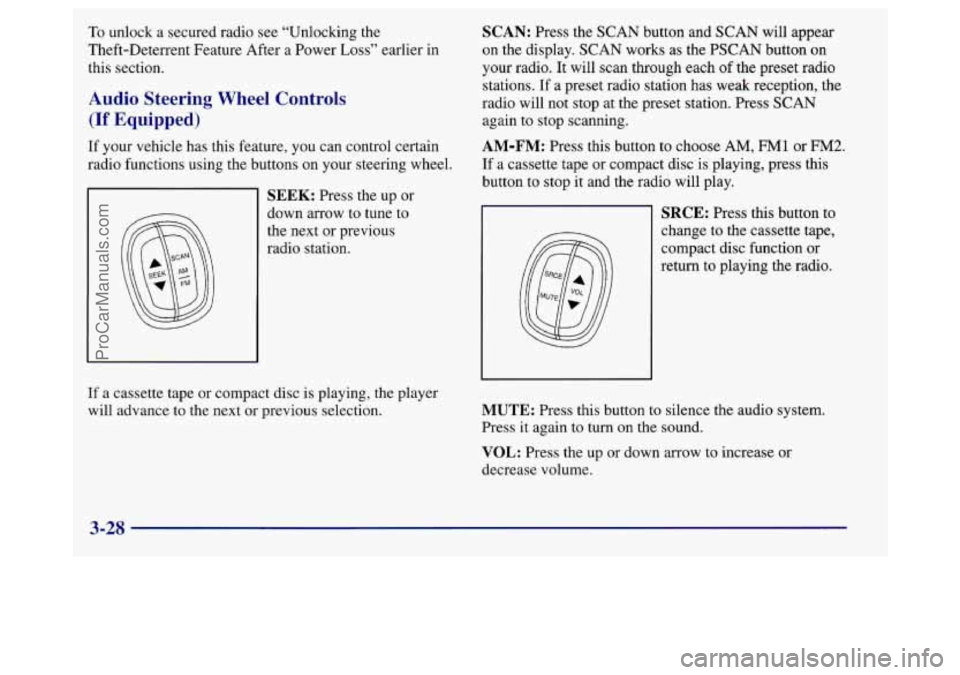
Audio Steering Wheel Controls
(If Equipped)
If your vehicle has this feature, you can control certain
radio functions using the buttons on your steering wheel.
SEEK: Press the up or
down arrow to tune to
the next or previous
radio station.
SCAN: Press the SCAN button and SCAN will appear
on the display. SCAN works as the PSCAN button on
your radio.
It will scan through each of the preset radio
stations. If a preset radio station has weak reception, the
radio will not stop at the preset station. Press SCAN
again to stop scanning.
AM-FM: Press this button to choose AM, FM1 or FM2.
If a cassette tape or compact disc is playing, press this
button to stop it and the radio will play.
SRCE: Press this button to
change to the cassette tape,
compact disc function or
return to playing the radio.
If a cassette tape or compact disc is playing, the player
will advance to the next
or previous selection. MUTE: Press this button to silence the audio system.
Press it again to turn on the sound.
VOL: Press the up or down arrow to increase or
decrease volume.
3-28
ProCarManuals.com
Page 182 of 388
Care of Your Cassette Tape Player
A tape player that is not cleaned regularly can cause
reduced sound quality, ruined cassettes or a damaged
mechanism. Cassette tapes should be stored
in their
cases away from contaminants, direct sunlight and
extreme heat. If they aren’t, they may not operate
properly or may cause failure of the tape player.
Your tape player should be cleaned regularly after every
50 hours of use. Your radio may display CLN to indicate
that you have used your tape player for
50 hours without
resetting the tape clean timer. If this message appears on
the display, your cassette tape player needs to be
cleaned. It will still play tapes, but you should clean it as
soon as possible to prevent damage to your tapes and
player. If you notice a reduction in sound quality, try a
known good cassette to see if
it is the tape or the tape
player at fault.
If this other cassette has no improvement
in sound quality, clean the tape player.
The recommended cleaning method for your cassette
tape player is the use of a scrubbing action,
non-abrasive cleaning cassette with pads which scrub
the tape head as the hubs of the cleaner cassette turn.
The recommended cleaning cassette is available through
your dealership
(GM Part No. 12344789).
When using a scrubbing action, non-abrasive cleaning
cassette, it
is normal for the cassette to eject because
your unit is equipped with a cut tape detection feature
and a cleaning cassette may appear as a broken tape.
If
the cleaning cassette ejects, insert the cassette at least
three times to ensure thorough cleaning.
You may also choose a non-scrubbing action, wet-type
cleaner which uses a cassette with a fabric belt to clean
the tape head. This type of cleaning cassette will not
eject on its own. A non-scrubbing action cleaner may
not clean as thoroughly as the scrubbing type cleaner.
The use of a non-scrubbing action, dry-type cleaning
cassette is not recommended.
After you clean the player, press and hold EJECT for
five seconds to reset the
CLN indicator. The radio will
display
--- to show the indicator was reset.
Cassettes are subject to wear and the sound quality
may degrade over time. Always make sure the cassette
tape is in good condition before you have your tape
player serviced.
ProCarManuals.com
Page 280 of 388
As shown in the chart, SAE 1OW-30 is best for your
vehicle. However, you can
use SAE 5W-30 if it’s going
to be colder than
60°F (1 6 O C) before your next oil
change. When it’s very cold,
you should use SAE
5W-30. These numbers on an oil container show its
viscosity, or thickness.
Do not use other viscosity oils,
such
as SAE 20W-50.
NOTICE:
Use only engine oil with the American Petroleum
Institute Certified For Gasoline Engines
“Starburst” symbol. Failure to use the
recommended oil can result in engine damage not
covered by your warranty.
GM Goodwrench@ oil meets all the requirements for
your vehicle.
If you are in an area where the temperature falls below
-20°F
(-29”C), consider using either an SAE 5W-30
synthetic oil or an SAE OW-30 oil. Both will provide
easier cold starting and better protection for your engine
at extremely low temperatures.
Engine Oil Additives
Don’t add anything to your oil. Your dealer is ready to
advise if you think something should be added.
When to Change Engine Oil
Your vehicle has an Oil Life Monitor. This feature
will let you know when to change your oil and
filter
-- usually between 3,000 miles (5 000 km) and
7,500 miles (12 500 km) since your last oil change.
Under severe conditions, the indicator may come on
before
3,000 miles (5 000 km). Never drive your vehicle
more than
7,500 miles (12 500 km) or 12 months
(whichever occurs first) without an oil change.
The system won’t detect dust
in the oil. So, if you
drive in a dusty area, be sure to change your oil every
3,000 miles (5 000 km) or sooner. Remember to reset
the CHANGE OIL
SOON light when the oil has been
changed. For more information, see “Change Oil Soon
Light” in the Index.
How to Reset the CHANGE OIL SOON Light
After changing the engine oil, the system must be reset.
With the ignition key in RUN but the engine off, fully
push and release the accelerator pedal slowly three times
within five seconds. If
the CHANGE OIL SOON light
flashes, the system is resetting.
Turn the key to OFF,
6-16
ProCarManuals.com
Page 281 of 388
then start the vehicle. If the CHANGE OIL SOON light
comes back on, the system has not reset. Repeat the
procedure.
(If you have a driver information center, the
system may be reset by depressing the DIC
RESET
button for five seconds while viewing the oil life display
on the DIC. See “Driver Information Center” in
the Index.)
What to Do with Used Oil
Did you know that used engine oil contains certain
elements that may be unhealthy for your skin and could
even cause cancer? Don’t
let used oil stay on your skin
for very long. Clean your skin and nails with soap and
water,
or a good hand cleaner. Wash or properly throw
away clothing or rags containing used engine oil. (See
the manufacturer’s warnings about the use and disposal
of oil products.)
Used oil can be a real threat to the environment.
If you
change your own oil, be sure to drain all free-flowing oil
from the filter before disposal. Don’t ever dispose of oil
by putting it in the trash, pouring it on the ground, into
sewers, or into streams
or bodies of water. Instead,
recycle it by taking it to a place that collects used oil. If
you have a problem properly disposing of your used oil,
ask your dealer, a service station or a local recycling
center for help.
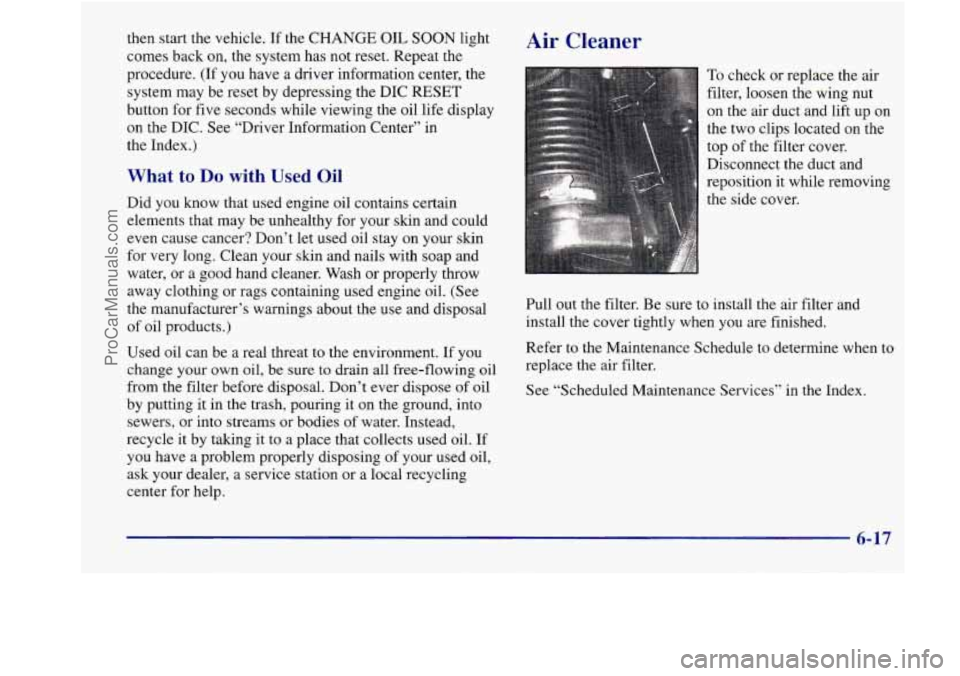
Air Cleaner
To check or replace the air
filter, loosen the wing nut
on the air duct and lift
up on
the two clips located on the
top of the filter cover.
Disconnect the duct and
reposition
it while removing
the side cover.
Pull out the filter. Be sure
to install the air filter and
install the cover tightly when you are finished.
Refer
to the Maintenance Schedule to determine when to
replace the air filter.
See “Scheduled Maintenance Services’’ in the Index.
6-17
ProCarManuals.com