instrument panel BUICK REGAL 2003 Owner's Guide
[x] Cancel search | Manufacturer: BUICK, Model Year: 2003, Model line: REGAL, Model: BUICK REGAL 2003Pages: 344, PDF Size: 2.21 MB
Page 109 of 344

Parking Lamps:Pulling the control out, halfway to the
first position, turns on the parking lamps together
with the following:
•Taillamps
•License Plate Lamps
•Sidemarker Lamps
•Instrument Panel Lights
Headlamps:Pulling the control out all the way, to the
second position, turns on the headlamps together
with the previously listed lamps and lights.
A warning chime will sound if you open the driver’s door
when you turn the ignition switch to OFF, LOCK or
ACCESSORY with the lamps on.
Daytime Running Lamps / Automatic
Headlamp System
Daytime Running Lamps (DRL) can make it easier for
others to see the front of your vehicle during the
day. DRL can be helpful in many different driving
conditions, but they can be especially helpful in the short
periods after dawn and before sunset. Fully functional
daytime running lamps are required on all vehicles
first sold in Canada.A light sensor on top of the instrument panel makes the
DRL work, so be sure it isn’t covered.
The DRL system will make your front turn signal lamps
come on when the following conditions are met:
•The ignition is on,
•the exterior lamps control is off and
•the parking brake is released.
When the DRL are on, only your front turn signal lamps
will be on. The headlamps, taillamps, sidemarker and
other lamps won’t be on. Your instrument panel won’tbe
lit up either.
When it’s dark enough outside, your front turn signal
lamps will turn off and your vehicle’s headlamps
and parking lamps will turn on. The other lamps that
come on with your headlamps will also come on.
When it’s bright enough outside, your headlamps will go
off and your front turn signal lamps will come on.
To idle your vehicle with the DRL and automatic
headlamp control off, set the parking brake while the
ignition is in OFF or LOCK. Then start your vehicle. The
DRL, headlamps and parking lamps will stay off until
you release the parking brake.
3-11
2003 - Regal OM
Page 111 of 344

Fog Lamps
To turn the fog lamps on,
press the fog lamps button
located below the
exterior lamps control on
the left side of the steering
column.
A light will glow in the button to let you know that the
fog lamps are on. Your parking lamps or low-beam
headlamps must be on or your fog lamps won’t come
on. Press the button again to turn the fog lamps off. The
fog lamps will go off whenever you change to high-beam
headlamps. When you return to low beams, the fog
lamps will come on again.
Cornering Lamps
The cornering lamps are designed to come on when
you signal a turn. This will provide more light for
cornering at night.
Interior Lamps
Instrument Panel Brightness
This feature controls the brightness of the instrument
panel lights.
You can brighten or dim the instrument panel lights by
turning the exterior lamp knob.Turning the knob all
the way clockwise turns on the courtesy lamps.
Courtesy Lamps
When any door is opened, several lamps come on.
These lamps are courtesy lamps. They make it easy for
you to enter and leave your vehicle. You can also
turn these lamps on by turning the exterior lamps control
clockwise to MAX.
Entry Lighting
Your courtesy lamps will come on and stay on for a set
time whenever you press UNLOCK on the remote
keyless entry transmitter.
If you open a door, the lamps will stay on while it’s open
and then turn off automatically about 25 seconds after
you close it. If you press UNLOCK and don’t open
a door, the lamps will turn off after about 40 seconds.
3-13
2003 - Regal OM
Page 115 of 344

When adding electrical equipment, be sure to follow the
proper installation instructions included with the
equipment.
For information on accessing the connection and
electrical hookup, please refer to your service manual.
To order a service manual,Service Publications
Ordering Information on page 7-10.
Ashtrays and Cigarette Lighter
The center front ashtray is located just below the
instrument panel’s comfort controls.
To remove the ashtray, open the storage door. Then
open the small black door, lift up on the ashtray and pull
it out.
Notice:Don’t put papers or other flammable
items into your ashtrays. Hot cigarettes or other
smoking materials could ignite them, causing
a damaging fire.
To use the lighter, just push it in all the way and let go.
When it’s ready, it will pop back out by itself.
Notice:Don’t hold a cigarette lighter in with your
hand while it is heating. If you do, it won’t be able to
back away from the heating element when it’s
ready. That can make it overheat, damaging the
lighter and the heating element.
Climate Controls
Dual Climate Control System
With this system you can control the heating, cooling
and ventilation for your vehicle.
Manual Operation
To change the current mode, select one of the following
settings on the right knob.
MAX (Maximum Air-Conditioning):This mode
recirculates much of the air inside your vehicle and
sends it through the instrument panel outlets. The
air-conditioning compressor will run automatically in
this setting unless the outside temperature is
below 40°F(4°C).
3-17
2003 - Regal OM
Page 116 of 344

VENT (Ventilation):This mode brings in outside air
direct and directs it through the instrument panel outlet.
BI-LEV (Bi-Level):This mode directs approximately
half of the air to the instrument panel outlets, and then
directs most of the remaining air to thefloor outlets.
Some air may be directed toward the windshield.
HTR (Heater):This mode directs most of the air to the
floor outlets, with some air directed to the outboard
outlets (for the side windows) and some air directed to
the windshield.
BLEND:This mode directs half of the air to go to the
floor outlets and half to the defroster and side window
outlets. The air-conditioning compressor will run
automatically in this setting unless the outside
temperature is below 40°F(4°C).
The right knob can also be used for the defrost mode.
Information on defrosting and defogging can be
found later in this section.
9FAN:The left knob controls the fan speed.
OFF:Turn the knob all the way counterclockwise to
turn off the fan.
LO (Low Fan Speed):This setting creates the lowest
fan speed.HI (High Fan Speed):This setting creates the highest
fan speed.
DRIVER (Driver’s Side Temperature):The lever on
the left adjusts the air temperature for the driver’s
side outlets. Slide the lever up to raise the temperature
and down to lower the temperature.
PASSENGER (Passenger’s Side Temperature):The
lever on the right adjusts the air temperature for the
passenger’s side outlets. Slide the lever up to raise the
temperature and down to lower the temperature.
"(Air Conditioning):Press this button to turn the
air-conditioning on and off. An indicator light above the
button will come on when the air conditioning is on.
During daylight hours you may need to adjust the interior
lighting control to the highest setting in order to see
the light. The system will cool and dehumidify the
air inside the vehicle when the A/C indicator light is on.
On very hot days, open the windows long enough to
let hot, inside air escape. This reduces the time for the
vehicle to cool down.
For a quick cool-down on a very hot day, use MAX with
the temperature levers all the way in the blue area. If
this setting is used for long periods of time, the air
in your vehicle may become too dry.
For normal cooling on hot days, use VENT with the
temperature levers in the blue area. The system
will bring in outside air and cool it.
3-18
2003 - Regal OM
Page 119 of 344

3. Wait for the system to regulate. This may take from
10 to 30 minutes. Then, adjust the temperature, if
necessary.
Do not cover the solar sensor located in the center
of the instrument panel, near the windshield. For
more information on the solar sensor, see
“Solar Sensor”later in this section.
Manual Operation
During daylight hours, you may want to adjust the
instrument panel brightness control to the highest setting
in order to see the indicator lights that go on for the
various climate control settings.
OFF:Pressing the OFF button cancels automatic
operation and places the system in manual mode. Press
the AUTO button to return to automatic operation.
TEMP (Temperature):To manually adjust the
temperature inside the vehicle, press the up arrow on
the TEMP control to raise the temperature and press the
down arrow to lower the temperature. The display will
show your selection for a few seconds, and then
the outside temperature will be displayed.
When the DUAL light indicator is on, this means the
TEMP control has set the temperature for the driver.
When the DUAL light indicator light is not on, this means
the TEMP control has set the temperature for the
entire cabin.
9FAN:Press the up arrow on the FAN control to
increase fan speed and the down arrow to decrease fan
speed. Pressing the arrows cancels the automatic
operation and places the system in manual mode. Press
the AUTO button to return to automatic operation. If
the airflow seems low when the fan is at the highest
setting, the passenger compartment airfilter, if
equipped, may need to be replaced. For more
information seePassenger Compartment Air Filter on
page 3-24andPart A: Scheduled Maintenance Services
on page 6-4.
AIR FLOW:This control has several setting to control
the direction of airflow when the system is not in AUTO.
To access the various modes available, continue to press
the AIR FLOW up or down arrows until the desired mode,
(listed below), appears in the display.
WINDSHIELD/FLOOR:This setting directs some of the
air to thefloor outlets and some to the defroster and
side window outlets. The air-conditioning compressor will
run automatically in this setting unless the outside
temperature is below 40°F(4°C).
MID/FLOOR:This mode directs airflow through both
thefloor and the instrument panel outlets. A small
amount of air is directed to the windshield and the side
window outlets.
MID (Instrument Panel):This mode directs air through
the instrument panel outlets.
3-21
2003 - Regal OM
Page 120 of 344

FLOOR:This setting sends most of the air through the
outlets near thefloor. The rest comes out of the
defroster and side window outlets.
VENT:Press this button to turn the air-conditioning
compressor on or off. The indicator light on the VENT
mode is lit when the compressor is turned off. You may
have to adjust the interior brightness control to the
highest setting during the day in order to see the
indicator lamp.
VENT does not operate in the FRONT defrost mode.
RECIRC (Recirculation):Press this button to turn this
mode on or off. RECIRC limits the amount of outside
air coming into the vehicle and recirculates most of the
air inside your vehicle. It can be use to prevent
outside air and odors from entering your vehicle or to
quickly heat or cool the air inside your vehicle. When this
button is pressed an indicator light will come on. You
may have to adjust the interior brightness control to the
highest setting during the day in order to see the
indicator lamp.
This setting is not permitted in FRONT defrost mode
and is only permitted in WINDSHIELD/FLOOR mode if
the compressor is turned on.
On hot days, open the window to let hot inside air
escape; then close them. This helps to reduce the time
it takes for your vehicle to cool down. It also helps
the system to operate more efficiently.For quick cool down on hot days, press the AUTO
button and the system will automatically enter the
recirculation mode and the temperature will be at the full
cold position for maximum cooling.
The air-conditioning system removes moisture from the
air, so you may sometimes notice a small amount of
water dripping underneath your vehicle while idling
or after turning off the engine. This is normal.
Operating the climate control system in the RECIRC
mode may cause fogging of the vehicle’s windows when
the weather is cold and damp. To clear the fog, select
either WINDSHIELD/FLOOR or defrost mode and
increase the speed.
Sensors
The solar sensor on your vehicle monitors the solar
radiation and the air inside of your vehicle, then uses the
information to maintain the selected temperature by
initiating needed adjustments to the temperature, the fan
speed and the air delivery system. The system may
also supply cooler air to the side of the vehicle facing the
sun. The recirculation mode will also be activated, as
necessary. Do not cover the solar sensor located in the
center of the instrument panel, near the windshield,
or the system will not work properly.
3-22
2003 - Regal OM
Page 125 of 344

Instrument Panel Cluster
The instrument panel cluster is designed to let you know at a glance how your vehicle is running. You’ll know how fast
you’re going, about how much fuel is in your tank and many other things you need to drive safely and economically.
United States, Uplevel (with Driver Information Center) version and optional ABS shown, Canada and Base
Level similar
3-27
2003 - Regal OM
Page 126 of 344

Speedometer and Odometer
The speedometer lets you see your speed in both miles
per hour (mph) and kilometers per hour (km/h). The
odometer shows how far your vehicle has been driven
in either miles (used in the United States) or in
kilometers (used in Canada).
Your vehicle has a tamper-resistant odometer. If you
see ERROR, you’ll know someone has probably
tampered with it and the numbers may not be accurate.
You may wonder what happens if your vehicle needs
a new odometer installed. If the new one can be set to
the mileage total of the old odometer, then that will
be done. But if it can’t, then it will be set at zero and a
label must be put on the driver’s door to show the
old mileage reading when the new odometer was
installed.
Trip Odometer
The trip odometer tells how far you have driven since
you last reset it. To set it to zero, press the button on the
right side of the instrument panel cluster.
The trip/select reset button will go back and forth
between the odometer and the trip odometer if the
button is pressed and released within 1.5 seconds.
If the button is pressed and held for longer than
1.5 seconds while in the trip odometer mode, it will be
reset to zero. If the button is pressed and held for longer
than 1.5 seconds while in the odometer mode, it will
have no effect.
3-28
2003 - Regal OM
Page 128 of 344
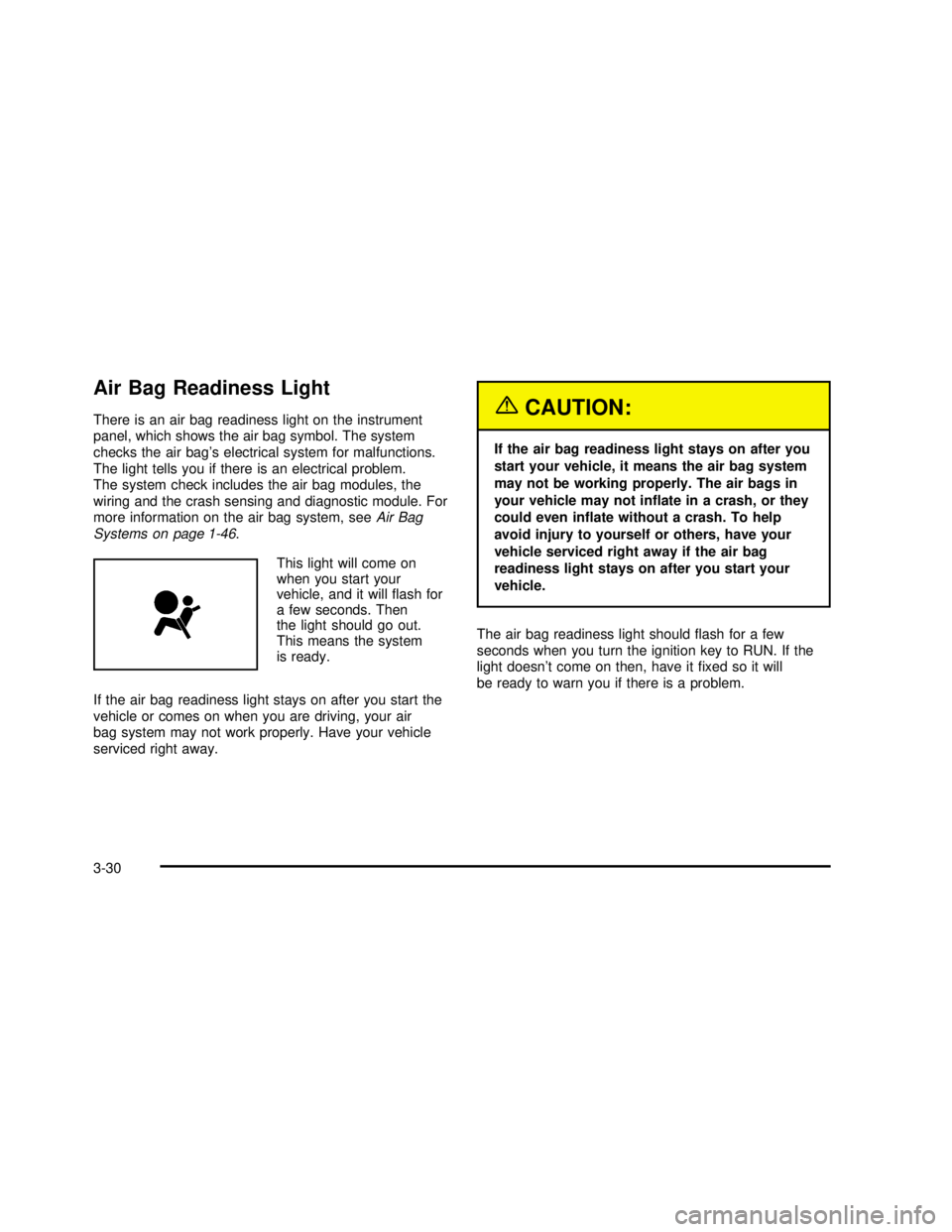
Air Bag Readiness Light
There is an air bag readiness light on the instrument
panel, which shows the air bag symbol. The system
checks the air bag’s electrical system for malfunctions.
The light tells you if there is an electrical problem.
The system check includes the air bag modules, the
wiring and the crash sensing and diagnostic module. For
more information on the air bag system, seeAir Bag
Systems on page 1-46.
This light will come on
when you start your
vehicle, and it willflash for
a few seconds. Then
the light should go out.
This means the system
is ready.
If the air bag readiness light stays on after you start the
vehicle or comes on when you are driving, your air
bag system may not work properly. Have your vehicle
serviced right away.{CAUTION:
If the air bag readiness light stays on after you
start your vehicle, it means the air bag system
may not be working properly. The air bags in
your vehicle may not inflate in a crash, or they
could even inflate without a crash. To help
avoid injury to yourself or others, have your
vehicle serviced right away if the air bag
readiness light stays on after you start your
vehicle.
The air bag readiness light shouldflash for a few
seconds when you turn the ignition key to RUN. If the
light doesn’t come on then, have itfixed so it will
be ready to warn you if there is a problem.
3-30
2003 - Regal OM
Page 140 of 344

Low Fuel Warning Light
If your fuel is low, a circular light on your instrument
panel cluster will come on and stay on and a chime will
sound periodically until you add fuel.
It will also come on for a few seconds when youfirst
turn on the ignition as a check to show you it’s working.
If it doesn’t come on then, have itfixed.
Driver Information Center (DIC)
If your vehicle is equipped with the Driver Information
Center (DIC), it is located below the tachometer on the
instrument panel cluster. The DIC gives you important
safety and maintenance facts. When you turn the
ignition on, the entire center lights up for just a
few seconds.
United States
Canada
3800 V6 Engine
3-42
2003 - Regal OM