light BUICK REGAL 2004 Owner's Guide
[x] Cancel search | Manufacturer: BUICK, Model Year: 2004, Model line: REGAL, Model: BUICK REGAL 2004Pages: 354, PDF Size: 4.16 MB
Page 108 of 354
Increasing Speed While Using Cruise
Control
There are two ways to go to a higher speed:
Use the accelerator pedal to get to the higher
speed. Push in the SET button, then release
the button and the accelerator pedal. The vehicle
will now cruise at the higher speed.
Move the cruise switch from ON to R/A. Hold it there
until you accelerate to the desired speed, and then
release the switch. To increase the vehicle’s speed in
very small amounts, move the switch to R/A briey
and then release it. Each time this is done, the
vehicle will go about 1 mph (1.6 km/h) faster.
The accelerate feature will only work after the cruise
control speed is set, by pushing the SET button.
Reducing Speed While Using Cruise
Control
There are two ways to reduce the vehicle’s speed while
using cruise control:
Push in the SET button until the vehicle slows down
to the desired speed, then release it.
To slow the vehicle down in very small amounts,
push the SET button briey. Each time this is done,
the vehicle will go about 1 mph (1.6 km/h) slower.
Passing Another Vehicle While Using
Cruise Control
Use the accelerator pedal to increase the vehicle’s
speed. When you take your foot off the pedal, the
vehicle will slow down to the cruise control speed you
set earlier.
Using Cruise Control on Hills
How well the cruise control will work on hills depends
upon the speed and load of the vehicle, and the
steepness of the hills. When going up steep hills, you
may have to step on the accelerator pedal to maintain the
vehicle’s speed. When going downhill, you may have to
brake or shift to a lower gear to keep the vehicle’s speed
down. Of course, applying the brake takes the vehicle out
of cruise control. Many drivers nd this to be too much
trouble and do not use cruise control on steep hills.
Ending Cruise Control
There are two ways to turn off the cruise control:
Step lightly on the brake pedal.
Move the cruise switch to OFF.
Erasing Speed Memory
When the cruise control or the ignition is turned off, or
the vehicle is shifted into PARK (P) or NEUTRAL (N),
the cruise control set speed memory is erased.
3-10
Page 109 of 354
Exterior Lamps
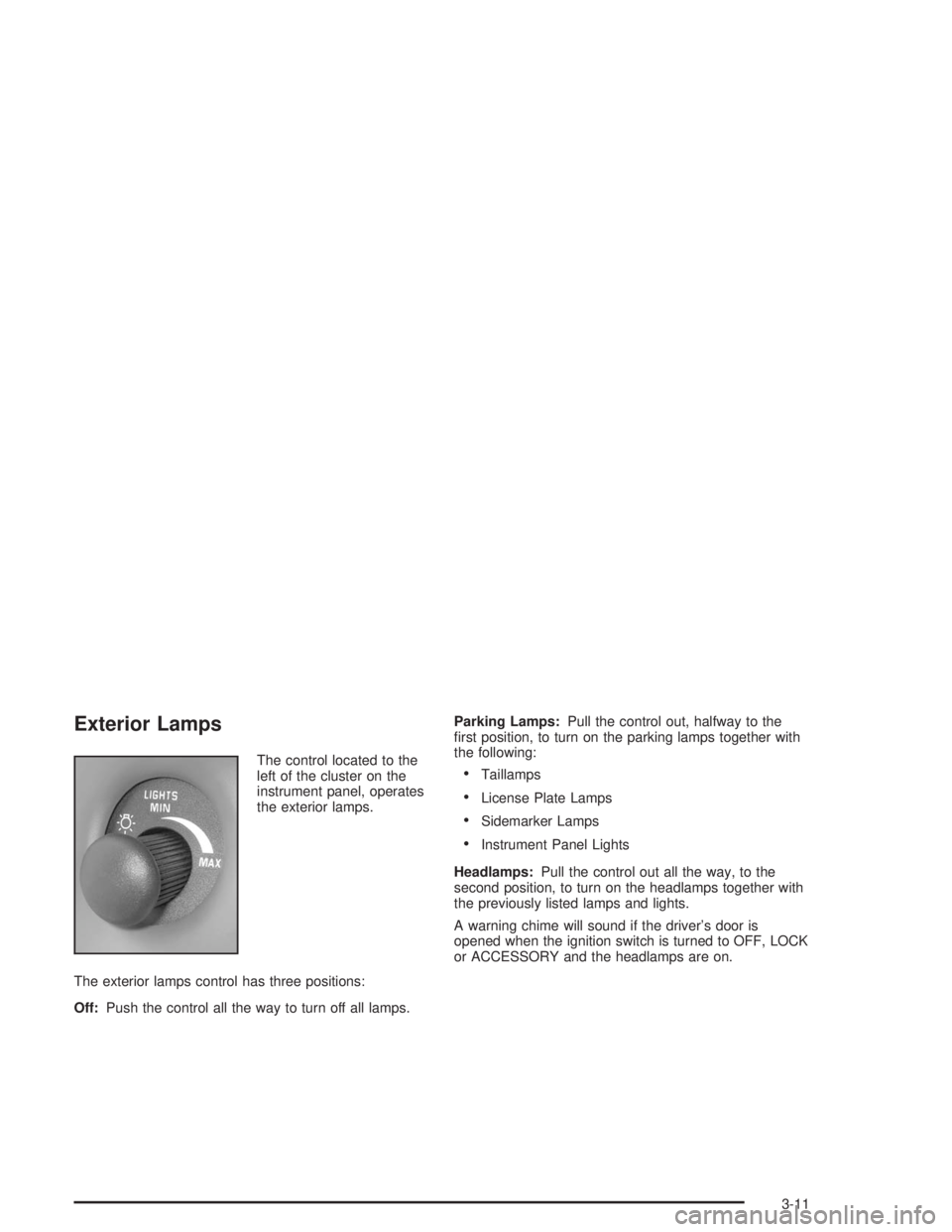
The control located to the
left of the cluster on the
instrument panel, operates
the exterior lamps.
The exterior lamps control has three positions:
Off:Push the control all the way to turn off all lamps.Parking Lamps:Pull the control out, halfway to the
rst position, to turn on the parking lamps together with
the following:Taillamps
License Plate Lamps
Sidemarker Lamps
Instrument Panel Lights
Headlamps:Pull the control out all the way, to the
second position, to turn on the headlamps together with
the previously listed lamps and lights.
A warning chime will sound if the driver’s door is
opened when the ignition switch is turned to OFF, LOCK
or ACCESSORY and the headlamps are on.
3-11
Page 110 of 354
Daytime Running Lamps / Automatic
Headlamp System
Daytime Running Lamps (DRL) can make it easier for
others to see the front of your vehicle during the
day. DRL can be helpful in many different driving
conditions, but they can be especially helpful in the short
periods after dawn and before sunset. Daytime running
lamps are required to function at all times on all
vehicles rst sold in Canada.
A light sensor on top of the instrument panel makes the
DRL work, so be sure it is not covered.
The DRL system will make the front turn signal lamps
come on when the following conditions are met:
The ignition is on.
The exterior lamps control is off.
The parking brake is released.
While the DRL are on, only the vehicle’s front turn
signal lamps will also be on. The headlamps, taillamps,
sidemarker and other lamps will not be on. The
instrument panel will not be lit up either.
When it is dark enough outside, the front turn signal
lamps will turn off and the vehicle’s headlamps
and parking lamps will turn on. The other lamps that
come on with the headlamps will also come on.When it is bright enough outside, the headlamps will go
off and the front turn signal lamps will come on.
To idle the vehicle with the DRL and automatic
headlamp control off, set the parking brake while the
ignition is in OFF or LOCK. Then start the vehicle. The
DRL, headlamps and parking lamps will stay off until
the parking brake is released.
To turn off the automatic headlamp feature when it is
dark outside, move the exterior lamp control to the
parking lamp position. The parking lamps will remain
illuminated and the headlamps will turn off. The
fog lamps will also go on if they were on previously.
As with any vehicle, the regular headlamp system
should be turned on when needed.
Delayed Headlamps
Delayed headlamps illumination provides a period of
exterior lighting as you leave your vehicle. The feature is
activated when the vehicle’s headlamps are on due to
the automatic headlamp control feature described
previously in this section, and when the vehicle’s ignition
is turned off. The headlamps will then remain on until
the exterior lamps control is moved from OFF to
the parking lamp position or until a 90 second lighting
period has ended.
If the ignitionis turned off with the exterior lamps control
in the parking lamp or headlamps position, the
delayed headlamps illumination cycle will not occur.
3-12
Page 111 of 354
This feature can be turned on and off by doing the
followihg:
1. Turn the ignition key to RUN.
2. Close all the doors.
3. Press and hold the LOCK position on the power
door lock switch while turning the exterior lamps
control on and off two times.
4. Release the LOCK position on the power door lock
switch. These operations must be carried out in a
time period of less than 10 seconds, followed
by a delay period of no more than 10 seconds.
5. Then, press and hold the unlock position on the
power door switch while turning the exterior
lamps control on and then off two times. Release
the unlock position on the power door lock
switch. These steps must be carried out in a time
period of less than 10 seconds.
After releasing the unlock position on the power door
lock switch, a single chime will be heard if the delayed
headlamp illumination function has been turned off.
Two chimes will be heard if the feature has been turned
on. Disconnecting the vehicle’s battery for up to a
year will not change the programmed operation for this
feature.Fog Lamps
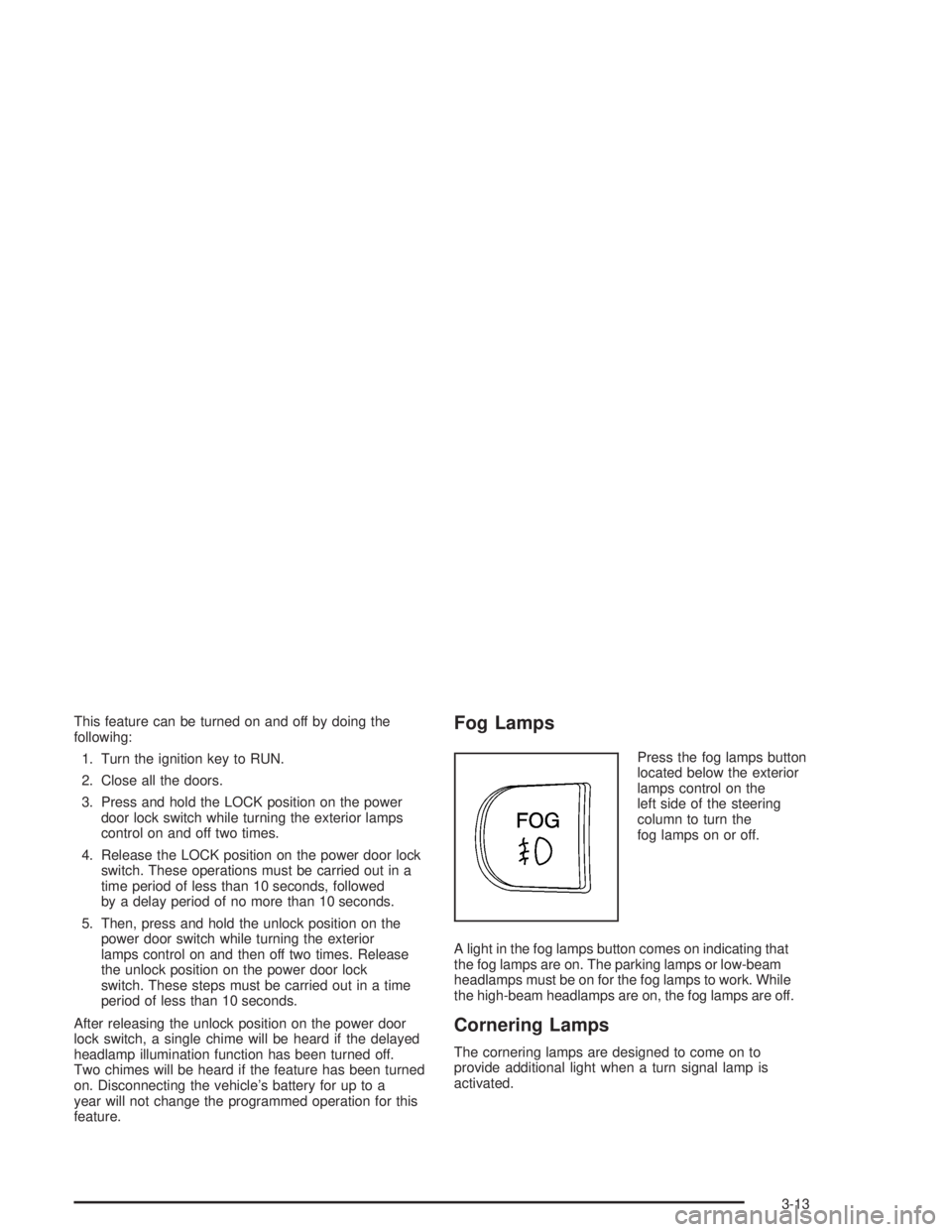
Press the fog lamps button
located below the exterior
lamps control on the
left side of the steering
column to turn the
fog lamps on or off.
A light in the fog lamps button comes on indicating that
the fog lamps are on. The parking lamps or low-beam
headlamps must be on for the fog lamps to work. While
the high-beam headlamps are on, the fog lamps are off.
Cornering Lamps
The cornering lamps are designed to come on to
provide additional light when a turn signal lamp is
activated.
3-13
Page 112 of 354

Interior Lamps
Instrument Panel Brightness
The instrument panel lights can be brightened or
dimmed by turning the exterior lamp knob. Turning the
knob all the way clockwise turns on the courtesy
lamps.
Courtesy Lamps
When any door is opened, several courtesy lamps come
on to make it easier to enter and exit the vehicle.
These lamps can also be turned on by turning the
exterior lamps control clockwise to MAX.
Entry Lighting
The courtesy lamps will come on and stay on for a set
time whenever the UNLOCK button on the remote
keyless entry transmitter is pressed.
The lamps will stay on while a door is opened and then
turn off automatically about 25 seconds after it is
closed. If the UNLOCK button is pressed and a door is
not opened, the lamps will turn off after about
40 seconds.Entry lighting includes a feature called theater dimming.
With theater dimming, the lamps do not turn off at
the end of the delay time. Instead, they slowly dim after
the delay time and then turn off.
The courtesy lamps turn off when the ignition key is
turned to RUN or START. They will come on again when
a door is opened.
Delayed Entry Lighting
Delayed entry lighting lights the vehicle’s interior for a
period of time after all the doors have been closed.
The ignition must be off for delayed entry lighting
to work. After all the doors have been closed, the
delayed entry lighting feature will continue to work until
one of the following occurs:
The ignition is in RUN.
The doors are locked.
Twenty ve seconds has elapsed.
If during the illumination period a door is opened, the
timed illumination period will be canceled and the interior
lamps will remain on.
3-14
Page 113 of 354
Delayed Exit Lighting
This feature illuminates the interior for a period of time
after the ignition key is removed from the ignition.
When the ignition key is removed, interior illumination
will activate and remain on until one of the following
occurs:
The ignition is in RUN.
The power door locks are activated.
Twenty ve seconds has elapsed.
If during the illumination period a door is opened, the
timed illumination period will be canceled and the interior
lamps will remain on.
Perimeter Lighting
Perimeter lighting provides a period of exterior vehicle
lighting. Perimeter lighting activates when the doors
are closed, the ignition is in OFF and the security
feedback feature is activated in Mode 3 or 4. See
“Security Feedback” underRemote Keyless Entry
System Operation on page 2-4for more information.
The vehicle headlamps and back-up lamps are
then activated for a period of 25 seconds or until the
ignition switch is turned to RUN.Perimeter lighting can be turned on or off when the
driver performs the following sequence with the engine
off and the doors closed:
1. Turn the ignition to RUN.
2. Close all the doors.
3. Apply the brake.
4. Press and hold the LOCK position on the power
door lock switch while pressing and releasing the
remote alarm button on the remote keyless
entry transmitter.
This activates the customization mode. While in the
customization mode, the number of chimes
corresponding to the current mode will sound. One
chime means the feature is turned off. Two chimes
mean that the perimeter lighting feature is turned on.
Each additional press of the power door lock switch will
advance to the next mode. Release the LOCK position
on the power door lock switch to set the mode.
Disconnecting the vehicle’s battery for up to a year will
not change the programmed operation for this feature.
Reading Lamps
The reading lamps are located on the underside of the
rearview mirror. Press the button next to each lamp
to turn it on and off.
3-15
Page 115 of 354
Ashtrays and Cigarette Lighter
The center front ashtray is located below the instrument
panel comfort controls.
To remove the ashtray, open the storage door. Then
open the ashtray lid, lift up and pull it out.
Notice:Holding a cigarette lighter in while it is
heating will not allow the lighter to back away from
the heating element when it is hot. Damage from
overheating may occur to the lighter or heating
element, or a fuse could be blown. Do not hold a
cigarette lighter in while it is heating.
Push the lighter to use it. When the heating element is
hot, the lighter will pop back out by itself.
Notice:If you put papers or other ammable items
in the ashtray, hot cigarettes or other smoking
materials could ignite them and possibly damage
your vehicle. Never put ammable items in the
ashtray.
Climate Controls
Dual Climate Control System
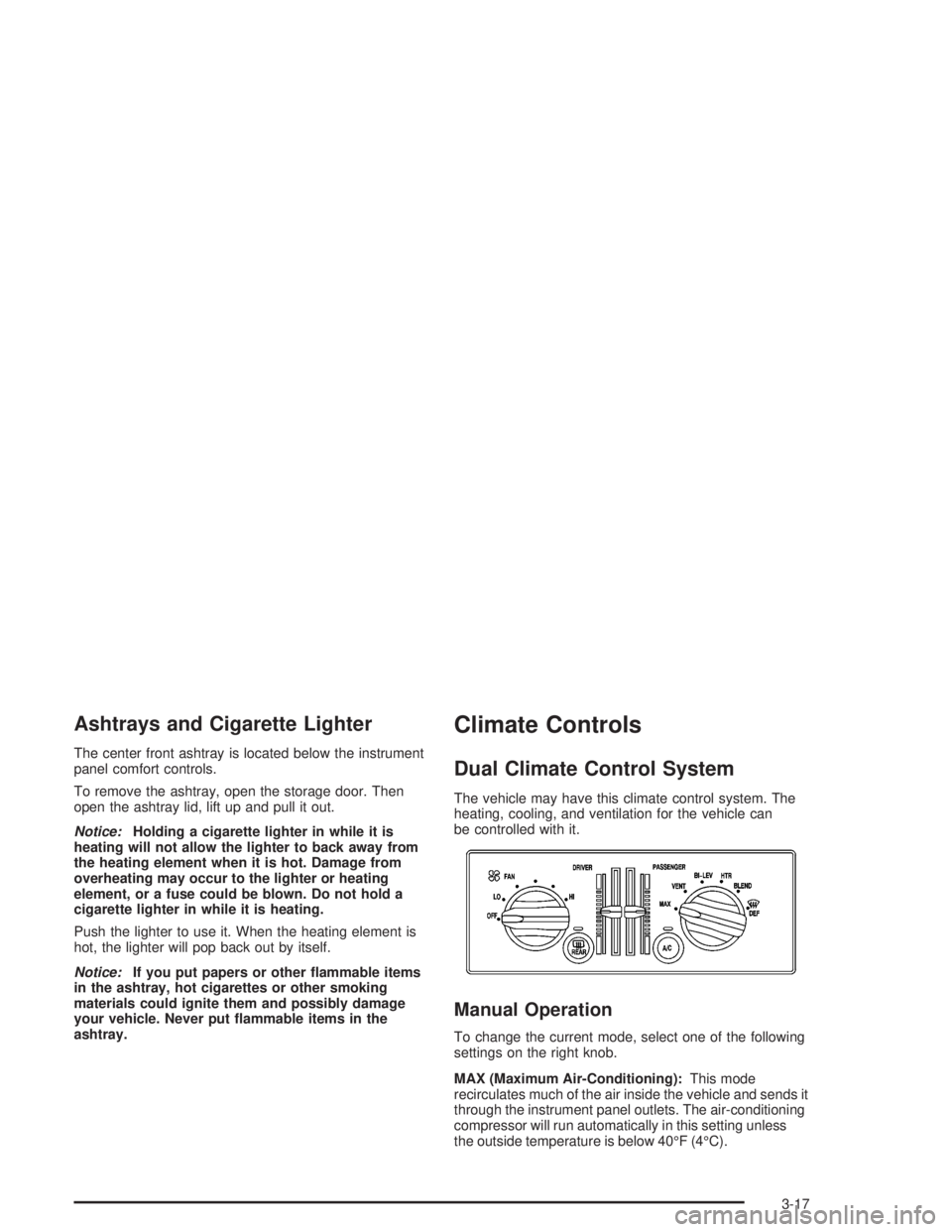
The vehicle may have this climate control system. The
heating, cooling, and ventilation for the vehicle can
be controlled with it.
Manual Operation
To change the current mode, select one of the following
settings on the right knob.
MAX (Maximum Air-Conditioning):This mode
recirculates much of the air inside the vehicle and sends it
through the instrument panel outlets. The air-conditioning
compressor will run automatically in this setting unless
the outside temperature is below 40°F (4°C).
3-17
Page 116 of 354

VENT (Ventilation):This mode brings in outside air
and directs it through the instrument panel outlets.
BI-LEV (Bi-Level):This mode directs approximately
half of the air to the instrument panel outlets, and then
directs most of the remaining air to the oor outlets.
Some air may be directed toward the windshield.
HTR (Heater):This mode directs most of the air to the
oor outlets, with some air directed to the outboard
outlets, for the side windows, and some air directed to
the windshield.
BLEND:This mode directs half of the air to go to the
oor outlets and half to the defroster and side window
outlets. The air-conditioning compressor will run
automatically in this setting unless the outside
temperature is below 40°F (4°C).
The right knob can also be used for the defrost mode.
Information on defrosting and defogging can be
found later in this section.
9FAN:The left knob controls the fan speed.
OFF:Turn the knob all the way counterclockwise to
turn off the fan.
LO (Low Fan Speed):This setting creates the lowest
fan speed.HI (High Fan Speed):This setting creates the highest
fan speed.
DRIVER (Driver’s Side Temperature):The lever on
the left adjusts the air temperature for the driver’s
side outlets. Slide the lever up to raise the temperature
and down to lower the temperature.
PASSENGER (Passenger’s Side Temperature):The
lever on the right adjusts the air temperature for the
passenger’s side outlets. Slide the lever up to raise the
temperature and down to lower the temperature.
"(Air Conditioning):Press this button to turn the
air-conditioning on and off. An indicator light above the
button will come on when the air conditioning is on.
During daylight hours the interior lighting control might
need adjustment to the highest setting in order for the
indicator light to be seen. The system will cool and
dehumidify the air inside the vehicle when the A/C
indicator light is on.
On very hot days, open the windows long enough to let
hot, inside air escape. This reduces the time for the
vehicle to cool down.
For a quick cool-down on a very hot day, use MAX with
the temperature levers all the way in the blue area. If this
setting is used for long periods of time, the air in the
vehicle may become too dry.
For normal cooling on hot days, use VENT with the
temperature levers in the blue area. The system will bring
in outside air and cool it.
3-18
Page 117 of 354
On cool, but sunny days, the sun may warm your upper
body, but your lower body may not be warm enough.
Select BI-LEV and set the temperature levers to a
comfortable setting. The system will bring in outside air
and direct it to your upper body, while sending slightly
warmed air to your lower body. Push the A/C button for
cooling.
Defogging and Defrosting
Fog on the inside of the windows is a result of high
humidity causing moisture to form and condense on the
cool window glass. This can be minimized if the
climate control system is used properly. There are two
modes to clear fog or frost from the windshield and
side windows. Use the blend mode to clear the windows
of fog or moisture and warm the passengers. Use the
defrost mode to remove frost or fog from the windshield
more quickly. For best results, clear all snow and ice
from the windshield before defrosting.
0DEF (Defrost):This setting, located on the right
knob, directs most of the air through the defroster
and the side window outlets. Some of the air is directed
to the oor and side window outlets. The air-conditioning
compressor will run automatically in this setting unless
the outside temperature is below 40°F (4°C).To defrost the window quickly, turn the mode knob to
the defrost setting and turn the driver’s and passenger’s
temperature levers all the way to the red area.
To warm passengers while keeping the windows clear,
use BLEND.
Do not drive the vehicle until all the windows are clear.
Rear Window Defogger
<
(Rear):Press the button to turn the defogger on or
off. The rear window defogger will initially run for
about 15 minutes. If it is turned on again, the rear
window defogger will only run for about seven and one
half minutes before turning off.
Do not drive the vehicle until all the windows are clear.
Notice:Using a razor blade or sharp object to
clear the inside rear window may damage the rear
window defogger. Repairs would not be covered
by your warranty. Do not clear the inside of the rear
window with sharp objects.
3-19
Page 119 of 354

2. Press the AUTO button.
Choosing the coldest or warmest temperature
setting will not cause the system to heat or cool any
faster.
If the system is set at the warmest temperature
setting, 90°F (32°C), hot air will be directed to the
oor, the fan will increase to the highest speed, and
the system will remain in manual mode at that
temperature. The system will not return to automatic
until the temperature setting is lowered.
If the system is set at the coldest temperature
setting, 60°F (15°C), cold interior air will be
recirculated through the air panel outlets, and the
fan will increase to the highest speed. The
system will not return to automatic until the
temperature is raised.
In cold weather, the system will start at reduced fan
speeds to avoid blowing cold air into the vehicle
until warmer air is available. The system will
start out blowing air at the oor but may change
modes automatically as the vehicle warms up
to maintain the chosen temperature setting. The
length of time needed for warm up will depend on
the outside temperature and the length of time
that has elapsed since the vehicle was last driven.3. Wait for the system to regulate. This may take from
10 to 30 minutes. Then, adjust the temperature, if
necessary.
Do not cover the solar sensor located in the center
of the instrument panel, near the windshield. For
more information on the solar sensor, see
“Solar Sensor” later in this section.
Manual Operation
During daylight hours, the instrument panel brightness
control might need to be adjusted to the highest setting,
in order to see the indicator lights for the various
climate control settings.
OFF:Pressing the OFF button cancels automatic
operation and places the system in manual mode. Press
the AUTO button to return to automatic operation.
TEMP (Temperature):To manually adjust the
temperature inside the vehicle, press the up arrow on
the TEMP control to raise the temperature and press the
down arrow to lower the temperature. The display will
show the selection for a few seconds, and then the
outside temperature will be displayed.
When the DUAL light indicator is on, this means the
TEMP control has set the temperature for the driver.
When the DUAL light indicator light is not on, this means
the TEMP control has set the temperature for the
entire cabin.
3-21