lock BUICK REGAL 2004 Owner's Guide
[x] Cancel search | Manufacturer: BUICK, Model Year: 2004, Model line: REGAL, Model: BUICK REGAL 2004Pages: 354, PDF Size: 4.16 MB
Page 88 of 354
Leaving Your Vehicle With the Engine
Running
{CAUTION:
It can be dangerous to leave your vehicle with
the engine running. Your vehicle could move
suddenly if the shift lever is not fully in
PARK (P) with the parking brake rmly set.
And, if you leave the vehicle with the engine
running, it could overheat and even catch re.
You or others could be injured. Do not leave
your vehicle with the engine running.
If you have to leave your vehicle with the engine
running, be sure your vehicle is in PARK (P) and the
parking brake is rmly set before you leave it. After you
have moved the shift lever into PARK (P), hold the
regular brake pedal down. Then, see if you can move
the shift lever out of PARK (P) without rst pushing
the shift lever button. If you can, it means that the shift
lever was not fully locked into PARK (P).
Torque Lock
If the vehicle is parked on a hill and the transaxle is not
shifted into PARK (P) properly, the weight of the
vehicle may put too much force on the parking pawl in
the transaxle. It might be difficult to pull the shift
lever out of PARK (P). This is called torque lock. To
prevent torque lock, set the parking brake and then shift
into PARK (P) properly before leaving the driver’s
seat. To nd out how, seeShifting Into Park (P) on
page 2-25.
When you are ready to drive, move the shift lever out of
PARK (P)beforeyou release the parking brake.
If torque lock does occur, another vehicle might have to
push yours a little uphill. This takes some of the
pressure off the parking pawl in the transaxle, enabling
the shift lever to be moved out of PARK (P).
2-26
Page 89 of 354
Shifting Out of Park (P)
The vehicle has an automatic transaxle shift lock control
system which locks the shift lever in PARK (P) when the
ignition is in the OFF position. The regular brakes must
be fully applied before the vehicle can be shifted from
PARK (P) when the ignition in RUN. SeeAutomatic
Transaxle Operation on page 2-21.
If the vehicle cannot be shifted out of PARK (P), ease
pressure on the shift lever and push the shift lever all the
way into PARK (P) as brake application is maintained.
Then, move the shift lever into the desired gear.
If the brake pedal is pressed down but the vehicle still
cannot be shifted out of PARK (P), try this:
1. Turn the ignition key to ACCESSORY. There is no
shift interlock in this key position.
2. Apply and hold the brake until the end of Step 4.
3. Shift the transaxle to NEUTRAL (N).
4. Start the engine and then shift to the desired gear.
5. Have the system xed as soon as possible.
Shift Lock Release
The vehicle is equipped with a shift lock release system.
It is designed to prevent ignition key removal unless
the shift lever is in PARK (P) and the shift lever button
is fully released.
It also prevents the shift lever from moving out of
PARK (P) when the ignition is in OFF or in LOCK. The
shift lock release system will not operate in the case
of a dead or low voltage (less than 9 V) battery.
If the vehicle has a dead battery or a battery with low
voltage, there are two override access slots that
will allow you to override the shift lock release system.
The rst access slot is located underneath the
steering column below the lock cylinder. To use this
slot, do the following:
1. Verify that the shift lever is in PARK (P) with the
shift lever button released.
2. Remove the override access slot cap to show the
override mechanism release button.
3. Insert a key or tool into the access slot and then
press and hold the override mechanism release
button.
4. Turn the ignition key to OFF.
5. Remove the key from the ignition switch.
6. Put the override access slot cap back on.
2-27
Page 96 of 354
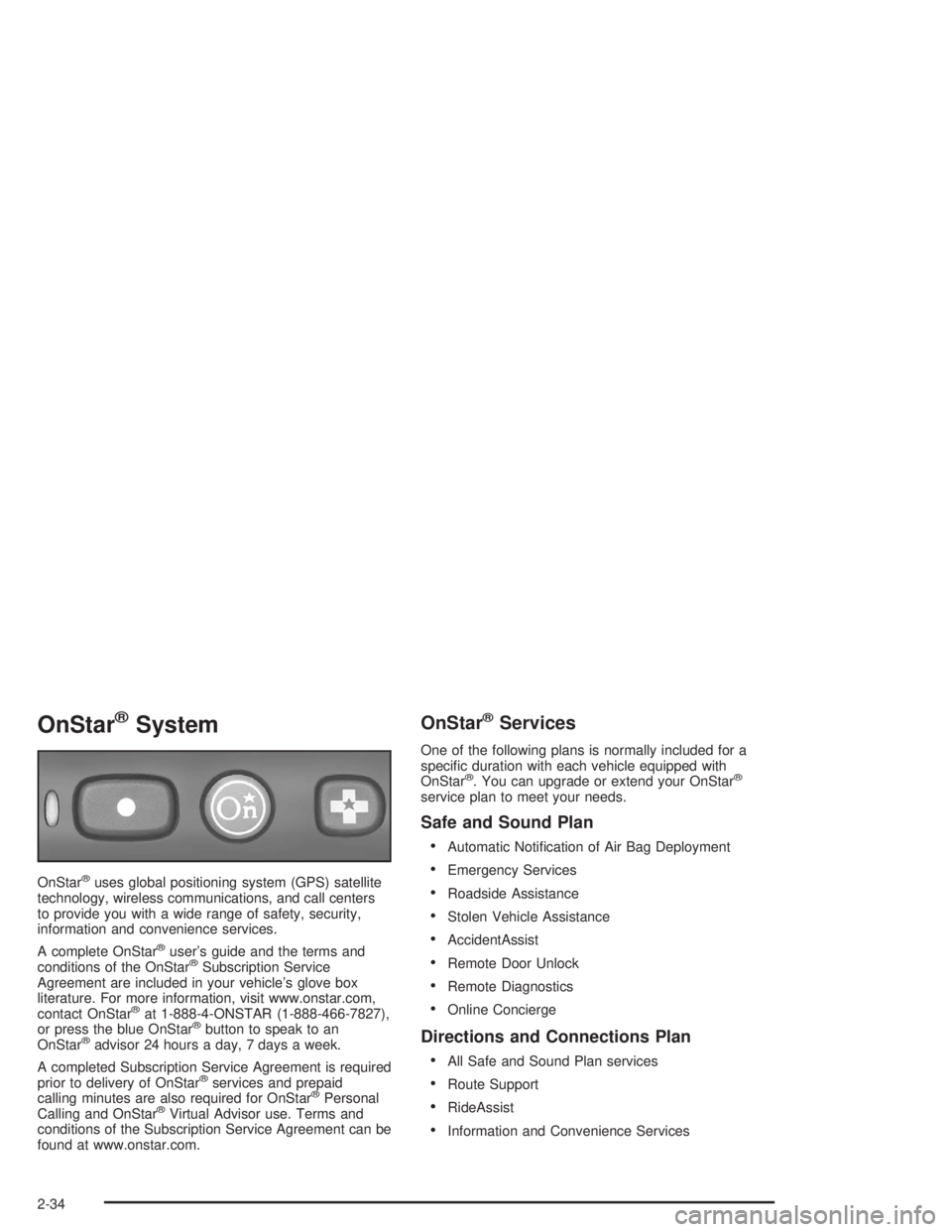
OnStar®System
OnStar®uses global positioning system (GPS) satellite
technology, wireless communications, and call centers
to provide you with a wide range of safety, security,
information and convenience services.
A complete OnStar
®user’s guide and the terms and
conditions of the OnStar®Subscription Service
Agreement are included in your vehicle’s glove box
literature. For more information, visit www.onstar.com,
contact OnStar
®at 1-888-4-ONSTAR (1-888-466-7827),
or press the blue OnStar®button to speak to an
OnStar®advisor 24 hours a day, 7 days a week.
A completed Subscription Service Agreement is required
prior to delivery of OnStar
®services and prepaid
calling minutes are also required for OnStar®Personal
Calling and OnStar®Virtual Advisor use. Terms and
conditions of the Subscription Service Agreement can be
found at www.onstar.com.
OnStar®Services
One of the following plans is normally included for a
specic duration with each vehicle equipped with
OnStar
®. You can upgrade or extend your OnStar®
service plan to meet your needs.
Safe and Sound Plan
Automatic Notication of Air Bag Deployment
Emergency Services
Roadside Assistance
Stolen Vehicle Assistance
AccidentAssist
Remote Door Unlock
Remote Diagnostics
Online Concierge
Directions and Connections Plan
All Safe and Sound Plan services
Route Support
RideAssist
Information and Convenience Services
2-34
Page 97 of 354
Luxury and Leisure Plan
All Directions and Connections Plan services
Personal Concierge
OnStar®Personal Calling
With OnStar®Personal Calling, you have a safer way to
stay connected while driving. It’s a hands-free wireless
phone that’s integrated into your vehicle. You can place
calls nationwide using voice-activated dialing with no
contracts and no additional roaming charges. To nd out
more about OnStar
®Personal Calling, refer to the
OnStar®user’s guide in your vehicle’s glove box, or call
OnStar®at 1-888-4-ONSTAR (1-888-466-7827).
OnStar®Virtual Advisor
With OnStar®Virtual Advisor you can listen to the news,
entertainment and informative topics, such as traffic
and weather reports. You are able to listen and reply to
your e-mail through your vehicle’s speakers.
Storage Areas
Glove Box
Use the door key to lock and unlock the glove box. To
open the glove box, lift the latch on its door.
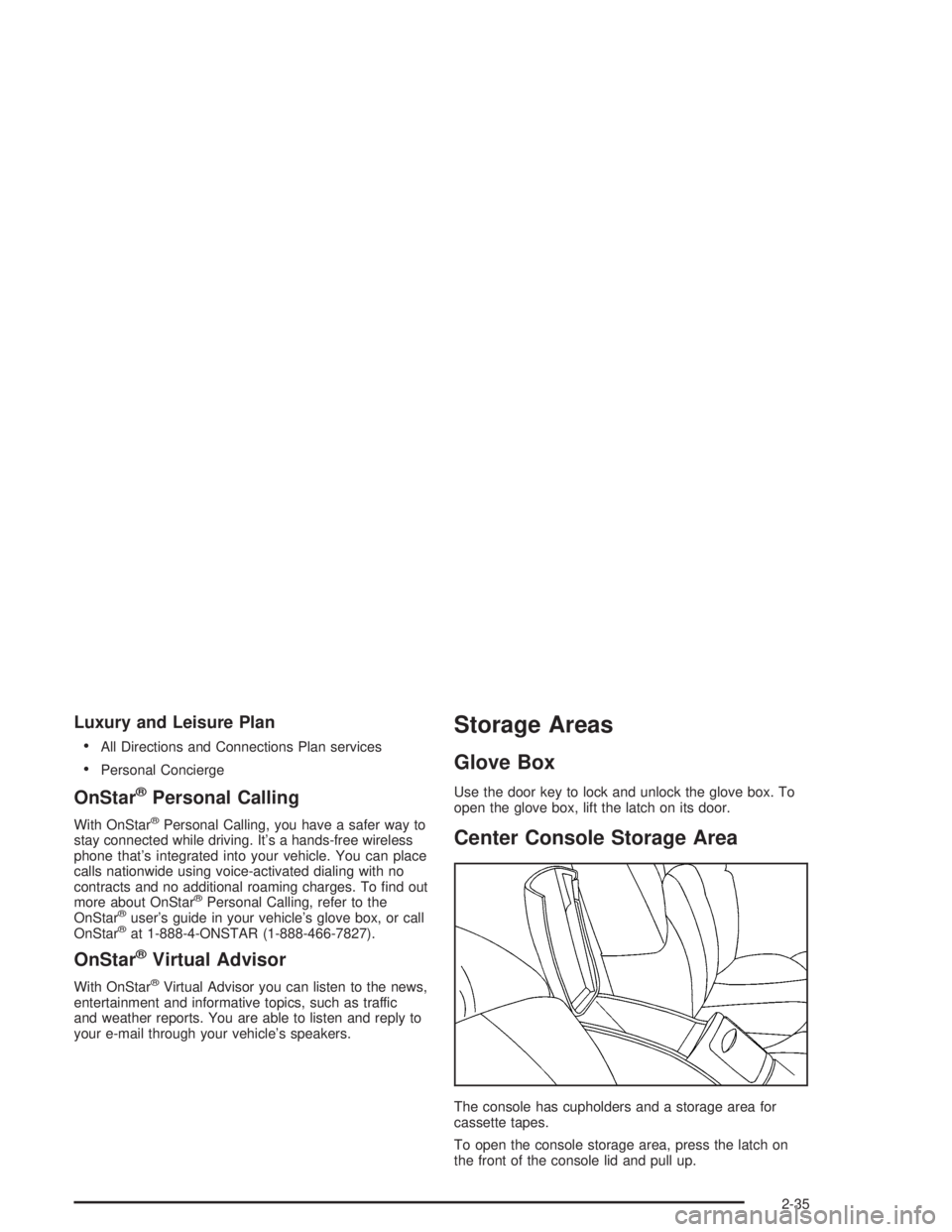
Center Console Storage Area
The console has cupholders and a storage area for
cassette tapes.
To open the console storage area, press the latch on
the front of the console lid and pull up.
2-35
Page 99 of 354
Instrument Panel Overview...............................3-2
Hazard Warning Flashers................................3-4
Other Warning Devices...................................3-4
Horn.............................................................3-5
Tilt Wheel.....................................................3-5
Turn Signal/Multifunction Lever.........................3-5
Exterior Lamps.............................................3-11
Interior Lamps..............................................3-14
Accessory Power Outlets...............................3-16
Ashtrays and Cigarette Lighter........................3-17
Climate Controls............................................3-17
Dual Climate Control System..........................3-17
Dual Automatic Climate Control System...........3-20
Outlet Adjustment.........................................3-24
Passenger Compartment Air Filter...................3-25
Warning Lights, Gages and Indicators.............3-26
Instrument Panel Cluster................................3-27
Speedometer and Odometer...........................3-28
Tachometer.................................................3-29
Safety Belt Reminder Light.............................3-29
Air Bag Readiness Light................................3-30
Charging System Light..................................3-31
Brake System Warning Light..........................3-31
Anti-Lock Brake System Warning Light.............3-32
Traction Control System (TCS) Warning Light......3-33
Low Traction Light........................................3-33Engine Coolant Temperature Warning Light......3-34
Engine Coolant Temperature Gage..................3-34
Tire Pressure Light.......................................3-35
Malfunction Indicator Lamp.............................3-35
Oil Pressure Light.........................................3-38
Low Oil Level Light.......................................3-39
Change Engine Oil Light................................3-39
Security Light...............................................3-40
Cruise Control Light......................................3-40
Low Washer Fluid Warning Light.....................3-40
Door/Trunk Ajar Warning Light........................3-40
Service Vehicle Soon Light............................3-41
Fuel Gage...................................................3-41
Low Fuel Warning Light.................................3-42
Driver Information Center (DIC).......................3-42
Audio System(s).............................................3-44
Setting the Time...........................................3-45
Radio with CD..............................................3-45
Radio with Cassette and CD..........................3-52
Theft-Deterrent Feature..................................3-61
Audio Steering Wheel Controls.......................3-62
Understanding Radio Reception......................3-62
Care of Your Cassette Tape Player.................3-63
Care of Your CDs.........................................3-64
Care of Your CD Player................................3-64
Backglass Antenna.......................................3-64
Section 3 Instrument Panel
3-1
Page 101 of 354

The main components of the instrument panel are the following:
A. Exterior Lamps Control. SeeExterior Lamps on
page 3-11.
B. Fog Lamps Control. SeeExterior Lamps on
page 3-11.
C. Turn Signal/Multifunction Lever. SeeTurn
Signal/Multifunction Lever on page 3-5.
D. Instrument Panel Cluster. SeeInstrument Panel
Cluster on page 3-27.
E. Hazard Warning Flasher Button. SeeHazard
Warning Flashers on page 3-4.
F. Audio Steering Wheel Controls. SeeAudio Steering
Wheel Controls on page 3-62.
G. Air Outlets. SeeOutlet Adjustment on page 3-24.H. Side Window Defogger Outlet. SeeOutlet
Adjustment on page 3-24.
I. Hood Release. SeeHood Release on page 5-11.
J. Tilt Wheel Lever. SeeTilt Wheel on page 3-5.
K. Horn. SeeHorn on page 3-5.
L. Audio System. SeeAudio System(s) on page 3-44.
M. Ashtray. SeeAshtrays and Cigarette Lighter on
page 3-17.
N. Climate Control. SeeDual Climate Control System
on page 3-17orDual Automatic Climate Control
System on page 3-20.
O. Glove Box. SeeGlove Box on page 2-35.
P. Instrument Panel Fuse Block. SeeFuses and Circuit
Breakers on page 5-98.
3-3
Page 103 of 354
Horn
Press the horn symbols on the steering wheel pad to
sound the horn.
Tilt Wheel
A tilt wheel enables the position of the steering wheel to
be adjusted.
The lever that lets the steering wheel tilt is located on
the outboard side of the steering column.
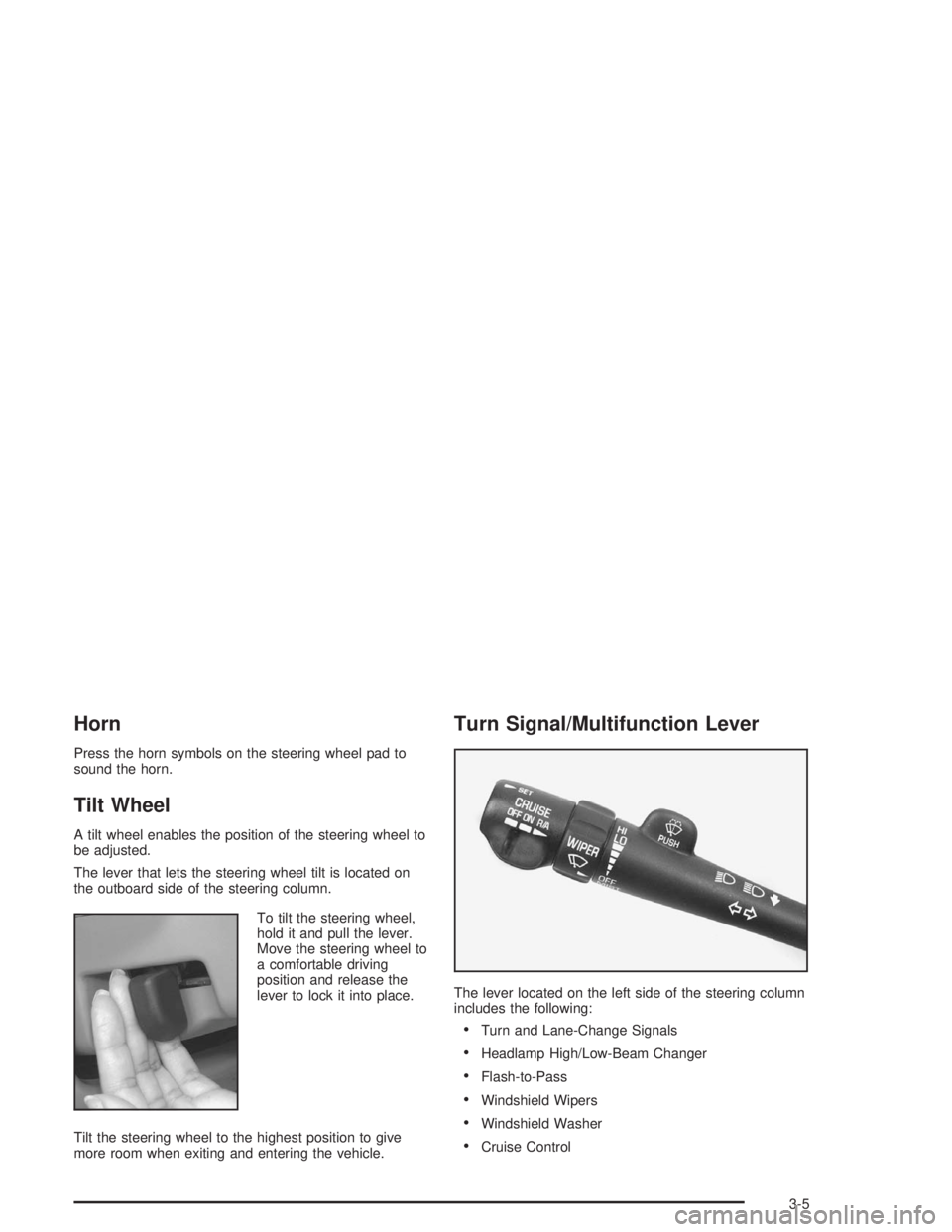
To tilt the steering wheel,
hold it and pull the lever.
Move the steering wheel to
a comfortable driving
position and release the
lever to lock it into place.
Tilt the steering wheel to the highest position to give
more room when exiting and entering the vehicle.
Turn Signal/Multifunction Lever
The lever located on the left side of the steering column
includes the following:
Turn and Lane-Change Signals
Headlamp High/Low-Beam Changer
Flash-to-Pass
Windshield Wipers
Windshield Washer
Cruise Control
3-5
Page 106 of 354
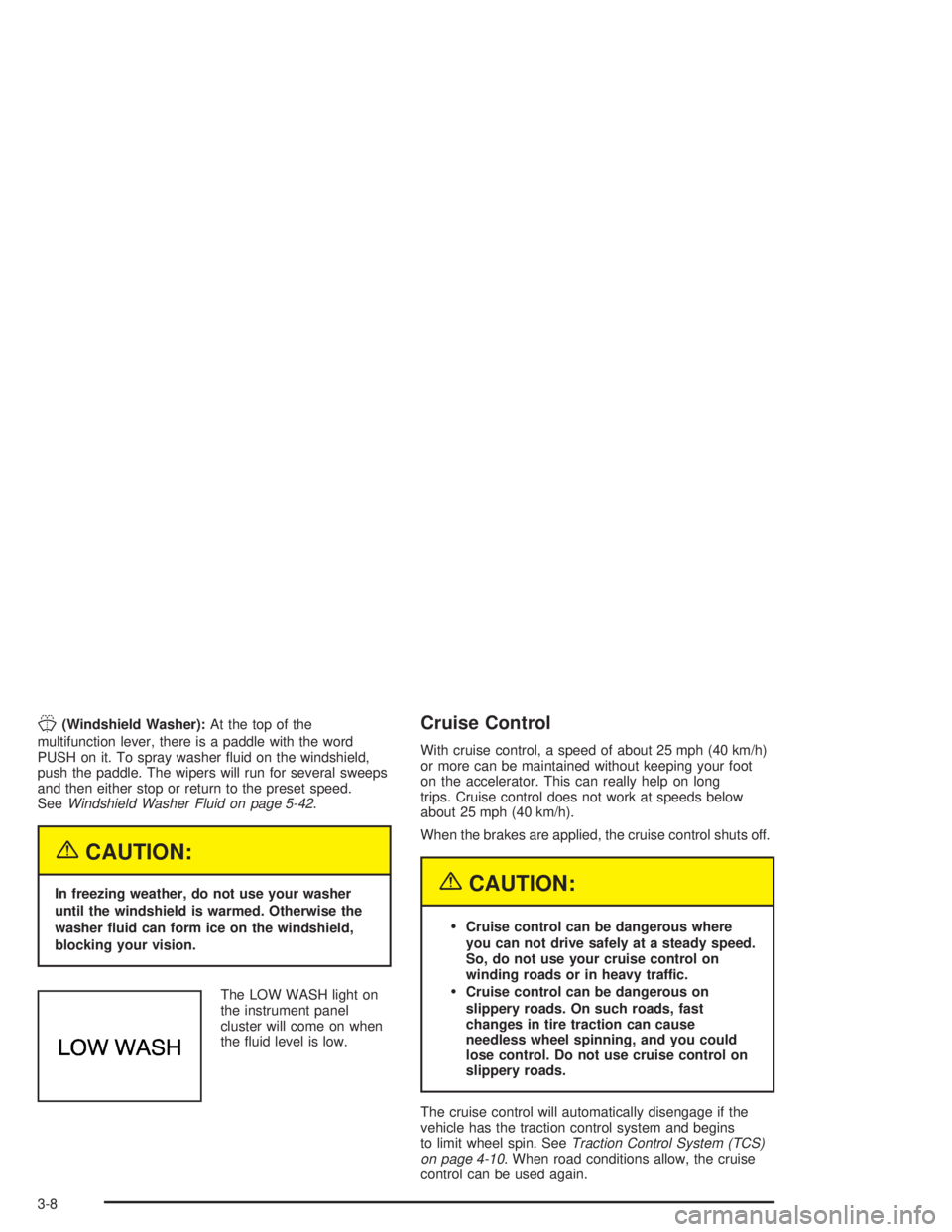
J(Windshield Washer):At the top of the
multifunction lever, there is a paddle with the word
PUSH on it. To spray washer uid on the windshield,
push the paddle. The wipers will run for several sweeps
and then either stop or return to the preset speed.
SeeWindshield Washer Fluid on page 5-42.
{CAUTION:
In freezing weather, do not use your washer
until the windshield is warmed. Otherwise the
washer uid can form ice on the windshield,
blocking your vision.
The LOW WASH light on
the instrument panel
cluster will come on when
the uid level is low.
Cruise Control
With cruise control, a speed of about 25 mph (40 km/h)
or more can be maintained without keeping your foot
on the accelerator. This can really help on long
trips. Cruise control does not work at speeds below
about 25 mph (40 km/h).
When the brakes are applied, the cruise control shuts off.
{CAUTION:
Cruise control can be dangerous where
you can not drive safely at a steady speed.
So, do not use your cruise control on
winding roads or in heavy traffic.
Cruise control can be dangerous on
slippery roads. On such roads, fast
changes in tire traction can cause
needless wheel spinning, and you could
lose control. Do not use cruise control on
slippery roads.
The cruise control will automatically disengage if the
vehicle has the traction control system and begins
to limit wheel spin. SeeTraction Control System (TCS)
on page 4-10. When road conditions allow, the cruise
control can be used again.
3-8
Page 109 of 354
Exterior Lamps
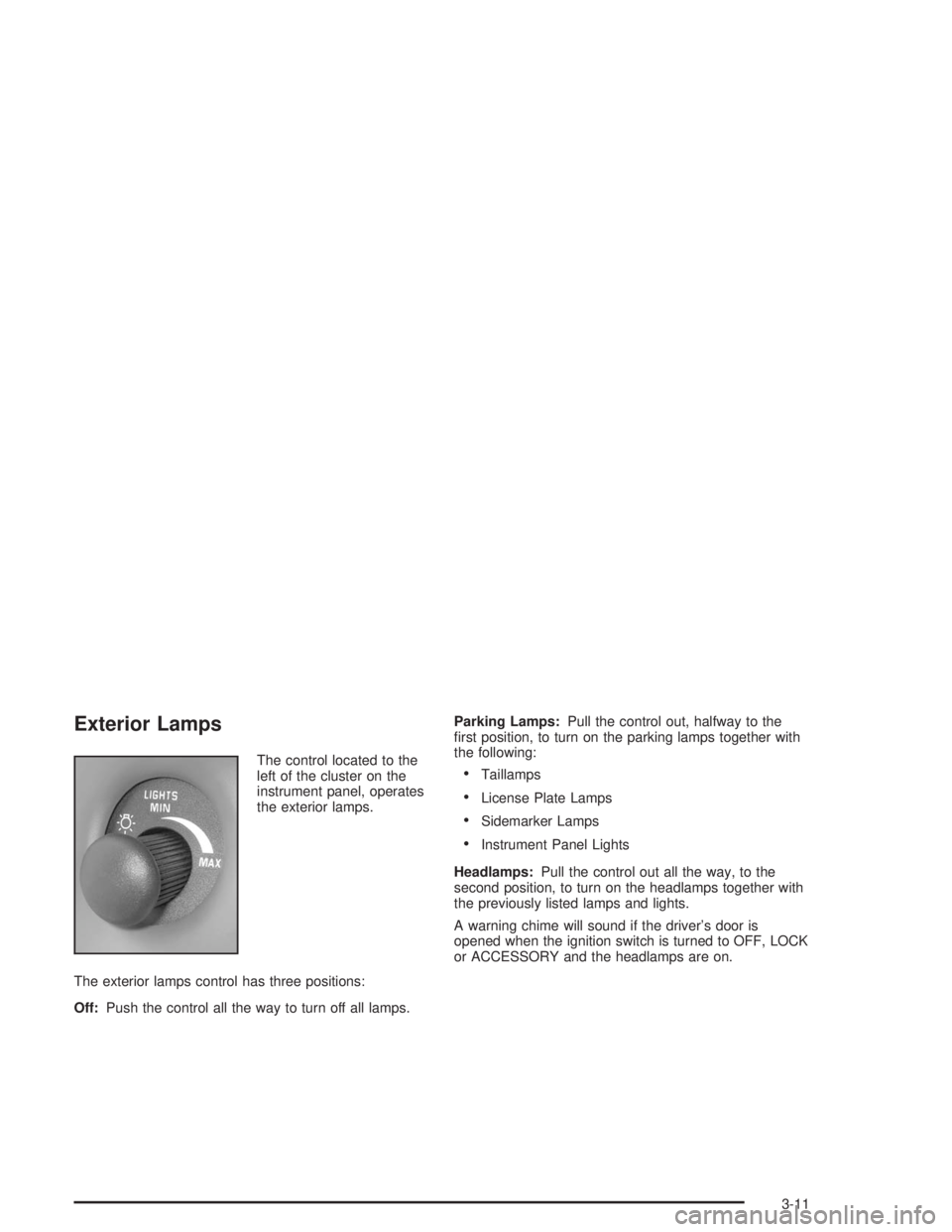
The control located to the
left of the cluster on the
instrument panel, operates
the exterior lamps.
The exterior lamps control has three positions:
Off:Push the control all the way to turn off all lamps.Parking Lamps:Pull the control out, halfway to the
rst position, to turn on the parking lamps together with
the following:Taillamps
License Plate Lamps
Sidemarker Lamps
Instrument Panel Lights
Headlamps:Pull the control out all the way, to the
second position, to turn on the headlamps together with
the previously listed lamps and lights.
A warning chime will sound if the driver’s door is
opened when the ignition switch is turned to OFF, LOCK
or ACCESSORY and the headlamps are on.
3-11
Page 110 of 354
Daytime Running Lamps / Automatic
Headlamp System
Daytime Running Lamps (DRL) can make it easier for
others to see the front of your vehicle during the
day. DRL can be helpful in many different driving
conditions, but they can be especially helpful in the short
periods after dawn and before sunset. Daytime running
lamps are required to function at all times on all
vehicles rst sold in Canada.
A light sensor on top of the instrument panel makes the
DRL work, so be sure it is not covered.
The DRL system will make the front turn signal lamps
come on when the following conditions are met:
The ignition is on.
The exterior lamps control is off.
The parking brake is released.
While the DRL are on, only the vehicle’s front turn
signal lamps will also be on. The headlamps, taillamps,
sidemarker and other lamps will not be on. The
instrument panel will not be lit up either.
When it is dark enough outside, the front turn signal
lamps will turn off and the vehicle’s headlamps
and parking lamps will turn on. The other lamps that
come on with the headlamps will also come on.When it is bright enough outside, the headlamps will go
off and the front turn signal lamps will come on.
To idle the vehicle with the DRL and automatic
headlamp control off, set the parking brake while the
ignition is in OFF or LOCK. Then start the vehicle. The
DRL, headlamps and parking lamps will stay off until
the parking brake is released.
To turn off the automatic headlamp feature when it is
dark outside, move the exterior lamp control to the
parking lamp position. The parking lamps will remain
illuminated and the headlamps will turn off. The
fog lamps will also go on if they were on previously.
As with any vehicle, the regular headlamp system
should be turned on when needed.
Delayed Headlamps
Delayed headlamps illumination provides a period of
exterior lighting as you leave your vehicle. The feature is
activated when the vehicle’s headlamps are on due to
the automatic headlamp control feature described
previously in this section, and when the vehicle’s ignition
is turned off. The headlamps will then remain on until
the exterior lamps control is moved from OFF to
the parking lamp position or until a 90 second lighting
period has ended.
If the ignitionis turned off with the exterior lamps control
in the parking lamp or headlamps position, the
delayed headlamps illumination cycle will not occur.
3-12