display BUICK REGAL 2011 User Guide
[x] Cancel search | Manufacturer: BUICK, Model Year: 2011, Model line: REGAL, Model: BUICK REGAL 2011Pages: 368, PDF Size: 5.35 MB
Page 30 of 368
Black plate (4,1)Buick Regal Owner Manual - 2011
2-4 Keys, Doors and Windows
PressingKmay also disarm the
theft-deterrent system. See
Anti-theft Alarm System on
page 2‑9.
V(Remote Trunk Release):
Press and hold
Vto open the
trunk.
7(Vehicle Locator/Panic
Alarm): Press and release one
time to locate the vehicle. The
exterior lamps flash and the horn
chirps. Press and hold
7for at least
two seconds to sound the panic
alarm. The horn sounds and the
turn signals flash until
7is pressed
again, or the key is placed in the
ignition and turned to ON/RUN.
Programming Transmitters to
the Vehicle
Only RKE transmitters programmed
to this vehicle will work. If a
transmitter is lost or stolen, a
replacement can be purchased and
programmed through your dealer.
When the replacement transmitter is
programmed to this vehicle, all
remaining transmitters must also be
reprogrammed. Any lost or stolen
transmitters will no longer work
once the new transmitter is
programmed. See your dealer to
have new transmitters programmed.
Battery Replacement
Replace the battery if the REPLACE
BATTERY IN REMOTE KEY
message displays in the DIC. See
“Replace Battery in Remote Key”
under Key and Lock Messages on
page 5‑29.
The battery is not rechargeable.
See your dealer to replace the
battery.
Door Locks
{WARNING
Unlocked doors can be
dangerous.
.Passengers, especially
children, can easily open the
doors and fall out of a moving
vehicle. The chance of being
thrown out of the vehicle in a
crash is increased if the
doors are not locked. So, all
passengers should wear
safety belts properly and the
doors should be locked
whenever the vehicle is
driven.
.Young children who get into
unlocked vehicles may be
unable to get out. A child can
be overcome by extreme heat
and can suffer permanent
injuries or even death from
heat stroke. Always lock the
vehicle whenever leaving it.
(Continued)
Page 50 of 368
Black plate (8,1)Buick Regal Owner Manual - 2011
3-8 Seats and Restraints
Heated Front Seats
{WARNING
If you cannot feel temperature
change or pain to the skin, the
seat heater may cause burns
even at low temperatures. To
reduce the risk of burns, people
with such a condition should use
care when using the seat heater,
especially for long periods of
time. Do not place anything on
the seat that insulates against
heat, such as a blanket, cushion,
cover, or similar item. This may
cause the seat heater to
overheat. An overheated seat
heater may cause a burn or may
damage the seat.
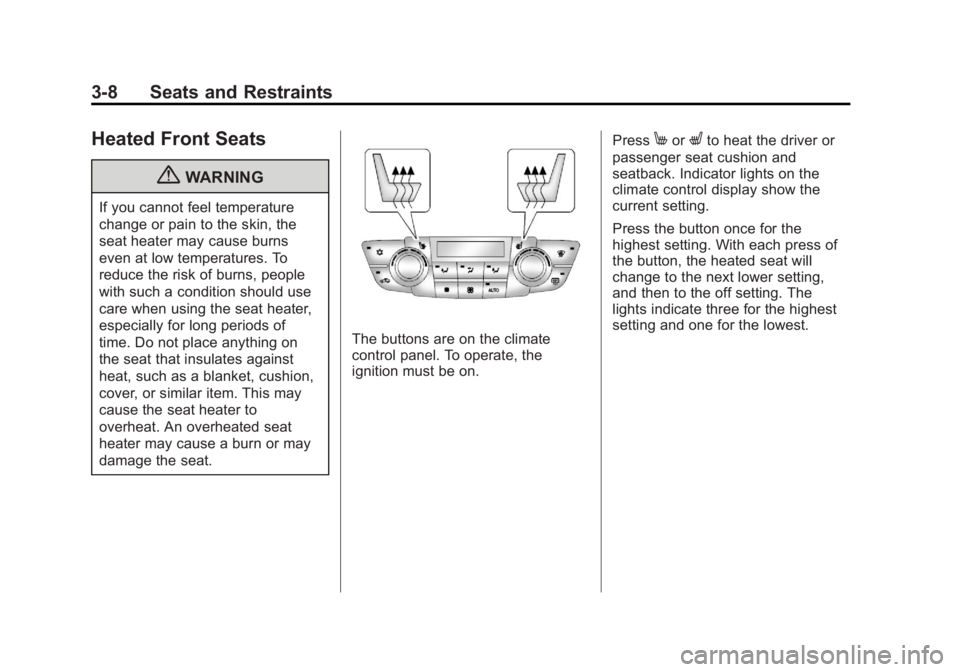
The buttons are on the climate
control panel. To operate, the
ignition must be on.Press
MorLto heat the driver or
passenger seat cushion and
seatback. Indicator lights on the
climate control display show the
current setting.
Press the button once for the
highest setting. With each press of
the button, the heated seat will
change to the next lower setting,
and then to the off setting. The
lights indicate three for the highest
setting and one for the lowest.
Page 109 of 368
Black plate (1,1)Buick Regal Owner Manual - 2011
Instruments and Controls 5-1
Instruments and
Controls
Controls
Steering Wheel Adjustment . . . 5-2
Steering Wheel Controls . . . . . . 5-2
Horn . . . . . . . . . . . . . . . . . . . . . . . . . . 5-2
Windshield Wiper/Washer . . . . . 5-3
Compass . . . . . . . . . . . . . . . . . . . . . 5-4
Clock . . . . . . . . . . . . . . . . . . . . . . . . . 5-5
Power Outlets . . . . . . . . . . . . . . . . . 5-5
Warning Lights, Gauges, and
Indicators
Warning Lights, Gauges, andIndicators . . . . . . . . . . . . . . . . . . . . 5-7
Instrument Cluster . . . . . . . . . . . . 5-8
Speedometer . . . . . . . . . . . . . . . . . 5-9
Odometer . . . . . . . . . . . . . . . . . . . . . 5-9
Trip Odometer . . . . . . . . . . . . . . . . . 5-9
Tachometer . . . . . . . . . . . . . . . . . . . 5-9
Fuel Gauge . . . . . . . . . . . . . . . . . . . 5-9
Engine Coolant Temperature Gauge . . . . . . . . . . . . . . . . . . . . . . 5-10
Safety Belt Reminders . . . . . . . 5-11
Airbag Readiness Light . . . . . . 5-11 Passenger Airbag Status
Indicator . . . . . . . . . . . . . . . . . . . . 5-12
Charging System Light . . . . . . 5-13
Malfunction Indicator Lamp . . . . . . . . . . . . . 5-13
Brake System Warning Light . . . . . . . . . . . . . . . . . . . . . . . 5-16
Electric Parking Brake Light . . . . . . . . . . . . . . . . . . . . . . . 5-16
Antilock Brake System (ABS) Warning Light . . . . . . . . . . . . . . 5-17
Ultrasonic Parking Sensor Light . . . . . . . . . . . . . . . . . . . . . . . 5-17
Traction Off Light . . . . . . . . . . . . 5-18
StabiliTrak
®OFF Light . . . . . . . 5-18
Traction Control System (TCS)/StabiliTrak
®Light . . . . 5-18
Tire Pressure Light . . . . . . . . . . 5-19
Engine Oil Pressure Light . . . . 5-20
Low Fuel Warning Light . . . . . . 5-20
Security Light . . . . . . . . . . . . . . . . 5-21
High-Beam On Light . . . . . . . . . 5-21
Front Fog Lamp Light . . . . . . . . 5-21
Lamps On Reminder . . . . . . . . . 5-21
Cruise Control Light . . . . . . . . . 5-22
Door Ajar Light . . . . . . . . . . . . . . 5-22
Information Displays
Driver Information Center (DIC) . . . . . . . . . . . . . . . 5-22
Vehicle Messages
Vehicle Messages . . . . . . . . . . . 5-25
Battery Voltage and ChargingMessages . . . . . . . . . . . . . . . . . . 5-26
Brake System Messages . . . . 5-26
Compass Messages . . . . . . . . . 5-26
Door Ajar Messages . . . . . . . . . 5-27
Engine Cooling System Messages . . . . . . . . . . . . . . . . . . 5-27
Engine Oil Messages . . . . . . . . 5-28
Engine Power Messages . . . . 5-28
Fuel System Messages . . . . . . 5-28
Key and Lock Messages . . . . . 5-29
Object Detection System Messages . . . . . . . . . . . . . . . . . . 5-29
Ride Control System Messages . . . . . . . . . . . . . . . . . . 5-29
Anti-theft Alarm System Messages . . . . . . . . . . . . . . . . . . 5-29
Tire Messages . . . . . . . . . . . . . . . 5-30
Transmission Messages . . . . . 5-30
Window Messages . . . . . . . . . . . 5-31
Vehicle Personalization
Vehicle Personalization . . . . . . 5-31
Page 112 of 368
Black plate (4,1)Buick Regal Owner Manual - 2011
5-4 Instruments and Controls
Windshield Washer
Pull the windshield wiper lever
toward you to spray windshield
washer fluid and activate the wipers.
The wipers will continue until the
lever is released or the maximum
wash time is reached.
When the windshield wiper lever is
released, additional wipes may
occur depending on how long
the windshield washer had been
activated. SeeWasher Fluid on
page 10‑24 for information on
filling the windshield washer fluid
reservoir.
{WARNING
In freezing weather, do not use
the washer until the windshield is
warmed. Otherwise the washer
fluid can form ice on the
windshield, blocking your vision.
Compass
There is a compass display in the
Driver Information Center (DIC).
The compass receives its heading
and other information from the
Global Positioning System (GPS)
antenna, StabiliTrak, and vehicle
speed information.
Avoid covering the GPS antenna for
long periods of time with objects
that may interfere with the antenna's
ability to receive a satellite signal.
See Backglass Antenna on
page 7‑13 andSatellite Radio
Antenna on page 7‑14 for the
location of the vehicle's antennas. The compass system is designed to
operate for a certain number of
miles or degrees of turn before
needing a signal from the GPS
satellites. When the compass
display shows CAL, drive the
vehicle for a short distance in an
open area where it can receive
a GPS signal. The compass
system will automatically determine
when the GPS signal is restored
and provide a heading again.
See
Compass Messages on
page 5‑26 for more information
on the messages that may be
displayed for the compass.
Page 113 of 368
Black plate (5,1)Buick Regal Owner Manual - 2011
Instruments and Controls 5-5
Clock
The infotainment system controls
are used to access the time and
date settings through the menu
system. SeeOperation on page 7‑4
for information about how to use the
menu system.
Setting the Time and Date
1. Press the CONFIG button and select Time and Date Settings.
2. Select Set Time or Set Date.
3. Turn the
Zknob to adjust
the highlighted value.
4. Press the
Zknob to select
the next value.
5. To save the time and return to the Time Settings menu, press
the BACK button at any time or
press the
Zknob after
adjusting the minutes.
Setting the 12/24 Hour Format
1. Press the CONFIG button and select Time and Date Settings.
2. Highlight 12/24 HR Format.
3. Press the
Zknob to select
the 12 hour or 24 hour display
format.
Setting the Month and Day
Format
1. Press the CONFIG button and select Time and Date Settings.
2. Highlight Month & Day format.
3. Press the
Zknob to select
DD/MM/YYYY (day/month/year),
MM/DD/YYYY (month/day/year),
or YYYY/MM/DD (year/month/
day) display format.
Power Outlets
The accessory power outlet can be
used to plug in electrical equipment,
such as a cell phone or MP3 player.
This outlet is located under the
armrest inside the center console
storage.
The outlet is powered when the
ignition is in ON/RUN or ACC/
ACCESSORY, or until the driver
door is opened within 10 minutes of
turning off the vehicle. See Retained
Accessory Power (RAP) on
page 9‑21.
Open the protective cover to use the
accessory power outlet.
Page 117 of 368
Black plate (9,1)Buick Regal Owner Manual - 2011
Instruments and Controls 5-9
Speedometer
The speedometer shows the
vehicle's speed in either kilometers
per hour (km/h) or miles per
hour (mph).
Odometer
The odometer shows how far the
vehicle has been driven, in either
kilometers or miles.
This vehicle has a tamper‐resistant
odometer. The digital odometer will
read 999,999 if it is turned back.
If the vehicle needs a new odometer
installed, it must be set to the
mileage total of the old odometer.
If that is not possible, then it must
be set at zero and a label must be
put on the driver door to show the
old mileage reading when the new
odometer was installed.
Trip Odometer
The trip odometer can show how far
the vehicle has been driven since
the trip odometer was last reset.
The trip odometer is accessed and
reset through the Driver Information
Center (DIC). SeeDriver
Information Center (DIC) on
page 5‑22 for more information.
Tachometer
The tachometer displays the
engine speed in revolutions per
minute (rpm).
Notice:If the engine is operated
with the tachometer in the shaded
warning area, the vehicle could
be damaged, and the damages
would not be covered by the
vehicle warranty. Do not operate
the engine with the tachometer in
the shaded warning area.
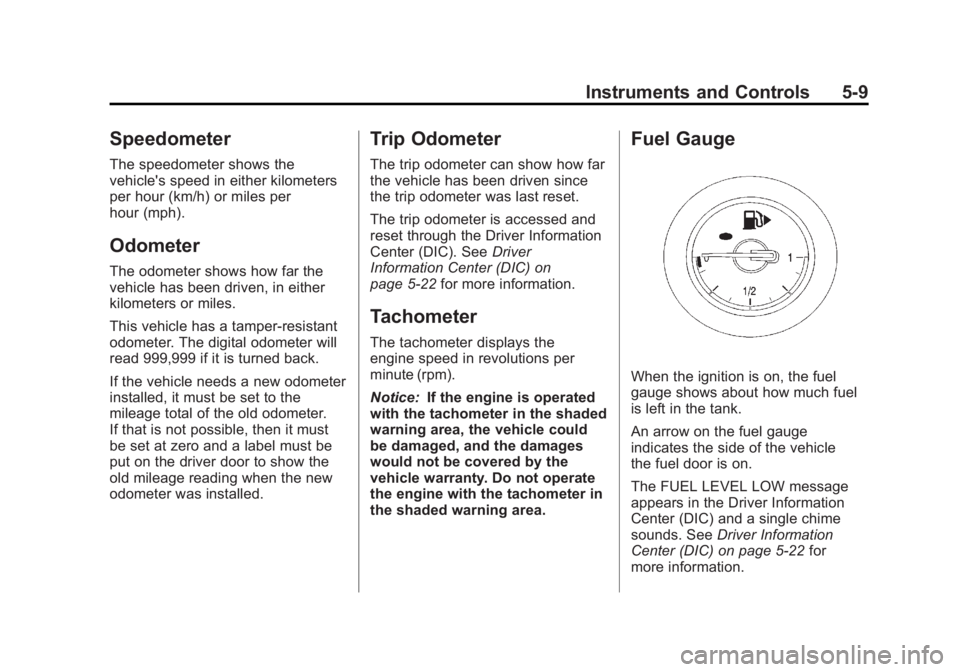
Fuel Gauge
When the ignition is on, the fuel
gauge shows about how much fuel
is left in the tank.
An arrow on the fuel gauge
indicates the side of the vehicle
the fuel door is on.
The FUEL LEVEL LOW message
appears in the Driver Information
Center (DIC) and a single chime
sounds. See Driver Information
Center (DIC) on page 5‑22 for
more information.
Page 124 of 368
Black plate (16,1)Buick Regal Owner Manual - 2011
5-16 Instruments and Controls
Brake System Warning
Light
The vehicle brake system consists
of two hydraulic circuits. If one
circuit is not working, the remaining
circuit can still work to stop the
vehicle. For normal braking
performance, both circuits
need to be working.
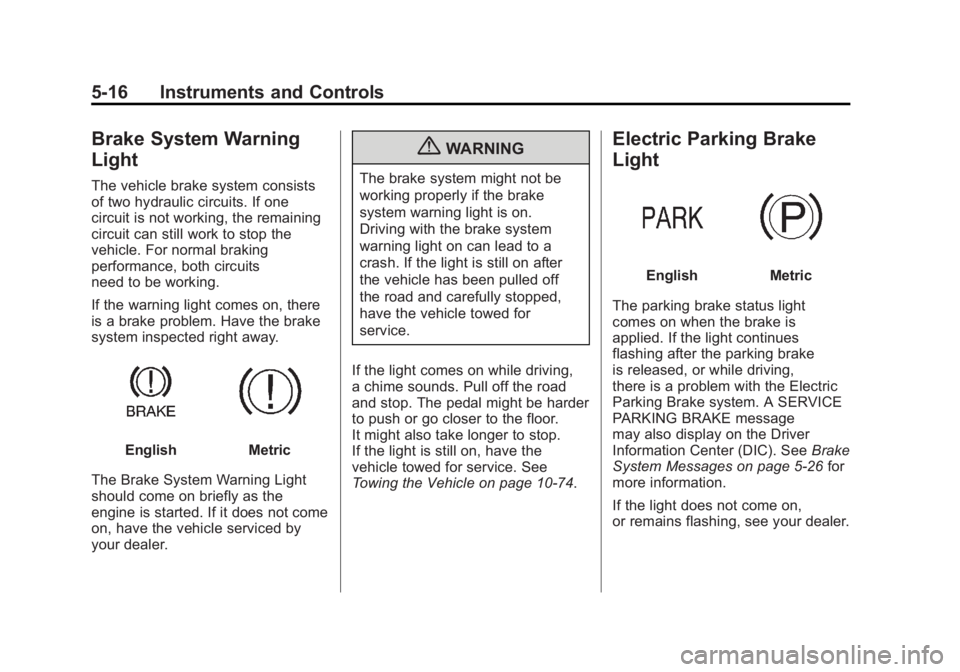
If the warning light comes on, there
is a brake problem. Have the brake
system inspected right away.
EnglishMetric
The Brake System Warning Light
should come on briefly as the
engine is started. If it does not come
on, have the vehicle serviced by
your dealer.
{WARNING
The brake system might not be
working properly if the brake
system warning light is on.
Driving with the brake system
warning light on can lead to a
crash. If the light is still on after
the vehicle has been pulled off
the road and carefully stopped,
have the vehicle towed for
service.
If the light comes on while driving,
a chime sounds. Pull off the road
and stop. The pedal might be harder
to push or go closer to the floor.
It might also take longer to stop.
If the light is still on, have the
vehicle towed for service. See
Towing the Vehicle on page 10‑74.
Electric Parking Brake
Light
EnglishMetric
The parking brake status light
comes on when the brake is
applied. If the light continues
flashing after the parking brake
is released, or while driving,
there is a problem with the Electric
Parking Brake system. A SERVICE
PARKING BRAKE message
may also display on the Driver
Information Center (DIC). See Brake
System Messages on page 5‑26 for
more information.
If the light does not come on,
or remains flashing, see your dealer.
Page 126 of 368
Black plate (18,1)Buick Regal Owner Manual - 2011
5-18 Instruments and Controls
Traction Off Light
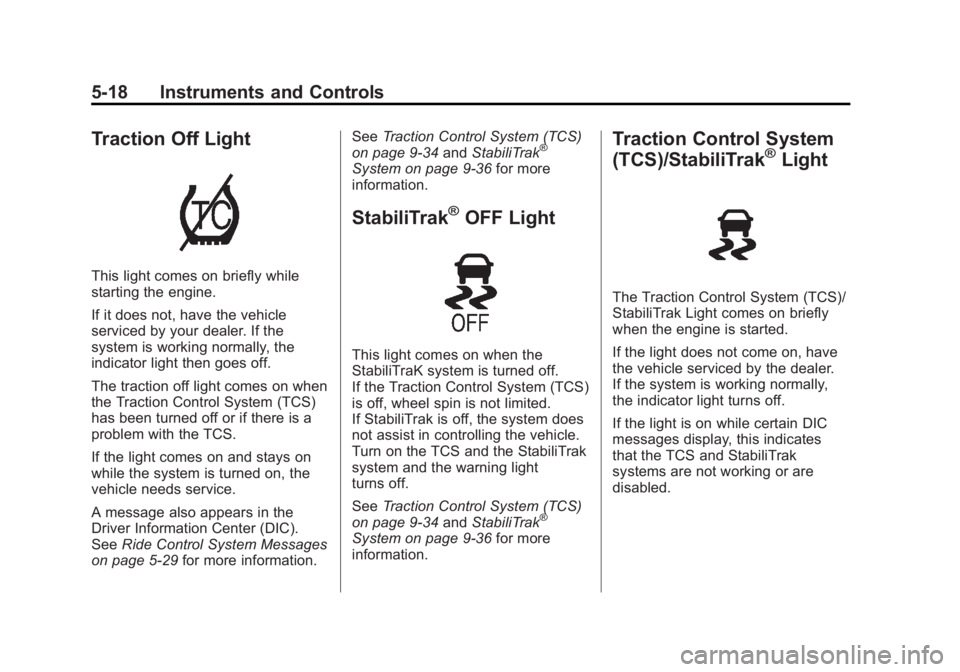
This light comes on briefly while
starting the engine.
If it does not, have the vehicle
serviced by your dealer. If the
system is working normally, the
indicator light then goes off.
The traction off light comes on when
the Traction Control System (TCS)
has been turned off or if there is a
problem with the TCS.
If the light comes on and stays on
while the system is turned on, the
vehicle needs service.
A message also appears in the
Driver Information Center (DIC).
SeeRide Control System Messages
on page 5‑29 for more information. See
Traction Control System (TCS)
on page 9‑34 andStabiliTrak
®
System on page 9‑36 for more
information.
StabiliTrak®OFF Light
This light comes on when the
StabiliTraK system is turned off.
If the Traction Control System (TCS)
is off, wheel spin is not limited.
If StabiliTrak is off, the system does
not assist in controlling the vehicle.
Turn on the TCS and the StabiliTrak
system and the warning light
turns off.
See Traction Control System (TCS)
on page 9‑34 andStabiliTrak
®
System on page 9‑36 for more
information.
Traction Control System
(TCS)/StabiliTrak®Light
The Traction Control System (TCS)/
StabiliTrak Light comes on briefly
when the engine is started.
If the light does not come on, have
the vehicle serviced by the dealer.
If the system is working normally,
the indicator light turns off.
If the light is on while certain DIC
messages display, this indicates
that the TCS and StabiliTrak
systems are not working or are
disabled.
Page 130 of 368
Black plate (22,1)Buick Regal Owner Manual - 2011
5-22 Instruments and Controls
Cruise Control Light
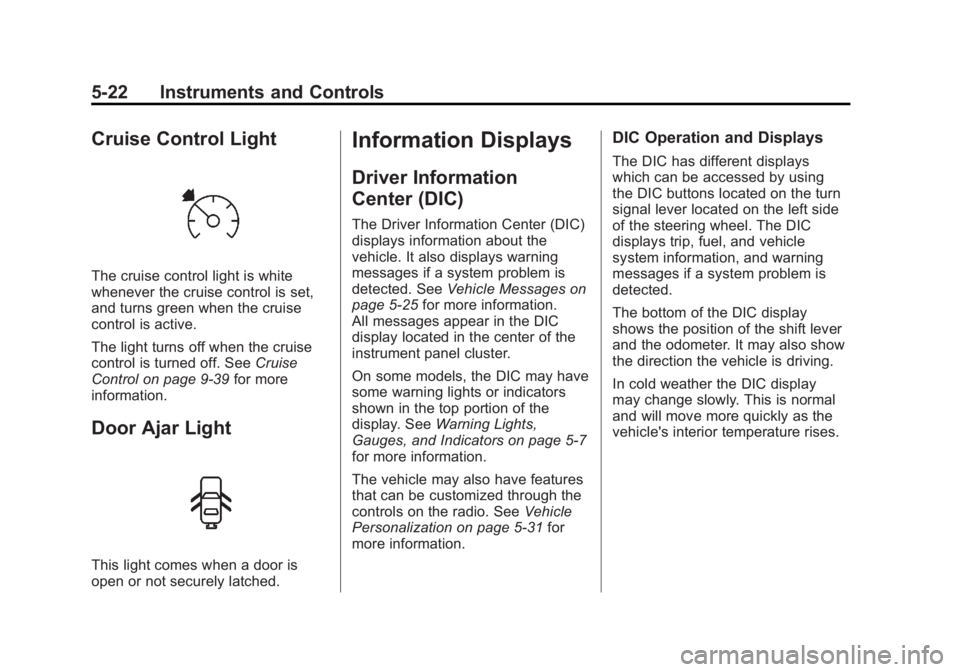
The cruise control light is white
whenever the cruise control is set,
and turns green when the cruise
control is active.
The light turns off when the cruise
control is turned off. SeeCruise
Control on page 9‑39 for more
information.
Door Ajar Light
This light comes when a door is
open or not securely latched.
Information Displays
Driver Information
Center (DIC)
The Driver Information Center (DIC)
displays information about the
vehicle. It also displays warning
messages if a system problem is
detected. See Vehicle Messages on
page 5‑25 for more information.
All messages appear in the DIC
display located in the center of the
instrument panel cluster.
On some models, the DIC may have
some warning lights or indicators
shown in the top portion of the
display. See Warning Lights,
Gauges, and Indicators on page 5‑7
for more information.
The vehicle may also have features
that can be customized through the
controls on the radio. See Vehicle
Personalization on page 5‑31 for
more information.
DIC Operation and Displays
The DIC has different displays
which can be accessed by using
the DIC buttons located on the turn
signal lever located on the left side
of the steering wheel. The DIC
displays trip, fuel, and vehicle
system information, and warning
messages if a system problem is
detected.
The bottom of the DIC display
shows the position of the shift lever
and the odometer. It may also show
the direction the vehicle is driving.
In cold weather the DIC display
may change slowly. This is normal
and will move more quickly as the
vehicle's interior temperature rises.
Page 131 of 368
Black plate (23,1)Buick Regal Owner Manual - 2011
Instruments and Controls 5-23
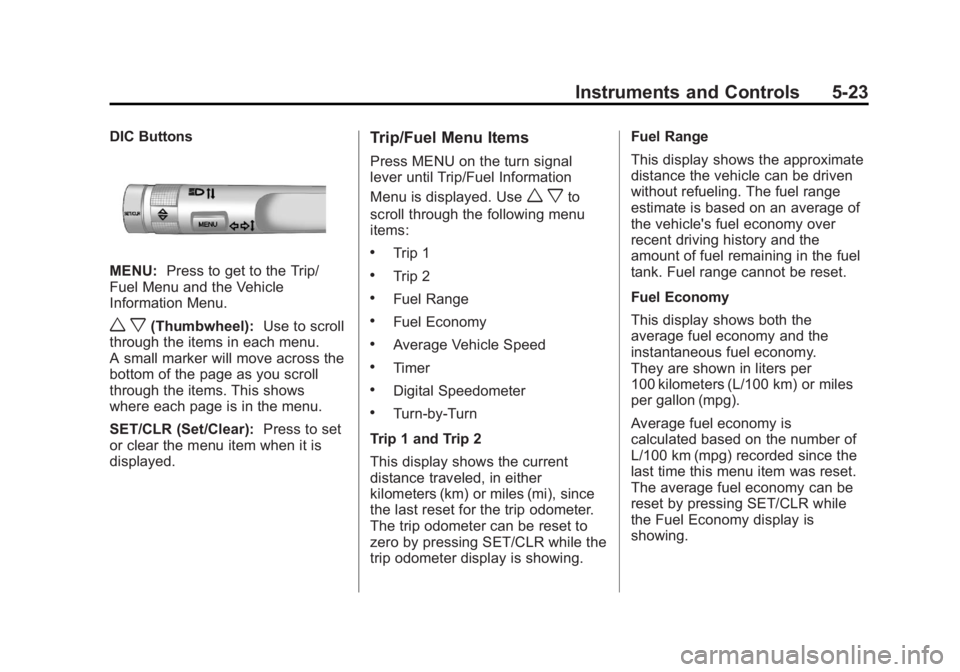
DIC Buttons
MENU:Press to get to the Trip/
Fuel Menu and the Vehicle
Information Menu.
w x(Thumbwheel): Use to scroll
through the items in each menu.
A small marker will move across the
bottom of the page as you scroll
through the items. This shows
where each page is in the menu.
SET/CLR (Set/Clear): Press to set
or clear the menu item when it is
displayed.
Trip/Fuel Menu Items
Press MENU on the turn signal
lever until Trip/Fuel Information
Menu is displayed. Use
w xto
scroll through the following menu
items:
.Trip 1
.Trip 2
.Fuel Range
.Fuel Economy
.Average Vehicle Speed
.Timer
.Digital Speedometer
.Turn-by-Turn
Trip 1 and Trip 2
This display shows the current
distance traveled, in either
kilometers (km) or miles (mi), since
the last reset for the trip odometer.
The trip odometer can be reset to
zero by pressing SET/CLR while the
trip odometer display is showing. Fuel Range
This display shows the approximate
distance the vehicle can be driven
without refueling. The fuel range
estimate is based on an average of
the vehicle's fuel economy over
recent driving history and the
amount of fuel remaining in the fuel
tank. Fuel range cannot be reset.
Fuel Economy
This display shows both the
average fuel economy and the
instantaneous fuel economy.
They are shown in liters per
100 kilometers (L/100 km) or miles
per gallon (mpg).
Average fuel economy is
calculated based on the number of
L/100 km (mpg) recorded since the
last time this menu item was reset.
The average fuel economy can be
reset by pressing SET/CLR while
the Fuel Economy display is
showing.