display BUICK REGAL 2013 Repair Manual
[x] Cancel search | Manufacturer: BUICK, Model Year: 2013, Model line: REGAL, Model: BUICK REGAL 2013Pages: 412, PDF Size: 6.06 MB
Page 212 of 412
Black plate (16,1)Buick Regal Owner Manual - 2013 - crc - 11/5/12
9-16 Driving and Operating
{WARNING
Turning off the vehicle while
moving may cause loss of power
assist in the brake and steering
systems and disable the airbags.
While driving, only shut the
vehicle off in an emergency.
If the vehicle cannot be pulled over,
and must be shut off while driving,
turn the ignition to ACC/
ACCESSORY.
The ignition switch can bind in the
LOCK/OFF position with the wheels
turned off center. If this happens,
move the steering wheel from right
to left while turning the key to ACC/
ACCESSORY. If this does not work,
then the vehicle needs service.
2 (ACC/ACCESSORY): This
position unlocks the steering wheel.
Some accessories can be used in
this position. 3 (ON/RUN):
The ignition switch
stays in this position when the
engine is running. This position can
be used to operate the electrical
accessories, as well as to display
some warning and indicator lights.
This position can also be used for
service and diagnostics, and to
verify the proper operation of the
malfunction indicator lamp as may
be required for emission inspection
purposes.
The battery could be drained if the
key is left in the ON/RUN position
with the engine off. The vehicle
might not start if the battery is
allowed to drain for an extended
period of time.
4 (START): This position starts the
engine. When the engine starts,
release the key. The ignition switch
will return to ON/RUN for normal
driving.
If the ignition becomes difficult to
turn, see Keys on page 2‑1.
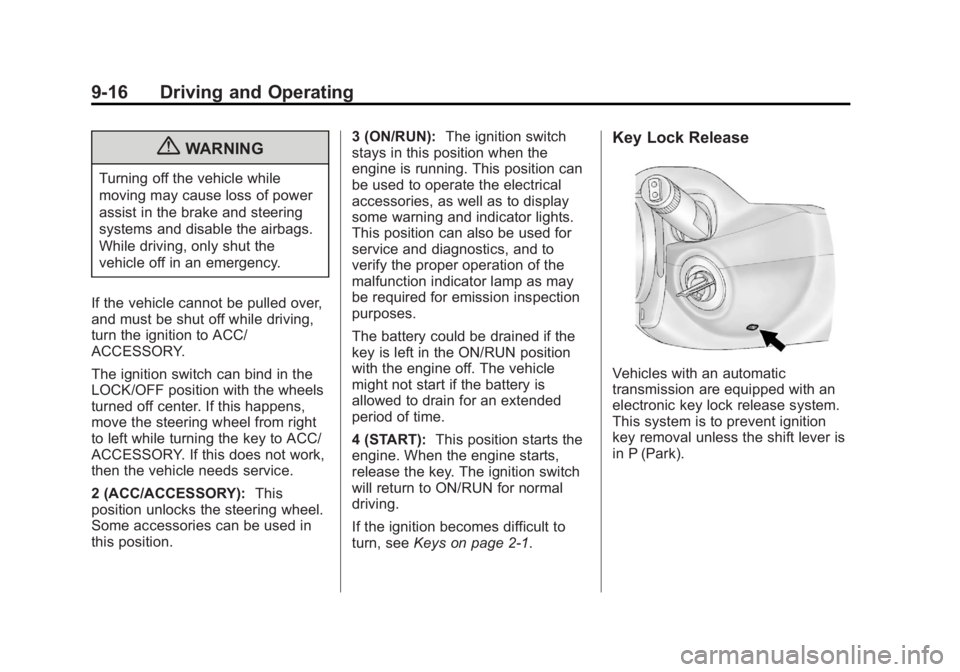
Key Lock Release
Vehicles with an automatic
transmission are equipped with an
electronic key lock release system.
This system is to prevent ignition
key removal unless the shift lever is
in P (Park).
Page 213 of 412
Black plate (17,1)Buick Regal Owner Manual - 2013 - crc - 11/5/12
Driving and Operating 9-17
The key lock release will not work if
the battery is charged less than
9 volts, or uncharged. Try charging
or jump starting the battery. See
Jump Starting (On-board with
eAssist Only) on page 10‑85or
Jump Starting (with or without
eAssist) on page 10‑87
If charging or jump starting the
battery does not work, there is a
manual key lock release. Locate the
hole below the ignition lock. Insert a
tool or key into the opening. Locate
the lever, and press it toward the
driver while removing the key from
the ignition.Ignition Positions
(Keyless Access)
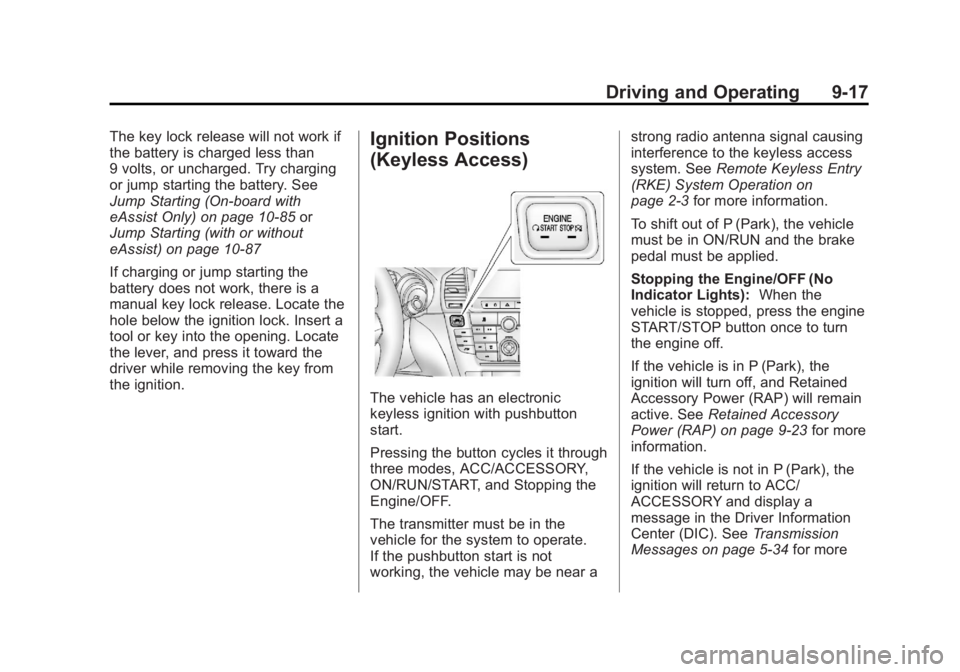
The vehicle has an electronic
keyless ignition with pushbutton
start.
Pressing the button cycles it through
three modes, ACC/ACCESSORY,
ON/RUN/START, and Stopping the
Engine/OFF.
The transmitter must be in the
vehicle for the system to operate.
If the pushbutton start is not
working, the vehicle may be near a strong radio antenna signal causing
interference to the keyless access
system. See
Remote Keyless Entry
(RKE) System Operation on
page 2‑3 for more information.
To shift out of P (Park), the vehicle
must be in ON/RUN and the brake
pedal must be applied.
Stopping the Engine/OFF (No
Indicator Lights): When the
vehicle is stopped, press the engine
START/STOP button once to turn
the engine off.
If the vehicle is in P (Park), the
ignition will turn off, and Retained
Accessory Power (RAP) will remain
active. See Retained Accessory
Power (RAP) on page 9‑23 for more
information.
If the vehicle is not in P (Park), the
ignition will return to ACC/
ACCESSORY and display a
message in the Driver Information
Center (DIC). See Transmission
Messages on page 5‑34 for more
Page 216 of 412
Black plate (20,1)Buick Regal Owner Manual - 2013 - crc - 11/5/12
9-20 Driving and Operating
battery. Wait at least 15 seconds
between each try, to let the
cranking motor cool down.
2. If the engine does not start afterfive to 10 seconds, especially in
very cold weather (below −18°C
or 0°F), it could be flooded with
too much gasoline. Try pushing
the accelerator pedal all the way
to the floor and holding it there
as you hold the key in START,
or press the START button, for
up to a maximum of 15 seconds.
Wait at least 15 seconds
between each try, to allow the
cranking motor to cool down.
When the engine starts, let go of
the key or button, and the
accelerator. If the vehicle starts
briefly but then stops again, do
the same thing. This clears the
extra gasoline from the engine.
Do not race the engine
immediately after starting it.
Operate the engine and
transmission gently until the oil
warms up and lubricates all
moving parts. Starting Procedure (Keyless
Access)
1. If the vehicle has the keyless
access system, the transmitter
must be in the vehicle. Put your
foot on the brake pedal and
push the START/STOP button.
When the engine begins
cranking, let go of the button.
The idle speed will go down as
your engine gets warm. Do not
race the engine immediately
after starting it. Operate the
engine and transmission gently
to allow the oil to warm up and
lubricate all moving parts.
If the transmitter is not in the
vehicle or something is
interfering with the transmitter,
the Driver Information Center
(DIC) will display a message.
See Remote Keyless Entry
(RKE) System Operation on
page 2‑3 andKey and Lock
Messages on page 5‑31. If the battery in the keyless
access transmitter needs
replacing, a DIC message
displays. The vehicle can still be
driven. See
“Starting the Vehicle
with a Low Transmitter Battery”
in Remote Keyless Entry (RKE)
System Operation on page 2‑3.
The vehicle has a
Computer-Controlled Cranking
System. This feature assists in
starting the engine and protects
components. If the START
button is pressed, and then
released when the engine
begins cranking, the engine will
continue cranking for a few
seconds or until the vehicle
starts. If the engine does not
start and the button is pressed
for many seconds, cranking will
be stopped after 15 seconds to
prevent cranking motor damage.
To prevent gear damage, this
system also prevents cranking if
the engine is already running.
Page 229 of 412
Black plate (33,1)Buick Regal Owner Manual - 2013 - crc - 11/5/12
Driving and Operating 9-33
Driver Information Center (DIC)
messages. SeeBrake System
Messages on page 5‑29 for more
information. In case of insufficient
electrical power, the EPB cannot be
applied or released.
Before leaving the vehicle, check
the parking brake status light to
ensure that the parking brake is
applied.
EPB Apply
The EPB can be applied any time
the vehicle is stopped. The EPB is
applied by momentarily lifting up on
the EPB switch. Once fully applied,
the parking brake status light will be
on. While the brake is being applied,
the status light will flash until it is
fully applied. If the light does not
come on, or remains flashing, you
need to have the vehicle serviced.
Do not drive the vehicle if the
parking brake status light is flashing.
See your dealer. See Electric
Parking Brake Light on page 5‑18
for more information. If the EPB is applied while the
vehicle is in motion, a chime will
sound, and a DIC message will be
displayed. The vehicle will
decelerate as long as the switch is
held in the up position. Releasing
the EPB switch during deceleration
will release the parking brake. If the
switch is held in the up position until
the vehicle comes to a stop, the
EPB will remain applied.
If the parking brake status light
flashes continuously, then the EPB
is only partially applied or released,
or there is a problem with the EPB.
A DIC message will be displayed.
If this light flashes continuously,
release the EPB, and attempt to
apply it again. If this light continues
to flash, do not drive the vehicle.
See your dealer.
If the parking brake warning light is
on, the EPB has detected an error
in another system and is operating
with reduced functionality. To apply
the EPB when this light is on, lift up
on the EPB switch and hold it in the
up position. Full application of theparking brake by the EPB system
may take a longer period of time
than normal when this light is on.
Continue to hold the switch until the
parking brake status light remains
on. If the parking brake warning light
is on, see your dealer.
For maximum EPB force when
parking on a hill, pull the EPB
switch twice.
If the EPB fails to apply, the rear
wheels should be blocked to
prevent vehicle movement.
EPB Release
To release the EPB, place the
ignition in the ACC/ACCESSORY or
ON/RUN position, apply and hold
the brake pedal, and push down
momentarily on the EPB switch.
If you attempt to release the EPB
without the brake pedal applied, a
chime will sound, and a DIC
message will be displayed. The
EPB is released when the parking
brake status light is off.
Page 231 of 412
Black plate (35,1)Buick Regal Owner Manual - 2013 - crc - 11/5/12
Driving and Operating 9-35
Hill Start Assist (HSA)
Some vehicles have a Hill Start
Assist (HSA) feature, which may be
useful when the vehicle is stopped
on a grade. This feature is designed
to prevent the vehicle from rolling,
either forward or rearward, during
vehicle drive off. After the driver
completely stops and holds the
vehicle in a complete standstill on a
grade, HSA will be automatically
activated. During the transition
period between when the driver
releases the brake pedal and starts
to accelerate to drive off on a grade,
HSA holds the braking pressure to
ensure that there is no rolling. The
brakes will automatically release
when the accelerator pedal is
applied within the two‐second
window. It will not activate if the
vehicle is in a drive gear and facing
downhill or if the vehicle is facing
uphill and in R (Reverse).
Ride Control Systems
Traction Control
System (TCS)
The vehicle may have a Traction
Control System (TCS) that limits
wheel slip. The system operates if it
senses that one or both of the front
wheels are slipping or beginning to
lose traction. When this happens,
the system reduces engine power
and/or applies brake pressure to the
slipping wheel(s).
The system may be heard or felt
while it is working, but this is
normal.
TCS automatically comes on
whenever the vehicle is started. To
limit wheel slip, especially in
slippery road conditions, the system
should always be left on. But, TCS
can be turned off if needed.
dflashes to indicate that TCS is
active. See Traction Control System
(TCS)/StabiliTrak
®Light on
page 5‑20. If there is a problem detected with
TCS, the appropriate message
displays in the Driver Information
Center (DIC). See
Ride Control
System Messages on page 5‑32.
When this message is displayed
and
dcomes on and stays on, the
vehicle is safe to drive but the
system is not operational. Driving
should be adjusted accordingly.
If
dcomes on and stays on, reset
the system. To reset:
1. Stop the vehicle.
2. Turn the engine off and wait 15 seconds.
3. Start the engine.
If
dstill comes on and stays on, the
vehicle needs service.
Notice: Do not repeatedly brake
or accelerate heavily when TCS is
off. The vehicle's driveline could
be damaged.
Page 232 of 412
Black plate (36,1)Buick Regal Owner Manual - 2013 - crc - 11/5/12
9-36 Driving and Operating
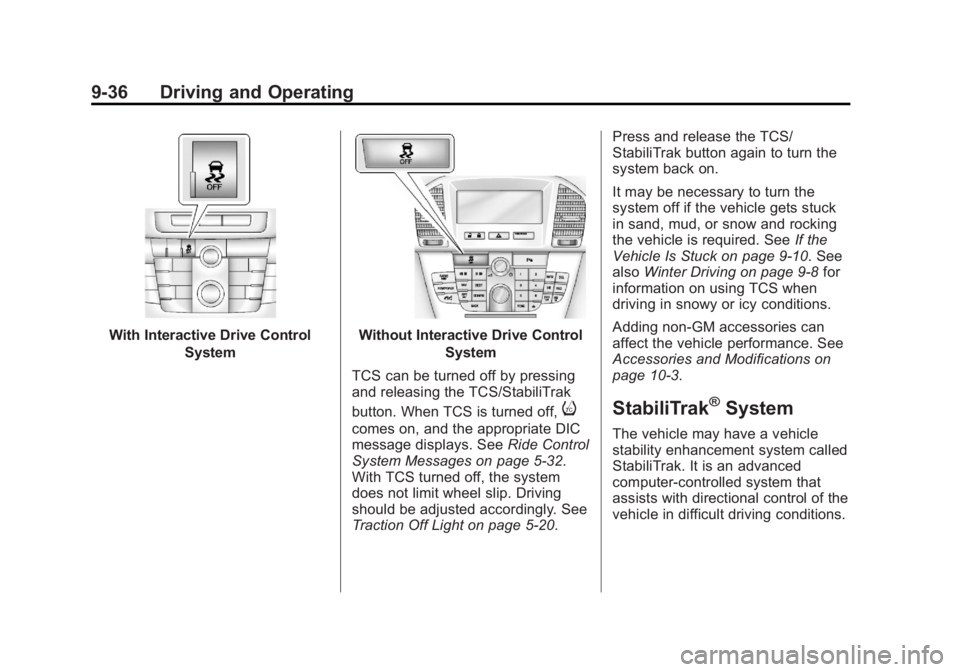
With Interactive Drive ControlSystemWithout Interactive Drive Control System
TCS can be turned off by pressing
and releasing the TCS/StabiliTrak
button. When TCS is turned off,
i
comes on, and the appropriate DIC
message displays. See Ride Control
System Messages on page 5‑32.
With TCS turned off, the system
does not limit wheel slip. Driving
should be adjusted accordingly. See
Traction Off Light on page 5‑20. Press and release the TCS/
StabiliTrak button again to turn the
system back on.
It may be necessary to turn the
system off if the vehicle gets stuck
in sand, mud, or snow and rocking
the vehicle is required. See
If the
Vehicle Is Stuck on page 9‑10. See
also Winter Driving on page 9‑8 for
information on using TCS when
driving in snowy or icy conditions.
Adding non-GM accessories can
affect the vehicle performance. See
Accessories and Modifications on
page 10‑3.
StabiliTrak®System
The vehicle may have a vehicle
stability enhancement system called
StabiliTrak. It is an advanced
computer-controlled system that
assists with directional control of the
vehicle in difficult driving conditions.
Page 233 of 412
Black plate (37,1)Buick Regal Owner Manual - 2013 - crc - 11/5/12
Driving and Operating 9-37
StabiliTrak activates when the
computer senses a difference
between the intended path and the
direction the vehicle is actually
traveling. StabiliTrak selectively
applies braking pressure to the
vehicle brakes to help steer the
vehicle in the intended direction.
StabiliTrak comes on automatically
whenever the vehicle is started. To
assist with directional control of the
vehicle, the system should always
be left on.
When StabiliTrak activates,
d
flashes on the instrument cluster.
A noise may be heard or vibration
may be felt in the brake pedal. This
is normal. Continue to steer the
vehicle in the intended direction.
SeeTraction Control System (TCS)/
StabiliTrak
®Light on page 5‑20. If a problem is detected with
StabiliTrak, the appropriate
message is displayed in the Driver
Information Center (DIC). See
Ride
Control System Messages on
page 5‑32. When this message is
displayed and
dcomes on and
stays on, the vehicle is safe to drive
but the system is not operational.
Driving should be adjusted
accordingly.
If
dcomes on and stays on, reset
the system. To reset:
1. Stop the vehicle.
2. Turn the engine off and wait 15 seconds.
3. Start the engine.
If
dstill comes on and stays on, the
vehicle needs service.
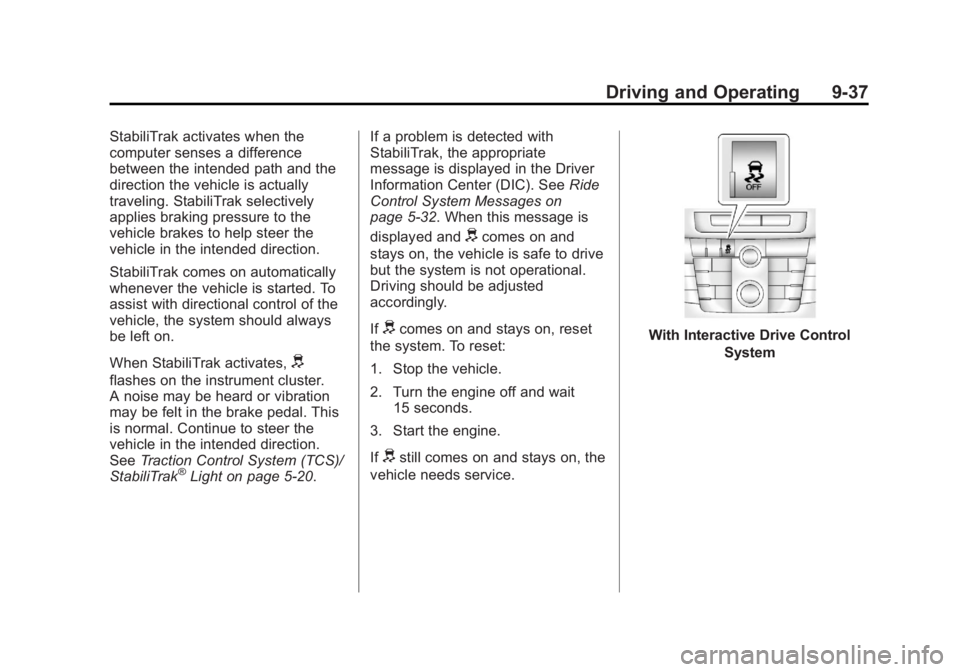
With Interactive Drive Control
System
Page 234 of 412
Black plate (38,1)Buick Regal Owner Manual - 2013 - crc - 11/5/12
9-38 Driving and Operating
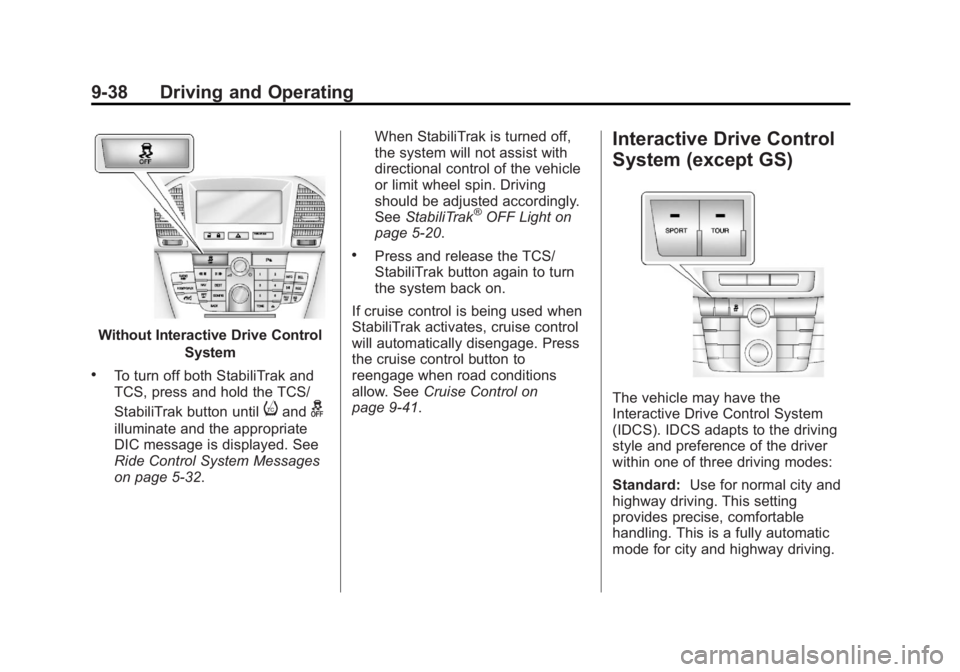
Without Interactive Drive ControlSystem
.To turn off both StabiliTrak and
TCS, press and hold the TCS/
StabiliTrak button until
iandg
illuminate and the appropriate
DIC message is displayed. See
Ride Control System Messages
on page 5‑32. When StabiliTrak is turned off,
the system will not assist with
directional control of the vehicle
or limit wheel spin. Driving
should be adjusted accordingly.
See
StabiliTrak
®OFF Light on
page 5‑20.
.Press and release the TCS/
StabiliTrak button again to turn
the system back on.
If cruise control is being used when
StabiliTrak activates, cruise control
will automatically disengage. Press
the cruise control button to
reengage when road conditions
allow. See Cruise Control on
page 9‑41.
Interactive Drive Control
System (except GS)
The vehicle may have the
Interactive Drive Control System
(IDCS). IDCS adapts to the driving
style and preference of the driver
within one of three driving modes:
Standard: Use for normal city and
highway driving. This setting
provides precise, comfortable
handling. This is a fully automatic
mode for city and highway driving.
Page 235 of 412
Black plate (39,1)Buick Regal Owner Manual - 2013 - crc - 11/5/12
Driving and Operating 9-39
Tour:Use for long-distance
highway driving. This setting
provides a smooth, soft ride. Press
and release the TOUR button and
the light on the button comes on.
This mode provides a comfortable,
smooth ride. Press the button again
and the system returns to the
Standard mode.
Sport: Use where personal
preference or road conditions
demand more control. This setting
provides responsive, controlled
handling. Press and release the
SPORT button. The light on the
button comes on, and the
appropriate message displays on
the DIC. Press the button again.
The system returns to the Standard
mode and the appropriate message
displays on the DIC.
IDCS automatically comes on in the
Standard mode when the vehicle is
started. When the Sport and Tour
modes are turned off, the system
returns to the Standard mode.Standard Mode
.The shock absorbers allow a
normal ride.
.The powertrain reacts normally
to the accelerator pedal.
.Power steering assistance is
normal.
Tour Mode
.The shock absorbers allow a
softer ride.
.The powertrain reacts normally
to the accelerator pedal.
.Power steering assistance is
normal.
Sport Mode
.The shock absorbers stiffen to
provide better contact with the
road surface.
.The powertrain reacts more
quickly to the accelerator pedal.
.Power steering assistance is
reduced.
Drive Mode Control
Drive Mode Control (DMC) analyzes
the driving style and the active state
of the vehicle and automatically
changes the settings within the
selected driving mode. When there
is a more noticeable change in
driving style or conditions, the
driving mode is changed to Sport
until the previous driving style
returns.
If Standard mode is selected and
sport driving is detected, several
settings of the Standard mode
change to sport settings. If sport
driving increases, DMC changes to
Sport mode.
If Tour mode is selected and sudden
braking or cornering is necessary,
DMC changes the suspension
settings to Sport mode to increase
vehicle stability.
When the driving characteristic or
the active state of the vehicle
returns to the previous style, DMC
changes the settings to the
preselected driving mode.
Page 236 of 412
Black plate (40,1)Buick Regal Owner Manual - 2013 - crc - 11/5/12
9-40 Driving and Operating
Interactive Drive Control
System (GS Only)
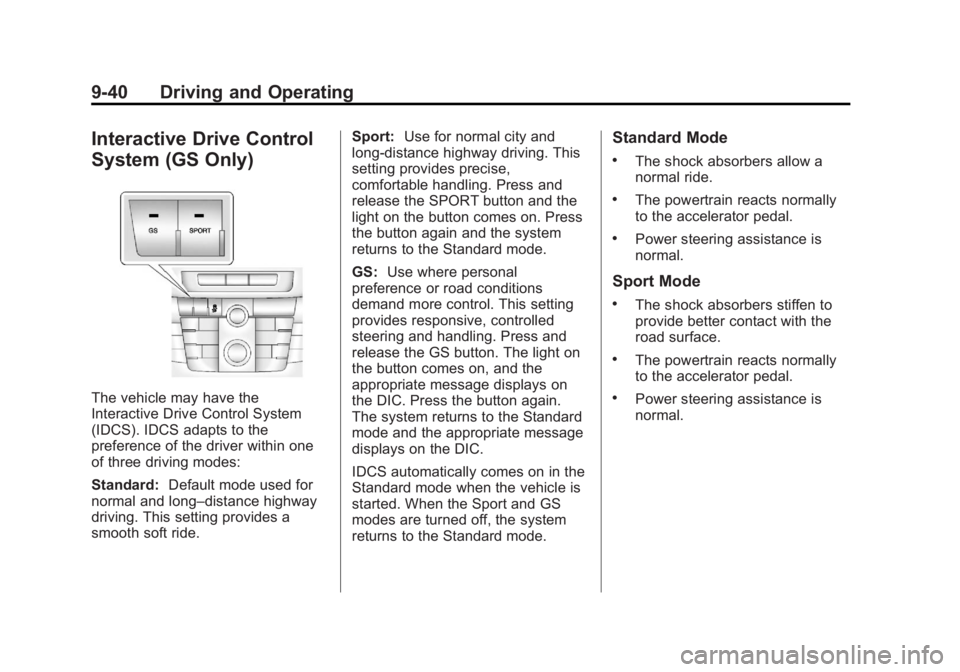
The vehicle may have the
Interactive Drive Control System
(IDCS). IDCS adapts to the
preference of the driver within one
of three driving modes:
Standard:Default mode used for
normal and long–distance highway
driving. This setting provides a
smooth soft ride. Sport:
Use for normal city and
long-distance highway driving. This
setting provides precise,
comfortable handling. Press and
release the SPORT button and the
light on the button comes on. Press
the button again and the system
returns to the Standard mode.
GS: Use where personal
preference or road conditions
demand more control. This setting
provides responsive, controlled
steering and handling. Press and
release the GS button. The light on
the button comes on, and the
appropriate message displays on
the DIC. Press the button again.
The system returns to the Standard
mode and the appropriate message
displays on the DIC.
IDCS automatically comes on in the
Standard mode when the vehicle is
started. When the Sport and GS
modes are turned off, the system
returns to the Standard mode.
Standard Mode
.The shock absorbers allow a
normal ride.
.The powertrain reacts normally
to the accelerator pedal.
.Power steering assistance is
normal.
Sport Mode
.The shock absorbers stiffen to
provide better contact with the
road surface.
.The powertrain reacts normally
to the accelerator pedal.
.Power steering assistance is
normal.