change time BUICK REGAL 2017 Owner's Manual
[x] Cancel search | Manufacturer: BUICK, Model Year: 2017, Model line: REGAL, Model: BUICK REGAL 2017Pages: 344, PDF Size: 4.91 MB
Page 23 of 344
Buick Regal Owner Manual (GMNA-Localizing-U.S./Canada/Mexico-
9804381) - 2017 - crc - 8/30/16
22 In Brief
the tires to the recommended
pressure shown on the Tire and
Loading Information label. See
Vehicle Load Limits0163. The
warning light will remain on until the
tire pressure is corrected.
The low tire pressure warning light
may come on in cool weather when
the vehicle is first started, and then
turn off as the vehicle is driven. This
may be an early indicator that the
tire pressures are getting low and
the tires need to be inflated to the
proper pressure.
The TPMS does not replace normal
monthly tire maintenance. Maintain
the correct tire pressures.
See Tire Pressure Monitor System
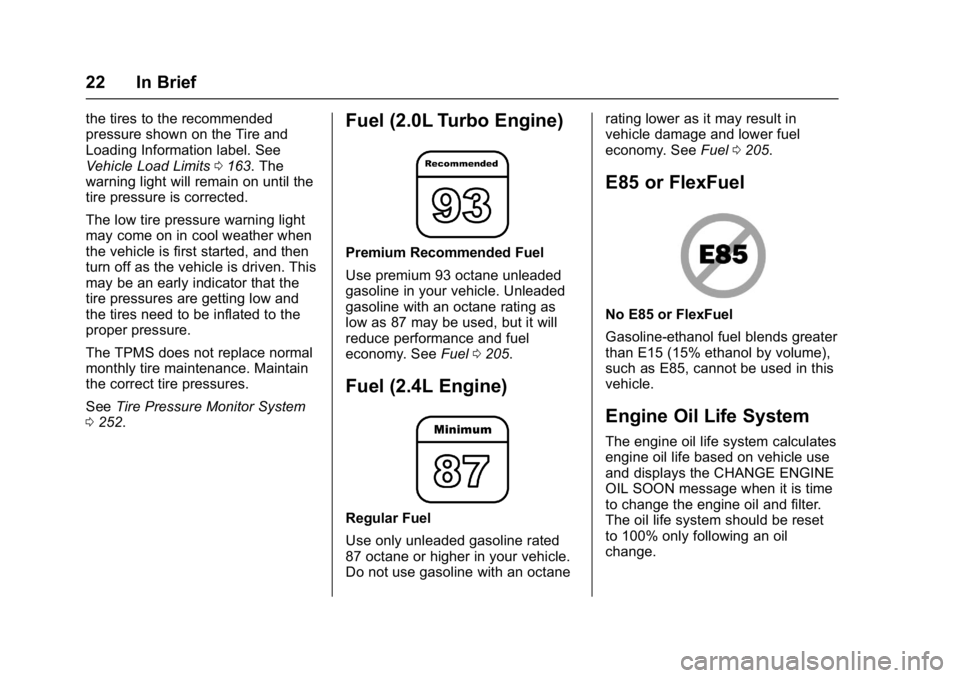
0 252.Fuel (2.0L Turbo Engine)
Premium Recommended Fuel
Use premium 93 octane unleaded
gasoline in your vehicle. Unleaded
gasoline with an octane rating as
low as 87 may be used, but it will
reduce performance and fuel
economy. See Fuel0205.
Fuel (2.4L Engine)
Regular Fuel
Use only unleaded gasoline rated
87 octane or higher in your vehicle.
Do not use gasoline with an octane rating lower as it may result in
vehicle damage and lower fuel
economy. See
Fuel0205.
E85 or FlexFuel
No E85 or FlexFuel
Gasoline-ethanol fuel blends greater
than E15 (15% ethanol by volume),
such as E85, cannot be used in this
vehicle.
Engine Oil Life System
The engine oil life system calculates
engine oil life based on vehicle use
and displays the CHANGE ENGINE
OIL SOON message when it is time
to change the engine oil and filter.
The oil life system should be reset
to 100% only following an oil
change.
Page 24 of 344
Buick Regal Owner Manual (GMNA-Localizing-U.S./Canada/Mexico-
9804381) - 2017 - crc - 8/30/16
In Brief 23
Resetting the Oil Life System1. Using the DIC controls on the right side of the steering wheel,
display REMAINING OIL LIFE
on the DIC.
See Driver Information Center
(DIC) (Base Level) 0119 or
Driver Information Center (DIC)
(Uplevel) 0122. When
remaining oil life is low, the
CHANGE ENGINE OIL SOON
message will appear on the
display. See Engine Oil
Messages 0128.
2. Press
Von the DIC controls
and hold down for a few
seconds to clear the CHANGE
ENGINE OIL SOON message
and reset the oil life at 100%.
Be careful not to reset the oil
life display accidentally at any
time other than after the oil is
changed. It cannot be reset
accurately until the next oil
change.
See Engine Oil Life System 0220.
Driving for Better Fuel
Economy
Driving habits can affect fuel
mileage. Here are some driving tips
to get the best fuel economy
possible.
.
Avoid fast starts and accelerate
smoothly.
. Brake gradually and avoid
abrupt stops.
. Avoid idling the engine for long
periods of time.
. When road and weather
conditions are appropriate, use
cruise control.
. Always follow posted speed
limits or drive more slowly when
conditions require.
. Keep vehicle tires properly
inflated.
. Combine several trips into a
single trip.
. Replace the vehicle's tires with
the same TPC Spec number
molded into the tire's sidewall
near the size. .
Follow recommended scheduled
maintenance.Roadside Assistance
Program
U.S.: 1-800-252-1112
TTY Users (U.S. Only):
1-888-889-2438
Canada: 1-800-268-6800
New Buick owners are automatically
enrolled in the Roadside Assistance
Program.
See Roadside Assistance Program
0 313.
Page 34 of 344
Buick Regal Owner Manual (GMNA-Localizing-U.S./Canada/Mexico-
9804381) - 2017 - crc - 8/30/16
Keys, Doors, and Windows 33
require a person using remote start
to have the vehicle in view. Check
local regulations for any
requirements.
Other conditions can affect the
performance of the transmitter. See
Remote Keyless Entry (RKE)
System026.
Starting the Vehicle
To start the engine using the remote
start feature:
1. Press and release
Q.
2. Immediately press and hold
/
for at least four seconds or until
the turn signal lamps flash. The
turn signal lamps flashing
confirms the request to remote
start the vehicle has been
received.
When the engine starts, the parking
lamps will turn on and remain on as
long as the engine is running. The
doors will be locked and the climate
control system may come on. The engine will continue to run for
10 minutes. Repeat the steps for a
10-minute time extension. Remote
start can be extended only once.
Start the vehicle before driving.
Extending Engine Run Time
The engine run time can also be
extended by another 10 minutes,
if during the first 10 minutes
Steps 1 and 2 are repeated while
the engine is still running. An
extension can be requested,
30 seconds after starting. This
provides a total of 20 minutes.
The remote start can only be
extended once.
When the remote start is extended,
the second 10-minute period is
added on to the first 10 minutes and
the engine will run for a total of
20 minutes.
A maximum of two remote starts,
or a remote start with an extension,
are allowed between ignition cycles.
The vehicle's ignition must be
changed to ON/RUN/START and
then back to OFF before the remote
start procedure can be used again.
Canceling a Remote Start
To cancel a remote start, do one of
the following:
.
Aim the RKE transmitter at the
vehicle and press and hold
/
until the parking lamps turn off.
. Turn on the hazard warning
flashers.
. Turn the vehicle on and then off.
Conditions in Which Remote Start
Will Not Work
. The key is in the ignition (Key
Access) or if the key is in the
vehicle (Keyless Access).
. The hood is not closed.
. The hazard warning flashers
are on.
. The malfunction indicator lamp
is on.
. The engine coolant temperature
is too high.
Page 53 of 344
Buick Regal Owner Manual (GMNA-Localizing-U.S./Canada/Mexico-
9804381) - 2017 - crc - 8/30/16
52 Seats and Restraints
the door. On vehicles with Keyless
Access, opening the driver door
when an RKE transmitter is present
will activate the RKE Memory recall.
If the driver door is already open,
pressing the
Kbutton on the RKE
transmitter will also activate the
RKE Memory recall. The driver seat
and outside mirrors will move to the
previously stored RKE Memory
positions.
This feature is turned on or off using
the vehicle personalization menu.
See Vehicle Personalization 0134.
To stop recall movement, press one
of the memory, power mirror,
or power seat controls.
If something has blocked the driver
seat while recalling a memory
position, the recall may stop.
Remove the obstruction; then press
and hold the appropriate manual
control for the memory item that is
not recalling for two seconds. Try
recalling the memory position again
by opening the driver door and
pressing the RKE transmitter
K
button. If the memory position is still
not recalling, see your dealer for
service.
RKE transmitters are not labeled
with a number. If your memory seat
position is stored to 1 or 2 but this
position is not automatically
recalling, then store your positions
to the other button or switch RKE
transmitters with the other driver.
Easy Exit Driver Seat
This feature moves the seat
rearward allowing the driver more
room to exit the vehicle.
To activate, place the ignition in
OFF and open the driver door. If the
driver door is already open, placing
the ignition in OFF will activate the
recall.
This feature is turned on or off using
the vehicle personalization menu.
See Vehicle Personalization 0134.
To stop recall movement, press one
of the memory or power seat
controls. If something has blocked the driver
seat while recalling the exit position,
the recall may stop. Remove the
obstruction; then press and hold the
power seat control rearward for
two seconds. Try recalling the exit
position again. If the exit position is
still not recalling, see your dealer for
service.
Heated Front Seats
{Warning
If you cannot feel temperature
change or pain to the skin, the
seat heater may cause burns. To
reduce the risk of burns, people
with such a condition should use
care when using the seat heater,
especially for long periods of
time. Do not place anything on
the seat that insulates against
heat, such as a blanket, cushion,
cover, or similar item. This may
cause the seat heater to
overheat. An overheated seat
heater may cause a burn or may
damage the seat.
Page 99 of 344
Buick Regal Owner Manual (GMNA-Localizing-U.S./Canada/Mexico-
9804381) - 2017 - crc - 8/30/16
98 Instruments and Controls
If the ignition is put in OFF while the
wipers are performing wipes due to
windshield washing, the wipers
continue to run until they reach the
base of the windshield.
Compass
The vehicle may have a compass
display on the Driver Information
Center (DIC). The compass receives
its heading and other information
from the Global Positioning
System (GPS) antenna,
StabiliTrak
®, and vehicle speed
information.
The compass system is designed to
operate for a certain number of
miles or degrees of turn before
needing a signal from the GPS
satellites. When the compass
display shows CAL, drive the
vehicle for a short distance in an
open area where it can receive a
GPS signal. The compass system
will automatically determine when a GPS signal is restored and provide
a heading again. See
Compass
Messages 0126 for the messages
that may be displayed for the
compass.
Clock
Setting the Time and Date
To set the time or date:
1. Select Settings from the Home Page, then select Time and
Date Settings.
2. Select the desired function.
To set the time or date, press
«or
ªto change the hour, minutes,
AM, PM, day, month, or year.
To change the 12-24 Hr setting,
press the 12-24 Hr button.
To turn Auto Set on and off, press
the Auto Set button.
If auto timing is set, the time
displayed on the clock may not
update immediately when driving
into a new time zone. Press
qBACK to go to the last
menu and save the changes or
{to
return to the Home Page.
Power Outlets
Power Outlets 12 Volt Direct
Current
The accessory power outlet can be
used to plug in electrical equipment,
such as a cell phone or MP3 player.
There are two 12-volt accessory
power outlets:
. On the center stack next to the
ashtray.
. Inside the center console.
The outlet is powered when the
ignition is in ON/RUN or ACC/
ACCESSORY, or until the driver
door is opened within 10 minutes of
turning off the vehicle. See Retained
Accessory Power (RAP) 0173.
Open the protective cover to use the
accessory power outlet.
Certain electrical accessories may
not be compatible with the
accessory power outlet and could
Page 121 of 344
Buick Regal Owner Manual (GMNA-Localizing-U.S./Canada/Mexico-
9804381) - 2017 - crc - 8/30/16
120 Instruments and Controls
yorz:Press to move up or
down in a list.
SorT: PressSto open
application menus on the left.
Press
Tto open interaction menus
on the right.
V: Press to open a menu or select
a menu item. Press and hold to
reset values on certain screens.
DIC Info Page Options
The info pages on the DIC can be
turned on or off through the
Settings app.
1. Press
Sto access the cluster
applications.
2. Press
yorzto scroll to the
Settings application.
3. Press
Vto select the Settings
app, then press
Tto enter the
Settings menu.
4. Press
yorzto scroll to Info
Pages and press
T.
5. Select Edit List or press
T. 6. Press
yorzto move
through the list of possible
information displays.
7. Press
Vwhile an item is
highlighted to select or
deselect that item. When an
item is selected, a checkmark
will appear next to it.
DIC Info Pages
The following is the list of all
possible DIC info page displays.
Some may not be available for your
particular vehicle. Some items may
not be turned on by default but can
be turned on through the Settings
app. See “DIC Info Page Options”
earlier in this section.
Current Speed : Displays the
vehicle speed in either kilometers
per hour (km/h) or miles per
hour (mph).
Trip A and Average Fuel Economy
or Trip B and Average Fuel
Economy : The Trip display shows
the current distance traveled, in
either kilometers (km) or miles (mi),
since the trip odometer was last reset. The trip odometer can be
reset by pressing and holding
V
while this display is active.
The Average Fuel Economy display
shows the approximate average
liters per 100 kilometers (L/100 km)
or miles per gallon (mpg). This
number is calculated based on the
number of L/100 km (mpg) recorded
since the last time this menu item
was reset. This number reflects only
the approximate average fuel
economy that the vehicle has right
now, and will change as driving
conditions change. The Average
Fuel Economy can be reset by
pressing and holding
Vwhile this
display is active.
Fuel Range : Displays the
approximate distance the vehicle
can be driven without refueling.
LOW will be displayed when the
vehicle is low on fuel. The fuel
range estimate is based on an
average of the vehicle's fuel
economy over recent driving history
and the amount of fuel remaining in
the fuel tank.
Page 122 of 344
Buick Regal Owner Manual (GMNA-Localizing-U.S./Canada/Mexico-
9804381) - 2017 - crc - 8/30/16
Instruments and Controls 121
Instantaneous Fuel Economy :
Displays the current fuel economy in
either liters per 100 kilometers(L/100 km) or miles per
gallon (mpg). This number reflects
only the approximate fuel economy
that the vehicle has right now and
changes frequently as driving
conditions change.
Average Speed : Displays the
average speed of the vehicle in
kilometers per hour (km/h) or miles
per hour (mph). This average is
calculated based on the various
vehicle speeds recorded since the
last reset of this value. The average
speed can be reset by pressing and
holding
Vwhile this display is
active.
Timer : To start the timer, press
V
while this display is active. The
display will show the amount of time
that has passed since the timer was
last reset. To stop the timer, press
V
briefly while this display is active
and the timer is running. To reset
the timer to zero, press and hold
V
while this display is active. Oil Life :
Displays an estimate of
the oil's remaining useful life.
If REMAINING OIL LIFE 99% is
displayed, that means 99% of the
current oil life remains.
When the remaining oil life is low,
the CHANGE ENGINE OIL SOON
message will appear on the display.
See Engine Oil Messages 0128.
The oil should be changed as soon
as possible. See Engine Oil0218.
In addition to the engine oil life
system monitoring the oil life,
additional maintenance is
recommended in the Maintenance
Schedule. See Maintenance
Schedule 0294.
The Oil Life display must be reset
after each oil change. It will not
reset itself. Do not reset the Oil Life
display accidentally at any time
other than when the oil has just
been changed. It cannot be reset
accurately until the next oil change.
To reset the engine oil life system,
press and hold
Vfor several
seconds while the Oil Life display is
active. See Engine Oil Life System
0 220. Coolant Temperature :
Displays
the coolant temperature in either
degrees Celsius (°C) or degrees
Fahrenheit (°F).
Tire Pressure : Displays the
approximate pressures of all four
tires. Tire pressure is displayed in
either kilopascal (kPa) or in pounds
per square inch (psi). If the pressure
is low, the value for that tire is
shown in amber.
See Tire Pressure Monitor System
0 252 andTire Pressure Monitor
Operation 0253.
Battery Voltage : Displays the
current battery voltage. The battery
voltage can fluctuate while viewing
this information on the DIC. This is
normal.
Speed Signs : Displays sign
information, which comes from a
roadway database in the onboard
navigation.
Following Distance/Gap Setting :
When Adaptive Cruise Control
(ACC) is not engaged, the current
follow time to the vehicle ahead is
displayed as a time value on this
page. When ACC has been
Page 124 of 344
Buick Regal Owner Manual (GMNA-Localizing-U.S./Canada/Mexico-
9804381) - 2017 - crc - 8/30/16
Instruments and Controls 123
Speed (Sport Theme Only) :
Displays the vehicle speed in either
kilometers per hour (km/h) or miles
per hour (mph).
Trip A or Trip B with Average Fuel
Economy and Average Speed :
The Trip display shows the current
distance traveled, in either
kilometers (km) or miles (mi), since
the trip odometer was last reset.
The trip odometer can be reset by
pressing and holding
Vwhile this
display is active, or by pressing
T
and resetting through the
right menu.
The Average Fuel Economy display
shows the approximate average
liters per 100 kilometers (L/100 km)
or miles per gallon (mpg). This
number is calculated based on the
number of L/100 km (mpg) recorded
since the last time this menu item
was reset. This number reflects only
the approximate average fuel
economy that the vehicle has right
now, and will change as driving
conditions change. The Average
Fuel Economy can be reset by
pressing and holding
Vwhile this display is active, or by pressing
T
and resetting through the
right menu.
The Average Speed display shows
the average speed of the vehicle in
kilometers per hour (km/h) or miles
per hour (mph). This average is
calculated based on the various
vehicle speeds recorded since the
last reset of this value. The average
speed can be reset by pressing and
holding
Vwhile this display is
active, or by pressing
Tand
resetting through the right menu.
Fuel Range and Instantaneous
Fuel Economy : Displays the
approximate distance the vehicle
can be driven without refueling.
LOW will be displayed when the
vehicle is low on fuel. The fuel
range estimate is based on an
average of the vehicle's fuel
economy over recent driving history
and the amount of fuel remaining in
the fuel tank.
Displays the current fuel economy in
either liters per 100 kilometers (L/100 km) or miles per gallon (mpg). This number reflects
only the approximate fuel economy
that the vehicle has right now and
changes frequently as driving
conditions change.
Oil Life :
Displays an estimate of
the oil's remaining useful life.
If REMAINING OIL LIFE 99% is
displayed, that means 99% of the
current oil life remains.
When the remaining oil life is low,
the CHANGE ENGINE OIL SOON
message will appear on the display.
See Engine Oil Messages 0128.
The oil should be changed as soon
as possible. See Engine Oil0218.
In addition to the engine oil life
system monitoring the oil life,
additional maintenance is
recommended in the Maintenance
Schedule. See Maintenance
Schedule 0294.
The Oil Life display must be reset
after each oil change. It will not
reset itself. Do not reset the Oil Life
display accidentally at any time
other than when the oil has just
been changed. It cannot be reset
accurately until the next oil change.
Page 125 of 344
Buick Regal Owner Manual (GMNA-Localizing-U.S./Canada/Mexico-
9804381) - 2017 - crc - 8/30/16
124 Instruments and Controls
To reset the engine oil life system,
press and hold
Vfor several
seconds while the Oil Life display is
active. See Engine Oil Life System
0 220.
Tire Pressure : Displays the
approximate pressures of all four
tires. Tire pressure is displayed in
either kilopascal (kPa) or in pounds
per square inch (psi). If the pressure
is low, the value for that tire is
shown in amber.
See Tire Pressure Monitor System
0 252 andTire Pressure Monitor
Operation 0253.
Fuel Economy : The right hand
side displays the best average fuel
economy (AFE) that is achieved for
a selected distance. The left hand
side displays a running average of
fuel economy for the most recently
traveled selected distance. The
center bar graph displays the
instantaneous fuel economy. Press
the
Tbutton to display a page for
selecting one of the distance
options. Move the up/down arrow to
choose the selection, and
Vto
change the setting. When viewing best AFE, a several second press
and hold of
Vwill reset the best
value. The best value will show “- -
-“ until the selected distance has
been traveled. The display provides
feedback on how current driving
behavior in the bar graph affects the
running average in the left display
and how well recent driving
compares to the best that has been
achieved.
Fuel Used and Timer : Displays
the approximate liters (L) or
gallons (gal) of fuel that have been
used since last reset. The fuel used
can be reset by pressing the
T
button while the Fuel Used display
is showing.
To start the timer, press
Vwhile this
display is active. The display will
show the amount of time that has
passed since the timer was last
reset. To stop the timer, press
V
briefly while this display is active
and the timer is running. To reset
the timer to zero, press
Twhile this
display is active. Speed Limit :
Displays sign
information, which comes from a
roadway database in the onboard
navigation.
Following Distance/Gap Setting :
When Adaptive Cruise Control
(ACC) is not engaged, the current
follow time to the vehicle ahead is
displayed as a time value on this
page. When ACC has been
engaged, the display switches to the
gap setting page. This page shows
the current gap setting.
See Forward Collision Alert (FCA)
System 0198 andAdaptive Cruise
Control 0188.
Economy Trend : Displays history
of the Average Fuel Economy from
the last 50 km (30 miles). Each bar
represents about 5 km (3 miles) of
driving. The fuel economy will range
from 0 –15 L/100 km (0 –50 mpg).
During driving the bars will shift to
always reflect the most recent
distance on the right side. This
display cannot be reset.
Eco Index : The bar graph on the
left hand side provides feedback on
the efficiency of current driving
Page 131 of 344
Buick Regal Owner Manual (GMNA-Localizing-U.S./Canada/Mexico-
9804381) - 2017 - crc - 8/30/16
130 Instruments and Controls
Object Detection System
Messages
AUTOMATIC COLLISION
PREP OFF
This message displays when the
Forward Automatic Braking (FAB)
has been turned off. SeeForward
Automatic Braking (FAB) 0200.
AUTOMATIC COLLISION PREP
REDUCED
This message displays when the
Forward Automatic Braking (FAB)
has been set to the Alert setting.
This setting disables most FAB
functions. Some last-second
automatic braking capability is still
provided with the Alert setting, but
braking is less likely to occur. See
Forward Automatic Braking (FAB)
0200.
AUTOMATIC COLLISION
PREPARATION UNAVAILABLE
This message displays when the
Forward Automatic Braking (FAB)
has been unavailable for some time. The FAB System does not need
service. This message can display
under the following conditions:
.
The front of the vehicle or
windshield is not clean. Keep
these areas clean and free of
mud, dirt, snow, ice, and slush.
For cleaning instructions, see
Exterior Care 0284.
. Heavy rain or snow is interfering
with the object detection
performance.
This message may also be
displayed if there is a problem with
the StabiliTrak system. See Traction
Control/Electronic Stability Control
0 183.
FRONT CAMERA BLOCKED
CLEAN WINDSHIELD
This message displays when the
camera is blocked. Cleaning the
outside of the windshield behind the
rearview mirror may correct the
issue. The Lane Departure Warning
system will not operate. Forward
Collision Alert (FCA) may not work
or may not work as well.
LANE CHANGE ALERT OFF
This message indicates that the
driver has turned the Side Blind
Zone Alert (SBZA) and Lane
Change Alert (LCA) systems off.
LANE DEPARTURE WARNING
UNAVAILABLE
This message displays when
attempting to activate the Lane
Departure Warning (LDW) system
when it is temporarily unavailable.
The LDW system does not need
service.
This message could be due to the
camera being blocked. Cleaning the
outside of the windshield behind the
rearview mirror may correct the
issue.
PARK ASSIST OFF
This message displays when the
Parking Assist system has been
turned off or when there is a
temporary condition causing the
system to be disabled.