radio BUICK RIVIERA 1993 User Guide
[x] Cancel search | Manufacturer: BUICK, Model Year: 1993, Model line: RIVIERA, Model: BUICK RIVIERA 1993Pages: 324, PDF Size: 16.01 MB
Page 133 of 324
Rev (Reverse)
Press REV to reverse the tape rapidly. Press REV or
PROG again to play the tape. (The radio plays while a
tape is rewinding.)
Cr02
Cr02 sets the tape bias. When playing high bias chrome
or metal tapes, press the Cr02 button (the button will
light). When playing standard tapes, press Cr02 again .to
shut it off.
Prog (Program)
Press PROG to change the side of the tape being played.
When the arrow pointing up is lit, the selections listed
on the top side of the tape are played. When the arrow
pointing down is lit, selections listed on the bottom side
of the tape are played. When the end of a tape is
reached, the other side will then play.
Seek
Press SEEK to search for the next selection. For the
search to stop, there must be at least a 4-second gap
between selections on the tape. The radio does not play
during SEEK.
Rept (Repeat)
Press REPT to repeat a selection on the tape. For the
search to stop, there must be at least a 4-second gap
between selections
on the tape. The radio does not play
during REPT.
Ejet (Eject)
Press EJCT to remove the cassette from the tape player
(the radio will then play.) The tape will eject even when
the ignition is
off.
131
Page 134 of 324
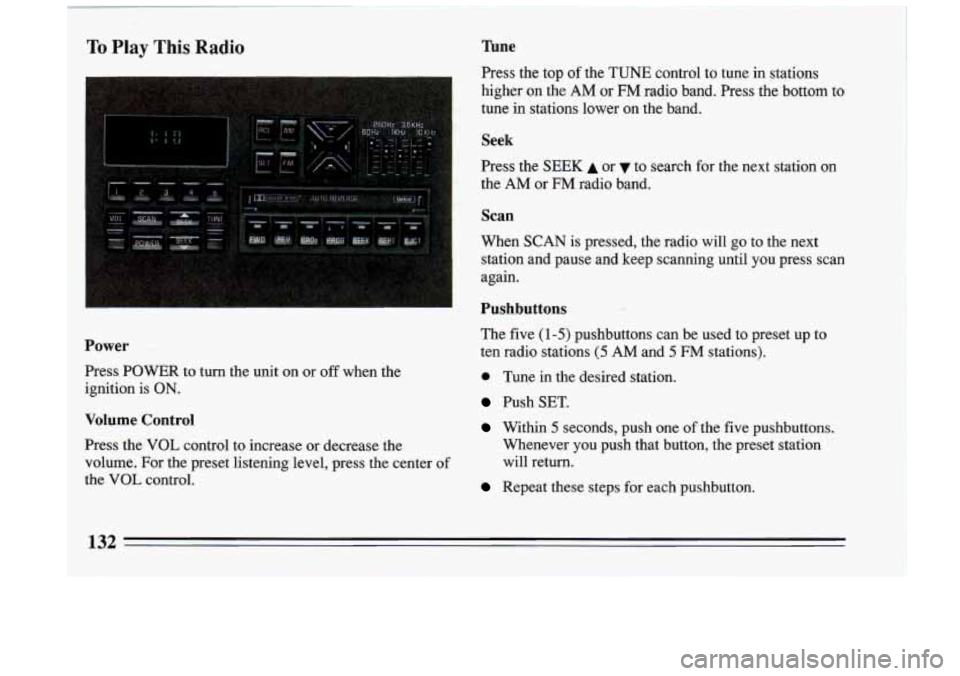
To Play This Radio Tune
Press the top of the TUNE control to tune in stations
higher
on the AM or FM radio band. Press the bottom to
tune in stations lower on the band.
Seek
Press the SEEK A or to search for the next station on
the
AM or FM radio band.
Scan
When SCAN is pressed, the radio will go to the next
station and pause and keep scanning until
you press scan
again.
Pushbuttons
The five (1-5) pushbuttons can be used to preset up to
e Tune in the desired station.
Push SET.
Within 5 seconds, push one of the five pushbuttons.
Power ten radio stations (5 AM and 5 FM stations).
Press POWER to turn the unit on or
off when the
ignition
is ON.
Volume Control
Press the VOL control to increase or decrease the Whenever you push that button, the preset station
volume. For the preset listening level, press the center of will return.
the VOL control.
Repeat these steps for each pushbutton.
132
Page 135 of 324
Setting The Clock
To set the clock:
0
0
0
Push SET (with the ignition on and the radio off).
Within 5 seconds, push and hold SEEK A or until
the correct hour appears.
Press and hold
SCAN until the correct minute
appears.
Recall
Press RCL to change the display between the clock and
the radio station frequency, when the radio is on.
To
display the time with the ignition off, press RCL.
AM-FM
Press the AM or FM buttons to select either the AM or
FM radio band. If the station is in stereo, a STEREO
indicator will also be displayed.
Balance
Press the left, right, front or rear speaker controls to
adjust speaker balance. Press the center of the control to
restore equal speaker sound balance.
Equalizer
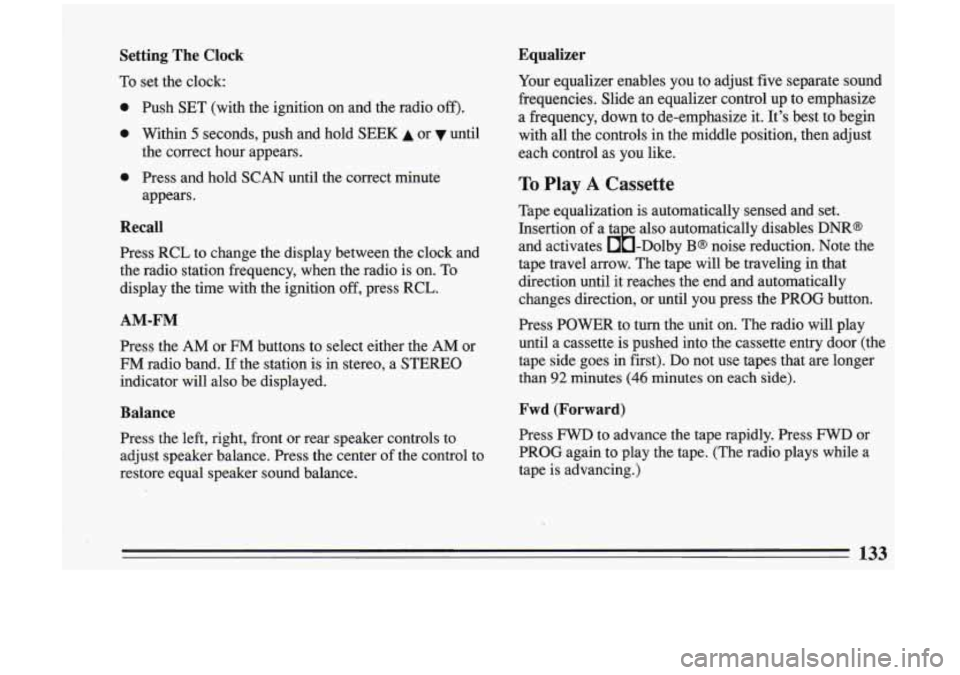
Your equalizer enables you to adjust five separate sound
frequencies. Slide an equalizer control up to emphasize
a frequency, down to de-emphasize it. It's best to begin
with all the controls in the middle position, then adjust
each control as you like.
To Play A Cassette
Tape equalization is automatically sensed and set.
Insertion of a ta e also automatically disables
DNR@
and activates &-Dolby B@ noise reduction. Note the
tape travel arrow. The tape will be traveling in that
direction until it reaches the end and automatically
changes direction, or until
you press the PROG button.
Press POWER
to turn the 'unit on. The radio will play
until a cassette is pushed into the cassette entry door (the
tape side goes in first). Do not use tapes that are longer
than
92 minutes (46 minutes on each side).
Fwd (Forward)
Press FWD to advance the tape rapidly. Press FWD or
PROG again to play the tape. (The radio plays while a
tape is advancing.)
133
Page 136 of 324
I
Rev (Reverse)
Press REV to reverse the tape rapidly. Press REV or
PROG again to play the tape. (The radio plays while
a
tape is rewinding.)
Cr02
This button sets tape bias. When playing high bias
chrome or metal tapes, press the
02 button (the button
will light).
When playing standard "tapes, press 02
again to shut it off.
Prog (Program)
Press PROG to change the side of the tape being played.
When the arrow pointing up is lighted, the selections
listed on the top side
of the tape are played. When the
arrow pointing down is lighted, selections listed on the
bottom side
of the tape are played. When the end of a
tape is reached, the other side
will then play.
Seek r""
Press SEEK to search for the next selection. For the
search to stop, there must be at leasf a.4-second gap
between selections on the tape. The radio does not play
during
SEEK.
Rept (Repeat)
Press REFT to repeat a selection on the tape. For repeat ".
to stop, there must be at least a &second gap between
the selections on the tape.
Ejct (Eject)
Press EJCT to remove the cassette from the tape player
(the radio will then play.)
The tape will eject even when
the ignition is
off.
134 -
Page 138 of 324
Comp (Compression)
Pressing the COMP button makes soft and loud passages
more equal
in volume.
Scan
Press SCAN to hear the first ten seconds of each track.
Press it again to stop scanning.
stop
Press STOP and the disc will stop and the radio will
play. To return to the disc, press STOP again. It will
resume playing at the point where it stopped.
Ejct (Eject)
Press EJCT and the disc will eject and the radio will
play. The disc will start at track
1 when you reinsert the
disc.
Press the POWER button or turn ignition
off to stop the
disc player. The disc stays in the player and will resume
playing at the point where it stopped.
Care of Your Cassette Tape Player
A tape- player that is. not cleaned regularly can cause
reduced
sound quality, ruined cassettes, or a damaged
mechanism. Cassette tapes should be stored in their
cases away
from contaminants, direct sunlight, and
extreme heat. If they aren’t, they may not operate
properly or cause failure of the tape player.
Your tape player should be cleaned regularly each
month or after every
15 hours of use. If you notice a
reduction
in sound quality, try a known good cassette to
see if the tape or the tape player is at fault.
If this other
cassette has no improvement in sound quality, clean the
tape player.
Clean your tape player with a wiping-action,
non-abrasive cleaning cassette, aild follow the directions
provided with it.
I
136
I
Page 139 of 324
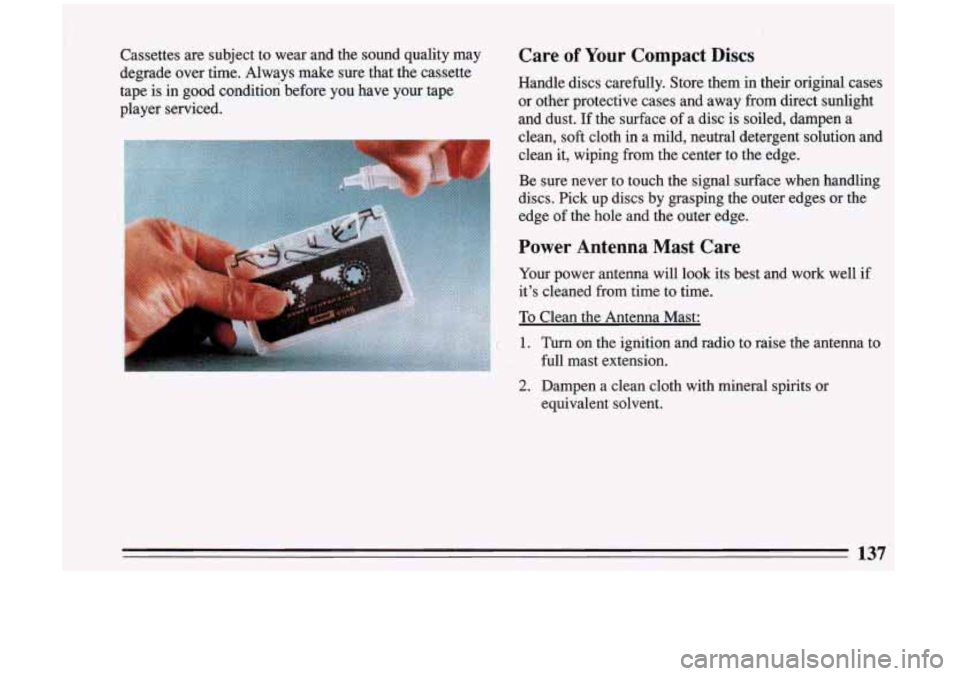
Cassettes are subject to wear and the sound quality may
degrade over time. Always make sure that the cassette
tape is in good condition before you have your tape
player serviced.
i
Care of Your Compact Discs
Handle discs carefully. Store them in their original cases
or other protective cases and away from direct sunlight
and dust. If the surface
of a disc is soiled, dampen a
clean,
soft cloth in a mild, neutral detergent solution and
clean it, wiping from the center to the edge.
Be sure never to touch the signal surface when handling
discs. Pick up discs by grasping the outer edges or the
edge of the hole and the outer edge.
Power Antenna Mast Care
Your power antenna will look its best and work well if
it’s cleaned from time to time.
To Clean the Antenna Mast:
1. Turn on the ignition and radio to raise the antenna to
full mast extension.
2. Dampen a clean cloth with mineral spirits or
equivalent solvent.
137
Page 140 of 324
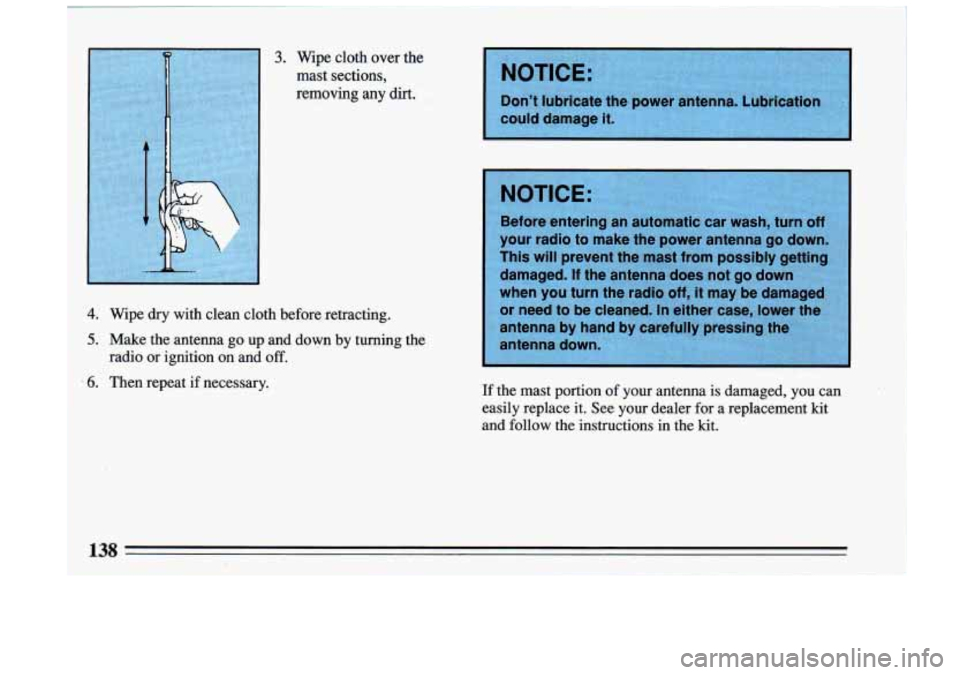
3.. Wipe cloth over the
mast sections,
removing
any dirt.
4, Wipdry with clean cloth before retracting.
5. Make the antenna go up.and down by turning the
.6. Then repeat if necessary.
radio
or ignition on and off.
Don’t lubricate the
could damage it.
If the mast portion of your antenna
is damaged, you can
easily replace it. See your dealer for a replacement kit
and follow
the instructibns in the kit.
12P
Page 189 of 324
I A CAUTION:
u could be injured if the vehicles roll. Set the
arking brake firmly on each vehicle. Put an
utomatic transaxle
in “P” (Park) or a manual
axle
in “N” (Neutral).
P
3. Turn off the ignition on both vehicles. Turn off all
lights that aren’t needed, and radios. This
will avoid
sparks and help save both batteries. And it could
save your radio!
4. Open the hoods and locate the batteries.
I A CAUTION:
An electric fan can start up even when the
engine is not running and can injure you. Keep
hands; clothing and tools away from any
underhood electric fan.
~~
Find the positive .(+) and negetive (-), terminals on
each battery.
Page 264 of 324
Fuses and Circuit Breakers
The wiring circuits in your car are protected from short
circuits by a combination of fuses, circuit breakers, and
fusible thermal links in the wiring itself.. This greatly
reduces the chance of fires caused by electrical
problems.
Be sure to use the correct fuse if you need to replace
one.
If you ever have a problem on the road and don’t
have a spare fuse, you can “borrow” one
of the correct
value. Just pick some feature
of your car that you can
get along without
- like the radio or cigarette lighter -
and use its fuse, if it is of the value you need. Replace it
as soon as you can.
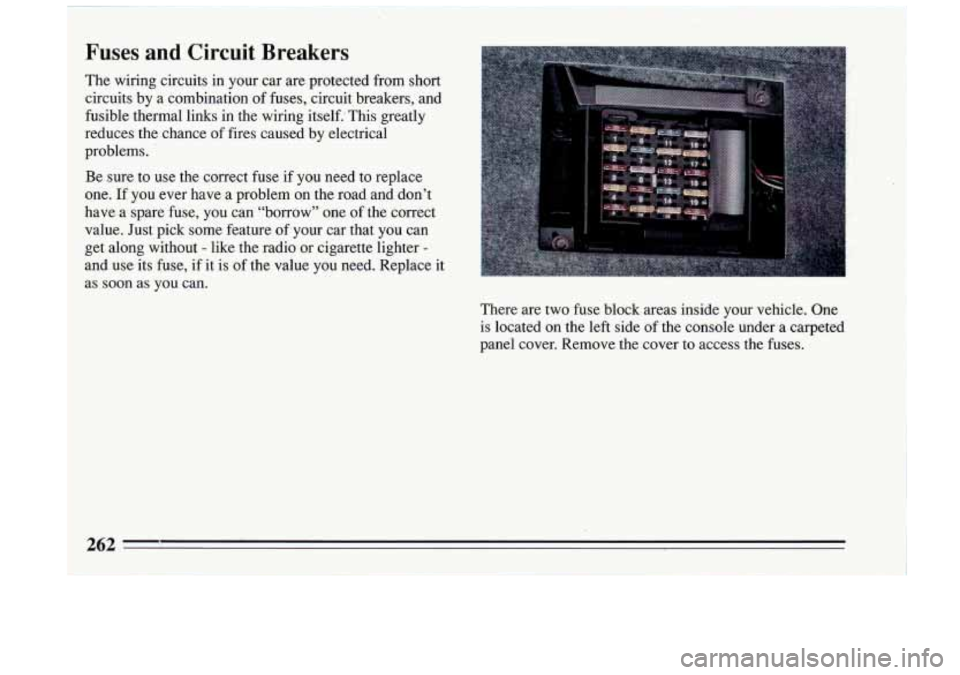
There are two fuse block areas inside your vehicle. One is located on the left side of the console under a carpeted
panel cover. Remove the cover to access the fuses.
Page 265 of 324
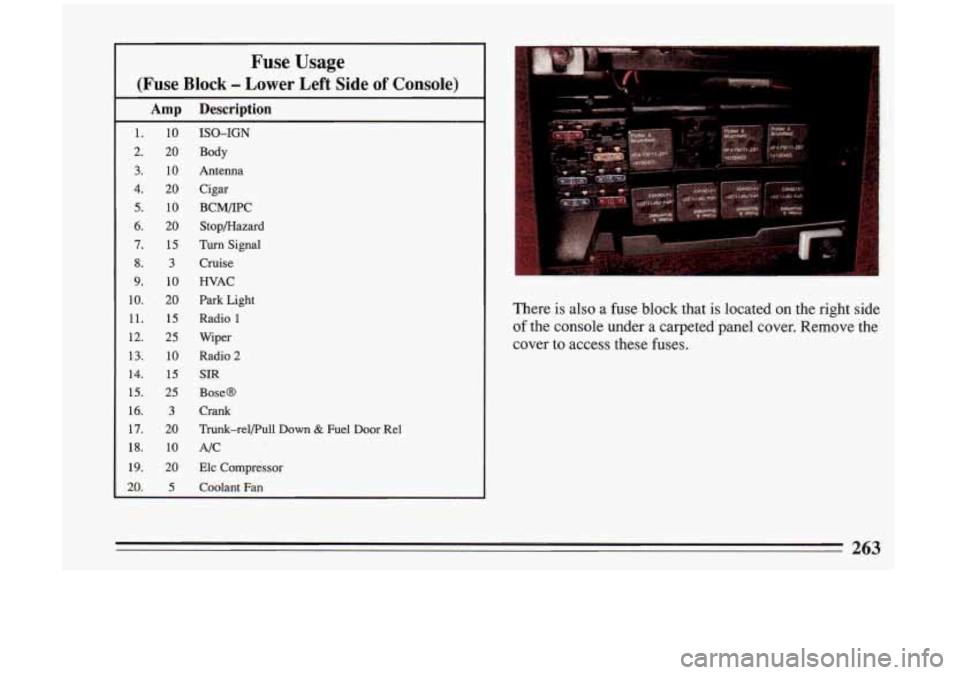
Fuse Usage
(Fuse Block - Lower Left Side of Console)
Amp Description
1.
2.
3.
4.
5.
6.
7.
8.
9.
10.
11.
12.
13.
14.
15.
16.
17.
18.
19.
20.
10
20
10
20
10
20
15
3
10
20
15
25
10
15
25
3
20
10
20
5
ISO-IGN
Body
Antenna
Cigar
BCM/IPC Stopmazard
Turn Signal
Cruise
WAC
Park Light
Radio
1
Wiper
Radio
2
SIR
BoseO
Crank
Trunk-rel/Pull
Down & Fuel Door Re1
AIC
Elc Compressor
Coolant Fan
There is also a fuse block that is located on the right side
of the console under a carpeted panel cover. Remove the
cover to access these fuses.
263