ignition BUICK RIVIERA 1993 Owner's Manual
[x] Cancel search | Manufacturer: BUICK, Model Year: 1993, Model line: RIVIERA, Model: BUICK RIVIERA 1993Pages: 324, PDF Size: 16.01 MB
Page 104 of 324
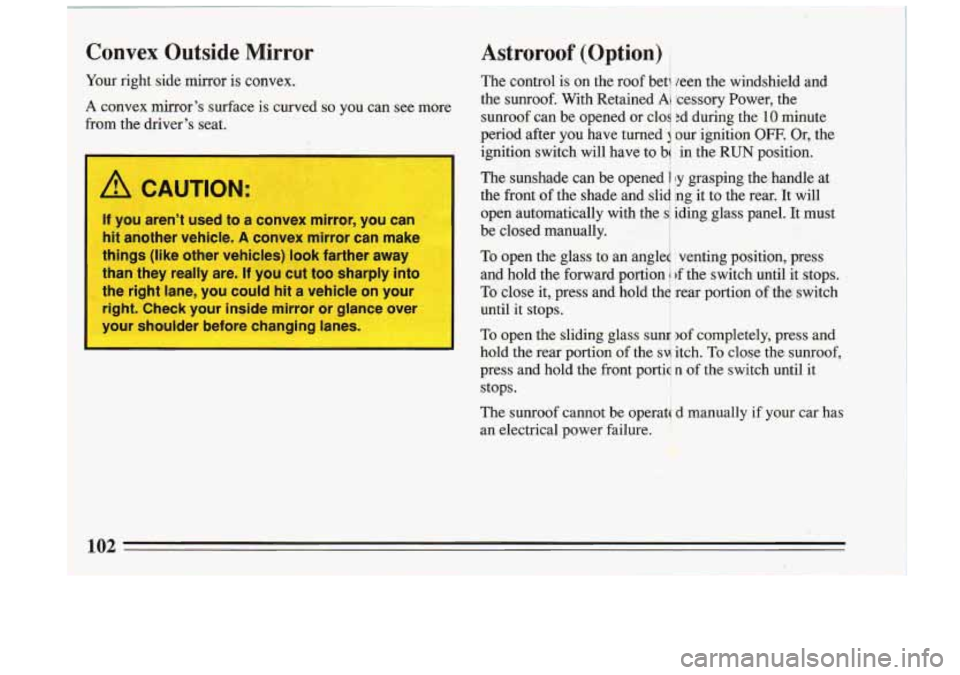
Iur
COI
)m right side mirror
is convex.
nvex
mirror's surface is curved
the driver's seat. so you can see more
/!1 CAUTION:
If you aren't used to a convex mirror, you can
hit another vehicle.
A convex mirror can make
things (like other vehicles) look farther away
than they really are.
If you cut too sharply into
the right lane,
you could hit a vehicle on your
right. Check your inside mirror or glance over
your shoulder before changing lanes.
i
Astroroof (Option)
The control is on the roof bet1 leen the windshield and
the sunroof. With Retained
Ai lcessory Power, the
sunroof can be opened or cloq ;d during the
10 minute
period after you have turned our ignition
OFF. Or, the
ignition switch will have to b
in the RUN position.
The sunshade can be opened 1 !y grasping the handle at
the ffont
of the shade and slid ing it to the rear. It will
open automatically with the iding..glass panel. It must
be closed manually. I
To open the glass to an angled venting position, press
and hold the forward portion
1 rf the switch until it stops.
To close it, press and hold th$ rear Eortion of the switch
until it stops.
I"'%+ -. .
To open the sliding glass sund 2of completely, press and
hold the rear portion of the
svi itch. To close the sunroof,
press and hold the front portia
n of the switch until it
stops.
The sunroof cannot be operata
d manually if your car has
an electrical power failure.
I. '~."-,"l,~~ :. - ,
*;e -c
102 -
Page 109 of 324

Trip Odometer
I
Warning Lights, Gages and Indicators
A trip odometer can tell you
how many miles you have Warning lights and gages can signal t\
hat something is
driven since you last set it wrong before it becomes serious enough to cause an
back to zero.
TO reset, push expensive repair or replacement. Paying attention to
the button. your warning lights and gages could also save you or
others from injury.
Warning lights go on when there may be or
is a problem
with one
of your vehicle's functions. As you will see in
the details on the next few pages, some warning lights come on briefly when you turn the ignition key just to
let you know they're working.
If you are familiar with
this section, you should not be alarmed when this
happens.
This section describes the warning lights and gages that
are on your vehicle. The pictures will help
you locate
them. Gages can indicate when there may be or is a problem
with one
of your vehicle's functions. Often gages and
warning lights work together to let you know when
there's a problem with your vehicle.
When one of the warning lights comes on and stays on
when you are driving, or when one of the gages shows
there may be a problem, check the section that tells
you
what to do about it. Please follow the manual's advice.
Waiting to do repairs can be costly
-- and even
dangerous.
So please get to know your warning lights
and gages. They're a big help.
107
Page 110 of 324
Fuel Gage
I
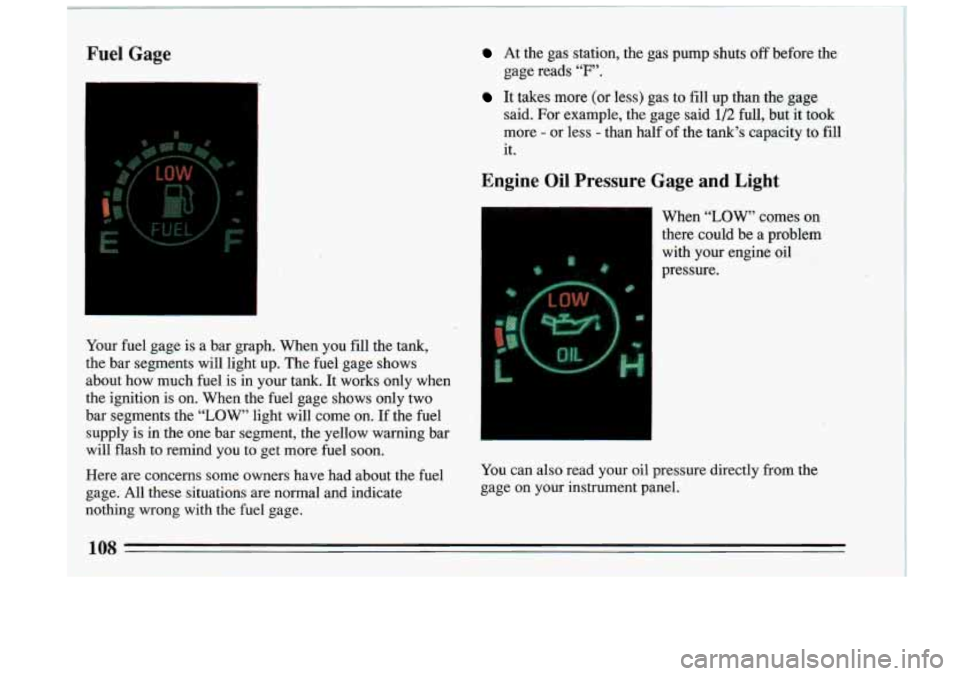
Your fuel gage is a bar graph. When you fill the tank,
the bar segments will light up. The fuel gage shows
about how much fuel is in your
tank. It works only when
the ignition is on. When the fuel gage shows only two
bar segments the
“LOW’ light will come on. If the fuel
~ supply is in the one bar segment, the yellow warning bar
’ will flash to remind you to get more fuel soon.
At the gas station, the gas pump shuts off before the
gage reads
“F’.
It takes more (or less) gas to fill up than the gage
said. For example, the gage said
1/2 full, but it took
more
- or less - than half of the tank’s, capacity to fill
it.
Engine Oil Pressure Gage and Light
When “LOW, comes on
there could be a problem
with your engine oil
pressure.
~ Here are concerns some owners have had about the fuel You
can also read your oil pressure directly from the
~ gage. All these situations are normal and indicate gage on you\
r instrument panel.
I
nothing wrong with the fuel gage.
j 108 I ~ 1 1
Page 115 of 324
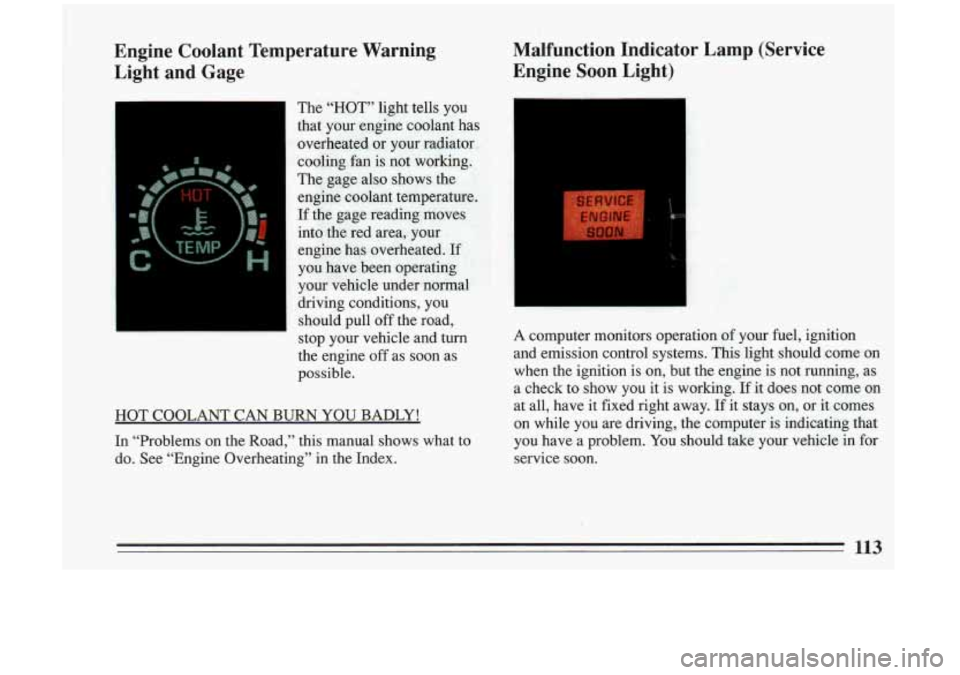
Engine Coolant Temperature Warning
Light and Gage Malfunction Indicator Lamp (Service
Engine Soon Light)
the engine off as soon as
possible.
HOT COOLANT CAN
BURN YOU BADLY!
In “Problems on the Road,” this manual shows what to
do. See “Engine Overheating” in the Index. A computer monitors operation
of your fuel, ignition
and emission control systems. This light should come on when the ignition
is on, but the engine is not running, as
a check to show you it
is working. If it does not come on
at all, have it fixed right away. If it stays
on, or it comes
on while you are driving, the computer is indicating that
you have a problem. You should take your vehicle in for
service soon.
113
Page 117 of 324
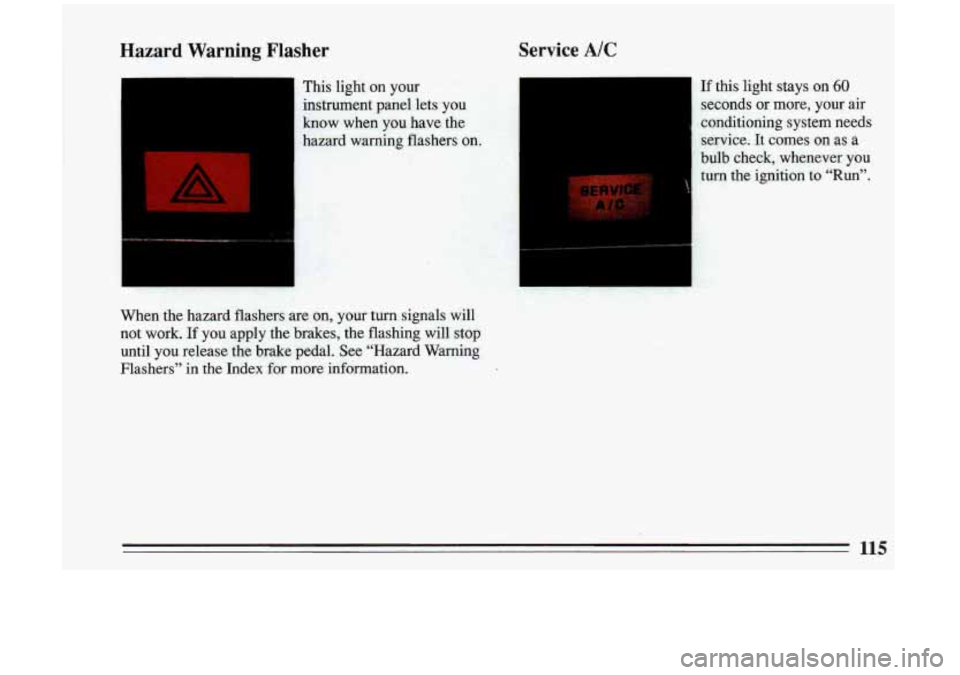
Hazard Warning Flasher Service A/C
- This light
on your
instrument panel lets you
know when you have the
hazard warning flashers
on.
When the hazard flashers are on, your turn signals will
not work.
If you apply the brakes, the flashing will stop
until’you release the brake pedal. See “Hazard Warning
Flashers” in the Index for more information.
If this light stays on 60
seconds or more, your air
conditioning system needs service. It comes
on as a
bulb cheek, whenever you
turn the ignition to “Run”.
Page 128 of 324
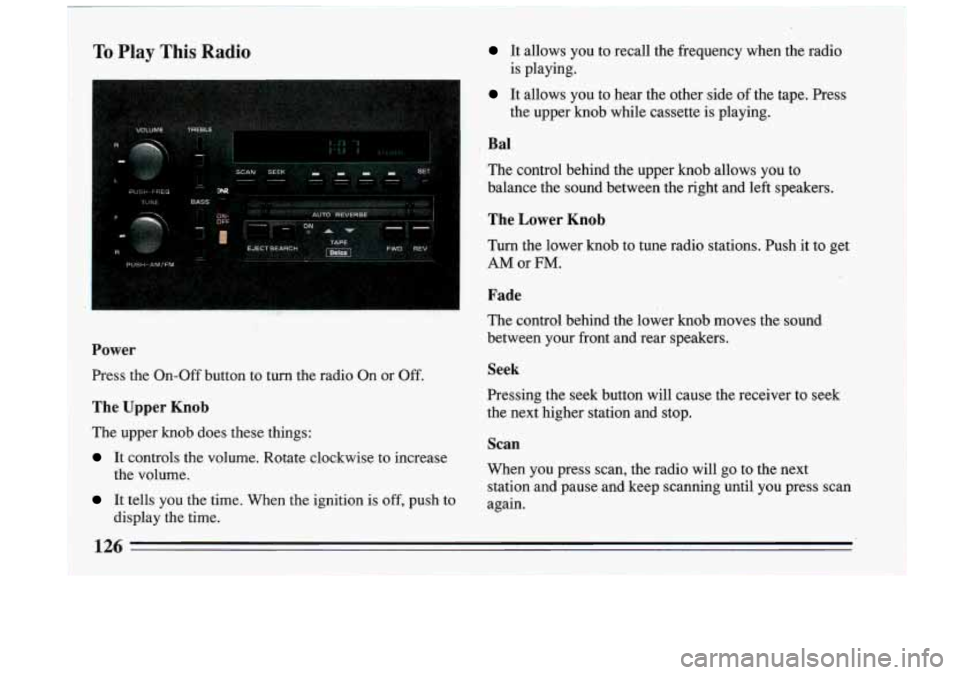
To Play This Radio It allows you to recall the frequency when the radio
It allows you to hear the other side of the tape. Press
is playing.
the upper knob while cassette is playing.
~ Bal
The control behind the upper knob allows you to
balance the sound between the right and left speakers.
! The Lower Knob
I Turn the lower knob to tune radio stations. Push it to get
I AMor FM.
Fade
The control behind the lower knob moves the sotifid
between your front and rear speakers.
Power
Press the On-Off button to turn the radio On or Off. Seek
The Upper Knob the next higher station and stop.
The upper
knob does these things:
It controls the volume. Rotate clockwise to increase Pressing the seek button will cause the receiver to seek
Scan
When you press scan,
the radio will go to the next
station and pause and keep scanning until you press scan
the volume.
It tells YOU the time. When
the ignition is off, push to again.
display the time.
126 -
Page 131 of 324
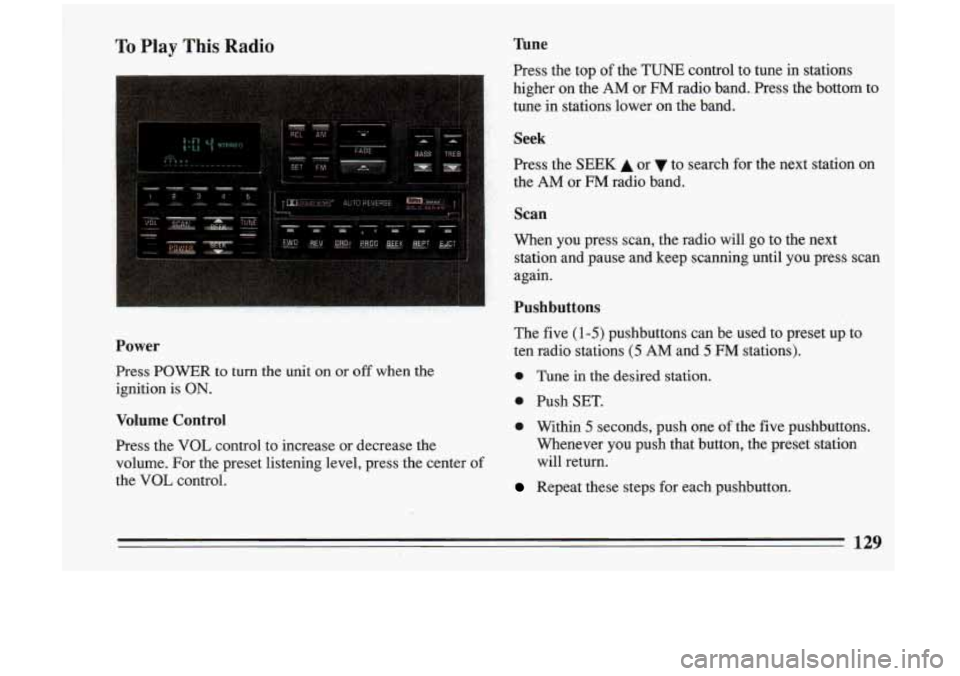
To Play This Radio
Power
Press POWER to turn the unit on or off when the
ignition is
ON.
Volume Control
Press the VOL control to increase or decrease the
volume. For the preset listening level, press the center of
the
VOL control.
Tune
Press the top of the TUNE control to tune in stations
higher
on the AM or FM radio band. Press the bottom to
tune in stations lower
on the band.
Seek
Press the SEEK A or to search forthe next station on
the AM,or FM radio band.
Scan
When you press scan, the radio will go to the next
station and pause and keep scanning until you press scan
again.
Pushbuttons
The five (1-5) pushbuttons can be used to preset up to
ten radio stations
(5 AM and 5 FM stations).
0 Tune in the desired station.
0 Push SET.
0 Within 5 seconds, push one of the five pushbuttons.
Whenever you push that button, the preset station
will return.
Repeat these steps for each pushbutton.
129
Page 132 of 324
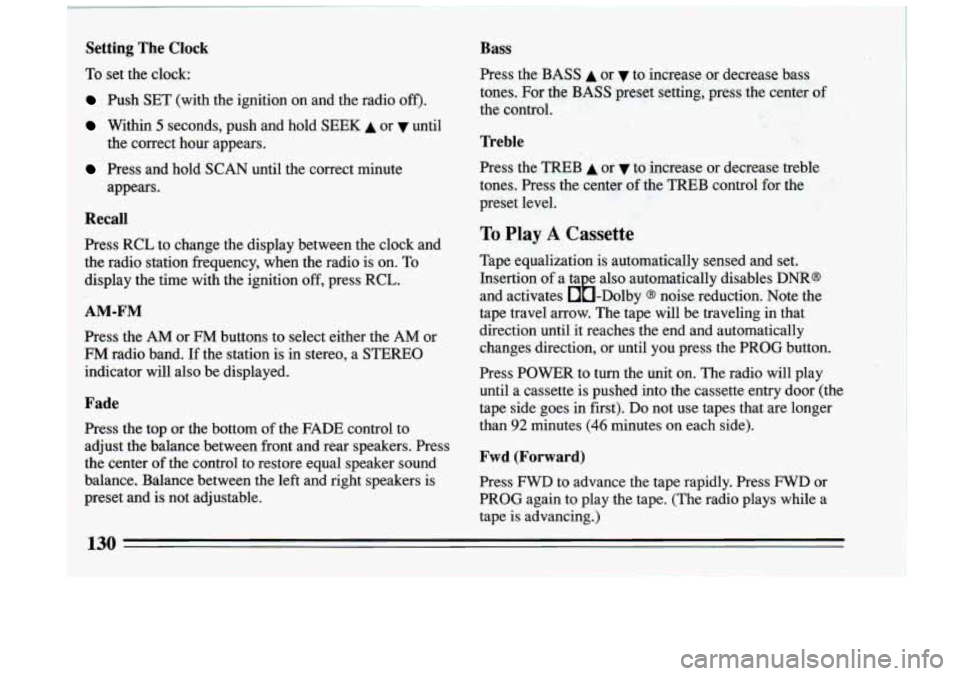
Setting The Clock
To set the clock:
Push SET (with the ignition on and the radio off').
Within 5 seconds, push and hold SEEK A or until
Press and hold SCAN until the correct minute the correct hour appears.
appears.
Recall
1 Press RCL to change the display between the clock and
the radio station frequency, when the radio is on. To
display the time with the ignition
off, press RCL.
AM-FM
Press the AM or FM buttons to select either the AM or
FM radio band. If the station is in stereo, a STEREO
indicator will also be displayed.
Fade
Press the top or the bottom of the FADE control to
adjust the balance between front and rear speakers. Press
the center
of the control to restore equal speaker sound
balance. Balance between the left and right speakers is
preset and is not adjustable.
Bass
Press the.BASS A or v to increase or decrease bass
tones. For the
BASS preset setting, press the center of
the control.
Treble
Press the TREB A or v to increase or decrease treble
tones. Press the center
of the TREB control for the
preset level.
To Play A Cassette
Tape equalization is automatically sensed and set.
Insertion
of a ta e also automatically disables DNR@
and activates &-Dolby
@ noise reduction. Note the
tape travel arrow. The tape will be traveling in that
direction until it reaches the end and automatically
changes direction, or until you press the PROG button.
Press POWER to turn the unit
on. The radio will play
until a cassette is pushed into the cassette entry door (the
tape side goes
in first). Do not use tapes that are longer
than
92 minutes (46 minutes on each side).
Fwd (Forward)
Press FWD to advance the tape rapidly. Press FWD or
PROG again to play the tape. (The radio plays while a
tape is advancing.)
130
Page 133 of 324
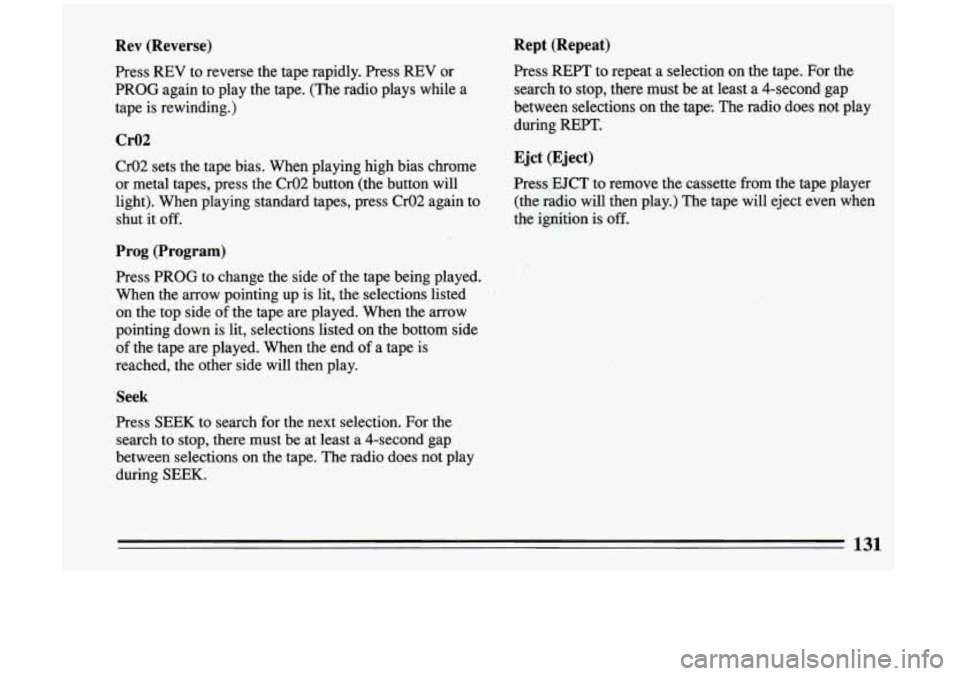
Rev (Reverse)
Press REV to reverse the tape rapidly. Press REV or
PROG again to play the tape. (The radio plays while a
tape is rewinding.)
Cr02
Cr02 sets the tape bias. When playing high bias chrome
or metal tapes, press the Cr02 button (the button will
light). When playing standard tapes, press Cr02 again .to
shut it off.
Prog (Program)
Press PROG to change the side of the tape being played.
When the arrow pointing up is lit, the selections listed
on the top side of the tape are played. When the arrow
pointing down is lit, selections listed on the bottom side
of the tape are played. When the end of a tape is
reached, the other side will then play.
Seek
Press SEEK to search for the next selection. For the
search to stop, there must be at least a 4-second gap
between selections on the tape. The radio does not play
during SEEK.
Rept (Repeat)
Press REPT to repeat a selection on the tape. For the
search to stop, there must be at least a 4-second gap
between selections
on the tape. The radio does not play
during REPT.
Ejet (Eject)
Press EJCT to remove the cassette from the tape player
(the radio will then play.) The tape will eject even when
the ignition is
off.
131
Page 134 of 324
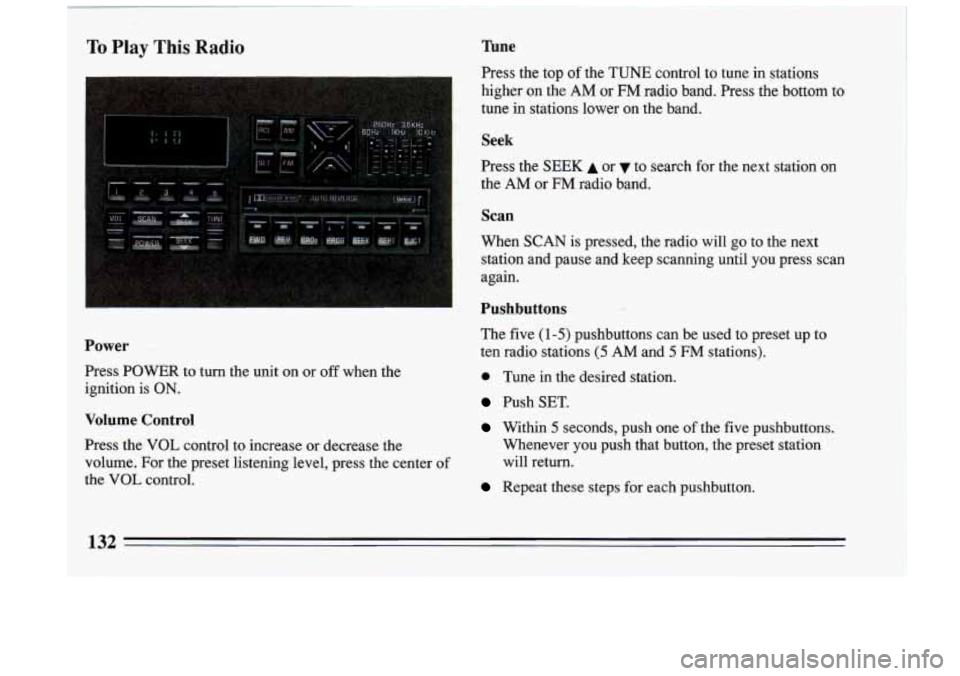
To Play This Radio Tune
Press the top of the TUNE control to tune in stations
higher
on the AM or FM radio band. Press the bottom to
tune in stations lower on the band.
Seek
Press the SEEK A or to search for the next station on
the
AM or FM radio band.
Scan
When SCAN is pressed, the radio will go to the next
station and pause and keep scanning until
you press scan
again.
Pushbuttons
The five (1-5) pushbuttons can be used to preset up to
e Tune in the desired station.
Push SET.
Within 5 seconds, push one of the five pushbuttons.
Power ten radio stations (5 AM and 5 FM stations).
Press POWER to turn the unit on or
off when the
ignition
is ON.
Volume Control
Press the VOL control to increase or decrease the Whenever you push that button, the preset station
volume. For the preset listening level, press the center of will return.
the VOL control.
Repeat these steps for each pushbutton.
132