service BUICK TERRAZA 2005 Owner's Guide
[x] Cancel search | Manufacturer: BUICK, Model Year: 2005, Model line: TERRAZA, Model: BUICK TERRAZA 2005Pages: 428, PDF Size: 2.6 MB
Page 170 of 428
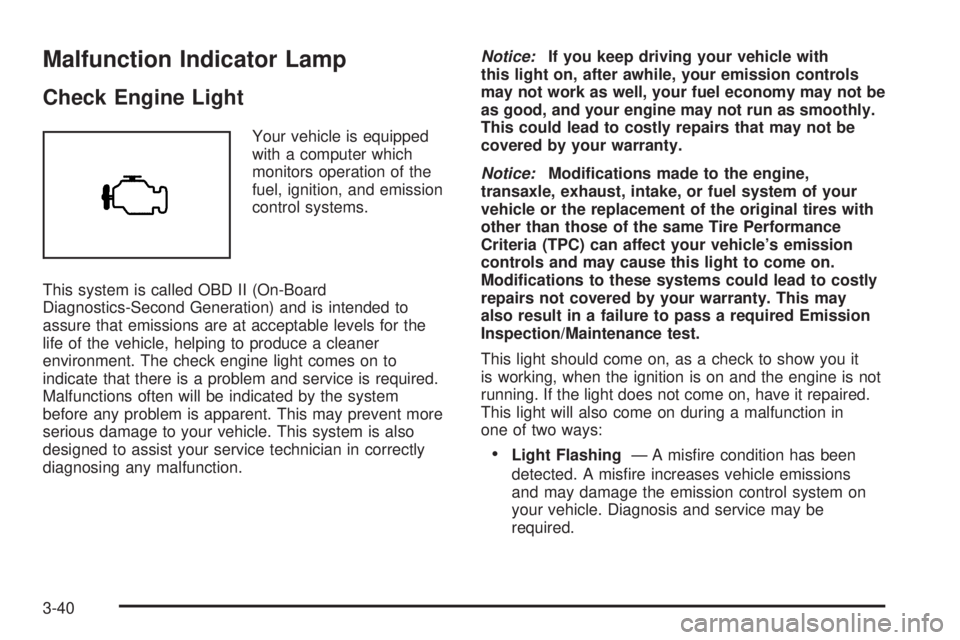
Malfunction Indicator Lamp
Check Engine Light
Your vehicle is equipped
with a computer which
monitors operation of the
fuel, ignition, and emission
control systems.
This system is called OBD II (On-Board
Diagnostics-Second Generation) and is intended to
assure that emissions are at acceptable levels for the
life of the vehicle, helping to produce a cleaner
environment. The check engine light comes on to
indicate that there is a problem and service is required.
Malfunctions often will be indicated by the system
before any problem is apparent. This may prevent more
serious damage to your vehicle. This system is also
designed to assist your service technician in correctly
diagnosing any malfunction.Notice:If you keep driving your vehicle with
this light on, after awhile, your emission controls
may not work as well, your fuel economy may not be
as good, and your engine may not run as smoothly.
This could lead to costly repairs that may not be
covered by your warranty.
Notice:Modications made to the engine,
transaxle, exhaust, intake, or fuel system of your
vehicle or the replacement of the original tires with
other than those of the same Tire Performance
Criteria (TPC) can affect your vehicle’s emission
controls and may cause this light to come on.
Modications to these systems could lead to costly
repairs not covered by your warranty. This may
also result in a failure to pass a required Emission
Inspection/Maintenance test.
This light should come on, as a check to show you it
is working, when the ignition is on and the engine is not
running. If the light does not come on, have it repaired.
This light will also come on during a malfunction in
one of two ways:
Light Flashing— A misre condition has been
detected. A misre increases vehicle emissions
and may damage the emission control system on
your vehicle. Diagnosis and service may be
required.
3-40
Page 171 of 428
Light On Steady— An emission control
system malfunction has been detected on
your vehicle. Diagnosis and service may be
required.
If the Light is Flashing
The following may prevent more serious damage to
your vehicle:
Reducing vehicle speed
Avoiding hard accelerations
Avoiding steep uphill grades
If you are towing a trailer, reduce the amount of
cargo being hauled as soon as it is possible
If the light stops ashing and remains on steady, see
“If the Light Is On Steady” following.
If the light continues to ash, when it is safe to do
so, stop the vehicle. Find a safe place to park your
vehicle. Turn the key off, wait at least 10 seconds and
restart the engine. If the light remains on steady, see
“If the Light Is On Steady” following. If the light is
still ashing, follow the previous steps, and see your
dealer for service as soon as possible.
If the Light Is On Steady
You may be able to correct the emission system
malfunction by considering the following:
Did you recently put fuel into your vehicle?
If so, reinstall the fuel cap, making sure to fully install
the cap. SeeFilling the Tank on page 5-8. The
diagnostic system can determine if the fuel cap has
been left off or improperly installed. A loose or missing
fuel cap will allow fuel to evaporate into the atmosphere.
A few driving trips with the cap properly installed
should turn the light off.
Did you just drive through a deep puddle of water?
If so, your electrical system may be wet. The condition
will usually be corrected when the electrical system
dries out. A few driving trips should turn the light off.
Have you recently changed brands of fuel?
If so, be sure to fuel your vehicle with quality fuel. See
Gasoline Octane on page 5-5. Poor fuel quality will
cause your engine not to run as efficiently as designed.
You may notice this as stalling after start-up, stalling
when you put the vehicle into gear, misring, hesitation
on acceleration, or stumbling on acceleration. (These
conditions may go away once the engine is warmed up.)
This will be detected by the system and cause the
light to turn on.
3-41
Page 173 of 428
The oil light could also come on in three other situations:
When the ignition is on but the engine is not
running, the light will come on as a test to show you
it is working. The light will go out when you turn
the ignition on. If it does not come on with the
ignition on, you may have a problem with the fuse
or bulb. Have it xed right away.
If you are idling at a stop sign, the light may blink
on and then off.
If you make a hard stop, the light may come on for
a moment. This is normal.
{CAUTION:
Do not keep driving if the oil pressure is low.
If you do, your engine can become so hot that
it catches re. You or others could be burned.
Check your oil as soon as possible and have
your vehicle serviced.
Notice:Lack of proper engine oil maintenance may
damage the engine. The repairs would not be covered
by your warranty. Always follow the maintenance
schedule in this manual for changing engine oil.
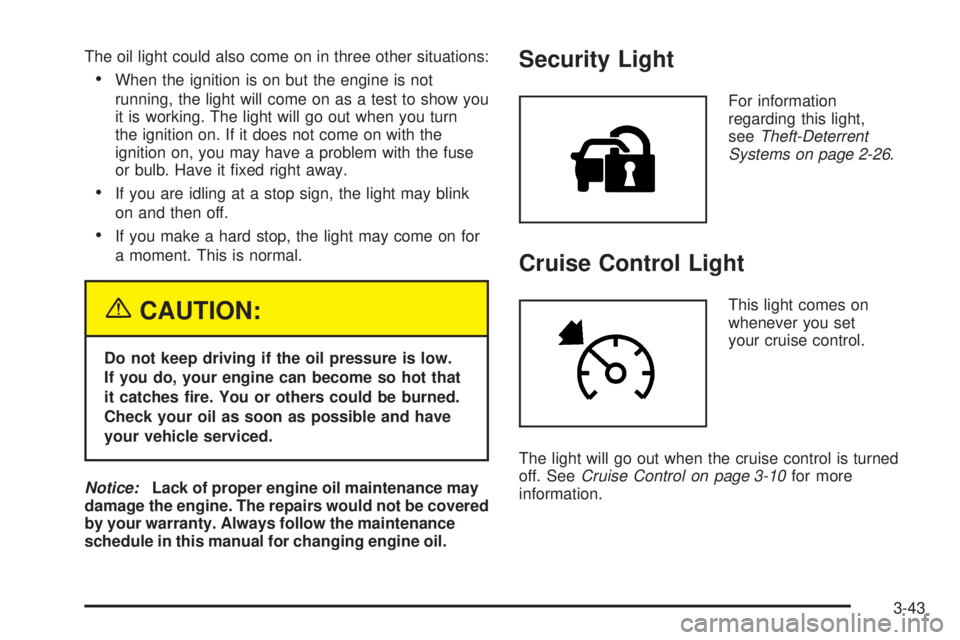
Security Light
For information
regarding this light,
seeTheft-Deterrent
Systems on page 2-26.
Cruise Control Light
This light comes on
whenever you set
your cruise control.
The light will go out when the cruise control is turned
off. SeeCruise Control on page 3-10for more
information.
3-43
Page 175 of 428
Driver Information Center (DIC)
Your vehicle has a Driver Information Center (DIC).
All messages will appear in the DIC display located in
the instrument panel cluster, below the tachometer. The
DIC buttons are located on the center of the instrument
panel, below the center outlets.
The DIC comes on when the ignition is on. After a short
delay, the DIC will display WELCOME DRIVER (1 or 2)
if a personalized key 1 or 2 is used, and then the
information that was last displayed before the engine
was turned off.
The DIC displays the odometer, trip odometers, fuel
economy, trip computer, vehicle system information, and
compass display, if equipped. It also displays warning
messages if a system problem is detected. In addition,
the DIC displays phone numbers that are called
using the OnStar
®system, if equipped. SeeOnStar®
System on page 2-42.If equipped, the outside air temperature automatically
appears in the bottom right corner of the DIC display
when viewing all of the information screens, except for
the oil life screens. If the outside air temperature is
at or below 37°F (3°C), the temperature reading
will toggle between displaying the outside temperature
and the word ICE for two minutes. If there is a problem
with the system that controls the temperature display,
the letters OC (open circuit) or SC (short circuit)
will appear on the display. If this occurs, have the
vehicle serviced by your GM dealer.
The DIC also allows some features to be customized
or personalized, if equipped. SeeDIC Vehicle
Personalization (Uplevel Only) on page 3-68for more
information.
3-45
Page 182 of 428
This message will continue to display for two seconds
if it has not been acknowledged when the engine is
turned off. It will also re-display for two seconds if the
message has been acknowledged, but the condition still
exists when the engine is turned off.
If the condition still exists, the message will re-appear
when the engine is turned on. If this message continues
to appear, have the system repaired by your GM
dealer as soon as possible to avoid damage to your
engine.
ALL WHEEL DRIVE DISABLED
If your vehicle has the all-wheel drive system, this
message will display when there is a spare tire on the
vehicle, or when the anti-lock brake system warning
light comes on, or when the rear differential uid
is overheating. This message will turn off when the
differential uid cools.
The all-wheel drive system will be disabled until the
compact spare tire is replaced by a full-size tire. If the
warning message is still on after putting on the full-size
tire, you need to reset the warning message. To
reset the warning message, turn the ignition off and
then back on again. If the message stays on, see your
GM dealer right away. SeeAll-Wheel Drive (AWD)
System on page 4-12for more information.
BATTERY SAVER ACTIVE
This message will display when the system detects that
the battery voltage is dropping beyond a reasonable
level. The battery saver system will start reducing certain
features of the vehicle that you may be able to notice.
At the point that the features are disabled, this message
is displayed. It means that the vehicle is trying to
save the charge in the battery.
Turn off all unnecessary accessories to allow the battery
to recharge.
The normal battery voltage range is 11.5 to 15.5 volts.
You can monitor the battery voltage by pressing the
information button until BATTERY displays.
CHANGE OIL SOON
This message will display when service is required for
the vehicle. See your GM dealer. SeeEngine Oil
on page 5-13andScheduled Maintenance on page 6-4
for more information.
The CHANGE OIL SOON message is reset by
acknowledging the message. The OIL LIFE screen
under the gages menu on the DIC must also be reset.
See “Oil Life” underDIC Operation and Displays on
page 3-46andEngine Oil Life System on page 5-16.
3-52
Page 189 of 428
Stop the vehicle immediately, as engine damage can
result from driving a vehicle with low oil pressure. Have
the vehicle serviced by your GM dealer as soon as
possible when this message is displayed.
This message will display only when the ignition is in
RUN. A chime will sound continuously when this
message is displayed.
This message cannot be acknowledged and cleared
from the screen. This message will re-display for a few
seconds if the condition still exists when the engine
is turned off.
If the condition still exists, the message will re-appear
when the engine is turned on.
OBSTACLE DETECTED DRVR (Driver)
SLIDING DOOR
This message will display to alert the driver that an
object is obstructing the driver’s side power sliding door,
if equipped, while it is opening or closing. Remove
any object that is obstructing the power sliding door.
SeePower Sliding Door (PSD) on page 2-16for more
information.
OBSTACLE DETECTED PASS
(Passenger) SLIDING DOOR
This message will display to alert the driver that an
object is obstructing the passenger’s side power sliding
door, if equipped, while it is opening or closing.
Remove any object that is obstructing the power sliding
door. SeePower Sliding Door (PSD) on page 2-16
for more information.
PARKING BRAKE ON
This message will display to alert the driver when the
vehicle’s parking brake is on, the ignition is in RUN, and
the vehicle speed is greater than 5 mph (8 km/h).
Release the parking brake before driving. SeeParking
Brake on page 2-37for more information.
The brake light will also appear on the instrument
panel cluster when this message appears on the DIC.
SeeBrake System Warning Light on page 3-37.
A chime will sound continuously while this message
is displayed if driving above 5 mph (8 km/h). Press any
of the DIC buttons to acknowledge this message
and to clear it from the screen.
3-59
Page 192 of 428
REDUCED POWER STOP WHEN SAFE
This message will display when your vehicle is in an
overheated engine operating mode. This operating mode
allows your vehicle to be driven to a safe place in an
emergency. In this mode, you will notice a signicant
loss in power and engine performance. SeeOverheated
Engine Protection Operating Mode on page 5-26for
more information. Anytime this message is on, the
vehicle should be taken to your GM dealer for service
as soon as possible.
This message will display and a chime will sound only
when the ignition is in RUN. Press any of the DIC
buttons to acknowledge this message and to clear it
from the screen.
This message will continue to display for two seconds
if it has not been acknowledged when the engine is
turned off. It will also re-display for two seconds if the
message has been acknowledged, but the condition still
exists when the engine is turned off.
If the condition still exists, the message will re-appear
when the engine is turned on.
REMOTE START DISABLED
This warning message will come on if a remote start
attempt is unsuccessful. This may be caused if any of
the following conditions are true when a remote
start attempt is made:
The remote start system is disabled through
the DIC.
The key is in the ignition.
The hood or the doors are not closed.
There is an emission control system malfunction.
The engine coolant temperature is too high.
The oil pressure is low.
The hazard warning ashers are turned on.
The maximum number of remote starts or remote
start attempts between ignition cycles has been
reached.
The content theft-deterrent alarm is on while
attempting to remote start the vehicle.
See “REMOTE START” underDIC Vehicle
Personalization (Uplevel Only) on page 3-68and
“Remote Vehicle Start” underRemote Keyless Entry
System Operation on page 2-5for more information.
3-62
Page 193 of 428
REMOTE START ON
If your vehicle has the remote start feature, this
message will display when a remote start is initiated.
See “Remote Vehicle Start” underRemote Keyless Entry
System Operation on page 2-5for more information.
RIGHT FRONT TURN LAMP OUT
This message will display when the right front turn
signal bulb needs to be replaced. SeeHeadlamps and
Sidemarker Lamps on page 5-43.
This message will display while the ignition is in RUN.
Press any of the DIC buttons to acknowledge this
message and to clear it from the screen.
This message will continue to display for two seconds
if it has not been acknowledged when the engine is
turned off. It will also re-display for two seconds if the
message has been acknowledged, but the condition still
exists when the engine is turned off.
If the condition still exists, the message will re-appear
when the engine is turned on.
RIGHT REAR TURN LAMP OUT
This message will display when the right rear turn signal
bulb needs to be replaced. SeeTaillamps, Turn
Signal, Stoplamps and Back-up Lamps on page 5-45.
This message will display while the ignition is in
RUN. Press any of the DIC buttons to acknowledge this
message and to clear it from the screen.
This message will continue to display for two seconds
if it has not been acknowledged when the engine is
turned off. It will also re-display for two seconds if the
message has been acknowledged, but the condition still
exists when the engine is turned off.
If the condition still exists, the message will re-appear
when the engine is turned on.
SERVICE ABS SYSTEM
If the vehicle has the Anti-Lock Brake System (ABS),
this message will display when the vehicle’s brakes are
not functioning properly. Have the brake system
serviced by your GM dealer as soon as possible.
The anti-lock brake system warning light will also appear
on the instrument panel cluster when this message
appears on the DIC. SeeAnti-Lock Brake System
Warning Light on page 3-38.
3-63
Page 194 of 428
This message will only display while the ignition is in
RUN. Press any of the DIC buttons to acknowledge this
message and to clear it from the screen.
This message will continue to display for two seconds
if it has not been acknowledged when the engine is
turned off. It will also re-display for two seconds if the
message has been acknowledged, but the condition still
exists when the engine is turned off.
If the condition still exists, the message will re-appear
when the engine is turned on.
SERVICE BRAKE SYSTEM
This message will display when a problem with the
brake system has been detected. Have your vehicle
serviced by your GM dealer as soon as possible.
The brake system warning light will also appear on the
instrument panel cluster when this message appears
on the DIC. SeeBrake System Warning Light on
page 3-37.
This message will only display while the ignition is in
RUN. Press any of the DIC buttons to acknowledge this
message and to clear it from the screen.This message will continue to display for two seconds
if it has not been acknowledged when the engine is
turned off. It will also re-display for two seconds if the
message has been acknowledged, but the condition still
exists when the engine is turned off.
If the condition still exists, the message will re-appear
when the engine is turned on.
SERVICE PARK LAMPS
This message will display when there is a problem with
the park lamps. Check to see if the park lamp fuse
is blown and replace the fuse if necessary. SeeFuses
and Circuit Breakers on page 5-87andInstrument
Panel Fuse Block on page 5-88for more information.
If changing the fuse does not correct the problem,
see your GM dealer.
This message will only display while the ignition is in
RUN. Press any of the DIC buttons to acknowledge this
message and to clear it from the screen.
This message will continue to display for two seconds
if it has not been acknowledged when the engine is
turned off. It will also re-display for two seconds if the
message has been acknowledged, but the condition still
exists when the engine is turned off.
If the condition still exists, the message will re-appear
when the engine is turned on.
3-64
Page 195 of 428
SERVICE STABILITY SYSTEM
If your vehicle has StabiliTrak®, this message will
display if there has been a problem detected with
StabiliTrak
®. SeeStabiliTrak®System on page 4-10.
If this message turns on while you are driving, pull
off the road as soon as possible and stop carefully. Try
resetting the system by turning the ignition off and
then back on. If this message still stays on or turns back
on again while you are driving, your vehicle needs
service. Have the StabiliTrak
®System inspected by your
GM dealer as soon as possible.
This message will display only while the ignition is in
RUN. Press any of the DIC buttons to acknowledge this
message and to clear it from the screen.
This message will continue to display for two seconds
if it has not been acknowledged when the engine is
turned off. It will also re-display for two seconds if the
message has been acknowledged, but the condition still
exists when the engine is turned off.
If the condition still exists, the message will re-appear
when the engine is turned on.
SERVICE TRACTION SYSTEM
If your vehicle has the traction control system, this
message will display when the system is not functioning
properly. A warning light will also appear on the
instrument panel cluster. SeeTraction Control System
(TCS) Warning Light on page 3-39. SeeTraction Control
System (TCS) on page 4-9for more information.
Have the traction control system serviced by your GM
dealer as soon as possible.
This message will display only while the ignition is in
RUN. Press any of the DIC buttons to acknowledge this
message and to clear it from the screen.
This message will continue to display for two seconds
if it has not been acknowledged when the engine is
turned off. It will also re-display for two seconds if the
message has been acknowledged, but the condition still
exists when the engine is turned off.
If the condition still exists, the message will re-appear
when the engine is turned on.
3-65