battery replacement BUICK TERRAZA 2007 User Guide
[x] Cancel search | Manufacturer: BUICK, Model Year: 2007, Model line: TERRAZA, Model: BUICK TERRAZA 2007Pages: 562, PDF Size: 2.96 MB
Page 309 of 562
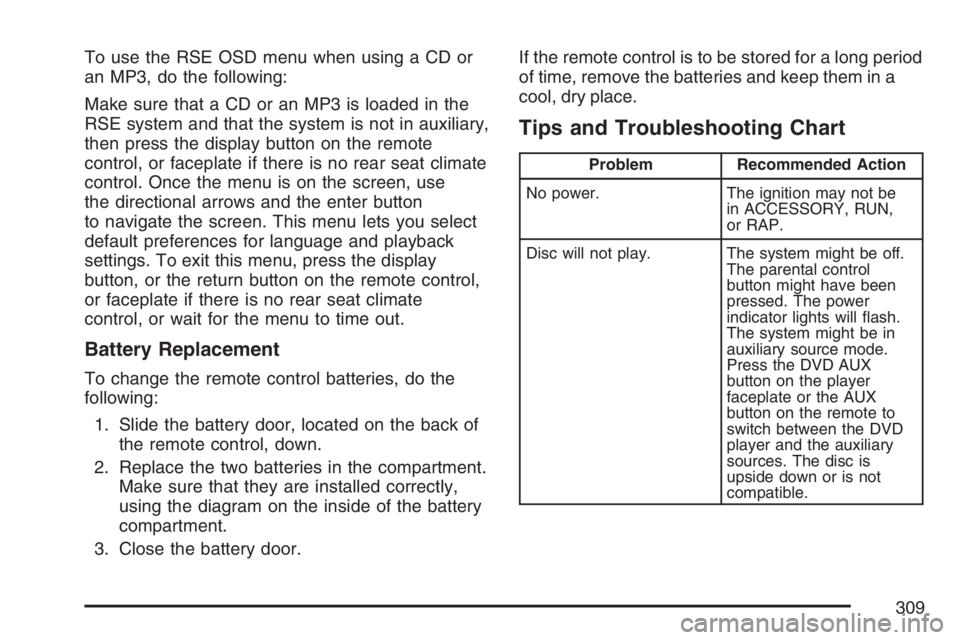
To use the RSE OSD menu when using a CD or
an MP3, do the following:
Make sure that a CD or an MP3 is loaded in the
RSE system and that the system is not in auxiliary,
then press the display button on the remote
control, or faceplate if there is no rear seat climate
control. Once the menu is on the screen, use
the directional arrows and the enter button
to navigate the screen. This menu lets you select
default preferences for language and playback
settings. To exit this menu, press the display
button, or the return button on the remote control,
or faceplate if there is no rear seat climate
control, or wait for the menu to time out.
Battery Replacement
To change the remote control batteries, do the
following:
1. Slide the battery door, located on the back of
the remote control, down.
2. Replace the two batteries in the compartment.
Make sure that they are installed correctly,
using the diagram on the inside of the battery
compartment.
3. Close the battery door.If the remote control is to be stored for a long period
of time, remove the batteries and keep them in a
cool, dry place.
Tips and Troubleshooting Chart
Problem Recommended Action
No power. The ignition may not be
in ACCESSORY, RUN,
or RAP.
Disc will not play. The system might be off.
The parental control
button might have been
pressed. The power
indicator lights will ash.
The system might be in
auxiliary source mode.
Press the DVD AUX
button on the player
faceplate or the AUX
button on the remote to
switch between the DVD
player and the auxiliary
sources. The disc is
upside down or is not
compatible.
309
Page 329 of 562
y(Menu/Options):For the GM Mobile Digital
Media system, press the menu/options button (F)
to display the options list.
c(Stop):For the GM Mobile Digital Media
system, press this button to stop playback of the
selected option.
r/j(Play/Pause):For the GM Mobile Digital
Media system, press this button to start playback
of a selected option. Press this button while
an option is in the play mode to pause it.
Press it again to continue playback of the
current option.
DVD Remote Control Batteries
If the remote control does not seem to be
working, the batteries may need to be replaced.
See Remote Control, “Battery Replacement”
in your vehicle’s owner manual.
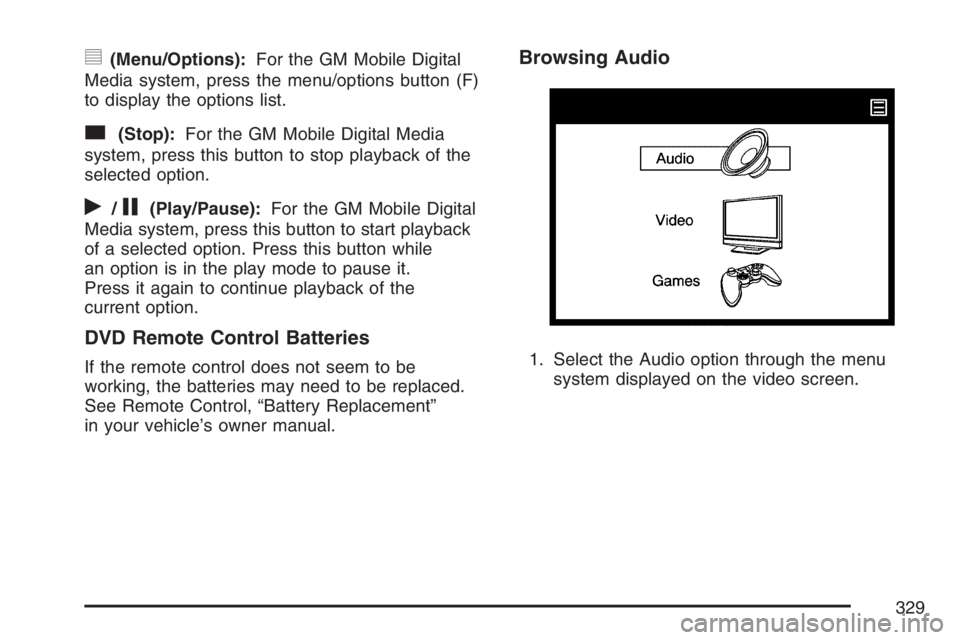
Browsing Audio
1. Select the Audio option through the menu
system displayed on the video screen.
329
Page 397 of 562
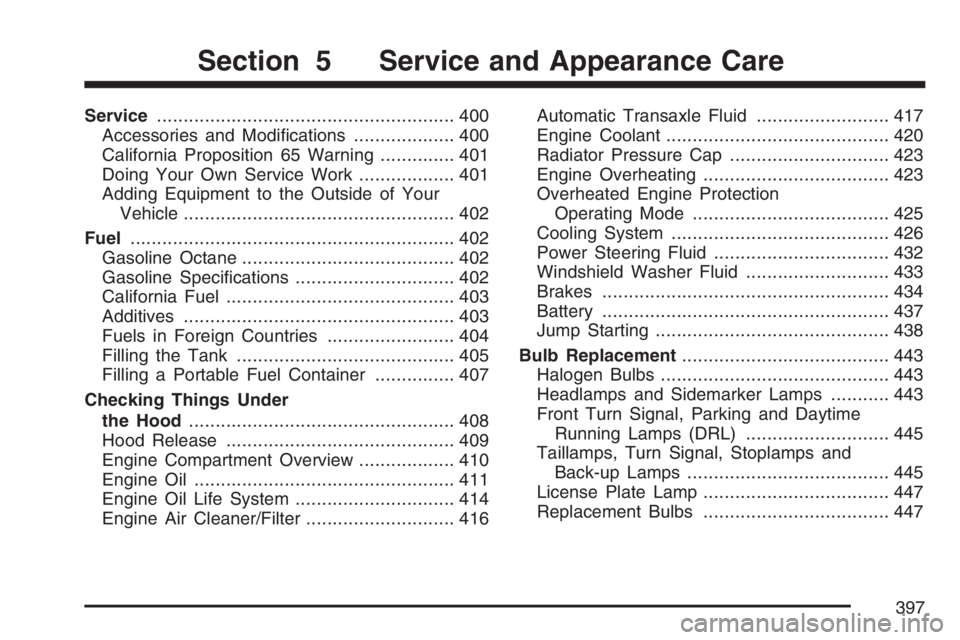
Service........................................................ 400
Accessories and Modications................... 400
California Proposition 65 Warning.............. 401
Doing Your Own Service Work.................. 401
Adding Equipment to the Outside of Your
Vehicle................................................... 402
Fuel............................................................. 402
Gasoline Octane........................................ 402
Gasoline Specications.............................. 402
California Fuel........................................... 403
Additives................................................... 403
Fuels in Foreign Countries........................ 404
Filling the Tank......................................... 405
Filling a Portable Fuel Container............... 407
Checking Things Under
the Hood.................................................. 408
Hood Release........................................... 409
Engine Compartment Overview.................. 410
Engine Oil................................................. 411
Engine Oil Life System.............................. 414
Engine Air Cleaner/Filter............................ 416Automatic Transaxle Fluid......................... 417
Engine Coolant.......................................... 420
Radiator Pressure Cap.............................. 423
Engine Overheating................................... 423
Overheated Engine Protection
Operating Mode..................................... 425
Cooling System......................................... 426
Power Steering Fluid ................................. 432
Windshield Washer Fluid........................... 433
Brakes...................................................... 434
Battery...................................................... 437
Jump Starting............................................ 438
Bulb Replacement....................................... 443
Halogen Bulbs........................................... 443
Headlamps and Sidemarker Lamps........... 443
Front Turn Signal, Parking and Daytime
Running Lamps (DRL)........................... 445
Taillamps, Turn Signal, Stoplamps and
Back-up Lamps...................................... 445
License Plate Lamp................................... 447
Replacement Bulbs................................... 447
Section 5 Service and Appearance Care
397
Page 437 of 562
Replacing Brake System Parts
The braking system on a vehicle is complex. Its
many parts have to be of top quality and work well
together if the vehicle is to have really good
braking. Your vehicle was designed and tested with
top-quality GM brake parts. When you replace parts
of your braking system — for example, when your
brake linings wear down and you need new ones
put in — be sure you get new approved GM
replacement parts. If you do not, your brakes may
no longer work properly. For example, if someone
puts in brake linings that are wrong for your vehicle,
the balance between your front and rear brakes can
change — for the worse. The braking performance
you have come to expect can change in many other
ways if someone puts in the wrong replacement
brake parts.
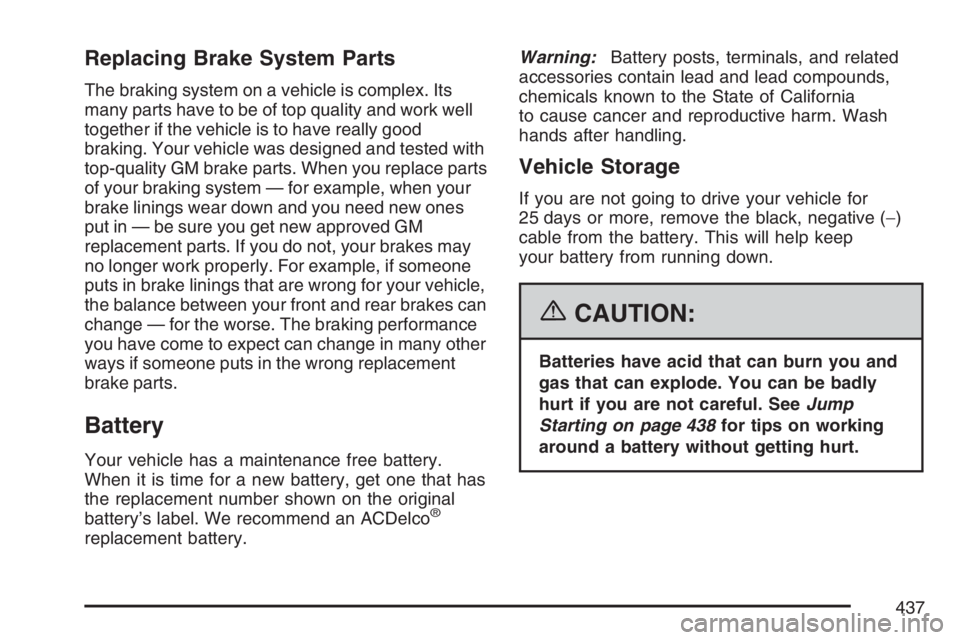
Battery
Your vehicle has a maintenance free battery.
When it is time for a new battery, get one that has
the replacement number shown on the original
battery’s label. We recommend an ACDelco
®
replacement battery.Warning:Battery posts, terminals, and related
accessories contain lead and lead compounds,
chemicals known to the State of California
to cause cancer and reproductive harm. Wash
hands after handling.
Vehicle Storage
If you are not going to drive your vehicle for
25 days or more, remove the black, negative (−)
cable from the battery. This will help keep
your battery from running down.
{CAUTION:
Batteries have acid that can burn you and
gas that can explode. You can be badly
hurt if you are not careful. SeeJump
Starting on page 438for tips on working
around a battery without getting hurt.
437
Page 496 of 562

Vehicle Identication
Vehicle Identication Number (VIN)
This is the legal identier for your vehicle. It
appears on a plate in the front corner of the
instrument panel, on the driver’s side. You can see
it if you look through the windshield from outside
your vehicle. The VIN also appears on the
Certication/Tire and Service Parts labels and the
certicates of title and registration.
Engine Identication
The eighth character in the VIN is the engine
code. This code will help you identify your vehicle’s
engine, specications, and replacement parts.
Service Parts Identication Label
You will nd this label on the inside of the glove
box. It is very helpful if you ever need to order
parts. On this label, you will nd the following:
VIN
Model designation
Paint information
Production options and special equipment
Do not remove this label from the vehicle.
Electrical System
Add-On Electrical Equipment
Notice:Do not add anything electrical to your
vehicle unless you check with your dealer
rst. Some electrical equipment can damage
your vehicle and the damage would not
be covered by your warranty. Some add-on
electrical equipment can keep other
components from working as they should.
Add-on equipment can drain your vehicle’s battery,
even if your vehicle is not operating.
496
Page 533 of 562
Flat Tire Change:Installation of your spare tire
in good condition will be covered at no charge.
The customer is responsible for the repair or
replacement of the tire if not covered by a
warrantable failure.
Jump Start:No-start occurrences which
require a battery jump start will be covered at
no charge.
Additional Services for Canadian
Customers
Trip Routing Service:Upon Request,
Roadside Assistance will send you detailed,
computer-personalized maps, highlighting your
choice of either the most direct route or the
most scenic route to your destination,
anywhere in North America, along with any
helpful travel information we may have
pertaining to your trip. To request this service,
please call us toll-free at 1-800-268-6800.
We will make every attempt to send your
personalized trip routing as quickly as possible,
but it is best to allow three weeks before your
planned departure date. Trip routing requests
will be limited to six per calendar year.
Trip Interruption Benets and Assistance:In
the event of a warranty related vehicle
disablement, while en route and over
250 kilometres from original point of departure,
you may qualify for trip interruption expense
assistance. This assistance covers reasonable
reimbursement of up to a maximum of
$500 (Canadian) for (A) meals (maximum of
$50/day), (B) lodging (maximum of $100/night)
and (C) alternate ground transportation
(maximum of $40/day). This benet is to assist
you with some of the unplanned expense you
may incur while waiting for your vehicle to be
repaired.
Pre-authorization, original detailed receipts and
a copy of the repair order are required.
Once authorization has been given, your
advisor will help you make any necessary
arrangements and explain how to claim for trip
interruption expense assistance.
533
Page 548 of 562
Appearance Care (cont.)
Washing Your Vehicle.............................. 491
Weatherstrips........................................... 490
Windshield, Backglass, and
Wiper Blades........................................ 492
Audio System(s).......................................... 258
Audio Steering Wheel Controls................. 341
Care of Your CD and DVD Player............ 343
Care of Your CDs and DVDs................... 343
Chime Level Adjustment........................... 344
Fixed Mast Antenna................................. 344
Mobile Digital Media System.................... 319
Navigation/Radio System,
see Navigation Manual......................... 282
Radio with CD......................................... 260
Rear Seat Audio (RSA)...................314, 316
Setting the Time...................................... 259
Theft-Deterrent Feature............................ 340
Understanding Radio Reception............... 342
XM™ Satellite Radio Antenna System...... 344
Automatic Door Lock................................... 109
Automatic Transaxle
Fluid........................................................ 417
Operation................................................. 133B
Battery........................................................ 437
Electric Power Management..................... 186
Run-Down Protection............................... 187
Before Leaving on a Long Trip.................... 370
Brake
Anti-Lock Brake System (ABS)................. 351
Emergencies............................................ 353
Parking.................................................... 137
System Warning Light.............................. 214
Brakes........................................................ 434
Braking....................................................... 350
Braking in Emergencies............................... 353
Break-In, New Vehicle................................. 128
Bulb Replacement....................................... 443
Front Turn Signal, Parking and
Daytime Running Lamps....................... 445
Halogen Bulbs......................................... 443
License Plate Lamps................................ 447
Replacement Bulbs.................................. 447
Taillamps, Turn Signal, Stoplamps and
Back-up Lamps..................................... 445
Buying New Tires........................................ 461
548