ECO mode CADILLAC ATS 2014 Owner's Guide
[x] Cancel search | Manufacturer: CADILLAC, Model Year: 2014, Model line: ATS, Model: CADILLAC ATS 2014Pages: 434, PDF Size: 5.61 MB
Page 241 of 434
Black plate (27,1)Cadillac ATS Owner Manual (GMNA-Localizing-U.S./Canada/Mexico-
6014430) - 2014 - 2nd Edition - 8/23/13
Driving and Operating 9-27
3. To cancel DSC, move the shiftlever back to D (Drive).
Tap Shift
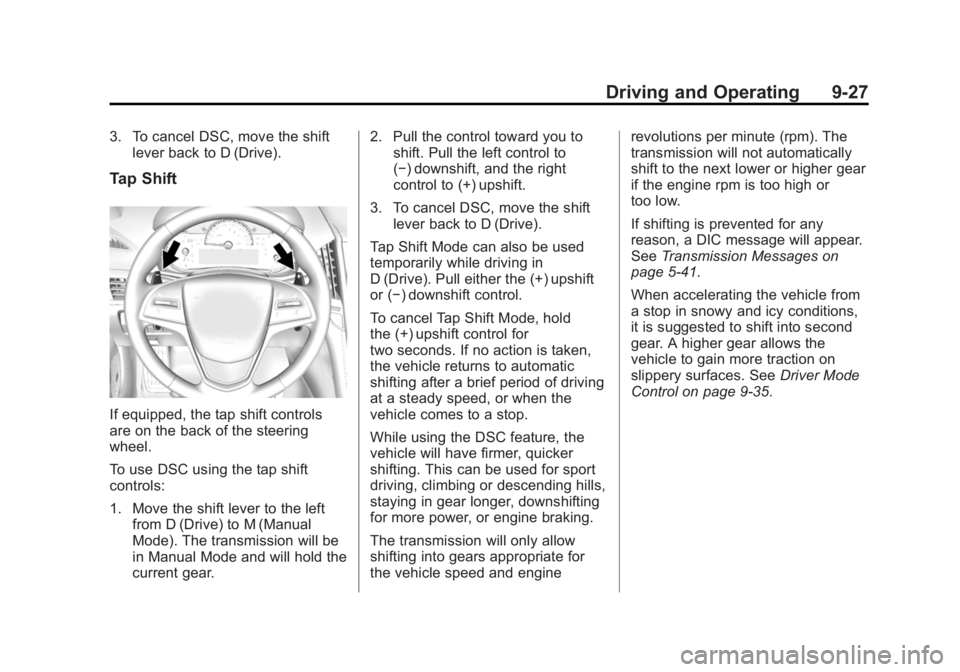
If equipped, the tap shift controls
are on the back of the steering
wheel.
To use DSC using the tap shift
controls:
1. Move the shift lever to the leftfrom D (Drive) to M (Manual
Mode). The transmission will be
in Manual Mode and will hold the
current gear. 2. Pull the control toward you to
shift. Pull the left control to
(−) downshift, and the right
control to (+) upshift.
3. To cancel DSC, move the shift lever back to D (Drive).
Tap Shift Mode can also be used
temporarily while driving in
D (Drive). Pull either the (+) upshift
or (−) downshift control.
To cancel Tap Shift Mode, hold
the (+) upshift control for
two seconds. If no action is taken,
the vehicle returns to automatic
shifting after a brief period of driving
at a steady speed, or when the
vehicle comes to a stop.
While using the DSC feature, the
vehicle will have firmer, quicker
shifting. This can be used for sport
driving, climbing or descending hills,
staying in gear longer, downshifting
for more power, or engine braking.
The transmission will only allow
shifting into gears appropriate for
the vehicle speed and engine revolutions per minute (rpm). The
transmission will not automatically
shift to the next lower or higher gear
if the engine rpm is too high or
too low.
If shifting is prevented for any
reason, a DIC message will appear.
See
Transmission Messages on
page 5-41.
When accelerating the vehicle from
a stop in snowy and icy conditions,
it is suggested to shift into second
gear. A higher gear allows the
vehicle to gain more traction on
slippery surfaces. See Driver Mode
Control on page 9-35.
Page 251 of 434
Black plate (37,1)Cadillac ATS Owner Manual (GMNA-Localizing-U.S./Canada/Mexico-
6014430) - 2014 - 2nd Edition - 8/23/13
Driving and Operating 9-37
Snow/Ice Mode
Use when more traction is needed
during slippery conditions. The
transmission will use 2 (Second)
gear instead of 1 (First) gear when
accelerating from a stop. The
vehicle will upshift normally when
the vehicle is moving.
When selected, the Snow/Ice mode
indicator will display in the DIC.
This feature is not intended for use
when the vehicle is stuck in sand,
mud, ice, snow or gravel. If the
vehicle becomes stuck, seeIf the
Vehicle Is Stuck on page 9-11.
Limited-Slip Rear Axle
Vehicles with a limited-slip rear axle
can give more traction on snow,
mud, ice, sand, or gravel. When
traction is low, this feature allows
the drive wheel with the most
traction to move the vehicle. The
limited-slip rear axle also gives the
driver enhanced control when
cornering hard or completing a
maneuver, such as a lane change.
Limited-slip rear axle fluid should be
changed at intervals listed in
Maintenance Schedule on
page 11-3.
Cruise Control
{Warning
Cruise control can be dangerous
where you cannot drive safely at
a steady speed. Do not use the
cruise control on winding roads or
in heavy traffic.
Cruise control can be dangerous
on slippery roads. On such roads,
fast changes in tire traction can
cause excessive wheel slip, and
you could lose control. Do not use
cruise control on slippery roads.
With cruise control, a speed of
about 40 km/h (25 mph) or more can
be maintained without keeping your
foot on the accelerator. Cruise
control does not work at speeds
below about 40 km/h (25 mph).
If the brakes are applied, the cruise
control disengages.
Page 254 of 434

Black plate (40,1)Cadillac ATS Owner Manual (GMNA-Localizing-U.S./Canada/Mexico-
6014430) - 2014 - 2nd Edition - 8/23/13
9-40 Driving and Operating
page 5-10. The increment value
used depends on the units
displayed.
Passing Another Vehicle While
Using Cruise Control
Use the accelerator pedal to
increase the vehicle speed. When
you take your foot off the pedal, the
vehicle will slow down to the
previously set cruise speed. While
pressing the accelerator pedal or
shortly following the release to
override cruise control, briefly
applying the SET–switch will result
in cruise control set to the current
vehicle speed.
Using Cruise Control on Hills
How well the cruise control will work
on hills depends upon the vehicle
speed, load, and the steepness of
the hills. When going up steep hills,
you might have to step on the
accelerator pedal to maintain the
vehicle speed. When going
downhill, the cruise control system
may automatically brake to slow the
vehicle down. Also, you may have to brake or shift to a lower gear to
keep the vehicle speed down. If the
brake is applied, the cruise control
disengages.
Ending Cruise Control
There are four ways to end cruise
control:
.Step lightly on the brake pedal
(manual and automatic
transmissions).
.Depress the clutch pedal for
several seconds or shift to
Neutral (manual transmissions).
.Press*.
.PressJ.
Erasing Speed Memory
The cruise control set speed is
erased from memory if
Jis
pressed or if the ignition is
turned off.
Adaptive Cruise Control
If equipped with Adaptive Cruise
Control (ACC), it allows the driver to
select the cruise control set speed
and following gap. Read this entire
section before using this system.
The following gap is the following
time between your vehicle and a
vehicle detected directly ahead in
your path moving in the same
direction. If no vehicle is detected in
your path, ACC works like regular
cruise control. ACC uses camera
and radar sensors. See Radio
Frequency Statement on
page 13-15.
If a vehicle is detected in your path,
ACC can apply acceleration or
limited, moderate braking to
maintain the selected following gap.
To disengage ACC, apply the brake.
If ACC is controlling your vehicle
speed when the Traction Control
System (TCS) or StabiliTrak System
activates, the ACC may
automatically disengage. See
Traction Control/Electronic Stability
Page 332 of 434
Black plate (46,1)Cadillac ATS Owner Manual (GMNA-Localizing-U.S./Canada/Mexico-
6014430) - 2014 - 2nd Edition - 8/23/13
10-46 Vehicle Care
identify the tire manufacturer,
production plant, brand, and
date of production.
GVWR
:Gross Vehicle Weight
Rating. See Vehicle Load Limits
on page 9-11.
GAWR FRT
:Gross Axle Weight
Rating for the front axle. See
Vehicle Load Limits on
page 9-11.
GAWR RR
:Gross Axle Weight
Rating for the rear axle. See
Vehicle Load Limits on
page 9-11.
Intended Outboard Sidewall
:
The side of an asymmetrical tire
that must always face outward
when mounted on a vehicle.
Kilopascal (kPa)
:The metric
unit for air pressure.
Light Truck (LT-Metric) Tire
:A
tire used on light duty trucks and
some multipurpose passenger
vehicles. Load Index
:An assigned
number ranging from 1 to 279
that corresponds to the load
carrying capacity of a tire.
Maximum Inflation Pressure
:
The maximum air pressure to
which a cold tire can be inflated.
The maximum air pressure is
molded onto the sidewall.
Maximum Load Rating
:The
load rating for a tire at the
maximum permissible inflation
pressure for that tire.
Maximum Loaded Vehicle
Weight
:The sum of curb
weight, accessory weight,
vehicle capacity weight, and
production options weight.
Normal Occupant Weight
:The
number of occupants a vehicle
is designed to seat multiplied by
68 kg (150 lb). See Vehicle Load
Limits on page 9-11. Occupant Distribution
:
Designated seating positions.
Outward Facing Sidewall
:The
side of an asymmetrical tire that
has a particular side that faces
outward when mounted on a
vehicle. The side of the tire that
contains a whitewall, bears
white lettering, or bears
manufacturer, brand, and/or
model name molding that is
higher or deeper than the same
moldings on the other sidewall
of the tire.
Passenger (P-Metric) Tire
:A
tire used on passenger cars and
some light duty trucks and
multipurpose vehicles.
Recommended Inflation
Pressure
:Vehicle
manufacturer's recommended
tire inflation pressure as shown
on the tire placard. See Tire
Page 339 of 434

Black plate (53,1)Cadillac ATS Owner Manual (GMNA-Localizing-U.S./Canada/Mexico-
6014430) - 2014 - 2nd Edition - 8/23/13
Vehicle Care 10-53
using a TPMS relearn tool, in the
following order: driver side front tire,
passenger side front tire, passenger
side rear tire, and driver side rear.
See your dealer for service or to
purchase a relearn tool.
There are two minutes to match the
first tire/wheel position, and
five minutes overall to match all four
tire/wheel positions. If it takes
longer, the matching process stops
and must be restarted.
The TPMS sensor matching
process is:
1. Set the parking brake.
2. Place the vehicle power mode inON/RUN/START. See Ignition
Positions on page 9-16.
3. Make sure the Tire Pressure info display option is turned on. The
info displays on the DIC can be
turned on and off through the
Settings menu. See Driver
Information Center (DIC) on
page 5-25. 4. Use the five-way DIC control on
the right side of the steering
wheel to scroll to the Tire
Pressure screen under the DIC
info page. See Driver
Information Center (DIC) on
page 5-25.
5. Press and hold the SEL button in the center of the five-way DIC
control.
The horn sounds twice to signal
the receiver is in relearn mode
and the TIRE LEARNING
ACTIVE message displays on
the DIC screen.
6. Start with the driver side front tire.
7. Place the relearn tool against the tire sidewall, near the valve
stem. Then press the button to
activate the TPMS sensor.
A horn chirp confirms that the
sensor identification code has
been matched to this tire and
wheel position. 8. Proceed to the passenger side
front tire, and repeat Step 7.
9. Proceed to the passenger side rear tire, and repeat Step 7.
10. Proceed to the driver side rear tire, and repeat Step 7. The
horn sounds two times to
indicate the sensor
identification code has been
matched to the driver side rear
tire, and the TPMS sensor
matching process is no longer
active. The TIRE LEARNING
ACTIVE message on the DIC
display screen goes off.
11. Shut the ignition off.
12. Set all four tires to the recommended air pressure
level as indicated on the Tire
and Loading Information label.
Page 399 of 434
Black plate (5,1)Cadillac ATS Owner Manual (GMNA-Localizing-U.S./Canada/Mexico-
6014430) - 2014 - 2nd Edition - 8/23/13
Customer Information 13-5
Cadillac Owner Centre
(Canada) cadillacowner.ca
Take a trip to the Cadillac Owner
Centre:
.Chat live with online help
representatives.
.Locate owner resources such as
lease-end, financing, and
warranty information.
.Retrieve favorite articles,
quizzes, tips, and multimedia
galleries organized into the
Features and Auto Care
Sections.
.Download owner manuals.
.Find Cadillac-recommended
maintenance services.
Roadside Service
U.S.: 1-800-224-1400.
Canada: 1-800-882-1112.
Text Telephone (TTY) Users
(U.S. Only): 1-888-889-2438.Service is available 24 hours a day,
365 days a year.
Calling for Service
When calling Roadside Service,
have the following information
ready:
.Your name, home address, and
home telephone number.
.Telephone number of your
location.
.Location of the vehicle.
.Model, year, color, and license
plate number of the vehicle.
.Odometer reading, Vehicle
Identification Number (VIN), and
delivery date of the vehicle.
.Description of the problem.
Coverage
Services are provided up to 6 years/
110 000 km (70,000 mi), whichever
comes first.
In the U.S., anyone driving the
vehicle is covered. In Canada, a
person driving the vehicle without
permission from the owner is not
covered.
Roadside Service is not a part of the
New Vehicle Limited Warranty.
Cadillac and General Motors of
Canada Limited reserve the right to
make any changes or discontinue
the Roadside Service program at
any time without notification.
Cadillac and General Motors of
Canada Limited reserve the right to
limit services or payment to an
owner or driver if they decide the
claims are made too often, or the
same type of claim is made many
times.
Cadillac Owner Privileges™
.Emergency Fuel Delivery:
Delivery of enough fuel for the
vehicle to get to the nearest
service station.
Page 404 of 434
Black plate (10,1)Cadillac ATS Owner Manual (GMNA-Localizing-U.S./Canada/Mexico-
6014430) - 2014 - 2nd Edition - 8/23/13
13-10 Customer Information
When purchasing insurance, we
recommend that you ensure that the
vehicle will be repaired with GM
original equipment collision parts.
If such insurance coverage is not
available from your current
insurance carrier, consider switching
to another insurance carrier.
If the vehicle is leased, the leasing
company may require you to have
insurance that ensures repairs with
Genuine GM Original Equipment
Manufacturer (OEM) parts or
Genuine Manufacturer replacement
parts. Read the lease carefully, as
you may be charged at the end of
the lease for poor quality repairs.
If a Crash Occurs
If there has been an injury, call
emergency services for help. Do not
leave the scene of a crash until all
matters have been taken care of.
Move the vehicle only if its position
puts you in danger, or you are
instructed to move it by a police
officer.Give only the necessary information
to police and other parties involved
in the crash.
For emergency towing see
Roadside Service on page 13-5.
Gather the following information:
.Driver name, address, and
telephone number.
.Driver license number.
.Owner name, address, and
telephone number.
.Vehicle license plate number.
.Vehicle make, model, and
model year.
.Vehicle Identification
Number (VIN).
.Insurance company and policy
number.
.General description of the
damage to the other vehicle.
Choose a reputable repair facility
that uses quality replacement parts.
See “Collision Parts” earlier in this
section. If the airbag has inflated, see
What
Will You See after an Airbag
Inflates? on page 3-24.
Managing the Vehicle Damage
Repair Process
In the event that the vehicle requires
damage repairs, GM recommends
that you take an active role in its
repair. If you have a pre-determined
repair facility of choice, take the
vehicle there, or have it towed there.
Specify to the facility that any
required replacement collision parts
be original equipment parts, either
new Genuine GM parts or recycled
original GM parts. Remember,
recycled parts will not be covered by
the GM vehicle warranty.
Insurance pays the bill for the repair,
but you must live with the repair.
Depending on your policy limits,
your insurance company may
initially value the repair using
aftermarket parts. Discuss this with
the repair professional, and insist on
Genuine GM parts. Remember,
if the vehicle is leased, you may be
Page 423 of 434
Black plate (3,1)Cadillac ATS Owner Manual (GMNA-Localizing-U.S./Canada/Mexico-
6014430) - 2014 - 2nd Edition - 8/23/13
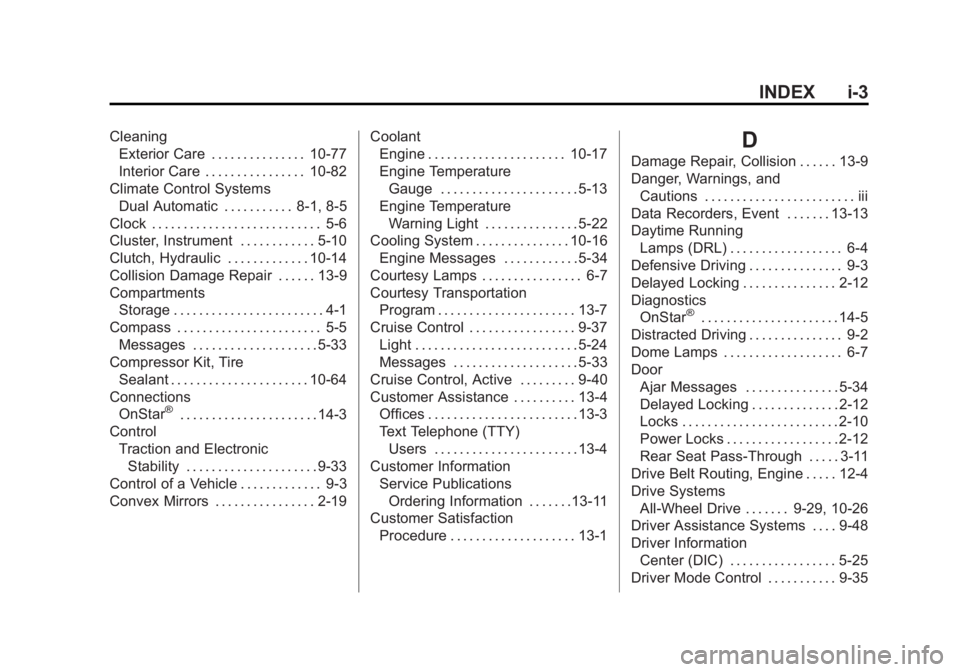
INDEX i-3
CleaningExterior Care . . . . . . . . . . . . . . . 10-77
Interior Care . . . . . . . . . . . . . . . . 10-82
Climate Control Systems Dual Automatic . . . . . . . . . . . 8-1, 8-5
Clock . . . . . . . . . . . . . . . . . . . . . . . . . . . 5-6
Cluster, Instrument . . . . . . . . . . . . 5-10
Clutch, Hydraulic . . . . . . . . . . . . . 10-14
Collision Damage Repair . . . . . . 13-9
Compartments Storage . . . . . . . . . . . . . . . . . . . . . . . . 4-1
Compass . . . . . . . . . . . . . . . . . . . . . . . 5-5 Messages . . . . . . . . . . . . . . . . . . . . 5-33
Compressor Kit, Tire Sealant . . . . . . . . . . . . . . . . . . . . . . 10-64
Connections
OnStar
®. . . . . . . . . . . . . . . . . . . . . . 14-3
Control Traction and ElectronicStability . . . . . . . . . . . . . . . . . . . . . 9-33
Control of a Vehicle . . . . . . . . . . . . . 9-3
Convex Mirrors . . . . . . . . . . . . . . . . 2-19 Coolant
Engine . . . . . . . . . . . . . . . . . . . . . . 10-17
Engine Temperature
Gauge . . . . . . . . . . . . . . . . . . . . . . 5-13
Engine Temperature Warning Light . . . . . . . . . . . . . . . 5-22
Cooling System . . . . . . . . . . . . . . . 10-16
Engine Messages . . . . . . . . . . . . 5-34
Courtesy Lamps . . . . . . . . . . . . . . . . 6-7
Courtesy Transportation Program . . . . . . . . . . . . . . . . . . . . . . 13-7
Cruise Control . . . . . . . . . . . . . . . . . 9-37 Light . . . . . . . . . . . . . . . . . . . . . . . . . . 5-24
Messages . . . . . . . . . . . . . . . . . . . . 5-33
Cruise Control, Active . . . . . . . . . 9-40
Customer Assistance . . . . . . . . . . 13-4 Offices . . . . . . . . . . . . . . . . . . . . . . . . 13-3
Text Telephone (TTY)Users . . . . . . . . . . . . . . . . . . . . . . . 13-4
Customer Information Service Publications
Ordering Information . . . . . . .13-11
Customer Satisfaction Procedure . . . . . . . . . . . . . . . . . . . . 13-1
D
Damage Repair, Collision . . . . . . 13-9
Danger, Warnings, andCautions . . . . . . . . . . . . . . . . . . . . . . . . iii
Data Recorders, Event . . . . . . . 13-13
Daytime Running Lamps (DRL) . . . . . . . . . . . . . . . . . . 6-4
Defensive Driving . . . . . . . . . . . . . . . 9-3
Delayed Locking . . . . . . . . . . . . . . . 2-12
Diagnostics OnStar
®. . . . . . . . . . . . . . . . . . . . . . 14-5
Distracted Driving . . . . . . . . . . . . . . . 9-2
Dome Lamps . . . . . . . . . . . . . . . . . . . 6-7
Door Ajar Messages . . . . . . . . . . . . . . . 5-34
Delayed Locking . . . . . . . . . . . . . . 2-12
Locks . . . . . . . . . . . . . . . . . . . . . . . . . 2-10
Power Locks . . . . . . . . . . . . . . . . . . 2-12
Rear Seat Pass-Through . . . . . 3-11
Drive Belt Routing, Engine . . . . . 12-4
Drive Systems
All-Wheel Drive . . . . . . . 9-29, 10-26
Driver Assistance Systems . . . . 9-48
Driver Information Center (DIC) . . . . . . . . . . . . . . . . . 5-25
Driver Mode Control . . . . . . . . . . . 9-35
Page 427 of 434
Black plate (7,1)Cadillac ATS Owner Manual (GMNA-Localizing-U.S./Canada/Mexico-
6014430) - 2014 - 2nd Edition - 8/23/13
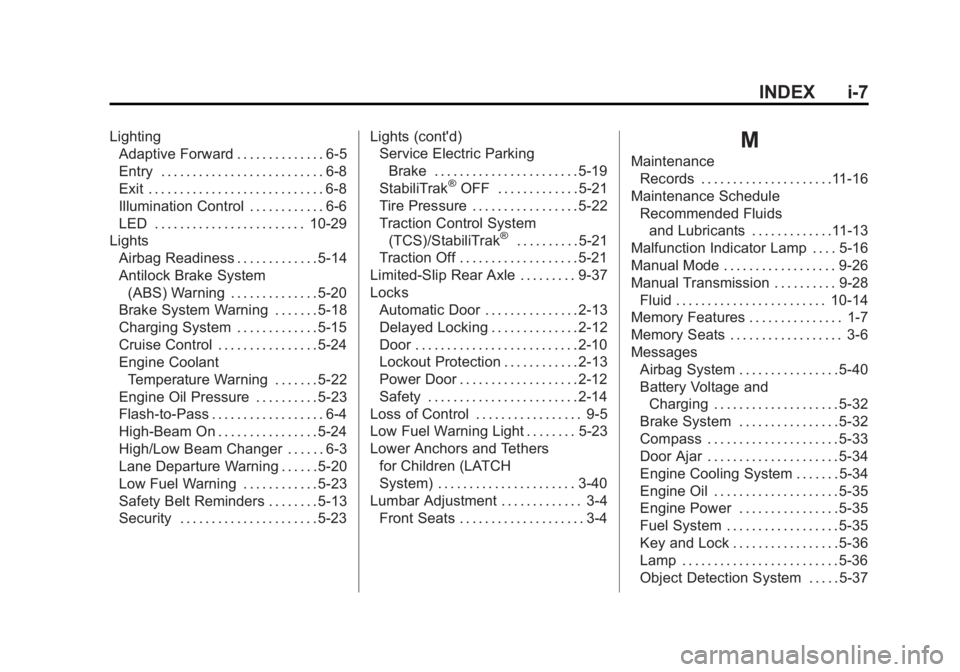
INDEX i-7
LightingAdaptive Forward . . . . . . . . . . . . . . 6-5
Entry . . . . . . . . . . . . . . . . . . . . . . . . . . 6-8
Exit . . . . . . . . . . . . . . . . . . . . . . . . . . . . 6-8
Illumination Control . . . . . . . . . . . . 6-6
LED . . . . . . . . . . . . . . . . . . . . . . . . 10-29
Lights
Airbag Readiness . . . . . . . . . . . . . 5-14
Antilock Brake System(ABS) Warning . . . . . . . . . . . . . . 5-20
Brake System Warning . . . . . . . 5-18
Charging System . . . . . . . . . . . . . 5-15
Cruise Control . . . . . . . . . . . . . . . . 5-24
Engine Coolant
Temperature Warning . . . . . . . 5-22
Engine Oil Pressure . . . . . . . . . . 5-23
Flash-to-Pass . . . . . . . . . . . . . . . . . . 6-4
High-Beam On . . . . . . . . . . . . . . . . 5-24
High/Low Beam Changer . . . . . . 6-3
Lane Departure Warning . . . . . . 5-20
Low Fuel Warning . . . . . . . . . . . . 5-23
Safety Belt Reminders . . . . . . . . 5-13
Security . . . . . . . . . . . . . . . . . . . . . . 5-23 Lights (cont'd)
Service Electric Parking
Brake . . . . . . . . . . . . . . . . . . . . . . . 5-19
StabiliTrak
®OFF . . . . . . . . . . . . . 5-21
Tire Pressure . . . . . . . . . . . . . . . . . 5-22
Traction Control System (TCS)/StabiliTrak
®. . . . . . . . . . 5-21
Traction Off . . . . . . . . . . . . . . . . . . . 5-21
Limited-Slip Rear Axle . . . . . . . . . 9-37
Locks
Automatic Door . . . . . . . . . . . . . . . 2-13
Delayed Locking . . . . . . . . . . . . . . 2-12
Door . . . . . . . . . . . . . . . . . . . . . . . . . . 2-10
Lockout Protection . . . . . . . . . . . . 2-13
Power Door . . . . . . . . . . . . . . . . . . . 2-12
Safety . . . . . . . . . . . . . . . . . . . . . . . . 2-14
Loss of Control . . . . . . . . . . . . . . . . . 9-5
Low Fuel Warning Light . . . . . . . . 5-23
Lower Anchors and Tethers for Children (LATCH
System) . . . . . . . . . . . . . . . . . . . . . . 3-40
Lumbar Adjustment . . . . . . . . . . . . . 3-4 Front Seats . . . . . . . . . . . . . . . . . . . . 3-4
M
Maintenance
Records . . . . . . . . . . . . . . . . . . . . .11-16
Maintenance Schedule Recommended Fluidsand Lubricants . . . . . . . . . . . . .11-13
Malfunction Indicator Lamp . . . . 5-16
Manual Mode . . . . . . . . . . . . . . . . . . 9-26
Manual Transmission . . . . . . . . . . 9-28
Fluid . . . . . . . . . . . . . . . . . . . . . . . . 10-14
Memory Features . . . . . . . . . . . . . . . 1-7
Memory Seats . . . . . . . . . . . . . . . . . . 3-6
Messages
Airbag System . . . . . . . . . . . . . . . . 5-40
Battery Voltage andCharging . . . . . . . . . . . . . . . . . . . . 5-32
Brake System . . . . . . . . . . . . . . . . 5-32
Compass . . . . . . . . . . . . . . . . . . . . . 5-33
Door Ajar . . . . . . . . . . . . . . . . . . . . . 5-34
Engine Cooling System . . . . . . . 5-34
Engine Oil . . . . . . . . . . . . . . . . . . . . 5-35
Engine Power . . . . . . . . . . . . . . . . 5-35
Fuel System . . . . . . . . . . . . . . . . . . 5-35
Key and Lock . . . . . . . . . . . . . . . . . 5-36
Lamp . . . . . . . . . . . . . . . . . . . . . . . . . 5-36
Object Detection System . . . . . 5-37
Page 428 of 434
Black plate (8,1)Cadillac ATS Owner Manual (GMNA-Localizing-U.S./Canada/Mexico-
6014430) - 2014 - 2nd Edition - 8/23/13
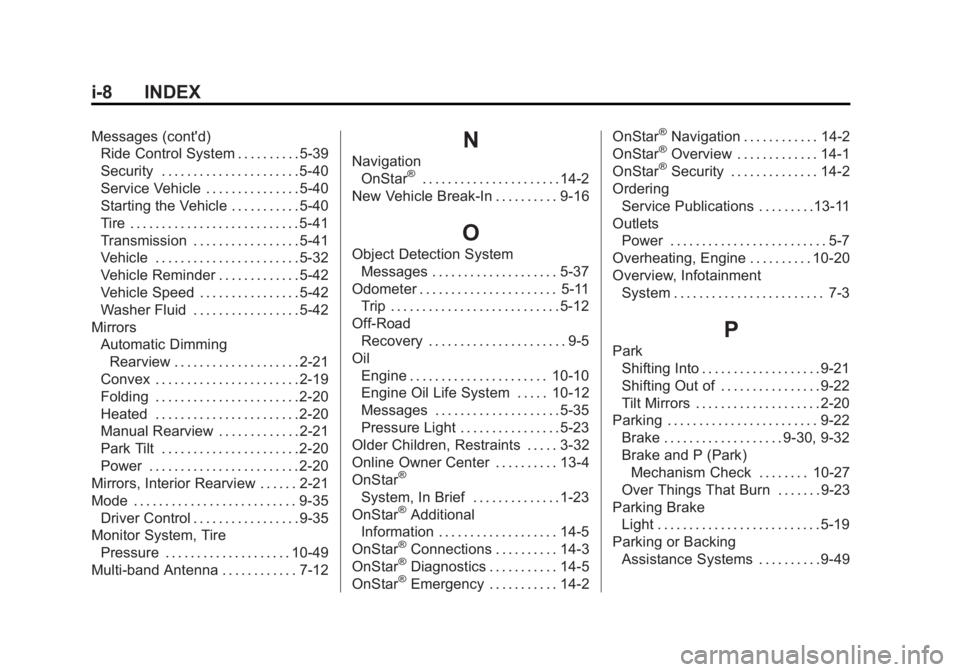
i-8 INDEX
Messages (cont'd)Ride Control System . . . . . . . . . . 5-39
Security . . . . . . . . . . . . . . . . . . . . . . 5-40
Service Vehicle . . . . . . . . . . . . . . . 5-40
Starting the Vehicle . . . . . . . . . . . 5-40
Tire . . . . . . . . . . . . . . . . . . . . . . . . . . . 5-41
Transmission . . . . . . . . . . . . . . . . . 5-41
Vehicle . . . . . . . . . . . . . . . . . . . . . . . 5-32
Vehicle Reminder . . . . . . . . . . . . . 5-42
Vehicle Speed . . . . . . . . . . . . . . . . 5-42
Washer Fluid . . . . . . . . . . . . . . . . . 5-42
Mirrors Automatic DimmingRearview . . . . . . . . . . . . . . . . . . . . 2-21
Convex . . . . . . . . . . . . . . . . . . . . . . . 2-19
Folding . . . . . . . . . . . . . . . . . . . . . . . 2-20
Heated . . . . . . . . . . . . . . . . . . . . . . . 2-20
Manual Rearview . . . . . . . . . . . . . 2-21
Park Tilt . . . . . . . . . . . . . . . . . . . . . . 2-20
Power . . . . . . . . . . . . . . . . . . . . . . . . 2-20
Mirrors, Interior Rearview . . . . . . 2-21
Mode . . . . . . . . . . . . . . . . . . . . . . . . . . 9-35 Driver Control . . . . . . . . . . . . . . . . . 9-35
Monitor System, Tire Pressure . . . . . . . . . . . . . . . . . . . . 10-49
Multi-band Antenna . . . . . . . . . . . . 7-12N
Navigation OnStar®. . . . . . . . . . . . . . . . . . . . . . 14-2
New Vehicle Break-In . . . . . . . . . . 9-16
O
Object Detection System Messages . . . . . . . . . . . . . . . . . . . . 5-37
Odometer . . . . . . . . . . . . . . . . . . . . . . 5-11
Trip . . . . . . . . . . . . . . . . . . . . . . . . . . . 5-12
Off-Road Recovery . . . . . . . . . . . . . . . . . . . . . . 9-5
Oil
Engine . . . . . . . . . . . . . . . . . . . . . . 10-10
Engine Oil Life System . . . . . 10-12
Messages . . . . . . . . . . . . . . . . . . . . 5-35
Pressure Light . . . . . . . . . . . . . . . . 5-23
Older Children, Restraints . . . . . 3-32
Online Owner Center . . . . . . . . . . 13-4
OnStar
®
System, In Brief . . . . . . . . . . . . . . 1-23
OnStar®Additional
Information . . . . . . . . . . . . . . . . . . . 14-5
OnStar
®Connections . . . . . . . . . . 14-3
OnStar®Diagnostics . . . . . . . . . . . 14-5
OnStar®Emergency . . . . . . . . . . . 14-2 OnStar
®Navigation . . . . . . . . . . . . 14-2
OnStar®Overview . . . . . . . . . . . . . 14-1
OnStar®Security . . . . . . . . . . . . . . 14-2
Ordering Service Publications . . . . . . . . .13-11
Outlets Power . . . . . . . . . . . . . . . . . . . . . . . . . 5-7
Overheating, Engine . . . . . . . . . . 10-20
Overview, Infotainment System . . . . . . . . . . . . . . . . . . . . . . . . 7-3
P
ParkShifting Into . . . . . . . . . . . . . . . . . . . 9-21
Shifting Out of . . . . . . . . . . . . . . . . 9-22
Tilt Mirrors . . . . . . . . . . . . . . . . . . . . 2-20
Parking . . . . . . . . . . . . . . . . . . . . . . . . 9-22 Brake . . . . . . . . . . . . . . . . . . . 9-30, 9-32
Brake and P (Park)
Mechanism Check . . . . . . . . 10-27
Over Things That Burn . . . . . . . 9-23
Parking Brake Light . . . . . . . . . . . . . . . . . . . . . . . . . . 5-19
Parking or Backing Assistance Systems . . . . . . . . . . 9-49