ECO mode CADILLAC ATS 2016 1.G Owner's Manual
[x] Cancel search | Manufacturer: CADILLAC, Model Year: 2016, Model line: ATS, Model: CADILLAC ATS 2016 1.GPages: 348, PDF Size: 3.38 MB
Page 194 of 348
Cadillac ATS/ATS-V Owner Manual (GMNA-Localizing-MidEast-9369639) -
2016 - crc - 12/9/15
Driving and Operating 193
driven. The engine will not start in
Service Only Mode. Push the button
again to turn the vehicle off.
Starting the Engine
Move the shift lever to P (Park) or
N (Neutral). To restart the vehicle
when it is already moving, use
N (Neutral) only.
Caution
If you add electrical parts or
accessories, you could change
the way the engine operates. Any
resulting damage would not be
covered by the vehicle warranty.
SeeAdd-On Electrical
Equipment 0243.
Caution
Do not try to shift to P (Park) if the
vehicle is moving. If you do, you
could damage the transmission.
Shift to P (Park) only when the
vehicle is stopped. Starting Procedure (Keyless
Access)
1. With the Keyless Access system, the RKE transmitter
must be in the vehicle. Press
ENGINE START/STOP with the
brake pedal applied. When the
engine begins cranking, let go
of the button.
The idle speed will go down as
the engine gets warm. Do not
race the engine immediately
after starting it.
If the RKE transmitter is not in
the vehicle, if there is
interference, or the RKE
battery is low, the Driver
Information Center (DIC) will
display a message. See
Remote Keyless Entry (RKE)
System Operation 029 and
Key and Lock Messages 0135.
Caution
Cranking the engine for long
periods of time, by pressing
ENGINE START/STOP
immediately after cranking has
ended, can overheat and damage
the cranking motor, and drain the
battery. Wait at least 15 seconds
between each try, to let the
cranking motor cool down.
2. If the engine does not start after five to 10 seconds,
especially in very cold weather
(below −18 °C or 0 °F), it could
be flooded with too much
gasoline. Try pushing the
accelerator pedal all the way to
the floor and holding it there as
you press ENGINE START/
STOP, for up to a maximum of
15 seconds. Wait at least
15 seconds between each try,
to allow the cranking motor to
cool down. When the engine
starts, let go of the button and
the accelerator. If the vehicle
starts briefly but then stops
Page 200 of 348
Cadillac ATS/ATS-V Owner Manual (GMNA-Localizing-MidEast-9369639) -
2016 - crc - 12/9/15
Driving and Operating 199
{Warning
Shifting into a drive gear while the
engine is running at high speed is
dangerous. Unless your foot is
firmly on the brake pedal, the
vehicle could move very rapidly.
You could lose control and hit
people or objects. Do not shift
into a drive gear while the engine
is running at high speed.
Caution
Shifting out of P (Park) or
N (Neutral) with the engine
running at high speed may
damage the transmission. The
repairs would not be covered by
the vehicle warranty. Be sure the
engine is not running at high
speed when shifting the vehicle.D (Drive) :
This position is for
normal driving. It provides the best
fuel economy. If you need more
power for passing, and you are:
. Going less than 55 km/h
(35 mph), push the accelerator
pedal about halfway down.
. Going about 55 km/h (35 mph) or
more, push the accelerator all
the way down.
The transmission will shift down
to a lower gear and have more
power.
Downshifting the transmission in
slippery road conditions could result
in skidding; see “Skidding”under
Loss of Control 0179.
Caution
Spinning the tires or holding the
vehicle in one place on a hill
using only the accelerator pedal
may damage the transmission.
The repair will not be covered by
the vehicle warranty. If you are
(Continued)
Caution (Continued)
stuck, do not spin the tires. When
stopping on a hill, use the brakes
to hold the vehicle in place.
While in Sport Mode, the vehicle
monitors driving behavior, and
automatically enables Performance
Shift Features when spirited driving
is detected. These features maintain
lower transmission gears to
increase available engine braking
and improve acceleration response.
The vehicle will exit these features
and return to normal operation after
a short period when no spirited
driving is detected. See Driver Mode
Control 0207.
Page 202 of 348
Cadillac ATS/ATS-V Owner Manual (GMNA-Localizing-MidEast-9369639) -
2016 - crc - 12/9/15
Driving and Operating 201
3. To cancel DSC, move the shiftlever back to D (Drive).
Tap Shift Mode can also be used
temporarily while driving in
D (Drive). Pull either the (+) upshift
or (−) downshift control.
To cancel Tap Shift Mode, hold
the (+) upshift control for
two seconds. If no action is taken,
the vehicle returns to automatic
shifting after a brief period of driving
at a steady speed, or when the
vehicle comes to a stop.
While using the DSC feature, the
vehicle will have firmer, quicker
shifting. This can be used for sport
driving, climbing or descending hills,
staying in gear longer, downshifting
for more power, or engine braking. The transmission will only allow
shifting into gears appropriate for
the vehicle speed and engine
revolutions per minute (rpm). The
transmission will not automatically
shift to the next lower or higher gear
if the engine rpm is too high or
too low.
If shifting is prevented for any
reason, a DIC message will appear.
See
Transmission Messages 0141.
When accelerating the vehicle from
a stop in snowy and icy conditions,
it is suggested to shift into second
gear. A higher gear allows the
vehicle to gain more traction on
slippery surfaces. See Driver Mode
Control 0207.Brakes
Antilock Brake
System (ABS)
This vehicle has ABS, an advanced
electronic braking system that helps
prevent a braking skid.
When the vehicle begins to drive
away, ABS checks itself.
A momentary motor or clicking noise
might be heard while this test is
going on, and it might even be
noticed that the brake pedal moves
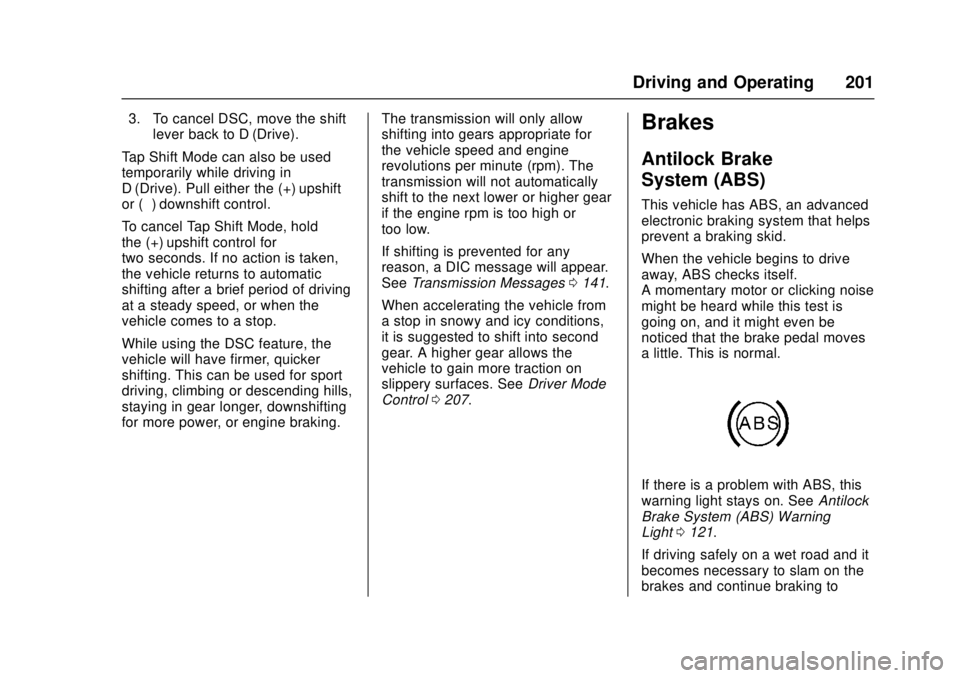
a little. This is normal.
If there is a problem with ABS, this
warning light stays on. See Antilock
Brake System (ABS) Warning
Light 0121.
If driving safely on a wet road and it
becomes necessary to slam on the
brakes and continue braking to
Page 208 of 348
Cadillac ATS/ATS-V Owner Manual (GMNA-Localizing-MidEast-9369639) -
2016 - crc - 12/9/15
Driving and Operating 207
Adding accessories can affect the
vehicle performance. See
Accessories and
Modifications0245.
Driver Mode Control
Driver Mode Control attempts to add
a sportier feel, provide a more
comfortable ride, or assist in
different weather conditions or
terrain. This system simultaneously
changes the software calibration of
various sub-systems. Depending on
the option package, available
features, and mode selected, the
suspension, steering, and
powertrain will change calibrations
to achieve the desired mode
characteristics. If the vehicle is
equipped with Magnetic Ride
Control, selecting the various Driver
Modes adjusts the ride of the
vehicle to enhance the ride
performance for the road conditions
and the selected mode.
The Driver Mode Control has three
or four modes: Tour, Sport, Snow/
Ice, and Track (LF4 Only). Press
and release the MODE button (ATS) or press the
yorzbutton (ATS-V)
on the center console to activate the
mode menu in the cluster. The first
press of the button will show the
current mode. Subsequent presses
will scroll though the available
modes. The Tour and Sport modes
will feel similar on a smooth road.
Select a new setting whenever
driving conditions change.
Tour Mode
Use for normal city and highway
driving to provide a smooth,
soft ride.
Sport Mode
Use where road conditions or
personal preference demand a more
controlled response.
When selected, the Sport mode
indicator will display in the Driver
Information Center (DIC).
When in Sport or Track mode, the
vehicle will shift automatically but
may hold a lower gear longer than it
would in the normal driving mode
based on braking, throttle input, and vehicle lateral acceleration. See
Automatic Transmission
0198. The
steering will change to provide more
precise control. If the vehicle has
Magnetic Ride Control, the
suspension will change to provide
better cornering performance.
Competitive Driving Mode can be
accessed through this mode.
Snow/Ice Mode
Use when more traction is needed
during slippery conditions. The
transmission will use 2 (Second)
gear instead of 1 (First) gear when
accelerating from a stop. The
vehicle will upshift normally when
the vehicle is moving.
For LF4 only, Snow/Ice mode will
use a different accelerator pedal
map to optimize traction on a
slippery surface. The accelerator
pedal will reduce engine torque at
small pedal inputs. The transmission
will also shift differently to assist in
maintaining traction.
When selected, the Snow/Ice mode
indicator will display in the DIC.
Page 209 of 348
Cadillac ATS/ATS-V Owner Manual (GMNA-Localizing-MidEast-9369639) -
2016 - crc - 12/9/15
208 Driving and Operating
This feature is not intended for use
when the vehicle is stuck in sand,
mud, ice, snow, or gravel. If the
vehicle becomes stuck, seeIf the
Vehicle Is Stuck 0186.
Track Mode (LF4 Only)
Use when maximum vehicle
handling is desired. When selected,
the Track Mode indicator will display
in the DIC.
Accelerator pedal is adjusted to give
maximum control during the highest
level of spirited driving.
The automatic transmission and
steering will function similar to
Sport Mode.
The Magnetic Ride Control will be
set to the optimum level for vehicle
responsiveness.
Competitive Driving Mode can be
accessed through this mode.
Use when driving on a closed race
course or drag strip.
Vehicle systems are optimized for
maximum track performance. This mode allows entry to
Performance Traction Management
(PTM) in the Competitive
Driving Mode.
Competitive Driving Mode
(LF4 and V-Series Only)
To select this optional handling
mode, press the
Ybutton quickly
two times and the DIC will display
the appropriate message. While in
the Competitive Driving Mode, the
traction off light
iand StabiliTrak
OFF light
gwill come on in the
instrument cluster. TCS does not
limit wheel spin, the Electronic
Limited-Slip Differential (ELSD)
allows increased vehicle agility, and
more effort is required to turn the
steering wheel. See “Limited-Slip
Rear Axle (LF4 and V-Series Only)”
later in this section. Adjust your
driving accordingly.
Press the
Ybutton again, or turn
the ignition to ACC/ACCESSORY
and restart the vehicle, to turn TCS back on. The traction off light
iand
StabiliTrak OFF light
gwill go out in
the instrument cluster.
Caution
When traction control is turned
off, or Competitive Driving Mode
is active, it is possible to lose
traction.
Performance Traction
Management (V-Series Only)
Performance Traction Management
(PTM) integrates the Traction
Control, StabiliTrak, and Magnetic
Ride Control systems to provide
improved and consistent
performance when cornering. The
amount of available engine power is
based on the mode selected, track
conditions, driver skill, and the
radius of each corner.
Page 210 of 348
Cadillac ATS/ATS-V Owner Manual (GMNA-Localizing-MidEast-9369639) -
2016 - crc - 12/9/15
Driving and Operating 209
This light is on when the vehicle is
in the PTM mode.
To select this optional handling
mode, the vehicle mode must be
Track. Then quickly press the TCS/
StabiliTrak
Ybutton on the center
console two times. PERF TRAC 1 -
WET ACTIVE HANDLING ON
displays in the DIC.
When PTM is active, the up and
down buttons will no longer change
Drive Modes, but instead change
PTM modes.
To select a mode while in PTM,
press the Driver Mode Control/PTM
buttons on the center console.
To experience the performance
benefit of this system, after entering
a curve and at the point where
normal acceleration occurs, fully
push the accelerator pedal. The PTM system will modify the level of
engine power for a smooth and
consistent corner exit.
The PTM system contains five
modes. These modes are selected
by pressing the Driver Mode
Control/PTM buttons on the center
console. Scroll up or down through
modes 1-5 by pressing the MODE
SELECT up and down button The
following is a DIC display
description and the recommended
usage of each mode:
PERF TRAC 1
–WET ACTIVE
HANDLING ON
. Intended for all driver skill levels.
. Wet or damp conditions only —
not intended for use in heavy
rain or standing water.
. StabiliTrak is on and engine
power is reduced based on
conditions.
PERF TRAC 2 –DRY ACTIVE
HANDLING ON
. For use by less experienced
drivers or while learning a new
track. .
Dry conditions only.
. StabiliTrak is on and engine
power is slightly reduced.
PERF TRAC 3 –SPORT
ACTIVE HANDLING ON
. For use by drivers who are
familiar with the track.
. Dry conditions only.
. Requires more driving skill than
mode 2.
. StabiliTrak is on and more
engine power is available than in
mode 2.
PERF TRAC 4 –SPORT
ACTIVE HANDLING OFF
. For use by drivers who are
familiar with the track.
. Dry conditions only.
. Requires more driving skill than
modes 2 or 3.
. StabiliTrak is off and available
engine power is the same as
mode 3.
Page 212 of 348

Cadillac ATS/ATS-V Owner Manual (GMNA-Localizing-MidEast-9369639) -
2016 - crc - 12/9/15
Driving and Operating 211
Limited-Slip Rear Axle
(Except LF4 and V-Series)
If equipped, the mechanical
limited-slip differential can give more
traction on snow, mud, ice, sand,
or gravel. It works like a standard
axle most of the time, but when
traction is low, this feature allows
the drive wheel with the most
traction to move the vehicle. For
vehicles with limited slip differential,
driven under severe conditions, the
rear axle fluid should be changed.
SeeCompetitive Driving Mode
(LF4 and V-Series Only) 0208 and
Maintenance Schedule 0323.
Limited-Slip Rear Axle
(LF4 and V-Series Only)
If equipped, the Electronic
Limited-Slip Differential (ELSD) is
automatically activated. ELSD
actively monitors vehicle sensors
and driver inputs to determine the
amount of change for the
conditions. With ELSD, the
vehicle has:
.
Enhanced high-speed control.
. Improved traction through
corners, allowing more
acceleration.
. More precise steering.
. Increased vehicle agility.
. Integration with StabiliTrak.
For vehicles with ELSD, driven
under severe conditions, the rear
axle fluid should be changed. See
Competitive Driving Mode (LF4 and
V-Series Only) 0208 and
Maintenance Schedule 0323.
Cruise Control
With cruise control, a speed of
about 40 km/h (25 mph) or more can
be maintained without keeping your
foot on the accelerator. Cruise
control does not work at speeds
below about 40 km/h (25 mph).
{Warning
Cruise control can be dangerous
where you cannot drive safely at
a steady speed. Do not use
cruise control on winding roads or
in heavy traffic.
Cruise control can be dangerous
on slippery roads. On such roads,
fast changes in tire traction can
cause excessive wheel slip, and
you could lose control. Do not use
cruise control on slippery roads.
If the StabiliTrak
®system begins to
limit wheel spin while using cruise
control, the cruise control
automatically disengages. See
Traction Control/Electronic Stability
Control 0205. If a collision alert
Page 214 of 348
Cadillac ATS/ATS-V Owner Manual (GMNA-Localizing-MidEast-9369639) -
2016 - crc - 12/9/15
Driving and Operating 213
Once the vehicle speed reaches
about 40 km/h (25 mph) or more,
briefly press +RES up to the first
detent. The vehicle returns to the
previous set speed.
Increasing Speed While Cruise
Control is at a Set Speed
If the cruise control system is
already activated:
.Press and hold +RES up until
the desired speed is reached,
then release it.
. To increase vehicle speed in
small increments, briefly press
+RES up to the first detent. For
each press, the vehicle goes
about 1 km/h (1 mph) faster.
. To increase vehicle speed in
larger increments, briefly press
+RES up to the second detent.
For each press, the vehicle
speed increases to the next
5 km/h (5 mph) mark on the
speedometer. The speedometer reading can be
displayed in either English or metric
units. See
Instrument Cluster 0111.
The increment value used depends
on the units displayed.
Reducing Speed While Cruise
Control is at a Set Speed
If the cruise control system is
already activated:
. Press and hold SET− down until
the desired lower speed is
reached, then release it.
. To decrease the vehicle speed in
small increments, briefly press
SET− down to the first detent.
For each press, the vehicle goes
about 1 km/h (1 mph) slower.
. To decrease the vehicle speed in
larger increments, briefly press
SET− down to the second
detent. For each press, the
vehicle speed decreases to the
next 5 km/h (5 mph) mark on the
speedometer.
The cruise control system may
automatically brake to slow the
vehicle down (ATS model only). The speedometer reading can be
displayed in either English or metric
units. See
Instrument Cluster 0111.
The increment value used depends
on the units displayed.
Passing Another Vehicle While
Using Cruise Control
Use the accelerator pedal to
increase the vehicle speed. When
you take your foot off the pedal, the
vehicle will slow down to the
previously set cruise speed. While
pressing the accelerator pedal or
shortly following the release to
override cruise control, briefly
applying the SET– switch will result
in cruise control set to the current
vehicle speed.
Using Cruise Control on Hills
How well the cruise control will work
on hills depends upon the vehicle
speed, load, and the steepness of
the hills. When going up steep hills,
you might have to step on the
accelerator pedal to maintain the
vehicle speed. When going
downhill, the cruise control system
may automatically brake to slow the
vehicle down (ATS model only).
Page 292 of 348
Cadillac ATS/ATS-V Owner Manual (GMNA-Localizing-MidEast-9369639) -
2016 - crc - 12/9/15
Vehicle Care 291
the sensor matching process is
performed successfully. See
your dealer for service.
. Replacement tires or wheels do
not match the original equipment
tires or wheels. Tires and wheels
other than those recommended
could prevent the TPMS from
functioning properly. See Buying
New Tires 0294.
. Operating electronic devices or
being near facilities using radio
wave frequencies similar to the
TPMS could cause the TPMS
sensors to malfunction.
If the TPMS is not functioning
properly it cannot detect or signal a
low tire condition. See your dealer
for service if the TPMS malfunction
light and DIC message comes on
and stays on.
TPMS Sensor Matching
Process
Each TPMS sensor has a unique
identification code. The identification
code needs to be matched to a new
tire/wheel position after rotating the
vehicle’s tires or replacing one or more of the TPMS sensors. The
TPMS sensor matching process
should also be performed after
replacing a spare tire with a road
tire containing the TPMS sensor.
The malfunction light and the DIC
message should go off at the next
ignition cycle. The sensors are
matched to the tire/wheel positions,
using a TPMS relearn tool, in the
following order: driver side front tire,
passenger side front tire, passenger
side rear tire, and driver side rear.
See your dealer for service or to
purchase a relearn tool.
There are two minutes to match the
first tire/wheel position, and
five minutes overall to match all four
tire/wheel positions. If it takes
longer, the matching process stops
and must be restarted.
The TPMS sensor matching
process is:
1. Set the parking brake.
2. Place the vehicle power mode in ON/RUN/START. See
Ignition Positions 0191. 3. Make sure the Tire Pressure
info display option is turned on.
The info displays on the DIC
can be turned on and off
through the Settings menu.
See Driver Information Center
(DIC) 0126.
4. Use the five-way DIC control on the right side of the steering
wheel to scroll to the Tire
Pressure screen under the DIC
info page. See Driver
Information Center (DIC) 0126.
5. Press and hold the SEL button in the center of the five-way
DIC control.
The horn sounds twice to
signal the receiver is in relearn
mode and the TIRE
LEARNING ACTIVE message
displays on the DIC screen.
6. Start with the driver side front tire.
7. Place the relearn tool against the tire sidewall, near the valve
stem. Then press the button to
activate the TPMS sensor.
A horn chirp confirms that the
Page 341 of 348

Cadillac ATS/ATS-V Owner Manual (GMNA-Localizing-MidEast-9369639) -
2016 - crc - 12/9/15
340 Index
Coolant (cont'd)Engine Temperature
Warning Light . . . . . . . . . . . . . . . 123
Cooling System . . . . . . . . . . . . 259, 261
Engine Messages . . . . . . . . . . . . 134
Courtesy Lamps . . . . . . . . . . . . . . . . 155
Cruise Control . . . . . . . . . . . . . . . . . . 211 Light . . . . . . . . . . . . . . . . . . . . . . . . . . 126
Messages . . . . . . . . . . . . . . . . . . . . 133
Cruise Control, Adaptive . . . . . . . . 214
Cupholders . . . . . . . . . . . . . . . . . . . . . 101
D
Danger, Warning, and Caution . . . . 2
Data Recorder Performance . . . . . . . . . . . . . . . . . . 158
Data Recorders, Event . . . . . . . . . 336
Daytime Running Lamps (DRL) . . . . . . . . . . . . . . . . . . 152
Defensive Driving . . . . . . . . . . . . . . . 177
Delayed Locking . . . . . . . . . . . . . . . . . 37
Distracted Driving . . . . . . . . . . . . . . . 176
Dome Lamps . . . . . . . . . . . . . . . . . . . 155
Door Ajar Messages . . . . . . . . . . . . . . . 133
Delayed Locking . . . . . . . . . . . . . . . . 37
Locks . . . . . . . . . . . . . . . . . . . . . . . . . . . 35
Power Locks . . . . . . . . . . . . . . . . . . . . 37
Rear Seat Pass-Through . . . . . . . 64 Drive Belt Routing, Engine . . . . . . 335
Driver Assistance Systems . . . . . 221
Driver Information
Center (DIC) . . . . . . . . . . . . . . . . . . 126
Driver Mode Control . . . . . . . . . . . . 207
Driving Assistance Systems . . . . . . . . . . 226
Characteristics and
Towing Tips . . . . . . . . . . . . . . . . . 238
Competitive . . . . . . . . . . . . . . . . . . . 208
Defensive . . . . . . . . . . . . . . . . . . . . . 177
For Better Fuel Economy . . . . . . . 27
Hill and Mountain Roads . . . . . . 184
If the Vehicle is Stuck . . . . . . . . . 186
Loss of Control . . . . . . . . . . . . . . . 179
Off-Road Recovery . . . . . . . . . . . 178
Track Events and Competitive . . . . . . . . . . . . . . . . . 179
Vehicle Load Limits . . . . . . . . . . . 187
Wet Roads . . . . . . . . . . . . . . . . . . . 184
Winter . . . . . . . . . . . . . . . . . . . . . . . . 185
Dual Automatic Climate Control System . . . . . . . . . . . 164, 168
E
Easy Entry Seat . . . . . . . . . . . . . . . . . 53
Electrical Equipment,Add-On . . . . . . . . . . . . . . . . . . . . . . . 243
Electrical System
Engine Compartment FuseBlock . . . . . . . . . . . . . . . . . . . . . . . . 275
Fuses and Circuit Breakers . . . 275
Instrument Panel Fuse Block . . . . . . . . . . . . . . . . . . . . . . . . 278
Overload . . . . . . . . . . . . . . . . . . . . . 274
Rear Compartment Fuse Block . . . . . . . . . . . . . . . . . . . . . . . . 281
Engine
Air Cleaner/Filter . . . . . . . . . . . . . 258
Check and Service EngineSoon Light . . . . . . . . . . . . . . . . . . .118
Compartment Overview . . . . . . . 247
Coolant . . . . . . . . . . . . . . . . . . . . . . . 261
Coolant Temperature Gauge . . . . . . . . . . . . . . . . . . . . . . .115
Coolant Temperature Warning Light . . . . . . . . . . . . . . . 123
Cooling System . . . . . . . . . . 259, 261
Cooling System Messages . . . 134
Drive Belt Routing . . . . . . . . . . . . 335
Exhaust . . . . . . . . . . . . . . . . . . . . . . 197
Oil Life System . . . . . . . . . . . . . . . 256