fuse CADILLAC ATS 2016 1.G Owners Manual
[x] Cancel search | Manufacturer: CADILLAC, Model Year: 2016, Model line: ATS, Model: CADILLAC ATS 2016 1.GPages: 348, PDF Size: 3.38 MB
Page 4 of 348
Cadillac ATS/ATS-V Owner Manual (GMNA-Localizing-MidEast-9369639) -
2016 - crc - 12/9/15
Introduction 3
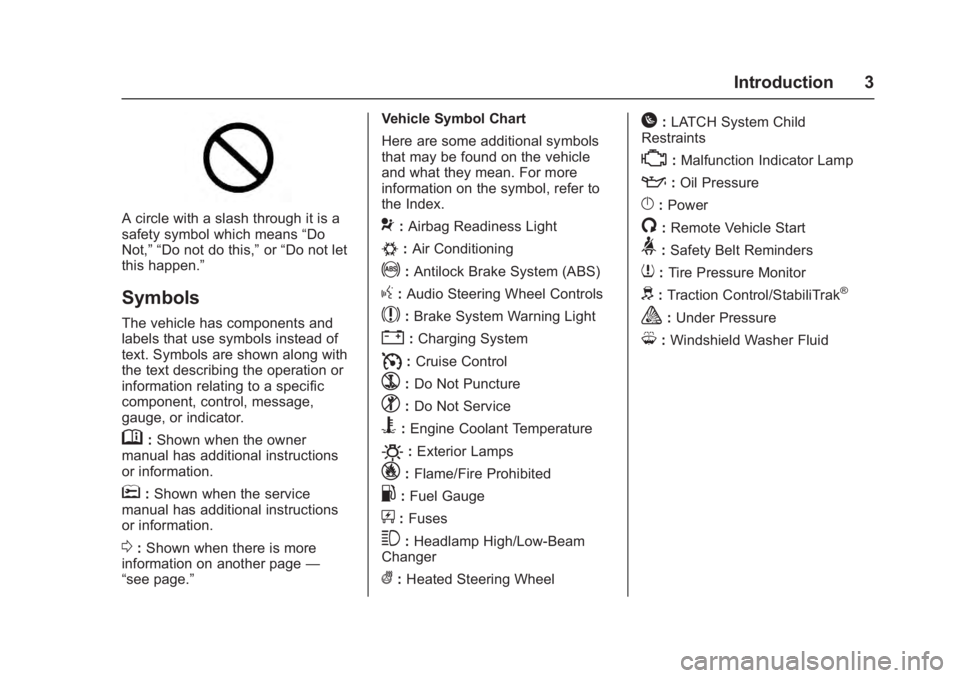
A circle with a slash through it is a
safety symbol which means“Do
Not,” “Do not do this,” or“Do not let
this happen.”
Symbols
The vehicle has components and
labels that use symbols instead of
text. Symbols are shown along with
the text describing the operation or
information relating to a specific
component, control, message,
gauge, or indicator.
M: Shown when the owner
manual has additional instructions
or information.
*: Shown when the service
manual has additional instructions
or information.
0: Shown when there is more
information on another page —
“see page.” Vehicle Symbol Chart
Here are some additional symbols
that may be found on the vehicle
and what they mean. For more
information on the symbol, refer to
the Index.
9:
Airbag Readiness Light
#:Air Conditioning
!:Antilock Brake System (ABS)
g: Audio Steering Wheel Controls
$:Brake System Warning Light
":Charging System
I: Cruise Control
`:Do Not Puncture
^:Do Not Service
B:Engine Coolant Temperature
O:Exterior Lamps
_: Flame/Fire Prohibited
.:Fuel Gauge
+: Fuses
3:Headlamp High/Low-Beam
Changer
(: Heated Steering Wheel
H:LATCH System Child
Restraints
*: Malfunction Indicator Lamp
::Oil Pressure
}:Power
/:Remote Vehicle Start
>: Safety Belt Reminders
7:Tire Pressure Monitor
d:Traction Control/StabiliTrak®
a:Under Pressure
M: Windshield Washer Fluid
Page 108 of 348
Cadillac ATS/ATS-V Owner Manual (GMNA-Localizing-MidEast-9369639) -
2016 - crc - 12/9/15
Instruments and Controls 107
{Warning
In freezing weather, do not use
the washer until the windshield is
warmed. Otherwise the washer
fluid can form ice on the
windshield, blocking your vision.
Clock
The infotainment system controls
are used to access the time and
date settings through the menu
system. See“Overview”in the
infotainment manual for information
about how to use the menu system.
Setting the Time
To set the time:
1. Press the SETTINGS screen button and press Time
and Date.
2. Press Set Time and press + or −to increase or decrease
hours, minutes, and AM or PM.
Press 12Hr or 24Hr for 12 or
24 hour clock. 3. Press
}to go back to the
previous menu.
If auto timing is set, the time
displayed on the clock may not
update immediately when driving
into a new time zone.
To set the date: 1. Press the SETTINGS screen button and press Time
and Date.
2. Press Set Date and press + or −to increase or decrease
month, day, or year.
3. Press
}to go back to the
previous menu.
To set the clock display: 1. Press the SETTINGS screen button and press Time
and Date.
2. Press Clock Display and press OFF or ON to turn the clock
display off or on.
3. Press
}to go back to the
previous menu.
Power Outlets
Power Outlet 12 Volt Direct
Current
The accessory power outlets can be
used to plug in electrical equipment,
such as a cell phone or MP3 player.
The vehicle has two accessory
power outlets:
. Inside the front storage bin
below the climate control
system.
. On the rear of the center floor
console.
Lift the cover to access the
accessory power outlet.
Certain electrical accessories may
not be compatible with the
accessory power outlet and could
overload a vehicle circuit breaker or
adapter fuse. If overloaded, the
circuit breaker will reset after all
devices are disconnected or if
Retained Accessory Power (RAP) is
turned off and then back on. See
Retained Accessory Power (RAP)
0 195. Wait one minute to allow the
circuit breaker to reset before
Page 109 of 348
Cadillac ATS/ATS-V Owner Manual (GMNA-Localizing-MidEast-9369639) -
2016 - crc - 12/9/15
108 Instruments and Controls
reconnecting devices or turning
RAP back on. If the problem
continues, the issue could be within
your device. Try another known
good device to make sure the circuit
breaker is operating properly. If this
does not resolve your problem, see
your dealer.
It is possible to replace the factory
power outlet with a cigar lighter
receptacle, if desired. This requires
the factory installed circuit breaker
to be replaced with a standard
minifuse by the dealer. A minifuse
will not reset and will have to be
replace if blown.
Caution
Failure to replace the circuit
breaker with the minifuse could
overheat the cigar lighter and
damage the vehicle.
When adding electrical equipment,
be sure to follow the proper
installation instructions included with
the equipment. See Add-On
Electrical Equipment 0243.
Caution
Hanging heavy equipment from
the power outlet can cause
damage not covered by the
vehicle warranty. The power
outlets are designed for
accessory power plugs only, such
as cell phone charge cords.
Always unplug electrical equipment
when not in use and do not plug in
equipment that exceeds the
maximum 15 amps rating.
Power Outlet 220/230 Volt
Alternating Current
If equipped, this power outlet is on
the rear of the center floor console.
It can be used to plug in electrical
equipment that uses a maximum
limit of 150 watts.
An indicator light on the outlet turns
on to show it is in use. The light
comes on when the ignition is in
ON/RUN/START, equipment
requiring less than 150 watts is
plugged into the outlet, and no
system fault is detected. The indicator light does not come on
when the ignition is in LOCK/OFF or
if the equipment is not fully seated
into the outlet.
If equipment is connected using
more than 150 watts or a system
fault is detected, a protection circuit
shuts off the power supply and the
indicator light turns off. To reset the
circuit, unplug the item and plug it
back in or turn the Retained
Accessory Power (RAP) off and
then back on. See
Retained
Accessory Power (RAP) 0195. The
power restarts when equipment
using 150 watts or less is plugged
into the outlet and a system fault is
not detected.
The power outlet is not designed for
the following and may not work
properly, if this equipment is
plugged in:
. Equipment with high initial peak
wattage such as:
compressor-driven refrigerators
and electric power tools.
Page 156 of 348
Cadillac ATS/ATS-V Owner Manual (GMNA-Localizing-MidEast-9369639) -
2016 - crc - 12/9/15
Lighting 155
If after signaling a turn or lane
change, the arrow flashes rapidly or
does not come on, a signal bulb
might be burned out.
Replace any burned out bulbs. If a
bulb is not burned out, check the
fuse. SeeFuses and Circuit
Breakers 0275.Interior Lighting
Instrument Panel
Illumination Control
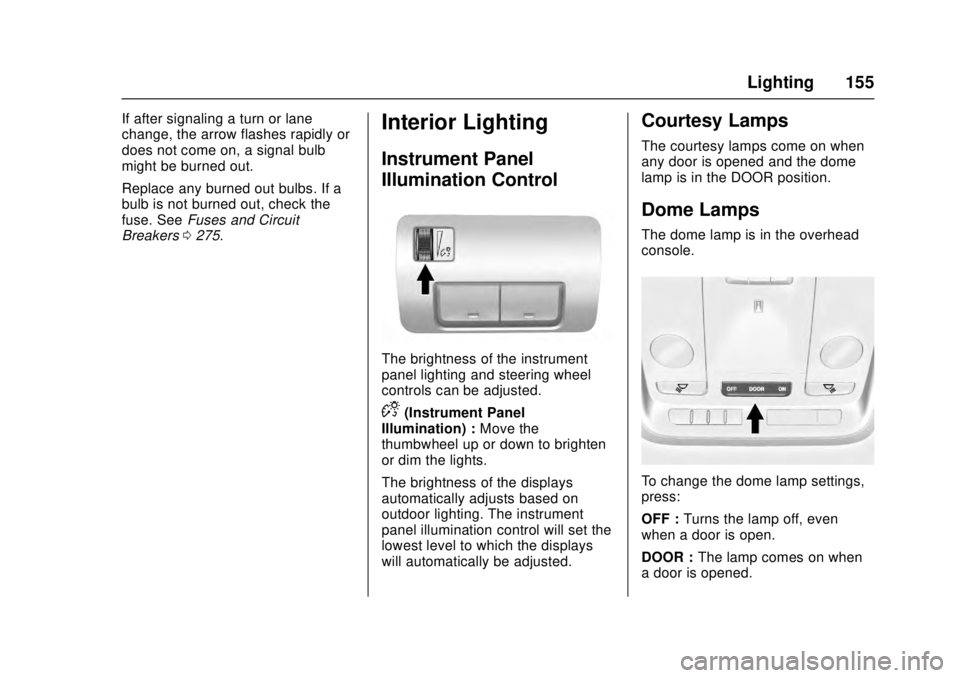
The brightness of the instrument
panel lighting and steering wheel
controls can be adjusted.
D(Instrument Panel
Illumination) : Move the
thumbwheel up or down to brighten
or dim the lights.
The brightness of the displays
automatically adjusts based on
outdoor lighting. The instrument
panel illumination control will set the
lowest level to which the displays
will automatically be adjusted.
Courtesy Lamps
The courtesy lamps come on when
any door is opened and the dome
lamp is in the DOOR position.
Dome Lamps
The dome lamp is in the overhead
console.
To change the dome lamp settings,
press:
OFF : Turns the lamp off, even
when a door is open.
DOOR : The lamp comes on when
a door is opened.
Page 245 of 348
Cadillac ATS/ATS-V Owner Manual (GMNA-Localizing-MidEast-9369639) -
2016 - crc - 12/9/15
244 Vehicle Care
Vehicle Care
General Information
General Information . . . . . . . . . . 245
Accessories andModifications . . . . . . . . . . . . . . . . 245
Vehicle Checks
Doing Your OwnService Work . . . . . . . . . . . . . . . 246
Hood . . . . . . . . . . . . . . . . . . . . . . . . . 246
Engine Compartment Overview . . . . . . . . . . . . . . . . . . . . 247
Engine Oil . . . . . . . . . . . . . . . . . . . . 254
Engine Oil Life System . . . . . . . 256
Automatic Transmission Fluid . . . . . . . . . . . . . . . . . . . . . . . . 257
Engine Air Cleaner/Filter . . . . . . 258
Cooling System (Engine) . . . . . 259
Cooling System (Intercooler) . . . . . . . . . . . . . . . . . 261
Engine Coolant . . . . . . . . . . . . . . . 261
Engine Overheating . . . . . . . . . . 264
Washer Fluid . . . . . . . . . . . . . . . . . 266
Brakes . . . . . . . . . . . . . . . . . . . . . . . 266
Brake Fluid . . . . . . . . . . . . . . . . . . . 267
Battery . . . . . . . . . . . . . . . . . . . . . . . . 268
Starter Switch Check . . . . . . . . . 270 Automatic Transmission Shift
Lock Control Function
Check . . . . . . . . . . . . . . . . . . . . . . . 270
Park Brake and P (Park) Mechanism Check . . . . . . . . . . 270
Wiper Blade Replacement . . . . 271
Windshield Replacement . . . . . 271
Headlamp Aiming
Headlamp Aiming . . . . . . . . . . . . 272
Bulb Replacement
Bulb Replacement . . . . . . . . . . . . 272
Halogen Bulbs . . . . . . . . . . . . . . . . 272
High Intensity Discharge (HID) Lighting . . . . . . . . . . . . . . . . . . . . . 272
LED Lighting . . . . . . . . . . . . . . . . . 272
Back-Up Lamps . . . . . . . . . . . . . . 273
License Plate Lamp . . . . . . . . . . 273
Replacement Bulbs . . . . . . . . . . . 274
Electrical System
Electrical System Overload . . . 274
Fuses and Circuit Breakers . . . 275
Engine Compartment Fuse Block . . . . . . . . . . . . . . . . . . . . . . . . 275
Instrument Panel Fuse Block . . . . . . . . . . . . . . . . . . . . . . . . 278
Rear Compartment Fuse Block . . . . . . . . . . . . . . . . . . . . . . . . 281
Wheels and Tires
Tires . . . . . . . . . . . . . . . . . . . . . . . . . . 283
All-Season Tires . . . . . . . . . . . . . . 284
Winter Tires . . . . . . . . . . . . . . . . . . 284
Run-Flat Tires . . . . . . . . . . . . . . . . 285
Summer Tires . . . . . . . . . . . . . . . . 286
Tire Pressure . . . . . . . . . . . . . . . . . 286
Tire Pressure for High-SpeedOperation . . . . . . . . . . . . . . . . . . . 287
Tire Pressure Monitor System . . . . . . . . . . . . . . . . . . . . . . 288
Tire Pressure Monitor Operation . . . . . . . . . . . . . . . . . . . 289
Tire Inspection . . . . . . . . . . . . . . . . 292
Tire Rotation . . . . . . . . . . . . . . . . . 292
When It Is Time for New Tires . . . . . . . . . . . . . . . . . . . . . . . . 294
Buying New Tires . . . . . . . . . . . . . 294
Different Size Tires and Wheels . . . . . . . . . . . . . . . . . . . . . . 296
Wheel Alignment and Tire Balance . . . . . . . . . . . . . . . . . . . . . 296
Wheel Replacement . . . . . . . . . . 297
Tire Chains . . . . . . . . . . . . . . . . . . . 298
If a Tire Goes Flat . . . . . . . . . . . . 299
Tire Sealant and Compressor Kit . . . . . . . . . . . . . 300
Storing the Tire Sealant and Compressor Kit . . . . . . . . . . . . . 307
Page 249 of 348

Cadillac ATS/ATS-V Owner Manual (GMNA-Localizing-MidEast-9369639) -
2016 - crc - 12/9/15
248 Vehicle Care
1. Windshield Washer FluidReservoir. See Washer
Fluid 0266.
2. Remote Positive (+) Battery Terminal. See Jump
Starting 0307.
3. Remote Negative (-) Battery Terminal. See Jump
Starting 0307.
4. Engine Coolant Surge Tank and Pressure Cap. See
Cooling System (Engine) 0259
or Cooling System
(Intercooler) 0261.
5. Engine Compartment Fuse
Block 0275.
6. Engine Oil Fill Cap. See Engine Oil 0254.
7. Engine Cooling Fan (Out of View). See Cooling System
(Engine) 0259 orCooling
System (Intercooler) 0261.
8. Engine Oil Dipstick. See Engine Oil 0254.
9. Brake Fluid Reservoir. See Brake Fluid 0267.
10. Engine Air Cleaner/Filter 0258.
Page 251 of 348

Cadillac ATS/ATS-V Owner Manual (GMNA-Localizing-MidEast-9369639) -
2016 - crc - 12/9/15
250 Vehicle Care
1. Windshield Washer FluidReservoir. See Washer
Fluid 0266.
2. Remote Positive (+) Battery Terminal. See Jump
Starting 0307.
3. Remote Negative (-) Battery Terminal. See Jump
Starting 0307.
4. Engine Coolant Surge Tank and Pressure Cap. See
Cooling System (Engine) 0259
or Cooling System
(Intercooler) 0261.
5. Engine Compartment Fuse
Block 0275.
6. Engine Oil Fill Cap. See Engine Oil 0254.
7. Engine Cooling Fan (Out of View). See Cooling System
(Engine) 0259 orCooling
System (Intercooler) 0261.
8. Engine Oil Dipstick. See Engine Oil 0254.
9. Brake Fluid Reservoir. See Brake Fluid 0267.
10. Engine Air Cleaner/Filter 0258.
Page 253 of 348

Cadillac ATS/ATS-V Owner Manual (GMNA-Localizing-MidEast-9369639) -
2016 - crc - 12/9/15
252 Vehicle Care
1. Windshield Washer FluidReservoir. See Washer
Fluid 0266.
2. Remote Positive (+) Battery Terminal. See Jump
Starting 0307.
3. Remote Negative (-) Battery Terminal. See Jump
Starting 0307.
4. Engine Coolant Surge Tank and Pressure Cap. See
Cooling System (Engine) 0259
or Cooling System
(Intercooler) 0261.
5. Engine Compartment Fuse
Block 0275.
6. Engine Cooling Fan (Out of View). See Cooling System
(Engine) 0259 orCooling
System (Intercooler) 0261.
7. Engine Oil Fill Cap. See Engine Oil 0254.
8. Engine Oil Dipstick. See Engine Oil 0254.
9. Brake Fluid Reservoir. See Brake Fluid 0267.
10. Engine Air Cleaner/Filter 0258.
Page 255 of 348
Cadillac ATS/ATS-V Owner Manual (GMNA-Localizing-MidEast-9369639) -
2016 - crc - 12/9/15
254 Vehicle Care
1. Windshield Washer FluidReservoir. See Washer
Fluid 0266.
2. Remote Positive (+) Battery Terminal. See Jump
Starting 0307.
3. Remote Negative (-) Battery Terminal. See Jump
Starting 0307.
4. Engine Coolant Surge Tank and Pressure Cap. See
Cooling System (Engine) 0259
or Cooling System
(Intercooler) 0261.
5. Engine Compartment Fuse
Block 0275.
6. Engine Cooling Fan (Out of View). See Cooling System
(Engine) 0259 orCooling
System (Intercooler) 0261.
7. Engine Oil Fill Cap. See Engine Oil 0254.
8. Engine Oil Dipstick. See Engine Oil 0254.
9. Brake Fluid Reservoir. See Brake Fluid 0267.
10. Engine Air Cleaner/Filter 0258.Engine Oil
To ensure proper engine
performance and long life, careful
attention must be paid to engine oil.
Following these simple, but
important steps will help protect
your investment:
.
Use engine oil approved to the
proper specification and of the
proper viscosity grade. See
“Selecting the Right Engine Oil”
in this section.
. Check the engine oil level
regularly and maintain the
proper oil level. See “Checking
Engine Oil” and“When to Add
Engine Oil” in this section.
. Change the engine oil at the
appropriate time. See Engine Oil
Life System 0256.
. Always dispose of engine oil
properly. See “What to Do with
Used Oil” in this section.
Checking Engine Oil
It is a good idea to check the engine
oil level at each fuel fill. In order to
get an accurate reading, the vehicle must be on level ground. The
engine oil dipstick handle is a loop.
See
Engine Compartment Overview
0 247 for the location of the engine
oil dipstick.
1. If the engine has been running recently, turn off the engine and
allow several minutes for the oil
to drain back into the oil pan.
Checking the oil level too soon
after engine shutoff will not
provide an accurate oil level
reading.
{Warning
The engine oil dipstick handle
may be hot; it could burn you.
Use a towel or glove to touch the
dipstick handle.
2. Pull out the dipstick and wipe it with a clean paper towel or
cloth, then push it back in all
the way. Remove it again,
keeping the tip down, and
check the level.
Page 270 of 348
Cadillac ATS/ATS-V Owner Manual (GMNA-Localizing-MidEast-9369639) -
2016 - crc - 12/9/15
Vehicle Care 269
replacement number shown on the
original battery label when a new
battery is needed.
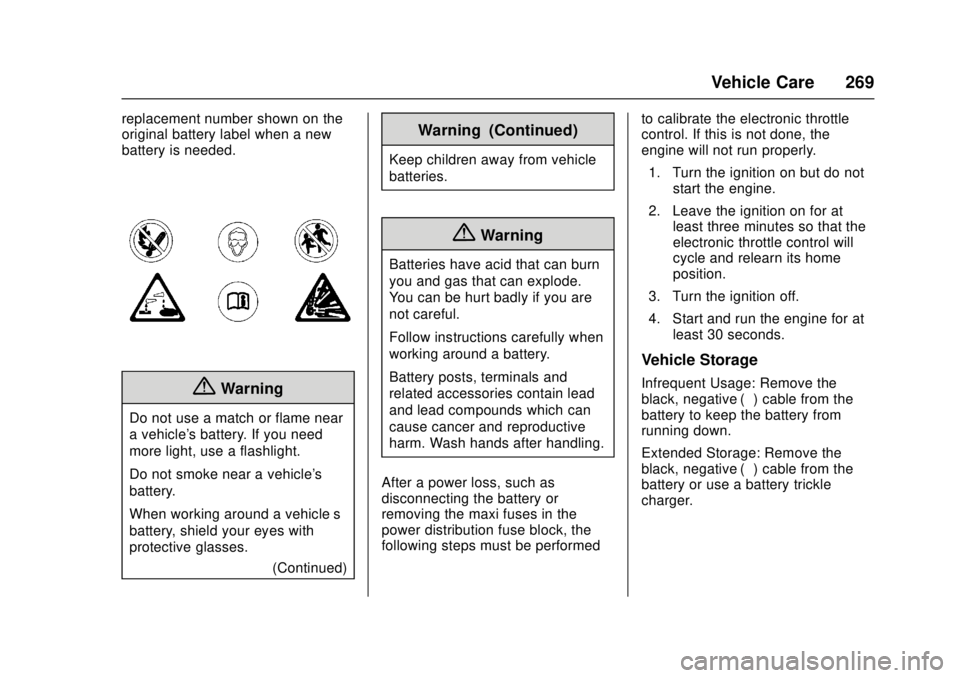
{Warning
Do not use a match or flame near
a vehicle's battery. If you need
more light, use a flashlight.
Do not smoke near a vehicle's
battery.
When working around a vehicle’s
battery, shield your eyes with
protective glasses.(Continued)
Warning (Continued)
Keep children away from vehicle
batteries.
{Warning
Batteries have acid that can burn
you and gas that can explode.
You can be hurt badly if you are
not careful.
Follow instructions carefully when
working around a battery.
Battery posts, terminals and
related accessories contain lead
and lead compounds which can
cause cancer and reproductive
harm. Wash hands after handling.
After a power loss, such as
disconnecting the battery or
removing the maxi fuses in the
power distribution fuse block, the
following steps must be performed to calibrate the electronic throttle
control. If this is not done, the
engine will not run properly.
1. Turn the ignition on but do not start the engine.
2. Leave the ignition on for at least three minutes so that the
electronic throttle control will
cycle and relearn its home
position.
3. Turn the ignition off.
4. Start and run the engine for at least 30 seconds.
Vehicle Storage
Infrequent Usage: Remove the
black, negative (−) cable from the
battery to keep the battery from
running down.
Extended Storage: Remove the
black, negative (−) cable from the
battery or use a battery trickle
charger.