Power steering CADILLAC ATS 2017 1.G User Guide
[x] Cancel search | Manufacturer: CADILLAC, Model Year: 2017, Model line: ATS, Model: CADILLAC ATS 2017 1.GPages: 335, PDF Size: 3.73 MB
Page 173 of 335
Cadillac ATS/ATS-V Owner Manual (GMNA-Localizing-MidEast-10287885) -
2017 - crc - 6/16/16
172 DRIVING AND OPERATING
Braking
Braking action involves perception
time and reaction time. Deciding to
push the brake pedal is perception
time. Actually doing it is
reaction time.
Average driver reaction time is about
three-quarters of a second. In that
time, a vehicle moving at 100 km/h
(60 mph) travels 20 m (66 ft), which
could be a lot of distance in an
emergency.
Helpful braking tips to keep in mind
include:
.Keep enough distance between
you and the vehicle in front
of you.
. Avoid needless heavy braking.
. Keep pace with traffic.
If the engine ever stops while the
vehicle is being driven, brake normally
but do not pump the brakes. Doing so
could make the pedal harder to push
down. If the engine stops, there will
be some power brake assist but it will
be used when the brake is applied. Once the power assist is used up, it
can take longer to stop and the brake
pedal will be harder to push.
Steering
Variable Effort Steering
Some vehicles have a steering system
that varies the amount of effort
required to steer the vehicle in
relation to the speed of the vehicle.
The amount of steering effort required
is less at slower speeds to make the
vehicle more maneuverable and easier
to park. At faster speeds, the steering
effort increases to provide a sport-like
feel to the steering. This provides
maximum control and stability.
Electric Power Steering
The vehicle has electric power
steering. It does not have power
steering fluid. Regular maintenance is
not required.
If power steering assist is lost due to a
system malfunction, the vehicle can
be steered, but may require increased
effort. See your dealer if there is a
problem.If the steering wheel is turned until it
reaches the end of its travel and is
held against that position for an
extended period of time, power
steering assist may be reduced.
If steering assist is used for an
extended period of time, power assist
may be reduced.
Normal use of the power steering
assist should return when the system
cools down.
See specific vehicle steering messages
under
Vehicle Messages 0127.
See your dealer if there is a problem.
Curve Tips
. Take curves at a reasonable speed.
. Reduce speed before entering a
curve.
. Maintain a reasonable steady
speed through the curve.
. Wait until the vehicle is out of the
curve before accelerating gently
into the straightaway.
Page 186 of 335
Cadillac ATS/ATS-V Owner Manual (GMNA-Localizing-MidEast-10287885) -
2017 - crc - 6/16/16
DRIVING AND OPERATING 185
{Warning
Rocker extensions may break under
pressure, resulting in property
damage or injury. Do not stand on
the rocker extension or use it as
a step.
Ignition Positions
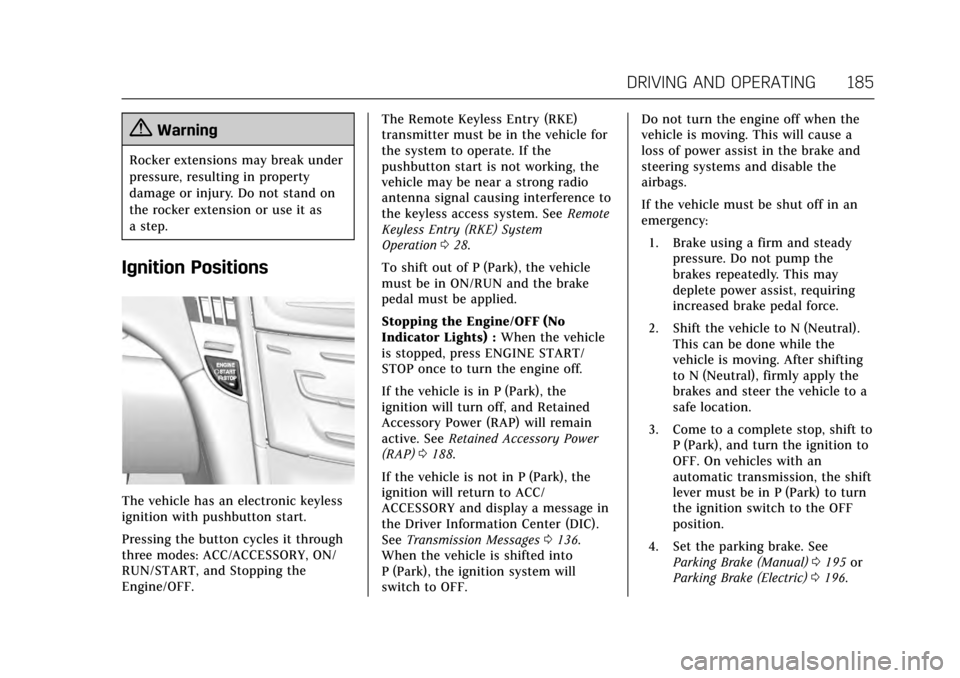
The vehicle has an electronic keyless
ignition with pushbutton start.
Pressing the button cycles it through
three modes: ACC/ACCESSORY, ON/
RUN/START, and Stopping the
Engine/OFF.The Remote Keyless Entry (RKE)
transmitter must be in the vehicle for
the system to operate. If the
pushbutton start is not working, the
vehicle may be near a strong radio
antenna signal causing interference to
the keyless access system. See
Remote
Keyless Entry (RKE) System
Operation 028.
To shift out of P (Park), the vehicle
must be in ON/RUN and the brake
pedal must be applied.
Stopping the Engine/OFF (No
Indicator Lights) : When the vehicle
is stopped, press ENGINE START/
STOP once to turn the engine off.
If the vehicle is in P (Park), the
ignition will turn off, and Retained
Accessory Power (RAP) will remain
active. See Retained Accessory Power
(RAP) 0188.
If the vehicle is not in P (Park), the
ignition will return to ACC/
ACCESSORY and display a message in
the Driver Information Center (DIC).
See Transmission Messages 0136.
When the vehicle is shifted into
P (Park), the ignition system will
switch to OFF. Do not turn the engine off when the
vehicle is moving. This will cause a
loss of power assist in the brake and
steering systems and disable the
airbags.
If the vehicle must be shut off in an
emergency:
1. Brake using a firm and steady pressure. Do not pump the
brakes repeatedly. This may
deplete power assist, requiring
increased brake pedal force.
2. Shift the vehicle to N (Neutral). This can be done while the
vehicle is moving. After shifting
to N (Neutral), firmly apply the
brakes and steer the vehicle to a
safe location.
3. Come to a complete stop, shift to P (Park), and turn the ignition to
OFF. On vehicles with an
automatic transmission, the shift
lever must be in P (Park) to turn
the ignition switch to the OFF
position.
4. Set the parking brake. See Parking Brake (Manual) 0195 or
Parking Brake (Electric) 0196.
Page 187 of 335
Cadillac ATS/ATS-V Owner Manual (GMNA-Localizing-MidEast-10287885) -
2017 - crc - 6/16/16
186 DRIVING AND OPERATING
{Warning
Turning off the vehicle while
moving may cause loss of power
assist in the brake and steering
systems and disable the airbags.
While driving, only shut the vehicle
off in an emergency.
If the vehicle cannot be pulled over,
and must be shut off while driving,
press and hold ENGINE START/STOP
for longer than two seconds, or press
twice within five seconds.
ACC/ACCESSORY (Amber Indicator
Light) : This mode allows you to use
some electrical accessories when the
engine is off.
With the ignition off, pressing the
button one time without the brake
pedal applied will place the ignition
system in ACC/ACCESSORY.
The ignition will switch from ACC/
ACCESSORY to OFF after five minutes
to prevent battery rundown. ON/RUN/START (Green Indicator
Light) :
This mode is for driving and
starting. With the ignition off, and the
brake pedal applied, pressing the
button once will place the ignition
system in ON/RUN/START. Once
engine cranking begins, release the
button. Engine cranking will continue
until the engine starts. See Starting the
Engine 0186. The ignition will then
remain in ON/RUN.
Service Only Mode
This power mode is available for
service and diagnostics, and to verify
the proper operation of the
malfunction indicator lamp as may be
required for emission inspection
purposes. With the vehicle off, and the
brake pedal not applied, pressing and
holding the button for more than
five seconds will place the vehicle in
Service Only Mode. The instruments
and audio systems will operate as they
do in ON/RUN, but the vehicle will
not be able to be driven. The engine
will not start in Service Only Mode.
Push the button again to turn the
vehicle off.
Starting the Engine
Move the shift lever to P (Park) or
N (Neutral). To restart the vehicle
when it is already moving, use
N (Neutral) only.
Caution
If you add electrical parts or
accessories, you could change the
way the engine operates. Any
resulting damage would not be
covered by the vehicle warranty. See
Add-On Electrical Equipment 0230.
Caution
Do not try to shift to P (Park) if the
vehicle is moving. If you do, you
could damage the transmission.
Shift to P (Park) only when the
vehicle is stopped.
Page 194 of 335
Cadillac ATS/ATS-V Owner Manual (GMNA-Localizing-MidEast-10287885) -
2017 - crc - 6/16/16
DRIVING AND OPERATING 193
D :This position is for normal driving.
It provides the best fuel economy.
If you need more power for passing,
and you are:
. Going less than 55 km/h (35 mph),
push the accelerator pedal about
halfway down.
. Going about 55 km/h (35 mph) or
more, push the accelerator all the
way down.
The transmission will shift down
to a lower gear and have more
power.
Downshifting the transmission in
slippery road conditions could result
in skidding; see “Skidding”underLoss
of Control 0173.
Caution
Spinning the tires or holding the
vehicle in one place on a hill using
only the accelerator pedal may
damage the transmission. The
repair will not be covered by the
vehicle warranty. If you are stuck,
(Continued)
Caution (Continued)
do not spin the tires. When
stopping on a hill, use the brakes to
hold the vehicle in place.
While in Sport Mode, the vehicle
monitors driving behavior, and
automatically enables Performance
Shift Features when spirited driving is
detected. These features maintain
lower transmission gears to increase
available engine braking and improve
acceleration response. The vehicle will
exit these features and return to
normal operation after a short period
when no spirited driving is detected.
See Driver Mode Control 0199.
Manual Mode
Driver Shift Control (DSC)
Caution
Driving with the engine at a high
rpm without upshifting while using
Driver Shift Control (DSC), could
damage the vehicle. Always upshift
when necessary while using DSC.
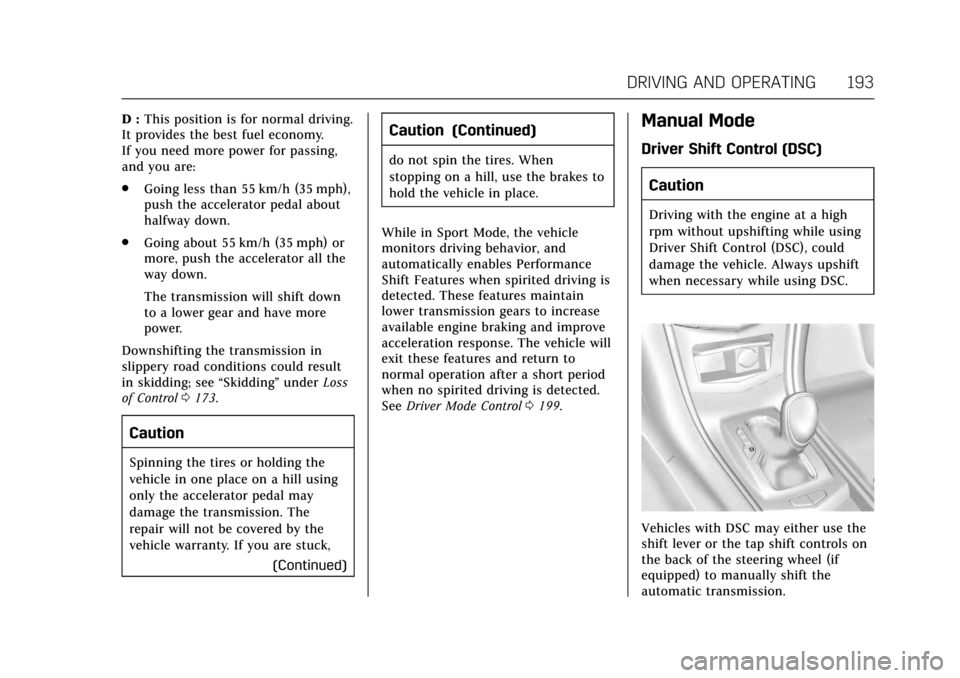
Vehicles with DSC may either use the
shift lever or the tap shift controls on
the back of the steering wheel (if
equipped) to manually shift the
automatic transmission.
Page 195 of 335

Cadillac ATS/ATS-V Owner Manual (GMNA-Localizing-MidEast-10287885) -
2017 - crc - 6/16/16
194 DRIVING AND OPERATING
To use DSC using the shift lever:1. Move the shift lever to the left from D (Drive) to M (Manual
Mode). The transmission will be
in Manual Mode and will hold
the current gear.
2. Move the shift lever forward to upshift or rearward to downshift.
3. To cancel DSC, move the shift lever back to D (Drive).
Tap Shift
If equipped, the tap shift controls are
on the back of the steering wheel. To use DSC using the tap shift
controls:
1. Move the shift lever to the left from D (Drive) to M (Manual
Mode). The transmission will be
in Manual Mode and will hold
the current gear.
2. Pull the control toward you to shift. Pull the left control to
(−) downshift, and the right
control to (+) upshift.
3. To cancel DSC, move the shift lever back to D (Drive).
Tap Shift Mode can also be used
temporarily while driving in D (Drive).
Pull either the (+) upshift or
(−) downshift control.
To cancel Tap Shift Mode, hold
the (+) upshift control for two seconds.
If no action is taken, the vehicle
returns to automatic shifting after a
brief period of driving at a steady
speed, or when the vehicle comes to
a stop.
While using the DSC feature, the
vehicle will have firmer, quicker
shifting. This can be used for sport driving, climbing or descending hills,
staying in gear longer, downshifting
for more power, or engine braking.
The transmission will only allow
shifting into gears appropriate for the
vehicle speed and engine revolutions
per minute (rpm). The transmission
will not automatically shift to the next
lower or higher gear if the engine rpm
is too high or too low.
If shifting is prevented for any reason,
a DIC message will appear. See
Transmission Messages
0136.
When accelerating the vehicle from a
stop in snowy and icy conditions, it is
suggested to shift into second gear.
A higher gear allows the vehicle to
gain more traction on slippery
surfaces. See Driver Mode
Control 0199.
Page 201 of 335

Cadillac ATS/ATS-V Owner Manual (GMNA-Localizing-MidEast-10287885) -
2017 - crc - 6/16/16
200 DRIVING AND OPERATING
selected, the suspension, steering, and
powertrain will change calibrations to
achieve the desired mode
characteristics. If the vehicle is
equipped with Magnetic Ride Control,
selecting the various Driver Modes
adjusts the ride of the vehicle to
enhance the ride performance for the
road conditions and the
selected mode.
The Driver Mode Control has three or
four modes: Tour, Sport, Snow/Ice,
and Track (V-Series Only). Press and
release the MODE button (ATS) or
press the
yorzbutton (ATS-V) on
the center console to activate the
mode menu in the cluster. The first
press of the button will show the
current mode. Subsequent presses will
scroll though the available modes. The
Tour and Sport modes will feel similar
on a smooth road. Select a new
setting whenever driving conditions
change.
Tour Mode
Use for normal city and highway
driving to provide a smooth, soft ride.
Sport Mode
Use where road conditions or personal
preference demand a more controlled
response.
When selected, the Sport mode
indicator will display in the Driver
Information Center (DIC).
When in Sport or Track mode, the
vehicle will shift automatically but
may hold a lower gear longer than it
would in the normal driving mode
based on braking, throttle input, and
vehicle lateral acceleration. See
Automatic Transmission 0191. The
steering will change to provide more
precise control. If the vehicle has
Magnetic Ride Control, the suspension
will change to provide better
cornering performance.
Competitive Driving Mode can be
accessed through this mode.
Snow/Ice Mode
Use when more traction is needed
during slippery conditions. The
transmission will use 2 (Second) gear
instead of 1 (First) gear when accelerating from a stop. The vehicle
will upshift normally when the vehicle
is moving.
For V-Series only, Snow/Ice mode will
use a different accelerator pedal map
to optimize traction on a slippery
surface. The accelerator pedal will
reduce engine torque at small pedal
inputs. The transmission will also
shift differently to assist in
maintaining traction.
When selected, the Snow/Ice mode
indicator will display in the DIC.
This feature is not intended for use
when the vehicle is stuck in sand,
mud, ice, snow, or gravel. If the
vehicle becomes stuck, see
If the
Vehicle Is Stuck 0180.
Track Mode (V-Series Only)
Use when maximum vehicle handling
is desired. When selected, the Track
Mode indicator will display in the DIC.
Accelerator pedal is adjusted to give
maximum control during the highest
level of spirited driving.
Page 204 of 335
Cadillac ATS/ATS-V Owner Manual (GMNA-Localizing-MidEast-10287885) -
2017 - crc - 6/16/16
DRIVING AND OPERATING 203
PERF TRAC 4–SPORT ACTIVE
HANDLING OFF
. For use by drivers who are familiar
with the track.
. Dry conditions only.
. Requires more driving skill than
modes 2 or 3.
. StabiliTrak is off and available
engine power is the same as
mode 3.
PERF TRAC 5 –RACE ACTIVE
HANDLING OFF
. For use by experienced drivers
who are familiar with the track.
. Dry conditions only.
. Requires more driving skill than in
other modes.
. StabiliTrak is off and engine power
is available for maximum
cornering speed.
Press and release
Yto turn off PTM
and return to the traction control and
StabiliTrak systems. The traction off
light
iand StabiliTrak OFF lightg
will go out.
Launch Control (V-Series Only)
A Launch Control feature is available,
within Competitive Driving Mode
(V-Series) or Performance Traction
Management (V-Series), to allow the
driver to achieve high levels of vehicle
acceleration in a straight line. Launch
Control is a form of traction control
that manages tire spin while
launching the vehicle. This feature is
intended for use during closed course
race events where consistent zero to
60 and quarter mile times are
desirable.
Launch Control is only available when
the following criteria are met:
. Competitive Driving Mode is
selected (V-Series) or any of the
Performance Traction
Management modes are selected
(V-Series). The TCS light comes on
the instrument panel and the
appropriate DIC message displays.
. The vehicle is not moving.
. The steering wheel is pointing
straight. .
The brake pedal must be firmly
pressed to the floor, equivalent to
a panic brake event.
. The accelerator pedal is rapidly
applied to wide open throttle. (If
the vehicle rolls due to wide open
throttle, release the throttle, press
the brake pedal more firmly, and
re-apply the accelerator to wide
open throttle.)
The Launch Control feature will
initially limit engine speed as the
driver rapidly applies the accelerator
pedal to wide open throttle. Allow the
engine rpm to stabilize. A smooth,
quick release of the brake pedal, while
maintaining the fully pressed
accelerator pedal, will manage
wheel slip.
After the vehicle is launched, the
system continues in Performance
Traction Management (V-Series).
Competitive Driving Mode, PTM, and
Launch Control are systems designed
for a closed course race track and not
intended for use on public roads. The
systems are not intended to
Page 268 of 335
Cadillac ATS/ATS-V Owner Manual (GMNA-Localizing-MidEast-10287885) -
2017 - crc - 6/16/16
VEHICLE CARE 267
FusesUsage
18 –
19 Auxiliary power outlet
20 Lighter
21 Wireless charger
22 Sensing diagnostic module/Automatic
occupant sensing
23 Radio/DVD/HVAC control
24 Display
25 Heated steering wheel
26 Wireless charger
27 Steering wheel controls
28 –
29 Visor vanity lamp
30 –
31 Retained accessory power/Accessory
32 – Fuses
Usage
33 Front HVAC blower
Circuit
Breakers Usage
CB1 Auxiliary power outlet
CB7 –
Relays Usage
K10 Retained accessory power/Accessory
K605 Logistics
K644 Retained Accessory power/Accessory/
Glovebox releaseRear Compartment Fuse
Block
The rear compartment fuse block is
behind a cover on the driver side of
the rear compartment.
The vehicle may not be equipped with
all of the fuses, relays, and features
shown.
Page 278 of 335
Cadillac ATS/ATS-V Owner Manual (GMNA-Localizing-MidEast-10287885) -
2017 - crc - 6/16/16
VEHICLE CARE 277
performed successfully. See“TPMS
Sensor Matching Process ”later in
this section.
. The TPMS sensor matching
process was not done or not
completed successfully after
rotating the tires. The malfunction
light and the DIC message should
go off after successfully
completing the sensor matching
process. See "TPMS Sensor
Matching Process" later in this
section.
. One or more TPMS sensors are
missing or damaged. The
malfunction light and the DIC
message should go off when the
TPMS sensors are installed and
the sensor matching process is
performed successfully. See your
dealer for service.
. Replacement tires or wheels do
not match the original equipment
tires or wheels. Tires and wheels
other than those recommended
could prevent the TPMS from
functioning properly. See Buying
New Tires 0280. .
Operating electronic devices or
being near facilities using radio
wave frequencies similar to the
TPMS could cause the TPMS
sensors to malfunction.
If the TPMS is not functioning
properly it cannot detect or signal a
low tire condition. See your dealer for
service if the TPMS malfunction light
and DIC message comes on and
stays on.
TPMS Sensor Matching Process
Each TPMS sensor has a unique
identification code. The identification
code needs to be matched to a new
tire/wheel position after rotating the
vehicle’s tires or replacing one or more
of the TPMS sensors. The TPMS
sensor matching process should also
be performed after replacing a spare
tire with a road tire containing the
TPMS sensor. The malfunction light
and the DIC message should go off at
the next ignition cycle. The sensors
are matched to the tire/wheel
positions, using a TPMS relearn tool,
in the following order: driver side
front tire, passenger side front tire, passenger side rear tire, and driver
side rear. See your dealer for service or
to purchase a relearn tool.
There are two minutes to match the
first tire/wheel position, and
five minutes overall to match all four
tire/wheel positions. If it takes longer,
the matching process stops and must
be restarted.
The TPMS sensor matching process is:
1. Set the parking brake.
2. Place the vehicle power mode in ON/RUN/START. See Ignition
Positions 0185.
3. Make sure the Tire Pressure info display option is turned on. The
info displays on the DIC can be
turned on and off through the
Settings menu. See Driver
Information Center (DIC) 0122.
4. Use the five-way DIC control on the right side of the steering
wheel to scroll to the Tire
Pressure screen under the DIC
info page. See Driver Information
Center (DIC) 0122.
Page 302 of 335
Cadillac ATS/ATS-V Owner Manual (GMNA-Localizing-MidEast-10287885) -
2017 - crc - 6/16/16
VEHICLE CARE 301
Caution
Chrome wheels and other chrome
trim may be damaged if the vehicle
is not washed after driving on roads
that have been sprayed with
magnesium, calcium, or sodium
chloride. These chlorides are used
on roads for conditions such as ice
and dust. Always wash the chrome
with soap and water after exposure.
Caution
To avoid surface damage, do not
use strong soaps, chemicals,
abrasive polishes, cleaners, brushes,
or cleaners that contain acid on
aluminum or chrome-plated wheels.
Use only approved cleaners. Also,
never drive a vehicle with
aluminum or chrome-plated wheels
through an automatic car wash that
uses silicone carbide tire cleaning
brushes. Damage could occur and
the repairs would not be covered by
the vehicle warranty.
Brake System
Visually inspect brake lines and hoses
for proper hook-up, binding, leaks,
cracks, chafing, etc. Inspect disc brake
pads for wear and rotors for surface
condition. Inspect drum brake linings/
shoes for wear or cracks. Inspect all
other brake parts.
Steering, Suspension, and
Chassis Components
Visually inspect steering, suspension,
and chassis components for damaged,
loose, or missing parts or signs of
wear at least once a year.
Inspect power steering for proper
attachment, connections, binding,
leaks, cracks, chafing, etc.
Visually check constant velocity joint
boots and axle seals for leaks.
Body Component Lubrication
Lubricate all key lock cylinders, hood
hinges, liftgate hinges, and the steel
fuel door hinge, unless the
components are plastic. Applying
silicone grease on weatherstrips with aclean cloth will make them last
longer, seal better, and not stick or
squeak.
Underbody Maintenance
At least twice a year, spring and fall,
use plain water to flush any corrosive
materials from the underbody. Take
care to thoroughly clean any areas
where mud and other debris can
collect.
Do not directly power wash the
transfer case and/or front/rear axle
output seals. High pressure water can
overcome the seals and contaminate
the fluid. Contaminated fluid will
decrease the life of the transfer case
and/or axles and should be replaced
Sheet Metal Damage
If the vehicle is damaged and requires
sheet metal repair or replacement,
make sure the body repair shop
applies anti-corrosion material to
parts repaired or replaced to restore
corrosion protection.
Original manufacturer replacement
parts will provide the corrosion
protection while maintaining the
vehicle warranty.