audio CADILLAC CATERA 1997 1.G Owners Manual
[x] Cancel search | Manufacturer: CADILLAC, Model Year: 1997, Model line: CATERA, Model: CADILLAC CATERA 1997 1.GPages: 338, PDF Size: 18.02 MB
Page 2 of 338
Downloaded from www.Manualslib.com manuals search engine -.
The 1997 Cadillac Catera Owner’s Manual
1-1
2-1
3-1
Seats and Restraint Systems
This section tells you how to use your seats and safety belts properly. It also explains \
the air bag system.
Features and Controls
This section explains how to start and operate your Catera.
Comfort Controls and Audio Systems
This section tells you how to adiust the ventilation and comfort controls and how to operate \
your audio system.
4-1 Your Driving and the Roaa
Here you’ll find helpful information and tips about the road\
and how to drive under different conditions.
5-1
6- 1
7-1
8-1
Problems on the Road
This section tells what to do if you have a problem while driving, such as a flat tire or overheated engine, etc.
Service and Appearance Care
Here the manual tells you how to keep your Catera running properly and looking good.
Customer Assistance Information
This section tells you how to contact Cadillac for assistance and how to get service and owner publications.
It also gives you information on “Reporting Safety Defects” on page 7- 12.
Index
Here’s an alphabetical listing of almost every subject in this manual. You can use it to quickly find
something you want to read.
i
Page 120 of 338
Downloaded from www.Manualslib.com manuals search engine The instrument panel is designed to let you know at a glance how your Catera is running. You’ll know how fast
you’re going,
how much fuel you’re using and many of the other things you’ll need to know to drive safely and
economically. The main components
of the instrument panel are:
A. Air Outlets
K. Hood Release
B. Turn Signal/Multifunction Lever L. Hazard Warning Flasher Button
C. Driver’s Side Air Bag
M. Fuel Door Release Button
D. Instrument Cluster
N. Heated Front Seat OdOff Button
E. Windshield Washer Lever 0. Ashtray
E Comfort Controls P. Radio
G. Passenger’s Side Air Bag Q. Trunk Release Button
H. Lamp Controls
R. Traction Control OdOff Button
I. Horn S. Glove Box
J. Audio Steering Wheel Controls
2-59
Page 126 of 338
Downloaded from www.Manualslib.com manuals search engine Voltmeter
I6h
VOLTS
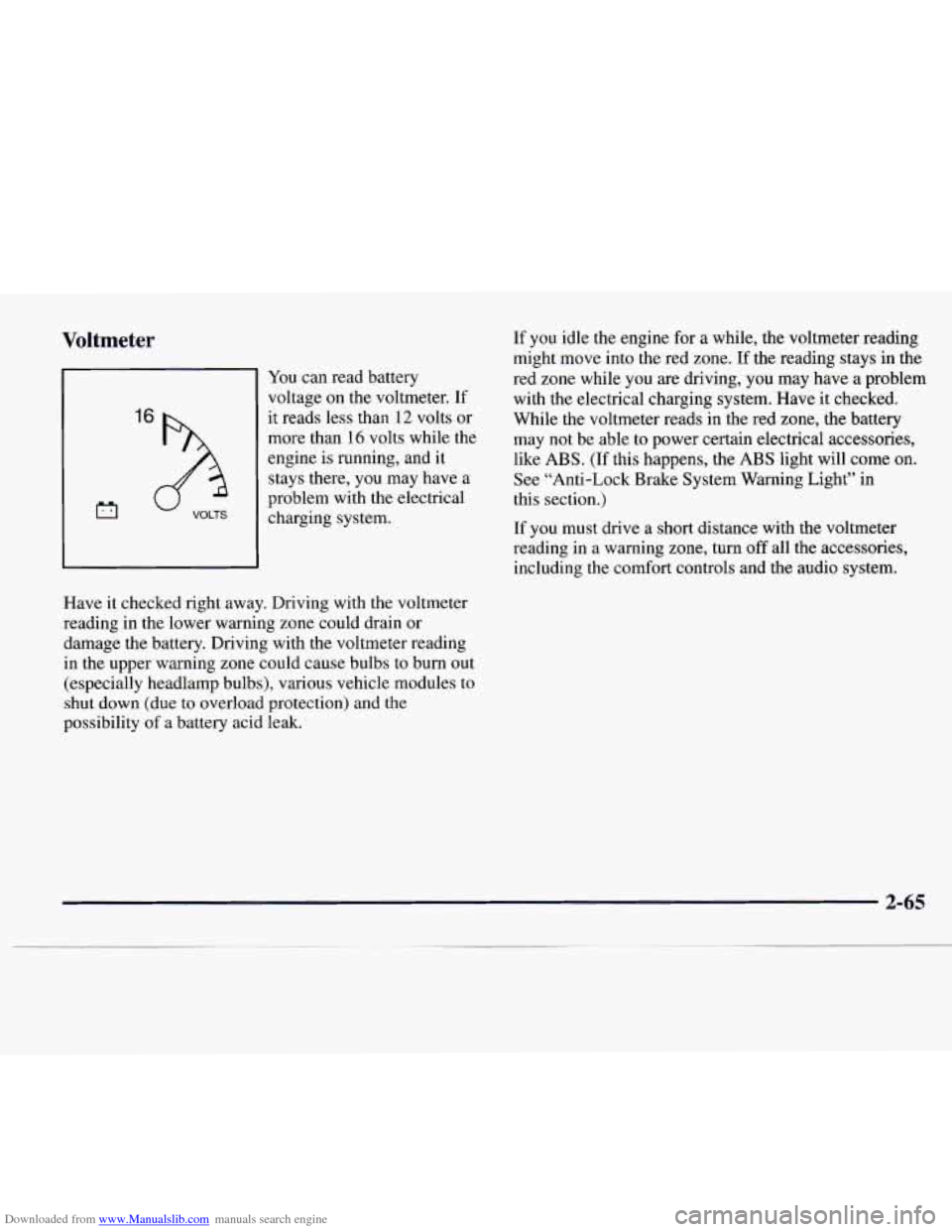
You can read battery
voltage on the voltmeter. If
it reads
less than 12 volts or
more than 16 volts while the
engine
is running, and it
stays there, you may have a
problem with the electrical
charging system.
Have it checked right away. Driving with the voltmeter
reading in the lower warning zone could drain
or
damage the battery. Driving with the voltmeter reading
in the upper warning zone could cause bulbs
to burn out
(especially headlamp bulbs), various vehicle modules to
shut down (due to overload protection) and the
possibility of a battery acid leak. If
you idle
the engine for a while, the voltmeter reading
might move into the red zone. If the reading stays in
the
red zone while you are driving, you may have a problem
with the electrical charging system. Have it checked.
While the voltmeter reads in the red zone, the battery
may not be able
to power certain electrical accessories,
like
ABS. (If this happens, the ABS light will come on.
See “Anti-Lock Brake System Warning Light” in
this section.)
If
you must drive a short distance with the voltmeter
reading in a warning zone, turn
off all the accessories,
including the comfort controls and the audio system.
Page 140 of 338
Downloaded from www.Manualslib.com manuals search engine Section 3 Comfort Controls and Audio Systems
In this section, you'll find out how to operate the comfort control and audio systems offered with your Catera.
Be sure to read about the particular systems supplied with your vehcle.
3-2
3-6
3-6 3-7
3-8
3-9
3-9
3-
10
Comfort Controls
Air Conditioning
Heating
Ventilation System
Defrosting
Rear Window Defogger
Setting the Clock
AM-FM Stereo with Cassette Tape Player and
Optional Compact Disc Player
3-13
3-17
3-20
3-20
3-21
3-21
3-22
3-23
3-24
Bose" AM-FM Stereo with Cassette Tape
and Compact Disc Player
Trunk Mounted CD Changer
Theft-Deterrent Feature
Audio Steering Wheel Controls
Understanding Radio Reception
Tips About Your Audio System
Care of Your Cassette Tape Player
Care of Your Compact Discs
Heated Backlite Antenna
3-1
Page 148 of 338
Downloaded from www.Manualslib.com manuals search engine Rear Window Defogger
4
The lines you see on the
rear window warm the
glass. With your vehicle’s
engine running, press this
button
to turn on the rear
defogger.
With it, the rear window and both outside rearview
mirrors
are heated. The system will automatically shut
off after about 15 minutes. If further defogging is
desired, press the button again.
Do not attach a temporary vehicle license, tape or decals
across the defogger grid on the rear window.
NOTICE:
Scraping the inside of your rear window could
cut and damage the heating grids. Your warranty
would not cover this damage. And don’t put decals there; you might have
to scrape them off.
A udio Systems
rour Catera audio system has been designed to operate
easily and give years
of listening pleasure. You will get
the most enjoyment out of it if you acquaint yourself
with it first. Find out what your Catera system can do
and how to operate all its controls, to be sure you’re
getting the most out
of the advanced engineering that
went into it.
Setting the Clock
Press and hold HR or MN until the time display begins
to change. Release the button as you get close to the
correct time. The time may be set anytime the clock is
displayed. There
is a two-second delay before the clock
goes into time-set mode.
3-9
Page 159 of 338
Downloaded from www.Manualslib.com manuals search engine CHEK DOOR or CD CHANGER DOOR OPEN is
displayed when the
CD changer door is left open.
Completely close the changer door to restore
normal operation.
CD CHANGER
NO DISCS is displayed when an empty
magazine is inserted in the CD changer. Try the
magazine again with a disc loaded on one
of the trays.
(This message does not appear in the display on the
standard
AM-FM Stereo radios.)
If any error occurs repeatedly or if an error cannot be
corrected, please contact your dealer.
If your radio
displays an error number, write
it down and provide it to
your dealer when reporting the problem.
Theft-Deterrent Feature
Your Catera has a “built-in” theft-deterrent feature on
each radio that is automatic
-- there is no programming
required. The radio in your Catera cannot be used in
any other vehicle besides another Catera if
it were to
be removed.
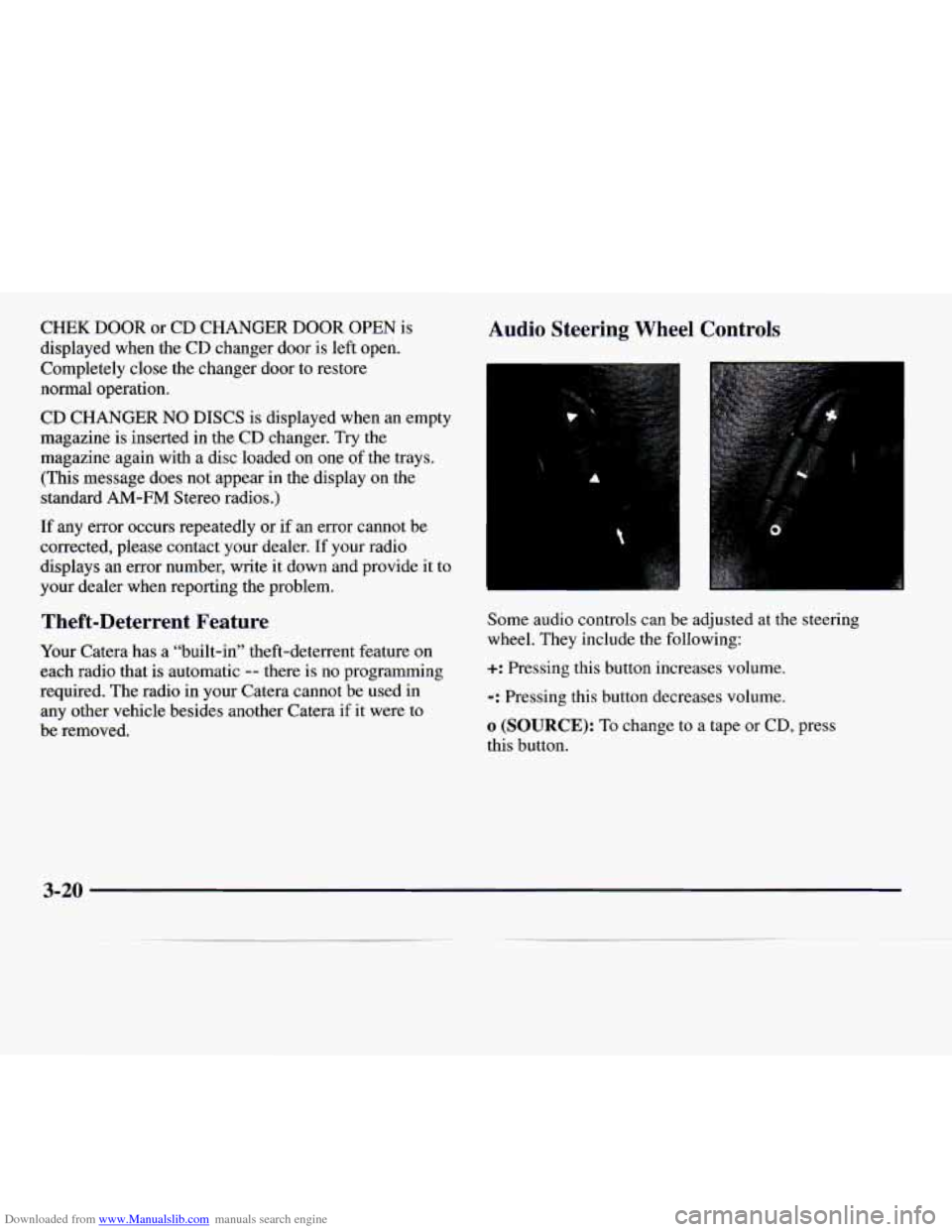
Audio Steering Wheel Controls
Some audio controls can be adjusted at the steering
wheel. They include the following:
+: Pressing this button increases volume.
-: Pressing this button decreases volume.
o (SOURCE): To change to a tape or CD, press
this button.
3-20
Page 160 of 338
Downloaded from www.Manualslib.com manuals search engine : Press this button to move forward through preset
radio stations or to the next selection on a tape or CD.
4 : Press this button to move rearward through preset
radio stations or to the previous selection on a tape
or
CD.
f (BAND): Press this button to change between AM,
FM1 or FM2 for the radio. This button also changes a
tape to the other side, restarts a
CD if playing a single
CD or goes to the next available CD loaded in the trunk
mounted
CD changer.
Understanding Radio Reception
FM Stereo
FM stereo will give you the best sound. But FM signals
will reach only about
10 to 40 miles (16 to 65 km). Tall
buildings or hills can interfere with FM signals, causing
the sound to come and go.
AM
The range for most AM stations is greater than for FM,
especially at night. The longer range, however, can
cause stations to interfere with each other. AM can pick
up noise from things like storms and power lines.
Try
reducing the treble to reduce this noise if you ever get it.
Tips About Your Audio System
Hearing damage from loud noise is almost undetectable
until it is too late. Your hearing can adapt to higher
volumes of sound. Sound that seems normal can be loud
and harmful to your hearing. Take precautions by
adjusting the volume control on your radio to a safe
sound level before your hearing adapts to it.
To help avoid hearing loss or damage:
Adjust the volume control to the lowest setting.
Increase volume slowly until you hear comfortably
and clearly.
3-21
Page 272 of 338
Downloaded from www.Manualslib.com manuals search engine Battery
Every new Catera has a Delco Freedom@ battery. You
never have to add water to one
of these. When it’s time
for a new battery, we recommend a Delco Freedom@
battery. Get one that has the replacement number shown
on the original battery’s label.
Batteries have acid that can burn you and gas
that can explode. You can be badly hurt if you
aren’t careful. See “Jump Starting” in the Index
for tips on working around a battery without
getting hurt.
Bulb Replacement
For bulb types, see “Replacement Bulbs” in the Index.
Halogen Bulbs
A CAUTION:
Halogen bulbs have pressurized gas inside and
can burst if you drop or scratch the bulb. You
or
others could be injured. Be sure to read and
follow the instructions on the bulb package.
Also, for your audio system, see “Theft-Deterrent
Feature” in
the Index.
6-29
Page 301 of 338
Downloaded from www.Manualslib.com manuals search engine 33 HEATER BLOWER I 34 RR WDO DEFOG I 35PWRSEAT I
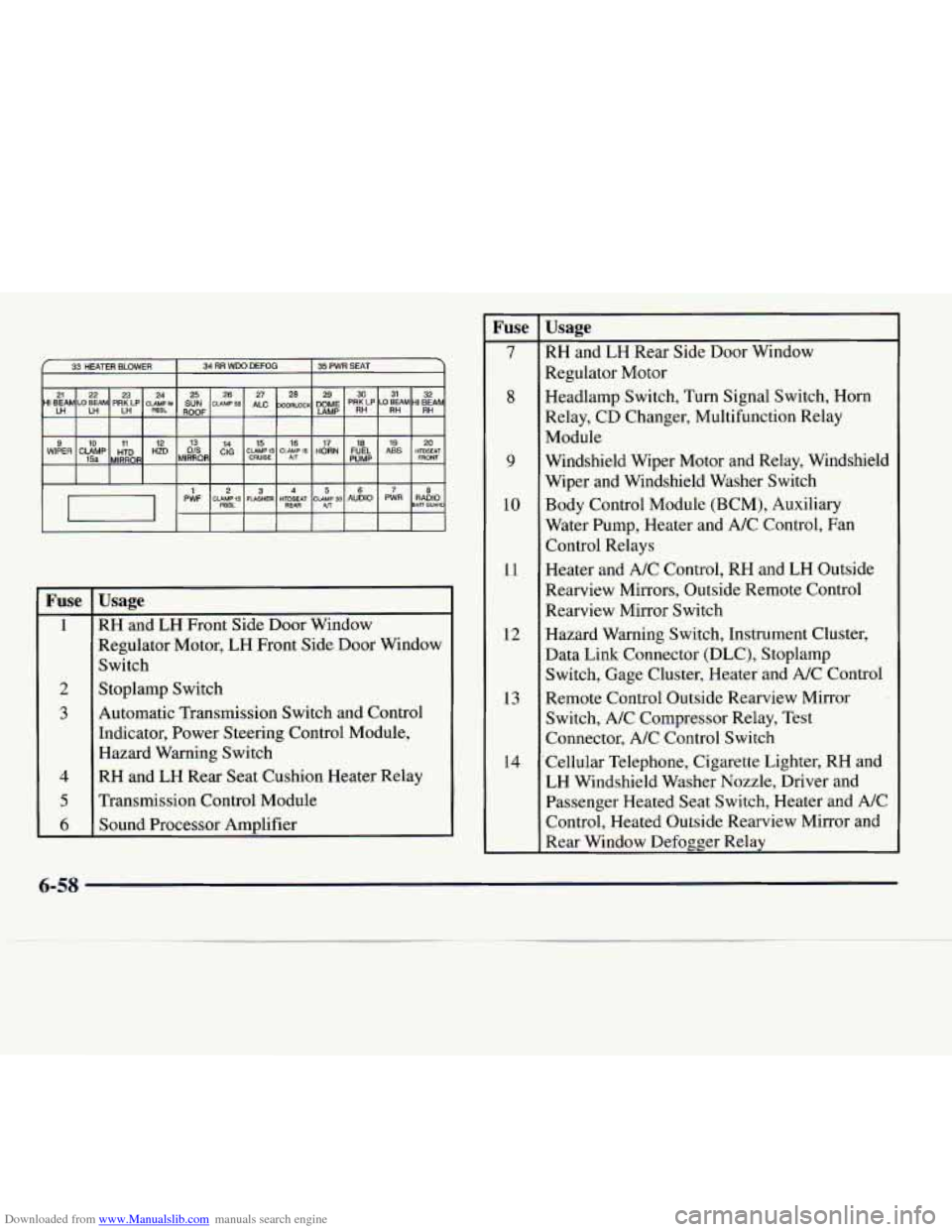
WIPER 20 19 18 17 16 15 14 13 12 11 10 9 HIDSEAT ABS FUEL
HORN CLAMP15 CLAMP 15 CIG HZD HTD CLAMP 15a MIRROR CRUISE FRONT PUMP AfT
PWF RADIO PWR AUDIO CLAMP30 HTDSEAT FLASHER CUMPIS 1 8 234567
PESL BAH GUARD All RE4R
Fuse
1
2
3
4
5
6
Usage
RH
and LH Front Side Door Window
Regulator Motor,
LH Front Side Door Window
Switch
Stoplamp Switch
Automatic Transmission Switch and Control
Indicator, Power Steering Control Module,
Hazard Warning Switch
RH and LH Rear Seat Cushion Heater Relay
Transmission Control Module
Sound Processor Amplifier
Fuse
7
8
9
10
11
12
13
14
Usage
RH and LH Rear Side Door Window
Regulator Motor
Headlamp Switch, Turn Signal Switch, Horn
Relay, CD Changer, Multifunction Relay
Module
Windshield Wiper Motor and Relay, Windshield
Wiper and Windshield Washer Switch
Body Control Module (BCM), Auxiliary
Water Pump, Heater and A/C Control, Fan
Control Relays
Heater and A/C Control, RH and
LH Outside
Rearview Mirrors, Outside Remote Control
Rearview Mirror Switch
Hazard Warning Switch, Instrument Cluster,
Data Link Connector (DLC), Stoplamp
Switch, Gage Cluster, Heater and A/C Control
Remote Control Outside Rearview Mirror
Switch, A/C Compressor Relay, Test
Connector, A/C Control Switch
Cellular Telephone, Cigarette Lighter, RH and
LH Windshield Washer Nozzle, Driver and Passenger Heated Seat Switch, Heater and A/C
Control, Heated Outside Rearview Mirror and
Rear Window Defogger Relay
6-58
Page 326 of 338
Downloaded from www.Manualslib.com manuals search engine ........
Section 8 Index
ABS ......................................... 4.7
Adding Equipment to the Outside of Your Vehicle
...... 6-3
AirBag
....................................... 1-25
How Does it Restrain
.......................... 1-30
How it Works ................................ 1-27
Location
.................................... 1-27
Readiness Light
......................... 1.27, 2.63
Servicing
................................... 1-32
What Makes
it Inflate .......................... 1-30
What Will You See After
it Inflates ............... 1-30
When Should
it Inflate .......................... 1-9
Aircleaner
.................................... 6-15
Air Conditioning
................................ 3-6
Air Conditioning Refrigerants
..................... 6-63
Alarm. Theft-Deterrent
.......................... 2- 12
Alignment and Balance. Tire
...................... 6-43
Aluminum Wheels. Cleaning
...................... 6-5 1
Antenna. Heated Backlite ........................ 3-24
Antifreeze
..................................... 6- 19
Anti-Lock Brake System Warning Light
................ 2.66. 4.7
Brakes
...................................... 4-7
Anti-Lockout Feature
............................ 2-6
Appearancecare
............................... 6-45 Appearance Care Materials Chart
.................. 6-54
Arbitration Program
............................. 7-11
Ashtrays
...................................... 2-49
Assist Handles
................................. 2-51
Audio Equipment. Adding
........................ 3-22
Audio Steering Wheel Controls
.................... 3-20
Audio Systems
.................................. 3-9
Automatic Door Locks
............................ 2-4
Automatic Operation
............................. 3-3
Automatic Transmission Operation
................................... 2-19
Shifting
.................................... 2-19
Fluid
...................................... 6-18
Warning Light
............................... 2-75
Starting Your Engine
.......................... 2-16
Axle. Rear
.................................... 6-19
Battery
...................................... 6-29
Jump Starting
................................. 5-3
Replacement. Remote Keyless Entry
............... 2-8
Warnings
................................ 5.3. 5.5
BBB Auto Line ................................ 7-11
Better Business Bureau Mediation
.................. 7-11
8-1