124 CADILLAC CT5 2020 Owner's Guide
[x] Cancel search | Manufacturer: CADILLAC, Model Year: 2020, Model line: CT5, Model: CADILLAC CT5 2020Pages: 359, PDF Size: 6.04 MB
Page 206 of 359

Cadillac CT5 Owner Manual (GMNA-Localizing-U.S./Canada-13060105) -
2020 - CRC - 2/14/20
DRIVING AND OPERATING 205
Audible or Safety Alert Seat
Some driver assistance features alert
the driver of obstacles by beeping. To
change the volume of the warning
chime, see“Comfort and Convenience ”
under Vehicle Personalization 0124.
If equipped with the Safety Alert Seat,
the driver seat cushion may provide a
vibrating pulse alert instead of
beeping. To change this, see
“Collision/Detection Systems” under
Vehicle Personalization 0124.
Cleaning
Depending on vehicle options, keep
these areas of the vehicle clean to
ensure the best driver assistance
feature performance. Driver
Information Center (DIC) messages
may display when the systems are
unavailable or blocked.
. Front and rear bumpers and the
area below the bumpers
. Front grille and headlamps .
Front camera lens in the front
grille or near the front emblem
. Front side and rear side panels
. Outside of the windshield in front
of the rearview mirror
. Side camera lens on the bottom of
the outside mirrors
. Rear side corner bumpers
. Rear Vision Camera above the
license plate
Radio Frequency
This vehicle may be equipped with
driver assistance systems that operate
using radio frequency. See Radio
Frequency Statement 0334.
Assistance Systems for
Parking or Backing
If equipped, the Rear Vision Camera
(RVC), Rear Park Assist (RPA), Front
Park Assist (FPA), Surround Vision,
Reverse Automatic Braking (RAB) and
Backing Warning System, and Rear
Cross Traffic Alert (RCTA) may help
Page 212 of 359
Cadillac CT5 Owner Manual (GMNA-Localizing-U.S./Canada-13060105) -
2020 - CRC - 2/14/20
DRIVING AND OPERATING 211
{Warning
There may be instances where
unexpected or undesired automatic
braking occurs. If this happens,
either press the brake pedal or
firmly press the accelerator pedal to
release the brakes from the RAB
system. Before releasing the brakes,
check the RVC and check the area
around the vehicle to make sure it
is safe to proceed.
Rear Cross Traffic Alert (RCTA)
If equipped, RCTA displays a red
warning triangle with a left or right
pointing arrow to warn of traffic
coming from the left or right. This
system detects objects coming from
up to 20 m (65 ft) from the left or
right side of the vehicle. When an
object is detected, either three beeps
sound from the left or right or three
Safety Alert Seat pulses occur on the
left or right side, depending on the
direction of the detected vehicle. Use caution while backing up when
towing a trailer, as the RCTA
detection zones that extend out from
the back of the vehicle do not move
further back when a trailer is towed.
See
Radio Frequency Statement 0334.
Turning the Features On or Off
TouchXon the center stack to turn
on or off the Front and Rear Park
Assist, Reverse Automatic Braking
(RAB), and the Backing Warning
System at the same time. The
indicator light next to the button
comes on when the features are on
and turns off when the features have
been disabled.
Turn off Park Assist, RCTA, and RAB
when towing a trailer.
To turn the RPA symbols or guidance
lines (on some models) on or off, see
“Rear Camera Park Assist Symbols”
under Vehicle Personalization 0124.
RCTA can also be turned on or off
through vehicle personalization. See
“Collision/Detection Systems” under
Vehicle Personalization 0124.
Automatic Parking Assist (APA)
with Braking
If equipped, APA searches for and
steers the vehicle into parallel and
perpendicular parking spots. When
using APA, you must still shift gears
while the system applies the brakes
and accelerator. A display and audible
beeps help to guide parking
maneuvers.
Do not use APA when towing a trailer.
{Warning
APA may not detect objects in the
parking space, objects that are soft
or narrow, objects high off the
ground such as flatbed trucks,
objects below ground level such as
large potholes, or moving objects
(e.g. pedestrians). Always verify that
the parking space is appropriate for
parking a vehicle. APA does not
respond to changes in the parking
space, such as movement of an
adjacent vehicle, or a person or
object entering the parking space.
(Continued)
Page 215 of 359
Cadillac CT5 Owner Manual (GMNA-Localizing-U.S./Canada-13060105) -
2020 - CRC - 2/14/20
214 DRIVING AND OPERATING
Warning (Continued)
.Visibility is poor, including
nighttime conditions, fog,
rain, or snow.
. The RVC is blocked by dirt,
snow, or ice.
. The RVC, taillamps,
or back-up lamps are not
cleaned or in proper working
condition.
. The vehicle is not in
R (Reverse).
To help avoid death or injury,
always check for pedestrians
around the vehicle before backing
up. Be ready to take action and
apply the brakes. See Defensive
Driving 0150. Keep the RVC,
taillamps, and back-up lamps clean
and in good repair.
Rear Pedestrian Alert can be set to Off
or Alert. See “Rear Pedestrian
Detection ”in “Collision/Detection
Systems” underVehicle Personalization
0 124. If equipped, alerts can be set to beeps or seat pulses. See
“Alert Type”
in “Collision/Detection Systems” under
Vehicle Personalization 0124.
Assistance Systems for
Driving
If equipped, when driving the vehicle
in a forward gear, Forward Collision
Alert (FCA), Lane Keep Assist (LKA),
Side Blind Zone Alert (SBZA), Lane
Change Alert (LCA), Automatic
Emergency Braking (AEB), and/or the
Front Pedestrian Braking (FPB) System
can help to avoid a crash or reduce
crash damage.
Forward Collision Alert
(FCA) System
If equipped, the FCA system may help
to avoid or reduce the harm caused by
front-end crashes. When approaching
a vehicle ahead too quickly, FCA
provides a red flashing alert on the
windshield and rapidly beeps or pulses
the driver seat. FCA also lights an
amber visual alert if following another
vehicle too closely. FCA detects vehicles within a distance
of approximately 60 m (197 ft) and
operates at speeds above 8 km/h
(5 mph). If the vehicle is equipped
with Adaptive Cruise Control (ACC),
the FCA timing setting can only be
changed while ACC is not engaged.
See
Adaptive Cruise Control 0195.
{Warning
FCA is a warning system and does
not apply the brakes. When
approaching a slower-moving or
stopped vehicle ahead too rapidly,
or when following a vehicle too
closely, FCA may not provide a
warning with enough time to help
avoid a crash. It also may not
provide any warning at all. FCA
does not warn of pedestrians,
animals, signs, guardrails, bridges,
construction barrels, or other
objects. Be ready to take action and
apply the brakes. See Defensive
Driving 0150.
Page 216 of 359
Cadillac CT5 Owner Manual (GMNA-Localizing-U.S./Canada-13060105) -
2020 - CRC - 2/14/20
DRIVING AND OPERATING 215
FCA can be disabled with either the
FCA steering wheel control or,
if equipped, through vehicle
personalization. See“Collision/
Detection Systems” underVehicle
Personalization 0124.
Detecting the Vehicle Ahead
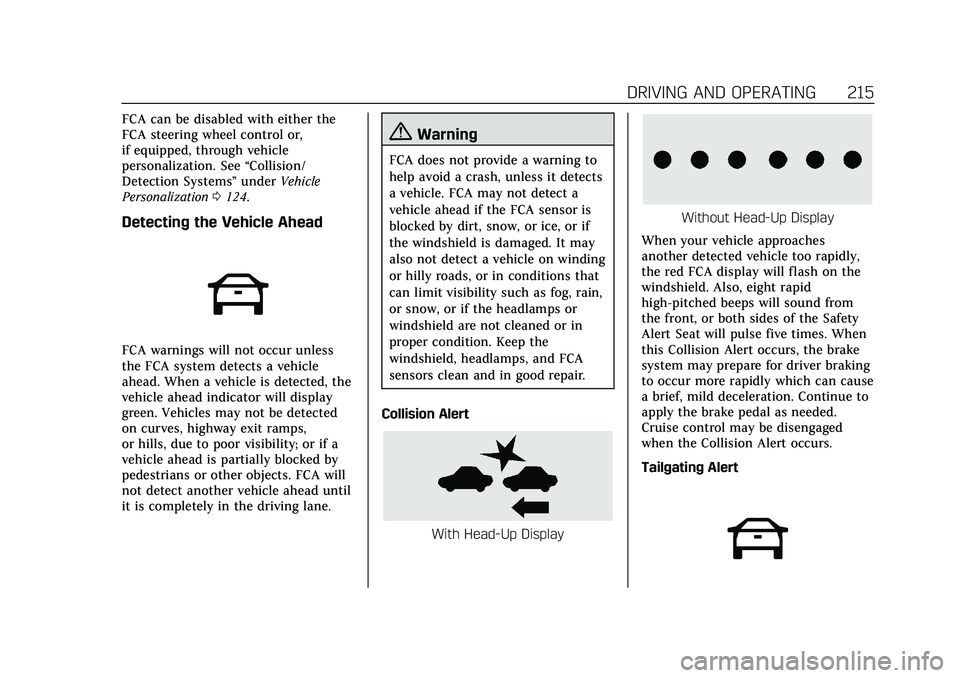
FCA warnings will not occur unless
the FCA system detects a vehicle
ahead. When a vehicle is detected, the
vehicle ahead indicator will display
green. Vehicles may not be detected
on curves, highway exit ramps,
or hills, due to poor visibility; or if a
vehicle ahead is partially blocked by
pedestrians or other objects. FCA will
not detect another vehicle ahead until
it is completely in the driving lane.
{Warning
FCA does not provide a warning to
help avoid a crash, unless it detects
a vehicle. FCA may not detect a
vehicle ahead if the FCA sensor is
blocked by dirt, snow, or ice, or if
the windshield is damaged. It may
also not detect a vehicle on winding
or hilly roads, or in conditions that
can limit visibility such as fog, rain,
or snow, or if the headlamps or
windshield are not cleaned or in
proper condition. Keep the
windshield, headlamps, and FCA
sensors clean and in good repair.
Collision Alert
With Head-Up Display
Without Head-Up Display
When your vehicle approaches
another detected vehicle too rapidly,
the red FCA display will flash on the
windshield. Also, eight rapid
high-pitched beeps will sound from
the front, or both sides of the Safety
Alert Seat will pulse five times. When
this Collision Alert occurs, the brake
system may prepare for driver braking
to occur more rapidly which can cause
a brief, mild deceleration. Continue to
apply the brake pedal as needed.
Cruise control may be disengaged
when the Collision Alert occurs.
Tailgating Alert
Page 219 of 359

Cadillac CT5 Owner Manual (GMNA-Localizing-U.S./Canada-13060105) -
2020 - CRC - 2/14/20
218 DRIVING AND OPERATING
{Warning
IBA may increase vehicle braking in
situations when it may not be
necessary. You could block the flow
of traffic. If this occurs, take your
foot off the brake pedal and then
apply the brakes as needed.
AEB and IBA can be disabled through
vehicle personalization. See “Collision/
Detection Systems” underVehicle
Personalization 0124.
{Warning
Using AEB or IBA while towing a
trailer could cause you to lose
control of the vehicle and crash.
Turn the system to Alert or Off
when towing a trailer.
A system unavailable message may
display if:
. The front of the vehicle or
windshield is not clean. .
Heavy rain or snow is interfering
with object detection.
. There is a problem with the
StabiliTrak/Electronic Stability
Control (ESC) system.
The AEB system does not need
service.
Front Pedestrian Braking
(FPB) System
If equipped, the FPB system may help
avoid or reduce the harm caused by
front-end crashes with nearby
pedestrians when driving in a forward
gear. FPB displays an amber indicator,
~, when a nearby pedestrian is
detected ahead. When approaching a
detected pedestrian too quickly, FPB
provides a red flashing alert on the
windshield and rapidly beeps or pulses
the driver seat. FPB can provide a
boost to braking or automatically
brake the vehicle. This system
includes Intelligent Brake Assist (IBA),
and the Automatic Emergency Braking
(AEB) System may also respond to
pedestrians. See Automatic Emergency
Braking (AEB) 0216. The FPB system can detect and alert
to pedestrians in a forward gear at
speeds between 8 km/h (5 mph) and
80 km/h (50 mph). During daytime
driving, the system detects
pedestrians up to a distance of
approximately 40 m (131 ft). During
nighttime driving, system performance
is very limited. If the vehicle is
equipped with the Night Vision
system, during nighttime driving, the
vehicle can detect and alert to
pedestrians whenever in a
forward gear.
{Warning
FPB does not provide an alert or
automatically brake the vehicle,
unless it detects a pedestrian. FPB
may not detect pedestrians,
including children:
. When the pedestrian is not
directly ahead, fully visible,
or standing upright, or when
part of a group.
(Continued)
Page 220 of 359

Cadillac CT5 Owner Manual (GMNA-Localizing-U.S./Canada-13060105) -
2020 - CRC - 2/14/20
DRIVING AND OPERATING 219
Warning (Continued)
.Due to poor visibility,
including nighttime
conditions, fog, rain, or snow.
. If the FPB sensor is blocked
by dirt, snow, or ice.
. If the headlamps or
windshield are not cleaned or
in proper condition.
Be ready to take action and apply
the brakes. For more information,
see Defensive Driving 0150. Keep
the windshield, headlamps, and FPB
sensor clean and in good repair.
FPB can be set to Off, Alert, or Alert &
Brake through vehicle personalization.
See “Front Pedestrian Detection ”in
“Collision/Detection Systems” under
Vehicle Personalization 0124.
Detecting the Pedestrian Ahead
FPB alerts and automatic braking will
not occur unless the FPB system
detects a pedestrian. When a nearby
pedestrian is detected in front of the
vehicle, the pedestrian ahead indicator
will display amber.
Front Pedestrian Alert
With Head-Up Display
Without Head-Up Display
When the vehicle approaches a
pedestrian ahead too rapidly, the red
FPB alert display will flash on the
windshield. Eight rapid high-pitched
beeps will sound from the front,
or both sides of the Safety Alert Seat
will pulse five times. When this
Pedestrian Alert occurs, the brake
system may prepare for driver braking
to occur more rapidly which can cause
a brief, mild deceleration. Continue to
apply the brake pedal as needed.
Cruise control may be disengaged
when the Front Pedestrian Alert
occurs.
Automatic Braking
If FPB detects it is about to crash into
a pedestrian directly ahead, and the
brakes have not been applied, FPB
may automatically brake moderately
or brake hard. This can help to avoid
Page 221 of 359
Cadillac CT5 Owner Manual (GMNA-Localizing-U.S./Canada-13060105) -
2020 - CRC - 2/14/20
220 DRIVING AND OPERATING
some very low speed pedestrian
crashes or reduce pedestrian injury.
FPB can automatically brake to
detected pedestrians between 8 km/h
(5 mph) and 80 km/h (50 mph).
Automatic braking levels may be
reduced under certain conditions,
such as higher speeds. If also
equipped with the Night Vision
system, pedestrians detected by the
Night Vision system will not cause
automatic braking to occur.
If this happens, Automatic Braking
may engage the Electric Parking Brake
(EPB) to hold the vehicle at a stop.
Release the EPB. A firm press of the
accelerator pedal will also release
Automatic Braking and the EPB.
{Warning
FPB may alert or automatically
brake the vehicle suddenly in
situations where it is unexpected
and undesired. It could falsely alert
or brake for objects similar in shape
or size to pedestrians, including
shadows. This is normal operation(Continued)
Warning (Continued)
and the vehicle does not need
service. To override Automatic
Braking, firmly press the accelerator
pedal, if it is safe to do so.
Automatic Braking can be disabled
through vehicle personalization. See
“Front Pedestrian Detection ”in
“Collision/Detection Systems” under
Vehicle Personalization 0124.
{Warning
Using the Front Pedestrian Braking
system while towing a trailer could
cause you to lose control of the
vehicle and crash. Turn the system
to Alert or Off when towing a
trailer.
Cleaning the System
If FPB does not seem to operate
properly, cleaning the outside of the
windshield in front of the rearview
mirror may correct the issue.
Side Blind Zone
Alert (SBZA)
If equipped, the SBZA system is a
lane-changing aid that assists drivers
with avoiding crashes that occur with
moving vehicles in the side blind zone
(or spot) areas. When the vehicle is in
a forward gear, the left or right side
mirror display will light up if a moving
vehicle is detected in that blind zone.
If the turn signal is activated and a
vehicle is also detected on the same
side, the display will flash as an extra
warning not to change lanes. Since
this system is part of the Lane Change
Alert (LCA) system, read the entire
LCA section before using this feature.
Lane Change Alert (LCA)
If equipped, the LCA system is a
lane-changing aid that assists drivers
with avoiding lane change crashes
that occur with moving vehicles in the
side blind zone (or spot) areas or with
vehicles rapidly approaching these
areas from behind. The LCA warning
display will light up in the
corresponding outside mirror and will
flash if the turn signal is on.
Page 222 of 359

Cadillac CT5 Owner Manual (GMNA-Localizing-U.S./Canada-13060105) -
2020 - CRC - 2/14/20
DRIVING AND OPERATING 221
{Warning
LCA does not alert the driver to
vehicles outside of the system
detection zones, pedestrians,
bicyclists, or animals. It may not
provide alerts when changing lanes
under all driving conditions. Failure
to use proper care when changing
lanes may result in injury, death,
or vehicle damage. Before making a
lane change, always check mirrors,
glance over your shoulder, and use
the turn signals.
LCA Detection Zones
1. SBZA Detection Zone
2. LCA Detection Zone
The LCA sensor covers a zone of
approximately one lane over from
both sides of the vehicle, or 3.5 m
(11 ft). The height of the zone is
approximately between 0.5 m (1.5 ft)
and 2 m (6 ft) off the ground. The Side
Blind Zone Alert (SBZA) warning area
starts at approximately the middle of
the vehicle and goes back 5 m (16 ft).
Drivers are also warned of vehicles
rapidly approaching from up to 70 m
(230 ft) behind the vehicle.
How the System Works
The LCA symbol lights up in the
outside mirrors when the system
detects a moving vehicle in the next
lane over that is in the side blind zone
or rapidly approaching that zone from
behind. A lit LCA symbol indicates it
may be unsafe to change lanes. Before
making a lane change, check the LCA
display, check mirrors, glance over
your shoulder, and use the turn
signals.
Left Outside Mirror DisplayRight Outside
Mirror Display
When the vehicle is started, both
outside mirror LCA displays will
briefly come on to indicate the system
is operating. When the vehicle is in a
forward gear, the left or right outside
mirror display will light up if a moving
vehicle is detected in the next lane
over in that blind zone or rapidly
approaching that zone. If the turn
signal is activated in the same
direction as a detected vehicle, this
display will flash as an extra warning
not to change lanes.
LCA can be disabled. When you
disable LCA, Side Blind Zone Alert is
also disabled. See “Collision/Detection
Systems” underVehicle Personalization
0 124. If LCA is disabled by the driver,
the LCA mirror displays will not
light up.
Page 354 of 359
Cadillac CT5 Owner Manual (GMNA-Localizing-U.S./Canada-13060105) -
2020 - CRC - 2/14/20
INDEX 353
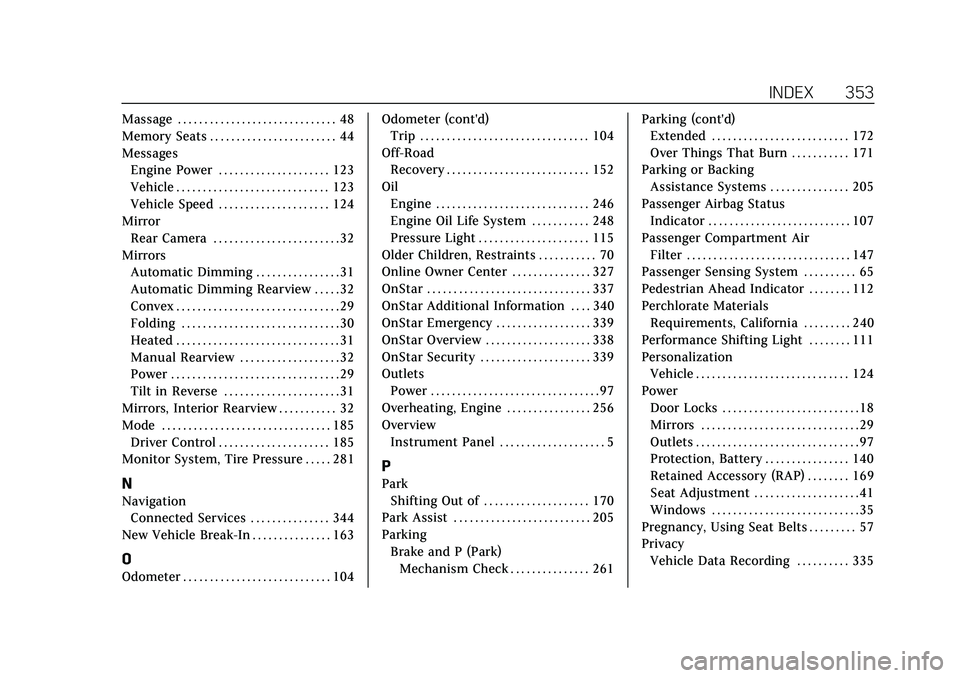
Massage . . . . . . . . . . . . . . . . . . . . . . . . . . . . . . 48
Memory Seats . . . . . . . . . . . . . . . . . . . . . . . . 44
MessagesEngine Power . . . . . . . . . . . . . . . . . . . . . 123
Vehicle . . . . . . . . . . . . . . . . . . . . . . . . . . . . . 123
Vehicle Speed . . . . . . . . . . . . . . . . . . . . . 124
Mirror
Rear Camera . . . . . . . . . . . . . . . . . . . . . . . . 32
Mirrors Automatic Dimming . . . . . . . . . . . . . . . . 31
Automatic Dimming Rearview . . . . . 32
Convex . . . . . . . . . . . . . . . . . . . . . . . . . . . . . . . 29
Folding . . . . . . . . . . . . . . . . . . . . . . . . . . . . . . 30
Heated . . . . . . . . . . . . . . . . . . . . . . . . . . . . . . . 31
Manual Rearview . . . . . . . . . . . . . . . . . . . 32
Power . . . . . . . . . . . . . . . . . . . . . . . . . . . . . . . . 29
Tilt in Reverse . . . . . . . . . . . . . . . . . . . . . . 31
Mirrors, Interior Rearview . . . . . . . . . . . 32
Mode . . . . . . . . . . . . . . . . . . . . . . . . . . . . . . . . 185 Driver Control . . . . . . . . . . . . . . . . . . . . . 185
Monitor System, Tire Pressure . . . . . 281
N
Navigation
Connected Services . . . . . . . . . . . . . . . 344
New Vehicle Break-In . . . . . . . . . . . . . . . 163
O
Odometer . . . . . . . . . . . . . . . . . . . . . . . . . . . . 104 Odometer (cont'd)
Trip . . . . . . . . . . . . . . . . . . . . . . . . . . . . . . . . 104
Off-Road Recovery . . . . . . . . . . . . . . . . . . . . . . . . . . . 152
Oil Engine . . . . . . . . . . . . . . . . . . . . . . . . . . . . . 246
Engine Oil Life System . . . . . . . . . . . 248
Pressure Light . . . . . . . . . . . . . . . . . . . . . 115
Older Children, Restraints . . . . . . . . . . . 70
Online Owner Center . . . . . . . . . . . . . . . 327
OnStar . . . . . . . . . . . . . . . . . . . . . . . . . . . . . . . 337
OnStar Additional Information . . . . 340
OnStar Emergency . . . . . . . . . . . . . . . . . . 339
OnStar Overview . . . . . . . . . . . . . . . . . . . . 338
OnStar Security . . . . . . . . . . . . . . . . . . . . . 339
Outlets Power . . . . . . . . . . . . . . . . . . . . . . . . . . . . . . . . 97
Overheating, Engine . . . . . . . . . . . . . . . . 256
Overview Instrument Panel . . . . . . . . . . . . . . . . . . . . 5
P
ParkShifting Out of . . . . . . . . . . . . . . . . . . . . 170
Park Assist . . . . . . . . . . . . . . . . . . . . . . . . . . 205
Parking Brake and P (Park)Mechanism Check . . . . . . . . . . . . . . . 261 Parking (cont'd)
Extended . . . . . . . . . . . . . . . . . . . . . . . . . . 172
Over Things That Burn . . . . . . . . . . . 171
Parking or Backing Assistance Systems . . . . . . . . . . . . . . . 205
Passenger Airbag Status Indicator . . . . . . . . . . . . . . . . . . . . . . . . . . . 107
Passenger Compartment Air Filter . . . . . . . . . . . . . . . . . . . . . . . . . . . . . . . 147
Passenger Sensing System . . . . . . . . . . 65
Pedestrian Ahead Indicator . . . . . . . . 112
Perchlorate Materials Requirements, California . . . . . . . . . 240
Performance Shifting Light . . . . . . . . 111
Personalization Vehicle . . . . . . . . . . . . . . . . . . . . . . . . . . . . . 124
Power Door Locks . . . . . . . . . . . . . . . . . . . . . . . . . . 18
Mirrors . . . . . . . . . . . . . . . . . . . . . . . . . . . . . . 29
Outlets . . . . . . . . . . . . . . . . . . . . . . . . . . . . . . . 97
Protection, Battery . . . . . . . . . . . . . . . . 140
Retained Accessory (RAP) . . . . . . . . 169
Seat Adjustment . . . . . . . . . . . . . . . . . . . . 41
Windows . . . . . . . . . . . . . . . . . . . . . . . . . . . . 35
Pregnancy, Using Seat Belts . . . . . . . . . 57
Privacy Vehicle Data Recording . . . . . . . . . . 335
Page 357 of 359
Cadillac CT5 Owner Manual (GMNA-Localizing-U.S./Canada-13060105) -
2020 - CRC - 2/14/20
356 INDEX
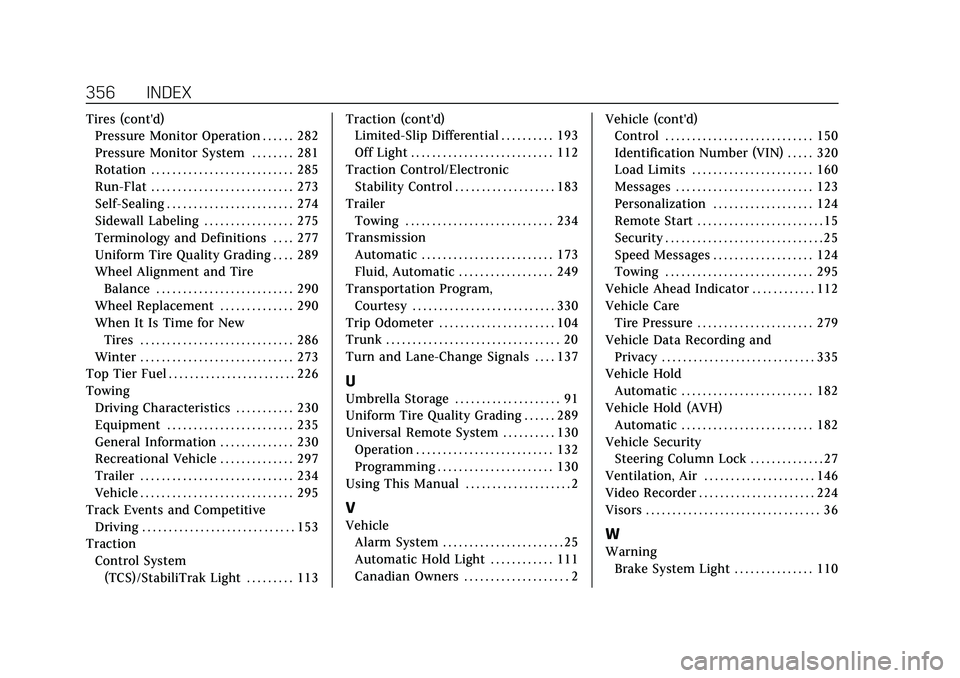
Tires (cont'd)Pressure Monitor Operation . . . . . . 282
Pressure Monitor System . . . . . . . . 281
Rotation . . . . . . . . . . . . . . . . . . . . . . . . . . . 285
Run-Flat . . . . . . . . . . . . . . . . . . . . . . . . . . . 273
Self-Sealing . . . . . . . . . . . . . . . . . . . . . . . . 274
Sidewall Labeling . . . . . . . . . . . . . . . . . 275
Terminology and Definitions . . . . 277
Uniform Tire Quality Grading . . . . 289
Wheel Alignment and Tire
Balance . . . . . . . . . . . . . . . . . . . . . . . . . . 290
Wheel Replacement . . . . . . . . . . . . . . 290
When It Is Time for New
Tires . . . . . . . . . . . . . . . . . . . . . . . . . . . . . 286
Winter . . . . . . . . . . . . . . . . . . . . . . . . . . . . . 273
Top Tier Fuel . . . . . . . . . . . . . . . . . . . . . . . . 226
Towing
Driving Characteristics . . . . . . . . . . . 230
Equipment . . . . . . . . . . . . . . . . . . . . . . . . 235
General Information . . . . . . . . . . . . . . 230
Recreational Vehicle . . . . . . . . . . . . . . 297
Trailer . . . . . . . . . . . . . . . . . . . . . . . . . . . . . 234
Vehicle . . . . . . . . . . . . . . . . . . . . . . . . . . . . . 295
Track Events and Competitive Driving . . . . . . . . . . . . . . . . . . . . . . . . . . . . . 153
Traction
Control System(TCS)/StabiliTrak Light . . . . . . . . . 113 Traction (cont'd)
Limited-Slip Differential . . . . . . . . . . 193
Off Light . . . . . . . . . . . . . . . . . . . . . . . . . . . 112
Traction Control/Electronic Stability Control . . . . . . . . . . . . . . . . . . . 183
Trailer Towing . . . . . . . . . . . . . . . . . . . . . . . . . . . . 234
Transmission Automatic . . . . . . . . . . . . . . . . . . . . . . . . . 173
Fluid, Automatic . . . . . . . . . . . . . . . . . . 249
Transportation Program, Courtesy . . . . . . . . . . . . . . . . . . . . . . . . . . . 330
Trip Odometer . . . . . . . . . . . . . . . . . . . . . . 104
Trunk . . . . . . . . . . . . . . . . . . . . . . . . . . . . . . . . . 20
Turn and Lane-Change Signals . . . . 137
U
Umbrella Storage . . . . . . . . . . . . . . . . . . . . 91
Uniform Tire Quality Grading . . . . . . 289
Universal Remote System . . . . . . . . . . 130 Operation . . . . . . . . . . . . . . . . . . . . . . . . . . 132
Programming . . . . . . . . . . . . . . . . . . . . . . 130
Using This Manual . . . . . . . . . . . . . . . . . . . . 2
V
Vehicle Alarm System . . . . . . . . . . . . . . . . . . . . . . . 25
Automatic Hold Light . . . . . . . . . . . . 111
Canadian Owners . . . . . . . . . . . . . . . . . . . . 2 Vehicle (cont'd)
Control . . . . . . . . . . . . . . . . . . . . . . . . . . . . 150
Identification Number (VIN) . . . . . 320
Load Limits . . . . . . . . . . . . . . . . . . . . . . . 160
Messages . . . . . . . . . . . . . . . . . . . . . . . . . . 123
Personalization . . . . . . . . . . . . . . . . . . . 124
Remote Start . . . . . . . . . . . . . . . . . . . . . . . . 15
Security . . . . . . . . . . . . . . . . . . . . . . . . . . . . . . 25
Speed Messages . . . . . . . . . . . . . . . . . . . 124
Towing . . . . . . . . . . . . . . . . . . . . . . . . . . . . 295
Vehicle Ahead Indicator . . . . . . . . . . . . 112
Vehicle Care Tire Pressure . . . . . . . . . . . . . . . . . . . . . . 279
Vehicle Data Recording and Privacy . . . . . . . . . . . . . . . . . . . . . . . . . . . . . 335
Vehicle Hold
Automatic . . . . . . . . . . . . . . . . . . . . . . . . . 182
Vehicle Hold (AVH) Automatic . . . . . . . . . . . . . . . . . . . . . . . . . 182
Vehicle Security Steering Column Lock . . . . . . . . . . . . . . 27
Ventilation, Air . . . . . . . . . . . . . . . . . . . . . 146
Video Recorder . . . . . . . . . . . . . . . . . . . . . . 224
Visors . . . . . . . . . . . . . . . . . . . . . . . . . . . . . . . . . 36W
Warning Brake System Light . . . . . . . . . . . . . . . 110