lane CADILLAC CT5 2023 Owners Manual
[x] Cancel search | Manufacturer: CADILLAC, Model Year: 2023, Model line: CT5, Model: CADILLAC CT5 2023Pages: 526, PDF Size: 6.85 MB
Page 5 of 526
Cadillac CT5 Owner Manual (GMNA-Localizing-U.S./Canada-16500419) -
2023 - CRC - 5/6/22
4 Introduction
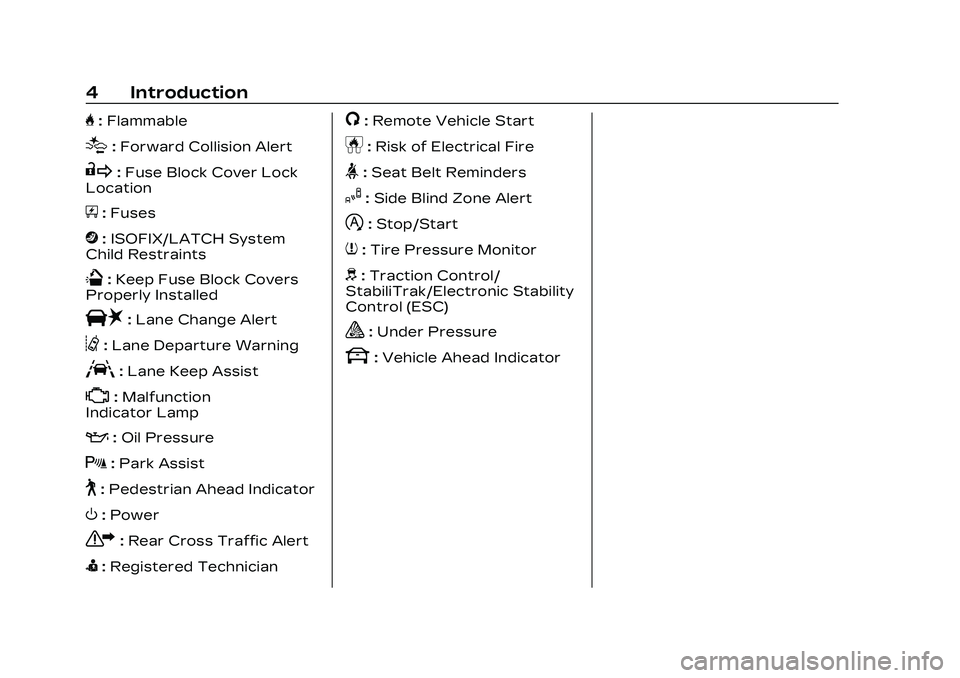
H:Flammable
[:Forward Collision Alert
R:Fuse Block Cover Lock
Location
+: Fuses
j:ISOFIX/LATCH System
Child Restraints
Q: Keep Fuse Block Covers
Properly Installed
|: Lane Change Alert
@:Lane Departure Warning
A:Lane Keep Assist
*: Malfunction
Indicator Lamp
:: Oil Pressure
X:Park Assist
~:Pedestrian Ahead Indicator
O:Power
7:Rear Cross Traffic Alert
I:Registered Technician
/:Remote Vehicle Start
h:Risk of Electrical Fire
>:Seat Belt Reminders
I:Side Blind Zone Alert
h:Stop/Start
7:Tire Pressure Monitor
d:Traction Control/
StabiliTrak/Electronic Stability
Control (ESC)
a: Under Pressure
k: Vehicle Ahead Indicator
Page 7 of 526
Cadillac CT5 Owner Manual (GMNA-Localizing-U.S./Canada-16500419) -
2023 - CRC - 5/6/22
6 Introduction
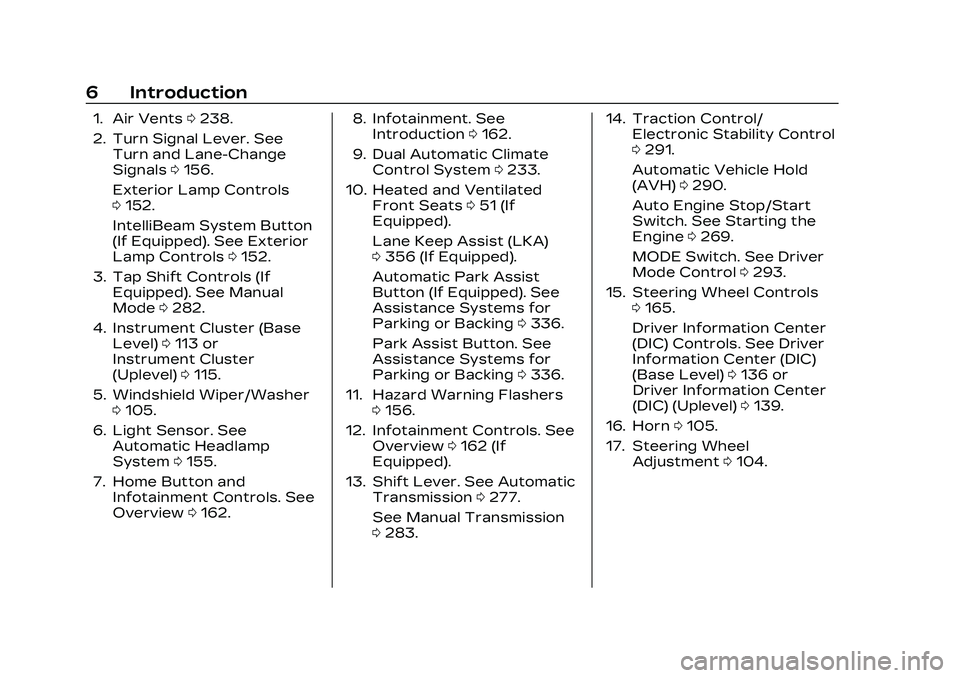
1. Air Vents0238.
2. Turn Signal Lever. See Turn and Lane-Change
Signals 0156.
Exterior Lamp Controls
0 152.
IntelliBeam System Button
(If Equipped). See Exterior
Lamp Controls 0152.
3. Tap Shift Controls (If Equipped). See Manual
Mode 0282.
4. Instrument Cluster (Base Level) 0113 or
Instrument Cluster
(Uplevel) 0115.
5. Windshield Wiper/Washer 0105.
6. Light Sensor. See Automatic Headlamp
System 0155.
7. Home Button and Infotainment Controls. See
Overview 0162. 8. Infotainment. See
Introduction 0162.
9. Dual Automatic Climate Control System 0233.
10. Heated and Ventilated Front Seats 051 (If
Equipped).
Lane Keep Assist (LKA)
0 356 (If Equipped).
Automatic Park Assist
Button (If Equipped). See
Assistance Systems for
Parking or Backing 0336.
Park Assist Button. See
Assistance Systems for
Parking or Backing 0336.
11. Hazard Warning Flashers 0156.
12. Infotainment Controls. See Overview 0162 (If
Equipped).
13. Shift Lever. See Automatic Transmission 0277.
See Manual Transmission
0 283. 14. Traction Control/
Electronic Stability Control
0291.
Automatic Vehicle Hold
(AVH) 0290.
Auto Engine Stop/Start
Switch. See Starting the
Engine 0269.
MODE Switch. See Driver
Mode Control 0293.
15. Steering Wheel Controls 0165.
Driver Information Center
(DIC) Controls. See Driver
Information Center (DIC)
(Base Level) 0136 or
Driver Information Center
(DIC) (Uplevel) 0139.
16. Horn 0105.
17. Steering Wheel Adjustment 0104.
Page 33 of 526
Cadillac CT5 Owner Manual (GMNA-Localizing-U.S./Canada-16500419) -
2023 - CRC - 5/6/22
32 Keys, Doors, and Windows
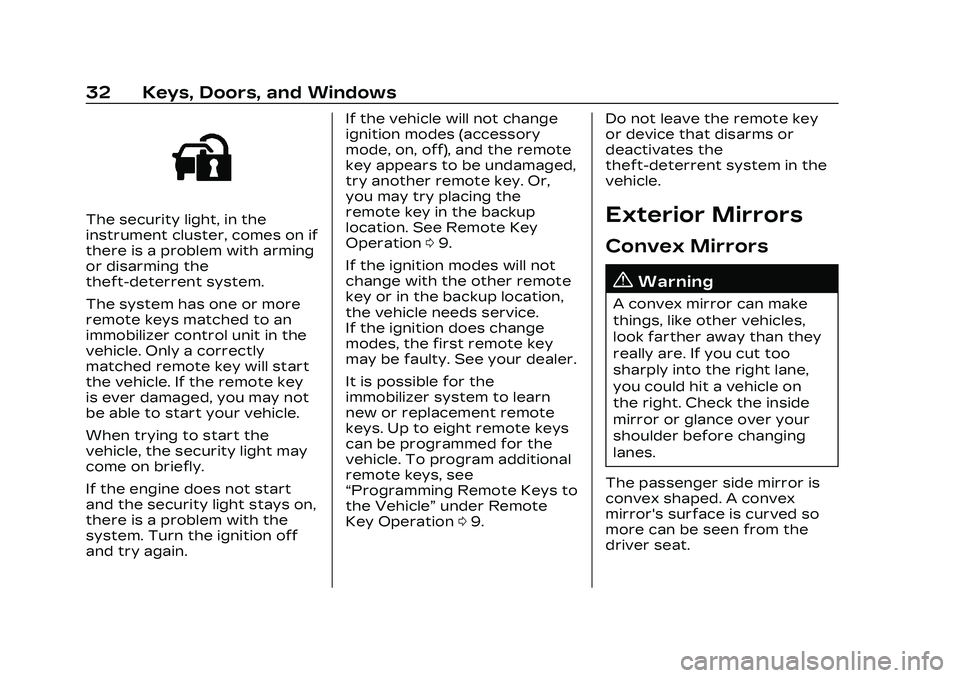
The security light, in the
instrument cluster, comes on if
there is a problem with arming
or disarming the
theft-deterrent system.
The system has one or more
remote keys matched to an
immobilizer control unit in the
vehicle. Only a correctly
matched remote key will start
the vehicle. If the remote key
is ever damaged, you may not
be able to start your vehicle.
When trying to start the
vehicle, the security light may
come on briefly.
If the engine does not start
and the security light stays on,
there is a problem with the
system. Turn the ignition off
and try again.If the vehicle will not change
ignition modes (accessory
mode, on, off), and the remote
key appears to be undamaged,
try another remote key. Or,
you may try placing the
remote key in the backup
location. See Remote Key
Operation
09.
If the ignition modes will not
change with the other remote
key or in the backup location,
the vehicle needs service.
If the ignition does change
modes, the first remote key
may be faulty. See your dealer.
It is possible for the
immobilizer system to learn
new or replacement remote
keys. Up to eight remote keys
can be programmed for the
vehicle. To program additional
remote keys, see
“Programming Remote Keys to
the Vehicle” under Remote
Key Operation 09. Do not leave the remote key
or device that disarms or
deactivates the
theft-deterrent system in the
vehicle.Exterior Mirrors
Convex Mirrors
{Warning
A convex mirror can make
things, like other vehicles,
look farther away than they
really are. If you cut too
sharply into the right lane,
you could hit a vehicle on
the right. Check the inside
mirror or glance over your
shoulder before changing
lanes.
The passenger side mirror is
convex shaped. A convex
mirror's surface is curved so
more can be seen from the
driver seat.
Page 34 of 526

Cadillac CT5 Owner Manual (GMNA-Localizing-U.S./Canada-16500419) -
2023 - CRC - 5/6/22
Keys, Doors, and Windows 33
Power Mirrors
To adjust each mirror:1. Press
jor|to select the
driver or passenger side
mirror. The indicator light
will illuminate.
2. Press the arrows on the control pad to move the
mirror in the desired
direction.
3. Adjust each outside mirror so that a little of the
vehicle and the area
behind it can be seen. 4. Press
jor|again to
deselect the mirror.
Memory Mirrors
The vehicle may have memory
mirrors. See Memory Seats
0 48.
Side Blind Zone Alert (SBZA)
The vehicle may have SBZA.
See Side Blind Zone Alert
(SBZA) 0353.
Lane Change Alert (LCA)
The vehicle may have LCA.
See Lane Change Alert (LCA)
0 353.
Folding Mirrors
Manual Folding Mirrors
The mirrors can be folded
inward toward the vehicle to
prevent damage when going
through an automatic car
wash. Push the mirror
outward to return it to the
original position.
Power Folding Mirrors
If equipped, pressgto power
fold the mirrors. Press
gagain
to unfold.
The outside mirrors may
automatically unfold when the
vehicle is driven above
20 km/h (12 mph), but may be
folded with the power folding
mirror switch. If the vehicle
speed is driven above 40 km/h
(25 mph), they may
automatically unfold and may
not be refolded with the
power folding mirror switch.
Page 38 of 526

Cadillac CT5 Owner Manual (GMNA-Localizing-U.S./Canada-16500419) -
2023 - CRC - 5/6/22
Keys, Doors, and Windows 37
{Warning
The Rear Camera Mirror
(RCM) has a limited view.
Portions of the road,
vehicles, and other objects
may not be seen. Do not
drive or park the vehicle
using only this camera.
Objects may appear closer
than they are. Check the
outside mirrors or glance
over your shoulder when
making lane changes or
merging. Failure to use
proper care may result in
injury, death, or vehicle
damage.Troubleshooting
See your dealer for service if a
blue screen and
3are
displayed in the mirror, and
the display shuts off. Also,
push the tab as indicated to
return to the automatic
dimming mode.
The Rear Camera Mirror may
not work properly or display a
clear image if:
.There is glare from the sun
or headlamps. This may
obstruct objects from view.
If needed, push the tab to
turn off the display.
.Dirt, snow, or other debris
blocks the camera lens.
Clean the lens with a soft
damp cloth.
.The camera’s mounting on
the vehicle has been
damaged, and/or the
position or the mounting
angle of the camera has
changed.
Page 104 of 526
Cadillac CT5 Owner Manual (GMNA-Localizing-U.S./Canada-16500419) -
2023 - CRC - 5/6/22
Instruments and Controls 103
Instruments and
Controls
Controls
Steering WheelAdjustment . . . . . . . . . . . . . . . . . 104
Heated Steering Wheel . . . . . . . . . . . . . . . . . . . . . . . . 105
Horn . . . . . . . . . . . . . . . . . . . . . . . . . . . 105
Windshield Wiper/ Washer . . . . . . . . . . . . . . . . . . . . . . 105
Compass . . . . . . . . . . . . . . . . . . . . . 107
Clock . . . . . . . . . . . . . . . . . . . . . . . . . . 108
Power Outlets . . . . . . . . . . . . . . 108
Wireless Charging . . . . . . . . . 109
Warning Lights, Gauges,
and Indicators
Warning Lights, Gauges, and Indicators . . . . . . . . . . . . . . 112
Instrument Cluster (Base
Level) . . . . . . . . . . . . . . . . . . . . . . . . . 113
Instrument Cluster (Uplevel) . . . . . . . . . . . . . . . . . . . . . 115
Speedometer . . . . . . . . . . . . . . . . 119
Odometer . . . . . . . . . . . . . . . . . . . . . 119
Trip Odometer . . . . . . . . . . . . . . . 119
Tachometer . . . . . . . . . . . . . . . . . 120
Fuel Gauge . . . . . . . . . . . . . . . . . . . 120 Engine Coolant
Temperature Gauge
(Base Level) . . . . . . . . . . . . . . . . . 121
Engine Coolant Temperature Gauge
(Uplevel) . . . . . . . . . . . . . . . . . . . . . 122
Seat Belt Reminders . . . . . . 122
Airbag Readiness Light . . . . . . . . . . . . . . . . . . . . . . . . . . 123
Passenger Airbag Status Indicator . . . . . . . . . . . . . . . . . . . . . 124
Charging System Light . . . 124
Malfunction Indicator Lamp (Check Engine
Light) . . . . . . . . . . . . . . . . . . . . . . . . . 125
Brake System Warning Light . . . . . . . . . . . . . . . . . . . . . . . . . . 127
Electric Parking Brake Light . . . . . . . . . . . . . . . . . . . . . . . . . . 128
Service Electric Parking Brake Light . . . . . . . . . . . . . . . . . 128
Antilock Brake System (ABS) Warning Light . . . . . 128
Performance Shifting Light . . . . . . . . . . . . . . . . . . . . . . . . . . 129
Automatic Vehicle Hold (AVH) Light . . . . . . . . . . . . . . . . . 129
Lane Keep Assist (LKA) Light . . . . . . . . . . . . . . . . . . . . . . . . . . 129 Automatic Emergency
Braking (AEB) Disabled
Light . . . . . . . . . . . . . . . . . . . . . . . . . 130
Vehicle Ahead Indicator . . . . . . . . . . . . . . . . . . . . 130
Pedestrian Ahead Indicator . . . . . . . . . . . . . . . . . . . . 130
Traction Off Light . . . . . . . . . 130
StabiliTrak OFF Light . . . . . 131
Traction Control System (TCS)/StabiliTrak
Light . . . . . . . . . . . . . . . . . . . . . . . . . . 131
Engine Coolant Temperature Warning
Light . . . . . . . . . . . . . . . . . . . . . . . . . . 131
Driver Mode Control Light . . . . . . . . . . . . . . . . . . . . . . . . . . 132
Tire Pressure Light . . . . . . . 133
Engine Oil Pressure Light . . . . . . . . . . . . . . . . . . . . . . . . . 134
Low Fuel Warning Light . . . . . . . . . . . . . . . . . . . . . . . . . 134
Security Light . . . . . . . . . . . . . . . 135
High-Beam On Light . . . . . . 135
Lamps On Reminder . . . . . . 135
Cruise Control Light . . . . . . 135
Door Ajar Light . . . . . . . . . . . . . 136
Page 130 of 526

Cadillac CT5 Owner Manual (GMNA-Localizing-U.S./Canada-16500419) -
2023 - CRC - 5/6/22
Instruments and Controls 129
If both the ABS warning light
and the brake system warning
light are on, ABS is not
functioning and there is a
problem with the regular
brakes. See your dealer for
service.
See Brake System Warning
Light0127.
Performance Shifting
Light
If equipped, this light may
display green when Sport
Mode is activated and certain
driving conditions are met.
Sport Mode detects when the
vehicle is being driven in a
competitive manner, and
adjusts the shifting of the
gears accordingly. See Driver
Mode Control 0293.
Automatic Vehicle
Hold (AVH) Light
This light comes on when AVH
is actively holding the vehicle.
See Automatic Vehicle Hold
(AVH) 0290.
Lane Keep Assist
(LKA) Light
Base LevelUplevel
If equipped, the Lane Keep
Assist Light may display the
following colors:
.Blank: LKA is disabled.
.White: Appears when the
vehicle starts. A steady
white light indicates that
LKA is not ready to assist.
.Green: Appears when LKA is
turned on and ready to
assist. LKA will gently turn
the steering wheel if the
vehicle approaches a
detected lane marking.
.Amber: Appears when LKA is
active. The light flashes
amber as a Lane Departure
Warning (LDW) alert to
indicate that the lane
marking has been
unintentionally crossed.
If the system detects you
are steering intentionally (to
pass or change lanes), the
LDW alert may not display.
LKA will not assist or alert if
the turn signal is active in the
direction of lane departure,
or if LKA detects that you are
accelerating, braking,
or actively steering. See Lane
Keep Assist (LKA) 0356.
Page 140 of 526
Cadillac CT5 Owner Manual (GMNA-Localizing-U.S./Canada-16500419) -
2023 - CRC - 5/6/22
Instruments and Controls 139
based on the various vehicle
speeds recorded since the last
reset. Reset the average
speed by pressing the
thumbwheel while this display
is active to show a
confirmation window to select
yes or no.
Timer :This display can be
used as a timer. To start the
timer, press the thumbwheel
while this display is active. The
display will show the amount
of time that has passed since
the timer was last reset. To
stop the timer, press the
thumbwheel briefly while this
display is active and the timer
is running.
Press the thumbwheel while
this display is active to reset
the timer.
Follow Distance/Gap
Setting : When Adaptive
Cruise Control (ACC) is not
engaged, the current follow
time to the vehicle ahead is
displayed as a time value on
this page. When ACC has been engaged, the display switches
to the gap setting page. This
page shows the current gap
setting along with the vehicle
ahead telltale.
Driver Assistance :
If equipped, shows information
for Lane Keep Assist (LKA)
and Forward Collision
Alert (FCA).
Battery Voltage :
Shows the
current battery voltage.
Coolant Temperature :
Shows the engine coolant
temperature in either degrees
Celsius (°C) or degrees
Fahrenheit (°F).
Oil Temperature : Shows the
engine oil temperature in
either degrees Celsius (°C) or
degrees Fahrenheit (°F).
Engine Hours (Hourmeter) :
Shows the total number of
hours the engine has run. The
display also shows the engine
idle hours. Engine Boost :
Displays
engine manifold pressure
relative to ambient air
pressure. It will display boost
pressure generated by the
turbocharging system.
Transmission Fluid
Temperature : If equipped,
Shows the temperature of the
transmission fluid in either
degrees Celsius (°C) or
degrees Fahrenheit (°F).
Info Page Options : Scroll to
choose which info pages
appear on the DIC. Press the
thumbwheel to select or
deselect.
Blank Page : Allows for no
information to be displayed in
the cluster info display areas.
Driver Information
Center (DIC) (Uplevel)
The DIC is displayed in the
instrument cluster. It shows
the status of many vehicle
systems.
Page 146 of 526

Cadillac CT5 Owner Manual (GMNA-Localizing-U.S./Canada-16500419) -
2023 - CRC - 5/6/22
Instruments and Controls 145
to confirm and save the
setting. This feature may only
be available in P (Park). See
Instrument Cluster (Base
Level)0113 or
Instrument Cluster (Uplevel)
0 115.
HUD Views
There are three views in the
HUD. Track mode is available
for V-Series only. Some
vehicle information and vehicle
messages or alerts may be
displayed in any view.
Metric
English Speed View :
This displays
digital speed in English or
metric units, speed limit,
vehicle ahead indicator, Lane
Departure Warning/Lane Keep
Assist, and Adaptive Cruise
Control and set speed. Some
information only appears on
vehicles that have these
features, and when they are
active.
Metric
English
Performance View : This
displays digital speed,
indicators from speed view along with rpm reading, vehicle
ahead indicator, Lane
Departure Warning/Lane Keep
Assist, and Adaptive Cruise
Control and set speed.
Metric
English
Track View : If equipped, this
displays digital speed,
transmission positions, Shift
Timing Light Position, gear
shift indicator,
The shift timing lights at the
top of the display will appear
with increases in engine rpm.
Page 147 of 526
Cadillac CT5 Owner Manual (GMNA-Localizing-U.S./Canada-16500419) -
2023 - CRC - 5/6/22
146 Instruments and Controls
The rows of lights get closer
together as the shift point
gets closer. Shift the
transmission before the lights
come together in the display.
Shift immediately if the lights
are flashing. See Manual Mode
0282.
Temporary Overlays
Infotainment: Audio, Phone,
and Navigation are temporary
overlays linked to cluster
layouts.
Metric
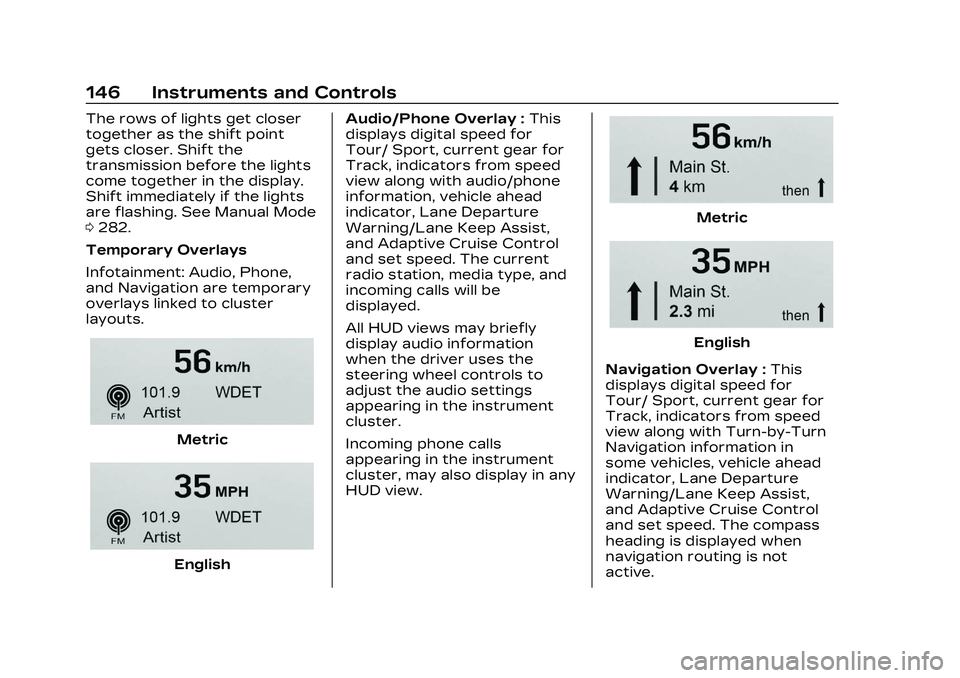
English Audio/Phone Overlay :
This
displays digital speed for
Tour/ Sport, current gear for
Track, indicators from speed
view along with audio/phone
information, vehicle ahead
indicator, Lane Departure
Warning/Lane Keep Assist,
and Adaptive Cruise Control
and set speed. The current
radio station, media type, and
incoming calls will be
displayed.
All HUD views may briefly
display audio information
when the driver uses the
steering wheel controls to
adjust the audio settings
appearing in the instrument
cluster.
Incoming phone calls
appearing in the instrument
cluster, may also display in any
HUD view.
Metric
English
Navigation Overlay : This
displays digital speed for
Tour/ Sport, current gear for
Track, indicators from speed
view along with Turn-by-Turn
Navigation information in
some vehicles, vehicle ahead
indicator, Lane Departure
Warning/Lane Keep Assist,
and Adaptive Cruise Control
and set speed. The compass
heading is displayed when
navigation routing is not
active.