wheel CADILLAC CT6 2017 1.G Owner's Manual
[x] Cancel search | Manufacturer: CADILLAC, Model Year: 2017, Model line: CT6, Model: CADILLAC CT6 2017 1.GPages: 337, PDF Size: 3.89 MB
Page 130 of 337

Cadillac CT6 Owner Manual (GMNA-Localizing-MidEast-10293390) - 2017 -
CRC - 6/21/16
INSTRUMENTS AND CONTROLS 129
up. If this occurs, change the fuel
brand. It may require at least one
full tank of the proper fuel to turn
the light off. SeeFuel0240.
If the light remains on, see your
dealer.
Emissions Inspection and
Maintenance Programs
If the vehicle requires an Emissions
Inspection/Maintenance test, the test
equipment will likely connect to the
vehicle's Data Link Connector (DLC).
The DLC is under the instrument
panel to the left of the steering wheel.
Connecting devices that are not used
to perform an Emissions Inspection/
Maintenance test or to service the
vehicle may affect vehicle operation.
See Add-On Electrical Equipment 0243.
See your dealer if assistance is needed. The vehicle may not pass
inspection if:
.
The light is on when the engine is
running.
. The light does not come on when
the ignition is in Service
Only Mode.
. Critical emission control systems
have not been completely
diagnosed. If this happens, the
vehicle would not be ready for
inspection and might require
several days of routine driving
before the system is ready for
inspection. This can happen if the
12-volt battery has recently been
replaced or run down, or if the
vehicle has been recently serviced.
See your dealer if the vehicle will not
pass or cannot be made ready for
the test.
Brake System Warning
Light
The vehicle brake system consists of
two hydraulic circuits. If one circuit is
not working, the remaining circuit can still work to stop the vehicle. For
normal braking performance, both
circuits need to be working.
If the warning light comes on, there is
a problem with the braking system.
Have the brake system inspected
right away.
This light should come on briefly
when the engine is started. If it does
not come on then, have it fixed so it
will be ready to warn you if there is a
problem.
If the light comes on and stays on,
there is a base brake problem.
{Warning
The brake system might not be
working properly if the brake
system warning light is on. Driving
(Continued)
Page 132 of 337

Cadillac CT6 Owner Manual (GMNA-Localizing-MidEast-10293390) - 2017 -
CRC - 6/21/16
INSTRUMENTS AND CONTROLS 131
and there is a problem with the
regular brakes. See your dealer for
service.
SeeBrake System Warning Light 0129
and Brake System Messages 0142.
Lane Keep Assist (LKA)
Light
For some vehicles, this light comes on
briefly while starting the vehicle. If it
does not come on, have the vehicle
serviced.
For vehicles with the uplevel cluster,
this light may not come on when
starting the vehicle.
This light is green if LKA is available
to assist.
LKA may assist by gently turning the
steering wheel if the vehicle
approaches a detected lane marking without using the turn signal in that
direction. The LKA light will turn
amber.
This light is amber and flashes as a
Lane Departure Warning (LDW) alert,
to indicate that the lane marking has
been crossed.
See
Lane Keep Assist (LKA) 0238.
Vehicle Ahead Indicator
If equipped, this indicator will display
green when a vehicle is detected
ahead and amber when you are
following a vehicle ahead much too
closely.
See Forward Collision Alert (FCA)
System 0228.
Pedestrian Ahead Indicator
If equipped, this indicator will display
amber when a nearby pedestrian is
detected directly in front of the
vehicle.
See Front Pedestrian Braking (FPB)
System 0232.
Traction Off Light
This light comes on briefly while
starting the engine. If it does not,
have the vehicle serviced by your
dealer. If the system is working
normally, the indicator light then
turns off. For vehicles with a
Page 133 of 337
Cadillac CT6 Owner Manual (GMNA-Localizing-MidEast-10293390) - 2017 -
CRC - 6/21/16
132 INSTRUMENTS AND CONTROLS
reconfigurable cluster, this light is in
the display area and it may not come
on when the ignition is turned on.
The traction off light comes on when
the Traction Control System (TCS) has
been turned off by pressing and
releasing the TCS/StabiliTrak button.
This light and the StabiliTrak OFF
light come on when StabiliTrak is
turned off.
If the TCS is off, wheel spin is not
limited. Adjust driving accordingly.
SeeTraction Control/Electronic Stability
Control 0208.
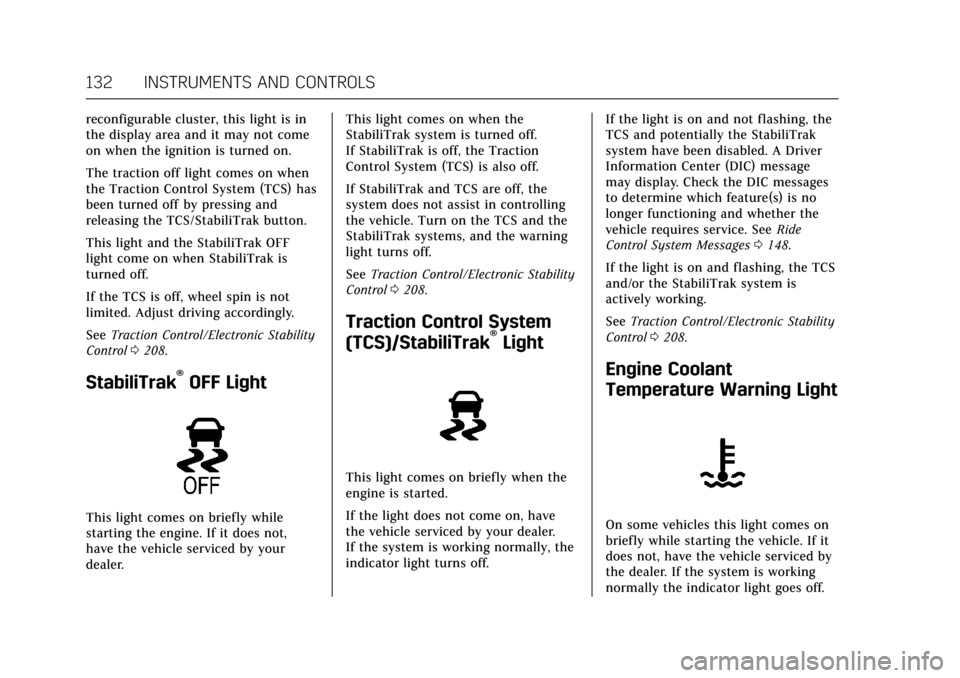
StabiliTrak®OFF Light
This light comes on briefly while
starting the engine. If it does not,
have the vehicle serviced by your
dealer. This light comes on when the
StabiliTrak system is turned off.
If StabiliTrak is off, the Traction
Control System (TCS) is also off.
If StabiliTrak and TCS are off, the
system does not assist in controlling
the vehicle. Turn on the TCS and the
StabiliTrak systems, and the warning
light turns off.
See
Traction Control/Electronic Stability
Control 0208.
Traction Control System
(TCS)/StabiliTrak®Light
This light comes on briefly when the
engine is started.
If the light does not come on, have
the vehicle serviced by your dealer.
If the system is working normally, the
indicator light turns off. If the light is on and not flashing, the
TCS and potentially the StabiliTrak
system have been disabled. A Driver
Information Center (DIC) message
may display. Check the DIC messages
to determine which feature(s) is no
longer functioning and whether the
vehicle requires service. See
Ride
Control System Messages 0148.
If the light is on and flashing, the TCS
and/or the StabiliTrak system is
actively working.
See Traction Control/Electronic Stability
Control 0208.
Engine Coolant
Temperature Warning Light
On some vehicles this light comes on
briefly while starting the vehicle. If it
does not, have the vehicle serviced by
the dealer. If the system is working
normally the indicator light goes off.
Page 140 of 337

Cadillac CT6 Owner Manual (GMNA-Localizing-MidEast-10293390) - 2017 -
CRC - 6/21/16
INSTRUMENTS AND CONTROLS 139
The language selection is changed
through the radio and the units of
measurement is changed through the
instrument cluster. SeeVehicle
Personalization 0152 and ”Cluster
Options Menu ”or “Cluster Menu ”
under Instrument Cluster (Base Level)
0 115 orInstrument Cluster
(Uplevel) 0118.
HUD Display on the Vehicle
Windshield
The HUD may display some of the
following vehicle information and
vehicle messages or alerts:
. Speed
. Tachometer .
Audio
. Phone
. Navigation
. Collision Alert
. Cruise Control
. Lane Keep Assist
. Low Fuel
Some vehicle messages or alerts
displayed in the HUD may be cleared
by using the steering wheel controls.
See Vehicle Messages 0141.
The HUD control is to the left of the
steering wheel. To adjust the HUD image:
1. Adjust the driver seat.
2. Start the engine.
3. Use the following settings to adjust the HUD.
$:Press down or lift up to center
the HUD image. The HUD image can
only be adjusted up and down, not
side to side.
!: Press to select the display
view. Each press will change the
display view.
D: Lift up and hold to brighten the
display. Press down and hold to dim
the display. Hold down to turn the
display off.
The HUD image will automatically
dim and brighten to compensate for
outside lighting. The HUD brightness
control can also be adjusted as
needed.
The HUD image can temporarily light
up depending on the angle and
position of the sunlight on the HUD
display. This is normal.
Polarized sunglasses could make the
HUD image harder to see.
Page 141 of 337

Cadillac CT6 Owner Manual (GMNA-Localizing-MidEast-10293390) - 2017 -
CRC - 6/21/16
140 INSTRUMENTS AND CONTROLS
Head-Up Display (HUD) Rotation
Option
This feature allows for adjusting the
angle of the HUD image.
Press SEL on the steering wheel
controls while Head-up Display
Rotation is highlighted to enter Adjust
Mode. Press
yorzto adjust the
angle of the HUD display. Press
Sor
Tto highlight OK, then press SEL to
save the setting. CANCEL can also be
selected to cancel the setting. The
vehicle must be in P (Park). See
Instrument Cluster (Base Level) 0115
or Instrument Cluster (Uplevel) 0118.
HUD Views
There are four views in the HUD.
Some vehicle information and vehicle
messages or alerts may be displayed
in any view.
Metric
Speed View : This display gives the
speedometer reading (in English or
metric units), speed limit, Adaptive
Cruise Control speed, Lane Departure
Warning, and Vehicle Ahead indicator.
Some information only appears on
vehicles that have these features, and
when they are active.
Metric
Audio/Phone View : This displays the
speed view along with audio/phone
information. The current radio station,
media type, and incoming calls will be
displayed. All HUD views may briefly display
audio information when the driver
uses the steering wheel controls to
adjust the audio settings appearing in
the instrument cluster.
Incoming phone calls appearing in the
instrument cluster may also display in
any HUD view.
Metric
Navigation View : This display
includes the information in the speed
view along with Turn-by-Turn
Navigation information in some
vehicles. The compass heading is
displayed when navigation routing is
not active.
Navigation Turn-by-Turn Alerts
shown in the instrument cluster may
also be displayed in any HUD view.
Page 149 of 337

Cadillac CT6 Owner Manual (GMNA-Localizing-MidEast-10293390) - 2017 -
CRC - 6/21/16
148 INSTRUMENTS AND CONTROLS
SERVICE SIDE DETECTION
SYSTEM
If this message remains on after
continued driving, the vehicle needs
service. Take the vehicle to your
dealer. Side Blind Zone Alert (SBZA),
Lane Change Alert (LCA), and Rear
Cross Traffic Alert (RCTA) features
will not work.
SIDE DETECTION SYSTEM
UNAVAILABLE
This message indicates that Side Blind
Zone Alert (SBZA), Lane Change Alert
(LCA), and Rear Cross Traffic Alert
(RCTA) are disabled either because the
sensor is blocked and cannot detect
vehicles in the blind zone, or the
vehicle is passing through an open
area, such as the desert, where there
is insufficient data for operation. This
message may also activate during
heavy rain or due to road spray. The
vehicle does not need service. For
cleaning, see "Washing the Vehicle"
underExterior Care 0301.
TAKE STEERING
If LKA does not detect active driver
steering, an alert and chime may be
provided. Move the steering wheel to
dismiss. See Lane Keep Assist
(LKA) 0238.
Ride Control System
Messages
SERVICE ALL WHEEL DRIVE
This message displays when there is a
problem with the AWD system. This
message could be set by a number of
issues, such as:
.
A vehicle or an AWD system
electronics problem.
. Various vehicle electrical issues.
. Worn out or overheated AWD
clutch plates.
. Loss of fluids.
Some of these issues may require
service of the AWD system.
If this message appears, stop when it
is safe to do so and turn off the
ignition for 30 seconds. Restart the
vehicle and check for the message on the DIC display. If the message does
not appear, it is not necessary to take
the vehicle to your dealer.
SERVICE STABILITRAK
This message displays if there is a
problem with the StabiliTrak system.
See
Traction Control/Electronic Stability
Control 0208.
SERVICE TRACTION CONTROL
This message displays when there is a
problem with the Traction Control
System (TCS). See Traction Control/
Electronic Stability Control 0208.
TRACTION CONTROL OFF
This message displays when the
Traction Control System (TCS) has
been turned off. See Traction Control/
Electronic Stability Control 0208.
TRACTION CONTROL ON
This message displays when the
Traction Control System (TCS) has
been turned on. See Traction Control/
Electronic Stability Control 0208.
Page 150 of 337

Cadillac CT6 Owner Manual (GMNA-Localizing-MidEast-10293390) - 2017 -
CRC - 6/21/16
INSTRUMENTS AND CONTROLS 149
Airbag System Messages
SERVICE AIRBAG
This message displays if there is a
problem with the airbag system. See
your dealer for service.
Safety Belt Messages
AUTOMATIC SEATBELT
TIGHTENING UNAVAILABLE
This message displays when the
Automatic Safety Belt Tightening
System, if equipped, becomes
unavailable. This could be caused by a
temporary condition. If the message
continues to display, see your dealer.
SERVICE AUTOMATIC SEATBELT
TIGHTENING SYSTEM
If this message displays, take the
vehicle to your dealer to repair the
Automatic Safety Belt Tightening
System, if equipped.
Security Messages
THEFT ATTEMPTED
This message displays if the vehicle
detects a tamper condition.
Service Vehicle Messages
SERVICE POWER STEERING
This message displays and a chime
may sound when there may be a
problem with the power steering
system. If this message displays and a
reduction in steering performance or
loss of power steering assistance is
noticed, see your dealer.
SERVICE VEHICLE SOON
This message is displayed if there is a
problem with the vehicle. Take the
vehicle to your dealer for service.
Steering System Messages
ACTION REQUIRED TURN
STEERING WHEEL START
VEHICLE AGAIN
This message displays to indicate that
the steering column lock device was
unable to unlock the column, and the
engine did not start. If this happens,
immediately turn the steering wheel
from side to side. If that does not
unlock the steering column, turn the
ignition off, and then open the driver
door. Then turn the vehicle back on
and turn the steering wheel from side
to side for about 15 seconds. The
steering column must be turned to
each side immediately after pressing
ENGINE START/STOP to help the
steering column lock device unlock
the column. In some situations it may
take significant force. This situation
may be avoided by straightening the
front wheels before turning off the
engine.
Page 151 of 337

Cadillac CT6 Owner Manual (GMNA-Localizing-MidEast-10293390) - 2017 -
CRC - 6/21/16
150 INSTRUMENTS AND CONTROLS
SERVICE ACTIVE STEERING
SYSTEM
This message displays when the
Active Rear Steer system does not
respond correctly to steering inputs.
The rear wheels may remain at an
off-center position and the driver may
need to apply a small steering wheel
correction for the vehicle going
forward. If the problem persists for
the next ignition cycle, see your dealer
for service.
SERVICE STEERING
COLUMN LOCK
This message displays when a
problem with the steering column lock
device has been detected. See your
dealer for service.
STEERING COLUMN LOCKED
This message displays when the
steering column is locked with the
engine running. It is normal for the
steering column to be locked during a
remote start. The steering column
should unlock after the brake pedal
and ENGINE START/STOP are
pressed.
Starting the Vehicle
Messages
PRESS BRAKE TO START
This message is displayed when
attempting to start the vehicle
without first pressing the brake pedal.
SERVICE KEYLESS START
SYSTEM
This message is displayed if there is a
problem with the pushbutton start
system. Take the vehicle to your
dealer for service.
Tire Messages
SERVICE TIRE MONITOR SYSTEM
This message displays if there is a
problem with the Tire Pressure
Monitor System (TPMS). SeeTire
Pressure Monitor Operation 0281.
TIRE LEARNING ACTIVE
This message displays when the
system is learning new tires. See Tire
Pressure Monitor Operation 0281.
TIRE PRESSURE LOW ADD AIR
TO TIRE
This message displays when the
pressure in one or more of the tires
is low.
This message also displays LEFT
FRONT, RIGHT FRONT, LEFT REAR,
or RIGHT REAR to indicate the
location of the low tire.
The low tire pressure warning light
will also come on. See Tire Pressure
Light 0133.
If a tire pressure message appears on
the DIC, stop as soon as possible.
Inflate the tires by adding air until the
tire pressure is equal to the values
shown on the Tire and Loading
Information label. See Tires0276,
Vehicle Load Limits 0191, and Tire
Pressure 0279.
More than one tire pressure message
can appear at a time. The DIC also
shows the tire pressure values. See
Driver Information Center (DIC) 0136.
Page 153 of 337
Cadillac CT6 Owner Manual (GMNA-Localizing-MidEast-10293390) - 2017 -
CRC - 6/21/16
152 INSTRUMENTS AND CONTROLS
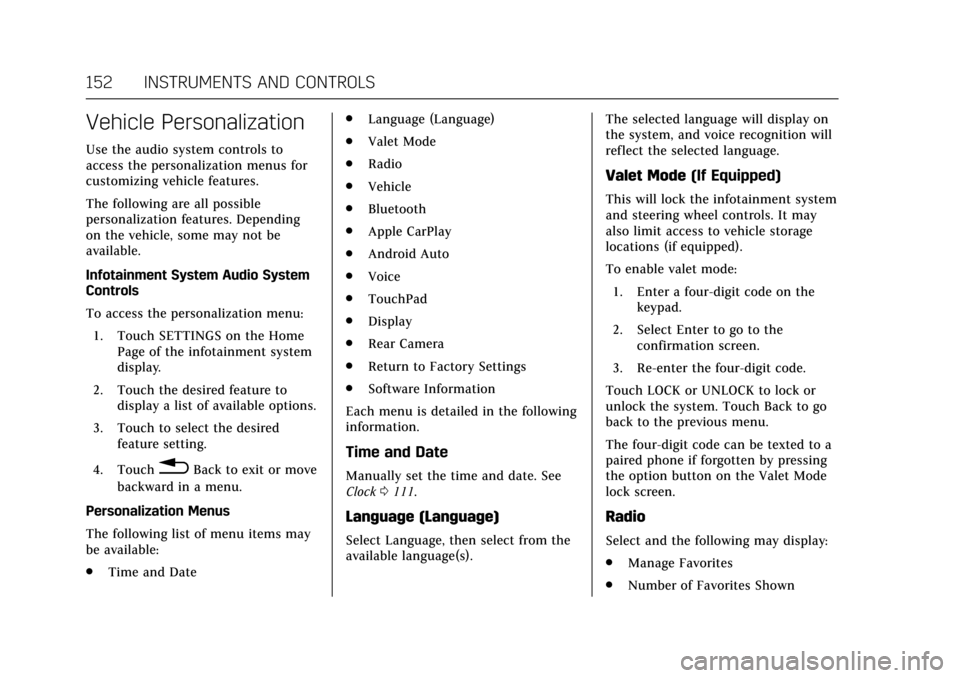
Vehicle Personalization
Use the audio system controls to
access the personalization menus for
customizing vehicle features.
The following are all possible
personalization features. Depending
on the vehicle, some may not be
available.
Infotainment System Audio System
Controls
To access the personalization menu:1. Touch SETTINGS on the Home Page of the infotainment system
display.
2. Touch the desired feature to display a list of available options.
3. Touch to select the desired feature setting.
4. Touch
0Back to exit or move
backward in a menu.
Personalization Menus
The following list of menu items may
be available:
. Time and Date .
Language (Language)
. Valet Mode
. Radio
. Vehicle
. Bluetooth
. Apple CarPlay
. Android Auto
. Voice
. TouchPad
. Display
. Rear Camera
. Return to Factory Settings
. Software Information
Each menu is detailed in the following
information.
Time and Date
Manually set the time and date. See
Clock 0111.
Language (Language)
Select Language, then select from the
available language(s). The selected language will display on
the system, and voice recognition will
reflect the selected language.
Valet Mode
(If Equipped)
This will lock the infotainment system
and steering wheel controls. It may
also limit access to vehicle storage
locations (if equipped).
To enable valet mode:
1. Enter a four-digit code on the keypad.
2. Select Enter to go to the confirmation screen.
3. Re-enter the four-digit code.
Touch LOCK or UNLOCK to lock or
unlock the system. Touch Back to go
back to the previous menu.
The four-digit code can be texted to a
paired phone if forgotten by pressing
the option button on the Valet Mode
lock screen.
Radio
Select and the following may display:
. Manage Favorites
. Number of Favorites Shown
Page 156 of 337

Cadillac CT6 Owner Manual (GMNA-Localizing-MidEast-10293390) - 2017 -
CRC - 6/21/16
INSTRUMENTS AND CONTROLS 155
Comfort and Convenience
Select and the following may display:
.Auto Memory Recall
. Easy Exit Options
. Chime Volume
. Reverse Tilt Mirror
. Auto Mirror Folding
. Rainsense Wipers
Auto Memory Recall
This feature automatically recalls the
current driver’s previously stored 1 or
2 button positions when entering the
vehicle. See Memory Seats 061.
Select Off or On.
Easy Exit Options
This feature automatically recalls the
current driver’s previously stored exit
button position when exiting the
vehicle. See Memory Seats 061.
Select Off or On.
Chime Volume
This allows the selection of the chime
volume level. Touch + or
−to adjust the volume.
Reverse Tilt Mirror
When on, both the driver and
passenger outside mirrors will tilt
downward when the vehicle is shifted
to R (Reverse) to improve visibility of
the ground near the rear wheels. They
will return to their previous driving
position when the vehicle is shifted
out of R (Reverse) or the engine is
turned off.
Select Off, On - Driver and Passenger,
On - Driver, or On - Passenger.
Auto Mirror Folding
When on, the outside rearview mirrors
will automatically fold or unfold when
the Remote Keyless Entry (RKE)
transmitter
QorKbutton is pressed
and held.
Select Off or On.
Rainsense Wipers
This allows the Rainsense Wipers
feature to be disabled or enabled. See
“Rainsense ™”inWindshield Wiper/
Washer 0109.
Select Off or On.
Lighting
Select and the following may display:
. Vehicle Locator Lights
. Exit Lighting
Vehicle Locator Lights
This feature will flash the exterior
lamps and allows some of the exterior
lamps and most of the interior lamps
to turn on briefly at night when
Kon
the Remote Keyless Entry (RKE)
transmitter is pressed to locate the
vehicle.
Select Off or On.
Exit Lighting
This allows the selection of how long
the exterior lamps stay on when
leaving the vehicle when it is dark
outside.
Select Off, 30 Seconds, 60 Seconds,
or 120 Seconds.
Power Door Locks
Select and the following may display:
. Unlocked Door Anti-Lockout
. Auto Door Lock